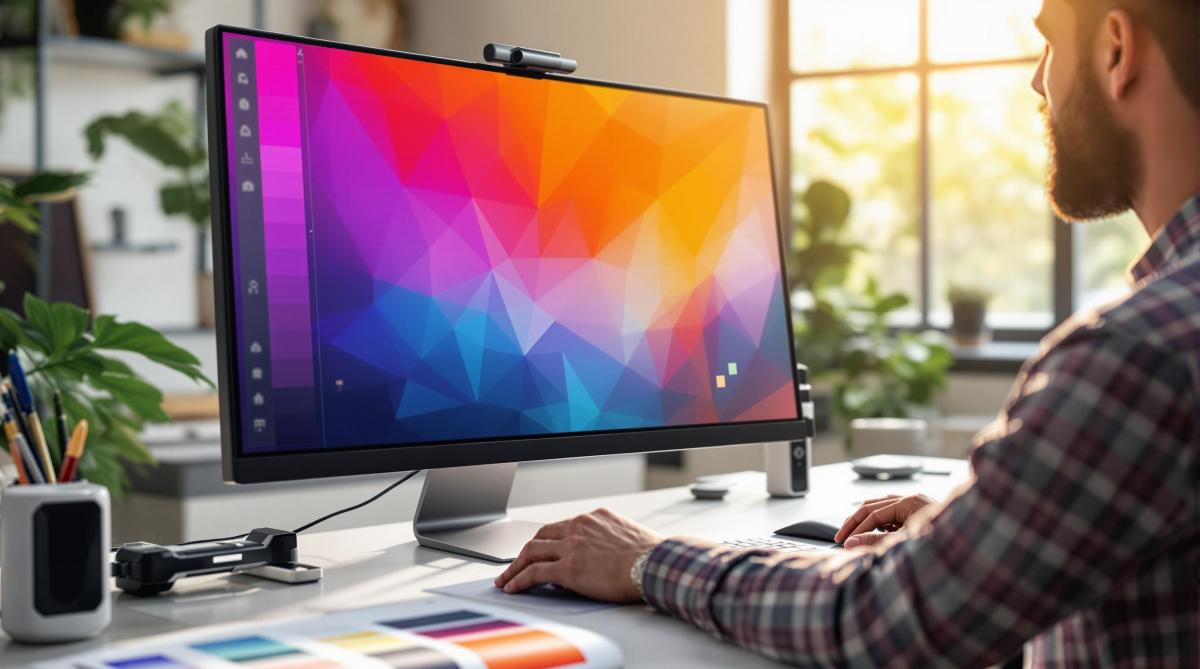
Want your printed colors to match your design perfectly? Here’s how to do it:
- Use the Right Color Space: Start with CMYK for print projects to avoid surprises when converting from RGB.
- Calibrate Your Devices: Regularly adjust your monitor and printer settings using ICC profiles for consistent color.
- Control Your Environment: Work in a neutral space with D50 lighting and avoid sunlight to ensure accurate color perception.
- Choose the Right Proofing Paper: Match your proof paper to the final material in weight, finish, and brightness.
- Check Digital and Physical Proofs: Use digital proofs to spot issues early, then verify with physical proofs for final accuracy.
For complex projects, professional print services, like Miro Printing & Graphics Inc., offer advanced tools and expertise to ensure perfect color matching.
Key Tip: Proper calibration, standardized lighting, and quality materials are the foundation of accurate proofing.
Let’s break it down step by step.
Beyond Monitor Calibration – Get Prints That Match Your Display
Color Management Basics
Managing colors correctly ensures that what you see on your screen matches the final printed result.
RGB vs CMYK Color Spaces
RGB (Red, Green, Blue) and CMYK (Cyan, Magenta, Yellow, Black) are two different methods for reproducing colors. Screens like monitors and TVs rely on RGB, combining light to create colors. Printers, on the other hand, use CMYK, blending inks to produce colors on paper.
Here’s how they differ:
- RGB covers a wider range of colors than printers can reproduce.
- CMYK reflects the limitations of physical printing.
- Converting from RGB to CMYK often results in less vibrant colors.
For print projects, switch your designs to CMYK early to avoid surprises during proofing.
What Are ICC Profiles?
ICC profiles act as translators, ensuring colors look consistent across devices – whether you’re working on a monitor, a printer, or another device. Using these profiles alongside regular calibration keeps your colors consistent from start to finish.
How to Calibrate Your Devices
To achieve accurate colors, follow these steps:
- Monitor Calibration: Adjust your monitor monthly. Use a brightness setting of 120–160 cd/m², a 6500K white point, and a gamma of 2.2.
- Printer Calibration: Run nozzle checks, print test charts, fine-tune density, and create custom ICC profiles for your printer.
- Environment Setup: Work in a neutral space with D50 lighting, avoid direct sunlight, and maintain 45–55% humidity.
Setting Up Your Proofing Space
Fine-tuning your proofing space is essential for achieving accurate color results. The way your workspace is arranged plays a big role in how you perceive colors, which directly impacts the quality of your proofs.
Lighting Requirements
Getting the lighting right is key to proper color evaluation. Your proofing area should meet these guidelines:
- Controlled Ambient Light: Keep ambient light at 2,000 lux (±500 lux).
- Color Temperature: Use lighting fixtures rated at D50 (5000K).
- Color Rendering Index (CRI): Use bulbs with a CRI of 90 or higher.
- Light Positioning: Position lights at a 45-degree angle.
Avoid combining different light sources and block any direct sunlight, as these can distort color perception. To minimize reflection issues, paint your walls a neutral gray, ideally Munsell N8.
Monitor Calibration Guide
1. Initial Setup
Allow your monitor to warm up for 30 minutes under stable lighting conditions.
2. Calibration Process
Adjust your monitor to these settings:
- Brightness: 120-160 cd/m²
- White Point: D50 (5000K)
- Gamma: 2.2
- Contrast Ratio: At least 200:1
3. Verification
Use standard color charts to confirm calibration accuracy and make adjustments if needed. Recalibrate your monitor monthly to ensure consistent performance.
Selecting Proof Paper
Pick proof paper that closely matches your final print material:
- Weight: Match the paper weight within 10% of the final stock.
- Finish: Use the same surface finish (matte, gloss, or semi-gloss).
- Whiteness: Choose paper with similar brightness levels.
- Opacity: Ensure the opacity matches the final material.
Store proofing paper in a climate-controlled space at 68-72°F (20-22°C) with 45-55% relative humidity. This helps prevent warping or color shifts caused by environmental changes.
For precise color proofing, use standardized proofing papers that meet ISO 12647-7 specifications. These papers ensure consistent and reliable color results across different print jobs.
sbb-itb-ce53437
Color Proofing Methods
Color proofing ensures that digital designs translate accurately into printed materials. Start with digital proofs to identify any issues, then move to physical tests for final verification.
With a calibrated workflow and a color-managed system in place, follow these steps for digital proofing.
Digital Proofing Steps
1. Check the Color Profile
Make sure the design is in CMYK mode, uses the correct ICC profile, converts all images to CMYK, and has properly defined spot colors.
2. Set Up Soft Proofing
Use your design software to simulate print output:
- Enable proof colors (Ctrl+Y in Adobe software)
- Choose the right printer profile
- Turn on black point compensation
- Set the rendering intent to "Relative Colorimetric"
3. Review Digital Colors
Examine these elements carefully:
- Ensure brand colors align with specified values
- Check gradients for smooth blending
- Inspect overprints and transparency effects
- Confirm black text settings (100% K for small text vs. rich black for large areas)
Once the digital file is optimized, move on to physical proofs to confirm accuracy.
Physical Proof Creation
Physical proofs offer a hands-on way to verify colors. Follow these steps to create reliable proofs:
- Print a test sheet with color bars and registration marks
- Include a gray balance chart to check neutrality
- Print several copies to confirm consistency
- Allow prints to dry for 24 hours before evaluation
- Compare the proofs to the digital file
To ensure precise color matching, use professional tools like:
- A spectrophotometer to measure color values
- A densitometer to check ink density
- Color control strips for monitoring the printing process
If you notice differences between digital and physical proofs, investigate and resolve the discrepancies.
Fixing Proof Differences
Document the differences, including delta E values, viewing conditions, and paper specifications. Common issues may include paper mismatches, calibration drift, or ICC profile errors.
How to Correct Issues
Take these steps to address problems:
- Adjust specific color channels as needed
- Update your color management settings
- Modify output curves if required
- Create custom printer profiles for better accuracy
Professional Proofing Services
For simple projects, basic in-house proofing might get the job done. But when it comes to achieving accurate color reproduction and high-quality results, professional print services bring specialized expertise and advanced tools to the table. Their controlled environments and attention to detail ensure your materials look exactly as intended.
Why Choose Professional Print Shops?
Print shops offering professional services follow strict color management practices, reducing the risk of errors and delivering consistent results. Here’s what sets them apart:
- Advanced Equipment: Tools like industrial spectrophotometers and densitometers ensure precise color measurements.
- Standardized Lighting: D50 viewing booths provide a consistent color temperature for evaluating prints.
- Precise Color Management: Devices are regularly calibrated, and ICC profiles are standardized for accuracy.
- Skilled Specialists: Experienced professionals understand the finer details of color reproduction.
- Rigorous Quality Checks: Systematic procedures ensure consistent color and print quality.
These services catch and fix subtle color variations that might go unnoticed otherwise. They also address key factors like color gamut accuracy, dot gain adjustments, paper compatibility, and ink density.
One standout example of such expertise is Miro Printing & Graphics Inc..
Miro Printing & Graphics Inc.
Located in Hackensack, NJ, Miro Printing & Graphics Inc. offers a full range of digital and offset printing services with a strong emphasis on color management. Their proofing services include:
- Digital Proofing: High-resolution proofs that simulate the final print conditions.
- Press Proofing: Exact color matching using the specified paper stock.
- Custom ICC Profiles: Tailored profiles for unique project needs.
- Cross-Platform Accuracy: Consistent color reproduction across different printing technologies.
For businesses that require precise color matching, Miro Printing goes the extra mile with pre-press consultations, multiple proofing options, color correction services, and a detailed archive of color profiles and specifications. Partnering with experts like Miro Printing ensures your printed materials meet your brand standards while saving you time and effort.
Summary
Getting accurate color proofing right takes a mix of skill, a properly set up workspace, and strict process management. A solid understanding of color spaces and ICC profiles is key to ensuring consistent colors across different devices and formats.
A well-prepared workspace is crucial. This includes D50 lighting and monitors that are regularly calibrated. Pairing this with consistent calibration and matching proof materials helps ensure that your prints closely match the original design.
For projects where precision is non-negotiable, professional print services are a game-changer. Companies like Miro Printing & Graphics Inc., with over 30 years of experience, bring the tools and know-how to tackle even the most demanding color requirements while sticking to tight deadlines.
Professional proofing delivers reliable results and brand consistency by focusing on:
- Regular equipment calibration
- Standardized viewing conditions
- Rigorous quality checks
Whether you handle it internally or work with experts like Miro Printing & Graphics Inc., maintaining a detailed proofing process ensures dependable and consistent printed colors every time.
Related Blog Posts
- How to Adjust Colors for Offset Printing
- Print Proofing Steps for Flawless Results
- Proofing Process: From Screen to Print
- Soft Proofing Techniques for Accurate Colors
https://app.seobotai.com/banner/banner.js?id=67da20b4cfd1b2222c56c3fe
 BergenCountyPrintersBlogs