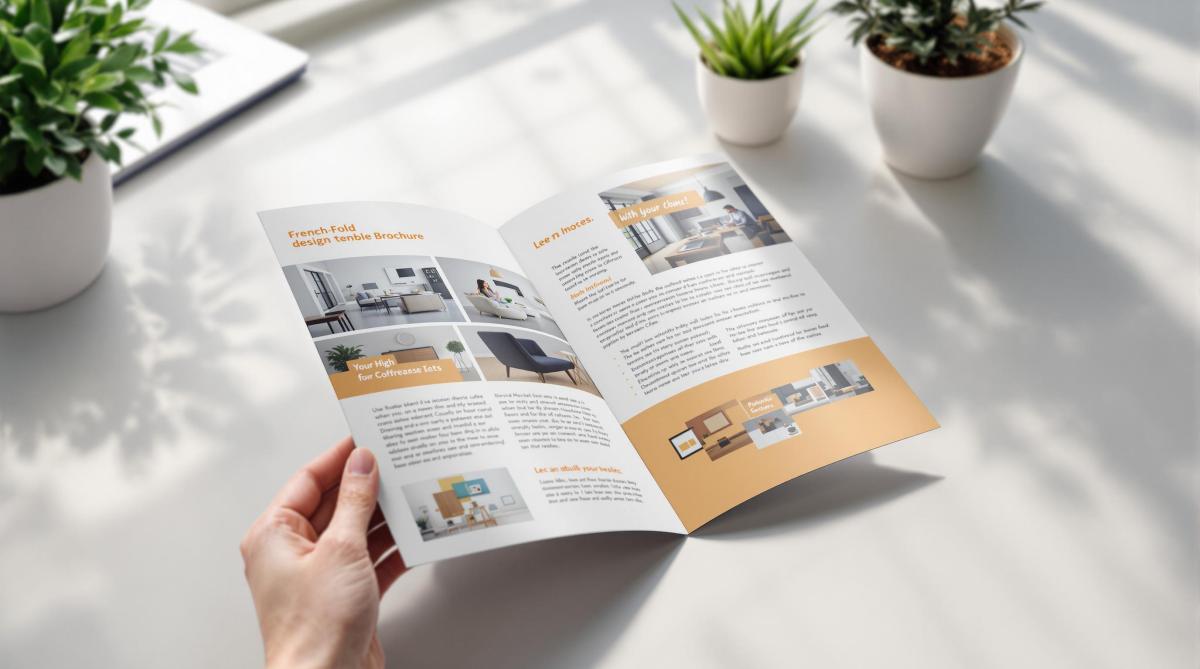
French fold brochures are folded twice – horizontally and vertically – creating four panels. They’re perfect for showcasing content in a compact yet engaging way. Here’s what you need to know:
- Design Basics: Start with a single sheet, fold it twice, and plan content across panels. Use the front to grab attention and the center spread for visuals or key messaging.
- Image Quality: Use 300 DPI resolution, CMYK color mode, and include a 0.125-inch bleed for clean prints.
- Layout Tips: Align visuals with fold lines, maintain consistent margins, and ensure critical elements stay away from edges.
- Fonts & Colors: Choose brand-aligned fonts and high-contrast colors for readability.
- Print Setup: Use proper bleeds, safe zones, and check panel alignments. Request a digital proof before printing.
Partnering with professional printers ensures precise folding and premium quality. Follow these guidelines to create brochures that leave a strong impression.
How to Set Up Artwork For a French Fold Leaflet (What Goes …
Design Planning
Creating a French fold brochure starts with thoughtful planning for both content and visuals. A well-organized layout ensures your design works effectively with the unique structure of this brochure style.
Content Planning
Distribute your key messages strategically across the panels. Use the front panel to grab attention with your most compelling offer or statement. The center spread is ideal for visually striking content – think product showcases, infographics, or a bold brand statement. Remember, a strong presentation creates a lasting first impression.
Image Requirements
High-quality images are crucial for a professional look. Follow these guidelines:
- Ensure a resolution of at least 300 DPI for sharp visuals.
- Convert images to CMYK color mode for accurate printing.
- Add a 0.125-inch bleed beyond trim edges to avoid cutting issues.
- Keep critical elements at least 0.25 inches away from fold lines and edges.
These steps ensure your images stay clear and your brochure looks polished and professional.
Layout Design
Panel Organization
Design your panel sequence carefully to create an engaging French fold brochure layout. This step builds on your content planning, ensuring readers can follow a logical flow as they move through adjacent panels. Use consistent margins to clearly define panel boundaries and make transitions between sections smooth. Once your panels are organized, adjust your visuals to align with this structure.
Visual Structure
Create a clear visual hierarchy by focusing on a central point of interest, leaving enough white space, and aligning elements with the fold lines. Use a grid system to ensure consistent spacing, and consider extending color blocks or images across panels for a unified look. These elements should come together seamlessly in your full-spread layout.
Full-spread Layout
Set up a standard letter-size design file with proper bleeds on all edges. Mark fold lines clearly and keep important content away from these areas to avoid problems when folding. The center spread is perfect for showcasing impactful visuals or key messaging that spans multiple panels, whether the brochure is folded or fully opened.
sbb-itb-ce53437
Fonts and Colors
Once your layout is set, it’s time to think about fonts and colors to refine your design.
Color Guidelines
Choose a color palette that reflects your brand’s identity. Combine primary colors with complementary shades to ensure high contrast, making your design visually appealing in both folded and unfolded forms.
Print Production
Print File Setup
When setting up your document for printing, include 0.125-inch bleeds, define safe zones, use CMYK color mode, and ensure images are at 300 DPI. For an 8.5"x11" brochure, make the inner panels about 0.0625 inches narrower to avoid any bunching during folding.
Quality Checks
Before sending your file to print, go through these important checks:
- Ensure all text is formatted correctly and free of spelling errors.
- Verify that images are properly linked and at full resolution.
- Double-check fold lines and panel alignments.
- Confirm that color settings and contrast are accurate.
- Inspect bleeds and margins to avoid trimming issues.
- Request a digital proof to catch any final errors.
Professional Printing
The final step is partnering with a professional printing service to bring your design to life. Once your file meets all quality standards, a skilled printer can ensure your French fold brochures look polished and professional.
Miro Printing & Graphics Inc. is a trusted name with over 30 years of experience. They offer both digital and offset printing, giving you flexibility for different production volumes while maintaining consistent quality. Their in-house bindery services guarantee precise folding and finishing, which is especially important for French fold brochures.
To get the best results, schedule a consultation to discuss your project. Professionals can guide you on paper choices, finishing touches, and timelines. They’ll also help you select the right printing method based on your budget, quantity, and quality requirements.
Summary
Design Guidelines
Creating an effective French fold brochure starts with a clean, organized layout. The design should flow naturally across panels while staying true to your brand’s identity. Use plenty of white space and establish a clear visual hierarchy to make the content easy to read and visually appealing. Select fonts that align with your brand and are easy to read. Don’t forget to follow printer setup requirements, such as bleed, resolution, color mode, and margins, to ensure a professional finish. A great design paired with expert printing can make all the difference.
Print Services
Using professional printing services is key to producing high-quality French fold brochures that stand out. LycoRed T. highlights the excellence of Miro Printing & Graphics Inc.:
"Mike and his team at Miro have delivered stars, comet, and galaxy size projects for Lycored. No matter how little or large, no matter what the deadline, i sleep at night knowing Miro is on it. Truly, a gem printer shop and more in New Jersey."
Miro Printing & Graphics Inc. offers a full range of services, including digital and offset printing, in-house bindery, expert design support, and strict quality control to meet your specific needs.
Their dedication to detail is echoed by satisfied clients like Julia I.:
"Mike and his team completed a complex job in record time for a very reasonable price… Best service I’ve ever received from a printer; couldn’t recommend Miro more highly."
Consider scheduling a consultation to receive expert advice on paper options, finishes, and production timelines.
Related Blog Posts
- Ultimate Guide to Personalized Print Design
- Folded Print Formats: Cost Breakdown
- How to Create Die-Cut Templates for Printing
- 5 Tips to Prevent Cracking on Folded Prints
https://app.seobotai.com/banner/banner.js?id=67df52c087fa49042c758fc6
 BergenCountyPrintersBlogs