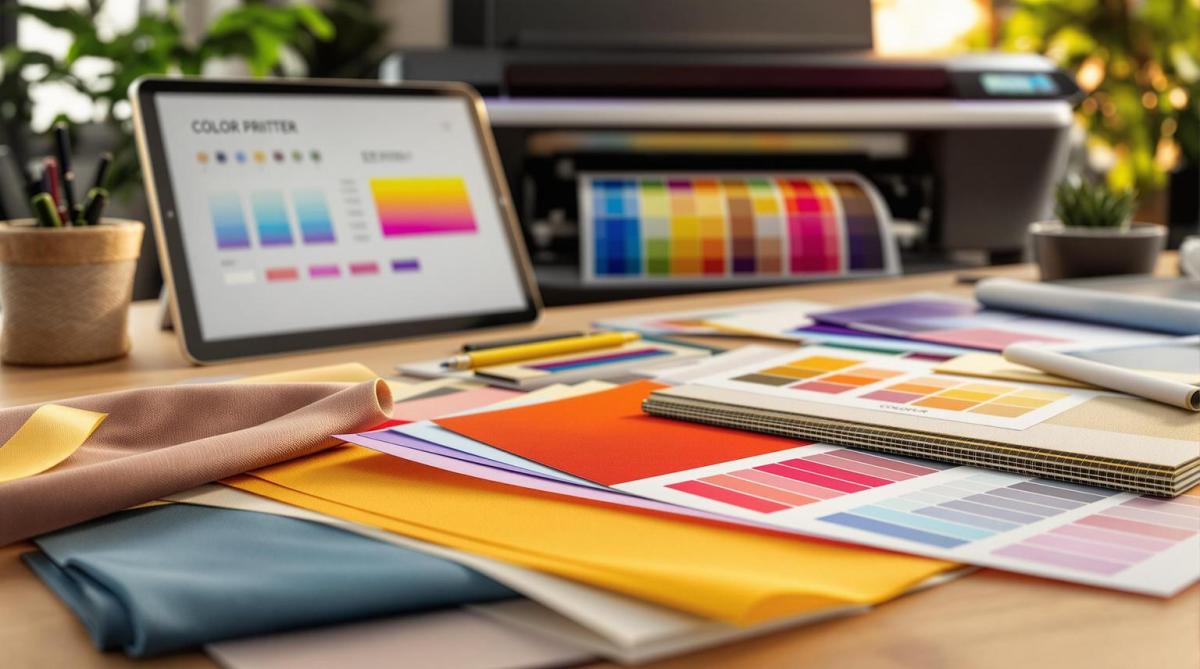
Consistent color across materials is crucial for professional printing. Different substrates – like glossy paper, plastic, or metal – interact with ink in unique ways, affecting the final result. This guide offers 5 actionable tips to maintain color accuracy and quality across all surfaces:
- Know Your Substrate Properties: Understand texture, absorbency, and reflectivity to predict color outcomes.
- Build Custom Color Profiles: Use ICC profiles to match colors across devices and substrates.
- Improve Pre-Press Setup: Prepare substrates, calibrate equipment, and test thoroughly before production.
- Manage Printing Conditions: Control temperature, humidity, and lighting to ensure consistent results.
- Test and Review Before Final Printing: Run test prints and get client feedback to catch issues early.
Process Control for Print and Packaging
1. Know Your Substrate Properties
The type of substrate you use plays a huge role in determining color accuracy. Whether it’s glossy business cards or vinyl banners, each material interacts with ink in its own way, which can greatly influence the final print quality.
"The media or substrate used in large format printing plays a major role in the print quality. Different types of media and substrates have different levels of absorbency and reflective properties, which can affect the way the ink is applied to the substrate and the overall quality of the finished product." – Electronic Office Systems
Check Substrate Characteristics
When it comes to substrates, three main characteristics – texture, absorbency, and reflectivity – shape how colors appear and how the material interacts with ink.
- Texture: This affects how well the ink adheres to the surface. Smooth materials allow for better ink adhesion and more even color distribution, while rougher textures can lead to patchy results. For example, glossy paper tends to create sharper, more vibrant images compared to matte paper because it reflects light more effectively.
- Absorbency: This determines how much ink the material can take in. Highly absorbent substrates can produce more vivid colors and higher resolution but may be more prone to smudging or fading. On the other hand, less absorbent materials are more resistant to fading but might not deliver the same level of detail and vibrancy.
- Reflectivity: This influences how colors look once printed. Non-absorbent surfaces often provide brighter and more vivid results, while highly absorbent ones can create a duller finish.
For digital printing, it’s important to consider specific substrate properties, such as water content (ideally between 4.7% and 5.3%), smoothness (160–200 Sheffield units), and heat resistance (up to 392°F or 200°C).
Once you understand how substrate properties affect your print, the next step is choosing the right ink.
Choose Compatible Inks
Selecting the right ink for your substrate is crucial. The ink must match the substrate’s characteristics to ensure proper adhesion and durability.
One critical factor is surface energy. Inkjet press suppliers often measure a substrate’s surface energy to check compatibility. Generally, a surface energy above 44 dynes indicates good conditions for ink adhesion. For the best results, the ink’s surface tension should be lower than the substrate’s surface energy.
Here are some common ink options based on substrate types:
- Water-based inks: Ideal for porous materials.
- Solvent-based inks: Best for non-porous surfaces.
- UV-curable inks: Highly versatile, working well across various substrates. These inks cure instantly under UV light and are more energy-efficient, requiring nine times less energy and producing ten times less CO₂ than latex inks.
Before jumping into production, always test your chosen ink and substrate combination for at least 24 hours. If you’re working with specialty materials, such as stretchable substrates, consult your ink supplier for recommendations. Many manufacturers also provide validation testing services and offer primers or coatings to improve ink adhesion on challenging surfaces.
A solid understanding of these basics will help you achieve consistent, high-quality color across all your print projects.
2. Build Custom Color Profiles
To achieve consistent and precise color reproduction across different materials, custom color profiles are essential. These profiles, particularly ICC profiles, play a crucial role in standardizing color management by guiding devices on how to reproduce colors accurately on various substrates. Let’s dive into how these profiles work and how to create them.
Understanding ICC Profiles
ICC profiles, developed by the International Color Consortium (ICC), are digital files that contain detailed data about a device’s unique color characteristics – such as its gamut, transformations, and color responses. They essentially act as instructions for printers, ensuring accurate color reproduction for specific substrates.
"ICC profiles allow devices to ‘translate’ color data from one device into information that another device can use to create an accurate representation." – Fujifilm
The ICC standard, established in 1994 and recognized as ISO 15076 by the International Organization for Standardization, ensures that colors remain consistent between devices. Without these profiles, the same image might look completely different on a monitor versus a printed material due to variations in hardware, ink, and substrate properties. Custom profiles solve this issue by mapping how your specific printer, ink, and substrate combination reproduces colors.
These profiles operate by linking colors between a Profile Connection Space (PCS) and your device. The PCS typically uses either the CIE L_a_b or CIE XYZ color spaces as intermediaries, enabling accurate color translation between devices.
How to Create Custom Profiles
Now that we’ve covered the importance of ICC profiles, here’s how you can create one tailored to your printer, ink, and substrate combination. This process requires specific tools and a methodical approach.
Key Equipment:
- A spectrophotometer, such as the X-Rite i1Pro 3 or i1Pro 3 Plus
- Profiling software like X-Rite i1Profiler, CoPrA, or Spyder Print
- Ensure the spectrophotometer accommodates your substrate’s thickness. For instance, the X-Rite i1Pro 3 Plus works with materials up to 20 mm (0.8 in) thick.
Step-by-Step Process:
- Set Up Your Media and Printer: Start by selecting the appropriate media, printer, and print mode within your Raster Image Processor (RIP) software. The RIP software coordinates printer settings, ink usage, and media attributes to achieve consistent results. Consider factors such as print head type, nozzle count, ink droplet size, and the substrate’s ability to absorb ink.
- Print and Measure Color Charts: Print color charts on the chosen substrate using production settings. Use the spectrophotometer to measure the full color range of the printed charts.
- Create the Profile: Let the profiling software compute a custom ICC profile based on your printer, ink, and substrate combination. Adjust settings like black generation, rendering intents, and measurement corrections to fine-tune the profile.
Important Considerations:
- Always calibrate your devices carefully, as accurate custom profiles depend on well-calibrated equipment.
- For complex profiling tasks, especially with challenging substrates, seeking professional assistance can be helpful.
- Keep in mind that firmware updates on digital printers can disrupt existing profiles, so recalibration may be necessary.
3. Improve Your Pre-Press Setup
Getting your pre-press setup right is essential for maintaining consistent color accuracy across various materials. By focusing on proper substrate preparation and equipment calibration, you can lay the groundwork for reliable color reproduction.
Prepare Substrate Surfaces
The way you prepare your substrate can make or break ink adhesion and color accuracy. Different materials need specific treatments to ensure the ink adheres well and colors appear vibrant.
Start with thorough cleaning to remove dust, oils, or any contaminants that might interfere with ink adhesion. Even microscopic debris can disrupt the process. Use cleaning agents or solvents designed for your material to get the best results.
Next, condition your substrates by letting them sit in the printing environment for at least 24 hours. This step allows the materials to adjust to the room’s temperature and humidity, minimizing dimensional shifts that could affect registration and color consistency during printing.
For more advanced preparation, consider surface treatment methods like corona, plasma, or flame treatment. These techniques modify the substrate’s surface to improve ink adhesion. Each method has its strengths, but corona treatment stands out because it cleans and pre-treats the surface at the same time.
Keep in mind that different inks require specific surface energy levels for proper adhesion. For example, water-based inks need the substrate’s surface tension to be about 10 dynes/cm higher than the ink’s surface energy. UV inks typically perform best with a surface energy of 60 dynes/cm or higher.
If you’re working with tricky materials, digital primers or adhesion promoters can be a game-changer. In January 2024, Boston Industrial Solutions, Inc. introduced UV adhesion promoters like M74F, G1, and PP Primer. These products are designed to boost UV ink adhesion on challenging materials such as polypropylene and coated metals. They even offer free ink adhesion testing based on ASTM standards to help you find the best combination of inks and treatments for your needs.
"Digital primers (UV ink adhesion promoters) and mechanical pre-treatment systems function to increase the surface energy of a material. An increase in surface energy on the material in turn leads to good ink adhesion – assuming the ink is compatible with the material." – Boston Industrial Solutions, Inc.
Once your substrate is ready, the next step is to ensure your equipment is fine-tuned for the job.
Calibrate Equipment and Run Tests
Proper equipment calibration is just as important as substrate preparation when it comes to achieving consistent, high-quality results. Calibration ensures your printer performs reliably and reproduces colors accurately, no matter the substrate.
Start with basic calibration steps, such as purging and aligning the print heads and adjusting ink levels to match the substrate’s absorption characteristics. Check tonal gradation and verify that the printed output aligns with the dot percentages in your input file.
Andrea De Rossi, a Color Management Consultant, underscores the importance of this process: "The quality of the color in digital printing starts with the calibration of the printer because the qualitative yield and the economy of each reproduction process depends on the essential optimization of the printing machine used".
To fine-tune color accuracy, use a spectrophotometer to measure and update the ICC profile. Print color test charts on the specific substrate you’re using, scan them with the spectrophotometer, and update your printer’s ICC profile accordingly. This ensures your equipment can accurately reproduce colors for that material.
Don’t overlook monitor calibration, either. Adjust your monitor’s brightness, contrast, white points, and color levels to ensure what you see on screen matches the final print as closely as possible.
Finally, pre-press testing is a critical step to catch potential issues before full production. Test prints help you spot errors, optimize designs, and verify color accuracy, saving time and money in the long run. Be sure to evaluate test prints under different lighting conditions to identify any inconsistencies. This is especially important when working with difficult substrates or intricate color requirements, as it ensures your final output aligns with your vision.
sbb-itb-ce53437
4. Manage Printing Conditions
The conditions in your printing facility can significantly affect color consistency across different materials. For instance, temperature swings may cause substrates like paper to expand or shrink, leading to misaligned colors or designs. Similarly, changes in humidity can impact ink drying and paper behavior, resulting in curling, wrinkling, or uneven printing.
Take the case of Global Print Solutions, a commercial printer that faced a $50,000 loss in materials and weeks of delivery delays due to humidity-related paper curling. This example highlights the importance of maintaining stable, controlled conditions for consistent quality, especially for high-volume or precision printing jobs like product packaging and textiles.
Track Your Printing Environment
Beyond calibrating your equipment, keeping a close eye on your facility’s environment is critical. Experts recommend maintaining temperatures between 65°F–75°F and humidity levels of 40%–60% (ideally 50–55% RH) to avoid issues like material expansion, smudging, or misregistration .
Even slight changes in humidity can have a big impact. Paper can experience dimensional changes of 1–2% within just 10 minutes in low humidity. When humidity drops, paper loses moisture, which can lead to misfeeds and print quality issues. On the other hand, excessive humidity can cause ink to absorb moisture, leading to smudges. Low humidity can also create electrostatic buildup, which disrupts paper handling and affects print quality.
Lighting is another key factor for accurate color evaluation. Printed colors are perceived through reflected light, and lighting conditions – whether natural or artificial – can drastically alter how colors appear. To ensure consistency, use standard lighting sources like D50 (5000K) or D65 (6500K), which closely replicate natural daylight.
Use Control Tools
Once you know the ideal environmental ranges, modern tools can help you maintain them with ease. Environmental sensors and data loggers provide real-time monitoring of temperature and humidity, enabling quick adjustments when needed .
For precise humidity tracking, thermo-hygrometers can measure relative humidity levels. More advanced systems, like Wi-Fi-enabled data loggers, offer continuous monitoring and detailed reports. If humidity drops below recommended levels, humidification systems can restore balance, ensuring optimal conditions for printing.
Mark Thompson, Operations Director at Premier Print Services, shared how investing in precision humidity control transformed their operations:
"After we installed precision humidity control our annual maintenance costs dropped 60%, and our print quality consistency improved dramatically. We are seeing fewer reprints, happier clients, and less equipment maintenance. The system paid for itself in the first 18 months".
For lighting, consider using D50 lighting (5000°K) to eliminate unwanted color casts, such as the blue-green tint from fluorescent lights. A D50 lightbox is ideal for evaluating printed materials, ensuring consistent and reliable color assessments .
Smart technology can further enhance your environmental control. Smart sensors can provide real-time updates on temperature and humidity, while modern printers can adjust settings automatically to optimize ink flow, drying, and material handling. These proactive measures allow you to address potential issues before they impact your print quality, saving time and resources in the long run.
5. Test and Review Before Final Printing
Once you’ve nailed down the right substrate, custom profiles, and calibrated equipment, the next step is testing. This ensures that your colors stay true throughout production. Running test prints and getting client feedback can save you from costly mistakes and ensure everything looks perfect – especially on unusual materials.
Run Multiple Test Prints
After calibration and prepping your substrate, testing acts as your final quality check. Test prints help confirm color accuracy across different materials and give you a chance to tweak settings before committing to a full production run. Every material – whether it’s glossy plastic, textured metal, or absorbent fabric – reacts differently with inks, so testing helps catch any issues early.
Start by cleaning the substrates thoroughly to remove any dust or contaminants. Follow the preparation steps outlined earlier, and for garments, consider applying a light pretreatment to improve ink adhesion.
Choosing the right test substrate is critical. As Southeast Prints advises:
"Always ensure that your chosen substrate is compatible with DTF printing. Typically, DTF transfer films work best on porous surfaces which allow the ink to penetrate and adhere to the material."
Custom profiles should be created for each substrate. These profiles account for factors like ink absorption and color behavior, helping you set the right ink limits to avoid over- or under-inking. Tools like densitometers or spectrophotometers can also come in handy, providing precise color measurements to ensure consistency.
When evaluating your test prints, use full-spectrum 5,000K lighting. This helps you match the printed colors to what you see on the screen, avoiding any surprises caused by lighting differences.
Get Client Approval
Client input is a crucial part of the process. Sharing proofs with clients gives them a chance to check the color, layout, and overall design. Encourage detailed feedback by using annotation tools during the proofing stage. This ensures everyone is on the same page before moving forward with production. Setting clear deadlines for proof reviews and approvals keeps things moving smoothly.
For projects with multiple stakeholders, digital proofing tools can simplify collaboration. One full-service ad agency reported that these tools not only sped up the process but also reduced costs. Keeping the proofing process transparent strengthens client relationships and builds trust, which can lead to repeat business.
At Miro Printing & Graphics Inc., we follow these testing and review steps to make sure every project meets our high standards. By the time production begins, we’re confident that the final product will showcase your brand in the best possible light.
Conclusion
Managing color across various substrates becomes much simpler when approached methodically. The five tips outlined earlier work together to create a solid color management plan, ensuring consistent and polished results. Each step complements the next, aligning every phase – from preparation to the final print – with your brand’s expectations.
This process connects your design vision to the practical realities of printing. Understanding how materials like paper, plastic, metal, or fabric interact with your inks allows you to make smarter choices about profiles, equipment settings, and environmental conditions. This knowledge is key to creating custom color profiles that bring your designs to life exactly as intended.
"Color management refers to the process used so that color reproduction is exact and matches the original design with true and accurate color." – Sarah Jacks, Manager, INX Color Perfection®
Your pre-press setup and controlled printing environment play a crucial role in maintaining the conditions your profiles require. Factors like temperature, humidity, and substrate preparation all influence how inks behave and cure, making it essential to test and refine your output rigorously.
The testing and approval phase helps catch potential issues early. Regular equipment calibration, paired with thorough test prints, ensures your color management system remains dependable. This reliability is increasingly important as the large-format printing market grows, with projections estimating it will reach $12.70 billion by 2030.
At Miro Printing & Graphics Inc., our commitment to precise color management strengthens client trust and enhances brand identity. Consistent colors across business cards, brochures, signage, and packaging ensure your message stays cohesive and professional. This attention to detail not only improves quality but also minimizes the need for reprints.
FAQs
What’s the best way to choose the right ink for a specific substrate to get accurate colors?
Choosing the right ink for a specific material comes down to understanding how the ink interacts with the surface. For porous materials like paper, dye-based inks work well because they soak into the surface, delivering rich, vibrant colors. Meanwhile, non-porous surfaces such as plastic or metal need solvent-based or UV inks. These types of ink adhere more effectively and offer greater durability.
The finish of the material also plays a role. Glossy surfaces, for instance, often require specially formulated inks that complement their shiny coatings. To avoid surprises, it’s always a good idea to test the ink on a sample of the material first. This ensures the colors look the way you want and meet your quality expectations.
How do I create custom ICC profiles for different printing substrates?
Creating custom ICC profiles for specific printing materials requires a few essential steps to achieve consistent and accurate color reproduction. To start, you’ll need a spectrophotometer for precise color measurement and profiling software to generate the profile. Begin by printing a target color chart directly onto the material you’re profiling. This chart serves as the reference for measuring colors.
Next, use the spectrophotometer to read the colors on the printed chart. This step gathers the data necessary for the profiling software to create the ICC profile. The profile essentially defines how colors should appear on that particular material, ensuring accurate color output.
For the best results, it’s crucial to work with a properly calibrated monitor and select a color space that aligns with your printing process. Following these steps ensures your prints maintain a professional and consistent appearance, whether you’re working with paper, plastic, metal, or other substrates.
How can I ensure consistent color across different printing substrates in my facility?
Maintaining consistent color across different printing materials can be tricky, but focusing on a few essential practices can make all the difference. Start by stabilizing your printing environment – keep temperature and humidity levels steady, as changes in these conditions can affect how inks behave and, ultimately, the accuracy of your colors.
Next, rely on standardized color profiles and routine calibration. Regularly calibrate both your printers and monitors to ensure the colors you see on screen match the final output across various substrates. This step is crucial for achieving reliable color reproduction.
Lastly, introduce quality control tools like spectrophotometers. These devices let you check color consistency throughout production, so you can catch and correct any issues before they become bigger problems. By sticking to these methods, you’ll safeguard the integrity of your brand colors and deliver polished, professional results every time.
Related posts
- Substrate Selection for Digital Printing
- Soft Proofing Techniques for Accurate Colors
- How to Ensure Color Accuracy in Proofing
- 5 Common ICC Profile Issues and Fixes
https://app.seobotai.com/banner/banner.js?id=6833b64dd3b9661981815ef5
 BergenCountyPrintersBlogs