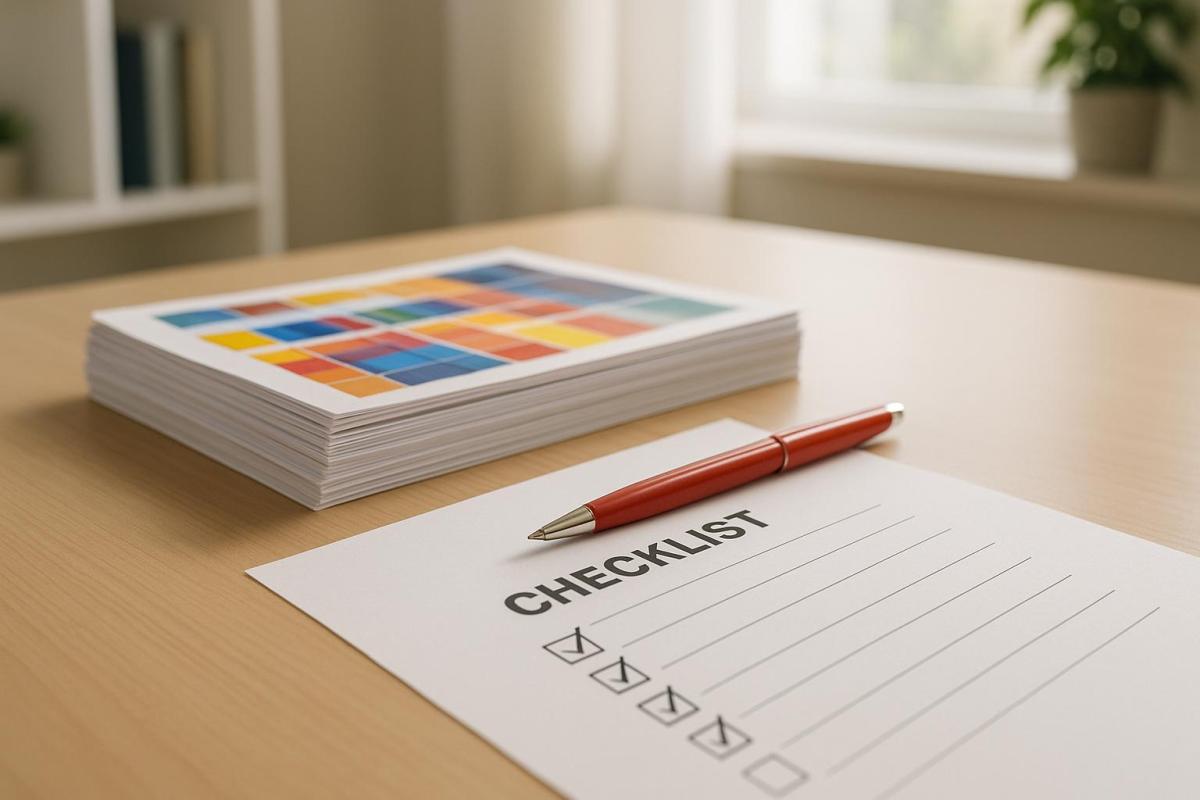
Why it matters:
- Avoid costly reprints due to errors like color mismatches or layout issues.
- Ensure your printed materials reflect your brand accurately.
- Hard proofs show true colors, textures, and paper quality – unlike digital previews.
Key steps:
-
Prepare before review:
- Verify job specs (quantity, dimensions, paper type, colors, etc.).
- Gather reference materials like original designs and brand guidelines.
- Review in proper lighting conditions for accurate color evaluation.
-
What to check:
- Layout: Dimensions, margins, bleeds, and folds match your specs.
- Color: Colors align with design and are consistent across pages.
- Text: Proofread for typos, formatting, and accuracy of details like dates or URLs.
-
Share feedback clearly:
- Document issues with specific details (e.g., "Page 2, Line 5: Change ‘recieve’ to ‘receive’").
- Mark corrections directly on the proof or use a digital tool for clarity.
- Set expectations for revisions or final approval.
Bottom line:
Reviewing hard copy proofs ensures your final product is error-free and professional. Skipping this step could lead to expensive mistakes and damage your brand’s image.
Board Book Hardcopy Proof Guide
Steps to Take Before Starting Your Review
Avoid costly mistakes by preparing thoroughly before diving into your proof review. These steps will help you spot discrepancies efficiently and ensure your project stays on track.
Check Job Specifications
Make sure the proof aligns with the original specifications. Brumley Printing offers a key piece of advice:
"When using printing services, make sure you communicate the correct printing specifications to the printer. If directions are clear, you can avoid surprise costs, or, even worse, surprise results."
Here are the critical elements to verify:
- Quantity matches your order
- Flat and folded dimensions meet the specs
- Paper weight, type, and coating align with your requirements
- Ink colors (such as CMYK, Pantone, or special finishes) are correct
- Bleed elements extend properly to avoid unintended white borders
- Binding and finishing options (like folding, trimming, scoring, or bundling) match the original order
Collect Reference Materials
Having the right reference materials makes all the difference. Start with your original digital design – this is your primary tool for spotting layout, typography, or color inconsistencies.
Keep these additional materials on hand:
- Color specifications and brand guidelines to ensure accuracy
- Font information to confirm text consistency
- Layout guidelines to check margins, trim areas, and spacing
For a more thorough review, print a hard copy of previously approved digital proofs to compare against the current version. This can help track any production changes. If possible, involve a colleague in the review process – they might catch errors you miss.
Create Proper Review Conditions
The environment where you review your proof matters, especially for color accuracy. Lighting should mimic the conditions where the final product will be displayed. Color expert Alain Briot advises:
"You need to look at your prints under color-calibrated lighting conditions to make an accurate comparison with the image on your monitor."
For accurate color evaluation, use D50 standardized lighting. If professional light booths aren’t available, an OttLite (calibrated to 5,000K daylight) works well for most scenarios.
Think about where the final piece will be used. For example, a restaurant menu should be reviewed under warm lighting, while a trade show banner needs assessment under bright, exhibition-like conditions. Photographer Diane Miller suggests:
"Evaluate the print in light as close as you can get to the actual viewing conditions and don’t try to match it to the monitor."
What to Check During Proof Review
Conduct a thorough proof review to catch errors before they lead to costly printing mistakes. Here’s what to focus on during your inspection:
Layout and Design Elements
Start by confirming the physical dimensions of your project. Double-check that the page size matches your order and that both flat and folded dimensions are accurate. For folded items, ensure the flat size translates correctly to the final folded dimensions.
Examine margins, bleeds, trim, and registration marks to ensure they align with the specifications. Misalignment in these areas can result in unwanted white borders or design shifts in the final product . If your project includes die cuts or perforations, confirm they’re correctly marked and positioned.
Verify the page sequencing, numbering, and fold placement. For folded designs, make sure the folds are in the right order and direction . Consistency is key: compare the design across all pages to ensure layouts, spacing, and element positioning remain aligned with your original specifications.
Once layout checks are complete, move on to color and print quality.
Color Accuracy and Print Quality
Color evaluation is one of the most critical aspects of proof review. As 40 VISUALS explains:
"Ensuring color accuracy in printing requires a comprehensive approach, from design to final production."
Match the printed colors to your original design and specifications. If you’re using Pantone colors, use your Pantone guide to confirm that the printed shades match your expectations. Keep in mind that CMYK colors are printed in layers (cyan, magenta, yellow, and black), while PMS colors offer a broader range.
Check for color consistency across all pages. Look for unexpected shifts, particularly where colors meet or overlap. Inspect images for sharpness and ensure ink coverage is even, avoiding streaks or thin spots. Verify that images and text are properly aligned and haven’t shifted during printing.
If your project includes special finishes like spot varnishing or foil stamping, confirm that these are accurately applied and aligned with the design.
Text and Content Review
A meticulous text review ensures your content looks professional. As Crowley Webb emphasizes:
"Careful proofreading doesn’t mean reading word by word; it means reading character by character."
Reading the document aloud can help you spot errors that are easy to miss, such as missing words, repeated phrases, or awkward sentences. This method also highlights issues with flow and readability.
Ensure formatting consistency throughout the document. Check that font styles, sizes, and spacing are uniform where they should be. Look for unintended variations in bold, italic, or underlined text.
Verify the accuracy of all names, numbers, dates, times, phone numbers, and website addresses. If the proof includes hyperlinks or QR codes, test them to ensure they work correctly.
Pay close attention to areas prone to typesetting errors, such as tables, figures, equations, and special characters. Lastly, review any previous corrections you requested. Compare the current proof to your earlier notes to confirm that all changes were implemented accurately.
sbb-itb-ce53437
How to Document and Share Your Feedback
Providing clear and detailed feedback is essential to avoid unnecessary delays and costly reprints.
List Problems and Needed Changes
Start by identifying all issues and prioritizing recurring errors. Create a systematic list of corrections, working through the document from beginning to end. For each issue, pinpoint the exact location by including details like the page number, line number, or figure number. This level of precision ensures the printer can quickly locate and resolve the issues.
When noting corrections, quote the error and specify the exact fix. For instance, instead of vaguely stating "fix the typo on page 3", write: "Page 3, line 12: change ‘recieve’ to ‘receive’." This eliminates guesswork and makes the process more efficient.
To streamline the documentation process, use digital tools. Record corrections in a text document or use the review mode in a PDF viewer. If direct PDF annotation isn’t an option, send an email with detailed instructions, including page, column, paragraph, and line numbers. This organized record becomes the foundation for your feedback to the printer.
Give Clear Feedback to the Printer
Once you’ve reviewed the proof, return it promptly – ideally within 1–2 days. Double-check that all elements are present and correct.
Clearly mark every required change. If your project includes color-sensitive elements, request a hard-copy color proof instead of relying solely on a digital PDF. This ensures colors are represented accurately.
Be explicit about your expectations for the next steps. Let the printer know if you need another proof to review or if they can proceed to print once changes are made.
Set Up the Approval or Revision Process
After documenting and sharing your corrections, establish a clear process to finalize the proof.
Consider using online proofing platforms to streamline the approval process. Define roles and responsibilities for everyone involved in reviewing the proof. If multiple people are part of the review, assign specific areas to each person to avoid overlapping feedback or missed corrections.
Set clear deadlines and send reminders to keep the process moving. Build a timeline that accounts for potential revisions while still ensuring you meet your production deadline. Consolidate all reviewer feedback using annotations and version control. For cases where multiple reviewers are involved, organize feedback systematically by categorizing it and assigning tasks.
Version control is crucial – it allows you to track changes and compare different versions easily. Before giving final approval, ensure all feedback has been addressed. Even if no changes are required, communicate your approval to the printer to avoid delays.
Use digital tools to compare proofs against the approved artwork, helping to spot any deviations. Keeping an audit trail of all approvals and changes ensures transparency and accountability. This documentation protects both you and the printer by maintaining a clear record of the entire process.
Conclusion: Getting a Perfect Final Product
Reviewing a hard copy proof is your last chance to catch errors before moving forward with a full print run. Think of it as your safety net, ensuring everything is exactly as it should be before committing to the final product. Skipping this step could lead to costly mistakes and reprints.
Hard copy proofs are created using the same materials and settings as your final print job, offering a precise preview of the finished product. This attention to detail helps you identify potential issues, like subtle color variations or unexpected differences in paper texture.
"If you want consistently high-quality prints, don’t skip out on the all-important proof!" – Professional Graphics Inc.
To ensure perfection, compare the printed proof to your original digital design. Pay close attention to color accuracy, scan for typographical errors, and examine image quality carefully. This meticulous review process ensures nothing is overlooked.
A well-documented workflow adds an extra layer of protection, creating transparency and reducing the risk of expensive reprints.
"Never sign off on a proof if it’s not correct." – 48 Hour Books
Before giving your final approval, confirm that the design, content, and overall quality meet your expectations. This step is non-negotiable for achieving a flawless end result.
FAQs
What should I look for when reviewing hard copy proofs?
When going through hard copy proofs, it’s important to keep an eye out for frequent issues that might compromise the final print quality. Look closely for blurry or low-resolution images, spelling and punctuation mistakes, and misaligned layouts. Double-check for consistent colors, make sure the page order and numbering are accurate, and confirm that all fonts appear as intended.
Also, pay attention to formatting discrepancies and any incomplete text that could lead to errors. Taking the time to carefully review ensures your printed materials come out polished and professional.
How can I make sure the colors in my hard copy proof match my original design?
To make sure your hard copy proof matches your original design in color accuracy, it’s essential to regularly calibrate your monitor and use ICC profiles. These tools help ensure your screen colors closely align with the colors in the printed output.
When collaborating with your printer, be specific about the type of paper and printing conditions you’re using, as these can greatly influence color consistency. It’s a good idea to request test prints or proofs to check for accuracy before giving the final go-ahead. Soft proofing – previewing the final output on your screen – can also help identify potential color issues early on.
For added peace of mind, you might want to partner with a reliable print provider like Miro Printing & Graphics Inc.. Their expertise in managing color fidelity across different printing methods and materials can make a big difference in achieving the results you want.
How can I provide clear and effective feedback to the printer after reviewing a hard copy proof?
To make your feedback clear and easy to act on, stick to straightforward communication methods. If you’re working with a hard copy, mark it up directly with notes, highlights, or annotations to indicate specific changes. Be precise – mention exact locations or elements, like saying, "Please adjust the color of the logo in the top-right corner."
If the printer allows digital feedback, you can scan or photograph the proof with your notes and send it over. Another option is to write a detailed summary of the needed adjustments. In this case, be sure to include specifics like page numbers, sections, or design elements to avoid confusion. Before submitting your feedback, double-check it for accuracy and completeness to ensure nothing gets overlooked.
Related posts
- Print Proofing Steps for Flawless Results
- Proofing Process: From Screen to Print
- How to Ensure Color Accuracy in Proofing
- Ultimate Guide to Proofing and Feedback
https://app.seobotai.com/banner/banner.js?id=685b41ca5559d477e766c151
 BergenCountyPrintersBlogs