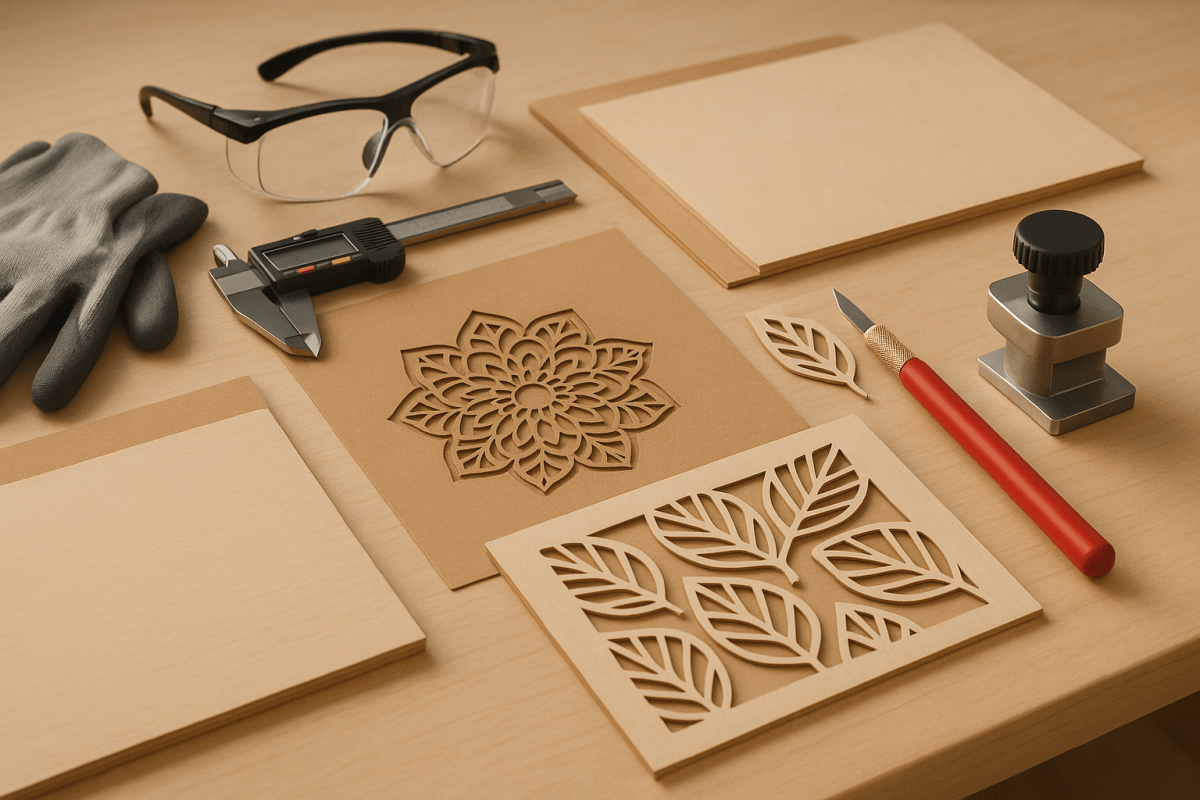
Die-cutting and laser-cutting are essential manufacturing processes, but they come with risks that must be managed to protect operators and equipment. Key safety concerns include fire hazards, toxic fumes, laser exposure, and mechanical injuries. Proper material selection, workspace organization, and the use of safety equipment like protective glasses, fume extractors, and fire extinguishers are critical.
Key Highlights:
- Die-Cutting: Uses shaped steel blades for precision cuts. Lower fire risk and no emissions but requires blade maintenance.
- Laser-Cutting: Relies on high-energy beams for intricate designs. Requires ventilation, laser-rated safety glasses, and fire management.
- Safety Tips: Clean machines regularly, maintain clear workspaces, and use emergency stop buttons and interlocks.
- Design Considerations: Avoid sharp internal corners, ensure proper spacing between cuts, and use holding tabs for stability.
Both methods offer unique advantages depending on material and project needs, but safety and usability must guide every step of the process.
Laser Cutting and Engraving Safety & Risks + REAL xTOOL Fire Suppression System Test!
Choosing Safe Materials for Cutting
Keeping materials safe and properly stored is essential when working with laser cutters. A well-organized approach not only reduces fire hazards but also ensures smooth operations.
How to Store and Handle Materials Safely
Start by keeping the area around the laser cutter tidy. Remove any flammable items, debris, or unnecessary clutter to minimize the risk of fire. It’s also important to clean the laser cutter itself. Pay special attention to the interior, including the cutting deck and cavity, as dust buildup can pose a fire risk and may interfere with the cutting head’s functionality. Regular maintenance can go a long way in keeping your workspace safe and efficient.
Safety Equipment and Precautions You Need
Having the right safety equipment and following essential precautions can mean the difference between a smooth project and a dangerous accident. Both die-cutting and laser-cutting operations demand specific measures to ensure operators stay safe and the workspace remains secure.
Safety Features in Cutting Machines
Modern cutting machines come equipped with a range of safety features designed to minimize risks. One of the most important is the emergency stop button. These large red buttons, placed in easily accessible locations, immediately halt all machine functions when pressed. Before starting any job, operators must familiarize themselves with the location of these buttons.
For added protection, machines often include safety interlocks, which automatically shut down operations if a protective cover or door is opened. Laser cutters, in particular, are equipped with beam enclosures to contain the laser light, reducing the risk of eye injuries from direct or reflected beams.
Advanced systems may also feature automatic fire suppression mechanisms that detect sudden temperature spikes or flames. These systems can either stop the cutting process or release fire suppressants. Another key feature is air assist, which blows compressed air at the cutting point to clear debris and lower the chance of material ignition.
Die-cutting machines incorporate safety measures like light curtains and pressure-sensitive mats, which detect hazardous movements and stop operations immediately. Additionally, blade guards and enclosed cutting areas help prevent accidental contact with sharp tools.
These built-in features, when combined with proper personal protective gear, create a robust safety system.
Protective Gear and Workspace Setup
While machines come with automated safety systems, personal protective equipment (PPE) and a well-organized workspace are equally important.
PPE is a critical first line of defense. Safety glasses are a must for both die-cutting and laser-cutting. However, laser cutting requires specialized laser safety glasses rated for the specific wavelength of the laser. Standard safety glasses won’t protect against laser radiation.
Operators should also use cut-resistant gloves when handling materials or finished products, though gloves should never be worn while operating machine controls. For die-cutting operations that produce high noise levels, hearing protection is essential.
To manage harmful vapors and particles generated during cutting, fume extractors are necessary. Make sure these systems are regularly maintained and filters are replaced according to manufacturer recommendations. Workspaces should also have adequate air circulation, with laser cutting areas requiring 6-10 air changes per hour for safety.
Fire safety is another critical aspect. Keep CO₂ fire extinguishers and fire blankets easily accessible. A well-stocked first aid kit with essentials like burn gel, bandages, and eye wash solution should also be within reach.
The layout of the workspace plays a big role in safety. Ensure there are clear pathways around all equipment, with at least 3 feet of clearance on all sides. Use non-slip flooring to prevent falls and provide adequate lighting – at least 500 lux at work surfaces – so operators can see clearly. Organize tools and materials in designated storage areas to reduce clutter and avoid tripping hazards.
Finally, make sure to post warning signs and labels to mark laser radiation zones, high-voltage areas, and emergency procedures. Implement lockout/tagout procedures to ensure machines stay safely shut down during maintenance or when multiple operators are working nearby.
sbb-itb-ce53437
How to Design for Safety and Usability
Careful design choices are key to creating die-cut and laser-cut products that are both safe to manufacture and easy to use. A well-thought-out design not only minimizes production risks but also ensures a seamless user experience.
Design Rules for Safe Cutting
When it comes to die-cutting and laser-cutting, sharp internal corners can be a serious problem. Tight angles create stress points that may cause materials to tear unexpectedly, leading to equipment jams or dangerous flying debris. To avoid this, use a minimum radius of 0.125 inches for internal corners. This adjustment helps cutting tools move smoothly and reduces material stress.
Another important guideline is maintaining at least a 0.25-inch gap between cut elements. This spacing prevents tools from accidentally bridging cuts, which can lead to blade deflection in die-cutting or beam reflection problems in laser cutting.
For designs with large unsupported areas, stability is crucial. These sections can flutter or shift during cutting, causing inaccuracies or hazards. A practical solution is adding holding tabs – temporary connections approximately 0.125 inches wide. These tabs keep the material stable during cutting and can be easily removed afterward.
The direction of cuts relative to material grain also matters. For paper and cardboard, aligning major cuts parallel to the grain reduces the risk of tearing, as cross-grain cuts require more force. For fabric, consider the weave direction and stretch properties to ensure clean cuts and maintain material integrity.
Pay special attention to perforation patterns. A standard perforation spacing of 0.125 inches, with 0.0625 inches left uncut between perforations, strikes a good balance between tearability and structural strength. Avoid placing perforations near edges, as these areas are more prone to failure during handling.
By following these precise guidelines, you can enhance both the safety of the manufacturing process and the reliability of the final product. But safety isn’t the only concern – products also need to be user-friendly.
Making Products User-Friendly Through Design
Good design doesn’t stop at safety; it should also make products easy and intuitive to use. One critical aspect is edge finishing. Instead of sharp 90-degree angles, use slightly rounded edges with a radius of about 0.03125 inches. This small adjustment eliminates sharp edges while maintaining the product’s sleek appearance.
Visual cues and orientation markers are another way to ensure ease of use. Subtle features like arrows or asymmetrical elements can naturally guide users on how to handle or use the product correctly. This is especially helpful for items with functional parts like tabs, folds, or moving components.
For better handling, include thumb notches or grip areas that are at least 0.75 inches wide. Adding textured surfaces in these areas can further improve grip and prevent slipping.
Complex assembly processes can be simplified with built-in instructions and guides. Use score lines, perforations, and fold indicators to show users how to assemble or fold the product without the need for separate instructions. Differentiating mountain and valley folds with distinct line styles makes it easier for users to understand three-dimensional assembly.
Don’t overlook the finishing details. Smooth transitions at joints and seams are essential for both safety and comfort. In multi-layer designs, ensure that all layers are aligned properly and that no sharp edges from inner layers stick out. These small details prevent snags and cuts, creating a better user experience.
Lastly, consider functional testing during the design phase. Prototypes should be tested in real-world scenarios to ensure the product performs well for a variety of users, including those with limited dexterity or other physical challenges. Features like easy-grip tabs, large finger holes, and simple folding mechanisms can make your products accessible to more people.
For frequently used products, think about durability and wear patterns. Reinforce high-stress areas, such as fold lines, with double-thickness material or strategically placed structural elements. This proactive approach helps prevent failures that could lead to safety issues during use.
Die-Cutting vs. Laser-Cutting: Safety and Usability Comparison
Die-cutting and laser-cutting come with distinct features that influence safety, ease of use, and overall production quality. Understanding these differences can help you refine your approach to selecting the right cutting method for your project.
Safety and Usability Overview
Die-cutting relies on mechanical force, using steel rule dies or rotary cutters to cut materials. This method is consistent and doesn’t generate heat, making it ideal for materials sensitive to temperature, like paper or foam. It also avoids producing chemical byproducts or emissions, ensuring a cleaner process.
Laser-cutting, on the other hand, uses concentrated light beams to melt, burn, or vaporize materials. While this method offers unmatched precision, it comes with unique safety challenges, such as managing heat, light exposure, and fumes.
The choice between these methods often depends on the materials, production scale, and available safety measures. Die-cutting works best for softer materials and high-volume projects, while laser-cutting shines when handling harder materials like wood, acrylic, or metal with intricate detail.
Cost and Production Speed
Die-cutting typically involves higher upfront tooling costs, making it more economical for large production runs. Laser-cutting, with its lower setup costs, is better suited for smaller batches or quick-turnaround projects. For example, die-cutting requires physical dies, which can take days or weeks to prepare, whereas laser-cutting can begin immediately after file preparation, making it ideal for prototypes or rush orders.
Key Differences: Die-Cutting vs. Laser-Cutting
| Factor | Die-Cutting | Laser-Cutting |
|---|---|---|
| Risk of Fire | Low | Moderate (depends on material) |
| Fume Emissions | None | May emit hazardous fumes |
| Precision | Moderate | High |
| Material Compatibility | Flexible | Limited by material type |
| Edge Quality | Clean, no heat damage | Smooth, may have slight discoloration |
| Speed | Fast for high volumes | Slower, but consistent |
| Thickness Capacity | Up to 2 inches for most materials | Limited to 0.75 inches for most lasers |
| Maintenance | Regular blade replacement | Requires mirror and lens cleaning |
| Noise Level | Moderate to high | Low |
| Power Consumption | Lower | Higher |
Material and Edge Quality Considerations
Material thickness plays a significant role in deciding the cutting method. Die-cutting can handle materials up to 2 inches thick, such as corrugated cardboard and foam core. Laser-cutting, however, is typically limited to materials under 0.75 inches thick, though some industrial systems can cut thicker materials.
When it comes to edge quality, die-cutting delivers clean edges without heat damage, although softer materials might show slight compression marks. Laser-cutting produces smooth edges but can cause minor discoloration or melting, especially with plastics.
Operator Expertise and Environmental Impact
Both methods require skilled operators. Die-cutting involves knowledge of material feeding, die alignment, and pressure settings. Laser-cutting demands expertise in power settings, cutting speeds, and material-specific adjustments. Laser-cutting also requires additional safety precautions, including eye protection and proper ventilation.
From an environmental standpoint, die-cutting generates physical waste, which is often recyclable. Laser-cutting, however, can produce fumes, especially when using synthetic materials, necessitating proper ventilation and filtration systems.
At Miro Printing & Graphics Inc., these principles guide the selection of cutting methods to ensure safety, precision, and efficiency for your custom printing needs.
Key Points and Next Steps
Main Takeaways for Safe Design
Creating safe designs starts with smart choices – selecting the right materials, using precise cutting settings, and incorporating thoughtful design elements like rounded corners and proper spacing. These steps help reduce risks during both die-cutting and laser-cutting processes. Die-cutting, being a mechanical method, has lower risks of thermal emissions and fire. On the other hand, laser-cutting, while offering incredible precision for intricate designs, requires additional safety measures. Routine maintenance, such as replacing blades and cleaning laser components, plays a big role in keeping operations safe and efficient.
These practices are the backbone of safe cutting processes and pave the way for expert collaboration.
Getting Professional Help for Custom Printing
For better safety and top-notch results, teaming up with experienced professionals is a smart move. Miro Printing & Graphics Inc. not only offers expert advice but also operates with industrial-grade safety measures to ensure your project meets the highest safety and quality standards.
Shops like Miro Printing & Graphics Inc. are equipped with advanced systems, including cutting-edge ventilation, fire suppression setups, and precision-calibrated cutting tools. Their deep knowledge of materials is especially helpful when working with specialty substrates or unique thicknesses. Plus, their skilled team can suggest safer material options when necessary.
When you work with Miro Printing & Graphics Inc., the design consultation process includes detailed safety checks to address potential issues before production begins. If you’re in the New York or New Jersey area, their Hackensack location offers the convenience of quick turnaround times and the ability to review samples before committing to full production. With their range of post-press services, including die-cutting, they deliver a complete custom printing solution that prioritizes safety without compromising on quality.
FAQs
What safety measures should operators follow when using laser-cutting machines?
Operators need to put safety first when working with laser-cutting machines. Always stay with the machine while it’s running, and make sure the workspace is free of flammable materials to lower the risk of fire. Wearing the right safety gear – like laser safety glasses, gloves, and a respirator or mask – is crucial to protect yourself from potential dangers.
Stick to the manufacturer’s guidelines for safe operation, keep a fire extinguisher within reach, and ensure the workspace is well-ventilated to limit exposure to harmful fumes. Don’t forget to regularly inspect and maintain the machine to keep it running safely and efficiently.
Why is choosing the right material important for safe and efficient die-cutting and laser-cutting?
Selecting the right material plays a key role in making die-cutting and laser-cutting processes both safe and efficient. The material impacts everything from tool longevity to production speed and even the quality of the finished product. For example, materials like aluminum and stainless steel are great for die-cutting because they reduce tool wear and ensure precise cuts.
When it comes to laser cutting, materials such as wood, acrylic, and certain plastics are excellent options. However, materials like PVC should be avoided since they can release harmful fumes during the cutting process. Choosing the right material not only improves safety by reducing toxic emissions and mechanical hazards but also helps streamline production by cutting down on defects and downtime. Smart material choices lead to higher-quality results and a safer work environment.
What are the key design tips for creating safe and user-friendly die-cut and laser-cut products?
To create die-cut and laser-cut products that are safe and user-friendly, start by selecting non-toxic, flame-resistant materials. This choice helps lower the risks of health issues and fire-related accidents. It’s also important to ensure proper ventilation during the cutting process to reduce exposure to potentially harmful fumes.
In your designs, include safety-focused elements like rounded edges to minimize the risk of injury. Add clear markings to guide safe handling, and steer clear of highly reflective surfaces that might disrupt laser operations. On top of that, always use appropriate safety gear, such as gloves and protective eyewear, and strictly adhere to operational protocols – like never leaving the cutting equipment unattended.
By addressing these safety measures, you can develop products that are practical and secure for both users and operators.
Related posts
- How to Prepare Files for Die-Cutting and Laser Cutting
- Die-Cutting vs Laser Cutting: Material Differences
- Corner Radius in Die Cutting: Design Tips
- Die-Cutting Design Tips for Stronger Structures
https://app.seobotai.com/banner/banner.js?id=689ea7786208348668fb8e6e
 BergenCountyPrintersBlogs