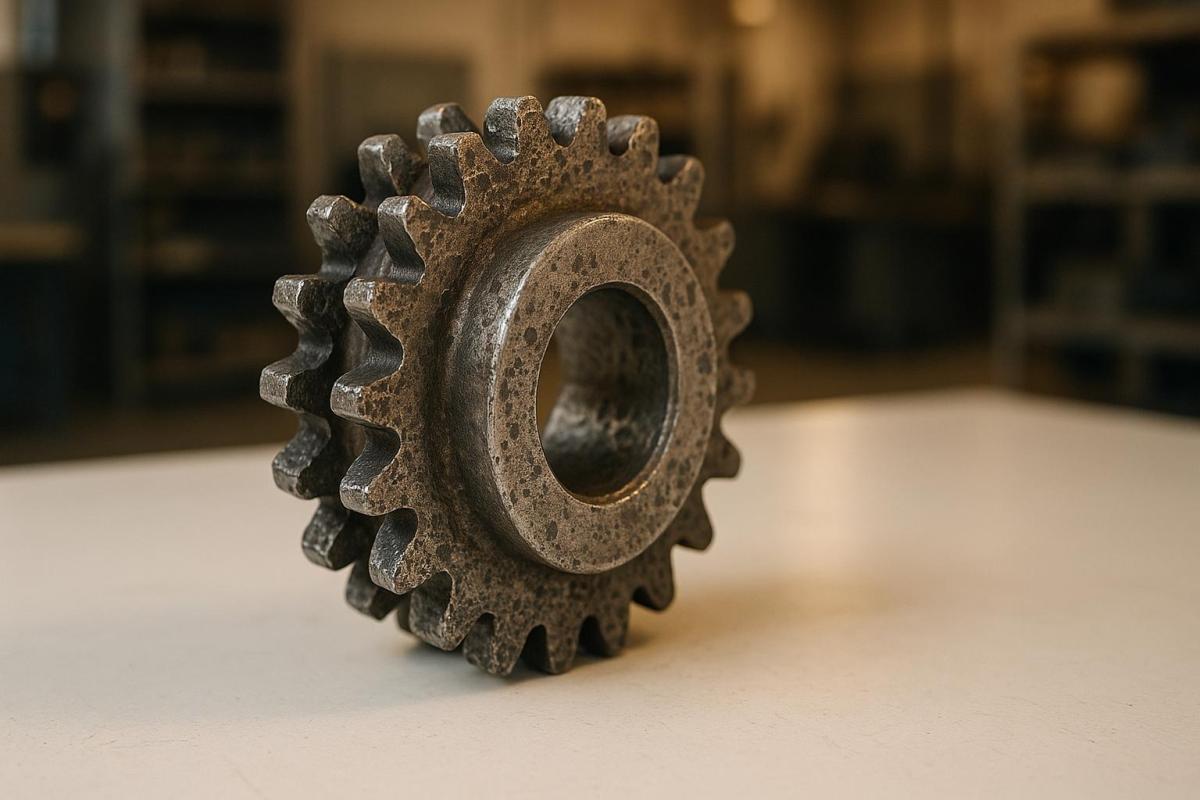
Gear wear in printing machines can lead to major quality and operational issues. From print defects like banding and misalignment to costly breakdowns, understanding and addressing wear early is critical. Here’s what you need to know:
- Pitting & Scuffing: Surface damage causing noise, friction, and subtle print flaws.
- Spalling & Tooth Breakage: Structural damage leading to jams and repeating print errors.
- Tooth Wear & Polishing: Gradual wear causing timing issues and ink inconsistencies.
- Causes: Poor lubrication, misalignment, and heavy loads are the main culprits.
- Prevention: Regular maintenance, proper lubrication, and clean operating conditions reduce risks.
Spotting early signs like repeating bands, vibrations, or registration errors in print quality can save time and money. Routine inspections and quick repairs using quality parts ensure smooth operations and high-quality prints.
5 Common Gear Wear Patterns in Printing Machines
Recognizing gear wear early can save you from costly production halts. Each wear pattern tells a story about potential internal issues within your equipment. Below are the five most frequent gear wear patterns seen in commercial printing machines.
Pitting and Scuffing
These two patterns are signs of surface-level damage.
Pitting looks like tiny craters on the gear teeth, caused by metal fatigue along the pitch line.
Scuffing appears as rough, scratched surfaces that result from lubricant failure. It can start as light scoring and progress to deeper gouges over time.
Pitting doesn’t just make the machine noisier – it also increases friction. This puts extra strain on motors and can lead to noticeable issues like small shifts in print registration or faint, random banding patterns across your prints. As the wear worsens, these problems become harder to ignore.
Spalling and Tooth Breakage
Structural damage takes wear to the next level.
Spalling happens when cracks form beneath the surface of the gear and eventually cause small flakes of metal to break off, leaving sharp, jagged edges.
Tooth breakage occurs when a gear tooth partially or completely fails, which can lead to machine jams.
These types of damage often result in major operational disruptions. A broken tooth can lodge itself between other gears, potentially causing severe damage throughout the drive system. Even minor spalling can create impact loads that worsen the condition of neighboring gears.
Print quality takes a significant hit with these defects. Broken teeth cause predictable, repeating flaws in your prints, such as uniform marks or gaps that align with the gear’s rotation. Registration becomes unreliable as the damaged gear struggles to maintain proper timing.
Tooth Wear and Polishing
Gradual wear might seem less alarming, but it can still cause long-term issues.
Polishing creates a mirror-like finish on gear surfaces, the result of countless contact cycles between gear teeth under normal loads.
Tooth wear rounds off sharp edges and thins the gear teeth over time.
While polished gears might look smooth and harmless, they can lead to problems. The reduced friction between gears can cause micro-slipping, which disrupts timing during operation. Polished surfaces also retain less lubricant, increasing the likelihood of other wear patterns like pitting or scuffing.
These profile changes can lead to subtle but persistent issues, such as slight registration errors or variations in ink density that gradually become more noticeable as wear progresses.
What Causes Gear Wear in Printing Equipment
Understanding the reasons behind gear wear can help minimize equipment downtime. The most common culprit is poor lubrication, but other issues like misalignment and excessive loads also take a toll on gear performance.
Poor Lubrication
When lubrication is insufficient or contaminated, gears can’t mesh smoothly, leading to grinding. This not only speeds up wear but also results in bouncing and visible gear marks. To prolong the life of your gears, it’s essential to maintain proper lubricant levels and ensure the lubricant remains free from contaminants.
How to Spot Gear Problems in Print Quality
Keeping an eye on print output for signs of gear wear is just as important as performing regular gear inspections. Catching wear early can save time, reduce downtime, and maintain high print quality. Often, the first clues appear as subtle changes in print output, making routine monitoring a critical part of quality control.
Gear Marks and Banding
One of the most noticeable signs of gear wear is the appearance of repeating bands on printed sheets. These bands tend to show up in the same spots on each sheet, starting as slight variations in ink density. Over time, they can develop into more pronounced streaks, impacting the overall look of the print.
Another issue to watch for is small spots caused by debris from a worn gear tooth contaminating the ink system. These imperfections are not just cosmetic – they signal potential mechanical problems that could affect the machine’s overall performance. Catching these early signs can help prevent bigger issues down the line.
Vibration Problems and Registration Errors
Worn gears can also lead to vibrations that show up as blurry text, double images, or misaligned graphics. If the gears have too much play, it can cause registration errors, throwing off the alignment of images and text.
These mechanical issues often result in uneven ink distribution, with some areas receiving more ink than others. By routinely checking registration marks and control bars, you can spot these problems before they escalate and compromise the quality of your prints.
At Miro Printing & Graphics Inc., regular inspections and proactive maintenance are key to identifying and resolving gear wear issues. Addressing these problems early ensures that every print run meets the highest standards of quality and keeps the equipment running smoothly.
sbb-itb-ce53437
How to Prevent and Fix Gear Wear
Taking steps to prevent gear wear not only saves time and money but also ensures consistent print quality. Here’s how you can keep your gear systems running smoothly and efficiently.
Regular Maintenance and Inspections
A solid maintenance routine is the cornerstone of proper gear care. Regularly scheduled inspections help spot early signs of wear or misalignment, making it easier to address issues before they escalate.
Lubrication plays a major role in protecting gears. Applying the right lubricant in the correct amount, as recommended by the manufacturer, reduces friction between gear teeth. This keeps gears cooler, quieter, and extends their lifespan.
Cleaning and alignment checks are equally important. Removing ink residue and paper dust prevents these materials from acting as abrasives, which can damage gears over time. Proper installation and routine calibration ensure that gears are aligned correctly and share loads evenly, reducing stress on individual components.
Prompt Repairs and Quality Replacements
Even with regular maintenance, issues can still arise. Acting quickly when problems occur is crucial. Addressing small issues early can prevent costly breakdowns and production delays.
Using genuine replacement parts is essential for maintaining the performance and durability of your gear systems. Manufacturer-approved components are designed to fit seamlessly into your equipment, ensuring precise tolerances. While cheaper alternatives might save money upfront, they often wear out faster and can cause additional damage.
When repairs are needed, relying on skilled professionals ensures everything is adjusted and assembled properly. As repair expert Joseph D. Marone puts it:
"proper maintenance is the key to longevity"
Better Operating Conditions
The environment in which gears operate has a significant impact on their performance. Stable conditions help reduce stress on gear systems and minimize wear.
Dust control is particularly important in printing environments. Particles like paper dust and ink residue can infiltrate gear systems and act as abrasives. Keeping workspaces clean and ensuring proper ventilation can limit the amount of debris that reaches critical components.
Another key factor is operator training. Well-trained staff can identify early warning signs like unusual noises or vibrations and follow proper startup and shutdown procedures. They can also avoid practices that put unnecessary strain on gear systems. Encouraging operators to report any irregularities can lead to faster interventions and simpler repairs.
At Miro Printing & Graphics Inc., these strategies are used in combination to maintain optimal gear performance. By focusing on prevention and timely repairs, they ensure smooth operations and deliver the high-quality prints their customers depend on.
Conclusion
Gear wear patterns like pitting, scuffing, spalling, tooth breakage, and general tooth wear are clear indicators of potential problems that can disrupt smooth and consistent operations if left unchecked.
Catching these issues early can help avoid expensive breakdowns and production delays. In fact, routine maintenance can cut costs by up to 30% or more, making it a practical and cost-effective strategy for any printing business.
Beyond cost savings, proactive maintenance plays a critical role in enhancing print quality. It helps prevent common issues like streaks, banding, and registration errors, while also keeping downtime to a minimum.
Simple steps such as controlling dust, maintaining proper lubrication, and ensuring operators are well-trained can significantly extend the lifespan of gears. These measures also contribute to reducing energy consumption and minimizing waste.
At Miro Printing & Graphics Inc., the commitment to regular inspections, timely repairs using high-quality parts, and maintaining optimal operating conditions ensures dependable performance across all printing processes.
FAQs
What are the early warning signs of gear wear in printing machines?
Visible gear marks or patterns on printed materials, uneven streaks or bands, strange humming or grinding sounds, and inconsistent paper feeding are all early signs that the gears in a printing machine may be wearing out.
Catching these warning signs early is crucial to avoid more serious damage and maintain print quality. Scheduling regular maintenance and inspections can help spot these issues before they escalate into expensive repairs or extended downtime.
How does insufficient lubrication lead to gear wear in printing machines?
Insufficient lubrication can take a heavy toll on the gears in printing machines. When lubrication is lacking, gears grind directly against one another, leading to excessive tooth wear and heightened vibration. Over time, this friction damages the gear teeth, reducing the machine’s efficiency and overall performance.
On top of that, without adequate lubrication, the protective film that should form between gear surfaces is absent. This results in metal-to-metal contact, which ramps up friction and heat. The added heat can cause thermal damage, worsening the wear and tear. If left unchecked, these problems can escalate into complete gear failure, forcing costly repairs and cutting down the lifespan of your equipment. Routine lubrication and maintenance are vital to ensure your printing machines operate reliably and efficiently.
How can I maintain and extend the lifespan of gears in printing machines?
To keep the gears in printing machines running smoothly and lasting longer, regular upkeep is a must. Start by checking the gears regularly for any signs of trouble, such as unusual noises, misalignment, or visible wear and tear. Keeping them well-lubricated is crucial – it reduces friction and prevents overheating, both of which can cause gears to wear out faster.
Choosing durable materials like reinforced composites or nylon for gears can also make a big difference, especially if your machine handles heavy workloads. Simple habits like cleaning off dust and debris, avoiding overloading the machine, and promptly replacing worn gears can go a long way. These steps not only extend the life of your equipment but also help ensure it operates reliably with minimal downtime.
Related Blog Posts
- Troubleshooting Surface Coating Defects in Printing
- Common Post-Press Quality Issues and Fixes
- Why Surface Uniformity Impacts Print Quality
- 5 Causes of Registration Errors in Printing
https://app.seobotai.com/banner/banner.js?id=68cca5fc7b5c01ae368942df
 BergenCountyPrintersBlogs