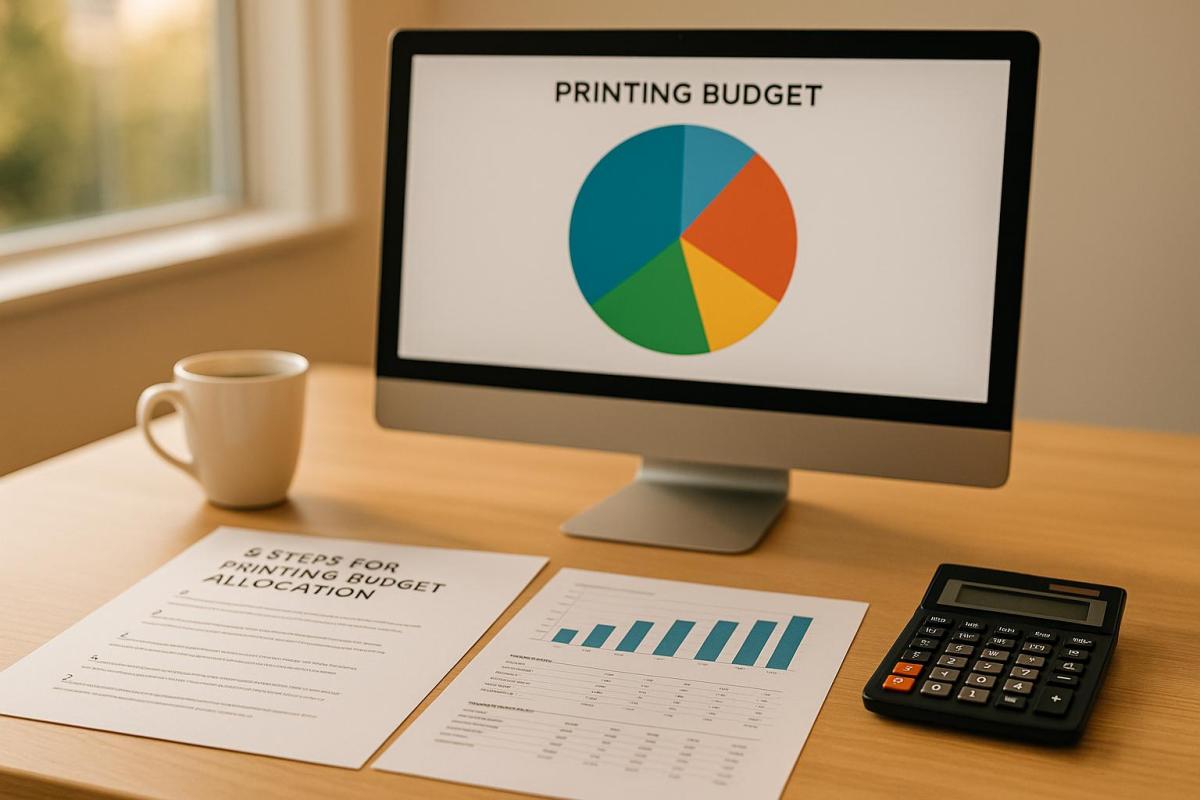
Printing costs can account for up to 3% of annual revenue, making smart budgeting essential for businesses. Without proper planning, you risk overspending, inconsistent quality, and missed opportunities. This guide outlines five actionable steps to create a printing budget that aligns with your business goals and maximizes ROI:
- Review Your Printing Needs: List all required materials, assess current inventory, and plan for future demands. Group items by purpose (e.g., marketing, operational, event-specific) to focus spending effectively.
- Set Budget Limits: Define your maximum spend based on past expenses, ROI potential, and project priorities. Account for direct (e.g., paper, ink) and indirect costs (e.g., design, shipping).
- Distribute Funds by Priority: Rank items by their business impact – allocate more for high-value materials like sales brochures and less for internal documents. Balance quality and quantity to meet goals without overspending.
- Get Quotes and Update Your Plan: Request detailed, itemized quotes from providers. Compare options, negotiate where possible, and adjust your budget based on real prices.
- Track and Adjust: Monitor spending in real time using tools like spreadsheets or print management software. Conduct regular reviews to identify and correct discrepancies.
How To Create A Project Costing Application with Budget vs. Actual Costs In Excel [Free Download]
Step 1: Review Your Printing Needs
Building a meaningful printing budget begins with understanding exactly what your business needs to print. A clear and detailed list helps you avoid unnecessary purchases and ensures no essential items are overlooked. Once you’ve outlined your requirements, quantify them to set the stage for smart budgeting.
List Your Core Printing Items
Start by creating a detailed inventory of all the printed materials your business requires. The specifics will vary depending on your industry and objectives. For instance, retail businesses often focus on creating promotional flyers and bold banners for storefront displays. On the other hand, professional service firms may prioritize business cards and branded stationery for client interactions. Don’t underestimate the impact of paper costs – it can make up 20%–40% of your total print expenses. Knowing exactly what you need helps you focus your spending where it matters most.
Feedback from long-term customers of professional printing services highlights the importance of these essential items. As Julieth R., a satisfied customer, shared:
"I have been a customer of theirs for several years for my business cards, envelopes and posters and could not be happier." – Julieth R., Customer
When compiling your list, include details like material type, purpose, quantity, and how often you’ll need to reorder. This will help you make informed decisions about balancing quality and quantity.
Review Current and Future Requirements
Take stock of your current inventory and plan for future projects to avoid last-minute orders and take advantage of bulk discounts. Conduct an audit of your existing materials and review your calendar for the next 12 months. This will help you identify any shortages, surpluses, or upcoming needs. Looking at past usage and seasonal trends can also offer valuable insights to predict demand and avoid unexpected expenses.
For example, if you’re planning to attend multiple trade shows in the coming year, it’s wise to prepare banners, brochures, and business cards well in advance. Consolidating these orders can lead to better pricing. Additionally, consider whether digital alternatives – like email newsletters or online invitations – could replace some printed materials, allowing you to allocate more of your budget to high-impact items.
Group Items by Purpose and Use
Organizing your printing needs into categories simplifies budgeting and helps prioritize what’s most important. Many businesses divide their requirements into three main groups: marketing materials (flyers, brochures, banners), operational items (forms, invoices, letterhead), and event-specific materials (trade show signage, invitations). Once you’ve assessed demand, grouping similar items can help you take advantage of bulk discounts and reduce setup costs.
Using a spreadsheet to track these categories, along with quantities and estimated costs, can make the process even smoother. Partnering with a trusted print provider during this step can also uncover cost-saving opportunities.
"Let us know what type of project you are working on, and allow us to offer our expertise. During the process, Miro Printing & Graphics Inc. will work with a professional, personal approach to better understand your company’s needs." – Miro Printing & Graphics Inc.
Step 2: Set Your Budget Limits
Once you’ve outlined your printing needs, it’s time to set clear financial boundaries. Establishing a firm budget not only prevents overspending but also ensures your resources are allocated effectively. This step goes beyond just picking a number – it requires a careful review of priorities and a thorough understanding of potential costs.
Set Your Maximum Spending Amount
Your maximum budget should align with both your financial capacity and the importance of your printing projects. Start by reviewing past expenditures. For instance, if your annual report cost $2,500 last year, use that as a baseline, adjusting for any changes in scope or costs.
Think about the return on investment (ROI) when allocating funds. Materials that directly impact revenue, like marketing brochures or sales catalogs, may justify a larger budget compared to internal documents. Seasonal factors also play a role. Retail businesses might need to allocate more during the holidays, while B2B companies could see higher spending around trade shows.
The U.S. Government Publishing Office highlights that rush charges can inflate printing costs by 15–25%. Planning ahead can help you avoid these fees. Additionally, setting aside a contingency buffer can cover unexpected costs or price changes, keeping your budget intact. Finally, make sure to account for all direct and indirect expenses to create a comprehensive budget.
Include All Direct and Indirect Costs
To avoid surprises, break down your printing expenses into direct and indirect costs. Direct costs include essentials like paper, ink, printing labor, and basic finishing services. Indirect costs, often overlooked, can include design fees (ranging from $50–$200 per hour depending on complexity), shipping, storage, rush fees, and administrative overhead. Post-press services such as binding, laminating, or other specialized finishes can also add to your total.
For example, a New Jersey company cut brochure expenses by 18% by working with Miro Printing & Graphics Inc., which provided a complete pricing package that included design, finishing, and mailing services.
When requesting quotes, make sure to ask for itemized estimates that cover all potential services. Companies like Miro Printing & Graphics Inc. offer comprehensive solutions, including in-house bindery and mailing services, and provide free, detailed estimates that account for indirect costs. As they explain:
"The end result is a finished piece that exceeds your highest expectations but never your budget!"
Record and Share Your Budget Plan
A well-organized and shared budget plan is crucial for accountability and smooth collaboration. Tools like Microsoft Excel or Google Sheets are excellent for tracking expenses, offering real-time updates, version control, and easy sharing.
Use a spreadsheet to log expenses by item, quantity, cost, and approval status. This makes it simple for stakeholders to see where funds are going and monitor spending as projects move forward. According to Mimeo, businesses can save up to 30% on printing costs by consolidating orders and optimizing print runs.
Sharing your budget with your team helps prevent misunderstandings and ensures everyone is aware of financial constraints. Regularly reviewing the budget allows you to catch potential overruns early, making adjustments before costs spiral out of control. Cloud-based tools can be particularly helpful, enabling multiple team members to access and update budget data in real time, keeping everyone aligned and on track.
Step 3: Distribute Funds by Priority
Once you’ve set your budget limits, the next step is figuring out how to allocate your funds effectively. Not all printing materials carry the same weight when it comes to business impact. The key is to spend wisely – focusing your dollars on items that deliver the greatest results while avoiding unnecessary splurges on premium finishes where they aren’t needed. By prioritizing strategically, you ensure every dollar works toward boosting your business.
Rank Items by Business Impact
When it comes to allocating your print budget, start with the materials that directly influence your bottom line. Identify which items generate revenue, support marketing efforts, or meet critical regulatory needs.
You can divide print materials into three tiers based on their impact:
- High-impact items: Think sales brochures, client proposals, and trade show banners – materials that directly drive sales or enhance your brand presence.
- Medium-impact items: Includes business cards and internal presentations that support your team but don’t directly generate revenue.
- Low-impact items: Internal forms, draft documents, or other materials with minimal outward-facing value.
To determine where to allocate funds, compare the cost of each item with its potential return. For instance, if a direct mail campaign has historically brought in $10,000 in new business from a 5% response rate, it deserves a larger budget slice than generic flyers with no measurable outcomes. Use past performance data to guide your decisions – if a product catalog pulled in 200 leads last quarter, it’s worth prioritizing in your budget.
Once you’ve ranked your items, create an itemized budget plan. This plan should include each print item, its priority level, allocated funds, and a brief explanation of why it deserves its spot. This transparency not only keeps your team aligned but also helps avoid last-minute debates over resource allocation.
Balance Quality and Quantity Needs
The trick to smart budgeting is matching the quality of materials to their purpose. Once you’ve ranked your priorities, align your spending with the level of quality each item requires.
For example, high-profile materials like client proposals, sales presentations, or marketing brochures often justify premium paper stocks and professional finishes. On the other hand, internal forms, draft copies, or administrative documents can get the job done with standard materials.
Here’s a practical breakdown: If you’re launching a new product, you might spend $1,000 on 200 premium brochures at $5 each for key prospects. At the same time, you could allocate $500 for 5,000 standard flyers at $0.10 each for broader distribution.
Bulk printing is another way to stretch your budget. Ordering larger quantities can reduce per-unit costs by as much as 30%. For items like sales brochures that your team uses regularly, consider ordering quarterly to take advantage of these discounts. Meanwhile, for specialty items with limited use, smaller print runs may be more economical.
Material choices also play a big role in cost management. Switching to more affordable paper stocks can save 10–20% without sacrificing professionalism. Partnering with your print provider can help identify cost-effective alternatives that still look polished.
For instance, working with a full-service provider like Miro Printing & Graphics Inc. can simplify the process. They offer in-house design and bindery services, helping you make smart choices on materials, printing methods, and bulk order discounts. Their expertise can prevent budget overruns and ensure your funds are directed toward the items that matter most.
Finally, make it a habit to review your spending regularly. Business priorities change, and your budget distribution should adapt accordingly. By staying flexible, you can adjust your allocations without throwing off your overall financial plan.
sbb-itb-ce53437
Step 4: Get Quotes and Update Your Plan
Turn your prioritized needs into detailed quotes to avoid unexpected costs and ensure your budget covers everything.
Request Complete Price Quotes
When reaching out to print providers, share comprehensive project details to receive accurate pricing. Be specific about the type of item (e.g., brochures, business cards, banners), quantities, materials, color preferences, finishing options like lamination or binding, deadlines, and any special instructions.
For instance, instead of asking for a quote on “marketing brochures,” specify: “500 tri-fold brochures, 8.5″ x 11″ folded to 8.5″ x 3.67″, full color on both sides, 100lb gloss text paper with an aqueous coating finish, delivered by March 15th.” This level of detail minimizes follow-up questions and ensures the quote aligns with your actual needs, helping you avoid unplanned expenses.
Using a full-service provider can simplify the process. Companies such as Miro Printing & Graphics Inc. offer services like digital and offset printing, large format printing, design, bindery, and mailing – all under one roof. This allows you to consolidate your project into a single quote instead of coordinating with multiple vendors.
"Let us know what type of project you are working on, and allow us to offer our expertise."
– Miro Printing & Graphics Inc.
When requesting quotes, always ask for an itemized breakdown. This should include costs for design, printing, materials, finishing, and delivery, so you can see exactly where your money is going.
Check What Services Are Included
Once you’ve gathered quotes, take a close look at each one to spot any hidden costs. These can sneak up on you and throw off your budget. Print quotes often include additional services like design, pre-press setup, digital proofing, bindery (e.g., folding or stapling), finishing (such as lamination or die-cutting), and delivery or mailing services.
For example, design services might cost $50 to $200 per hour depending on complexity, while bindery or mailing services could add $0.05 to $0.50 per piece. If a quote doesn’t clearly outline what’s included, don’t hesitate to ask for clarification.
Watch out for common hidden fees, such as rush charges for tight deadlines, setup fees for new projects, proofing fees, extra revision costs, special finishing charges, and delivery fees. Request itemized quotes and confirm whether any additional charges could come up during production.
The quality of service is just as important as the price. Look for providers that offer thorough proofing processes. Some companies even provide video proofs of print samples for approval before full production, ensuring accuracy and reducing the risk of costly reprints.
"Mike and his team completed a complex job in record time for a very reasonable price. I’d approached numerous printers about this job with no success, but these guys just made it work and were super easy to deal with. I even received a video of my print sample (a mini booklet) for approval before they proceeded with the rest. Best service I’ve ever received from a printer; couldn’t recommend Miro more highly."
– Julia I.
Update Your Budget Based on Real Prices
Once you’ve gathered quotes, revisit your budget and make adjustments as needed. Compare the quotes to your initial estimates and shift funds around to stay within your overall budget.
For example, if you budgeted $2,000 for brochures and $1,000 for business cards but received quotes of $2,500 and $800 respectively, you might reduce the brochure quantity, opt for less expensive materials, or reallocate $500 from the business card budget to cover the difference – keeping your total spend at $3,000.
Competitive quotes can also be a bargaining tool. Many print providers are open to matching or beating competitor pricing, especially for large orders or repeat customers. You might even negotiate perks like free upgrades to better paper, faster turnaround times, or bundled services.
Keep track of final prices and details in your budget spreadsheet for easy comparison and future planning. Save all quotes, emails, and updated budget spreadsheets. These records will help with future negotiations, improve forecasting, and make your budgeting process more efficient over time.
Step 5: Track and Adjust Your Budget
Keeping an eye on your budget in real time and making timely adjustments can make all the difference in your printing project. Active tracking allows you to spot issues early and make smarter decisions along the way.
Monitor Spending as It Happens
Use tools like Excel, Google Sheets, or print management software to log every expense as it occurs. For instance, if you set aside $1,500 for business cards and the actual quote comes in at $1,650, a tracking system can flag this $150 difference so you can decide how to address it. Many businesses rely on spreadsheets with built-in formulas to compare actual spending against their budgets.
Some print management platforms take this a step further by automatically recording expenses when linked to your print provider or internal devices. These systems provide up-to-date data on usage and costs, eliminating the need for manual entry and giving you instant insight into your spending patterns.
To avoid surprises, set up automated alerts that notify you when spending nears your budget limit. Many management platforms offer these notifications, helping you take action before overspending becomes an issue. This proactive approach ensures you’re always in control.
Schedule Regular Budget Reviews
Real-time tracking is only part of the equation – regular budget reviews are just as important. A 2022 industry report found that businesses conducting monthly reviews reduced printing cost overruns by an average of 18% compared to those reviewing quarterly.
During these reviews, compare your actual spending to your original budget and analyze any discrepancies. Are you consistently overspending on certain items? Are there areas where you’re spending less than expected and could reallocate funds? Identifying patterns helps you fine-tune your approach.
Signs that your budget might need adjustment include frequent overspending in specific categories, unexpected costs like rush orders, or changes in project scope. Address these issues as soon as they arise.
For example, one marketing agency adopted cloud-based print management and managed to cut unplanned printing costs by 22% over six months. Flexibility in your review process is key. Sometimes, external factors like rising postage rates or material shortages can impact your budget. One marketing team, faced with a sudden increase in postage costs, adjusted their plan mid-project by switching to lighter paper and reducing print quantities. These changes allowed them to stay within budget while still hitting their campaign goals.
Keep Records for Future Projects
Thorough record-keeping is essential for improving future projects. Save all invoices, quotes, and correspondence – whether digital or physical – for easy reference.
Create a post-project summary that includes cost breakdowns, unexpected expenses, and key takeaways. Document what worked and what didn’t, such as vendor performance, material choices, and timeline accuracy. This information will be invaluable for making better budgeting decisions in the future.
Records also make forecasting and vendor negotiations easier. Some print providers, like Miro Printing & Graphics Inc., offer templates or online portals to track order history and spending, simplifying the process.
Don’t overlook the small details. Even minor email threads about design changes or delivery schedules can provide crucial context later. Businesses using dedicated print management software report saving up to 25% annually on printing costs thanks to improved tracking and adjustments.
Lastly, set aside a contingency fund – typically 5–10% of your total budget – for unexpected expenses. Keep track of how this fund is used to determine if adjustments are needed for future projects. Careful documentation and a flexible approach can help you stay prepared for whatever comes your way.
Conclusion: Key Points for Printing Budget Success
Achieving a successful printing budget comes down to thoughtful planning, smart prioritization, and diligent tracking. These elements work together to ensure high-quality results without exceeding your financial limits.
To recap, effective budgeting begins with clear planning – identify your needs and set practical spending limits. From there, focus on strategic prioritization by directing funds toward items that directly impact business outcomes. Finally, keep a close eye on your expenses through real-time tracking, allowing you to make quick adjustments before small issues grow into bigger problems.
It’s essential to account for all costs in your plan. This includes direct expenses like paper, ink, and printing, as well as indirect expenses such as design, shipping, and storage. By doing so, you can avoid those unpleasant surprises that derail budgets.
Another key to success is partnering with a reliable print provider. Choosing a full-service expert like Miro Printing & Graphics Inc. can make a significant difference. Their expertise can guide you in selecting the right materials, streamlining production, and sidestepping costly errors.
"The end result is a finished piece that exceeds your highest expectations but never your budget!" – Miro Printing & Graphics Inc.
For long-term success, keep detailed records of your projects. These records will be invaluable for refining future budgets and improving outcomes over time. Also, stay adaptable – adjust specifications or designs to save costs without compromising quality. Sharing your budget constraints with your provider can lead to creative, cost-effective solutions.
FAQs
How do I find the right balance between quality and quantity for my printing materials?
Striking the right balance between quality and quantity in printing comes down to understanding your project’s purpose and sticking to your budget. Start by defining what you want to achieve. Are you looking to impress with sleek, high-end finishes? Or is your priority reaching a wider audience with a larger number of prints? For example, premium brochures might call for thicker paper and glossy finishes, while cost-effective bulk flyers can focus more on quantity.
Partnering with a professional print shop, like Miro Printing & Graphics Inc., can make this process much easier. They can guide you through material and finish options that fit your goals and budget, ensuring your printed materials deliver the impact you’re aiming for.
How can I track and adjust my printing budget effectively?
To keep your printing budget under control, start by pinpointing your top priorities and directing funds toward the most important projects. This approach ensures your resources are focused where they’ll have the greatest impact.
Keep a close eye on your expenses to make sure they stay within the limits of your budget. If unexpected costs pop up, tweak your plan as needed to prevent overspending. Opting for budget-friendly solutions, such as digital printing services from a reliable provider, can also help you save money without sacrificing quality.
How can I make sure I include all costs in my printing budget?
To get a clear picture of your printing budget, it’s important to factor in direct costs – like materials, printing techniques, and finishes – alongside indirect expenses such as design work, shipping, and post-press services. Partnering with a comprehensive provider like Miro Printing & Graphics Inc. can make this process much smoother. They handle everything from digital and offset printing to in-house bindery and mailing, ensuring no detail slips through the cracks.
Relying on a single, dependable partner for all your printing needs can help you streamline costs, steer clear of surprise charges, and create a budgeting plan that fits your project’s unique demands.
Related Blog Posts
- Print Volume Estimation: Common Mistakes
- How to Save on Print Marketing Costs
- 10 Tips for Cost-Effective Print Design
- Top 7 Layout Tips for Business Printing
https://app.seobotai.com/banner/banner.js?id=68f5c2491019c13c0b2f9d50
 BergenCountyPrintersBlogs