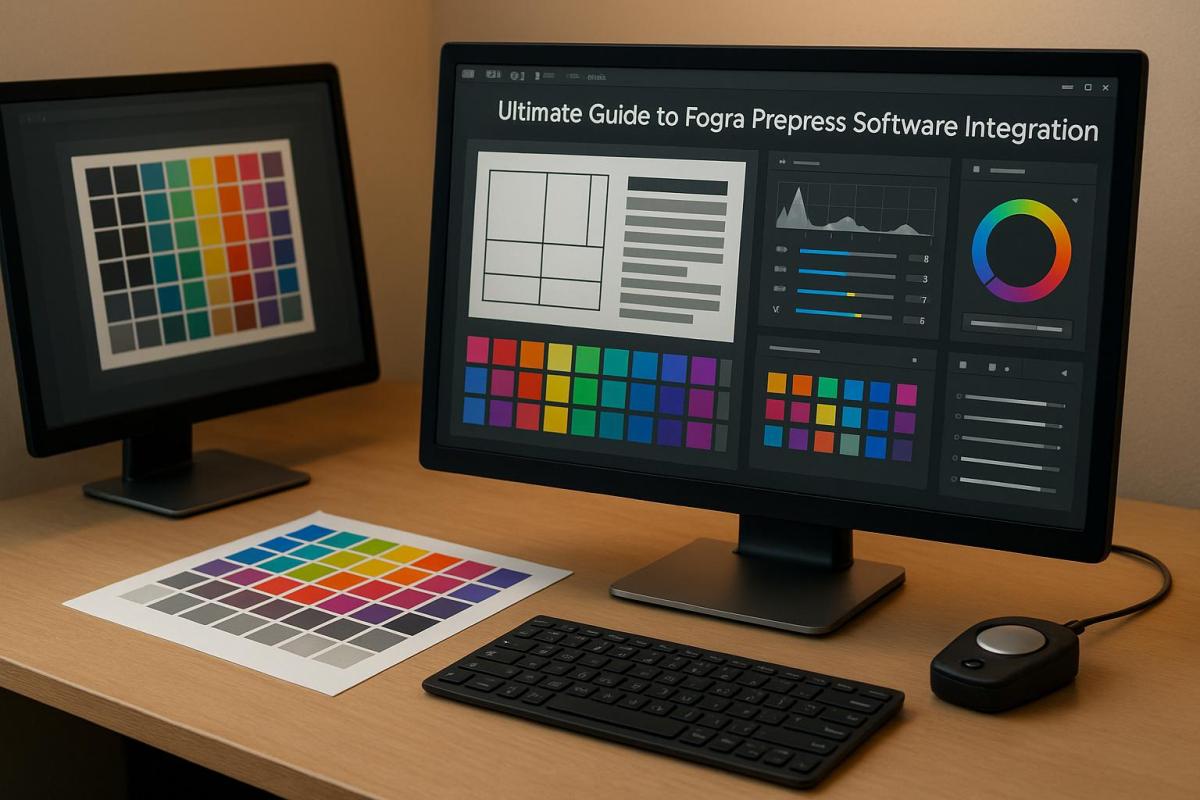
Fogra compliance ensures precise color management and print quality, making it essential for modern printing workflows. This guide breaks down how to integrate Fogra-compliant software into your prepress setup to achieve consistent and accurate results across digital, offset, and large-format printing. Here’s what you need to know:
- Why Fogra Standards Matter: They ensure color consistency across devices and materials using globally recognized specifications like Fogra39, Fogra51, and Fogra52.
- Key Tools and Techniques: ICC profiles, Fogra MediaWedge, Delta E measurements, and monitor calibration are critical for maintaining accuracy.
- Setup Steps: File preparation, monitor calibration, proofing system integration, and regular verification keep workflows aligned with Fogra standards.
- Software and Hardware: Tools like Esko Pack Proof, Eizo calibration systems, and X-Rite devices streamline the process while ensuring compliance.
- Maintenance: Regular calibration, troubleshooting, and workflow optimization are necessary to sustain compliance and efficiency.
Understanding Fogra Standards and Their Role in Printing

Overview of Fogra Standards
Fogra standards are globally recognized specifications that set precise color targets, ensuring consistency across various printing equipment and materials.
In the U.S., the three most widely used Fogra standards are Fogra39, Fogra51, and Fogra52. Each is tailored to specific paper types and printing conditions. Fogra39 is designed for traditional coated papers without optical brighteners, making it ideal for legacy printing setups. Fogra51, on the other hand, is optimized for modern coated papers that include optical brightening agents (OBAs) – chemicals that enhance the paper’s whiteness and brightness. For uncoated papers with OBAs, Fogra52 provides the necessary guidelines, covering applications like business cards and brochures with matte finishes.
What makes these standards so effective is their ability to deliver measurable color targets, regardless of the ink, paper, or equipment in use. For example, Fogra39 allows yellow solid color densities to range from 1.07 to 1.92 D, providing flexibility while maintaining compliance.
Fogra standards are closely tied to ISO 12647 specifications, which define process controls for offset, gravure, and flexographic printing. This alignment ensures that printers adhering to Fogra standards meet international quality benchmarks.
These standards have become a cornerstone of the U.S. printing industry. For instance, Miro Printing & Graphics Inc., based in Hackensack, NJ, uses a Fogra-compliant workflow to deliver consistent, high-quality color results.
| Standard | Paper Type | Primary Use | Key Feature |
|---|---|---|---|
| Fogra39 | Coated paper (no OBAs) | Traditional offset printing | Widely adopted legacy standard |
| Fogra51 | Modern coated paper (with OBAs) | Contemporary offset printing | Updated for optical brighteners |
| Fogra52 | Uncoated paper (with OBAs) | Matte and textured printing | Tailored for modern uncoated papers |
Next, let’s dive into the essential terms that help maintain strict Fogra compliance throughout the production process.
Key Terms in Fogra Compliance
Understanding Fogra compliance requires familiarity with several technical terms that are critical to a color-managed workflow. These concepts ensure that the transition from standards to practical application is seamless.
- ICC Profiles: These are digital files that describe how specific devices – such as monitors, printers, or presses – handle color. Think of them as a translator, ensuring that the blue you see on your screen matches the blue printed on the final product.
- Media Wedge: This is a printed strip containing standardized color patches that serve as a quality control tool. Measured with a spectrophotometer, it verifies color accuracy. The Fogra MediaWedge comes in several versions, like CMYK V3.0 for traditional four-color printing, RGB Photo V1 for photographic work, and Multicolor 5C for specialty applications.
- Output Intent: Embedded in PDFs, this metadata specifies the Fogra standard and ICC profile to be used for printing. It ensures that everyone, from designers to press operators, is aligned on the intended printing conditions, minimizing errors.
- Soft Proofing: This process simulates the final printed output on a calibrated monitor, allowing potential color issues to be addressed before production begins. Using Fogra-certified profiles and controlled viewing conditions, soft proofing can save time and costs.
- Delta E (ΔE): This metric measures color differences. The lower the ΔE value, the closer the color match. In workflows using Fogra39, aim for a ΔE2000 tolerance of 3 or less to maintain precise color accuracy.
- ProcessStandard Digital (PSD): Developed by Fogra, this guideline provides a framework for creating, preflighting, and processing PDF-based documents. It supports both small and large format digital printing, ensuring a smooth transition from digital files to physical prints.
- Monitor Calibration: Modern workflows rely on a gamma of 2.2 for monitor calibration, aligning with current color management practices. Proper calibration is essential for reliable soft proofing and accurate color decisions throughout the process.
Color Match in Hybrid Print Production with ColorLogic GmbH
Setting Up a Fogra-Compliant Prepress Workflow
Establishing a Fogra-compliant workflow requires careful attention to file preparation, monitor calibration, and proofing system integration. This process involves both technical configurations and creating standardized procedures for your team to follow consistently. The goal is to ensure seamless color accuracy from design to print. Below, we’ll explore the steps for file preparation and technical checks essential for maintaining Fogra compliance.
File Preparation and Preflight
The cornerstone of Fogra-compliant file preparation lies in adhering to PDF/X standards. Files should be created in either PDF/X-4 or PDF/X-6 formats, ensuring all necessary elements are embedded. Automated preflight checks then verify critical details like font embedding, CMYK conversion, and image resolution.
Preflighting acts as a quality control step, systematically scanning files for compliance with both Fogra and PDF/X standards. Key checks include confirming that fonts are embedded, images are in the correct CMYK color space, and spot colors are accurately defined. Preflight software flags issues like missing fonts, incorrect color spaces, or low-resolution images before files reach production, saving time and avoiding costly errors.
When choosing preflight software, look for features like customizable profiles tailored to your Fogra standards, seamless integration with PDF/X requirements, and automated correction tools for common problems. High-quality software will also generate detailed reports, guiding you through any necessary file adjustments with ease.
For optimal print quality, ensure all images are at least 300 DPI, and convert all color elements to the appropriate CMYK color space based on your chosen Fogra standard.
Calibrating Monitors and Viewing Conditions
Once files are prepared, the next step is ensuring your monitors accurately display Fogra standards. Monitor calibration is best achieved using hardware tools like a colorimeter or spectrophotometer. Set your monitors to Fogra specifications, including a D50 white point, ~120 cd/m² brightness, and a gamma of 2.2. This gamma setting is now the standard for modern workflows, replacing the older 1.8 gamma.
Calibration should take place in a controlled lighting environment. A D50-certified light box (5000K) near your workstation ensures reliable visual comparisons between on-screen colors and printed outputs. This standardized lighting eliminates inconsistencies caused by ambient conditions, offering a stable reference for color evaluation.
The environment around your workstation also plays a role in color accuracy. Surrounding walls and surfaces should be painted neutral gray to avoid color contamination from reflections. Additionally, consistent overhead lighting and monitor hoods can help minimize glare and stabilize viewing conditions.
Monthly calibration is generally sufficient, though high-production environments may require more frequent adjustments. Keeping logs of calibration sessions helps track monitor performance over time, allowing you to address any drift and schedule equipment replacements as needed.
Setting Up Fogra-Certified Proofing Systems
After file preparation and monitor calibration, the final step is setting up a certified proofing system. Start by selecting a Fogra-certified proofing device that aligns with your production needs. The device should support the Fogra simulation profiles you’re using, such as Fogra39 or Fogra51. Pair it with proofing software capable of interpreting ICC profiles to ensure your digital files match the expected print output.
To verify color accuracy, integrate a spectrophotometer into your proofing system. This tool measures the actual color values on your proofs and compares them to Fogra reference values. Regular use of a spectrophotometer helps maintain accuracy and alerts you when recalibration is needed.
Validation using the Fogra Media Wedge CMYK V3.0 is another critical step. This process provides independent verification of your proofing accuracy. Print the media wedge on your proofing system, measure the color patches using your spectrophotometer, and compare the results to Fogra reference data. To remain compliant, the color differences should fall within a 3 ΔE2000 tolerance.
For color-critical projects, repeat this verification process with every proof. Regular checks ensure your proofing system consistently meets Fogra standards, catching any deviations in color accuracy before they impact the final product.
Printing companies like Miro Printing & Graphics Inc. in Hackensack, NJ, demonstrate how implementing these Fogra-compliant practices across digital, offset, and large-format printing can deliver consistent, high-quality results that meet both industry standards and customer demands.
Software and Tools for Fogra Integration
Once the prepress setup is in place, the next step is choosing the right software and tools to manage and verify color accuracy. To meet Fogra standards and align with US printing requirements, it’s essential to select tools that streamline workflows and ensure consistent results. Modern Fogra-compliant software simplifies color management, so understanding which tools to use and how they fit together is key.
Overview of Fogra-Compliant Software
Tools like Esko Pack Proof and SureProof make color management more efficient by automating RIP processes and supporting Fogra and other international color standards. Esko Pack Proof integrates seamlessly with major proofing devices, offering automated workflows that reduce manual effort. SureProof focuses on high-volume production, featuring batch processing and automated quality checks to maintain accuracy.
For monitor calibration, Eizo calibration tools are a solid choice. These tools ensure that what you see on-screen matches the printed output, adhering to Fogra specifications. Paired with Eizo ColorEdge monitors, they maintain consistent gamma settings of 2.2, a standard for Windows-based environments commonly used in US print shops.
X-Rite solutions add another layer of precision with tools for color measurement and ICC profile management. Their software automates profile creation and compliance verification, ensuring consistency throughout the workflow. These solutions also generate compliance reports, making it easier to track and maintain standards.
Specialized tools like MagicPress and MagicPrepress focus on optimizing ink density. For instance, a US print shop used these tools in 2021 to match Fogra39 and G7 standards, achieving color accuracy within a 3 ΔE2000 tolerance. This kind of precision helps ensure reliable and repeatable results.
Using ICC Profiles and Measurement Tools
ICC profiles act as the backbone of Fogra compliance, translating color data between devices in your workflow. Managing these profiles effectively involves creating, updating, and applying them based on regular device calibration and verification.
To handle ICC profiles, use spectrophotometers and colorimeters. Best practices include:
- Using Fogra-certified ICC profiles for proofing and printing.
- Regularly updating profiles after calibrating devices.
- Keeping a centralized repository for easy access across teams.
In US-based workflows, managing dual profiles is often necessary – one for Fogra compliance to serve international clients and another for local standards like GRACoL or SWOP for domestic jobs.
Accurate measurements depend on controlled conditions. Operators use spectrophotometers to calibrate monitors, verify proofing systems, and ensure printed output meets reference standards under D50 lighting. While many tools automate this process, understanding the fundamentals is crucial for troubleshooting. Regular checks of control patches can catch device drift early, prompting maintenance or profile updates as needed.
Matching Software with Hardware
Your software must integrate smoothly with certified hardware to avoid compatibility issues. This means ensuring your tools support the RIPs, measurement devices, and calibration equipment in your setup. All components should handle Fogra-certified ICC profiles without data loss or conversion errors. This is especially important when combining equipment from different manufacturers, as communication protocols can vary.
| Software Type | Primary Function | Key Hardware Requirements | US Localization Needs |
|---|---|---|---|
| Proofing RIP | Color-accurate proofing | Fogra-certified proofer, calibrated monitor | Imperial units, USD pricing |
| Monitor Calibration | Display accuracy | Compatible colorimeter/spectrophotometer | Gamma 2.2, US date formats |
| Color Measurement | Profile creation/verification | High-accuracy measurement device | Fahrenheit temps, inch measurements |
Hardware should align with the capabilities of your software. FograCert-certified proofing solutions specify compatible monitors, measurement devices, and software, offering a pre-tested combination that simplifies integration and ensures reliable results. Starting with certified hardware-software pairs minimizes setup challenges and supports consistent quality.
The configuration process involves setting up reference viewing conditions, calibrating monitors to match Fogra reference values, and maintaining consistent gamma settings across your workflow. Regularly verifying and documenting calibration results not only ensures compliance but also provides an audit trail for quality control.
For example, Miro Printing & Graphics Inc. in Hackensack, NJ, successfully integrated Fogra-compliant software across their digital, offset, and large-format printing services. By focusing on workflow compatibility, they maintained consistent color accuracy across diverse printing methods and substrates, meeting both client expectations and industry standards.
sbb-itb-ce53437
Installation and Configuration Best Practices
After selecting your software and integrating tools, the next step for a smooth prepress workflow is proper installation and configuration. For Fogra-compliant software, this means meeting system requirements, setting up licenses, and adjusting initial settings.
Software Installation and Licensing
Before installing any Fogra-compliant software, make sure your system meets the necessary requirements. This typically includes a compatible operating system – either Windows or macOS – along with sufficient RAM, processing power, and storage. You’ll also need administrative access during installation since the software modifies system files and installs drivers for devices like spectrophotometers.
Licensing options depend on the software you choose. Perpetual licenses grant permanent access but may require separate update fees, while subscription-based licenses include continuous updates and support, though they come with recurring costs. For larger teams, network licenses allow multiple users to access the software from different workstations.
To avoid disruptions, securely store license keys in an encrypted password manager. Additionally, configure user permissions carefully – only authorized personnel should have access to critical workflow settings or licensing details. This not only protects your system but also ensures compliance with Fogra standards.
Proofer Calibration and Substrate Selection
Once your software is installed, calibrating your proofing devices is a critical next step. This process requires tools like a spectrophotometer or colorimeter – devices such as the X-Rite i1Pro are popular for their precision and reliability.
Calibration involves using a D50 light box to simulate standardized lighting conditions. You’ll print test patches, measure their color values, and adjust device settings until the output matches Fogra reference values, such as Fogra39 for offset printing.
The substrate you choose plays a big role in maintaining compliance. Proofing papers should meet Fogra standards for whiteness, gloss, and optical brightening agents (OBA). Using certified proofing substrates ensures consistent and predictable color reproduction.
Regularly verify calibration because devices can drift over time. Environmental factors like temperature and humidity can also affect both your equipment and substrates. For example, Miro Printing & Graphics Inc. in Hackensack, NJ, achieved consistent color accuracy by using X-Rite tools and sticking to a strict calibration schedule. This approach not only improved their workflow but also enhanced client satisfaction.
With calibrated devices and compliant substrates ready, the next step is to organize your workflow settings for long-term efficiency.
Organizing Workflow Settings
Proper installation and calibration set the stage for organizing your workflow. Start by structuring your files into clear categories – such as folders for inputs, proofs, calibration data, and archives. Use logical naming conventions like "job_date_client" to make files easy to locate.
Maintain consistent gamma settings, ideally at 2.2. While older Mac systems used gamma 1.8, the 2.2 standard ensures better compatibility across different platforms.
Enhance security by implementing role-based access controls and storing credentials in encrypted systems. Regularly audit access logs to monitor usage and identify potential issues.
Set up automatic backups for critical data, including calibration files, ICC profiles, and job files. Version control is a lifesaver – it allows you to track changes and revert to previous configurations if needed. Even small changes to settings can ripple through the workflow, so having a way to restore a stable setup is invaluable.
Finally, maintain thorough documentation. Keep records of calibration events, including the device used, the operator’s name, and the results. Use checklists to ensure consistency across shifts, and rely on digital records and automated reminders to stay on track. This level of organization not only boosts accountability but also helps maintain compliance over time.
Maintaining Compliance and Workflow Optimization
Keeping a Fogra-compliant workflow running smoothly isn’t a one-and-done task. It requires consistent calibration and adjustments as equipment naturally drifts and environmental conditions shift.
Regular Calibration and Verification
To stay compliant with Fogra standards, you need a clear and consistent calibration routine. Proofers and presses typically need recalibration every week, while monitors can go a bit longer, usually about a month. In environments where color precision is non-negotiable, daily verification might even be necessary.
Changes in ambient conditions can also push the need for more frequent checks. A helpful tool in this process is the control strip – specifically the Fogra MediaWedge, which should accompany every proof and production run. This strip acts as a benchmark for color accuracy. By measuring it with a spectrophotometer and comparing the results to Fogra reference values, you can catch and address deviations early, well before they lead to expensive reprints.
For critical colors, aim to maintain a tolerance within 3 ΔE2000. If measurements start creeping close to this threshold, recalibration should happen immediately.
To keep everything consistent and accountable, document every calibration session. Include details like the operator’s name, the equipment used, environmental conditions, and results. This practice not only promotes accountability but also creates a reliable reference for troubleshooting when issues arise.
These habits ensure you’re prepared to tackle any deviations before they snowball into bigger problems.
Troubleshooting Common Issues
Routine calibration lays the groundwork for effective troubleshooting. When something goes wrong, follow a structured approach to pinpoint and fix the issue. Start by ensuring the correct ICC profile is being used.
Consistent lighting conditions are also critical. D50 lighting is the standard for accurate color evaluation, and any variations in ambient lighting can throw off your results. Stick to standardized lighting to maintain accuracy across the board.
Substrate differences can also lead to color mismatches. Always use the same proofing paper or substrate as the one used in your last successful calibration. Even slight differences in brightness or optical brighteners can cause noticeable shifts in color.
Gradual device drift is another common culprit. If recalibration doesn’t solve the problem, it might be time for professional servicing or even replacing the hardware.
Environmental factors like temperature and humidity can also interfere with performance. Keeping these conditions stable ensures your measurement devices and overall workflow stay consistent.
Improving Workflow Efficiency
Once calibration and troubleshooting are under control, the next step is to fine-tune your workflow for efficiency. Automated preflight tools can check that files meet Fogra PDF/X standards, cutting down on human error and preventing unnecessary rework .
Workflow software can further streamline processes. These systems can automatically apply the correct ICC profiles based on job specifications and flag files that don’t meet workflow requirements. This automation lightens the load on operators and ensures consistency.
Tracking key performance indicators (KPIs) like the percentage of jobs passing color verification on the first try or the average ΔE values for key colors can reveal trends and highlight areas that need attention . Regular staff training in color theory and measurement techniques also helps maintain a high standard of compliance and troubleshooting .
Standardizing processes with detailed standard operating procedures (SOPs) is another way to eliminate variables that could disrupt compliance. These SOPs should cover everything from handling substrates to performing measurements and systematic troubleshooting.
Version control is a must for preventing accidental changes to workflow settings. The ability to quickly revert to a known-good configuration can save time and frustration, especially in environments with multiple operators.
Finally, regular workflow reviews – monthly assessments of things like turnaround times, error rates, and client feedback – can uncover bottlenecks and opportunities for improvement. These reviews not only enhance compliance but also help streamline operations, making your workflow as efficient as possible.
Conclusion
Integrating Fogra-compliant software into your prepress workflow requires a thoughtful approach to ensure consistent print quality and efficient operations. The primary benefits include enhanced color accuracy and a smoother process that consistently delivers top-notch prints across various jobs and devices.
Achieving successful Fogra integration hinges on three key factors working in harmony to uphold professional standards. Investing in certified hardware, calibrated monitors, and precise measurement tools is essential. When combined with regular calibration schedules and well-documented procedures, these investments yield significant long-term benefits.
For businesses in the United States, Fogra compliance provides additional perks. The standards align well with regional requirements such as GRACoL and SWOP, helping your workflows stay competitive both domestically and internationally.
The learning curve for Fogra integration can be challenging, particularly for smaller operations without dedicated color management expertise. However, partnering with experienced providers can ease this transition. For example, in Hackensack, NJ, Miro Printing & Graphics Inc. offers Fogra-compliant prepress and printing services, helping businesses achieve compliance without requiring heavy upfront investments.
As you refine your workflow, focus on sustainable practices rather than quick fixes. Regular training, updated documentation, and dependable calibration tools will keep your processes running smoothly for years to come. With the printing industry moving toward digital standardization and automation, adopting Fogra compliance early can provide a strategic edge.
This guide has outlined the essential steps for integration. Whether you handle the process internally or work with professional partners, long-term success depends on treating compliance as an ongoing effort rather than a one-time task. By committing to Fogra-compliant practices, you can consistently deliver high-quality results that meet today’s rigorous printing standards.
FAQs
What are the benefits of using Fogra-compliant software in my prepress workflow?
Integrating Fogra-compliant software into your prepress workflow guarantees consistent, high-quality print results by following internationally recognized standards. This approach ensures precise color accuracy, simplifies production, and minimizes errors – saving both time and money in the long run.
At Miro Printing & Graphics Inc. in Hackensack, NJ, precision and attention to detail are at the heart of delivering outstanding print products. Using Fogra-compliant tools aligns with these values, helping businesses produce reliable and professional results for all their printing projects.
How can I calibrate my monitor to meet Fogra standards, and what tools should I use?
To align your monitor with Fogra standards, begin by using a trusted hardware calibration device like a colorimeter or spectrophotometer. These tools fine-tune your monitor’s settings, ensuring precise color reproduction that aligns with industry benchmarks.
Follow the specific instructions provided by your calibration device manufacturer, and use software that supports Fogra-compliant profiles – such as the Fogra Media Wedge – for the best results. To keep your prepress workflow consistent and reliable, it’s a good idea to recalibrate your monitor every few weeks.
What are the differences between Fogra39, Fogra51, and Fogra52 standards, and how can I choose the right one for my printing needs?
Fogra39, Fogra51, and Fogra52 are widely recognized color standards in the printing industry, ensuring consistent and precise color reproduction. Here’s a quick breakdown:
- Fogra39: Based on ISO 12647-2, this standard is ideal for offset printing on coated papers.
- Fogra51: An update to Fogra39, tailored for modern printing environments, particularly when optical brighteners are present in the paper.
- Fogra52: Specifically developed for uncoated papers, ensuring accurate color reproduction on materials with different surface qualities.
Choosing the right standard depends on your printing method and the type of paper you’re using. For instance, Fogra39 works well with coated paper in offset printing. On the other hand, Fogra51 or Fogra52 might be better suited for uncoated or optically brightened papers. If you’re uncertain, reaching out to a professional print service like Miro Printing & Graphics Inc. can help you achieve top-tier results for your project.
Related Blog Posts
- Soft Proofing Techniques for Accurate Colors
- How to Ensure Color Accuracy in Proofing
- ISO 2846: Ink Color Standards Explained
- Proofing Standards in Printing: Key ISO Guidelines
https://app.seobotai.com/banner/banner.js?id=68fac4dd9cea6427b3fd5f4a
 BergenCountyPrintersBlogs