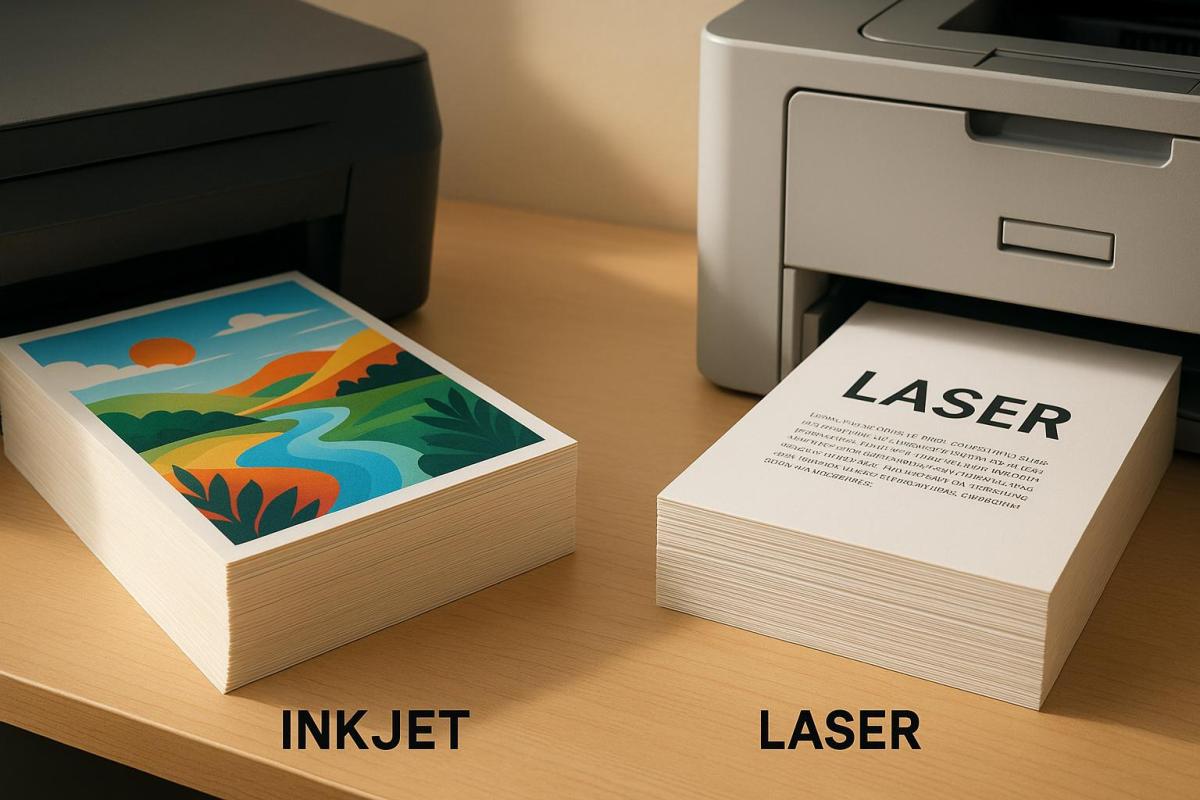
When choosing between inkjet and laser printers for cardstock printing, the decision hinges on your specific needs: vibrant colors and detail or speed and efficiency. Inkjet printers excel at producing rich, detailed images and handling a variety of cardstock finishes, making them perfect for projects like greeting cards or photo-heavy designs. Laser printers, however, are faster, more cost-effective for high-volume tasks, and deliver sharp text, making them ideal for business cards or certificates.
Key Differences:
- Inkjet: Best for detailed images, supports heavier and textured cardstock, but slower and costlier over time.
- Laser: Best for sharp text and high-volume tasks, faster, but less vibrant colors and limited cardstock compatibility.
Quick Comparison:
| Feature | Inkjet Printers | Laser Printers |
|---|---|---|
| Color Quality | Excellent for photos and gradients | Good, less vibrant |
| Text Quality | Good with pigment inks | Outstanding, sharp and precise |
| Speed | 5–15 pages/minute | 20–40 pages/minute |
| Cardstock Weight | Up to 350 gsm | Up to 220 gsm |
| Cost | Lower upfront; higher per-page cost | Higher upfront; lower per-page cost |
Your choice depends on whether you prioritize image quality or efficiency for your cardstock projects.
I Want To Print Linen Card Stock Paper. Should I use an inkjet or laser printer
Print Quality on Cardstock: Inkjet vs. Laser
When it comes to printing on cardstock, the quality of your prints depends heavily on the type of printer you use. Inkjet and laser printers handle cardstock differently, each offering distinct advantages depending on the project. Understanding these differences can help you make the right choice for your needs. Let’s explore how these two technologies perform when printing on cardstock.
Inkjet Print Quality on Cardstock
Inkjet printers are known for their ability to produce vivid, detailed images. They use liquid ink – either pigment-based or dye-based – that penetrates the cardstock fibers, creating rich, saturated colors. This makes them ideal for designs that require vibrant hues and smooth color transitions, such as greeting cards, art prints, and marketing materials.
High-end inkjet models, like the Canon PIXMA Pro-100, can even produce archival-quality prints with a lifespan of up to 100 years when paired with the right papers and inks. Additionally, inkjet printers are incredibly versatile, handling a variety of cardstock types, including glossy, textured, and specialty finishes. This flexibility allows you to experiment with different styles and finishes without compatibility concerns.
However, there are some trade-offs. Inkjet prints often require drying time, particularly on glossy or coated cardstock, to avoid smudging. Ink bleeding can also occur if the cardstock isn’t optimized for inkjet printing. Furthermore, some inkjet models may struggle with very thick or heavily textured cardstock.
Laser Print Quality on Cardstock
Laser printers excel in producing sharp, crisp text, making them a great choice for text-heavy projects like business cards, certificates, and presentation materials. The precision of laser technology ensures that text is highly legible and professional-looking.
One of the standout features of laser printing is its durability. Laser printers use toner – a dry powder that’s fused onto the paper – to create smudge-resistant prints that are also water-resistant. This makes laser-printed documents on cardstock highly durable, with minimal risk of fading over time. Additionally, laser prints dry instantly, allowing for immediate handling, which is especially beneficial in high-volume printing scenarios.
That said, laser printers aren’t as strong when it comes to color reproduction. Because toner sits on the surface of the cardstock rather than bonding with it, the colors may lack the vibrancy seen in inkjet prints, particularly for photos or detailed color images. Laser printers also tend to perform best with smooth, matte cardstock and may struggle with very thick or textured papers, generally supporting weights up to 220 gsm. Uneven surfaces can sometimes lead to inconsistent toner adhesion.
Here’s a quick comparison of key performance factors:
| Print Quality Factor | Inkjet on Cardstock | Laser on Cardstock |
|---|---|---|
| Color Vibrancy | Excellent for photos and gradients | Good for graphics, but less vibrant |
| Text Sharpness | Good with pigment inks | Outstanding, laser-precise text |
| Durability | Fade-resistant with pigment inks | Smudge-resistant; instant drying |
| Cardstock Weight | 60–350 gsm | 60–220 gsm |
| Drying Time | Requires drying time | Instant dry, ready to handle |
Ultimately, your choice between inkjet and laser printing for cardstock will depend on the specific needs of your project. Inkjet printers are a go-to for vibrant, image-heavy designs like photo cards and invitations. On the other hand, laser printers are better suited for professional projects that prioritize sharp text and quick turnaround times, such as business cards and certificates.
Cost Analysis for Cardstock Printing
When planning a cardstock printing project, it’s important to look beyond the upfront cost of the printer. The long-term expenses of inkjet and laser printers can vary widely, impacting your budget in significant ways.
Initial Purchase Costs: Inkjet vs. Laser
Inkjet printers are generally more affordable upfront, with prices starting around $100–$300 for basic models. High-end inkjets, designed for more demanding tasks, can cost anywhere from $300–$800 or more.
Laser printers, on the other hand, require a larger initial investment. Entry-level models capable of handling cardstock are priced between $200–$400, while business-class options with advanced cardstock-handling features can range from $500–$1,500. While inkjets win in terms of initial cost, the long-term savings often lean in favor of laser printers due to their lower supply expenses.
But the true cost difference becomes clearer when you factor in ongoing per-page expenses and required supplies.
Per-Page Costs and Supplies
The ongoing costs of printing can reveal a lot about long-term affordability. Inkjet printers rely on liquid ink cartridges, which typically cost between $15–$60 each and yield about 200–500 pages per cartridge. However, when printing on thicker cardstock, these yields often drop significantly due to the paper’s absorbency.
Laser printers, on the other hand, use toner cartridges that offer higher yields and greater cost efficiency. For example, inkjet color prints on cardstock generally cost about $0.10–$0.30 per page, while laser color prints average $0.05–$0.15 per page. If you’re printing in black and white, laser printers are even more economical, often cutting costs in half compared to inkjet alternatives.
Here’s a practical example: A small business printing 1,000 color cardstock flyers each month might spend $200–$300 monthly on inkjet supplies, primarily due to frequent cartridge replacements. Switching to a laser printer for the same workload would bring monthly costs down to about $80–$150, saving the business $1,440–$1,800 annually.
Laser toner also has the advantage of a longer shelf life, as it doesn’t dry out like ink. This makes laser printers a great choice for users with irregular printing schedules.
For high-volume printing, laser printers shine not only for their lower per-page costs but also for their faster output, which can save time and reduce labor expenses. However, for smaller, specialized projects – like photo-quality prints or occasional cardstock runs – inkjet printers might be the better option. They offer a lower upfront cost and superior color accuracy for detailed work.
Hidden Costs to Consider
Beyond the obvious expenses, there are hidden costs to keep in mind. Both inkjet and laser printers might require additional investments, such as maintenance kits, specialized paper trays, or upgraded feeders to handle heavy cardstock. Inkjet printers may also need more frequent printhead cleanings or replacements, while laser printers occasionally require drum or fuser replacements.
For businesses with large or complex cardstock projects, outsourcing to professional services can be a smart alternative. Companies like Miro Printing & Graphics Inc. in Hackensack, NJ, offer scalable solutions that can handle high-volume jobs efficiently. By outsourcing, you can avoid the hassle of equipment maintenance and supply management while gaining access to advanced finishing options.
All these factors play a role in determining the overall efficiency and feasibility of your cardstock printing projects.
Speed and Performance for Cardstock Printing
When working on cardstock printing projects, speed and dependability are key. The differences in performance between inkjet and laser printers become especially noticeable with thicker materials. Understanding these differences can help you pick the right printer for your needs.
Print Speed and Workflow
Laser printers consistently achieve speeds of 20–40 pages per minute (ppm) on cardstock and are designed for efficient, large-batch printing with extended paper trays. In contrast, inkjet printers typically operate at 5–15 ppm and often need to pause for ink or paper refills. This speed gap is especially important when producing large quantities of invitations, business cards, or marketing materials.
While inkjet printers are ready to print almost instantly without requiring a warm-up period, their slower speeds can cause delays in high-volume projects. This makes laser printers the go-to option for handling large-scale cardstock printing efficiently.
Durability and Maintenance
Laser printers are built to last, with fewer moving parts and less frequent maintenance needs. Their toner-based systems reduce many of the issues that come with liquid ink, making them a solid choice for consistent cardstock printing.
On the other hand, inkjet printers require more frequent upkeep, such as cleaning print heads and replacing ink cartridges. Thicker cardstock can accelerate wear on inkjet feed mechanisms, increasing the need for maintenance.
Both printer types face challenges during sustained cardstock printing, but laser printers’ robust design allows them to handle heavy use more effectively. That said, using cardstock outside of a printer’s specifications can still lead to wear or paper jams. For inkjet printers, thicker or textured cardstock may lead to clogs in the print heads and faster wear on feed rollers.
Professional print shops, like Miro Printing & Graphics Inc. in Hackensack, NJ, often use both high-end laser and inkjet printers to meet a variety of client demands. Laser printers are typically favored for bulk jobs requiring speed and efficiency, while inkjets are better suited for specialty finishes or unique media types.
Maintenance also plays a role in overall costs. Toner cartridges for laser printers last longer and don’t dry out like ink cartridges, reducing the frequency and expense of replacements.
When considering your cardstock printing needs, these performance factors – along with operational costs – can help you make the right choice. Reliable cardstock processing is just as important as print quality and cost for achieving professional results.
sbb-itb-ce53437
Cardstock Compatibility: Inkjet vs. Laser
Choosing the right cardstock for your printer is crucial if you want polished and professional results. Inkjet and laser printers each have their own limits when it comes to handling different types of cardstock. Understanding these limitations can save you time, reduce frustration, and even prevent damage to your printer. Using the right cardstock not only improves print quality but also helps keep maintenance and repair costs down.
Paper Weight and Handling
Most inkjet and laser printers can handle cardstock weights ranging from 65 lb (176 gsm) to 110 lb (300 gsm). Some inkjet models can go as high as 130 lb (350 gsm), while certain business-grade laser printers support up to 120 lb (320 gsm) cardstock. For instance, HP OfficeJet Pro and LaserJet Pro printers generally max out at 110 lb (300 gsm), while Canon PIXMA inkjet printers often support heavier cardstock through their rear manual feed slot.
The type of finish on the cardstock also plays a big role in print performance. Inkjet printers are ideal for matte, glossy, and textured finishes because they are designed to absorb ink effectively, resulting in vibrant colors and sharp details. Laser printers, on the other hand, work best with matte and some glossy finishes. However, glossy cardstock may not deliver the same vivid results on a laser printer due to the heat and pressure used in its fusing process. To avoid issues like toner not sticking properly or paper warping, always use cardstock labeled as "laser compatible".
Many printers include features like manual feed slots or bypass trays, which are especially helpful when working with thicker cardstock. These features ensure smoother handling and reduce the risk of jams when printing on heavy media.
Preventing Paper Jams and Damage
Proper loading techniques are essential when working with cardstock. Jams are often caused by exceeding the printer’s weight limits, using incompatible finishes, or loading the paper incorrectly. To minimize issues, feed one sheet at a time through the manual slot, align the cardstock carefully, and always use paper designed for your specific printer type.
For example, an HP OfficeJet Pro 9025 performed well with 110 lb (300 gsm) matte cardstock when fed through the manual slot. Meanwhile, an HP LaserJet Pro M404dn handled matte cardstock effectively but struggled with toner adhesion on glossy media.
Keeping your printer in good condition also helps prevent jams. Clean the rollers regularly and ensure the paper path is clear, especially when using heavier cardstock.
If your project requires cardstock beyond what your office printer can handle, professional print shops are a great alternative. For example, Miro Printing & Graphics Inc. in Hackensack, NJ, specializes in digital and offset printing for a variety of cardstock weights and finishes. They’re a reliable option for projects like business cards, invitations, or other custom print needs.
Before starting any cardstock project, always check your printer’s specifications for maximum weight and compatible finishes. Manufacturer websites are a great resource for detailed compatibility charts and troubleshooting tips, helping you avoid unnecessary headaches and costly errors.
Pros and Cons Comparison Table
Deciding between inkjet and laser printers for cardstock projects depends on your specific needs. Below is a breakdown of their strengths and weaknesses based on key features.
| Feature | Inkjet Printers | Laser Printers |
|---|---|---|
| Print Quality | Pros: Outstanding color reproduction; great for photos and specialty finishes Cons: Needs drying time; may smudge on certain cardstock types |
Pros: Sharp text and professional finish; dries instantly Cons: Less vibrant colors; struggles with subtle color blending |
| Initial Cost | Pros: Affordable upfront, making it budget-friendly Cons: Frequent cartridge replacements increase long-term costs |
Pros: Cost-effective for high-volume printing over time Cons: Higher initial expense |
| Operating Costs | Pros: Lower initial equipment cost Cons: High cost per page; frequent cartridge changes |
Pros: Lower cost per page for black-and-white printing; toner lasts longer with higher yields Cons: Toner cartridges are more expensive upfront |
| Speed | Pros: Works well for low-volume tasks; first print ready in about 7 seconds Cons: Slower overall at 5–15 pages per minute; drying time needed before handling |
Pros: Much faster at 20–40 pages per minute; no drying time required; first print ready in about 7 seconds |
| Cardstock Compatibility | Pros: Handles a wide range of weights (60–350 gsm); great for specialty finishes and borderless printing Cons: Can be picky about paper type; struggles with some glossy finishes |
Pros: Reliable on matte finishes; supports standard cardstock weights (60–220 gsm) Cons: Limited to laser-friendly finishes; heat may affect specialty papers |
| Durability & Maintenance | Pros: Pigment-based inks last up to 100 years; compact design Cons: Ink can dry out if not used regularly; requires frequent maintenance to prevent clogging |
Pros: Toner doesn’t dry out; durable and requires less maintenance Cons: Larger size; replacement parts can be expensive |
These trends hold true across most models, offering a clear picture of how each printer type performs.
For projects that demand vibrant colors and fine details – like marketing materials or creative designs – inkjet printers are the go-to choice. Their ability to handle specialty finishes and reproduce subtle color gradients makes them ideal for visually striking results. On the other hand, if speed, text clarity, and cost efficiency for high-volume printing are your priorities, laser printers are the better option. Their instant-dry prints and lower per-page costs make them perfect for text-heavy documents like certificates or forms.
Ultimately, your decision should align with the needs of your specific projects. Inkjet printers shine for greeting cards and visually impactful materials, while laser printers excel with efficient, professional results for text-dominated tasks.
Choosing the Right Printer for Cardstock Printing
When deciding between inkjet and laser printers, it’s important to weigh your primary printing needs, budget, and the volume of work you plan to handle.
If you’re a creative professional or run a small business that thrives on delivering visually stunning materials, inkjet printers are a standout choice. They excel at producing vibrant colors and can handle specialty finishes that laser printers simply can’t match. Whether you’re crafting custom greeting cards, marketing brochures, or any project requiring vivid imagery and fine detail, inkjet technology delivers. Many models also support borderless printing on cardstock sizes as large as 13×19 inches, making them an excellent option for creative projects.
On the other hand, if speed and efficiency are critical, laser printers might be your go-to. They’re particularly well-suited for high-volume, text-heavy tasks. For example, corporate offices printing certificates, business cards, or forms will appreciate laser printers’ ability to churn out 20–40 pages per minute. Plus, their instant-dry, smudge-resistant prints ensure documents are ready for immediate handling. The crisp text and polished output make laser printers a reliable choice for professional, document-focused printing.
While inkjet printers typically come with a lower upfront cost than laser models, it’s worth noting that long-term expenses – like ink or toner replacements – can vary significantly depending on usage.
Another key factor is media compatibility. Inkjet printers can handle a broader range of cardstock weights and finishes, making them ideal for specialty projects that require heavier or uniquely textured paper. If your needs are more standard, such as using matte cardstock, laser printers can deliver consistent and dependable results. Always check your printer’s specifications to ensure it supports the cardstock you plan to use.
For large-scale, professional-grade projects, you might consider working with a full-service print shop like Miro Printing & Graphics Inc. in Hackensack, NJ. They offer advanced digital and offset printing technologies, along with expert advice tailored to your specific needs.
FAQs
What are the long-term costs of using an inkjet printer vs. a laser printer for printing on cardstock?
When evaluating the long-term costs of cardstock printing, inkjet printers are usually more affordable to purchase upfront. However, their running costs can add up quickly due to the frequent need to replace ink cartridges. On the other hand, laser printers come with a steeper initial price tag but tend to save money over time. This is because they offer a lower cost per page and use toner cartridges that last significantly longer.
If you plan to print on cardstock regularly, a laser printer might be the smarter investment over time. That said, it’s essential to weigh factors like your typical print volume and the quality of prints you need before deciding which option suits you best.
Does the type of cardstock finish impact print quality for inkjet and laser printers?
Yes, the type of cardstock finish plays a big role in determining print quality, especially when it comes to the type of printer you’re using. For inkjet printers, matte or uncoated cardstock is the way to go. These finishes allow the ink to absorb properly, resulting in vibrant colors and sharp details. Laser printers, on the other hand, perform better with glossy or coated cardstock. The toner bonds to the surface, creating crisp, clean prints.
When selecting cardstock, it’s important to match the finish with your printer to get the best results for your project. If you’re unsure which option to choose, a professional print shop like Miro Printing & Graphics Inc. can guide you toward the right decision for your needs.
How can I avoid paper jams and ensure smooth printing on heavy cardstock?
To avoid paper jams and ensure smooth printing on heavy cardstock, start by reviewing your printer’s specifications to confirm it can handle thicker paper types. If your printer includes a manual feed tray, use it – it’s often designed for handling heavier materials more efficiently. Adjust the printer settings to match the cardstock’s weight, and carefully align the paper guides to prevent misfeeds.
Store your cardstock in a cool, dry place to keep it flat and prevent curling, which can lead to jams. Feeding one sheet at a time is a smart approach, especially when working with thicker cardstock. Additionally, keep your printer clean and free of debris to minimize the risk of jams and maintain reliable performance.
Related Blog Posts
- Foil Stamping vs Metallic Ink: Key Differences
- Top 5 Factors for Choosing Printing Methods
- Die-Cutting vs Laser Cutting: Material Differences
- How to Choose Recycled Cardstock for Printing
https://app.seobotai.com/banner/banner.js?id=691fd5fc9c1061ed161f9ff8
 BergenCountyPrintersBlogs