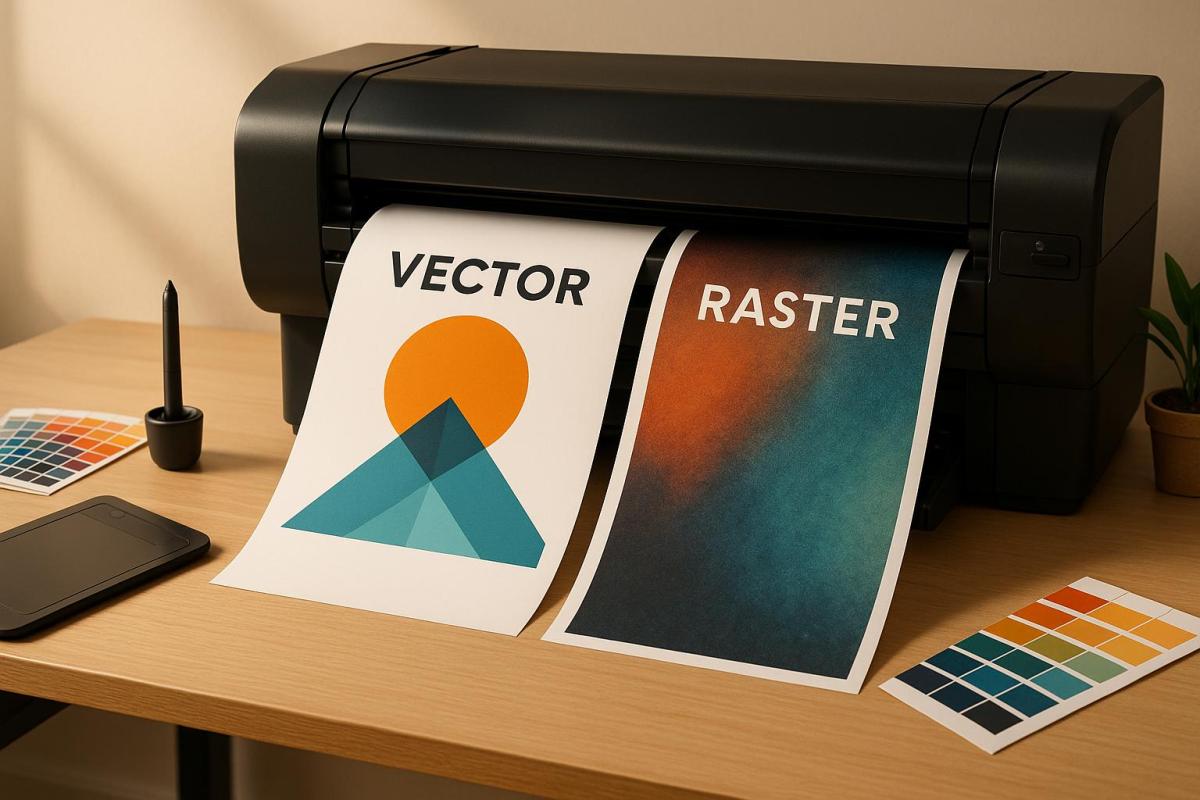
Choosing the right graphic format – vector or raster – is crucial for achieving high-quality print results. Here’s a quick breakdown to help you decide:
- Vector Graphics: Best for logos, text, and designs that need to scale without losing sharpness. These files are resolution-independent and lightweight, making them ideal for business cards, banners, and signage.
- Raster Graphics: Perfect for photographs and detailed artwork with rich color gradients. However, they are resolution-dependent and require at least 300 DPI for professional print quality.
Quick Comparison
| Feature | Vector Graphics | Raster Graphics |
|---|---|---|
| Scalability | Infinite; remains sharp at any size | Limited; enlarging causes pixelation |
| File Size | Smaller; uses mathematical descriptions | Larger; stores pixel data |
| Best Use | Logos, text, icons, simple illustrations | Photographs, detailed artwork, complex colors |
| Resolution | Resolution-independent | Requires high resolution (300 DPI minimum) |
For most print projects, a combination of both formats works best – vector for clean lines and text, and high-resolution raster for detailed images. Starting with the right format ensures polished results and avoids costly reprints.
What’s the Difference Between Raster and Vector Images
1. Vector Graphics
Vector graphics stand out from raster images because they rely on mathematical equations to define every element in a design. These equations determine the lines, curves, and shapes, making vectors an excellent choice for print projects that demand flexibility and precision.
Scalability
One of the biggest perks of vector graphics is their infinite scalability. You can resize a vector image from something as small as a postage stamp to as large as a billboard without losing clarity or sharpness. This is possible because the mathematical formulas behind the design adjust the shapes to fit the new size, keeping edges crisp and curves smooth.
This feature is especially important for businesses that need their branding to look consistent across various formats. For example, a company logo designed as a vector can be used on everything from business cards to banners and even vehicle wraps – without creating a separate file for each size. This not only ensures brand consistency but also simplifies file management, as one file can serve multiple purposes.
File Size
Another advantage of vector graphics is their smaller file size, especially when compared to high-resolution raster images. While a raster file can balloon in size due to pixel data, a vector file of the same design might only take up 1-2 MB. This is because vectors store information as mathematical descriptions of shapes rather than data for every single pixel.
For print shops and businesses, this smaller file size translates into faster file transfers, easier sharing, and reduced storage needs. It also makes workflows smoother – emailing files becomes hassle-free, and cloud storage stays more organized.
Color and Detail Capabilities
Vectors are excellent for designs with solid colors, clean lines, and simple gradients. They allow for easy color adjustments, which makes them ideal for applications like screen printing, embroidery, and promotional products that rely on a limited color palette.
However, vectors do have their limits. They aren’t the best choice for photographs or images with intricate color variations. The mathematical structure of vectors works best with defined shapes and areas of solid color, rather than the subtle transitions and details found in photographic images.
Best Print Applications
Vectors shine in projects where crisp scaling is a must. They’re perfect for logos, icons, and text that need to appear sharp on everything from business cards to large signage. Any design element that will be used at multiple sizes should start as a vector.
Typography benefits greatly from the vector format as well. Text remains sharp and clear at any size, which is critical for signage and other print materials. Custom illustrations for branding, simple graphics for packaging, and line art for technical manuals are other areas where vectors excel.
At Miro Printing & Graphics Inc., vector graphics are a cornerstone of maintaining quality across different print sizes and materials. Whether you’re working on custom projects, large-format printing, or branding materials, starting with vector files ensures top-tier print quality and the flexibility to adapt to future needs.
2. Raster Graphics
Raster graphics rely on a grid of pixels, with each pixel holding a specific color. Imagine it as a digital mosaic – thousands, sometimes millions, of tiny colored squares working together to create a complete image.
Scalability
One of the biggest challenges with raster graphics is scalability. Since these images are pixel-based, enlarging them beyond their original resolution forces the software to stretch the pixels. The result? Pixelation, blurriness, and jagged edges that can ruin the image’s appearance.
If you’re working on print projects, this limitation is especially critical. A photo that looks sharp on your screen may appear blurry and unprofessional if printed at a low resolution. For example, if you’re designing a 24-inch-wide poster, you need to ensure the raster elements are created at that size from the start. Unlike vector graphics, which can scale effortlessly from a small business card to a massive billboard, raster images need to be designed with their final size in mind. Resolution isn’t the only concern – file size also plays a major role in printing workflows.
File Size
Raster files can grow very large, especially when working with high-resolution images. A single high-quality photo prepared for print might range from 50 to 100 MB – or more – depending on its dimensions and level of detail.
Why so large? It’s all about the pixels. For example, an 8×10-inch image at 300 DPI contains approximately 7.2 million pixels, and each pixel needs data to store its color information. Compression can help reduce file size, but it often sacrifices image quality, which is unacceptable for professional printing.
Large files also demand more storage space and take longer to transfer. However, the payoff is worth it when you need the level of detail and color accuracy that raster graphics deliver.
Color and Detail Capabilities
This is where raster graphics truly excel. They are unmatched when it comes to capturing intricate color gradients, fine textures, and photorealistic details. Raster images can display millions of colors and handle the subtle transitions found in photographs, painted artwork, and detailed illustrations.
Thanks to their pixel-based structure, raster graphics are ideal for projects requiring artistic complexity or photographic realism. However, achieving the best results requires careful color management. For print purposes, raster images should be prepared in CMYK color mode rather than RGB to ensure colors appear accurately during printing.
Best Print Applications
Raster graphics are the top choice for photographs, detailed artwork, and projects requiring rich color depth and precision. They shine in applications like magazine spreads, photo books, art prints, and marketing materials that feature stunning photography or intricate designs.
For instance, full-color brochures with product photos or promotional posters showcasing detailed imagery are perfect examples of when raster graphics are indispensable. Any project that demands subtle color variations or fine details – like a photograph or complex artwork – benefits from the precision of raster graphics.
At Miro Printing & Graphics Inc., raster graphics are essential for digital printing, large-format printing, and custom projects that require photographic quality. Whether you’re creating marketing materials with product photography or custom prints featuring intricate artwork, well-prepared raster files ensure your printed materials deliver professional clarity and vibrant color accuracy.
sbb-itb-ce53437
Advantages and Disadvantages
To build on the key differences already outlined, let’s dive into a side-by-side comparison of the strengths and limitations of vector and raster graphics. This breakdown will help you determine which format aligns best with your project’s specific needs.
| Aspect | Vector Graphics | Raster Graphics |
|---|---|---|
| Scalability | Can be scaled infinitely without losing quality – perfect for logos on anything from business cards to billboards. | Limited to the original resolution; enlarging beyond that results in pixelation. |
| File Size | Typically smaller, thanks to mathematical descriptions. | Larger, especially when saved at 300 DPI for professional printing. |
| Color Handling | Works well with solid colors and simple gradients. | Excels at handling complex color variations, shading, and photorealistic details. |
| Editing Flexibility | Easy to modify shapes, colors, and elements without losing quality. | Editing can degrade quality, particularly with extensive changes. |
| Detail Capability | Best suited for simple shapes and illustrations. | Captures intricate textures, fine details, and realistic imagery. |
| Print Resolution | Resolution-independent – remains sharp at any size. | Requires at least 300 DPI for professional-grade print quality. |
Vector graphics are the go-to choice for designs that need to scale seamlessly across various sizes. They’re ideal for logos, text-heavy designs, and technical illustrations where sharp, clean edges are a must. On the flip side, they fall short when it comes to capturing intricate details or subtle color transitions, making them less suitable for photorealistic designs.
Raster graphics shine when rich color depth and fine details are critical. They’re perfect for photographs and detailed artwork but come with the trade-off of being resolution-dependent. Enlarging them beyond their original size can lead to pixelation, so it’s crucial to plan the dimensions carefully from the outset.
At Miro Printing & Graphics Inc., the choice between vector and raster formats depends entirely on your project’s goals. High-resolution raster files are ideal for digital and large-format projects that prioritize detailed, photographic elements. On the other hand, vector files are perfect for logos, text, or graphics that need to maintain their quality across a variety of sizes. Choosing the right format from the start ensures professional results and helps you avoid the costly reprints that can come with using the wrong file type.
Conclusion
As we’ve explored, selecting the right format plays a key role in achieving high-quality print results. Vector images are perfect for scalable designs like logos and text, while raster images excel in delivering detailed photographic elements. However, raster graphics depend on resolution, with a minimum of 300 DPI required to maintain quality.
Raster images shine when capturing the fine details and subtle color variations that make photographs and intricate artwork stand out. On the other hand, vector graphics ensure crisp, scalable designs that remain sharp at any size. Combining these two formats – vector for clean lines and text, and high-resolution raster images for detail – can help you strike the perfect balance between quality and cost. Just remember, any raster elements must meet the 300 DPI threshold to avoid compromising the overall quality of your project.
For complex projects or those involving mixed formats, expert advice can make all the difference. Consulting with professionals not only saves time and money but also ensures your materials look polished and professional. Miro Printing & Graphics Inc., with over 30 years of experience, specializes in assessing project needs, recommending the best formats, and even handling file conversions to simplify your workflow.
Whether you’re working on business cards, large-format banners, brochures, or other marketing materials, starting with the right format ensures professional results and prevents costly mistakes. For demanding print projects, expert guidance is an investment in both quality and efficiency.
FAQs
How do I decide between vector and raster graphics for my print project?
When deciding between vector and raster graphics, it really comes down to the specific needs of your project. Vector graphics are perfect for designs that need to be scaled up or down without any loss in quality – think logos, illustrations, or layouts with a lot of text. Since they’re resolution-independent, they stay sharp no matter the size.
Raster graphics, on the other hand, are made up of pixels, which makes them ideal for detailed images like photographs or designs with intricate color gradients. However, because they rely on resolution, they can become pixelated if stretched too far. For print projects, aim for a resolution of at least 300 DPI to keep everything looking crisp and clear.
If you’re still unsure which format suits your project best, reaching out to a professional print shop like Miro Printing & Graphics Inc. can provide the guidance you need to make sure your designs look flawless in print.
How can I make sure my raster images look sharp when printed in different sizes?
To ensure your raster images look sharp and professional when printed, always start with high-resolution files. A resolution of 300 DPI (dots per inch) is generally the sweet spot for most print projects. Enlarging low-resolution images is a big no-no – it often leads to pixelation and a noticeable loss of detail.
If you’re creating or choosing raster images, make sure their dimensions match the intended print size. Should resizing be unavoidable, rely on professional design tools to reduce the risk of quality degradation. For large-format prints, it’s a good idea to check with your printer about the optimal resolution and file format for your specific project. With the right preparation, your images will maintain their quality and look great, no matter the size.
When should I use both vector and raster formats in a print project?
When working on a print project, using both vector and raster formats can help you achieve a polished and professional result, especially if your design includes diverse elements. Vector graphics are perfect for components like logos, text, and illustrations because they can be resized without any loss of quality. Meanwhile, raster images excel at showcasing intricate details, making them ideal for photographs or textures that rely on pixel-based resolution.
By combining these two formats, you can ensure sharp, precise lines for critical design elements while incorporating detailed imagery where it’s most impactful. This balance enhances the overall visual appeal of your print. For expert guidance and high-quality results, you might want to partner with a reliable print shop, such as Miro Printing & Graphics Inc., which provides tailored design and printing solutions to meet your needs.
Related Blog Posts
- Large Format Printing: DPI vs. PPI Explained
- How to Prepare Vector Files for Print
- Scaling Images for Print: Best Practices
- Vector vs Raster: Key Differences for Printing
https://app.seobotai.com/banner/banner.js?id=6920fea89c1061ed16212ca8
 BergenCountyPrintersBlogs