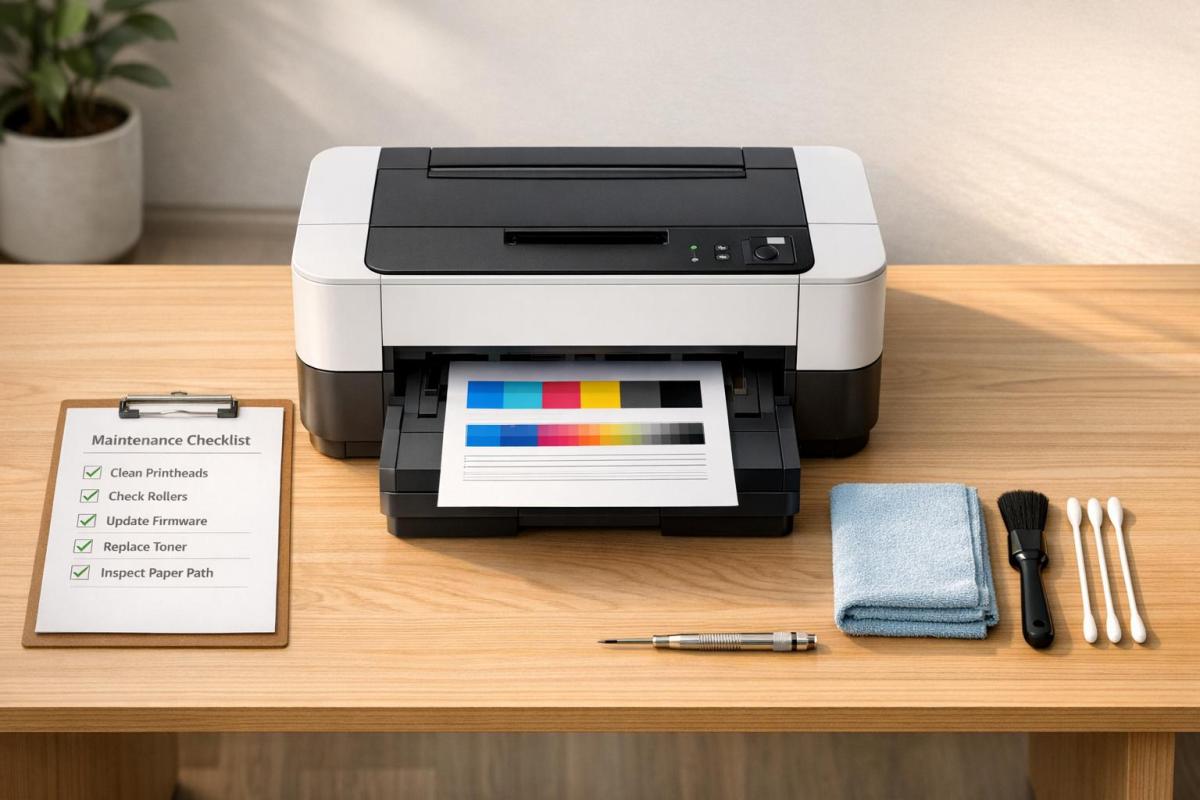
Printer downtime can cost businesses up to $1,200 per hour, disrupting workflows and straining budgets. Regular maintenance is the simplest way to avoid these issues, saving repair costs, extending equipment life, and ensuring consistent performance. Here’s what you need to know:
-
Key Benefits:
- Reduces repair costs by 20%.
- Extends printer lifespan by 30–50%.
- Avoids emergency repair fees, often 2–3x higher on weekends or after hours.
-
Simple Maintenance Tasks:
- Clean printheads and feed rollers monthly.
- Replace parts like fuser units and pickup rollers before failure.
- Keep firmware and drivers updated.
-
Environmental Tips:
- Maintain 65–75°F and 45–55% humidity.
- Store paper properly to avoid moisture damage.
- Ensure proper airflow around printers.
-
Staff Training:
- Teach employees proper printer use and basic troubleshooting.
- Designate a key operator for quick fixes.
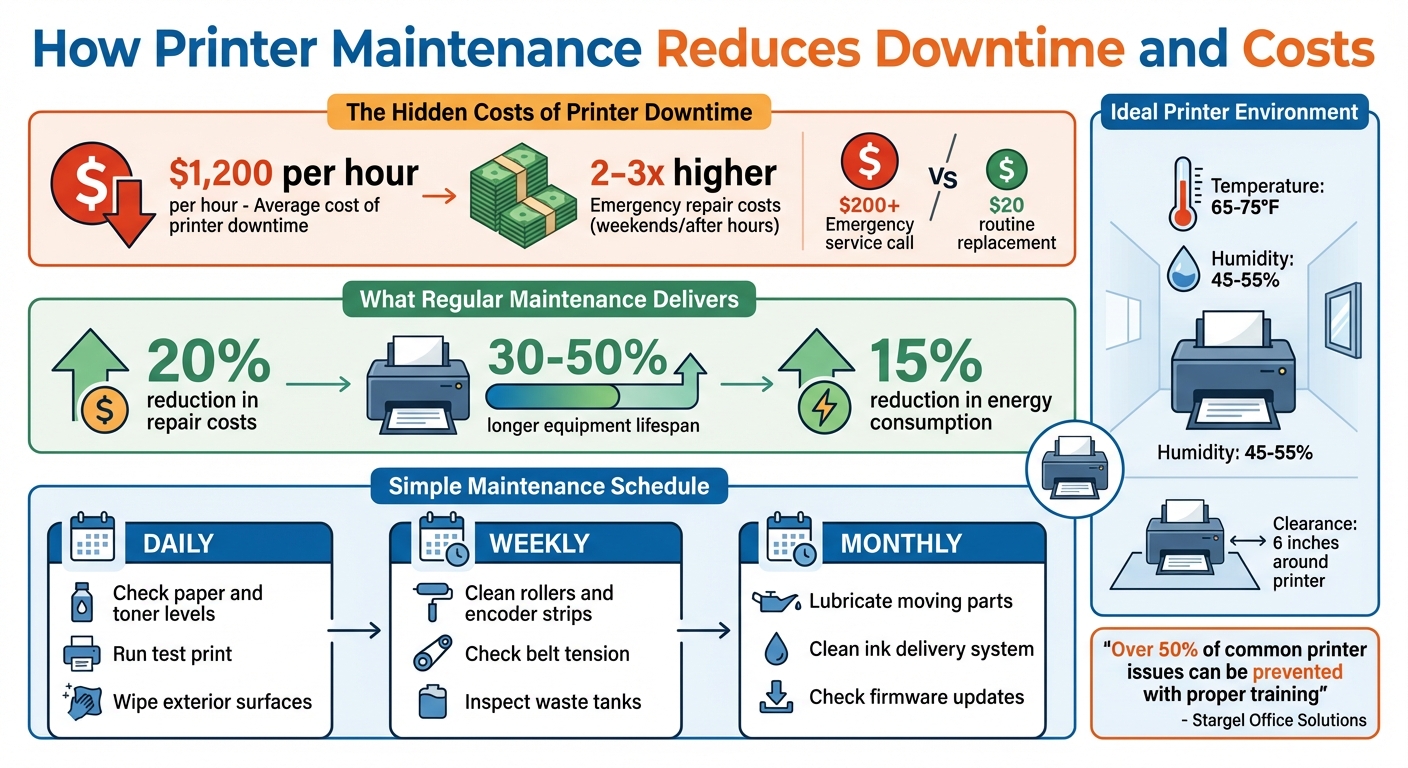
How Printer Maintenance Reduces Downtime and Costs
The Costs of Printing Downtime
Financial Impact
Printer downtime hits harder than just the repair bill – it can drain up to $1,200 per hour. That kind of loss isn’t just about the machine; it’s about employees sitting idle, workflows grinding to a halt, and the frantic search for quick fixes.
Then there are the emergency repairs. If your printer breaks down on a weekend or after hours, expect repair costs to skyrocket – 2 to 3 times higher than usual. For instance, a simple $20 pickup roller replacement could balloon into a $200+ emergency service call if left unaddressed. Add to that the waste of toner, ink, and paper caused by jams, and the expenses keep piling up.
"Neglecting routine maintenance often leads to unexpected breakdowns and malfunctions. When this happens, you’re suddenly faced with repair bills that strain your budget."
– Alex Nicholas, Senior Imaging Sales Manager, Loffler Companies
The damage doesn’t stop at your wallet – it can tarnish your reputation. In industries like legal, finance, and education, a non-functioning printer can mean missed court filings, compliance issues, or lost client trust. And delivering documents with streaks, faded text, or smudges? That not only looks unprofessional but can also make others question your attention to detail. Keeping up with regular maintenance not only saves on repairs but ensures your credibility stays intact.
On top of all this, downtime often creates ripple effects that disrupt operations even further.
Workflow Disruptions
When your printer fails, it’s like knocking over the first domino in a long chain. Work piles up, deadlines shift, and employees spend valuable time troubleshooting instead of focusing on their actual responsibilities .
And let’s face it – printers have a knack for breaking down at the worst possible moment. Whether it’s 4:45 PM on a Friday before a Monday presentation or right in the middle of prepping critical client materials, the timing is rarely convenient . Once the issue is fixed, the backlog doesn’t magically disappear. Clearing it often means paying for overtime, adding yet another layer of cost. These interruptions ripple across your operations, throwing off schedules, projects, and client commitments.
sbb-itb-ce53437
Maintenance Practices That Reduce Downtime
Cleaning and Inspection
The paper handling path is a common trouble spot for printers, so it’s worth giving extra attention to components like feed, pickup, and transfer rollers, along with toner or ink systems and heat elements such as the fuser assembly. A simple monthly cleaning of feed rollers using a damp, lint-free cloth can help prevent jams caused by buildup. For vents and fans, use short bursts of compressed air to remove dust without pushing debris further inside.
Different printer types require tailored maintenance. For inkjet printers, running a weekly test page can keep nozzles clear and prevent clogs from dried ink. Laser printers, on the other hand, need regular cleaning to remove toner dust and occasional replacement of components like fuser assemblies and transfer rollers. Thermal printers are generally low-maintenance but benefit from wiping down the platen and paper path whenever you change rolls.
Software upkeep is just as important. Updating firmware, drivers, and security patches not only fixes bugs but can also boost performance. Brand-specific tasks can’t be ignored either – HP pickup rollers should be replaced every 50,000 pages, Lexmark fuser units typically last 100,000–200,000 pages, and Ricoh scanner glass needs weekly cleaning to avoid streaks on copies.
Routine cleaning and timely part replacements are key to avoiding unexpected printer failures.
Parts Replacement
Replacing parts before they fail can save you from costly emergency repairs, which can run two to three times higher than standard service calls. Keeping track of page counts is crucial – for example, if a Lexmark fuser is approaching 100,000 pages, it’s better to replace it proactively rather than risk a sudden breakdown.
Pay attention to unusual printer sounds. Humming, grinding, or chirping noises often indicate issues like a failing fuser unit or worn gears that need immediate attention. Similarly, if your printer starts pulling multiple sheets at once, it’s likely time to replace the separation pad. Another tip: avoid running ink or toner cartridges until they’re completely empty. Replacing them when the "low" alert appears can prevent unnecessary strain on the hardware.
"Neglecting regular copier maintenance is like never changing your car’s oil. Your expensive office equipment will die years before it should."
– Toner Cartridge Depot
These preventive measures, combined with proper environmental management, can significantly improve printer reliability.
Environmental Controls
Environmental conditions play a bigger role in printer performance than you might think. Keeping the workspace between 65–75°F with 45–55% humidity helps prevent moisture-related paper jams. Storing paper in a climate-controlled area is another simple but effective step. If your printer operates in a dusty area, like a warehouse, consider shortening maintenance intervals from quarterly to monthly.
Ventilation is equally important. Make sure there’s at least six inches of space around the printer for proper airflow, and clean the ventilation system and fan assembly regularly to avoid overheating during heavy use. Also, keep your printer out of direct sunlight to protect sensitive internal components. Following these guidelines can extend your printer’s lifespan by up to 30%.
RolandDG Printer Maintenance Tips
Creating a Maintenance Schedule
Having a structured maintenance plan can make a huge difference in keeping your printer running smoothly. In fact, it can extend the printer’s lifespan by up to 50%. A well-thought-out schedule ensures that preventive maintenance happens on time, cutting down on expensive downtime. The trick is to divide tasks into manageable intervals – daily, weekly, and monthly – so your team knows exactly what to do and when. This approach builds on earlier preventive practices and ensures no task gets missed.
Daily, Weekly, and Monthly Tasks
Daily tasks are all about quick visual checks. Look at paper and ink or toner levels, run a test print, and wipe down the exterior surfaces. If you’re using an inkjet printer, make sure to do a daily nozzle check to avoid clogs.
Weekly maintenance goes a little deeper. Clean the rollers and encoder strips, check the tension on belts, and inspect waste tanks to prevent them from overflowing. This is also a good time to run alignment and calibration tests to catch any quality issues early.
Monthly tasks require a more thorough approach. Lubricate moving parts like lead screws and shafts, clean the ink delivery system, and check for firmware updates from the manufacturer that might fix bugs or boost performance. For printers handling high volumes, review the page counts using self-test pages to predict when long-lasting components, like fusers, might need replacing.
By sticking to these regular tasks, you set the stage for consistent printer performance. Adding documentation to the mix makes this system even more effective.
Documenting Maintenance Records
Keeping detailed maintenance logs is like having a cheat sheet for your printer’s history. Instead of relying on memory, you’ll have a clear record of past services, which means less time spent troubleshooting. Your logs should include the service date, who performed the tasks, and what was done. Make sure to also record error codes, part replacements, usage stats, and costs. This kind of documentation helps spot wear patterns and recurring issues, keeping you ahead of potential breakdowns.
Whether you use a shared whiteboard, digital forms, or maintenance management software, having a centralized log improves communication between team members and supervisors about part needs and performance issues. Plus, businesses that stick to documented maintenance routines often see their repair bills drop by about 20%.
Staff Training for Downtime Prevention
At Miro Printing & Graphics Inc., we believe that thorough staff training is key to minimizing printing downtime. Even with the most well-planned maintenance schedule, downtime can still occur if employees aren’t familiar with proper equipment usage. In fact, user error is one of the leading causes of printer issues requiring maintenance or service. Just as regular upkeep prevents mechanical failures, well-trained staff can prevent user-induced problems. When employees know how to operate equipment and handle minor issues, breakdowns become less frequent, and time waiting for technicians is significantly reduced.
Correct Printer Usage
The foundation of effective printer operation lies in understanding the basics. Employees should be familiar with how the paper path works – covering components like feed, pickup, transfer, and separation rollers – as well as how heat systems, such as the fuser assembly, function. This knowledge helps prevent actions that could harm delicate parts. For instance, using the wrong type of paper or forcibly removing jammed sheets can lead to unnecessary wear and costly repairs.
Training should also include best practices for paper storage, such as keeping it in cool, dry areas to avoid moisture damage, and proper loading techniques. Using supplies recommended by the manufacturer is equally important. Additionally, staff should know when to replace ink or toner cartridges – ideally before they run completely dry – to avoid damaging the hardware. Routine cleaning is another critical aspect; high-touch areas like keypads should be disinfected daily with lint-free cloths and 70% isopropyl alcohol.
"A quick training session on how to properly load paper, change toner, and handle small jams can prevent over 50% of common issues."
– Stargel Office Solutions
However, good training doesn’t stop at proper usage. Employees should also be equipped to handle minor troubleshooting tasks.
Basic Troubleshooting
Teaching your team to resolve simple printer issues can save both time and money. They should know how to safely clear paper jams by following the manufacturer’s guidelines, interpret common error codes, and perform alignment cycles to improve print quality when needed.
Designating a key operator – a tech-savvy team member with advanced training – can be particularly effective. This person can act as the go-to resource for troubleshooting before escalating problems to a technician. Keeping quick-reference guides or troubleshooting cheat sheets near the printers can also help staff resolve minor issues on the spot.
That said, it’s important for employees to recognize when to stop and call for professional help. Unusual grinding noises, smoke, or persistent error codes are clear signs that the issue requires expert attention.
"Well-trained users not only prevent problems but can often resolve minor issues quickly, minimizing downtime and avoiding costly repair calls."
– Toner Cartridge Depot
Conclusion
Taking care of your printers isn’t just about keeping them operational – it’s about protecting your bottom line and maintaining your professional reputation. Regular maintenance can increase equipment lifespan by 30%–50%, lower repair costs by 20%, and cut energy consumption by 15%. With downtime averaging $1,200 per hour, staying ahead with proactive maintenance is a smart move.
Adjust your maintenance schedule based on how much your printers are used. For high-volume operations, this might mean daily inspections, weekly cleanings, and monthly deep maintenance. Keep the workspace stable – ideally between 65–75°F with 45–55% humidity – use high-quality paper, and ensure firmware is updated to keep everything running smoothly.
Effective maintenance isn’t a solo effort; it’s a team endeavor. A solid routine combined with well-trained staff who know how to operate equipment properly and handle basic troubleshooting creates a strong defense against costly downtime. At Miro Printing & Graphics Inc., we’ve witnessed how this approach turns printers from a potential headache into a dependable business tool.
"Maintenance serves as a protective shield, safeguarding your initial investment and ensuring that your printers and copiers continue to perform at their best."
– Alex Nicholas, Senior Imaging Sales Manager, Loffler Companies
The cost savings and improved reliability make it clear: disciplined maintenance is worth the effort. Start today by tracking print volumes, assigning someone to oversee maintenance, and keeping detailed service logs. Preventive care now avoids emergency repairs later and ensures your printers deliver professional results. Use these steps to turn downtime into consistent, reliable performance.
FAQs
How do I know which printer parts to replace before they fail?
To figure out which parts of your printer need replacing, keep an eye on key components and pay attention to maintenance alerts or signs of wear and tear. Regular upkeep typically includes swapping out items like fuser units, laser units, or paper feed kits after your printer reaches a certain page count. Look out for messages such as "Replace Fuser" or "Replace Laser" – these alerts help you avoid unexpected breakdowns and minimize downtime.
What maintenance tasks can staff safely do without a technician?
Staff can confidently manage routine tasks to keep printers in good shape. This includes removing dust and debris from both the interior and exterior, paying attention to areas like print heads and rollers. They can also activate automatic cleaning systems, replace consumables such as toner or ink cartridges, and ensure the printer is covered when not in use to prevent dust buildup. However, more complicated repairs or anything involving electrical components should be handled by qualified technicians to avoid risks.
How should I adjust maintenance for high-volume printing?
For high-volume printing, it’s crucial to step up the frequency of inspections, cleaning, and part replacements to avoid unexpected breakdowns. If your equipment handles over 80,000 pages per month, consider scheduling weekly professional maintenance to tackle wear and tear effectively. Regularly swap out worn components and carry out preventive tasks designed for heavy-duty use. This approach helps maintain smooth operation, reduces downtime, and keeps your printing equipment running longer.
Related Blog Posts
- How to Save on Print Marketing Costs
- Common Post-Press Quality Issues and Fixes
- Energy Star Certification for Printers: What It Means
- Common Gear Wear Patterns in Printing Machines
https://app.seobotai.com/banner/banner.js?id=6997ae75efc60cc2af086d8a
 BergenCountyPrintersBlogs