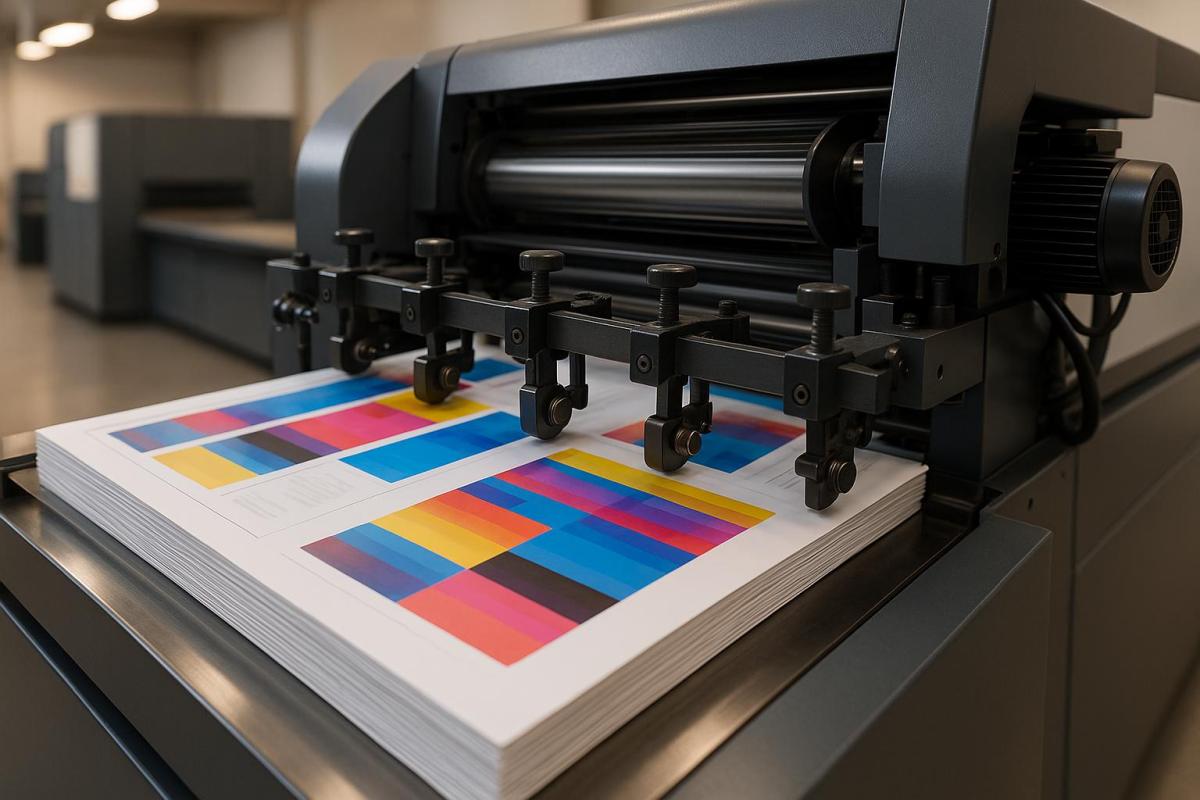
Registration errors in printing can ruin the final product, causing blurred images, misaligned colors, and wasted materials. They lead to higher costs, customer dissatisfaction, and delays. Here are the top 5 causes of these errors and how to prevent them:
- Worn Mechanical Parts: Misaligned gears, cylinders, or loose belts from wear and tear disrupt alignment. Regular maintenance and inspections can prevent this.
- Incorrect Plate Installation: Poorly mounted plates cause misregistration. Use precision tools and standardized mounting procedures.
- Paper Tension Problems: Uneven tension leads to material stretching or contracting, throwing off alignment. Automated tension control systems help maintain consistency.
- Temperature and Humidity Issues: Fluctuations in environmental conditions affect paper and ink, causing misalignment. Keep the workspace between 68°F–76°F and 35%–55% humidity.
- Machine Calibration Problems: Over time, calibration drifts, leading to misaligned prints. Routine calibration checks and software updates are essential.
Quick Overview of Prevention Steps:
- Maintenance: Regularly check and replace worn parts.
- Environment: Control temperature and humidity.
- Calibration: Perform monthly checks and alignments.
- Training: Ensure operators follow best practices.
- Automation: Invest in tools like tension control systems.
By addressing these causes, you can reduce errors, improve print quality, and avoid costly reprints.
1. Worn Mechanical Parts
Impact on Registration Alignment
When mechanical parts start to wear out, they can seriously mess with registration alignment in printing. Even slight wear can lead to noticeable issues like color inconsistencies and misregistration, which directly affect print quality. The most frequent culprits include:
- Misaligned or damaged gears
- Misaligned cylinders
- Faulty grippers
- Loose belts and rails, which can destabilize the machine
How Often It Happens
Mechanical wear doesn’t happen overnight. It’s a gradual process, but certain factors can speed it up. Registration problems tend to crop up more often in situations like:
- High daily print volumes
- Aging or outdated printing equipment
- Lack of regular maintenance
- Poor environmental conditions, such as extreme humidity or dust
If you’re noticing recurring issues, it’s worth investigating whether wear and tear is the underlying cause.
Steps to Diagnose
To pinpoint worn components as the issue, follow these steps:
- Inspect gears, cylinders, and bearings for visible signs of wear or damage.
- Watch for consistent patterns of misalignment in print quality.
- Listen for unusual noises or observe irregular movement of the substrate during operation.
Ways to Prevent
"Keeping your printing press clean and well lubricated is the very basic maintenance activity that should be done in-house on a regular basis." – David Lee, Focus Label
A proactive maintenance plan can go a long way in preventing wear-related problems. Here’s an example of a routine schedule:
| Maintenance Task | Frequency | Purpose |
|---|---|---|
| Lubrication | Weekly | Reduces friction and minimizes wear |
| Gear Inspection | Monthly | Detects early signs of damage or misalignment |
| Belt Tension Check | Bi-weekly | Ensures smooth and accurate movement |
| Cylinder Alignment | Quarterly | Keeps registration alignment in check |
For best results:
- Stick to manufacturer-recommended lubricants for all moving parts.
- Keep detailed maintenance logs to monitor wear trends over time.
- Replace worn-out parts as soon as they’re identified.
- Train operators thoroughly on proper machine handling and upkeep.
- Maintain stable environmental conditions to avoid unnecessary strain on components.
At Miro Printing & Graphics Inc., regular maintenance isn’t just about avoiding errors – it’s about extending the life of your equipment and minimizing downtime. A little effort up front can save a lot of headaches later.
10 Common Causes of Print Misregistration in Flexographic Printing
2. Incorrect Plate Installation
Incorrectly installing plates can be a major source of printing errors, especially after addressing mechanical wear.
Impact on Registration Alignment
When plates are not installed properly, the entire registration process suffers. This can lead to blurred images, color inconsistencies, misaligned text, and overlapping design elements. Essentially, the quality of the final print takes a big hit.
How Often It Happens
Errors in plate installation are surprisingly common and typically occur during:
- The initial setup of plates
- Plate replacements
- Rushed operations under tight deadlines
- High-pressure, high-volume production runs
"Misregistration by the tiniest fraction will result in waste, machine downtimes, re-prints of jobs, and delays in delivering the end customer."
The key to avoiding these issues lies in identifying and addressing the root causes through thorough checks.
Steps to Diagnose
To pinpoint installation errors, use this systematic checklist:
| Inspection Point | What to Check | Common Issues |
|---|---|---|
| Plate Position | Verify the centerline; ensure plates are evenly spaced | Off-center mounting, uneven spacing |
| Mounting Surface | Check tape condition and adhesion | Air bubbles, debris, poor bonding |
| Tension | Assess plate tightness | Loose sections, over-tensioning |
| Registration Marks | Confirm microdot alignment | Misaligned registration points |
Ways to Prevent
Avoid installation errors by following these best practices:
- Use precision tools to align plates perfectly with the cylinder centerline.
- Double-check alignment using microdots or other registration marks before starting production.
- Standardize mounting procedures across all shifts to ensure consistency.
"Improper mounting results in a slow makeready and machine downtime as the plate is re-mounted. Also, re-mounting the plate increases the risk of accidental stretching." – Mark Gibis, vice president of sales for Doyle Systems
At Miro Printing & Graphics Inc., we recognize the importance of proper plate installation. Our skilled technicians rely on advanced mounting systems and adhere to strict protocols to ensure every plate is aligned with precision, delivering top-tier print quality every time.
3. Paper Tension Problems
Paper tension problems can wreak havoc on registration, leading to poor print quality and operational inefficiencies. After mechanical issues and plate installation errors, tension-related challenges are another major obstacle to achieving precise registration.
Impact on Registration Alignment
When paper tension fluctuates, it often results in misregistration. This happens because the material stretches or contracts unevenly, throwing off the alignment between color layers. For jobs that require high precision, even minor distortions can make the final product unusable.
Substrate characteristics like thickness, stiffness, and elasticity can also contribute to issues. These variations may cause wrinkles, skewed images, color misalignment, or uneven ink transfer – problems that directly affect the quality of the final print.
How Often It Happens
Paper tension issues are a frequent concern in printing operations. For example, with papers and high modulus films, a diameter change as small as 0.1% (about 1 mil per inch of radius) can cause significant tension disruptions. These problems typically arise during:
| Operation Phase | Common Tension Issues |
|---|---|
| Roll Changes | Variations in diameter disrupt tension control |
| Speed Transitions | Rapid acceleration or deceleration creates fluctuations |
| Environmental Shifts | Changes in temperature and humidity affect material properties |
| Extended Runs | Gradual roll diameter changes alter tension dynamics |
Steps to Diagnose
To identify and address paper tension problems effectively, consider these steps:
- Monitor web guide systems for excessive lateral movement.
- Check tension readings across various zones of the press.
- Inspect for visible signs of material stress, such as wrinkles or distortions.
- Evaluate environmental conditions in the press room, including temperature and humidity levels.
Quick action is crucial to stabilize tension and maintain smooth operations.
"It is impossible to control a web without proper tension being applied to it." – Jeff Damour, Converter Accessory Corp.
Ways to Prevent
Here are some practical strategies to help avoid paper tension issues:
- Automated Tension Control Systems: Advanced systems with real-time sensors can continuously monitor and adjust tension levels. Keeping tension within 10% to 25% of the web’s tensile strength ensures consistent performance.
- Environmental Management and Maintenance:
- Use specialized HVAC systems to regulate temperature and humidity.
- Regularly inspect and maintain tension sensors, controllers, web guide systems, and drive mechanisms.
"Proper tension control is essential to controlling print-to-print or die-cut registration." – Jeff Damour, Converter Accessory Corp.
sbb-itb-ce53437
4. Temperature and Humidity Issues
Just like mechanical and paper tension problems, shifts in temperature and humidity can throw off registration. These environmental factors affect material size and ink behavior, leading to misaligned prints.
Impact on Registration Alignment
Temperature changes between 65°F and 75°F can cause materials to expand or contract, disrupting alignment. Similarly, humidity levels outside the 40%–60% range can make paper absorb or lose moisture, altering its dimensions and causing registration problems.
Here’s a quick breakdown of how these conditions affect printing:
| Condition | Impact on Materials | Effect on Registration |
|---|---|---|
| High Humidity (>60%) | Paper absorbs moisture, leading to warping | Misaligned colors and wrinkled prints |
| Low Humidity (<40%) | Paper dries out, becoming brittle and prone to static | Feeding issues and uneven registration |
| High Temperature (>75°F) | Accelerated ink evaporation | Poor ink adhesion and color inconsistencies |
How Often It Happens
These issues are especially common during seasonal changes or in facilities without proper climate control. Without consistent environmental management, they can escalate quickly, making precise registration a challenge.
Steps to Diagnose
To identify these problems, use a hygrometer to monitor temperature and humidity levels. Look for signs like curled paper, static buildup, or printing defects such as ink bleeding or unexpected color shifts.
Ways to Prevent
The best way to avoid these issues is by keeping the temperature between 68°F and 76°F and maintaining humidity levels between 35% and 55%.
"When printing on paper, when the humidity of the working environment becomes too high, this will lead the paper to absorb the humidity, increasing the water percentage in the paper. As a result, the paper can become wrinkled, and easily disfigured. Wrinkled and disfigured paper will cause issues when it comes to holding the print registration." – Zack Chen, KYMC
Here are some practical steps to maintain optimal conditions:
- Use automated HVAC systems, dehumidifiers, or humidifiers to stabilize the environment.
- Store materials in climate-controlled areas to prevent exposure to extreme conditions.
- Pre-condition paper before printing to ensure it’s acclimated to the environment.
- Regularly monitor and adjust environmental controls.
For digital printing, keeping relative humidity between 30% and 50% can also help reduce static buildup and improve inkjet precision. Proper climate management is essential to ensure consistent and accurate registration.
5. Machine Calibration Issues
Calibration plays a crucial role in ensuring accurate registration, just like managing mechanical wear and adapting to external factors. When calibration drifts from its intended settings, it can significantly affect print quality and precision.
Impact on Registration Alignment
Modern digital printers are built to keep alignment within a tight tolerance of +/- 0.5 mm. However, when calibration is off, you might notice misaligned barcodes, color shifts, inconsistent positioning, or even data errors.
How Often It Happens
Calibration problems tend to creep in over time, especially with frequent use, skipped maintenance routines, or changes in environmental conditions.
Steps to Diagnose
If you suspect calibration issues, here’s how to identify them:
| Issue | Diagnostic Method | Warning Signs |
|---|---|---|
| Color Misalignment | Print test patterns | Noticeable color bleeding or shadows |
| Registration Drift | Check registration marks | Irregular positioning across prints |
| Print Head Problems | Inspect print heads | Streaks or missing print elements |
Ways to Prevent
Experts stress the importance of regular calibration to maintain high-quality results:
"Needless to say, precise registration is a prerequisite for high-quality printing. Achieving the proper registration requires careful set-up and calibration of the printing equipment, as well as frequent monitoring during the production process."
To reduce the risk of calibration-related issues:
- Perform routine calibration checks based on how often the equipment is used.
- Clean printheads and nozzles regularly to ensure smooth ink flow.
- Replace UV lamps as per the maintenance schedule and keep firmware and drivers updated.
- Use camera-based verification systems for real-time monitoring of alignment.
Many modern printers come equipped with automated tools like Production Accurate Registration (PAR) and Full Width Array (FWA). These advanced systems can detect and adjust minor misalignments before they escalate into visible defects.
Experts also emphasize the importance of proper color calibration:
"Proper color calibration ensures that the colors are accurate and consistent across a range of different materials, such as paper, vinyl, and fabric. It also ensures that the colors will be as close as possible to the original design, ensuring that the end result is of high quality."
How to Fix Registration Problems
Once you’ve pinpointed registration issues, it’s time to address them with specific solutions to get your print quality back on track. These steps build on the earlier diagnostics and are designed to tackle registration errors head-on.
Immediate Troubleshooting Steps
| Component | Action Required | Expected Outcome |
|---|---|---|
| Paper Size | Ensure dimensions match specifications | Fixes misalignment problems |
| Printer Settings | Check alignment and resolution | Ensures precise color placement |
| Design Software | Confirm compatibility and updates | Avoids software-related issues |
| Ink Levels | Inspect cartridge installation | Keeps print quality consistent |
Environmental Controls
Maintain a temperature range of 65°F to 75°F and relative humidity between 45% and 55% for optimal registration accuracy. Additionally, make sure the workspace has proper air filtration to reduce dust, which can interfere with printer performance.
Professional Maintenance Protocol
-
Daily Checks
Inspect printheads and alignment marks regularly to catch potential issues early. -
Weekly Maintenance
Pay attention to mechanical components and calibration."Printer registration check and calibration must be first thing to look at. And must be made on regular basis, if you need consistent results"
-
Monthly Procedures
- Verify plate mounting
- Clean gripper pads
- Adjust web tension
- Perform full calibration checks
"One way color to color registration if affected is from dirty or worn gripper pads. Powder can build up on the pads causing mis register. One of many things to keep an eye on"
Material Handling Best Practices
Always store paper in its original packaging until it’s ready for use. Let it acclimate to the printing environment before loading it into the printer. High-quality paper is typically manufactured to maintain humidity levels between 25% and 50%.
Advanced Troubleshooting
If basic adjustments don’t solve the problem, it’s time to dig deeper. Reassess the plate mounting process and double-check calibration settings for any discrepancies.
"Standardized maintenance directly minimizes waste and downtime when carefully and reliably practiced. There are also the added benefits of achieving and maintaining print quality, increasing profitability and customer satisfaction"
Conclusion
Addressing registration challenges requires a well-thought-out strategy that builds on the causes and solutions discussed earlier. Registration errors can disrupt print quality and workflow, but they are preventable with the right approach. Routine maintenance, stable conditions, and proactive quality control are key to achieving consistent, high-quality prints.
Essential Prevention Steps
| Area | Maintenance Action | Frequency |
|---|---|---|
| Equipment | Clean paper feed system | Daily |
| Software | Update preflight checks | Weekly |
| Environment | Monitor temperature | Continuous |
| Quality Control | Calibrate devices | Monthly |
Maintaining stable printing conditions is a cornerstone of registration accuracy. For detailed guidance on managing environmental factors, refer back to earlier sections.
"Maintaining stable and controlled conditions is essential for consistent quality. Especially when printing high-volume jobs or high-precision items like product packaging or textiles."
In cases where basic troubleshooting doesn’t resolve hardware issues, professional assistance may be necessary.
"The problem you are experiencing is beyond user fixability at this point, as it is a hardware problem between the print head and the rollers." – Tom K, Technician
To ensure smooth operations and avoid registration problems, consider these practices:
- Install smart sensors to monitor environmental conditions in real time.
- Conduct regular prepress proofing before starting full production runs.
- Schedule routine maintenance protocols to keep equipment in top shape.
- Invest in staff training to stay updated on software and printing techniques.
Well-prepared files are another critical factor in minimizing errors. Proper file preparation not only prevents delays but also ensures a seamless printing process, safeguarding the quality of your final product.
For expert advice on tackling registration issues, reach out to Miro Printing & Graphics Inc. today.
FAQs
Why is regular maintenance important for preventing registration errors in printing?
Keeping up with regular maintenance is key to avoiding registration errors in your printing equipment. It helps ensure that your machines remain properly aligned and calibrated, which is crucial for achieving sharp and accurate print registration. Without this, you might encounter problems like colors or images that don’t line up as they should.
Routine checks also allow you to spot mechanical issues, like worn-out parts, before they start affecting the quality of your prints. Tackling these problems early means you can keep your equipment running smoothly, minimize downtime, and consistently deliver top-notch results with every print job.
How can I manage temperature and humidity in a printing workspace to improve print quality?
Maintaining the right temperature and humidity in your printing workspace is key to producing consistent, high-quality results. Ideally, you should keep the relative humidity between 45% and 60%. This range helps minimize problems like paper shrinkage, static buildup, and misfeeds. As for temperature, aim for about 73°F – this ensures your ink performs as it should and prevents mechanical issues with your equipment.
To stay on top of these conditions, consider using tools like hygrometers for regular monitoring. Keeping these factors in check not only enhances print quality but also helps your equipment last longer.
Why is proper plate installation important for accurate printing registration?
Proper installation of printing plates plays a key role in achieving accurate registration during the printing process. When plates are securely and precisely aligned on the press, it ensures that each element of the design is printed exactly where it should be. On the other hand, misaligned plates can lead to noticeable problems like blurry images, incorrect color overlaps, and an overall drop in print quality.
Registration accuracy relies on the exact alignment of each color layer. Even minor misalignments can create visible flaws in the final product, affecting both its appearance and the professional impression it leaves. By taking the time to install plates correctly, you can prevent these issues and consistently produce top-notch prints.
Related posts
- Troubleshooting Surface Coating Defects in Printing
- 5 Common ICC Profile Issues and Fixes
- Common Post-Press Quality Issues and Fixes
- Common Substrate Defects in Printing
https://app.seobotai.com/banner/banner.js?id=68299b4d5642a17d106dc183
 BergenCountyPrintersBlogs