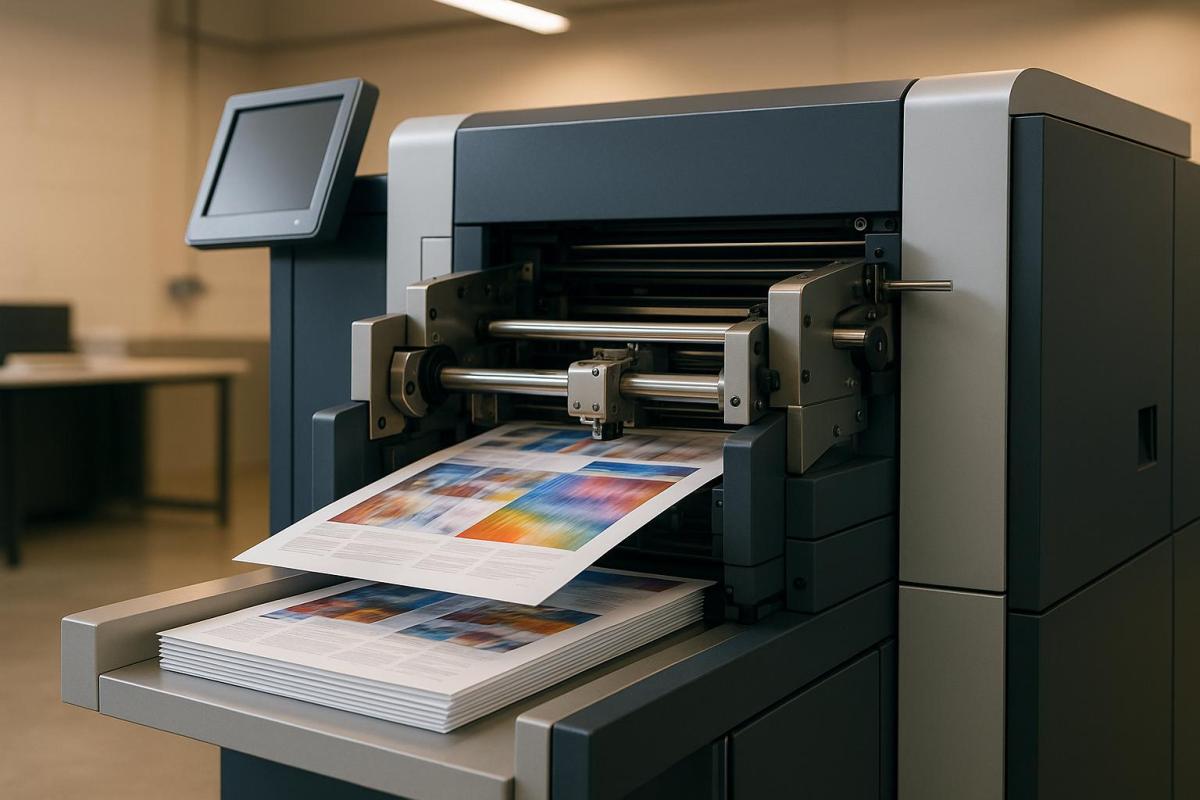
Print workflow automation transforms printing processes by replacing manual tasks with software-driven solutions. This approach improves efficiency, reduces errors, and helps businesses meet tight deadlines while controlling costs. Here’s what you’ll learn:
- What it is: Software automates steps like job submission, file checks, and production scheduling.
- Why it matters: It addresses labor shortages, minimizes mistakes, and ensures consistent quality.
- Key features: Automated job routing, centralized management, and quality control tools.
- Benefits: Faster production, lower costs, and scalability for growing demands.
- How to implement: Map current workflows, choose compatible tools, and track performance.
Automation helps printers handle complex jobs, like variable data printing, and manage operations across multiple locations. Adopting tools like AI-powered quality checks or cloud-based management can boost productivity and customer satisfaction. Dive in to see how this technology reshapes printing businesses.
Podcast: The 6 Levels of Workflow Automation
Key Features of Print Workflow Automation Tools
Modern print automation tools simplify the entire production process, from job intake to final quality checks, creating a smooth workflow that minimizes errors and speeds up delivery. These tools are designed to address common challenges in manual workflows, such as scheduling conflicts and costly reprints, while boosting efficiency.
Three standout features make these tools indispensable: automated job submission and routing, centralized print management and monitoring, and quality control with preflight checks. Let’s dive into how each of these features transforms daily operations.
Automated Job Submission and Routing
Manually processing print orders can create bottlenecks, but automated job submission systems eliminate these delays. These tools collect print jobs from various sources – like web portals, email attachments, or direct file uploads – and assign them to the right equipment based on the job’s specific requirements, such as materials, size, and deadlines.
The routing process relies on rule-based logic to evaluate factors like job size, color, finishing needs, and equipment availability. This ensures smooth, uninterrupted production. For example, variable data printing benefits significantly from this feature. Imagine a marketing campaign requiring 50,000 personalized postcards – automated routing ensures the workload is evenly distributed across available digital presses, seamlessly merging data while maintaining high-quality output.
Centralized Print Management and Monitoring
With real-time dashboards, print shop managers gain a complete overview of their operations through a single interface. These centralized systems monitor job progress, equipment performance, and resource allocation, making it easier to identify and resolve issues before they impact deadlines.
Modern dashboards provide live metrics on equipment usage, material consumption, and labor allocation. If a press unexpectedly goes offline, the system alerts managers and suggests alternative routing options to prevent delays. Role-based access further enhances efficiency, giving team members visibility into tasks relevant to their roles – prepress operators handle file approvals, press operators oversee their production queues, and finishing staff track jobs ready for binding.
For businesses with multiple locations, centralized monitoring is even more critical. Managers can allocate jobs based on equipment availability, proximity to customers, or facility capacity. For example, companies like Miro Printing & Graphics Inc. in Hackensack, NJ, have effectively used centralized tools to streamline operations and maintain high standards across their production lines.
Quality Control and Preflight Checks
Automated quality control tools scan files for potential issues – like incorrect color profiles, low-resolution images, or missing fonts – before production begins. This proactive approach reduces waste and minimizes the need for reprints.
The preflight process runs automatically as files enter the system, flagging errors and generating detailed reports for corrections. Some systems even make automatic adjustments, such as optimizing color profiles or resolution, to ensure the best possible output.
Color management plays a vital role in maintaining consistency across print runs and equipment. For brand-sensitive materials, where precise color accuracy is essential, these systems ensure files meet required standards. Advanced tools like HP Scan AI Enhanced take this a step further by using OCR technology to extract and validate data from documents, cutting down on manual verification time while maintaining quality.
By catching errors early, print shops save on materials, reduce labor costs tied to reprints, and maintain strong customer relationships through consistent, high-quality results. Many businesses report noticeable reductions in material waste and quicker turnaround times after implementing these automated preflight systems.
Together, these three features – automated routing, centralized monitoring, and quality control – create an efficient production environment where jobs move seamlessly from start to finish. This integration allows print shops to handle growing workloads while consistently delivering exceptional results to their customers.
Benefits of Print Workflow Automation
The advantages of print workflow automation become clear when you consider how it improves production speed, cuts costs, and enables businesses to scale their operations. In today’s fast-paced market, this can give print shops a significant edge.
Faster Production and Improved Efficiency
Automation simplifies the entire print process, from prepress to finishing, cutting processing times by as much as 50%. For example, when a customer places an order, automated systems can check the file quality, assign the job to the correct equipment, and schedule production based on deadlines and available capacity. Staff are only notified when their input is absolutely necessary, allowing them to focus on tasks like customer service and quality control.
One major perk is the elimination of bottlenecks. Businesses that adopt workflow automation often experience quicker delivery times and the ability to handle more orders. This is especially helpful in addressing labor shortages, as smaller teams can manage larger workloads without compromising on quality.
Lower Costs and Smarter Resource Management
The financial benefits of automation extend across a variety of areas. For mid-size companies, annual savings typically range from $5,000 to $50,000. These savings primarily come from reduced labor costs, less material waste, and fewer expensive reprints.
By automating repetitive tasks, businesses can allocate their workforce to more critical roles, such as customer engagement or solving complex problems. Automated preflight systems also help by catching errors – like font or color issues – before production begins, minimizing the waste of paper, ink, and finishing materials.
Automation also enhances resource management. Real-time tracking tools monitor equipment usage, inventory levels, and maintenance schedules. For instance, maintenance can be planned during slower periods to avoid costly downtime. Additionally, automated systems ensure presses stay active by reducing the manual preparation time between jobs, keeping production running smoothly.
Scalability and New Opportunities
Automation doesn’t just save money – it also sets the stage for growth. By allowing existing teams to handle more jobs at once, businesses can scale up during busy seasons or when taking on larger contracts.
A great example of this is variable data printing, which allows for personalized campaigns with thousands of unique pieces. Automation makes it easy to merge and route data, turning what used to be a time-intensive process into a profitable service.
Automation also enables print shops to expand their offerings. For instance, a shop that once focused on basic products like business cards can now confidently bid on more complex projects, such as multi-component marketing campaigns. Many shops report productivity boosts of 20–40% after implementing automation, which supports revenue growth without a proportional increase in overhead. This efficiency often allows businesses to offer competitive pricing while maintaining strong profit margins.
Take Miro Printing & Graphics Inc. in Hackensack, NJ, as an example. By using automation, they efficiently manage a wide range of services – from digital and offset printing to large-format and custom projects – while maintaining high quality. Their automated systems also provide detailed performance data, helping managers make smart decisions about staffing, equipment investments, and market opportunities. This kind of insight enables businesses to adapt quickly to changing demands and plan strategically for growth.
sbb-itb-ce53437
How to Implement Print Workflow Automation
Streamlining print workflows begins with a structured approach that builds on your current operations. The most effective implementations typically follow three key phases to maximize efficiency and return on investment.
Review and Map Current Workflows
Start by documenting every step of your process, from when a customer places an order to the delivery of the final product. Bring together staff from all relevant areas – job intake, prepress, production, and finishing – to examine each workflow step in detail.
Use visual process mapping to uncover hidden bottlenecks. Look for common delays like manual data entry or approval hold-ups, as these are often the points where automation can make the most difference.
Pay close attention to areas where tasks frequently stall. For example, manual preflight checks or delayed customer approvals due to the lack of automated notifications can slow things down. Record how long each step takes and identify redundancies, such as entering the same data multiple times across different systems.
Include input from everyone involved in the workflow. Front-office staff can highlight communication challenges with customers, while production teams can point to issues like equipment scheduling conflicts or quality control slowdowns. Taking this comprehensive approach ensures no stage is overlooked, helping you pinpoint areas where automation will have the greatest impact.
Select the Right Automation Tools
Once you’ve mapped your workflows, the next step is choosing tools that integrate smoothly with your existing systems. Compatibility should be a top priority – your new tools must work seamlessly with your CRM, ERP, and inventory management systems. Avoid solutions that require manual data transfers, as they can undermine the efficiency gains you’re aiming for.
Opt for tools that can grow with your business and support the file formats your industry relies on, such as PDF/X standards. If your work involves regulated industries like healthcare, ensure the software complies with data privacy laws like HIPAA. This not only keeps you compliant but also strengthens customer trust.
Staff training is critical for successful adoption. Choose tools with user-friendly interfaces and strong vendor support, including training materials and responsive help desks. Many vendors offer tailored training sessions and guides for different roles within your organization.
Begin with pilot projects to test the tools in real-world scenarios. This lets you demonstrate the value of automation to your team while identifying any integration or training issues before a full-scale rollout.
Track Performance and Results
Once automation tools are in place, tracking their performance is key to ongoing improvement. Monitor metrics like job completion times, error rates, cost per job, waste, and equipment utilization to measure the impact.
Set up regular review schedules – weekly for operational metrics and monthly for broader trends. Modern automation tools often include dashboards and reporting features, making it easy to access and analyze this data. Use these insights to identify new bottlenecks or areas for further optimization.
Customer satisfaction is another critical metric. Faster turnaround times and fewer errors should lead to happier customers, and tracking this feedback helps you see which automation features have the greatest effect.
Take Miro Printing & Graphics Inc., for example. After automating workflows across their digital, offset, and large-format printing operations, they used detailed performance metrics to make smarter staffing and equipment decisions. Automated job submission and real-time monitoring systems provided actionable data, allowing them to improve turnaround times, optimize resource allocation, and ultimately achieve higher customer satisfaction while reducing costs.
Perform annual audits or reassess after major changes in volume to ensure your system remains effective. Technology evolves quickly, and what worked well last year might need fine-tuning to handle new demands or opportunities.
The Future of Print Workflow Automation
Automation tools are revolutionizing printing operations, making them faster, more efficient, and capable of handling increasingly complex tasks. As technology continues to advance, print shops are discovering new ways to streamline workflows and maintain a competitive edge.
Why Automation Matters
Print workflow automation brings several key advantages: faster production, cost savings, and improved quality control. Features like automatic job submission, real-time tracking, and error prevention allow print shops to handle larger workloads with fewer mistakes, ultimately boosting customer satisfaction.
Businesses that adopt these tools often see major efficiency gains. For instance, real-time tracking helps optimize how jobs are assigned to equipment and staff, ensuring resources are used effectively. A great example is Miro Printing & Graphics Inc. in Hackensack, NJ. By embracing automation, they can manage a variety of projects quickly and deliver high-quality results. As automation evolves, emerging technologies are setting the stage for even more transformative changes.
Emerging Trends in Print Automation
AI and Machine Learning
Artificial intelligence (AI) and machine learning are reshaping print workflows. These technologies automate tasks like document processing, job routing, and error detection. Tools such as HP Scan AI Enhanced use Optical Character Recognition (OCR) to extract data from scanned documents, simplifying data entry and managing complex workflows with real-time insights.
In 2024, HP launched AI-powered tools like HP Scan AI Enhanced and TotalAgility, integrated into the HP Workforce Experience Platform. These tools help organizations automate document handling, reduce manual workloads, and improve efficiency. With features like AI-driven recommendations, businesses can identify high-volume scanning areas, optimize workflows, and cut paper use.
Cloud-Based Management
Cloud solutions are becoming a cornerstone of modern print operations, especially for businesses adapting to hybrid or remote work setups. These systems offer centralized control, remote access, and easy integration with tools like CRM and ERP platforms. With cloud-based print management, businesses can oversee operations from anywhere and scale up effortlessly.
Predictive Maintenance
Predictive maintenance is another game-changer. By using AI and sensors to monitor equipment, these systems can predict potential failures and schedule maintenance before issues arise. This proactive approach reduces downtime, extends the life of machines, and lowers repair costs with automated alerts for technicians.
Eco-Friendly Solutions
Sustainability is becoming a priority in the print industry. Automation tools now help minimize waste, reduce energy usage, and lessen environmental impact. Features like digital proofing cut down on paper use, while AI analytics track material consumption and recommend ways to reduce waste. Some platforms even support eco-friendly ink and substrate options, providing detailed reports on environmental performance.
Looking ahead, the next decade is likely to bring even more advancements in AI, cloud-based platforms, and sustainability-focused features. Experts predict deeper integration with digital channels, more personalized print services, and smarter analytics for business optimization. As these tools become more accessible, even smaller print shops will be able to adopt them, staying competitive and meeting market demands.
FAQs
How do print workflow automation tools improve efficiency in variable data printing?
Print workflow automation tools make variable data printing faster and more efficient, which is essential for producing personalized marketing materials or tailored documents. These tools handle tasks like merging individual data – such as names or addresses – into pre-designed templates automatically. This not only saves time but also minimizes the risk of errors.
For companies like Miro Printing & Graphics Inc., these tools enable the production of high-quality, customized prints while staying on schedule, even with tight deadlines. Automation brings consistency, precision, and the ability to scale, making it a must-have for today’s printing demands.
What are the key steps to successfully implement print workflow automation tools?
To make the most out of print workflow automation tools, start by pinpointing your specific printing requirements and identifying any bottlenecks in your current process. This step ensures you choose tools that match your business objectives and address your unique challenges.
Bring your team into the loop early on. By involving them from the start, you can help them understand how these tools will streamline operations and minimize mistakes. Offering proper training and ongoing support during the transition will also make the adoption process much smoother.
Lastly, consider teaming up with a reliable print service provider, like Miro Printing & Graphics Inc. based in Hackensack, NJ. With their expertise in digital, offset, and large-format printing, as well as in-house bindery and design services, they can help ensure your automation tools are seamlessly integrated into your workflow for the best possible results.
How do AI and machine learning improve print workflow automation systems?
AI and machine learning are transforming print workflow automation by making processes faster, more efficient, and less prone to errors. These technologies excel at analyzing large datasets to fine-tune workflows, anticipate potential problems, and suggest practical solutions. The result? Operations run more smoothly, and projects are completed in less time.
Take repetitive tasks, for instance – AI can handle file preparation, fine-tune color adjustments, and optimize layouts automatically. Meanwhile, machine learning algorithms learn and adapt to the specific needs of a business over time. This combination doesn’t just boost accuracy and save costs; it also elevates the customer experience by delivering consistent, high-quality results.
Related Blog Posts
- How Automation Improves Print Turnaround Times
- Print Volume Estimation: Common Mistakes
- Common Post-Press Quality Issues and Fixes
- Ultimate Guide to Recycling in Printing
https://app.seobotai.com/banner/banner.js?id=68f97f8f9cea6427b3f568be
 BergenCountyPrintersBlogs