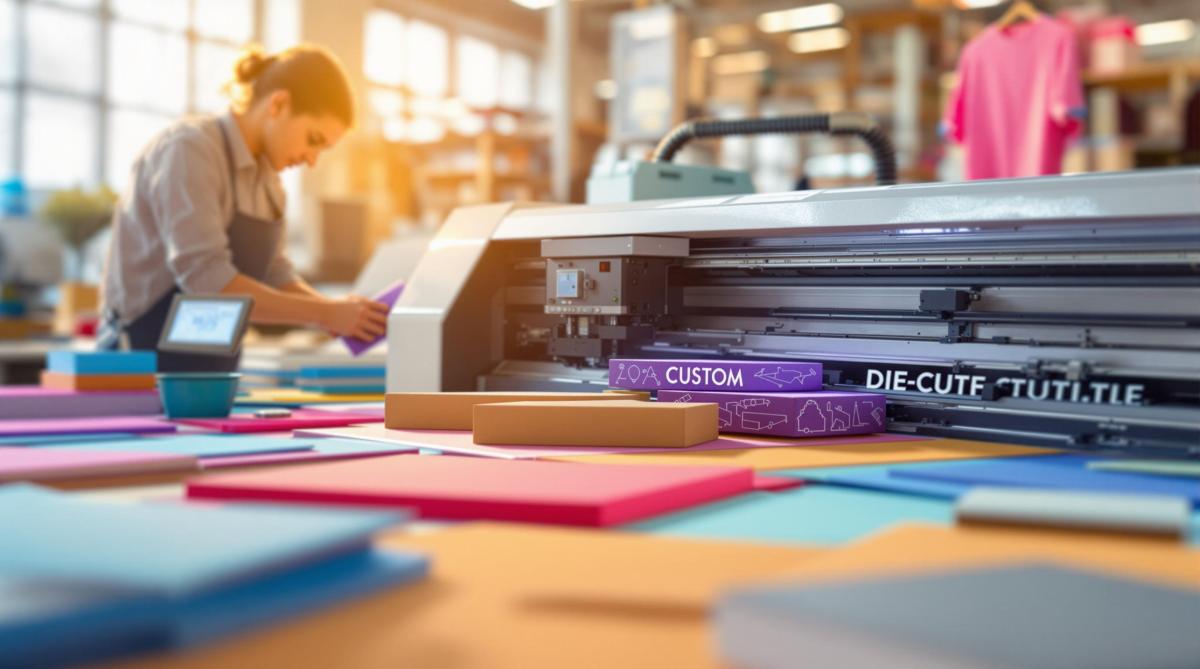
Digital die-cutting is a fast, precise way to create packaging without traditional steel dies. Here’s how it works:
- What It Is: A computer-controlled machine uses blades or lasers to cut materials based on digital designs, saving time and reducing waste.
- Key Tools: Flatbed cutters for rigid materials, roll-to-roll systems for flexible ones, and software (like CAD) to design and control cuts.
- Materials Used: Paperboard, vinyl, corrugated board, plastics (PET, polypropylene), and more.
- Process: Design files are prepared, materials are loaded, test cuts are done, and final adjustments ensure accuracy.
- Benefits:
- Saves time and costs by skipping metal dies.
- Allows custom designs and quick changes.
- Reduces waste with efficient material usage.
For businesses, this method is ideal for prototyping, short runs, and custom orders. Miro Printing & Graphics Inc. in NJ specializes in this process, delivering high-quality results with quick turnarounds.
Digital cutting at an industrial level – Packaging industry
Essential Tools and Equipment
Digital die-cutting combines specialized hardware and software to create precise cuts on various packaging materials.
Machine Types and Their Uses
Digital cutters generally fall into two categories:
- Flatbed Cutters: These machines work on fixed surfaces, ideal for sheets and boards. They can score, crease, and perform multi-layer cuts at varying depths. Many models include registration-mark sensors to ensure graphics align perfectly.
- Roll-to-Roll Systems: Designed for continuous-feed operations, these machines handle films and flexible materials. They feature adjustable tension and automated feeding, making them perfect for high-volume production.
Software and Templates
The software plays a critical role in digital die-cutting:
- CAD Software: Handles file formats like AI, EPS, and PDF. It also provides pre-designed packaging templates and nesting tools to maximize material usage.
- Control Software: Regulates cutting depth, speed, and presets. It can also track metrics and manage job schedules for efficient production.
Compatible Materials
Digital die-cutting works with a variety of packaging materials, such as:
- Corrugated and Solid Board: Used for shipping boxes and display cartons.
- Paperboard: Commonly used in folding cartons and point-of-sale packaging.
- Vinyl and Films: Ideal for labels and decals.
- Rigid Plastics (e.g., PET/PETG): Used for blister packs and clear presentation boxes.
- Flexible Plastics (e.g., Polypropylene): Suitable for pouches and bags.
To ensure the best results, store materials under stable temperature and humidity conditions. Always perform test cuts to fine-tune settings before starting full production.
Once you have the right tools and materials, the next step is preparing your design file for cutting.
The Digital Die-Cutting Process
Once you’ve chosen your cutter and materials, you’re ready to start the job. Here’s how to get it done step by step.
Setting Up the Design
Using CAD software, map out your cut and score lines. Add registration marks, define safety margins, and double-check all dimensions to ensure they meet the final specifications. When your file is good to go, prep your materials for cutting.
Preparing the Material
Make sure the cutting surface is clean and free of debris. Adjust the feed and hold-down settings to match the thickness and firmness of your chosen material. Once everything is set, you’re ready to move on to cutting and finishing.
Cutting and Finishing Process
This part involves three key steps:
- Test Cuts: Check the blade’s depth, pressure, speed, and alignment to ensure accuracy.
- Monitor and Adjust: Keep an eye on the material feed and overall quality during the process. Tweak settings as needed to maintain precision.
- Final Touches: Trim any waste, apply coatings, inspect edges and depth, and let the pieces rest before moving on to lamination.
sbb-itb-ce53437
Benefits of Digital Die-Cutting
Digital die-cutting offers three main perks: saving time and money, enabling customization, and reducing waste.
Time and Cost Savings
By removing the need for metal dies, digital die-cutting drastically reduces setup time and tooling expenses. Companies like Miro Printing & Graphics Inc. can quickly start prototypes or short production runs. This efficiency keeps projects moving fast and on budget.
Customization
Digital die-cutting opens up a world of design possibilities:
- Works with materials like paperboard, corrugated board, vinyl, and specialty substrates
- Allows instant artwork adjustments without extra tooling costs
- Handles intricate cuts, precise scoring, and detailed perforations
- Supports variable data, such as serial numbers or QR codes
- Ideal for multi-panel folding boxes and pop-up displays
Waste Reduction
With optimized nesting and digital previews, waste and errors are minimized. On-demand production eliminates the need for large minimum orders and prevents excess inventory from piling up. This approach not only cuts costs but also supports more eco-friendly packaging practices.
Common Uses and Markets
Now that we’ve covered the advantages, let’s look at how digital die-cutting is used in various products.
Package Types
Design custom folding cartons and distinctive box shapes for industries like food, beverages, and cosmetics. This enhances product presentation and strengthens brand identity.
Label Making
Craft detailed label shapes and precise edges for products in food, cosmetics, and pharmaceuticals. This ensures product details are displayed clearly and positioned correctly.
Conclusion
Once you’ve got the design, materials, and finishing techniques down, digital die-cutting becomes a game-changer for creating accurate and efficient packaging.
For expert help, check out Miro Printing & Graphics Inc. With more than 30 years in the business, they provide a range of services – like digital printing, in-house bindery, design, and large-format printing – while keeping things personal. Customers often highlight their high-quality work, quick turnaround times, and fair pricing.
Reach out to Miro Printing & Graphics Inc. today and take your packaging to the next level with their digital die-cutting expertise.
Related posts
- How Die-Cutting Impacts Waste Reduction
- How to Set Up Files for Die-Cutting
- How to Create Die-Cut Templates for Printing
- How to Prepare Files for Die-Cutting and Laser Cutting
https://app.seobotai.com/banner/banner.js?id=68019d453c6b972ab5063e9c
 BergenCountyPrintersBlogs