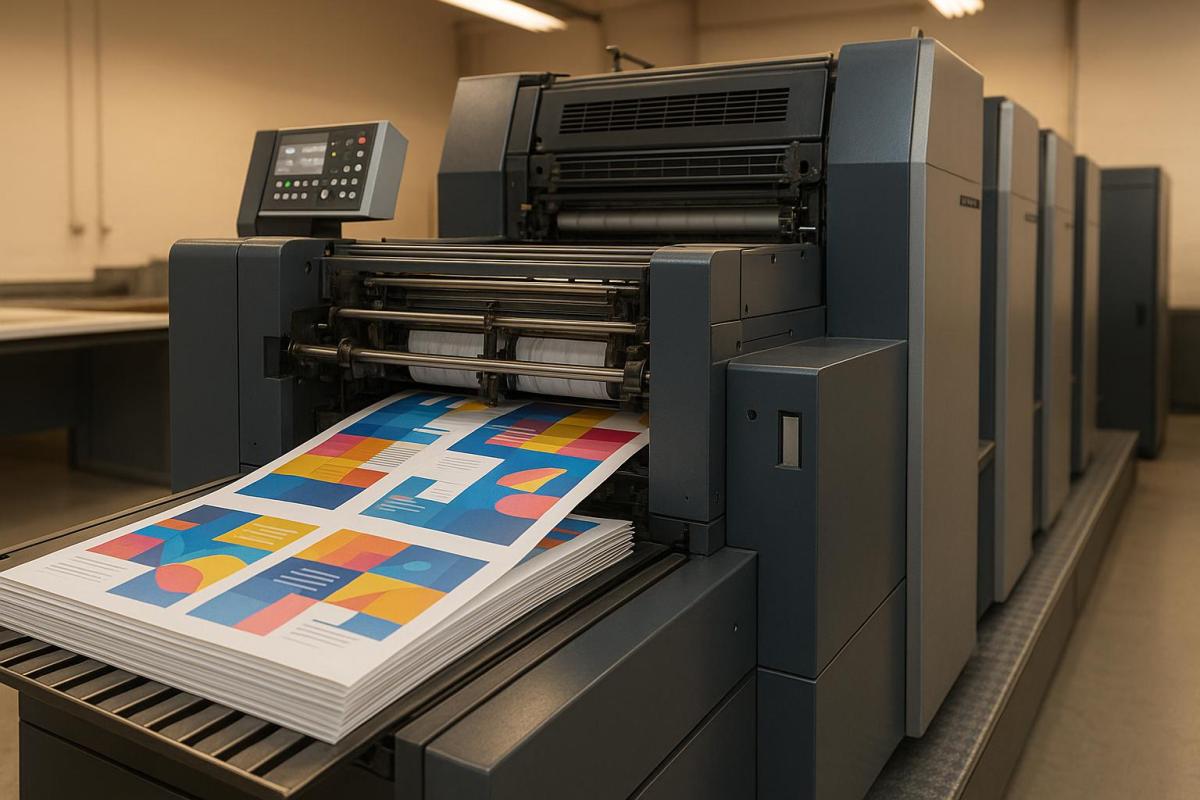
Offset printing is a popular method for producing high-quality prints in large quantities. It uses metal plates to transfer ink onto a rubber blanket, which then applies the ink to paper. Here’s a quick summary of the process and its benefits:
- What It Is: A printing technique using CMYK inks for sharp, vibrant images.
- Why Use It: Ideal for large runs (1,000+ copies) due to low cost per unit and consistent quality.
- Key Materials: Aluminum plates, CMYK inks, dampening solutions, and various paper types.
- Equipment: Offset presses with plate, blanket, and impression cylinders; inking and dampening systems.
- Steps:
- Design and prepress preparation (color separation, proofing, plate creation).
- Plate mounting and press setup (alignment, calibration, ink density checks).
- Printing (layering colors, halftoning, drying).
- Post-press finishing (cutting, binding, coatings).
Offset printing is efficient for large-scale projects like brochures, catalogs, and packaging, offering high resolution (2,400+ DPI) and excellent color accuracy. However, it requires significant setup time and is less practical for small print runs or quick deadlines.
| Aspect | Advantages | Disadvantages |
|---|---|---|
| Quality | High resolution, consistent results | Limited to CMYK; metallics need special inks |
| Cost | Low per-unit cost for large runs | High setup costs for small runs |
| Volume | Efficient for 1,000+ copies | Impractical for small jobs |
| Flexibility | Works with various papers and finishes | Design changes require new plates |
| Timeline | Fast production after setup | Long setup time |
Offset printing is perfect for large-volume, high-quality projects when time and design changes are not critical factors.
How Does Offset Lithographic Printing Work?
Key Components and Materials in Offset Printing
To achieve professional results in offset printing, it’s essential to understand the materials and equipment involved. Each element plays a specific role in transferring images from the plate to the paper with precision and consistency.
Materials Needed
Printing plates are the foundation of the process. Most modern setups rely on aluminum plates, although polyester plates are sometimes used for specific needs. These plates are chemically treated to separate ink-attracting areas from water-repelling ones, ensuring sharp and accurate image reproduction.
CMYK inks – cyan, magenta, yellow, and black – are the core of offset printing. These inks have a viscosity range of 40–100 Pa·s, enabling smooth flow and transfer. Each color is applied separately, layering to create a full-color image. The ink is formulated to interact seamlessly with the dampening system, ensuring clean transfers at every stage.
Paper selection is another critical factor, as it influences both the quality and cost of the final product. Coated paper delivers sharper images and vibrant colors, making it ideal for brochures and marketing materials. On the other hand, uncoated paper has a natural texture and is often used for books, letterheads, and business forms. Paper weight, measured in pounds (lb) or grams per square meter (gsm), determines the thickness and durability of the printed piece.
Dampening solutions are water-based liquids that prevent ink from adhering to non-image areas of the plate. Maintaining the right balance of ink and water is vital – too much water can dilute the ink, while too little can cause unwanted ink spread.
"From compressibility to ink release properties, each feature of an offset blanket contributes to the overall outcome of the printed material."
Offset blankets act as the bridge between the printing plate and the paper. These rubber-coated cylinders must have the right compressibility, surface texture, and ink release properties. Smooth blankets are ideal for photographic prints, while textured ones are better suited for detailed designs.
By carefully selecting and combining these materials, offset printing achieves its hallmark precision and efficiency.
Offset Printing Equipment
At the core of any offset printing operation is the offset press, which relies on three key cylinders working in unison. The plate cylinder holds the printing plate and interacts with both the inking and dampening systems. The blanket cylinder transfers the image from the plate cylinder to the paper, while the impression cylinder applies pressure to ensure a clean transfer. Together, these components bring the printed image to life.
Modern sheet-fed offset presses can handle up to 10,000 sheets per hour, while rotary presses operate at speeds of 15,000 to 20,000 revolutions per hour. This efficiency makes offset printing a reliable choice for large-volume jobs without compromising quality.
The inking system uses a series of rollers to distribute ink evenly. The ductor roller manages the flow of ink from the fountain, while distributor rollers ensure uniform coverage by spinning against each other. Finally, form rollers transfer the ink directly to the plate cylinder’s image areas.
The dampening system mirrors the inking system’s complexity but focuses on applying the water-based fountain solution. The fountain roller picks up the solution from a water pan, metering rollers control the amount distributed, and specialized water rollers apply it to the non-image areas of the plate cylinder.
Plate setters, which use laser or LED technology, create printing plates directly from digital files. This eliminates the need for film negatives and significantly reduces setup time.
When all these components work together seamlessly, offset printing can achieve resolutions exceeding 2,400 DPI, delivering exceptional clarity and detail.
Step-by-Step Offset Printing Process
Offset printing turns digital designs into top-notch printed materials through a well-organized series of steps. Each stage is carefully executed to ensure precision and consistency throughout the process.
Design and Prepress Preparation
The journey begins with finalizing the artwork, which includes tasks like typesetting, proofreading, and breaking the design into CMYK color channels for plate creation. This prepress stage bridges the gap between the digital design and the physical printing process.
During color separation, the design is divided into four channels – cyan, magenta, yellow, and black – each requiring its own plate. Technicians use color calibration and carefully selected color profiles to ensure the printed colors closely match the digital design. A proofing stage follows, where the team checks for color accuracy, text alignment, and image quality. Adjustments, like tweaking ink density, are made as needed. Once approved, the design is transferred onto plates using specialized plate-setting equipment, speeding up the setup process.
With the plates ready, the next step is mounting them onto the press and preparing for production.
Plate Mounting and Press Setup
After the plates are created, they are mounted onto the press cylinders in a specific color sequence. Proper alignment and precise calibration – covering factors like ink density, dot gain, and screen angles – are critical to avoid misregistration and achieve accurate color reproduction. The press is thoroughly cleaned, and viscosity levels are checked to ensure no contaminants interfere with the printing process. Skilled technicians oversee these adjustments, addressing any potential issues before production begins.
Printing Process
Offset printing works on the principle that oil and water repel each other. During the process, dampening rollers apply a water-based fountain solution to the non-image areas of the plate, while ink rollers deposit ink onto the image areas. The plate cylinder transfers the inked design to a rubber blanket, which then presses it onto the paper. As the paper moves between the blanket and impression cylinders, consistent pressure ensures the ink is firmly applied.
Colors are printed one at a time in a specific sequence, usually starting with the lightest and moving to the darkest. Halftoning techniques create a range of tones and hues by applying ink as tiny dots. To avoid smudging, adequate drying time is given between each color application. Modern web-fed presses can produce over 3,000 sheets per minute – or about 80,000 sheets per hour – while sheet-fed presses typically handle between 12,000 and 24,000 sheets per hour.
Post-Press and Finishing
Once the printing is complete, the materials move into the post-press stage. Here, the sheets are cut to their final dimensions, brochures or booklets are folded, and binding methods are applied based on the project’s needs. Final quality checks ensure proper registration and consistent colors.
Finishing touches elevate both the look and functionality of the printed piece. Options like protective coatings, embossing for texture, foil stamping for metallic accents, or die-cutting for custom shapes require specialized tools and expertise. From start to finish, offset printing remains the go-to method for high-volume, high-quality projects, especially when printing runs exceed 1,000 copies.
sbb-itb-ce53437
Pros and Cons of Offset Printing
Offset printing is known for its ability to deliver high-quality results for large-scale projects, but it’s not always the best option for every situation.
This method is celebrated for its consistent, superior image quality and the ability to produce clean, uniform text across high-volume jobs. Unlike digital printing, which can sometimes show slight color variations in a single run, offset printing ensures consistency, even when producing thousands of copies.
"Offset printing is the cheapest method for producing high quality prints in commercial printing quantities", says Crown Connect.
While the initial setup costs can be steep, the per-unit cost decreases significantly once you exceed 1,000 copies, making it a cost-efficient choice for large-scale printing. Offset printing is also incredibly versatile when it comes to materials, accommodating a variety of paper types, textures, and finishes. Additionally, custom color ink mixing allows for more precise color reproduction compared to standard CMYK digital methods. The durability of the printing plates is another advantage – when properly developed and used with optimized inks, plates can handle over a million impressions.
However, offset printing isn’t without its challenges. The process involves a complex setup, requiring the creation of plates and meticulous adjustments to machinery. This makes it less practical for smaller print runs, where the setup costs can outweigh the benefits.
"Offset printing demands intricate setup involving plates and complex machinery adjustments. This frequently leads to higher initial costs and longer preparation times, making it less feasible for small print runs".
Another drawback is the limited flexibility during production. If you need to make design changes mid-run, new plates must be created, which adds both expense and delays. Additionally, while offset printing excels in CMYK color ranges, it struggles with metallic or fluorescent colors unless specialized processes are used. Longer lead times are another factor to consider, as the extensive setup process makes it unsuitable for tight deadlines.
Comparison Table of Pros and Cons
Here’s a quick look at the strengths and limitations of offset printing:
| Aspect | Advantages | Disadvantages |
|---|---|---|
| Quality | High-resolution images; consistent, clean text and visuals | Limited to CMYK colors; requires special processes for metallics and fluorescents |
| Cost | Low per-unit cost for large runs; ideal for commercial quantities | High initial setup costs; not economical for runs under 1,000 copies |
| Volume | Efficient for large-scale printing; plates can handle over 1 million impressions | Requires high volumes to justify costs; unsuitable for small print jobs |
| Materials | Works with a variety of paper stocks, textures, and finishes | – |
| Timeline | Fast production once setup is complete | Long setup times make it impractical for rush jobs |
| Flexibility | Great for repeatable, consistent jobs | Expensive and time-consuming to make changes mid-run; requires new plates for alterations |
Offset printing is a go-to option when you need top-notch quality, consistent results, and cost efficiency for large quantities. However, it’s best suited for projects that can accommodate longer lead times and don’t require frequent design changes.
Offset Printing Services at Miro Printing & Graphics Inc.
Building on the principles of offset printing, Miro Printing & Graphics Inc. brings these techniques to life with an all-inclusive, in-house approach that ensures quality and efficiency at every step.
Based in Hackensack, NJ, Miro Printing & Graphics Inc. has over three decades of experience in offset printing. Combining technical expertise with a personal touch, they’re known for delivering high-quality results while prioritizing customer satisfaction.
Complete Offset Printing Solutions
Miro Printing & Graphics Inc. manages every stage of your offset printing project, from the initial concept to the final delivery. By keeping all services in-house, they eliminate the need for multiple vendors, speeding up timelines and maintaining consistent quality control.
Their pre-press services include design, color correction, layout work, and photo retouching, transforming your ideas into polished, print-ready designs. They also offer flexibility with production volumes, seamlessly switching between digital printing for smaller runs and offset printing for larger, cost-effective jobs.
Once printed, their in-house bindery takes care of the finishing touches – cutting, binding, and applying specialty finishes to ensure your materials are ready for distribution. Beyond printing and binding, Miro provides mailing and fulfillment services, managing the entire process from production to delivery.
Custom Projects and Local Service
Miro goes beyond standard printing services by tailoring each project to fit your unique needs. Their personalized approach ensures they understand your goals and deliver solutions that meet your expectations.
Whether you’re dealing with specialized materials, unusual formats, or intricate finishing requirements, Miro’s team works closely with you to overcome challenges and create standout results. Their ability to handle everything from simple business cards to complex marketing materials has earned them a loyal customer base.
The local advantage is especially valuable for projects with tight deadlines or multiple revisions. Located at 831 Main St in Hackensack, Miro’s facility allows clients to review proofs in person, make real-time adjustments, and avoid costly errors. This hands-on collaboration ensures your finished product aligns perfectly with your vision.
Customer feedback often highlights Miro’s reliability and attention to detail. LycoRed T., one of their clients, shared:
"Mike and his team at Miro have delivered stars, comet, and galaxy size projects for Lycored. No matter how little or large, no matter what the deadline, I sleep at night knowing Miro is on it. Truly, a gem printer shop and more in New Jersey."
Miro’s expertise doesn’t stop at printing – they guide clients through material selection, design refinement, and finishing options to ensure their offset printing projects make a lasting impression. Whether you’re a small business owner creating your first brochure or a large corporation managing a complex catalog, Miro’s commitment to quality and service remains the same.
If you’re looking for a dependable printing partner, Miro offers free estimates and consultations. Call them at 201-439-9686 or email mikem@miroprinting.com to discuss your project and learn how their services can help achieve your business goals.
Conclusion
Grasping the basics of offset printing can lead to smarter, more cost-effective decisions. By understanding how plates transfer ink with precision and consistency, it’s easy to see why this method produces such sharp images and vibrant colors. This knowledge allows you to make informed choices about materials, finishes, and production volumes to achieve the best results.
For smaller orders – typically under 1,000 units – digital printing might be the better option. However, once you exceed that threshold, offset printing often provides greater value. This volume-based distinction can also guide other production decisions, ensuring you get the most out of your investment.
This understanding influences everything from file formatting to selecting materials and finishes. Knowing the production speeds and turnaround times associated with offset printing enables you to better plan your marketing campaigns and ensure timely delivery of your materials.
Working with an experienced printing partner is key to achieving professional results. The offset printing process demands technical expertise at every stage, from prepress preparation to final finishing. Combining your understanding of the process with the skills of a trusted partner ensures superior color reproduction and consistent quality that will make your printed materials stand out.
Whether you’re preparing for your first large-scale print run or looking to refine an existing campaign, knowing the ins and outs of offset printing helps you make decisions about volume, complexity, and materials that provide the best return on your investment.
FAQs
What is the difference between offset printing and digital printing, and when should you choose each?
Offset printing works best for large-scale projects such as magazines, books, or packaging. It delivers high-quality images and becomes more economical as the order size increases since the cost per unit drops with larger quantities. That said, it involves more setup time, making it less suitable for smaller or time-sensitive tasks.
On the flip side, digital printing shines for short runs, customized prints, or projects requiring a quick turnaround. It has lower upfront costs and supports flexible options like variable data printing. While it may not achieve the same image quality as offset printing for large-scale production, it’s a go-to choice for smaller orders and faster delivery times.
Ultimately, offset printing is your best bet for high-volume, premium-quality jobs, while digital printing is ideal for smaller, quicker, or personalized projects.
How does the type of paper affect the quality and cost of offset printing?
The type of paper you select has a big impact on both the overall print quality and the cost of offset printing. Premium papers, like those with coated or smooth finishes, can produce sharper details, richer colors, and a sleek, professional appearance. But keep in mind, these high-end options often come with a higher price tag because of the quality of materials and finishes involved.
If you’re looking to save on costs, more economical choices like uncoated or lower-grade paper might be worth considering. However, these options may lead to less vibrant colors and slightly reduced image clarity. The key is finding the right balance between the level of quality you’re aiming for and your budget to ensure the final result aligns with your expectations.
What are common challenges in offset printing, and how can they be resolved?
Offset printing isn’t without its hurdles. Common issues like ink density inconsistencies, color misregistration, ghosting, and slow ink drying can all affect the quality of the final product. However, with the right approach, these challenges can be effectively managed.
For starters, keeping a close eye on ink density and making adjustments as needed ensures uniformity across prints. Accurate color alignment is another critical step – misregistration can ruin the visual appeal of your work. Maintaining the right ink-water balance is equally important to avoid smudging or uneven finishes. To tackle slow drying, allow sufficient time between layers, and for ghosting, regular equipment checks and maintenance are essential. By focusing on these details and troubleshooting proactively, you can consistently produce high-quality prints with offset printing.
Related posts
- How to Adjust Colors for Offset Printing
- Image Resolution Standards for Offset Printing
- Top 5 Factors for Choosing Printing Methods
- Common Post-Press Quality Issues and Fixes
https://app.seobotai.com/banner/banner.js?id=684e10515559d477e7581de8
 BergenCountyPrintersBlogs