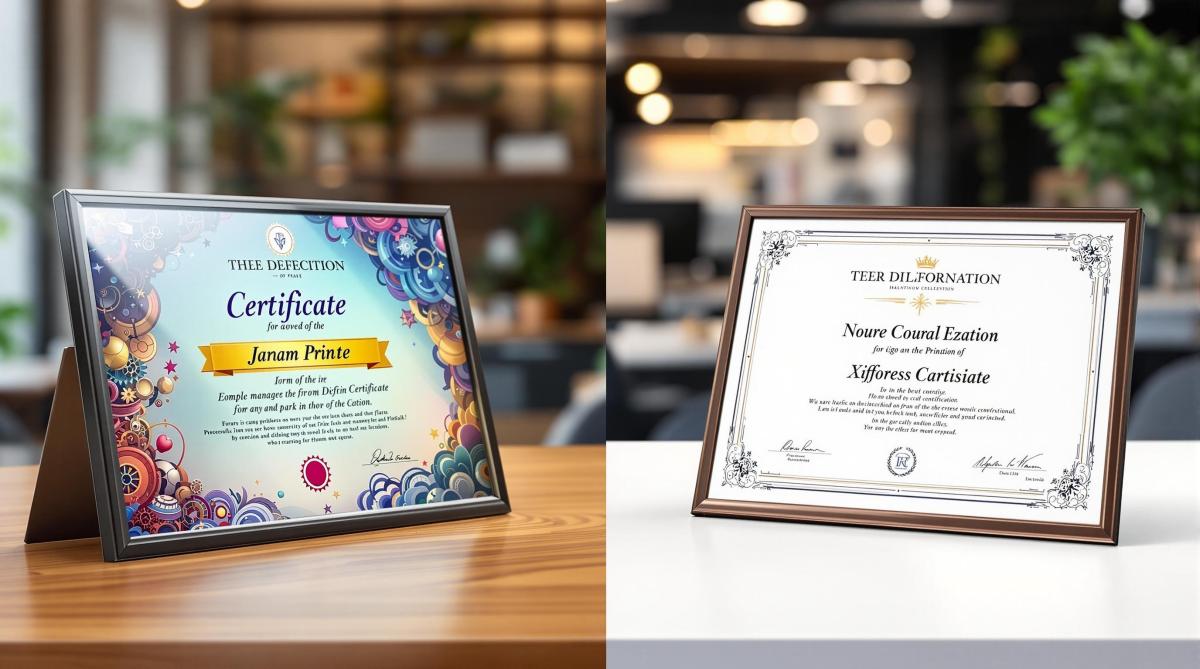
Struggling to decide between offset and digital printing for certificates? Here’s a quick breakdown:
- Offset Printing: Best for large quantities (2,000+), precise color matching, and premium finishes like foil stamping or embossing. Offers sharper details and works well with specialty papers but requires more setup time and is less flexible for changes.
- Digital Printing: Ideal for smaller runs (under 2,000), fast turnarounds, and personalized designs (e.g., unique names or IDs). It’s cost-effective for small batches but may lack the precision and finish options of offset.
Quick Comparison:
| Feature | Offset Printing | Digital Printing |
|---|---|---|
| Quantity | Best for 2,000+ pieces | Best for under 2,000 pieces |
| Color Accuracy | Exact Pantone matching | CMYK approximation |
| Setup Time | Longer setup required | Fast, minimal setup |
| Customization | Limited (fixed designs) | Supports variable data |
| Finishes | Advanced options (e.g., embossing) | Basic finishes only |
| Cost Efficiency | Cheaper for large runs | Cheaper for small runs |
Key takeaway: Choose offset for high-quality, large-scale projects and digital for quick, personalized, or small-batch needs.
Offset Printing Vs Digital Printing: Difference & Best
Offset Printing Basics
Offset printing uses a transfer process to deliver consistent and high-quality results, making it a go-to choice for certificate production. This method has been a cornerstone of commercial printing since the 1950s . Here’s a closer look at how it works and its key features.
Offset Printing Method
The process is based on a simple principle: oil and water don’t mix . It starts with metal plates created using computer-to-plate (CTP) systems. These plates are then mounted on cylinders and treated with two substances:
- A water solution covering non-image areas
- Oil-based ink applied only to image areas
The inked image is transferred from the plate to a rubber blanket cylinder and then to the certificate paper . This indirect transfer, known as "offset", ensures exceptional image quality.
| Process Stage | Function | Benefit |
|---|---|---|
| Plate Creation | Transfers design to metal plate | Produces precise images |
| Ink Application | Applies oil-based ink to images | Ensures sharp, clear output |
| Rubber Transfer | Moves image to rubber blanket | Provides even pressure |
| Paper Impression | Transfers image to paper stock | Delivers consistent results |
Benefits of Offset Printing
Offset printing offers several advantages that make it ideal for producing certificates:
Consistent High Quality
This method ensures uniform color, sharp details, and excellent image clarity .
Cost Efficiency for Large Volumes
As Thomas Group Printing explains:
"Unlike other printing methods, the more you print, the more cost-effective it is"
Material Flexibility
It works with a variety of materials, including textured paper, parchment, cardboard, and non-porous substrates .
Professional Finishing Options
Supports premium finishes like foil stamping, embossing, UV coating, and additional security features.
Limitations of Offset Printing
Despite its strengths, offset printing has some drawbacks:
Time-Intensive Setup
- Requires a lengthy setup process and has high initial costs
- Typically suited for print runs over 1,000 copies
Limited Design Flexibility
- Any changes require new plates
- Not ideal for projects needing variable data
- Corrections can be expensive once printing has started
Specialized Requirements
- Demands skilled operators and specific equipment
- Involves a more complex setup and higher upfront investment
As Telepathic Graphics points out:
"Offset printing is the industry standard for print quality and fast turnaround for large commercial orders"
Digital Printing Basics
Digital printing has been a game-changer for certificate production since the 1980s. By transferring digital images directly onto various media without the need for plates, it’s become the go-to method for small production runs .
How Digital Printing Works
Digital printing operates much like a high-end office printer but delivers professional results. Here’s how the process unfolds:
| Stage | Description | Why It Matters |
|---|---|---|
| File Processing | Transfers files directly from a computer to the printer | Skips the need for plate creation |
| Ink Application | Applies CMYK or specialty dry inks directly to the surface | Supports immediate printing |
| Surface Adhesion | Ink stays on the surface rather than soaking into it | Produces sharper, more detailed visuals |
| Final Output | Prints dry instantly and is ready for finishing | Speeds up production time |
This straightforward approach makes digital printing efficient and reliable for certificate production.
Why Choose Digital Printing?
Digital printing brings several advantages to certificate production:
Perfect for Small Runs
It’s ideal for producing small batches, typically ranging from just a few copies to a few hundred . For example, Miro Printing & Graphics Inc. in Hackensack regularly handles these types of orders for local businesses and organizations, offering affordable solutions for limited runs.
Fast Production
Because it skips the plate creation and lengthy setup required in offset printing, digital printing allows for quick turnarounds . As Xerox explains:
"Digital printing is the process of printing digital-based images directly onto a variety of media substrates. There is no need for a printing plate, unlike with offset printing."
Personalization Options
With Variable Data Printing (VDP), each certificate can be tailored with unique details, such as:
- Names and titles
- Dates or serial numbers
- Custom graphics or logos
Supports a Range of Materials
Modern digital printers can handle various certificate stocks, including 300 GSM card stock, textured paper, and metallic finishes .
Drawbacks of Digital Printing
While digital printing offers many benefits, there are a few limitations to consider:
Higher Per-Unit Costs for Large Runs
Although setup costs are lower, the per-unit cost stays the same regardless of the quantity . For larger runs, offset printing may be more cost-efficient.
Surface Compatibility Issues
Since the ink sits on the surface rather than absorbing into the material , certain specialty finishes and papers may not be suitable for digital printing.
sbb-itb-ce53437
Direct Comparison: Offset vs. Digital
Print and Color Quality
When it comes to printing certificates, color accuracy and image quality are essential. Here’s how offset and digital printing stack up:
| Quality Aspect | Offset Printing | Digital Printing |
|---|---|---|
| Color Accuracy | Uses Pantone (PMS) colors for precise matching | Relies on CMYK approximation |
| Image Crispness | Delivers sharper details | Provides good detail, but less precise |
| Gradient Handling | Smooth gradients with no banding | May show slight banding |
| Solid Color Areas | Consistent and even coverage | Possible minor variations |
These distinctions in quality play a big role in determining the best option for your needs.
Price Breakdown
Cost is another key factor. For smaller print runs – anything under 2,000 certificates – digital printing is often the cheaper choice because it has lower setup costs and a consistent price per unit. However, for larger quantities, offset printing becomes more economical, as its higher setup costs are spread across a bigger order size .
Production Speed and Changes
If you need quick turnaround or anticipate last-minute edits, digital printing is the better option. It allows for immediate printing directly from digital files, skipping the lengthy setup process required by offset printing. Offset, on the other hand, shines in large-volume projects where consistency and efficiency are critical.
Custom Options
Both methods offer unique customization benefits:
- Digital Printing: Ideal for variable data printing, such as adding unique names or codes to each certificate.
- Offset Printing: Better for maintaining consistent branding across large orders and offers specialized features like metallic inks and spot color effects.
Materials and Finishes
The finishing options differ between the two methods:
- Offset Printing: Excels with premium finishes like metallic inks and spot colors.
- Digital Printing: Works well with standard finishes on compatible materials.
Selecting Your Printing Method
Choosing between offset and digital printing depends on several factors. Use the table below to help decide which method suits your needs best.
| Factor | Go with Offset | Go with Digital |
|---|---|---|
| Quantity | More than 2,000 pieces | Fewer than 2,000 pieces |
| Timeline | Longer setup is fine | Need it done fast |
| Color Accuracy | Precise Pantone matching | CMYK approximation works |
| Personalization | Same design for all | Variable data like names or IDs |
| Paper Type | Specialty or textured options | Standard paper weights |
| Finishes | Foil stamping, embossing, special coatings | Basic finishes only |
This table provides a quick way to determine the right fit for your project.
When to Choose Offset Printing
Offset printing works best in situations like these:
- You’re producing large quantities (over 2,000 pieces).
- Exact Pantone color matching is a must.
- Your design includes advanced finishes like foil stamping or embossing.
- You’re using specialty or textured paper stock.
- Maintaining consistent branding across a large volume is critical.
When Digital Printing Makes Sense
Digital printing shines in cases such as:
- Small runs (under 2,000 pieces).
- Tight deadlines where fast turnaround is essential.
- Projects requiring personalized elements, like unique names or identifiers.
"The print buyer’s choice between digital vs offset printing is driven by price, turnaround time, and the quality of the final piece." – The Print Authority
Summary
Main Points Review
Offset printing is ideal for large-scale projects requiring precise PMS color matching, while digital printing shines for smaller runs and projects needing variable data personalization . Offset offers sharper images and richer colors , but today’s digital printing technology meets professional standards for most certificate needs. The cost balance shifts around 2,000 pieces: digital is more affordable for smaller quantities, while offset becomes more economical for larger orders .
Digital printing allows for fast setups, making it perfect for urgent jobs. Offset printing, though slower to start, is better suited for high-volume production. Additionally, modern digital printing systems reduce waste and produce fewer harmful byproducts, making them a cleaner option .
Printing Method Guide
Here’s a quick reference to help you choose the right printing method based on your project’s needs:
| Requirement | Offset Printing | Digital Printing |
|---|---|---|
| Volume | Best for over 2,000 pieces | Best for under 2,000 pieces |
| Color Accuracy | Exact PMS color matching | Close PMS color approximation |
| Production Speed | Great for bulk runs | Ideal for rush jobs |
| Environmental Impact | More waste, more byproducts | Less waste, fewer toxins |
| Paper Options | Extensive, including textured stocks | Standard weight papers |
This table simplifies the decision-making process, helping you align your printing method with your project’s volume, quality, speed, and environmental goals.
Miro Printing & Graphics Inc.: Your Local Printing Solution
Located in Hackensack, NJ, Miro Printing & Graphics Inc. has been a trusted name in certificate printing for over 30 years. They combine the precision of offset printing with the efficiency of digital printing to handle projects of all sizes.
Miro customizes its approach based on your project needs. Whether you need quick, professional results with digital printing or cost-effective solutions for bulk orders through offset printing, they’ve got you covered.
"Mike and his team completed a complex job in record time for a very reasonable price…Best service I’ve ever received from a printer; couldn’t recommend Miro more highly." – Julia I.
Their services include:
- Pre-press: Color correction and layout design to make your certificates stand out.
- Materials: A range of standard and specialty certificate papers.
- Quality Control: Proofing with detailed video samples for accuracy.
- Post-press: In-house bindery to ensure a polished, professional finish.
From selecting the perfect paper to adding the final touches, Miro works closely with clients to meet their exact certificate printing needs.
Related Blog Posts
- Offset vs. Digital: Paper Size Considerations
- How to Adjust Colors for Offset Printing
- Foil Stamping vs Metallic Ink: Key Differences
- Substrate Selection for Digital Printing
https://app.seobotai.com/banner/banner.js?id=67bc50aae5225d66b709b5d4
 BergenCountyPrintersBlogs