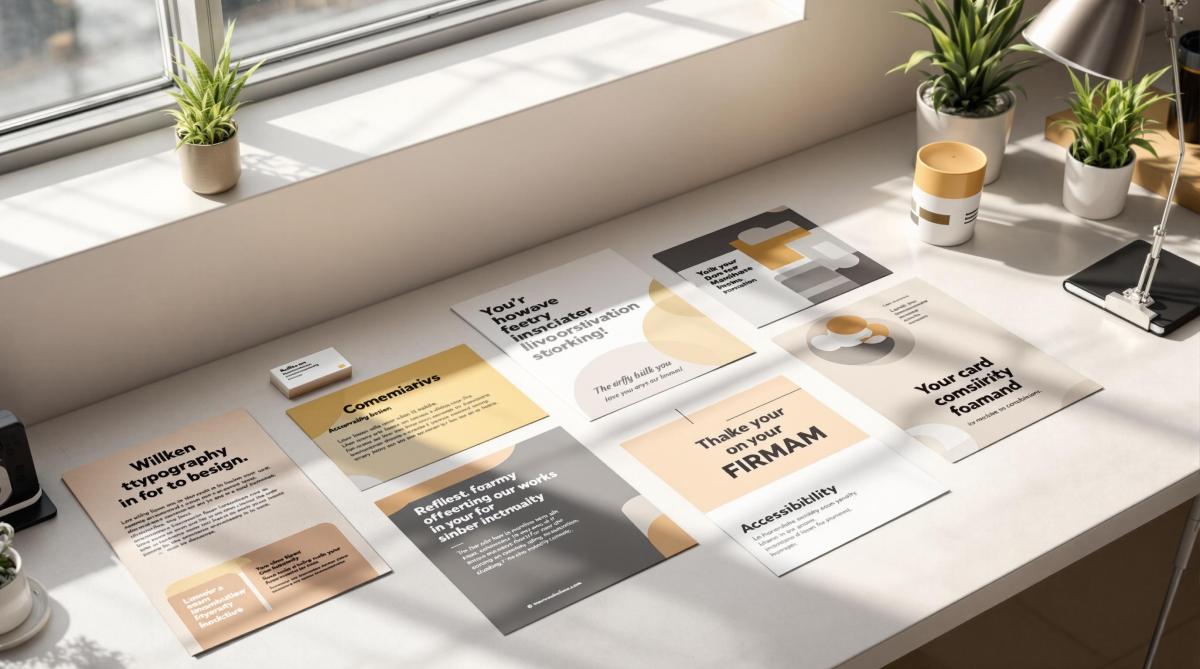
Learn essential tips for designing effective French fold brochures, from layout and image quality to print setup for a professional finish.
French fold brochures are folded twice – horizontally and vertically – creating four panels. They’re perfect for showcasing content in a compact yet engaging way. Here’s what you need to know:
Design Basics: Start with a single sheet, fold it twice, and plan content across panels. Use the front to grab attention and the center spread for visuals or key messaging.
Image Quality: Use 300 DPI resolution, CMYK color mode, and include a 0.125-inch bleed for clean prints.
Layout Tips: Align visuals with fold lines, maintain consistent margins, and ensure critical elements stay away from edges.
Fonts & Colors: Choose brand-aligned fonts and high-contrast colors for readability.
Print Setup: Use proper bleeds, safe zones, and check panel alignments. Request a digital proof before printing.
Partnering with professional printers ensures precise folding and premium quality. Follow these guidelines to create brochures that leave a strong impression.
How to Set Up Artwork For a French Fold Leaflet (What Goes …
Design Planning
Creating a French fold brochure starts with thoughtful planning for both content and visuals. A well-organized layout ensures your design works effectively with the unique structure of this brochure style.
Content Planning
Distribute your key messages strategically across the panels. Use the front panel to grab attention with your most compelling offer or statement. The center spread is ideal for visually striking content – think product showcases, infographics, or a bold brand statement. Remember, a strong presentation creates a lasting first impression.
Image Requirements
High-quality images are crucial for a professional look. Follow these guidelines:
Ensure a resolution of at least 300 DPI for sharp visuals.
Convert images to CMYK color mode for accurate printing.
Add a 0.125-inch bleed beyond trim edges to avoid cutting issues.
Keep critical elements at least 0.25 inches away from fold lines and edges.
These steps ensure your images stay clear and your brochure looks polished and professional.
Layout Design
Panel Organization
Design your panel sequence carefully to create an engaging French fold brochure layout. This step builds on your content planning, ensuring readers can follow a logical flow as they move through adjacent panels. Use consistent margins to clearly define panel boundaries and make transitions between sections smooth. Once your panels are organized, adjust your visuals to align with this structure.
Visual Structure
Create a clear visual hierarchy by focusing on a central point of interest, leaving enough white space, and aligning elements with the fold lines. Use a grid system to ensure consistent spacing, and consider extending color blocks or images across panels for a unified look. These elements should come together seamlessly in your full-spread layout.
Full-spread Layout
Set up a standard letter-size design file with proper bleeds on all edges. Mark fold lines clearly and keep important content away from these areas to avoid problems when folding. The center spread is perfect for showcasing impactful visuals or key messaging that spans multiple panels, whether the brochure is folded or fully opened.
sbb-itb-ce53437
Fonts and Colors
Once your layout is set, it’s time to think about fonts and colors to refine your design.
Color Guidelines
Choose a color palette that reflects your brand’s identity. Combine primary colors with complementary shades to ensure high contrast, making your design visually appealing in both folded and unfolded forms.
Print Production
Print File Setup
When setting up your document for printing, include 0.125-inch bleeds, define safe zones, use CMYK color mode, and ensure images are at 300 DPI. For an 8.5"x11" brochure, make the inner panels about 0.0625 inches narrower to avoid any bunching during folding.
Quality Checks
Before sending your file to print, go through these important checks:
Ensure all text is formatted correctly and free of spelling errors.
Verify that images are properly linked and at full resolution.
Double-check fold lines and panel alignments.
Confirm that color settings and contrast are accurate.
Inspect bleeds and margins to avoid trimming issues.
Request a digital proof to catch any final errors.
Professional Printing
The final step is partnering with a professional printing service to bring your design to life. Once your file meets all quality standards, a skilled printer can ensure your French fold brochures look polished and professional.
Miro Printing & Graphics Inc. is a trusted name with over 30 years of experience. They offer both digital and offset printing, giving you flexibility for different production volumes while maintaining consistent quality. Their in-house bindery services guarantee precise folding and finishing, which is especially important for French fold brochures.
To get the best results, schedule a consultation to discuss your project. Professionals can guide you on paper choices, finishing touches, and timelines. They’ll also help you select the right printing method based on your budget, quantity, and quality requirements.
Summary
Design Guidelines
Creating an effective French fold brochure starts with a clean, organized layout. The design should flow naturally across panels while staying true to your brand’s identity. Use plenty of white space and establish a clear visual hierarchy to make the content easy to read and visually appealing. Select fonts that align with your brand and are easy to read. Don’t forget to follow printer setup requirements, such as bleed, resolution, color mode, and margins, to ensure a professional finish. A great design paired with expert printing can make all the difference.
Print Services
Using professional printing services is key to producing high-quality French fold brochures that stand out. LycoRed T. highlights the excellence of Miro Printing & Graphics Inc.:
"Mike and his team at Miro have delivered stars, comet, and galaxy size projects for Lycored. No matter how little or large, no matter what the deadline, i sleep at night knowing Miro is on it. Truly, a gem printer shop and more in New Jersey."
Miro Printing & Graphics Inc. offers a full range of services, including digital and offset printing, in-house bindery, expert design support, and strict quality control to meet your specific needs.
Their dedication to detail is echoed by satisfied clients like Julia I.:
"Mike and his team completed a complex job in record time for a very reasonable price… Best service I’ve ever received from a printer; couldn’t recommend Miro more highly."
Consider scheduling a consultation to receive expert advice on paper options, finishes, and production timelines.
Learn essential proofing and feedback strategies to ensure error-free printed materials and streamline your production process.
Proofing ensures your printed materials are error-free and meet your expectations. Whether it’s business cards or brochures, catching mistakes early saves time and money. Here’s what you need to know:
Proof Types: Choose between digital proofs (quick and shareable) or physical proofs (accurate colors and paper feel).
Key Steps:
Review design layout and typography.
Check content for spelling, grammar, and technical details.
Verify print specifications like paper type and color settings.
Get client approval before production.
File Preparation: Use proper formats (PDF, TIFF) and ensure images are high resolution (300 DPI). Convert colors to CMYK for printing.
Feedback Management: Collect input using digital, physical, or video proofs. Track revisions and secure final approval to avoid errors.
The Proofing Process
What is a Print Proof?
A print proof allows you to double-check every detail before final production, acting as a safeguard against expensive mistakes. It’s your chance to catch and fix issues related to design, content, or print specifications before it’s too late.
A print proof can help spot problems like:
Inconsistent typography or fonts
Low image resolution or inaccurate colors
Misaligned layouts or uneven spacing
Errors in text or missing content
Incorrect print details like paper type or finishing
Once you understand what to look for, you’ll need to decide between digital and physical proofs based on your project’s needs.
Digital vs. Physical Proofs
Choosing between digital and physical proofs depends on what your project requires. Both have their strengths:
Proof Type
Benefits
Best Used For
Digital Proofs
• Fast turnaround • No shipping costs • Easy to share • Mark up edits electronically
Keep key elements at least 0.25 inches away from trim edges.
Use facing pages for multi-page documents.
Include crop marks and registration marks.
3. Document Setup
Set your document to the final trim size.
Use master pages for consistent elements across pages.
Ensure proper page orientation.
Include printer marks and any required specifications.
These steps will help you create files that are ready for high-quality printing.
sbb-itb-ce53437
Client Feedback Management
Managing client feedback effectively helps avoid costly mistakes, ensuring smooth production and high-quality prints.
Feedback Collection Methods
Miro Printing & Graphics Inc. offers multiple proofing options to gather client input:
Proof Type
Best For
Turnaround Time
Digital PDF
Reviewing text and layout
Same day
Physical Sample
Checking color accuracy and paper stock
1-2 business days
Video Sample
Showcasing complex finishing effects
1 business day
"I even received a video of my print sample (a mini booklet) for approval before they proceeded with the rest. Best service I’ve ever received from a printer; couldn’t recommend Miro more highly." – Julia I.
Revision Tracking
Track every revision with key details like the date, requested changes, who made the request, and the status of implementation.
Stick to clear file naming conventions to avoid confusion:
ProjectName_V1_DATE
ProjectName_V2_DATE_ClientReview
ProjectName_FINAL_DATE_Approved
After documenting revisions, secure written and signed final approval to move forward.
Final Approval Steps
Getting final approval involves clear communication and attention to detail. Typically, the process includes:
Sending a complete proof package.
Requesting written approval via email.
Noting any final adjustments.
Securing signed approval before production begins.
"Mike sent me the proof and I gave it my approval. After I picked up the cards, I saw a mistake that I had overlooked. It was my error and I offered to pay for the reprint. Mike reprinted them for me at NO CHARGE and could not have been nicer about it." – Judy W.
This highlights the importance of reviewing proofs thoroughly while showing how flexibility in handling mistakes can strengthen client relationships. While clients are ultimately responsible for reviewing proofs, addressing oversights with understanding builds trust over time.
Proofing and Feedback Tips
Proof Review Checklist
Here’s a quick checklist to help you spot and fix errors before production begins:
Review Area
Key Elements to Check
Text
Check spelling, grammar, punctuation, and font consistency.
Layout
Verify margins, alignment, spacing, and page numbers.
Graphics
Confirm resolution, color accuracy, and proper placement.
Brand Elements
Ensure correct logo usage, color codes, and typography.
Technical Specs
Check bleed areas, trim marks, and file format.
Miro Printing & Graphics Inc. starts every project with a thorough proof review to maintain high standards. After the initial review, be sure to address common mistakes to further refine your proofs.
Common Proofing Errors
Here are a few common mistakes to watch out for:
Color Discrepancies
Colors on screen often look different in print. For projects where color accuracy is critical, always review a physical proof.
Resolution Problems
Make sure all images are at least 300 DPI. Lower resolutions can result in blurry or pixelated prints.
Missing Elements
Double-check that all key components – like bleed, crop marks, page numbers, contact details, and legal disclaimers – are included and properly placed.
Catching these issues early can save time and prevent costly reprints.
Meeting Print Deadlines
Staying on schedule is just as important as avoiding errors. Use these strategies to keep your project on track:
Plan for Extra Time
Build a 20% buffer into your timeline to account for unexpected delays.
Set Clear Checkpoints
Break your timeline into stages:
Initial review: 24 hours
Revisions: 24-48 hours
Final approval: 24 hours
Keep Communication Open
Regularly touch base with your printing service to ensure everything stays aligned with your goals.
When time is tight, focus on the most important elements first. Create a priority list to separate must-check items from optional tweaks. This ensures critical standards are met, even under pressure.
Conclusion
Effective proofing and managing feedback are key to achieving outstanding print results. By paying close attention to detail and planning carefully, you can ensure your project meets high standards while staying on schedule and within budget.
Proofing goes beyond spotting mistakes – it’s about creating a collaborative process that brings your ideas to life in print. Working with skilled professionals who understand the intricacies of print production can elevate your project beyond simple error corrections.
For businesses aiming for reliable print quality, teaming up with an experienced print shop can make all the difference. With over 30 years of expertise, Miro Printing & Graphics Inc. is ready to help turn your vision into impeccable print work.
Explore the essential guide to fabric coatings for printing, covering types, applications, and best practices for high-quality textile results.
Fabric coatings are the secret to durable, vibrant, and high-quality textile prints. They regulate ink absorption, enhance colors, prevent bleeding, and protect fabrics from wear and environmental factors. Whether you’re printing t-shirts, banners, or upholstery, choosing the right coating makes all the difference. Here’s a quick overview:
Proper preparation, controlled work environments, and drying techniques ensure success. For eco-conscious options, water-based coatings are leading the way. Ready to elevate your textile printing? Let’s dive in.
Printing on Fabric: Coated and Uncoated | HP Latex | HP …
Main Coating Types
Fabric coatings are tailored to meet different printing needs. Here’s a breakdown of the main types, their strengths, and best uses.
Water-Based Coatings
Water-based coatings are a common choice for digital textile printing. Made with polymers dispersed in water, they are known for being less toxic and easy to clean up.
Some key benefits include:
Low VOC emissions
Vivid color output
Soft fabric feel
Wash resistance
These coatings are suitable for cotton, polyester, and cotton-poly blends, making them perfect for digital printing where precise ink absorption is critical.
Solvent-Based Coatings
Solvent-based coatings are known for their durability and resistance to chemicals. They bond tightly to fabric fibers, creating a tough and long-lasting print surface.
Key features include:
Quick drying
Strong adhesion
High resistance to weather
Excellent color fastness
These are the go-to option for outdoor materials and industrial textiles that need to withstand harsh conditions.
UV-Cure Coatings
UV-cure coatings are high-performance solutions that set instantly when exposed to ultraviolet light. They offer:
Instant curing for faster production
Zero VOCs for safer use
A glossy finish for enhanced visuals
Chemical resistance for longer product life
Best suited for high-speed production lines, these coatings are ideal when quick turnaround times are required.
Specialty Coatings
For specific needs, there are specialized coatings designed to deliver targeted results:
Fire-Retardant Coatings: Comply with safety regulations for public and industrial spaces while keeping fabrics breathable.
Anti-Microbial Coatings: Used in medical textiles and sportswear to prevent bacteria and odors.
Weather-Resistant Coatings: Shield fabrics from UV rays, water, temperature changes, and mold.
At Miro Printing & Graphics Inc., we choose coatings based on the unique demands of each project, ensuring top-notch print quality and long-lasting results for every application.
Coating Application Methods
Choosing the right coating technique can make a big difference, depending on the type of fabric and the printing requirements. Here’s a breakdown of the main methods to help you decide.
Knife Application
Also called blade coating, this method offers precise control over how thick the coating is applied. A sharp blade spreads the coating evenly across the fabric, making it a go-to for accuracy.
Key details about knife application:
Coating thickness: 0.001 to 0.040 inches
Excellent edge control
Minimal waste
Works for both lightweight and heavy fabrics
The blade’s angle matters – a 15° angle gives shallow penetration, while a 45° angle allows for deeper absorption.
Roller Methods
Roller coating systems are built for speed, making them ideal for large-scale operations. This method uses three rollers: one applies the coating, another controls thickness, and the third ensures consistent pressure.
Speeds range from 10 to 100 yards per minute, depending on the coating’s viscosity and the type of fabric.
Perfect for high-output production.
Spray Techniques
Spray coating is great for fabrics with textures or irregular surfaces. It atomizes the coating into fine particles, ensuring even coverage.
Tips for spray application:
Keep the nozzle 8–12 inches from the surface.
Use a pressure setting between 25–45 PSI.
Move at a steady speed of 2–3 feet per second.
Overlap each pass by 50% for consistent coverage.
Screen Methods
Screen coating is ideal for applying patterns or achieving consistent coverage. A mesh screen controls where and how the coating is applied.
Specifications for screen coating:
Mesh count: 80–230 threads per inch
Screen tension: Around 22–36 psi
Squeegee angle: 75° for the best transfer
Stroke speed: 1.5–2.5 feet per second
This method is excellent for creating textured effects and precise patterns.
Application Method
Speed (yards/min)
Coating Thickness Control
Pattern Capability
Best For
Knife
5–30
Excellent
Limited
Uniform coverage
Roller
10–100
Good
None
High-volume production
Spray
40–60
Fair
Good
Textured fabrics
Screen
30–50
Excellent
Excellent
Patterned applications
At Miro Printing & Graphics Inc., we tailor these techniques to meet the needs of each project, ensuring the best results for every job.
Selecting Your Coating
Fabric and Coating Matches
Choosing the right coating for your fabric is all about compatibility. Natural fibers usually work best with water-based coatings, while synthetic fabrics often need solvent-based options.
Fabric Type
Recommended Coating
Advantages
Key Considerations
Cotton
Water-based acrylic
Breathable, soft finish
Pre-treatment needed for heavy inks
Polyester
Solvent-based urethane
Durable, resistant to washing
Requires higher curing temperatures
Nylon
UV-curable
Quick processing, glossy finish
Adhesion promoter may be required
Silk
Water-based protein
Preserves drape
Sensitive to curing temperatures
Blended fabrics
Hybrid coatings
Flexible performance
Test on samples before use
Once you’ve matched the coating to the fabric, think about how it will be used.
Usage Requirements
Pick a coating that suits the intended application:
After narrowing down your options, confirm that the coating works with your chosen printing method.
Print Method Compatibility
The coating must align with your printing process to ensure smooth application and lasting results.
Printing Method
Compatible Coating Types
Thickness (mils)
Cure Temperature (°F)
Digital inkjet
Microporous receptive
1.0-2.0
140-160
Screen printing
High-solid content
2.5-4.0
250-300
Heat transfer
Heat-resistant polymer
1.5-2.5
330-350
Direct-to-fabric
Quick-dry receptive
0.5-1.5
180-200
Pay attention to coating viscosity, drying speed, surface energy, and color retention to ensure compatibility with your printer’s specifications.
At Miro Printing & Graphics Inc., we take the time to evaluate these factors to deliver the ideal coating for every project.
sbb-itb-ce53437
Best Practices for Coating Success
Fabric Preparation Steps
Getting the fabric ready is crucial for good adhesion and print quality. Start by cleaning the fabric to get rid of oils, dirt, and sizing. Always follow the supplier’s instructions to ensure the surface is evenly prepared.
Preparation Step
Method
Key Considerations
Pre-washing
Warm water wash
Stick to the recommended water temperature and pH levels for the fabric
Surface Treatment
Corona/plasma treatment
Boosts the fabric’s surface energy for better coating adhesion
Drying
Forced air circulation
Removes excess moisture effectively
Heat Setting
Calendar pressing
Follow temperature and pressure guidelines from the manufacturer
A well-prepared fabric ensures smoother and more predictable coating results.
Work Environment Control
A stable work environment is essential for consistent coating performance. Keep the workspace at steady temperature and humidity levels as specified by the coating manufacturer. Use air filtration systems to minimize dust and other contaminants, which can affect the coating’s quality.
Environmental Factor
Recommendation
Impact on Coating
Temperature
Maintain a steady, recommended level
Affects coating flow and viscosity
Humidity
Keep within optimal ranges
Ensures consistent drying rates
Air Quality
Use proper air filtration systems
Prevents contamination
Lighting
Use appropriate lighting
Protects coatings from excessive UV exposure
By controlling these factors, you’ll ensure a cleaner and more reliable coating process.
Proper Drying Methods
The drying process should match the type of coating you’re using. Let the coating settle before starting to dry. For water-based, solvent-based, or UV-cure coatings, follow the recommended settings for temperature, time, and airflow. Finish with a gradual cool-down to reduce tension and secure the final finish. Use an infrared thermometer to monitor conditions and avoid overheating.
Problem-Solving Guide
Once fabrics are prepared and the coating is applied, addressing common issues becomes a key step to achieving the desired results.
Fixing Poor Adhesion
If the coating doesn’t stick well, check the fabric pre-treatment process and consider using an adhesion promoter. When in doubt, reach out to printing experts for advice. These steps help improve adhesion and ensure better print quality.
Coating Coverage Issues
To fix uneven coating, examine variables like speed, pressure, and environmental conditions. Adjust these settings based on the fabric type and coating requirements to achieve consistent coverage.
Preventing Coating Damage
Proper handling and storage are essential to protect coated fabrics. Use strict handling protocols, maintain controlled environments, and take extra care during transportation. These precautions help preserve the coating and prevent damage.
Color Management
Use a reliable color management system to keep colors consistent. Test small swatches and make adjustments as needed. Regularly calibrate equipment and monitor the process to ensure accurate color reproduction across all materials.
At Miro Printing & Graphics Inc., advanced quality control systems help maintain coating consistency and precise color output for every project.
New Developments
Advancements in coating technologies are introducing options that prioritize both performance and eco-conscious practices.
Eco-Friendly Coating Solutions
The push for greener solutions has led to the rise of environmentally conscious fabric coatings. For instance, water-based formulations are now widely used to cut down on VOC emissions while still delivering excellent print quality. These coatings incorporate natural polymers and biodegradable materials, helping to lessen their impact on the environment.
At Miro Printing & Graphics Inc., we’ve embraced these advancements, offering high-quality prints that align with eco-conscious principles.
Conclusion
Fabric coatings play a key role in achieving high print quality and durability. The following insights can guide your coating choices for better, long-lasting results.
Quick Reference Guide
Here are some important factors to consider when selecting a coating:
Consideration
Key Points
Fabric Type
Ensure the coating is compatible with the specific fabric’s properties.
Print Method
Verify the coating supports digital, offset, or large format printing.
Eco-Friendly Options
Look into water-based or other environmentally conscious alternatives.
Application Method
Decide between knife, roller, spray, or screen techniques.
Drying Needs
Factor in the required curing time and conditions for the coating.
This guide highlights the essentials, but expert advice can help bring these considerations to life.
Miro Printing & Graphics Inc. Services
Miro Printing & Graphics Inc. offers advanced fabric printing solutions tailored to meet diverse needs. From their Hackensack, NJ location, they handle everything in-house, including custom projects, bindery, and specialized coating applications.
"With meticulous attention to detail, our print shop has a customized approach that is unmatched by big online printing companies or franchises." – Miro Printing & Graphics Inc.
Their customers consistently share positive feedback. For instance, Julia I. shared:
"Mike and his team completed a complex job in record time for a very reasonable price. I’d approached numerous printers about this job with no success, but these guys just made it work and were super easy to deal with."
Learn essential techniques to prevent cracking on folded prints, ensuring high-quality, durable results for your printed materials.
Avoid cracking on folded prints with these 5 simple tips:
Choose the Right Paper: Always fold along the grain direction for smoother, crack-free folds.
Score Before Folding: Pre-crease the paper to reduce stress on fibers and ensure clean folds.
Use Proper Folding Techniques: Fold slowly, apply even pressure, and avoid common mistakes like folding against the grain.
Apply Protective Finishes: Lamination strengthens paper and prevents cracks, especially for frequently handled prints.
Optimize Printer Settings: Control ink application and adjust settings to keep paper flexible and durable.
These steps ensure your printed materials look professional and last longer. Read on for detailed tips and techniques.
How To Fold Heavy Card Stock without Cracking Toner or …
1. Select Paper Type
When choosing paper, make sure it’s suitable for folding to avoid cracks along the folds. Pay attention to the grain direction – this refers to how the paper’s fibers are aligned. Folding with the grain ensures smoother bends and minimizes the risk of cracking.
How to Find the Grain Direction
Before printing or folding, check the grain direction by:
Gently bending the paper both horizontally and vertically.
The direction that bends more easily is the grain.
Always fold along this direction for the best results.
At Miro Printing & Graphics Inc., we stress the importance of folding with the grain to create polished, long-lasting printed materials. It’s a simple step that makes a big difference in the final product.
2. Score Paper First
Scoring creates a controlled crease in paper, making it easier to fold without cracking. This step ensures clean, precise folds that look professional and hold their shape.
2.1 Scoring Basics
Scoring compresses the paper fibers along the fold line. This guides the fold and reduces stress on the paper, minimizing the risk of cracking.
2.2 Scoring Tools
The right tools make all the difference when it comes to scoring. Professional print shops, like Miro Printing & Graphics Inc. in Hackensack, NJ, use specialized equipment to achieve consistent, high-quality creases.
2.3 Steps to Score Paper
Mark the Fold Lines
Lay your paper on a flat surface and lightly mark where you want to fold.
Apply Steady Pressure
Use your scoring tool to trace the marked line with even pressure. Too much force can damage the paper, while too little won’t create a strong crease.
Test Your Score
Try scoring on a sample piece first. This ensures the crease is effective and doesn’t weaken the paper before you move on to your full project.
sbb-itb-ce53437
3. Master Folding Methods
To achieve flawless folds and avoid cracks, precision is key. Your technique when handling and folding the paper plays a huge role in determining whether you get a smooth crease or visible damage.
3.1 Proper Folding Steps
Folding successfully requires a steady, careful approach. Follow these steps for the best results:
Start with a Clean Surface: Use a flat, clean workspace to keep dirt or debris from interfering with your fold.
Position the Paper Correctly: Make sure the scored side of the paper faces up. This helps the fold naturally follow the crease.
Use Both Hands: Place your fingers on either side of the score line, about 1 inch apart, for better control.
Apply Even Pressure: Begin at the center and press outward evenly to avoid bubbles and ensure a smooth fold.
Burnish the Fold: Use a bone folder to press down the crease for a sharp, polished finish.
Once you’ve mastered these steps, it’s equally important to understand what NOT to do during the folding process.
3.2 Folding Errors to Avoid
Here are common mistakes and how to prevent them:
Mistake
What Happens
How to Avoid It
Rushing the Fold
Leads to uneven folds or cracks
Take your time and fold slowly
Folding Against the Grain
Weakens the paper structure
Always fold parallel to the grain
Using Too Much Force
Damages the paper fibers
Apply gentle, steady pressure
Ignoring Score Lines
Causes misaligned folds
Make sure the fold follows the scored crease
Folding at Odd Angles
Creates stress points
Stick to 90-degree angles for clean folds
For thicker paper stocks, like 100 lb or higher, extra care is necessary. These materials are less forgiving and more prone to cracking, so fold right after scoring while the fibers are still compressed.
Keep in mind that paper type matters. Coated papers demand a lighter touch, while textured papers might need firmer pressure to get a neat crease. Adjust your technique accordingly for the best outcome.
4. Add Protective Finishes
After mastering folding techniques, the next step to ensure your print lasts longer is applying a protective finish. One popular choice is lamination, which strengthens the paper and helps distribute stress from folds, reducing the chances of cracking.
4.1 Benefits of Lamination
Lamination acts as a shield for your print. It not only strengthens the paper but also protects it from cracking caused by repeated use or changes in humidity.
4.2 Types of Lamination
Lamination finishes vary in flexibility and strength. For designs with sharp or multiple folds, go for a flexible finish. On the other hand, sturdier finishes are ideal for heavier paper stocks or items that will see frequent handling. Choose the type of lamination based on your paper’s weight, the location of folds, and how the item will be used.
For professional lamination services tailored to your design needs, reach out to Miro Printing & Graphics Inc. in Hackensack, NJ. They can help ensure your prints look great and stay durable.
5. Set Up Your Printer
Getting your printer settings right is key to avoiding cracks in folded prints. Just like choosing the right paper and scoring properly, fine-tuned printer settings help keep the paper flexible.
5.1 Control Ink Amount
Too much ink can make the paper stiff and prone to cracking when folded. To keep the fold areas flexible and strong:
Reduce color saturation in dark or solid areas.
Allow enough drying time before folding.
Add subtle patterns or gradients to dark areas to lower the risk of cracking.
By managing how ink is applied, you can improve the durability and appearance of your folded prints.
5.2 Best Printer Settings
Adjusting your printer settings ensures smooth ink application and proper paper handling:
Use high-quality print settings to evenly distribute ink.
Match the paper type in the printer settings to the paper you’re using.
Slow down print speeds to allow better ink settling.
Choose color modes that control ink volume effectively.
Set the fuser temperature to a moderate level.
Pick a resolution that balances detail with ink usage.
For complex folded projects like brochures or presentations, working with a professional can make all the difference. At Miro Printing & Graphics Inc., our team specializes in adjusting printer settings to suit different paper types, ensuring your prints look great and hold up over time.
Conclusion
Avoiding cracks in folded prints starts with choosing the right paper and involves careful scoring, folding, finishing, and printer setup. By applying these five tips, you can maintain the quality and durability of your folded prints.
For more intricate projects, having experts handle the process makes all the difference. As one happy client shared:
"Great customer service that we didn’t get with our old online printer attention to detail is what makes the difference!"
This highlights the importance of precision in every step. A combination of proper material selection and meticulous techniques results in professional, long-lasting prints.
At Miro Printing & Graphics Inc., delivering high-quality folded prints is a priority. One client praised their experience:
"Mike and his team completed a complex job in record time for a very reasonable price. I’d approached numerous printers about this job with no success, but these guys just made it work and were super easy to deal with. I even received a video of my print sample (a mini booklet) for approval before they proceeded with the rest. Best service I’ve ever received from a printer; couldn’t recommend Miro more highly."
Learn how to measure the success of your direct mail campaigns through 8 essential metrics for optimizing engagement and profitability.
Direct mail is still a powerful way to reach customers, but tracking its success is essential. Here are 8 key metrics to measure and improve your campaigns:
Response Rate: Percentage of recipients who respond to your mail.
Conversion Rate: How many responses turn into actual sales.
ROI (Return on Investment): Revenue generated compared to campaign costs.
Cost Per Acquisition (CPA): The cost to acquire each new customer.
Customer Lifetime Value (CLV): Total revenue a customer generates over time.
Average Purchase Amount (APA): How much customers spend per order.
Customer Actions: Interactions like website visits, QR code scans, or offer redemptions.
Mail Response Tracking: Linking responses to sales for deeper insights.
Why These Metrics Matter:
Understand your audience and improve targeting.
Refine your design and offers for better engagement.
Measure profitability and long-term customer value.
Quick Formula Reference:
Metric
Formula
Response Rate
(Responses ÷ Total Mail Sent) × 100
Conversion Rate
(Conversions ÷ Responses) × 100
ROI
[(Revenue – Campaign Cost) ÷ Campaign Cost] × 100
CPA
Campaign Cost ÷ New Customers Acquired
CLV
Avg. Purchase Value × Purchase Frequency × Customer Lifespan
APA
Total Revenue ÷ Number of Orders
Use these metrics to optimize your direct mail campaigns and drive measurable results.
1. Response Rate
Response rate shows how well your campaign is performing. It tells you the percentage of recipients who took a specific action after getting your mailer.
Formula: Response Rate = (Number of Responses ÷ Total Pieces Mailed) × 100
For example, if you send out 10,000 mailers and get 300 responses, your response rate is 3%. Here are some industry averages to keep in mind:
Campaign Type
Average Response Rate
House Lists
5.1% – 9%
Prospect Lists
1% – 4.4%
Letter-sized Envelopes
3.5% – 7.2%
Postcards
2.5% – 5%
Catalogs
3.9% – 6.1%
To improve your response rates, try these strategies:
Track responses by demographics, location, or customer type to spot trends.
Compare how different formats – like postcards or letters – perform.
Consider delivery timing and seasonal factors to maximize engagement.
You can also use tools like:
Personalized QR codes to make tracking easier.
Campaign-specific phone numbers for direct responses.
Custom landing page URLs to monitor web traffic.
Unique offer codes to tie responses to specific mailers.
Even if response rates seem low, they can still be profitable if you’re converting high-value customers. To really understand your campaign’s success, dig deeper into conversion rates.
2. Conversion Rate
While response rates measure engagement, conversion rates show how many responses actually turn into sales. This metric helps you understand the real business impact of your campaign.
Formula: Conversion Rate = (Number of Conversions ÷ Number of Responses) × 100
For example, if you receive 300 responses and 75 of them result in purchases, your conversion rate is 25%. This data helps evaluate:
Offer appeal: How attractive your promotion is to recipients.
Call-to-action clarity: Whether your instructions effectively encourage action.
Audience targeting: If you’re reaching the right people with your message.
Here’s how average conversion rates vary across industries:
Industry
Average Conversion Rate
Retail
3.5% – 5.2%
Financial Services
4.7% – 6.8%
Healthcare
3.2% – 4.9%
Real Estate
2.8% – 4.4%
Nonprofit
5.3% – 8.1%
How to Improve Conversion Rates:
Track the customer journey: Follow the path from receiving your mail to making a purchase.
Experiment with offers: Test different promotions to see which drive more sales.
Segment your audience: Use tailored messaging for specific groups.
Refine landing pages: Ensure your digital touchpoints encourage conversions.
Keep in mind, a higher conversion rate doesn’t always mean better profits. For instance, a 5% rate with high-value sales can be more profitable than a 15% rate with low-value transactions. Pair your conversion data with ROI and cost per acquisition to get the full picture.
3. ROI (Return on Investment)
ROI is a key metric for evaluating the financial success of your direct mail campaign. It shows how much revenue you generate for every dollar spent.
Pro tip: Instead of focusing on a single campaign, monitor ROI across multiple mailings. This helps identify trends, such as seasonal performance, and ensures your strategy continues to improve over time. A clear understanding of ROI is essential for refining your direct mail campaigns.
4. Cost Per Acquisition
Cost Per Acquisition (CPA) measures how efficiently you’re bringing in new customers. It works hand-in-hand with ROI and gives you a clear picture of your campaign’s profitability, alongside response and conversion rates.
Formula:
CPA = Total Campaign Cost ÷ Number of New Customers Acquired
What to Include in Your CPA Calculation:
To get an accurate CPA, factor in these costs:
Design and printing
Mailing list expenses
Postage and handling
Labor
Tracking and analytics tools
Discounts or promotional offers
Average CPA Benchmarks for Direct Mail Campaigns
Knowing industry benchmarks can help you gauge your performance. Here’s a quick look:
Business Type
Average CPA Range
Retail
$39 – $98
Financial Services
$225 – $425
Healthcare
$125 – $300
Real Estate
$175 – $350
Professional Services
$150 – $275
Tips to Improve CPA
Efficient CPA management requires strategic adjustments. Here are some practical ways to optimize:
Refine Your Mailing List
Remove duplicates, outdated addresses, and inactive contacts. A cleaner list means better targeting and less waste.
Experiment with Formats
Different formats come with varying costs:
Postcards: $0.75–$1.25 each
Letter packages: $1.50–$3.00 each
Catalogs: $3.00–$5.00 each
Segment Your Audience
Divide recipients into groups based on:
Purchase history
Location
Demographics
Interests
Track Seasonal Trends
CPA can vary depending on the time of year. For instance, retail campaigns often perform better during Q4 holiday sales, while B2B campaigns may see stronger results in Q1 and Q2.
Managing and Monitoring CPA
Set CPA goals that align with your customer lifetime value.
Partner with reliable print services, like Miro Printing & Graphics Inc. (bergencountyprinters.com), to save on bulk printing while maintaining quality.
Use multi-channel tracking to ensure conversions are attributed correctly.
Review CPA data monthly to identify patterns and fine-tune your strategy.
A higher CPA isn’t always a bad thing if your customer lifetime value and retention rates make up for it. Focus on long-term profitability rather than just the upfront cost of acquiring a customer.
5. Customer Lifetime Value
Customer Lifetime Value (CLV) measures the long-term revenue potential of customers generated through direct mail campaigns.
How to Calculate CLV for Direct Mail Campaigns
The formula for CLV is straightforward:
CLV = Average Purchase Value × Average Purchase Frequency × Average Customer Lifespan
Component
How to Calculate
Example
Average Purchase Value
Total Revenue ÷ Number of Orders
$250 per order
Purchase Frequency
Orders per Year
3.5 orders annually
Customer Lifespan
Years of Active Purchasing
4.2 years
Breaking these components down helps you create more targeted and effective campaign strategies.
Using CLV to Shape Campaign Strategy
Customers with a higher CLV are often more engaged. They’re more likely to respond to personalized direct mail, make repeat purchases, interact with your brand across multiple channels, and even refer others.
Improving Direct Mail Campaigns with CLV Insights
Once you’ve calculated CLV, use the data to refine your direct mail approach and keep customers engaged over time.
Here’s how you can segment your mailings:
Purchase history: Tailor offers based on what they’ve bought before.
Location: Adjust messaging to suit regional preferences.
Demographics: Use age, income, or other factors to personalize content.
Response patterns: Focus on what has worked in the past.
To enhance the customer experience, consider adding:
Personalized offers: Make customers feel valued with tailored deals.
Exclusive discounts: Reward loyalty with special pricing.
Follow-up campaigns: Keep the conversation going with timely outreach.
Budgeting Around CLV
Use CLV to guide your spending. Focus your budget on segments with higher lifetime value to maximize returns, ensuring your cost per acquisition stays aligned with the revenue you expect over time.
Tips for Tracking and Analyzing CLV
To make the most of your CLV data, keep an eye on:
Trends over time: Are your campaigns driving higher CLV?
Format comparisons: Which types of direct mail perform best?
Acquisition channels: Where are your most valuable customers coming from?
Seasonal shifts: Does CLV change during specific times of the year?
Finally, consider working with a professional printing service to ensure your direct mail pieces are well-crafted and delivered on time. High-quality materials can leave a lasting impression on your audience.
sbb-itb-ce53437
6. Average Purchase Amount
The Average Purchase Amount (APA) tracks how much customers spend on direct mail orders. It’s a key metric for understanding purchasing behavior and refining marketing strategies.
Calculating Average Purchase Amount
The formula is simple:
Total Revenue ÷ Number of Orders = APA
Breaking down this data by specific categories can provide deeper insights. For example, you can analyze APA by:
Campaign type (e.g., promotional vs. non-promotional)
Customer segments (new vs. returning customers)
Seasonal trends
Geographic regions
Types of offers
Strategies to Boost Average Purchase Amount
Want to increase how much customers spend? Here are a few proven methods:
Strategic Pricing Tiers: Encourage higher spending with tactics like free shipping for orders over a certain amount, volume discounts, or tiered rewards.
Bundle Offers: Combine related products into bundles, offer discounts for bulk purchases, or create special bundles exclusively for direct mail campaigns.
Cross-Selling: Suggest related or complementary products and services during the purchase process to increase order value.
Tracking Purchase Amount Trends
Keeping an eye on trends is essential for refining your approach. Here’s what to monitor:
Metric
What to Track
Why It Matters
Baseline APA
Regular order values without promotions
Establishes normal spending patterns
Promotional APA
Order values during special offers
Shows how effective promotions are
Seasonal APA
Purchase amounts during different seasons
Highlights peak spending periods
Segment APA
Purchase amounts by customer type
Identifies high-value customer segments
Impact on Campaign Design
These insights can directly influence your campaign strategies. For example, you can adjust:
Offer structures
Product placement in mailers
Minimum purchase requirements
Discount thresholds
Timing for follow-up campaigns
Focus your messaging on the value of the offer, rather than just the price. This helps maintain strong purchase amounts while also fostering customer loyalty.
Monitoring Tools
Accurate tracking ensures your strategies are working and helps fine-tune future campaigns. Use tools like:
Unique tracking codes for each campaign
Campaign-specific landing pages
Dedicated phone numbers
Custom order forms
POS system integration
These tools make it easier to measure success and adapt your approach for better results.
7. Customer Actions
Tracking customer actions provides a closer look at how recipients interact with your campaign. These actions, whether physical or digital, add depth to the response and conversion metrics, giving a clearer picture of overall performance.
Key Customer Actions to Watch
Physical Interactions
Opening rates
Time spent reviewing materials
Redeeming offers
Retention of materials
Sharing with others
Digital Actions
Visits to your website through unique URLs
Scans of QR codes
Phone calls tracked via specific numbers
Replies to emails
Engagement on social media platforms
How to Track These Actions
For Physical Interactions
Use unique codes and URLs to track responses.
Create personalized URLs (PURLs) for recipients.
Include return postcards for easier feedback tracking.
For Digital Engagement
Set up dedicated campaign landing pages.
Add UTM parameters to track online activity.
Use call tracking software to monitor phone responses.
Analyze digital engagement with analytics tools.
Integrate data into your CRM for a complete view.
Analyzing Response Channels
Channel Type
Tracking Method
Key Metrics
Phone
Tracking Numbers
Call volume, duration
Web
Custom URLs
Visits, conversions
In-Store
Promo Codes
Redemptions
Digital
QR Codes
Engagement levels
This breakdown helps pinpoint which channels are driving the most engagement.
What You Can Learn from Behavior Patterns
By studying customer actions, you can uncover:
When responses peak
The channels your audience prefers
Which calls-to-action work best
Geographic trends in engagement
Demographic insights
Ensuring Accurate Attribution
To link actions to your campaign effectively, you’ll need:
Clear tracking tools
Consistent data collection processes
Regular reviews of the data
Monitoring across all channels
Tracking response timing
Making the Most of Action Insights
Leverage what you learn from customer actions to:
Fine-tune where and how you place CTAs
Adjust how offers are presented
Streamline response mechanisms
Improve the timing of follow-ups
Better integrate efforts across multiple channels
Align these efforts with your campaign goals to keep improving over time.
8. Mail Response Tracking
Mail response tracking connects direct mail campaigns to sales, helping you measure how effective your efforts are. By analyzing responses, you gain insights that can improve messaging and targeting, allowing for quick adjustments to your strategy.
A good tracking system captures both immediate and delayed responses. This data helps marketers fine-tune their approach, improve design elements, and allocate resources more effectively. For example, Miro Printing & Graphics Inc. provides tracking tools that let businesses study response trends over time, enabling smarter, data-driven campaign improvements.
Measurement Tools and Support
To truly understand the impact of your direct mail campaigns, having the right measurement tools and expert guidance is crucial. Advanced tracking systems and professional support make it easier to assess performance and refine strategies. Miro Printing & Graphics Inc. offers mailing and fulfillment services that help businesses accurately track key metrics like response rates, conversion rates, and ROI.
Their customized approach ensures that every campaign’s goals are closely aligned with the data collected, transforming it into actionable insights for better decision-making.
Some standout features include:
Real-time performance tracking to stay updated on campaign progress.
Clear response attribution to understand what’s driving results.
Integration with existing business metrics for a unified view of performance.
Tailored reporting that focuses on the most relevant KPIs for your campaign.
Summary
Tracking 8 key metrics – from response rates to customer lifetime value – can help fine-tune your direct mail campaigns for measurable growth. Using data to guide decisions ensures smarter marketing investments and better outcomes.
Here’s how to make it happen:
Set clear benchmarks: Use industry standards and past performance to establish goals.
Monitor performance: Leverage integrated tracking systems for real-time updates.
Analyze trends: Look for patterns in your campaigns to pinpoint what works.
Adjust tactics: Use the insights from metrics to refine your strategies.
Working with experienced print providers can simplify tracking and provide actionable insights. Their knowledge can help you turn complex data into practical improvements for your campaigns.
By focusing on these metrics, you can:
Target the right audience more effectively
Improve how your messaging resonates
Boost your campaign ROI
Build stronger connections with your customers
Think of metrics as tools for ongoing improvement. They turn raw data into strategies that fuel smarter growth.
Learn essential steps for achieving accurate color proofing in print projects, from calibration to professional services.
Want your printed colors to match your design perfectly? Here’s how to do it:
Use the Right Color Space: Start with CMYK for print projects to avoid surprises when converting from RGB.
Calibrate Your Devices: Regularly adjust your monitor and printer settings using ICC profiles for consistent color.
Control Your Environment: Work in a neutral space with D50 lighting and avoid sunlight to ensure accurate color perception.
Choose the Right Proofing Paper: Match your proof paper to the final material in weight, finish, and brightness.
Check Digital and Physical Proofs: Use digital proofs to spot issues early, then verify with physical proofs for final accuracy.
For complex projects, professional print services, like Miro Printing & Graphics Inc., offer advanced tools and expertise to ensure perfect color matching.
Key Tip: Proper calibration, standardized lighting, and quality materials are the foundation of accurate proofing.
Let’s break it down step by step.
Beyond Monitor Calibration – Get Prints That Match Your Display
Color Management Basics
Managing colors correctly ensures that what you see on your screen matches the final printed result.
RGB vs CMYK Color Spaces
RGB (Red, Green, Blue) and CMYK (Cyan, Magenta, Yellow, Black) are two different methods for reproducing colors. Screens like monitors and TVs rely on RGB, combining light to create colors. Printers, on the other hand, use CMYK, blending inks to produce colors on paper.
Here’s how they differ:
RGB covers a wider range of colors than printers can reproduce.
CMYK reflects the limitations of physical printing.
Converting from RGB to CMYK often results in less vibrant colors.
For print projects, switch your designs to CMYK early to avoid surprises during proofing.
What Are ICC Profiles?
ICC profiles act as translators, ensuring colors look consistent across devices – whether you’re working on a monitor, a printer, or another device. Using these profiles alongside regular calibration keeps your colors consistent from start to finish.
How to Calibrate Your Devices
To achieve accurate colors, follow these steps:
Monitor Calibration: Adjust your monitor monthly. Use a brightness setting of 120–160 cd/m², a 6500K white point, and a gamma of 2.2.
Printer Calibration: Run nozzle checks, print test charts, fine-tune density, and create custom ICC profiles for your printer.
Environment Setup: Work in a neutral space with D50 lighting, avoid direct sunlight, and maintain 45–55% humidity.
Setting Up Your Proofing Space
Fine-tuning your proofing space is essential for achieving accurate color results. The way your workspace is arranged plays a big role in how you perceive colors, which directly impacts the quality of your proofs.
Lighting Requirements
Getting the lighting right is key to proper color evaluation. Your proofing area should meet these guidelines:
Color Temperature: Use lighting fixtures rated at D50 (5000K).
Color Rendering Index (CRI): Use bulbs with a CRI of 90 or higher.
Light Positioning: Position lights at a 45-degree angle.
Avoid combining different light sources and block any direct sunlight, as these can distort color perception. To minimize reflection issues, paint your walls a neutral gray, ideally Munsell N8.
Monitor Calibration Guide
1. Initial Setup
Allow your monitor to warm up for 30 minutes under stable lighting conditions.
2. Calibration Process
Adjust your monitor to these settings:
Brightness: 120-160 cd/m²
White Point: D50 (5000K)
Gamma: 2.2
Contrast Ratio: At least 200:1
3. Verification
Use standard color charts to confirm calibration accuracy and make adjustments if needed. Recalibrate your monitor monthly to ensure consistent performance.
Selecting Proof Paper
Pick proof paper that closely matches your final print material:
Weight: Match the paper weight within 10% of the final stock.
Finish: Use the same surface finish (matte, gloss, or semi-gloss).
Whiteness: Choose paper with similar brightness levels.
Opacity: Ensure the opacity matches the final material.
Store proofing paper in a climate-controlled space at 68-72°F (20-22°C) with 45-55% relative humidity. This helps prevent warping or color shifts caused by environmental changes.
For precise color proofing, use standardized proofing papers that meet ISO 12647-7 specifications. These papers ensure consistent and reliable color results across different print jobs.
sbb-itb-ce53437
Color Proofing Methods
Color proofing ensures that digital designs translate accurately into printed materials. Start with digital proofs to identify any issues, then move to physical tests for final verification.
With a calibrated workflow and a color-managed system in place, follow these steps for digital proofing.
Digital Proofing Steps
1. Check the Color Profile
Make sure the design is in CMYK mode, uses the correct ICC profile, converts all images to CMYK, and has properly defined spot colors.
2. Set Up Soft Proofing
Use your design software to simulate print output:
Set the rendering intent to "Relative Colorimetric"
3. Review Digital Colors
Examine these elements carefully:
Ensure brand colors align with specified values
Check gradients for smooth blending
Inspect overprints and transparency effects
Confirm black text settings (100% K for small text vs. rich black for large areas)
Once the digital file is optimized, move on to physical proofs to confirm accuracy.
Physical Proof Creation
Physical proofs offer a hands-on way to verify colors. Follow these steps to create reliable proofs:
Print a test sheet with color bars and registration marks
Include a gray balance chart to check neutrality
Print several copies to confirm consistency
Allow prints to dry for 24 hours before evaluation
Compare the proofs to the digital file
To ensure precise color matching, use professional tools like:
A spectrophotometer to measure color values
A densitometer to check ink density
Color control strips for monitoring the printing process
If you notice differences between digital and physical proofs, investigate and resolve the discrepancies.
Fixing Proof Differences
Document the differences, including delta E values, viewing conditions, and paper specifications. Common issues may include paper mismatches, calibration drift, or ICC profile errors.
How to Correct Issues
Take these steps to address problems:
Adjust specific color channels as needed
Update your color management settings
Modify output curves if required
Create custom printer profiles for better accuracy
Professional Proofing Services
For simple projects, basic in-house proofing might get the job done. But when it comes to achieving accurate color reproduction and high-quality results, professional print services bring specialized expertise and advanced tools to the table. Their controlled environments and attention to detail ensure your materials look exactly as intended.
Why Choose Professional Print Shops?
Print shops offering professional services follow strict color management practices, reducing the risk of errors and delivering consistent results. Here’s what sets them apart:
Advanced Equipment: Tools like industrial spectrophotometers and densitometers ensure precise color measurements.
Standardized Lighting: D50 viewing booths provide a consistent color temperature for evaluating prints.
Precise Color Management: Devices are regularly calibrated, and ICC profiles are standardized for accuracy.
Skilled Specialists: Experienced professionals understand the finer details of color reproduction.
Rigorous Quality Checks: Systematic procedures ensure consistent color and print quality.
These services catch and fix subtle color variations that might go unnoticed otherwise. They also address key factors like color gamut accuracy, dot gain adjustments, paper compatibility, and ink density.
One standout example of such expertise is Miro Printing & Graphics Inc..
Located in Hackensack, NJ, Miro Printing & Graphics Inc. offers a full range of digital and offset printing services with a strong emphasis on color management. Their proofing services include:
Digital Proofing: High-resolution proofs that simulate the final print conditions.
Press Proofing: Exact color matching using the specified paper stock.
Custom ICC Profiles: Tailored profiles for unique project needs.
Cross-Platform Accuracy: Consistent color reproduction across different printing technologies.
For businesses that require precise color matching, Miro Printing goes the extra mile with pre-press consultations, multiple proofing options, color correction services, and a detailed archive of color profiles and specifications. Partnering with experts like Miro Printing ensures your printed materials meet your brand standards while saving you time and effort.
Summary
Getting accurate color proofing right takes a mix of skill, a properly set up workspace, and strict process management. A solid understanding of color spaces and ICC profiles is key to ensuring consistent colors across different devices and formats.
A well-prepared workspace is crucial. This includes D50 lighting and monitors that are regularly calibrated. Pairing this with consistent calibration and matching proof materials helps ensure that your prints closely match the original design.
For projects where precision is non-negotiable, professional print services are a game-changer. Companies like Miro Printing & Graphics Inc., with over 30 years of experience, bring the tools and know-how to tackle even the most demanding color requirements while sticking to tight deadlines.
Professional proofing delivers reliable results and brand consistency by focusing on:
Regular equipment calibration
Standardized viewing conditions
Rigorous quality checks
Whether you handle it internally or work with experts like Miro Printing & Graphics Inc., maintaining a detailed proofing process ensures dependable and consistent printed colors every time.
Learn how to save on postage costs with USPS bulk mailing discounts, requirements, and best practices for effective campaigns.
Want to save on your mailings? USPS bulk mail offers discounted rates for businesses sending large volumes of mail. Here’s what you need to know:
Who qualifies? Businesses sending at least 200 pieces or 50 pounds of Marketing Mail, 500 pieces of First-Class Mail, or 50 copies of Periodicals.
Why use bulk mail? It’s cheaper per piece, offers predictable delivery times, better tracking, and a professional look.
How to get started? Apply for a bulk mail permit (Form 3615, $265 fee) and prepare mail according to USPS standards (sorting, address formatting, and size requirements).
Additional savings: Use presort services, automation-ready mail, or drop shipping to cut costs further.
Bulk mailing is ideal for marketing campaigns and business communications. Partnering with a mailing service provider can simplify the process and ensure compliance with USPS rules.
Following USPS bulk mail requirements can help you save money and ensure your mailings are processed efficiently. These guidelines are designed to maintain consistent quality and reliable delivery.
Volume & Physical Requirements
To qualify for bulk mail rates, your mailings need to meet specific volume and preparation standards:
Minimum Quantities:
First-Class Mail: At least 500 pieces
USPS Marketing Mail: At least 200 pieces or 50 pounds
Periodicals: At least 50 copies
Physical Standards:
Size: Letters must be between 3.5" × 5" and 6.125" × 11.5"
Thickness: From 0.007" to 0.75" for automation-compatible mail
Weight: Maximum of 3.5 ounces for letter-size pieces using letter rates
Aspect Ratio: Length divided by height must fall between 1.3 and 2.5
Additional Requirements:
A valid bulk mail permit
An active postal account with sufficient funds
Properly formatted addresses
Pre-sorted mail by ZIP Code
Standardized mailpiece design
Once you meet these requirements, you can select the mail class that suits your needs.
Mail Classes and Options
Pick the right mail class based on your budget and delivery goals:
Mail Class
Delivery Time
Key Features
First-Class Mail
1-3 business days
Priority handling, includes free forwarding
USPS Marketing Mail
3-10 business days
Affordable, great for promotional materials
Periodicals
3-9 business days
Discounted rates for approved publications
Bound Printed Matter
2-8 business days
Ideal for catalogs and similar items
Additional Features:
Discounts for automation-ready mail
Drop Shipping: Save by delivering mail closer to its final destination
Presort Services: Options for both automated and manual sorting
Extra Services: Tracking, insurance, and delivery confirmation
Consider working with mailing service providers like Miro Printing & Graphics Inc. to ensure compliance and make the most of these cost-saving opportunities.
Getting Started with Bulk Mail
Bulk Mail Permit Application
To send USPS bulk mail, you’ll need to get a bulk mail permit. Here’s how:
Fill out Form 3615 with your business details, the type of mailing you plan to send, your expected volume, and your payment preference.
Pay the required fees:
$265 for the permit fee
$265 for the presort fee (if needed)
$65 setup fee
Choose a payment method:
Permit Imprint Account: Prepay your mailings.
Postage Meter: Use an approved postage meter.
Precanceled Stamps: Buy special stamps for bulk mail.
Once your permit is approved and your payment method is set, you can start preparing your mail according to USPS guidelines.
Mail Preparation Rules
Follow these rules to ensure your mail meets USPS standards.
Optional endorsement line specifications, if applicable.
If this process feels overwhelming, professional mailing services can help. Companies like Miro Printing & Graphics Inc. specialize in handling permit applications and ensuring USPS compliance, making bulk mailing easier for businesses.
sbb-itb-ce53437
Bulk Mail Cost Savings
Current Bulk Mail Prices
Sending bulk mail can significantly lower postage costs for large mailings across different classes. The exact amount you save depends on factors like the type of mail, presorting rules, and how much you’re sending. For the most accurate information, check the latest USPS guidelines or speak with a mailing professional.
Presort and Automation Benefits
Once you’re familiar with the rates, you can cut costs further by preparing your mail to meet USPS standards. This includes using barcodes, machine-readable fonts, clear processing zones, and standardized sizes. Meeting these requirements can make your mail eligible for additional discounts through proper presorting.
USPS Discount Programs
USPS also runs special promotions that can reduce rates even more for certain types of mailings. To take full advantage of these offers, consider partnering with a full-service mailing provider like Miro Printing & Graphics Inc. Their expertise can help ensure your mail meets all USPS guidelines and qualifies for the best discounts.
Best Practices for Bulk Mailing
Building on USPS discount strategies, these tips can help improve the effectiveness of your bulk mailing campaigns.
Keep Your Mailing List Accurate
A clean and precise mailing list is key to getting the most out of your efforts. Here’s how to keep your list in top shape:
Regularly update your list with NCOA (National Change of Address) processing.
Eliminate duplicate entries using matching tools.
Use USPS address validation tools to confirm deliverability.
Remove inactive addresses if there’s been no response over a long period.
Track and Measure Results
Monitoring performance metrics allows you to fine-tune your campaigns. Use the following metrics to evaluate success:
Metric
What It Measures
Ideal Range
Delivery Rate
Percentage of mail delivered
98–99%
Response Rate
Percentage of recipients who respond
1–5%
Return Mail Rate
Percentage of undeliverable mail
Under 1%
Cost per Response
Cost divided by the number of responses
$1–5
Using Intelligent Mail barcodes (IMb) can give you detailed insights into delivery performance and timing. These metrics help identify areas for improvement and guide future campaign strategies.
Partner with Mailing Experts
Consider working with professionals like Miro Printing & Graphics Inc. in Hackensack, NJ. They provide full-service mailing and fulfillment solutions, ensuring your mailings are error-free and meet USPS standards. Their in-house bindery and design teams also ensure your materials are polished and professional.
For better delivery rates and responses, aim to schedule mailings mid-week and avoid sending them around major holidays.
Conclusion
Key Points Review
Here’s a quick recap of the main ideas we covered:
Meeting presort requirements can lead to big savings on postage costs.
Using Intelligent Mail barcodes improves tracking accuracy, making delivery more reliable.
A polished, professional presentation helps strengthen your brand image.
Flexible mailing options make it possible to handle both small and large-scale mailing needs with ease.
These points can help you take the first steps toward saving money with bulk mailing.
Steps to Get Started with USPS Bulk Mailing Discounts
If you’re ready to take advantage of USPS bulk mailing discounts, here’s what to do:
Assess Your Mailing Needs
Look at how often and how much you send mail. This will help you decide if bulk mailing is the right fit for your business.
Obtain the Necessary Permits
Apply for a USPS bulk mail permit either online or at your local post office. Be sure to check the latest fees and requirements.
Work with Experts
Partner with a mailing service provider like Miro Printing & Graphics Inc. in Hackensack, NJ. They offer full-service mailing solutions to simplify the process and ensure everything meets USPS standards.
Learn essential typography rules for print branding to enhance readability, visual appeal, and brand perception in your materials.
Typography is the backbone of effective print branding. It impacts readability, visual appeal, and how your brand is perceived. Here’s a quick summary of the 10 essential rules for creating impactful typography in print materials:
Choose Brand-Appropriate Fonts: Select fonts that reflect your brand’s personality. Pair serif, sans-serif, or display fonts for contrast.
Establish Clear Text Hierarchy: Use different font sizes, weights, and spacing to guide readers through your content.
Set Proper Spacing: Adjust letter, line, and paragraph spacing for a polished look.
Maintain Typography Uniformity: Stick to 2-3 fonts and create a typography style guide for consistency.
Ensure Readability: Use optimal line lengths, contrast, and font sizes for clear communication.
Use Bold and Italics Sparingly: Apply emphasis styles only where necessary to avoid clutter.
Pick Print-Safe Colors: Use high-contrast CMYK colors and adjust for paper types.
Follow Brand Style Rules: Align typography with your brand’s guidelines for cohesive materials.
Prepare Files for Printing: Embed fonts, use proper resolution (300 DPI+), and check color settings.
Check and Adjust Results: Review printed samples for clarity, consistency, and quality.
These principles ensure your typography looks professional, aligns with your brand, and communicates effectively in print materials.
Typography Tutorial – 10 rules to help you rule type
1. Select Brand-Appropriate Fonts
Choose fonts that reflect your brand’s personality while ensuring they are easy to read in print.
Primary and Secondary Fonts
Pick two main fonts:
Primary font: Used for headlines and titles.
Secondary font: Used for body text and detailed information.
The key is to pair fonts that complement each other but still provide enough contrast. For instance, you might combine a bold serif font for headlines with a clean sans-serif font for body text – or the other way around.
Types of Fonts for Print
Here are three font categories to consider:
Serif Fonts: Great for brands that want to convey tradition and authority. Examples include:
Display Fonts: Best used sparingly for logos or main headlines. Stick to one display font to maintain consistency.
Technical Details to Keep in Mind
Ensure the font includes a full character set and offers various weights (like light, regular, and bold).
Obtain the necessary commercial licenses for printing.
Convert fonts to outlines before sending files to avoid any issues during production.
Font Size Recommendations
For readability, stick to these guidelines:
Body text: 9–12 pt
Headlines: 14–24 pt
Minimum size: 6 pt (adjust based on how far away the text will be viewed).
Finally, always provide font files along with outlined artwork to avoid production delays.
2. Create Clear Text Hierarchy
A clear text hierarchy helps guide readers through printed materials, making it easier to follow and understand the content. Use these tips to build an organized visual structure based on your font choices.
Size and Weight Hierarchy
Varying size and weight can emphasize different levels of importance:
Primary Level: Main headlines (24–36 pt)
Secondary Level: Subheadings (18–24 pt)
Tertiary Level: Section titles (14–16 pt)
Body Text: Regular content (9–12 pt)
Visual Distinction Techniques
Enhance readability by applying these adjustments:
Use bold weights for headlines to grab attention.
Stick to regular weight for body text for easy reading.
Apply light weights for supplementary details.
Add more space above headings than below them.
Keep paragraph spacing consistent (around 1.5× the text size).
Provide wider margins for key text blocks to make them stand out.
Color and Contrast
Choose darker colors for main headlines and gradually lighter shades for supporting text to create a natural flow.
Practical Layout Tips
Whitespace Management
Add generous whitespace around headlines to make them pop.
Indent important paragraphs or quotes for emphasis.
Use consistent spacing to create clear section breaks.
Alignment Structure
Keep headings left-aligned to improve readability.
Maintain uniform indentation levels throughout.
Use hanging punctuation for bullet points to keep lists neat.
3. Set Proper Spacing
Once you’ve established a clear text hierarchy, the next step is to adjust spacing for a polished, readable layout. Good spacing not only improves readability but also enhances the overall visual appeal.
Letter Spacing (Tracking)
Here are some general recommendations for tracking:
Headlines (above 24pt): Adjust between -20 to 0
Body text (9–12pt): Adjust between 0 to +15
Small text (below 9pt): Adjust between +15 to +25
Line Spacing (Leading)
For line spacing, follow these guidelines:
Body Text: Set leading to 120–150% of the font size for comfortable reading.
Headlines: Use tighter spacing, around 110–120% of the font size.
Long-form Text: Increase leading to about 160% to improve readability over extended text blocks.
Paragraph Spacing
When setting up paragraph spacing, aim for consistency:
Add space equal to 1.5× the line height between paragraphs.
For new sections, use spacing equivalent to 2× the line height.
Ensure spacing is uniform throughout the document.
Word Spacing
Word spacing depends on text alignment and its purpose. Use the table below as a guide:
Alignment
Recommended Word Spacing
Best Use Case
Left
Default (100%)
Body text
Justified
85–115%
Formal documents
Center
90–100%
Headlines
Special Considerations
Print-Specific Adjustments
Leave at least 0.125 inches of margin to account for trimming during the printing process.
Near fold lines, reduce spacing by 0.0625 inches and consider the thickness of the paper stock when adjusting.
Digital File Preparation
Follow proper file conversion protocols for digital formats.
For complex printing needs, consult with professional print shops like Miro Printing & Graphics Inc. in Hackensack, NJ, to ensure quality results.
4. Keep Typography Uniform
Maintaining consistent typography is key to building a strong brand identity and projecting a professional image. Here’s how to ensure your typography stays uniform:
Font Family Management
Stick to just 2–3 fonts to keep your designs clean and cohesive:
Use a maximum of two or three primary fonts.
Pair one serif font with one sans-serif font for balance.
Add a display font only if it’s absolutely necessary for special occasions or unique designs.
Create a Typography Style Guide
Document key typography details to ensure consistency across all materials. Include these elements:
Element
Specification
Usage Guidelines
Primary Font
Font name & weights
For main body text and headlines
Secondary Font
Font name & weights
For subheadings and callouts
Font Sizes
Specific point sizes
For various content types
Line Heights
Exact measurements
Adjust for different text blocks
Letter Spacing
Precise values
Differentiate headers and body text
A well-documented style guide ensures your typography aligns with your brand identity for every project.
Cross-Platform Consistency
When working on files for different print materials, follow these steps:
Convert logos and key elements to outlines.
Package fonts with design files to avoid missing assets.
Use OpenType fonts for better compatibility.
Identify backup fonts to handle fallback scenarios.
These practices help maintain a seamless, polished look across all your print designs.
Version Control
Master templates are your best friend for keeping everything consistent:
Develop templates for frequently used materials.
Store approved font files in one central location.
Document any allowed variations in typography.
Keep a changelog to track updates or changes.
Size Relationships
Set clear point sizes for each text element to ensure consistency:
Headlines: 24–36 pt
Subheadings: 18–24 pt
Body Text: 10–12 pt
Captions: 8–9 pt
This structure ensures readability and balance throughout your designs.
Print-Specific Considerations
When preparing typography for print, keep these tips in mind:
Use a minimum font size of 8 pt to ensure readability.
Test fonts at actual sizes on the paper stock you’ll use to check for clarity.
5. Make Text Easy to Read
Clear and readable text is essential for effective print materials. Here’s how to ensure your text looks great and is easy to read:
Optimal Line Length
Keep line lengths within these ranges for better readability:
General print: 45–75 characters
Business cards: 35–45 characters
Brochures: 60–65 characters
Once you’ve set the line length, adjust the line spacing to improve clarity.
Line Spacing (Leading)
Set line spacing to about 120–150% of the font size. This ensures the text feels open and easy on the eyes.
Contrast and Background
High contrast is key for legibility. Use dark text on light backgrounds and follow these tips:
Aim for at least a 70% contrast difference between text and background colors.
Avoid placing text over busy patterns or photographs, as it can make reading difficult.
Print-Specific Adjustments
Fine-tune your typography for print with these adjustments:
Slightly increase tracking for smaller text sizes, and manually adjust kerning for headlines or logos.
Use a heavier font weight for reverse type (light text on dark backgrounds).
Keep body text at a minimum size of 8 pt for comfortable reading.
Paper Selection and Typography
The paper you choose impacts how your typography looks. Here’s what to consider:
Paper Type
Typography Tips
Coated Gloss
Reduce contrast slightly for balance.
Uncoated
Increase font weight for better visibility.
Textured
Avoid delicate serif fonts.
Recycled
Test for ink spread before finalizing.
After selecting your paper, adjust text effects to work with any specialty finishes.
Special Considerations for Print Effects
When using specialty printing techniques, make these adjustments:
Embossed text: Use a font size of at least 12 pt.
Foil stamping: Avoid using fonts with thin serifs.
Spot UV: Ensure text is at least 10 pt.
Reverse type: Increase font weight for better readability.
Physical Environment
Think about where the material will be viewed to ensure it remains readable:
Indoor settings: Standard contrast and font sizes work well.
Outdoor viewing: Increase contrast and text size by 10–15%.
Reading distance: Use 6-inch distance for business cards and 18-inch distance for posters.
Motion viewing: Opt for larger font sizes for moving visuals.
For professional results, consider working with experts like Miro Printing & Graphics Inc. in Hackensack, NJ. They offer a full range of services – from digital and offset printing to in-house bindery and design – ensuring your typography looks sharp and polished in every print project. You can learn more at Miro Printing & Graphics Inc..
sbb-itb-ce53437
6. Use Bold and Italics Carefully
Using text emphasis thoughtfully can make your print materials more effective and visually appealing. When paired with proper spacing and hierarchy, bold and italic styles can enhance clarity without overwhelming the design. Here’s how to use them effectively:
Bold Text Guidelines
Bold text is ideal for:
Section headers and subheadings
Key terms or product names (limit to 2 per paragraph)
Contact details in business documents
Warnings or critical notices
Avoid bolding:
Entire sentences or paragraphs
Several words close together
Text used purely for decoration
Italic Text Applications
Italics are best suited for:
Titles of publications
Foreign language phrases
Highlighting single words for emphasis
Scientific terms
Photo credits or captions
Adjusting Bold Weight for Different Paper Types
The type of paper you use can affect how bold text appears. Here’s a quick guide:
Paper Type
Recommended Bold Weight
Coated Stock
Regular bold weight (600)
Uncoated Stock
Semi-bold weight (500)
Newsprint
Extra bold weight (800)
Specialty Papers
Test before production
Combining Emphasis Styles
When mixing bold and italic styles:
Avoid combining both styles on the same text
Leave at least two lines of space between emphasized sections
Limit emphasized text to no more than 10% of the total content
Use only one emphasis style per paragraph
Size Relationships
For readability, follow these size tips:
Keep bold text within 2 points of the body text size
Raise italic text by 0.5 points for better visibility
Minimum size for bold text: 7 pt
Minimum size for italic text: 8 pt
Print Production Tips
Ensure bold text remains sharp after printing
Verify italic angles are clear, even at smaller sizes
Test emphasis styles on the actual paper stock you’ll use
Add 1-2 points of extra spacing (leading) around emphasized text
Preparing Digital Files
For digital design and production:
Use true bold and italic fonts instead of simulated styles
Include all font weights in packaged design files
Convert emphasized text to outlines for logo files
Preview how emphasis styles render in various file formats
7. Choose Print-Safe Colors
Picking the right colors for print is crucial for readability and meeting print standards. Here’s what you need to know.
Color Contrast Requirements
To ensure your text is easy to read:
Maintain at least a 4.5:1 contrast ratio between text and background.
Use dark shades for body text (80% or higher black).
Avoid light text on light backgrounds.
Test text colors at their final print size.
CMYK Color Guidelines
When setting up CMYK color values, follow these guidelines:
Text Size
Recommended Color Settings
Body Text (8-12pt)
Single color, 100% value
Headlines (14pt+)
Up to 2 colors, minimum 80% value
Reversed Text
Single color, minimum 70% value
Decorative Text
Maximum 3 colors, test thoroughly
Paper Stock Considerations
Paper type can affect how colors look in print. Adjust accordingly:
Uncoated Paper: Colors may appear darker; reduce values by 10–15%.
Coated Stock: Produces more vibrant colors.
Recycled Paper: Slight color shifts are possible; test before production.
Specialty Papers: Always test for color accuracy.
These adjustments help achieve sharp and consistent results.
Color Registration
Proper color registration is key for small text and detailed designs:
Avoid multi-color fonts for text under 12pt.
Use single color channels for small text.
Add a 0.5pt trap for overlapping colors.
Set black text to overprint.
Color Breakdowns
Use these breakdowns for clear and crisp printing:
Black Text: 100% K for text under 14pt.
Rich Black Text: 40C, 30M, 30Y, 100K (for 14pt+ text).
Colored Text: Ensure at least 70% in a single color channel.
White Text: Knock out from backgrounds with over 40% density.
Digital File Preparation
When preparing your files for printing:
Convert all colors from RGB to CMYK.
Embed color profiles and add spot colors as separate channels.
Save your color swatches within the project files.
Special Printing Effects
To add flair to your typography, consider these effects:
Metallic Inks: Use only for text 14pt or larger.
Spot UV: Maintain a minimum stroke width of 2pt.
Sans-Serif Fonts: Best for effects on text smaller than 16pt.
Embossing: Recommended for sans-serif fonts, 18pt or larger.
These steps ensure that your printed materials look polished and professional.
8. Follow Brand Style Rules
Combine essential typography principles with your brand’s specific guidelines to ensure consistent and polished print results.
Brand Guidelines Integration
Keep your brand’s typography rules well-documented and easy to follow:
Include font usage details in a brand style guide.
Define clear roles for primary and secondary typefaces.
Specify font sizes and weights for different contexts.
Set consistent line spacing and kerning values.
Typography Specifications
Element
Details
Primary Font
Font name, weights, and sizes for various uses
Secondary Font
Font name, weights, and allowed combinations
Minimum Size
Text: 8pt, Reversed: 10pt
Line Spacing
Body: 120-140% of font size
Letter Spacing
Headlines: -20 to 0, Body: 0 to +20
Document Templates
Standardize your business documents, marketing materials, corporate communications, and packaging with consistent templates.
Typography Variations
Define how typography can be adjusted within your brand’s framework:
Headlines: Use up to two font weights.
Body Text: Stick to one weight, with an italic option if needed.
Pull Quotes: Apply special formatting aligned with brand rules.
Captions: Follow specific size and weight guidelines.
These variations help maintain a professional and cohesive look while simplifying quality control and file management.
Quality Control Process
Check for consistency in fonts, spacing, alignment, hierarchy, and color usage according to your brand’s style guide.
File Management
Streamline your workflow by organizing fonts and templates:
Store approved fonts in one central location.
Lock templates to prevent unauthorized changes.
Document font licenses.
Keep backups of all brand fonts and templates.
Brand Evolution
Ensure your typography guidelines stay current as your brand evolves:
Update the style guide with any changes.
Notify team members about updates.
Set deadlines for implementing changes.
Archive older versions of guidelines.
Adjust templates to reflect updates.
Print Production Standards
Stick to your brand rules during print production to achieve professional results:
Include all necessary font files with print-ready documents.
Maintain backup copies of original files.
Test print samples before full production.
For expert assistance, local print shops like Miro Printing & Graphics Inc. in Hackensack, NJ, offer pre-press review services to ensure your typography is production-ready.
9. Prepare Files for Printing
Getting your files ready for printing requires careful attention to detail to ensure your typography looks perfect on paper.
Font Embedding and Packaging
When sending files for print, make sure all fonts are properly included:
Convert fonts to outlines to avoid missing font issues.
Embed fonts in PDFs to maintain consistency.
Include all font files used in the design.
Convert any special characters to outlines for accurate reproduction.
Resolution Requirements
Set the resolution based on the type of print material to ensure sharp and clear results:
Print Material
Minimum DPI
Optimal DPI
Business Cards
300
600
Brochures
300
450
Large Format
150
300
Fine Text
600
1200
Color Settings
Adjust color settings to ensure accurate typography in the final print:
Use the CMYK color space for all text.
Avoid using multiple colors for small text to prevent blurring.
Keep reversed text sizes at 10pt or larger for readability.
Use rich black (a mix of CMYK values) for deeper, more vibrant blacks.
Pre-flight Checklist
Before sending your files to print, review these key typography elements:
Ensure font compatibility across systems.
Check for missing characters or symbols.
Fix any broken font links.
Address text reflow issues that may occur during file conversion.
Review transparency effects and ensure they won’t cause problems.
Confirm overprint settings are applied correctly.
File Format Standards
Export your files in the correct formats for the type of printing:
PDF/X-1a: Ideal for standard commercial printing.
PDF/X-4: Suitable for digital printing with transparency.
Native files: Include these for last-minute adjustments if needed.
Technical Specifications
Adjust typography based on the printing method to ensure readability and quality:
Print Method
Minimum Type Size
Reverse Type Size
Digital
6pt
8pt
Offset
4pt
6pt
Screen
12pt
14pt
Production Notes
Include detailed instructions to guide the production team:
Specify font substitution preferences.
Highlight critical alignment requirements.
Note any special finishing effects like embossing or foil stamping.
Provide quality control points for final checks.
Miro Printing & Graphics Inc. in Hackensack, NJ, offers pre-press services to ensure your typography meets professional standards. Their in-house team can review your files for potential issues before printing begins.
Version Control
Keep your files organized to avoid confusion:
Save both progressive versions and the original files.
Clearly label the final print files.
Document any production adjustments made along the way.
Print Testing
Before full production, test your files to verify everything is correct:
Request digital proofs for review.
Check for color accuracy and consistency.
Ensure all fonts render properly.
Confirm the size and spacing align with your design.
Inspect reversed type areas for clarity and readability.
10. Check and Adjust Results
Performing a thorough final check ensures your typography aligns with design standards and meets print specifications.
Visual Inspection
Carefully review printed samples for:
Text clarity under different lighting conditions.
Color consistency across various paper stocks.
Sharpness of small text and any signs of ink bleeding.
Be mindful of how environmental factors can influence the final print.
Print Environment Considerations
Temperature: Maintain between 68–72°F (20–22°C).
Humidity: Keep at 45–55% relative humidity.
Storage: Store flat to avoid warping.
Handling: Use clean, dry hands to prevent smudges or damage.
Digital vs. Physical Review
Comparing digital proofs with physical samples helps ensure quality:
View at the actual size and intended distance.
Check typography from different angles.
Inspect fold areas for distortion.
Review binding edges to confirm proper text alignment.
Professional Quality Standards
Text edges should remain sharp, even at 300% magnification.
Line weights must stay consistent throughout.
Character spacing should be uniform across text blocks.
Final Verification Process
To ensure everything is perfect, follow these steps:
Conduct a viewing test from a distance.
Inspect details under magnification.
Compare multiple copies for consistency.
Test under various lighting conditions.
Check durability by handling and bending samples.
Miro Printing & Graphics Inc. offers expert quality control services, including detailed typography checks using professional-grade equipment. Their skilled team ensures your materials meet industry standards before mass production.
A detailed final review ensures your printed materials are polished and professional, ready to make an impact.
Conclusion
Creating outstanding print typography requires attention to detail and technical know-how. While digital tools simplify design, achieving professional print results still depends on expertise and high-quality equipment.
Typography in print plays a key role in shaping how a brand is perceived. Well-crafted typography can enhance brand recognition and make messages more memorable. On the other hand, poor typography can damage credibility and waste resources.
Why Professional Print Services Matter
Partnering with experienced print professionals ensures your typography looks as intended across all materials. Here’s what professional print services bring to the table:
Feature
Typography Impact
Business Advantage
Pre-press Review
Identifies issues before printing
Prevents expensive reprints
Color Management
Keeps brand colors consistent
Builds stronger brand identity
Paper Selection
Matches typography to paper types
Improves overall print quality
Quality Control
Maintains typography standards
Safeguards brand reputation
Miro Printing & Graphics Inc., with over 30 years in the industry, showcases the importance of professional services. Clients like Mike B. highlight their attention to detail:
"Great customer service that we didn’t get with our old online printer attention to detail is what makes the difference!"
This level of service ensures your typography achieves its full potential.
Elevating Typography in Print Branding
Success in print branding goes beyond the basics. It requires:
Professional Equipment: Industrial-grade printers ensure consistent quality.
Technical Knowledge: Understanding how different printing methods affect typography.
Quality Control: Thorough checks to maintain uniform results.
Material Expertise: Choosing the right paper and finishes for readability and impact.
With expert guidance, challenges in typography can be tackled effectively. As Julia I., another satisfied client, puts it:
"Best service I’ve ever received from a printer; couldn’t recommend Miro more highly."
What’s Next?
Strong print branding starts with mastering typography principles and working with skilled professionals. By combining technical expertise with professional services, you can avoid common mistakes and ensure your materials consistently reflect your brand’s quality. This approach helps solidify your presence in the market while maintaining your visual identity.
Learn how to design and print professional corporate certificates that reflect your brand identity while preventing counterfeiting.
Corporate certificates are more than just paper – they represent achievements and your brand’s identity. This guide covers everything you need to know about designing, printing, and producing professional certificates that stand out. Here’s what you’ll learn:
Design Basics: Focus on clean layouts, branding, and security features like watermarks and UV ink to prevent counterfeiting.
Materials: Use premium paper like linen or cotton, and enhance with embossing, foil stamping, or protective coatings.
Printing Methods: Choose between digital (best for small runs) or offset printing (ideal for high volume) based on your needs.
Personalization: Add names, serial numbers, or QR codes using Variable Data Printing (VDP) for a custom touch.
Delivery Options: Combine physical and digital certificates for flexibility and convenience.
Pro Tip: Partner with a reliable print service like Miro Printing & Graphics Inc. to ensure high-quality results, fast turnaround, and secure features.
Whether you’re creating certificates for employee recognition, awards, or milestones, this guide simplifies the process from design to delivery.
How to design custom certificates and awards
Certificate Design Guidelines
Corporate certificates should be visually appealing while incorporating measures to prevent counterfeiting.
Basic Design Components
A well-thought-out layout reflects your brand identity. Place your logo in a prominent position and use whitespace effectively to keep the design clean. Employ typographic hierarchy to guide the viewer’s attention and stick to a small selection of complementary fonts and brand-aligned colors. Once the design is polished, enhance it with built-in security features.
Security Elements
Adding security features is a key step to prevent counterfeiting. Here are some essential options:
Security Feature
Purpose
Implementation Method
Microtext
Deters counterfeiting
Incorporate very fine text that’s difficult to replicate into the design.
Guilloche Patterns
Adds complex design elements
Use advanced graphic techniques to create detailed, interwoven patterns.
UV Fluorescent Ink
Enables UV-based verification
Apply inks that reveal hidden designs under ultraviolet light.
Custom Watermarks
Boosts document authenticity
Embed watermarks directly into the paper during the manufacturing process.
For even more protection, you can include features like thermochromic inks that react to heat, holographic foil stamps, unique serial numbers, or QR codes that link to a digital verification system. Just ensure these additions don’t clutter the overall design.
Paper and Material Options
The right paper and materials can elevate the look and feel of a certificate, leaving a lasting impression. High-quality materials not only improve the design but also ensure the certificate remains intact over time.
Paper Types and Specifications
The foundation of any certificate lies in the paper you choose. For corporate certificates, it’s important to focus on options that combine durability with an upscale appearance. Textured papers, like linen, offer a sophisticated touch, while cotton-based paper is favored for its long-lasting quality. Depending on the certificate’s purpose and style, you might also consider classic parchment finishes or modern metallic sheens.
Look for paper that can handle frequent handling and reproduce intricate details clearly. Striking the right balance between sturdiness and print quality ensures a professional result.
Surface Treatments
Surface treatments can enhance the visual appeal and protect the certificate from wear and tear. These finishing techniques add both style and durability.
Embossing and Debossing
These methods create raised or recessed designs, making elements like logos or seals stand out with a three-dimensional effect.
Foil Stamping
Adding metallic foils in shades such as gold, silver, or copper gives certificates a premium look. Miro Printing & Graphics Inc. notes that foil stamping is a top choice for corporate awards and certificates.
Protective Coatings
Coatings not only protect the certificate but also enhance its finish. Glossy UV coatings guard against moisture and fading, while satin or matte finishes provide a more understated elegance.
These thoughtful material and treatment choices set the stage for advanced printing techniques, which will be explored in the next section.
sbb-itb-ce53437
Printing Methods
Choosing the right printing method for corporate certificates is key to creating professional results that reflect your organization’s standards. Different techniques bring their own strengths to the table.
Digital vs. Offset Printing
When deciding between digital and offset printing, it’s important to weigh the differences in quality, cost, and other factors:
Feature
Digital Printing
Offset Printing
Cost per unit
Higher for small runs
Lower for large runs (500+)
Setup time
Quick (minutes)
Longer (hours)
Color accuracy
Good
Excellent
Variable data
Supported
Not supported
Minimum order
As low as 1
Typically 500+
Production speed
Faster for small runs
Faster for large runs
Understanding these options helps you make informed decisions and ensures your certificates meet professional standards.
Advanced Printing Techniques
Foil stamping is a popular way to add metallic accents to certificates, giving them an upscale, polished look. This technique, often used by Miro Printing & Graphics Inc., enhances the overall presentation with shiny, elegant details.
Quality Control Steps
Maintaining consistent quality requires a structured and thorough production process.
"Presentation is the first step to a successful, lasting relationship." – Miro Printing & Graphics Inc.
Pre-print Verification: Includes color calibration, checking paper stock, and aligning design elements.
Production Monitoring: Focuses on maintaining color consistency, ensuring proper registration, and checking surface finishes.
Final Quality Assurance: Involves inspecting each certificate, verifying security features, and ensuring packaging meets standards.
Always request proofs and review them carefully before giving the go-ahead for production. These steps help ensure your certificates not only meet but exceed your expectations, aligning perfectly with your brand’s image.
Certificate Personalization and Delivery
Creating certificates combines the craftsmanship of traditional methods with the convenience of digital customization, making the process both efficient and tailored.
Variable Data Printing (VDP) technology makes it possible to customize certificates on a large scale without compromising quality. This approach integrates personalized details directly into the certificate design.
VDP Element
Customization Options
Text Fields
Names, dates, titles, award details
Unique Identifiers
Serial numbers, QR codes, barcodes
Graphics
Logos, signatures, department badges
Security Features
Microtext, watermarks, holographic elements
By using VDP, even large-scale orders can be handled efficiently while maintaining a polished, professional appearance.
Managing Large Orders
Producing certificates in high volumes involves several key steps:
Batch processing ensures smooth workflows.
Quality control checkpoints maintain high standards.
Organized distribution systems streamline delivery.
For particularly large orders, breaking production into stages can help ensure quality and reduce storage issues. Careful logistical planning ensures certificates arrive in perfect condition.
Digital Certificate Options
In addition to physical certificates, digital certificates provide instant acknowledgment. Features like blockchain verification, digital signatures, and automated tracking make them secure and easy to validate.
Combining physical and digital certificates creates a well-rounded system. Miro Printing & Graphics Inc. offers hybrid solutions that connect printed certificates to their digital counterparts through QR codes. This approach allows recipients to access digital versions immediately, even while waiting for the physical copies, blending tradition with modern convenience.
Print Service Selection
Once your design and production methods are finalized, the next step is finding the right printing service. A reliable print partner is key to producing high-quality corporate certificates.
Located in Hackensack, NJ, Miro Printing & Graphics Inc. offers a range of services:
Service Category
Key Offerings
Print Methods
Digital printing, Offset printing
Finishing Services
Die cutting, Micro-perforation, Creasing/Scoring
Security Features
Numbering
With in-house production, they maintain control over quality at every stage of the process.
This is just one example to guide your search for other suitable providers.
Print Provider Evaluation
When choosing a print provider, focus on the following criteria to ensure quality and security:
Technical Capabilities
Check if they provide both digital and offset printing. This flexibility can help balance costs and handle different order sizes effectively.
Security Features
Look for features that protect against tampering or forgery, such as:
Tamper-evident materials
Sequential numbering
Microprinting
Watermarks
Holographic elements
Quality Control Processes
A strong quality assurance system is critical. Ask about:
Color calibration methods
Material testing
Multi-point inspections
Proof approval procedures
Production Capacity
Evaluate their ability to meet your needs by reviewing:
Order size limits (minimum and maximum)
Turnaround times for different volumes
Rush order options
Storage and fulfillment services
Request sample certificates to examine print quality, paper choices, and finishing options. A professional printer should communicate clearly, offer detailed specifications, and guide you through available features.
For the best results, seek out providers with proven expertise in corporate certificate printing.
Conclusion
Key Factors
Producing corporate certificates successfully hinges on four main areas:
Decision Area
Key Elements
Design
Security features, branding, and layout
Materials
Paper quality, durability, and finishes
Production
Printing methods and quality control
Distribution
Managing orders and personalization
Consistency is crucial, especially for large orders. Partnering with skilled print providers ensures professional results while keeping costs manageable. These focus areas form the foundation of the practices outlined below.
Practical Tips
To ensure your certificate project runs smoothly, consider these tips:
Work with a print provider who offers personalized consultations to understand your specific requirements.
Confirm their ability to handle intricate projects with fast turnaround times.
Check that they follow strict quality control processes.
Communicate clearly, provide detailed specifications, and carefully review proofs before finalizing.
Customer Mike B. shared, "Great customer service that we didn’t get with our old online printer – attention to detail is what makes the difference!"
As covered earlier, thoughtful design, high-quality materials, and precise production methods are key to success. Certificates should reflect your brand while balancing quality and cost. Collaborating with experienced print services simplifies the process and delivers polished results.
Learn essential soft proofing techniques for accurate color representation in print, ensuring consistency and reducing costly errors.
Soft proofing helps you preview how your digital designs will look when printed, saving time and reducing costly mistakes. It relies on calibrated monitors, ICC profiles, and color management software to simulate print colors accurately. Here’s what you need to know:
Why It Matters: Ensures consistent colors for branding, photography, packaging, and fine art.
Essential Tools:
Monitor: IPS panel, 99% Adobe RGB coverage, calibrated with tools like X-Rite i1Display Pro.
ICC Profiles: Custom profiles for monitors, printers, and paper types.
Workspace Setup: Use D50 lighting, neutral gray walls, and avoid glare for accurate color evaluation.
Steps:
Calibrate your monitor monthly.
Set up color management software with correct profiles.
Use soft proofing modes to adjust colors for print accuracy.
Advanced Soft Proofing Monitor Calibration
Required Tools
To get started with soft proofing, you’ll need specific hardware and software. Here’s what you’ll need for accurate results.
Monitor Setup
Your monitor should meet these key specifications:
Color Gamut: At least 99% Adobe RGB coverage
Panel Type: IPS (In-Plane Switching) technology
Bit Depth: True 10-bit color (not 8-bit + FRC)
Resolution: Minimum 2560 x 1440 (QHD)
Uniformity: Delta-E ≤ 2 across the screen
Calibration is crucial. Use tools like the X-Rite i1Display Pro ($279.99), Datacolor SpyderX Elite ($269.99), or Calibrite ColorChecker Display ($289.99) to calibrate your monitor. After calibration, professional software will help manage your settings effectively.
Software Options
Color management software plays a crucial role in soft proofing. Here are some top choices:
Using ICC profiles with these tools ensures consistent color translation across devices.
ICC Profile Guide
Here are the essential ICC profiles you’ll need:
Monitor Profile: Created during calibration
Printer Profile: Specific to each printer and paper combination
Working Space Profile: Typically Adobe RGB or ProPhoto RGB
Update these profiles every 2–4 weeks for accuracy. Store them in the standard system directories:
Windows: C:\Windows\System32\spool\drivers\color
macOS: /Library/ColorSync/Profiles
If you’re working with print shops like Miro Printing & Graphics Inc., ask for their custom ICC profiles. These ensure your soft proofs align perfectly with their printing equipment and materials.
Soft Proofing Steps
Workspace Setup
Setting up your workspace correctly is key for accurate soft proofing. Place your calibrated monitor away from direct light to avoid glare or reflections. Aim for ambient lighting at around 500 lux (roughly 50 foot-candles) with a color temperature of 5000K, which aligns with standard D50 viewing conditions.
Your workspace should include:
Neutral gray walls (e.g., Munsell N8/)
Overhead D50 lighting fixtures
Window coverings to block outside light
A desktop surface in 18% gray
Software Setup
Adjust these settings in your color management software for accurate results:
Color Settings
RGB Working Space: Adobe RGB (1998)
CMYK Working Space: U.S. Web Coated (SWOP) v2
Color Management Policies: Preserve Embedded Profiles
Display Settings
Brightness: 120 cd/m²
White Point: D65 (6500K)
Gamma: 2.2
Proofing Setup
Device to Simulate: Your printer’s ICC profile
Rendering Intent: Relative Colorimetric
Black Point Compensation: Enabled
Once your software is configured, you’re ready to simulate your printed output.
Print Simulation
After preparing your workspace and software, simulate print conditions to preview how your design will look in print. Start by working with your image in Adobe RGB or ProPhoto RGB color space. Enable soft proofing mode (e.g., View > Proof Colors in Photoshop or Ctrl+Y/Cmd+Y). This will adjust your screen to mimic printed colors.
Proofing View
Purpose
When to Use
Gamut Warning
Highlights out-of-gamut colors
Initial color check
Paper White
Simulates paper color
Final proof review
Black Ink
Shows rich black details
Dark tone evaluation
Make any necessary color adjustments while soft proofing is active. Focus on saturated colors and shadow details, as these areas often differ the most between screen and print.
If you’re using a professional print service like Miro Printing & Graphics Inc., download and apply their specific ICC profiles. This ensures your soft proofing accurately reflects their printing conditions and paper types.
sbb-itb-ce53437
Common Problems and Solutions
Gamut Issues
Color gamut limitations can interfere with soft proofing accuracy. To tackle this, enable gamut warnings in your software. These warnings will highlight out-of-range colors, often as gray or other noticeable markers.
To address these issues, you can:
Convert out-of-range colors to fit within the target gamut.
Reduce saturation levels to bring colors within range.
Switch to a wider gamut color space, such as ProPhoto RGB, for more flexibility.
For spot colors or specific brand hues, creating custom ICC profiles is key. These profiles should reflect your printer’s exact capabilities, especially when working with specialized inks or coated papers.
Lighting conditions also play a role in color accuracy, so it’s important to consider how they might affect your results.
Color Shifting
Inconsistent lighting is a major reason for color shifts. Your workspace lighting often differs from the final viewing environment, causing noticeable changes in how colors appear.
Lighting Condition
Impact on Colors
Solution
Fluorescent Light
Adds a greenish cast
Install D50 bulbs
Window Light
Changes with time of day
Use light-blocking shades
Mixed Light Sources
Creates uneven color temp
Standardize to one source
For best results, keep your workspace lighting at 5000K and maintain a consistent brightness of 120 cd/m².
Screen vs. Print Differences
Even with proper gamut management and consistent lighting, there are inherent differences between what you see on a screen and what appears in print. These differences arise due to limitations in monitor technology and the physical properties of print media. Common problems include:
Shadow Detail Loss: Shadows may appear darker in print than on screen.
Highlight Clipping: Bright areas might lose detail.
Color Vibrancy: Colors often look more vibrant on screen compared to print.
Here’s how to minimize these issues:
1. Monitor Calibration
Regularly calibrate your monitor to ensure accurate color representation. This step is essential for reliable soft proofing.
2. Paper Selection
Use soft proofing settings that match your actual printing paper. Different paper types can significantly influence the final print:
Matte papers tend to reduce contrast and color saturation.
Glossy papers enhance blacks and make colors pop.
Textured papers can alter how light reflects off the surface, affecting color perception.
3. Profile Management
Always use paper-specific ICC profiles to simulate accurate results. Many professional print shops provide custom ICC profiles tailored to their printer and paper combinations. These profiles are invaluable for ensuring your prints match your expectations.
Quality Control Methods
After preparing soft proofs, thorough quality control ensures that what you see on-screen matches the final printed output as closely as possible.
Monitor Maintenance
Keeping your monitor properly calibrated is key to consistent soft proofs. Tools like the X-Rite i1Display Pro can help you recalibrate monthly for accurate results.
Here are some essential steps to keep your monitor in top condition:
Daily Warmup: Let your monitor run for at least 30 minutes before starting color-critical tasks.
Weekly Cleaning: Use a microfiber cloth to clean your monitor weekly and avoid dust buildup.
Monthly Calibration: Recalibrate your monitor with professional tools to maintain settings like a D65 white point and brightness around 120 cd/m².
Always double-check your monitor’s calibration settings before starting a session to ensure accuracy.
Lighting Standards
Proper lighting is crucial for professional color evaluation. Industry guidelines recommend using D50 (5000K) lighting with a Color Rendering Index (CRI) of 90 or higher.
Lighting Component
Specification
Purpose
Overhead Lighting
D50 (5000K)
Ensures consistent color evaluation, separate from monitor calibration
Wall Color
Neutral Gray (N8)
Minimizes unwanted color reflections
Room Illumination
500–750 lux
Provides the right brightness for viewing
Set up your workspace to avoid direct sunlight or glare. Blackout curtains or light-filtering shades can help maintain consistent lighting throughout the day.
With a calibrated monitor and controlled lighting, you can confidently compare on-screen proofs with physical samples to fine-tune color accuracy.
Proof Comparison
Use a structured process to compare soft proofs with physical samples. Here’s how:
Work in a controlled environment with calibrated equipment and D50 lighting.
Focus on critical areas like shadows, highlights, saturation, and gray balance.
Record any differences and note the adjustments needed.
Keep a detailed log of your findings, including:
Date and time of the comparison
Monitor calibration status
Lighting conditions
Observed color variations
Adjustments made
Many professional print shops, such as Miro Printing & Graphics Inc., are equipped with calibrated viewing stations. These setups often include GTI viewing booths with controlled D50 lighting and neutral gray surrounds, ensuring reliable evaluations for both digital and physical proofs.
Summary
Key Advantages of Soft Proofing
Soft proofing comes with several perks:
Save Time: Skip physical proofs and speed up production.
Lower Costs: Reduce spending on proof prints and shipping.
Eco-Friendly: Cut down on paper waste and transport-related emissions.
Instant Adjustments: Make color corrections on the spot during design.
Reliable Results: Ensure consistent, predictable color across print runs.
Practical Tips for Better Soft Proofing
Use professional tools to calibrate monthly.
Set up D50 (5000K) lighting at 500–750 lux.
Keep walls painted in neutral gray (N8).
Warm up your monitor for 30 minutes before use.
Save monitor profiles tailored to different paper types.
Log all color adjustments and calibration settings.
These tips can help you streamline your soft proofing workflow and improve results.
For projects where precise color reproduction is a must, working with an experienced print service provider can make a big difference.
About Miro Printing & Graphics Inc.
When accuracy matters, many professionals rely on trusted partners. Miro Printing & Graphics Inc., based in Hackensack, NJ, is a full-service print shop offering digital printing, offset printing, large-format printing, custom projects, and mailing and fulfillment services. Their in-house bindery and design team specialize in color management, helping ensure your printed materials look exactly as intended.