Designing for Safety: Die-Cut and Laser-Cut Tips

Explore essential safety tips for die-cutting and laser-cutting, including material selection, workspace organization, and design considerations.

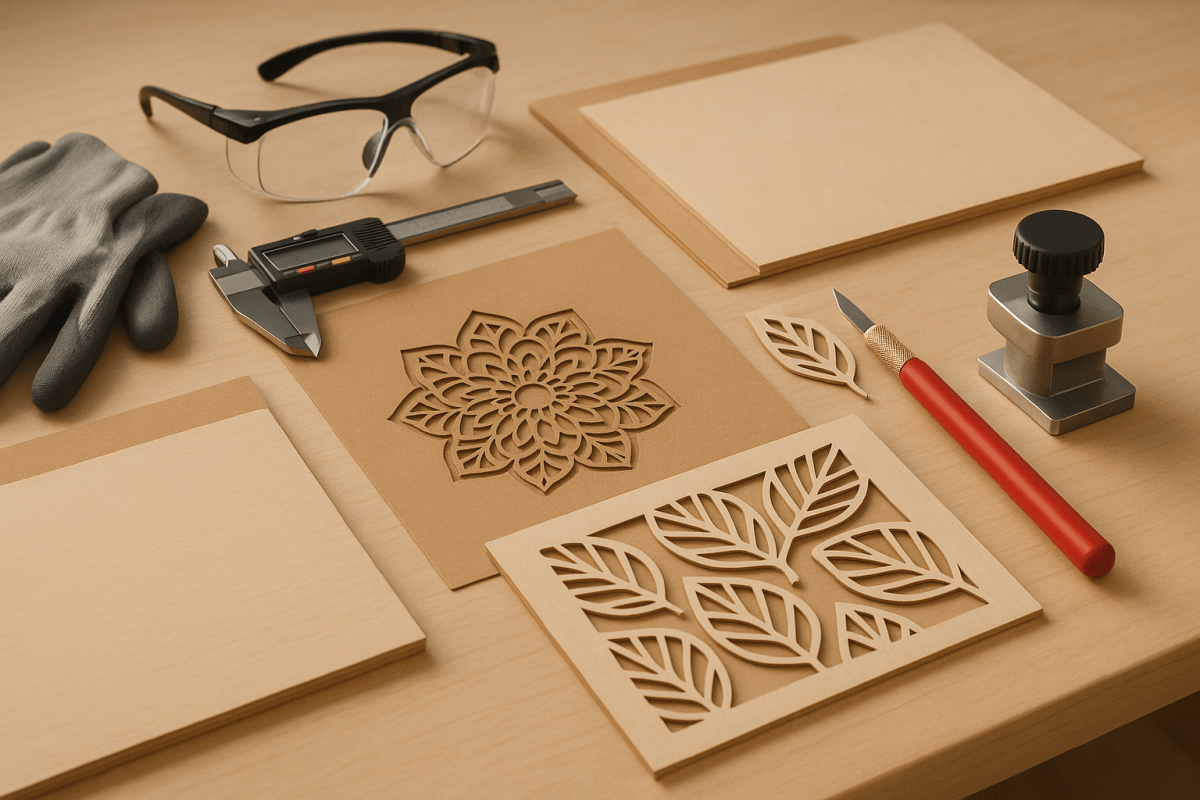
Die-cutting and laser-cutting are essential manufacturing processes, but they come with risks that must be managed to protect operators and equipment. Key safety concerns include fire hazards, toxic fumes, laser exposure, and mechanical injuries. Proper material selection, workspace organization, and the use of safety equipment like protective glasses, fume extractors, and fire extinguishers are critical.

Key Highlights:

  • Die-Cutting: Uses shaped steel blades for precision cuts. Lower fire risk and no emissions but requires blade maintenance.
  • Laser-Cutting: Relies on high-energy beams for intricate designs. Requires ventilation, laser-rated safety glasses, and fire management.
  • Safety Tips: Clean machines regularly, maintain clear workspaces, and use emergency stop buttons and interlocks.
  • Design Considerations: Avoid sharp internal corners, ensure proper spacing between cuts, and use holding tabs for stability.

Both methods offer unique advantages depending on material and project needs, but safety and usability must guide every step of the process.

Laser Cutting and Engraving Safety & Risks + REAL xTOOL Fire Suppression System Test!

Choosing Safe Materials for Cutting

Keeping materials safe and properly stored is essential when working with laser cutters. A well-organized approach not only reduces fire hazards but also ensures smooth operations.

How to Store and Handle Materials Safely

Start by keeping the area around the laser cutter tidy. Remove any flammable items, debris, or unnecessary clutter to minimize the risk of fire. It’s also important to clean the laser cutter itself. Pay special attention to the interior, including the cutting deck and cavity, as dust buildup can pose a fire risk and may interfere with the cutting head’s functionality. Regular maintenance can go a long way in keeping your workspace safe and efficient.

Safety Equipment and Precautions You Need

Having the right safety equipment and following essential precautions can mean the difference between a smooth project and a dangerous accident. Both die-cutting and laser-cutting operations demand specific measures to ensure operators stay safe and the workspace remains secure.

Safety Features in Cutting Machines

Modern cutting machines come equipped with a range of safety features designed to minimize risks. One of the most important is the emergency stop button. These large red buttons, placed in easily accessible locations, immediately halt all machine functions when pressed. Before starting any job, operators must familiarize themselves with the location of these buttons.

For added protection, machines often include safety interlocks, which automatically shut down operations if a protective cover or door is opened. Laser cutters, in particular, are equipped with beam enclosures to contain the laser light, reducing the risk of eye injuries from direct or reflected beams.

Advanced systems may also feature automatic fire suppression mechanisms that detect sudden temperature spikes or flames. These systems can either stop the cutting process or release fire suppressants. Another key feature is air assist, which blows compressed air at the cutting point to clear debris and lower the chance of material ignition.

Die-cutting machines incorporate safety measures like light curtains and pressure-sensitive mats, which detect hazardous movements and stop operations immediately. Additionally, blade guards and enclosed cutting areas help prevent accidental contact with sharp tools.

These built-in features, when combined with proper personal protective gear, create a robust safety system.

Protective Gear and Workspace Setup

While machines come with automated safety systems, personal protective equipment (PPE) and a well-organized workspace are equally important.

PPE is a critical first line of defense. Safety glasses are a must for both die-cutting and laser-cutting. However, laser cutting requires specialized laser safety glasses rated for the specific wavelength of the laser. Standard safety glasses won’t protect against laser radiation.

Operators should also use cut-resistant gloves when handling materials or finished products, though gloves should never be worn while operating machine controls. For die-cutting operations that produce high noise levels, hearing protection is essential.

To manage harmful vapors and particles generated during cutting, fume extractors are necessary. Make sure these systems are regularly maintained and filters are replaced according to manufacturer recommendations. Workspaces should also have adequate air circulation, with laser cutting areas requiring 6-10 air changes per hour for safety.

Fire safety is another critical aspect. Keep CO₂ fire extinguishers and fire blankets easily accessible. A well-stocked first aid kit with essentials like burn gel, bandages, and eye wash solution should also be within reach.

The layout of the workspace plays a big role in safety. Ensure there are clear pathways around all equipment, with at least 3 feet of clearance on all sides. Use non-slip flooring to prevent falls and provide adequate lighting – at least 500 lux at work surfaces – so operators can see clearly. Organize tools and materials in designated storage areas to reduce clutter and avoid tripping hazards.

Finally, make sure to post warning signs and labels to mark laser radiation zones, high-voltage areas, and emergency procedures. Implement lockout/tagout procedures to ensure machines stay safely shut down during maintenance or when multiple operators are working nearby.

sbb-itb-ce53437

How to Design for Safety and Usability

Careful design choices are key to creating die-cut and laser-cut products that are both safe to manufacture and easy to use. A well-thought-out design not only minimizes production risks but also ensures a seamless user experience.

Design Rules for Safe Cutting

When it comes to die-cutting and laser-cutting, sharp internal corners can be a serious problem. Tight angles create stress points that may cause materials to tear unexpectedly, leading to equipment jams or dangerous flying debris. To avoid this, use a minimum radius of 0.125 inches for internal corners. This adjustment helps cutting tools move smoothly and reduces material stress.

Another important guideline is maintaining at least a 0.25-inch gap between cut elements. This spacing prevents tools from accidentally bridging cuts, which can lead to blade deflection in die-cutting or beam reflection problems in laser cutting.

For designs with large unsupported areas, stability is crucial. These sections can flutter or shift during cutting, causing inaccuracies or hazards. A practical solution is adding holding tabs – temporary connections approximately 0.125 inches wide. These tabs keep the material stable during cutting and can be easily removed afterward.

The direction of cuts relative to material grain also matters. For paper and cardboard, aligning major cuts parallel to the grain reduces the risk of tearing, as cross-grain cuts require more force. For fabric, consider the weave direction and stretch properties to ensure clean cuts and maintain material integrity.

Pay special attention to perforation patterns. A standard perforation spacing of 0.125 inches, with 0.0625 inches left uncut between perforations, strikes a good balance between tearability and structural strength. Avoid placing perforations near edges, as these areas are more prone to failure during handling.

By following these precise guidelines, you can enhance both the safety of the manufacturing process and the reliability of the final product. But safety isn’t the only concern – products also need to be user-friendly.

Making Products User-Friendly Through Design

Good design doesn’t stop at safety; it should also make products easy and intuitive to use. One critical aspect is edge finishing. Instead of sharp 90-degree angles, use slightly rounded edges with a radius of about 0.03125 inches. This small adjustment eliminates sharp edges while maintaining the product’s sleek appearance.

Visual cues and orientation markers are another way to ensure ease of use. Subtle features like arrows or asymmetrical elements can naturally guide users on how to handle or use the product correctly. This is especially helpful for items with functional parts like tabs, folds, or moving components.

For better handling, include thumb notches or grip areas that are at least 0.75 inches wide. Adding textured surfaces in these areas can further improve grip and prevent slipping.

Complex assembly processes can be simplified with built-in instructions and guides. Use score lines, perforations, and fold indicators to show users how to assemble or fold the product without the need for separate instructions. Differentiating mountain and valley folds with distinct line styles makes it easier for users to understand three-dimensional assembly.

Don’t overlook the finishing details. Smooth transitions at joints and seams are essential for both safety and comfort. In multi-layer designs, ensure that all layers are aligned properly and that no sharp edges from inner layers stick out. These small details prevent snags and cuts, creating a better user experience.

Lastly, consider functional testing during the design phase. Prototypes should be tested in real-world scenarios to ensure the product performs well for a variety of users, including those with limited dexterity or other physical challenges. Features like easy-grip tabs, large finger holes, and simple folding mechanisms can make your products accessible to more people.

For frequently used products, think about durability and wear patterns. Reinforce high-stress areas, such as fold lines, with double-thickness material or strategically placed structural elements. This proactive approach helps prevent failures that could lead to safety issues during use.

Die-Cutting vs. Laser-Cutting: Safety and Usability Comparison

Die-cutting and laser-cutting come with distinct features that influence safety, ease of use, and overall production quality. Understanding these differences can help you refine your approach to selecting the right cutting method for your project.

Safety and Usability Overview

Die-cutting relies on mechanical force, using steel rule dies or rotary cutters to cut materials. This method is consistent and doesn’t generate heat, making it ideal for materials sensitive to temperature, like paper or foam. It also avoids producing chemical byproducts or emissions, ensuring a cleaner process.

Laser-cutting, on the other hand, uses concentrated light beams to melt, burn, or vaporize materials. While this method offers unmatched precision, it comes with unique safety challenges, such as managing heat, light exposure, and fumes.

The choice between these methods often depends on the materials, production scale, and available safety measures. Die-cutting works best for softer materials and high-volume projects, while laser-cutting shines when handling harder materials like wood, acrylic, or metal with intricate detail.

Cost and Production Speed

Die-cutting typically involves higher upfront tooling costs, making it more economical for large production runs. Laser-cutting, with its lower setup costs, is better suited for smaller batches or quick-turnaround projects. For example, die-cutting requires physical dies, which can take days or weeks to prepare, whereas laser-cutting can begin immediately after file preparation, making it ideal for prototypes or rush orders.

Key Differences: Die-Cutting vs. Laser-Cutting

Factor Die-Cutting Laser-Cutting
Risk of Fire Low Moderate (depends on material)
Fume Emissions None May emit hazardous fumes
Precision Moderate High
Material Compatibility Flexible Limited by material type
Edge Quality Clean, no heat damage Smooth, may have slight discoloration
Speed Fast for high volumes Slower, but consistent
Thickness Capacity Up to 2 inches for most materials Limited to 0.75 inches for most lasers
Maintenance Regular blade replacement Requires mirror and lens cleaning
Noise Level Moderate to high Low
Power Consumption Lower Higher

Material and Edge Quality Considerations

Material thickness plays a significant role in deciding the cutting method. Die-cutting can handle materials up to 2 inches thick, such as corrugated cardboard and foam core. Laser-cutting, however, is typically limited to materials under 0.75 inches thick, though some industrial systems can cut thicker materials.

When it comes to edge quality, die-cutting delivers clean edges without heat damage, although softer materials might show slight compression marks. Laser-cutting produces smooth edges but can cause minor discoloration or melting, especially with plastics.

Operator Expertise and Environmental Impact

Both methods require skilled operators. Die-cutting involves knowledge of material feeding, die alignment, and pressure settings. Laser-cutting demands expertise in power settings, cutting speeds, and material-specific adjustments. Laser-cutting also requires additional safety precautions, including eye protection and proper ventilation.

From an environmental standpoint, die-cutting generates physical waste, which is often recyclable. Laser-cutting, however, can produce fumes, especially when using synthetic materials, necessitating proper ventilation and filtration systems.

At Miro Printing & Graphics Inc., these principles guide the selection of cutting methods to ensure safety, precision, and efficiency for your custom printing needs.

Key Points and Next Steps

Main Takeaways for Safe Design

Creating safe designs starts with smart choices – selecting the right materials, using precise cutting settings, and incorporating thoughtful design elements like rounded corners and proper spacing. These steps help reduce risks during both die-cutting and laser-cutting processes. Die-cutting, being a mechanical method, has lower risks of thermal emissions and fire. On the other hand, laser-cutting, while offering incredible precision for intricate designs, requires additional safety measures. Routine maintenance, such as replacing blades and cleaning laser components, plays a big role in keeping operations safe and efficient.

These practices are the backbone of safe cutting processes and pave the way for expert collaboration.

Getting Professional Help for Custom Printing

For better safety and top-notch results, teaming up with experienced professionals is a smart move. Miro Printing & Graphics Inc. not only offers expert advice but also operates with industrial-grade safety measures to ensure your project meets the highest safety and quality standards.

Shops like Miro Printing & Graphics Inc. are equipped with advanced systems, including cutting-edge ventilation, fire suppression setups, and precision-calibrated cutting tools. Their deep knowledge of materials is especially helpful when working with specialty substrates or unique thicknesses. Plus, their skilled team can suggest safer material options when necessary.

When you work with Miro Printing & Graphics Inc., the design consultation process includes detailed safety checks to address potential issues before production begins. If you’re in the New York or New Jersey area, their Hackensack location offers the convenience of quick turnaround times and the ability to review samples before committing to full production. With their range of post-press services, including die-cutting, they deliver a complete custom printing solution that prioritizes safety without compromising on quality.

FAQs

What safety measures should operators follow when using laser-cutting machines?

Operators need to put safety first when working with laser-cutting machines. Always stay with the machine while it’s running, and make sure the workspace is free of flammable materials to lower the risk of fire. Wearing the right safety gear – like laser safety glasses, gloves, and a respirator or mask – is crucial to protect yourself from potential dangers.

Stick to the manufacturer’s guidelines for safe operation, keep a fire extinguisher within reach, and ensure the workspace is well-ventilated to limit exposure to harmful fumes. Don’t forget to regularly inspect and maintain the machine to keep it running safely and efficiently.

Why is choosing the right material important for safe and efficient die-cutting and laser-cutting?

Selecting the right material plays a key role in making die-cutting and laser-cutting processes both safe and efficient. The material impacts everything from tool longevity to production speed and even the quality of the finished product. For example, materials like aluminum and stainless steel are great for die-cutting because they reduce tool wear and ensure precise cuts.

When it comes to laser cutting, materials such as wood, acrylic, and certain plastics are excellent options. However, materials like PVC should be avoided since they can release harmful fumes during the cutting process. Choosing the right material not only improves safety by reducing toxic emissions and mechanical hazards but also helps streamline production by cutting down on defects and downtime. Smart material choices lead to higher-quality results and a safer work environment.

What are the key design tips for creating safe and user-friendly die-cut and laser-cut products?

To create die-cut and laser-cut products that are safe and user-friendly, start by selecting non-toxic, flame-resistant materials. This choice helps lower the risks of health issues and fire-related accidents. It’s also important to ensure proper ventilation during the cutting process to reduce exposure to potentially harmful fumes.

In your designs, include safety-focused elements like rounded edges to minimize the risk of injury. Add clear markings to guide safe handling, and steer clear of highly reflective surfaces that might disrupt laser operations. On top of that, always use appropriate safety gear, such as gloves and protective eyewear, and strictly adhere to operational protocols – like never leaving the cutting equipment unattended.

By addressing these safety measures, you can develop products that are practical and secure for both users and operators.

Related posts

https://app.seobotai.com/banner/banner.js?id=689ea7786208348668fb8e6e
How Water-Based Inks Improve Printing Sustainability

Explore how water-based inks enhance printing sustainability by reducing emissions, improving safety, and aiding recycling efforts.

Water-based inks are transforming printing by reducing harmful emissions, improving safety, and supporting recycling efforts. These inks use water as a solvent, avoiding toxic chemicals found in conventional inks. Here’s why they matter:

  • Lower VOCs: Minimal volatile organic compounds (VOCs) improve air quality and worker safety.
  • Cleaner Water Use: Simplified cleanup with water reduces pollution and waste.
  • Recycling-Friendly: Easier removal during recycling prevents contamination.

Switching to water-based inks can also cut costs by reducing energy use and simplifying compliance with safety standards. Their versatility makes them ideal for printing on paper, textiles, and packaging, meeting growing demands for safer, eco-conscious products. Ready to make the change? It’s a win for both your business and the planet.

Water-Based Printing, Tips and Tricks

What Are Water-Based Inks?

Water-based inks represent an evolution in printing technology by using water as the main solvent instead of chemical-based alternatives. These inks are made up of pigments or dyes suspended in water, along with eco-friendly additives that improve their performance and safety.

Unlike traditional inks, they avoid harmful components like PVC, phthalates, and high levels of VOCs (volatile organic compounds). This makes them a safer option for both workers and the environment.

When the water evaporates during the drying process, it leaves behind a durable ink layer that adheres well to different surfaces. Let’s take a closer look at their ingredients and how they differ from conventional inks.

Main Ingredients in Water-Based Inks

The composition of water-based inks is refreshingly simple. Water acts as the carrier, while pigments or dyes provide color and opacity. Additional co-solvents and additives are included to enhance their performance.

This straightforward formula reduces many of the health hazards linked to traditional printing chemicals, making these inks easier and safer to use.

How They Differ from Standard Inks

Standard solvent-based inks use organic solvents like alcohol, acetone, ethyl acetate, or toluene as their primary carriers. While these solvents evaporate during drying, they release significantly higher levels of VOCs into the air.

Water-based inks, on the other hand, dry through water evaporation. This process results in much lower VOC emissions and minimizes exposure to harmful substances in the workplace, making them a cleaner and safer alternative.

How Water-Based Inks Help the Environment

Water-based inks offer more than just a safer alternative to traditional inks – they actively address critical environmental concerns tied to air quality, water usage, and waste management. Their composition and performance make them a step forward in reducing the ecological footprint of printing.

Lower VOC Emissions

Unlike traditional inks that rely on petroleum-based solvents like ethyl acetate and toluene, which release high levels of volatile organic compounds (VOCs), water-based inks produce only minimal VOC emissions. This not only improves indoor air quality but also reduces harmful exposure for workers involved in the printing process.

Reduced Impact on Water Resources

Screen printing with water-based inks significantly lowers the risk of water pollution and cuts down on water consumption. These inks require only water for cleanup, eliminating the need for harsh chemicals and reducing disposal costs. Additionally, their ease of maintenance means less frequent cleaning, conserving water and generating less wastewater. This efficiency also supports better recycling practices, creating a ripple effect of environmental benefits.

Improved Recycling Compatibility

Water-based inks, made with natural components, are typically biodegradable and much easier to remove during the recycling process. This means less contamination of recyclable materials and a reduction in resource loss. Without toxic chemicals, heavy metals, or solvent residues, these inks align with sustainable practices and support a circular economy. As regulations like Extended Producer Responsibility (EPR) gain traction globally, the recyclability of water-based inks becomes even more relevant. By promoting resource efficiency and reducing waste, these inks play a crucial role in advancing the concept of a circular economy.

sbb-itb-ce53437

Business Benefits of Water-Based Inks

Water-based inks offer practical advantages for printers and small businesses, leading to smoother operations, simplified workflows, and cost-efficient production. Here’s how these benefits translate into real-world business value.

High-Quality Prints with Long-Lasting Results

Water-based inks produce vibrant colors and sharp details that can match, or even surpass, solvent-based alternatives. The water used in these inks helps pigments bond effectively with various materials, ensuring consistent color saturation and clarity. In textile printing, they provide a softer finish, preserving the natural feel of fabrics while delivering durable prints that can handle repeated washing and wear. This level of quality allows print shops to offer premium services, boosting customer satisfaction.

Additionally, the drying process of water-based inks is more uniform, reducing common issues like dot gain or color shifting during production. This consistency ensures reliable results across large print runs.

Cost Efficiency in Printing

Switching to water-based inks can lead to noticeable cost savings. Cleanup is easier and less expensive since water alone can clean these inks, eliminating the need for harsh chemicals. They also cure at lower temperatures, which can cut down on energy usage and reduce strain on equipment, saving money on utility bills and maintenance.

Improved workplace conditions are another plus, as these inks are less harsh on both workers and the environment. Their versatility also allows print shops to expand their service offerings, opening up new revenue opportunities.

Compatibility with a Wide Range of Materials

Water-based inks are highly versatile and work well on various substrates. For example, they perform exceptionally on uncoated papers, providing rich, even colors without issues like bleeding or feathering. In textile printing, they pair perfectly with natural fabrics like cotton and cotton blends, creating soft prints that retain the fabric’s original texture and breathability.

These inks also adhere well to packaging materials like corrugated cardboard, making them a great option for sustainable packaging solutions. In industries like food packaging or products for children, where safety is critical, water-based inks are often the preferred choice due to their ability to meet strict regulatory standards. This opens doors to additional markets for printers looking to diversify their offerings.

Local businesses, such as Miro Printing & Graphics Inc. in Hackensack, NJ, have successfully integrated water-based inks into their operations, demonstrating their commitment to high-quality and environmentally conscious printing solutions.

How to Switch to Water-Based Inks

Making the switch to water-based inks is a smart way to align with eco-conscious practices while simplifying compliance and maintaining efficient operations.

Water-based inks make it easier for businesses to adhere to strict safety and environmental regulations. Thanks to the Toxic Substances Control Act (TSCA), they require less documentation since they contain fewer regulated chemicals.

Since 2016, more than 99% of new chemicals have been governed by an EPA Significant New Use Rule (SNUR). Water-based inks often bypass these restrictions because they lack the organic solvents that typically trigger regulatory scrutiny.

For companies producing food packaging, water-based inks can meet rigorous global food safety standards, including those established by the FDA, EU Framework, Nestlé Guidance, and Swiss Ordinance. This opens doors to new markets, especially in industries with strict requirements.

Additionally, Material Safety Data Sheet (MSDS) documentation is simpler with water-based inks. Their hazard profiles show reduced risks for both workers and the environment.

Another key advantage is their low or zero VOC (volatile organic compound) emissions. This can reduce the need for complex ventilation systems, saving on air filtration costs and potentially eliminating the need for specialized equipment.

These compliance benefits make water-based inks an obvious choice for sustainable printing. A 2015 study revealed that 84% of consumers prefer products that demonstrate responsible practices, giving your business a competitive edge.

For expert advice on transitioning to water-based inks, consider reaching out to Miro Printing & Graphics Inc. With their deep expertise in sustainable printing, they can help you refine your processes to meet both regulatory demands and performance expectations.

Conclusion: Moving Forward with Eco-Friendly Printing

Water-based inks offer a range of environmental advantages, including lower VOC emissions, reduced water pollution, and better recyclability. On top of that, they deliver high-quality prints, improve durability, and help cut costs by simplifying compliance and reducing the need for extensive ventilation systems.

Beyond the environmental perks, these inks open doors to new business opportunities, particularly in industries like food packaging, where sustainability is increasingly in demand. Making the switch involves evaluating your equipment, adjusting workflows, and training your team – steps that can enhance your brand’s reputation, streamline operations, and ensure compliance with evolving regulations.

As stricter regulations emerge and consumer interest in eco-conscious practices grows, adopting water-based inks allows you to combine strong performance with a commitment to environmental responsibility. This approach ensures consistent results while contributing to a sustainable future.

At Miro Printing & Graphics Inc., a full-service print shop in Hackensack, NJ, we’re here to help you make the transition to eco-friendly printing. By choosing water-based inks, you can create a more sustainable and profitable business that not only meets current expectations but also anticipates future demands.

FAQs

What environmental advantages do water-based inks offer over traditional inks?

Switching to water-based inks offers several environmental advantages that are hard to ignore. For starters, these inks can cut volatile organic compound (VOC) emissions by up to 90%, which means less air pollution and fewer health concerns. That’s a big win for both people and the planet.

On top of that, water-based inks are both biodegradable and compostable, so they naturally break down without leaving harmful residues behind. They also come with a smaller carbon footprint, helping to reduce greenhouse gas emissions. Incorporating these inks into your printing process isn’t just a smart move – it’s a step toward more eco-conscious practices that can make a real difference.

What steps can businesses take to transition smoothly to water-based inks in printing?

To switch to water-based inks effectively, businesses should first evaluate their existing equipment and make any needed upgrades. This might involve using higher mesh-count screens, waterproof emulsions, and fine-tuning screen flooding techniques to meet the demands of water-based printing. Managing inks carefully is also key to maintaining consistent quality throughout production.

Adopting the right tools and following best practices for curing and post-exposure will enhance reliability. Additionally, introducing gradual testing and providing staff with proper training can simplify the transition, making it easier to incorporate water-based inks into your printing process smoothly.

What industries or applications benefit the most from using water-based inks?

Water-based inks have become a popular choice in industries like screen printing and packaging for good reasons. In screen printing, they deliver bold, vibrant colors and a smooth, soft finish. Plus, they’re a more eco-friendly option compared to solvent-based inks, making them appealing to businesses looking for greener solutions.

In packaging, water-based inks stand out for companies focused on lowering their carbon footprint. These inks are less toxic and easier to recycle, aligning well with sustainability goals. They’re also a great fit for printing on textiles, paper, and other biodegradable materials, especially for businesses aiming to meet eco-conscious standards. For companies committed to environmentally responsible practices, water-based inks offer a practical, greener alternative.

Related posts

https://app.seobotai.com/banner/banner.js?id=689e7ea0cce566114635528e

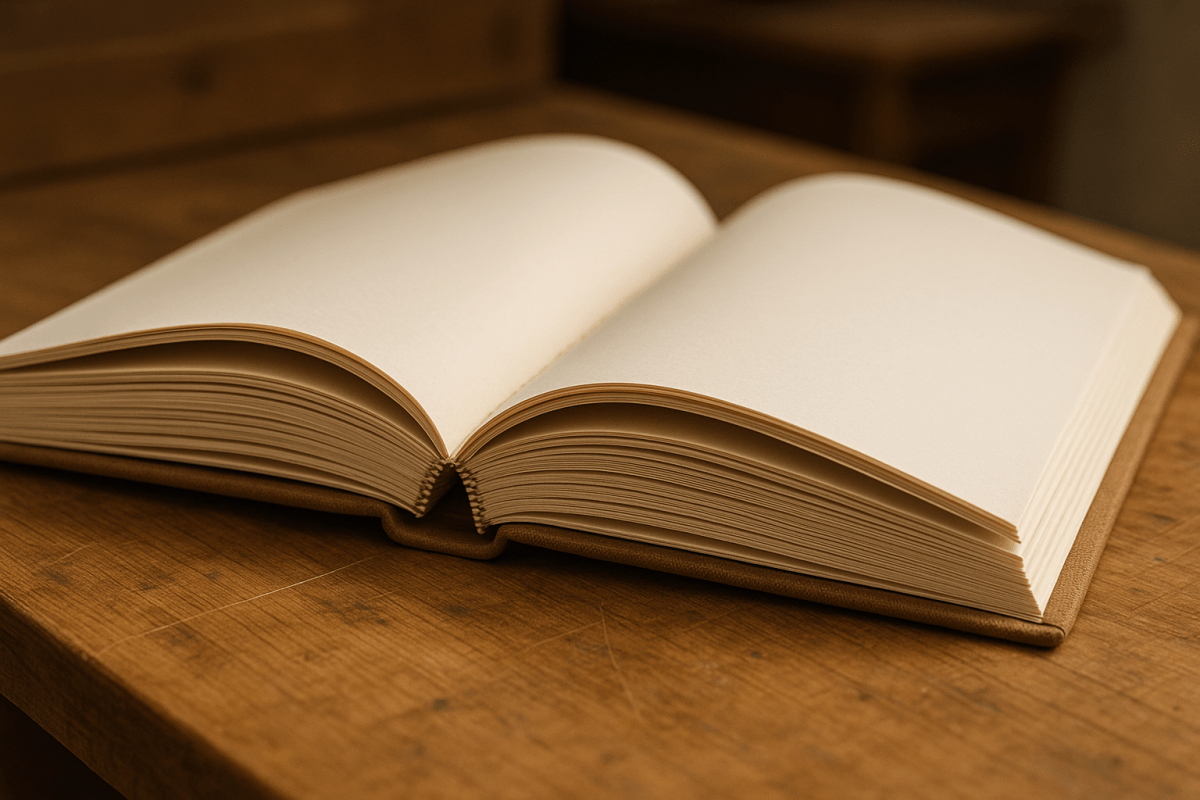
What Is Smyth Sewing in Book Binding?

Explore the benefits and process of Smyth sewing, a bookbinding technique known for its durability, versatility, and ability to create flat-opening books.

Smyth sewing is a bookbinding technique that uses thread to bind folded pages, creating strong, flexible books that can lie flat when open. It’s known for its durability, making it ideal for frequently used books like manuals, reference materials, and high-quality editions. Here’s why it stands out:

  • Durability: Thread binding ensures pages stay intact, even with heavy use.
  • Flat-Opening Design: Perfect for cookbooks, music sheets, or technical guides.
  • Versatility: Works for hardcovers, premium paperbacks, and journals.
  • Precision Process: Automated machines ensure consistent quality and efficiency.

This method is a top choice for projects requiring longevity and usability, such as academic texts, art books, and archival editions.

How Smyth Sewing Works

Step-by-Step Smyth Sewing Process

Smyth sewing is renowned for its durability and ability to lay flat, and it all starts with a meticulous process. It begins with signatures – folded sheets that typically contain 4, 8, 16, or 32 pages – arranged in the correct reading order.

The sewing happens along the natural fold of each signature. A specialized needle threaded with strong material passes through pre-punched holes, linking the signatures into a continuous chain that forms the foundation of the book block.

Once all the signatures are sewn together, the book block is reinforced for added strength. A layer of crash cloth (also called mull) is applied to the spine, and the edges are trimmed to create clean, even margins. The final steps involve attaching the sewn book block to hard covers or preparing it for soft cover binding.

Modern Machinery in Smyth Sewing

In professional binderies, automated sewing machines have replaced much of the traditional hand-sewing process, making it faster and more efficient. These machines can handle multiple signatures at once, feeding them through sewing stations with precision. They ensure consistent thread tension and spacing, which guarantees uniform quality throughout a production run.

Key features of these machines include automatic signature feeders that align each sheet perfectly before sewing. Multiple needles work in unison to create strong, reliable binding patterns. Some high-tech systems can produce thousands of books per hour while maintaining the craftsmanship that defines Smyth sewing.

To ensure quality, many machines are equipped with sensors that detect issues like missing signatures, misalignment, or thread breaks. If a problem arises, the machine stops immediately, preventing defective books from moving forward. This combination of automation and quality control ensures every book meets professional standards.

How Smyth Sewing Creates Durable Books

The durability of Smyth-sewn books comes from both the precision of the sewing process and the materials used. The thread plays a key role by distributing stress evenly across the entire book structure. When a Smyth-sewn book is opened, the force is spread through the continuous thread rather than concentrated at a single point, which prevents pages from loosening – even with frequent use.

The sewing also creates a flexible spine that allows the book to open and close naturally. Unlike adhesive binding, the thread allows slight movement between signatures, enabling the book to lie completely flat when opened.

The choice of thread is equally important. Binderies typically use polyester or cotton threads specifically designed for bookbinding. These threads are resistant to stretching, breaking, and long-term wear. The thickness of the thread is carefully matched to the book’s purpose: thicker threads are used for reference books that will endure heavy use, while thinner threads are chosen for books where a polished appearance is more important.

Benefits of Smyth Sewing

Durability and Long-Lasting Books

Smyth-sewn books are built to last. Thanks to the continuous thread that binds the pages, these books can handle years – even decades – of regular use without falling apart. This durability makes them a go-to choice for libraries, universities, and publishers that need books to withstand heavy use. Think about reference materials, textbooks, or archival documents – Smyth sewing ensures they hold up over time. Unlike glue-based binding methods that might weaken with changes in temperature or humidity, the thread in Smyth-sewn books stays strong, no matter the conditions. Plus, this sturdy construction naturally supports another major perk: books that open completely flat.

Books That Open Flat

One standout feature of Smyth-sewn books is their ability to lie perfectly flat when open. This isn’t just a nice touch – it’s a game-changer for anyone using cookbooks, manuals, or reference guides where both hands are often busy. The flexible spine allows the pages to move freely, ensuring the book stays open without needing to hold it down. This design also makes tasks like photocopying much easier. Musicians benefit from this feature in sheet music, as do technicians using repair guides or technical manuals. The flat-opening design isn’t just practical – it’s versatile, making Smyth-sewn books a great fit for all kinds of formats.

Works for Different Book Types

Smyth sewing works across a wide range of book formats, from sturdy hardcovers to sleek premium paperbacks and journals. Hardcover books, in particular, benefit from the strong connection between the text block and the rigid cover, which keeps the book intact even with added weight. For coffee table books or art publications, the thread binding evenly distributes stress, preventing sagging or separation that could damage heavy paper stock or large images. Journals and notebooks also shine with Smyth sewing, as the flat-opening design makes writing more comfortable and ensures the pages stay secure, even with frequent use. Whether it’s a hefty art book or a daily journal, Smyth sewing delivers durability and functionality across the board.

When to Use Smyth Sewing

Common Projects for Smyth Sewing

Smyth sewing is a go-to choice for projects that demand durability and the ability to lay flat when open. Think of academic texts, art books, music books, technical manuals, and architectural publications – these all benefit from the sturdy and practical design Smyth sewing provides.

This binding method is also a favorite in professional and technical fields. For example, research labs often use Smyth-sewn notebooks for documenting intellectual property and filing patents. Why? Because the binding makes tampering nearly impossible, ensuring the integrity of sensitive information.

Archival editions, library collections, and custom projects like commemorative books or family histories are also ideal candidates for Smyth sewing. When preservation and longevity are top priorities, this binding method truly shines.

These varied uses demonstrate why Smyth sewing is a smart choice for anyone seeking strength and reliability in their finished product.

Why Choose Smyth Sewing for Your Project

Smyth sewing isn’t just about durability – it’s also about delivering long-term value and a polished, professional look.

Although the upfront cost may be higher, the durability of Smyth-sewn bindings means fewer repairs and replacements, especially in high-use scenarios. This makes it a cost-effective option over time while also enhancing the overall quality of the project.

Another standout feature is its tamper-evident design, which is critical for specialized uses. Research institutions, legal firms, and companies managing sensitive documents depend on this feature to ensure the integrity of their records.

For books with a high page count, Smyth sewing is especially effective. Its thread-based construction evenly distributes the weight of thick text blocks, preventing issues like loose or falling pages that can occur with adhesive-based methods. This makes it an excellent choice for heavy-duty applications where reliability is key.

sbb-itb-ce53437

Smyth Sewing Services at Miro Printing & Graphics Inc.

Complete Bookbinding Solutions

At Miro Printing & Graphics Inc. in Hackensack, NJ, we take pride in offering a full range of bookbinding services, with a strong emphasis on the durability and precision of Smyth sewing. Our bindery is equipped to handle everything from printing to finishing, ensuring your projects are crafted to last and look professional. We seamlessly combine traditional techniques with modern technology to deliver high-quality results for clients throughout New Jersey and beyond. Our services include booklet making, collating, cutting, creasing and scoring, folding, and a variety of binding options such as perfect binding and plastic coil binding.

What makes our process stand out? Everything is done under one roof. From the moment your project is printed to the final binding and finishing touches, there’s no need to coordinate with multiple vendors. This not only ensures consistent quality but also eliminates delays, giving you faster turnaround times and a hassle-free experience.

Custom Service and Expert Help

At Miro Printing & Graphics Inc., we understand that every binding project is unique. That’s why we tailor our services to meet your specific needs, whether you’re creating an exclusive art book or producing a large batch of technical manuals. With the precision of Smyth sewing as our cornerstone, we work closely with you to bring your vision to life.

Our team considers all the details – page count, paper weight, and budget – to recommend the best binding solution for your project. We also provide expert advice on paper types, cover materials, and finishing options. This personalized guidance helps you avoid unnecessary expenses and ensures that the final product matches your expectations in both form and function.

Combined Printing and Binding Services

One of the biggest advantages of choosing Miro Printing & Graphics Inc. is our ability to handle both printing and binding in one location. Whether you need digital or offset printing, we manage the entire process, eliminating common issues like color mismatches, paper grain misalignment, or scheduling conflicts.

This integrated workflow streamlines production, giving you a single point of contact for design, printing, and binding. For time-sensitive projects, this approach is a game-changer. Our bindery team can start working on completed sections while other parts are still being printed, cutting down on production time and ensuring your project is ready when you need it.

Smyth Book Sewing

Why Smyth Sewing Is the Best Choice

Smyth sewing has earned its reputation as the top choice for library-quality bookbinding, and for good reason. Its needle-and-thread construction offers exceptional durability, making it ideal for books that need to withstand heavy use over time. Plus, this method allows books to open completely flat, making them far more practical for a variety of uses.

What sets modern Smyth sewing apart is the incorporation of advanced automation. Today’s machines come equipped with sensors to catch missed signatures, broken threads, or damaged needles. This ensures minimal errors and consistently high-quality results. With such precision, you can trust that every book produced meets the highest professional standards.

Another standout feature of Smyth sewing is its versatility. It works seamlessly with both softcover and hardcover books, offering options to suit different needs. For projects requiring extra durability, hardcover binding takes it a step further, without compromising the superior quality that Smyth sewing guarantees.

At Miro Printing & Graphics Inc., we take this method to the next level by blending traditional craftsmanship with cutting-edge technology. From the initial design to the final product, every step of your project is handled with precision and care. When durability and quality are non-negotiable, Smyth sewing is the smartest investment you can make for your publication.

FAQs

Smyth sewing is an excellent option for projects that demand strength and frequent use, such as hardcover books, journals, sketchbooks, or art and photography books. One of its standout features is its ability to let books lay completely flat when opened, which is perfect for designs where usability and visual appeal are key.

This method is often chosen because it provides outstanding durability and a long lifespan when compared to other binding techniques. Smyth-sewn books hold up well against wear and tear, making them a dependable choice for high-quality publications or books meant for heavy, repeated use.

How do automated machines improve the Smyth sewing bookbinding process?

Automated machines have become indispensable in the Smyth sewing bookbinding process, significantly boosting both precision and efficiency. These machines deliver accurate, durable stitching that enhances the strength and lifespan of bound books. This is particularly important for projects like textbooks or archival materials, where durability is a top priority.

By automating the sewing process, the need for extensive manual labor is reduced, and the likelihood of errors drops significantly. The result? Faster production times and consistently high-quality outcomes. This blend of speed, accuracy, and dependability makes automated Smyth sewing a go-to solution for today’s bookbinding demands.

What are the benefits of using Smyth sewing for books that need to lay flat, and who can benefit from it?

Smyth sewing is a bookbinding method that lets books open completely flat, offering a practical and convenient design. This quality is particularly handy for books that get a lot of use or need to stay open for long periods, like cookbooks, sketchbooks, or technical manuals.

By allowing the book to lay flat, this technique not only improves readability and ease of use but also reduces wear on the binding, ensuring the book lasts longer. It’s a great option for professionals, students, artists, or anyone who appreciates durable, well-made books.

Related posts

https://app.seobotai.com/banner/banner.js?id=689d2cdd8204a37d5f9935d0

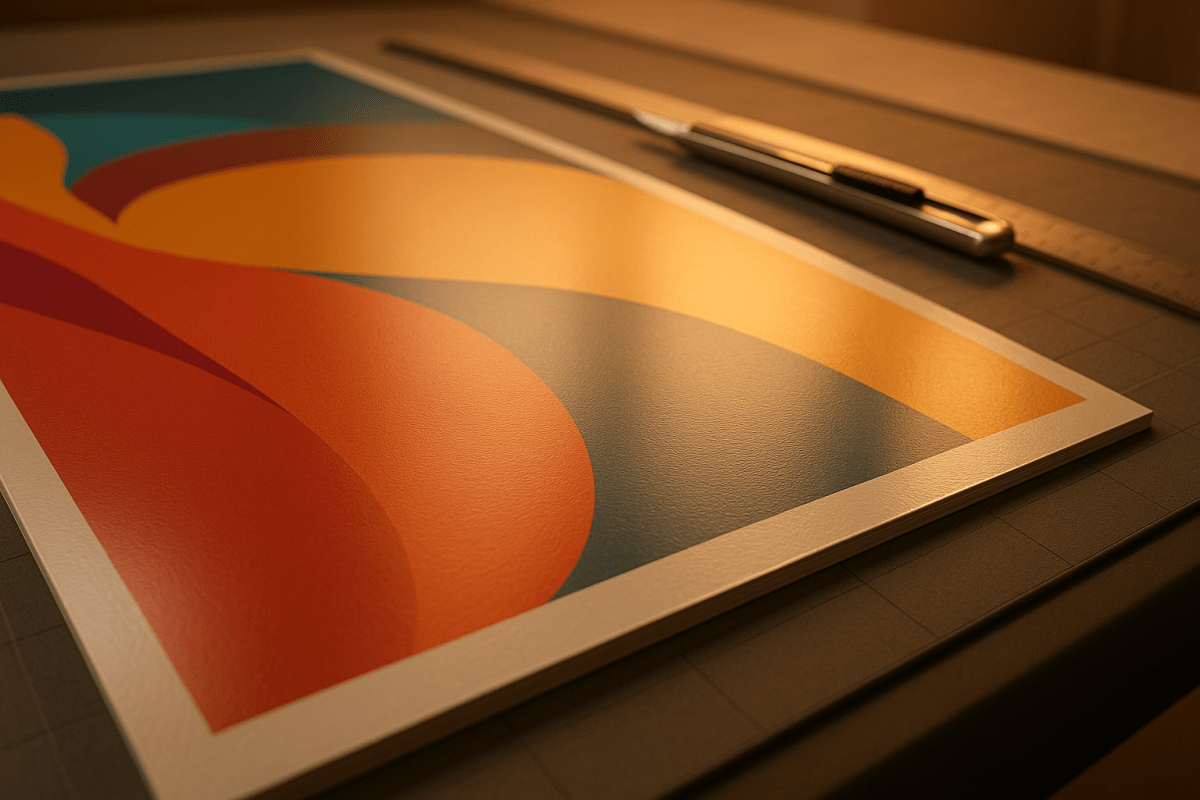
Large Format Print Finishing Options Explained

Explore essential finishing options for large format prints that enhance durability and visual appeal, ensuring professional results for any project.

Large format printing creates high-quality, oversized visuals like banners, posters, and signs. However, finishing techniques are what truly make these prints durable and visually impactful. Finishing protects prints from UV rays, moisture, and wear, while improving their appearance with options like lamination, mounting, and specialty coatings. Whether you’re creating indoor displays, outdoor signage, or event materials, choosing the right finish ensures your prints last longer and look professional.

Key Finishing Options:

  • Lamination: Adds a protective film. Gloss for vibrant colors, matte for reduced glare.
  • Mounting: Provides sturdy backing. Foam board for lightweight use, PVC or aluminum for durability.
  • Varnishes & Coatings: Protects and enhances prints. UV coatings are ideal for sun-exposed areas.
  • Die Cutting: Custom shapes for creative designs like decals or branded cutouts.
  • Specialty Inks & Textures: Metallic or fluorescent inks and textured materials for standout effects.

How to Choose:

  1. Purpose: Indoor or outdoor use? Temporary or permanent?
  2. Durability Needs: Consider UV resistance, scratch protection, and weatherproofing.
  3. Budget & Timeline: Balance cost with production time and project requirements.

For precise, high-quality results, Miro Printing & Graphics Inc. offers in-house finishing services, ensuring every detail is handled efficiently and professionally.

What Are The Different Finishing Options Available For Large Format Prints? – Graphic Design Nerd

Graphic Design Nerd

Main Finishing Options for Large Format Prints

When it comes to large format prints, the finishing touches can make all the difference. These techniques not only protect your prints but also elevate their visual appeal, helping them stand out in any setting.

Laminating

Laminating adds a protective film over your prints, shielding them from moisture, UV rays, and physical damage. It also boosts their longevity and enhances their overall look.

  • Gloss lamination creates a shiny finish that makes colors pop and adds depth to images. It’s a go-to choice for indoor displays, trade show graphics, and retail signage where you want vibrant visuals. Plus, it’s easy to clean – perfect for menu boards in restaurants.
  • Matte lamination offers a sleek, non-reflective finish that reduces glare and gives off a professional vibe. It’s ideal for office wall graphics, educational posters, or any area with bright lighting. Many also appreciate its soft, tactile feel.
  • Specialty films bring even more options. Anti-graffiti laminates protect outdoor signage from vandalism, textured films mimic materials like canvas or linen, and some laminates even feature antimicrobial properties, making them great for healthcare settings or high-touch surfaces.

Lamination is just one option – mounting is another way to enhance durability and presentation.

Mounting

Mounting transforms prints into sturdy, rigid displays that are easy to hang or stand on their own. The right mounting material depends on your needs, budget, and where the print will be used.

  • Foam board is a lightweight, cost-effective choice for indoor displays. It’s great for temporary signage, presentations, or posters that don’t need to endure tough conditions. Foam board is available in various thicknesses, typically ranging from 3/16 inch to 1 inch.
  • Gator board steps up the durability game. With a foam core and wood fiber veneer, it resists warping and denting better than standard foam board. This makes it a favorite for photography exhibits and professional displays that need to travel or last longer.
  • PVC and aluminum composite panels offer unmatched durability and weather resistance. Perfect for outdoor signage and architectural displays, these materials handle harsh conditions with ease. While pricier, they’re built to last for years.

Varnishes and Coatings

Varnishes and coatings provide an additional layer of protection while enhancing the visual appeal of your prints. These liquid finishes form a protective film over the surface, with different types offering unique benefits.

  • Aqueous coatings are water-based and provide basic protection against scuffs and fingerprints. They dry quickly and are an eco-friendly choice for indoor prints like point-of-purchase displays or interactive exhibits.
  • UV coatings cure under ultraviolet light, creating a tougher, more durable finish. Available in gloss, satin, or matte, they’re perfect for high-traffic areas where prints need extra protection against scratches.
  • Spot varnishes let you highlight specific areas of your print, such as logos, headlines, or key images. This technique adds contrast and draws attention to important details, giving your materials a premium, polished look.

Die Cutting and Custom Shapes

Why stick to standard rectangles when you can create custom shapes that align with your brand or vision? Die cutting allows for endless creative possibilities.

  • Contour cutting trims prints to match the outline of your design, making it ideal for vehicle decals, window clings, or floor graphics that need precise shapes.
  • Kiss cutting cuts through the top layer of material while leaving the backing intact, which is great for stickers, labels, or multi-part designs where pieces need to be applied individually.
  • Perforating and scoring add fold lines or tear-away sections without cutting all the way through. These techniques are perfect for interactive displays, coupons, or foldable presentations.

Pairing these custom shapes with specialty inks can take your prints to the next level.

Specialty Inks and Textures

Specialty inks and textured materials can turn ordinary prints into unforgettable visual and tactile experiences.

  • White ink printing allows vibrant colors to stand out on dark or transparent materials, making it a great choice for window graphics, backlit displays, or prints on colored substrates.
  • Metallic and fluorescent inks add shimmer and boldness that standard inks can’t achieve. Metallics bring depth and elegance, while fluorescents grab attention with their glowing effect – perfect for event graphics or retail displays.
  • Textured films and substrates add a physical dimension to your prints. Canvas-like finishes are great for art reproductions, while leather or fabric textures work beautifully for luxury branding. Some substrates even mimic wood, stone, or metal, making them ideal for architectural mockups or high-end product displays.

How to Choose the Right Finishing Option

Picking the right finish for your large format print isn’t just about looks – it’s also about ensuring durability. With so many finishing options out there, narrowing down your choice can feel like a challenge. The trick is to focus on what your project truly needs and break the decision into simple steps.

What to Consider

Start with the purpose of your print. Indoor uses, like office decor or trade show displays, typically need finishes that enhance appearance and offer basic protection. Outdoor prints, however, demand tougher materials – think weather-resistant finishes and UV-protective laminations to keep colors vibrant despite sun and rain exposure.

Temporary banners can stick to simpler finishes, but permanent storefront displays need sturdier options. For areas with heavy foot traffic, scratch-resistant coatings and durable mounting materials are a smart choice to maintain a polished look over time.

Also, double-check that your chosen finish works well with the substrate you’re using. Mismatched finishes can cause issues like warping or discoloration.

Think about where and how the print will be installed. Lightweight finishes make hanging easier, rigid supports work well for freestanding displays, and low-glare finishes are ideal for brightly lit spaces. Balancing these factors ensures your print performs well without breaking the bank.

Budget and Timeline Planning

Once you know what your project needs, factor in your budget and timeline. Cost-effective options like standard lamination or foam board mounting are quick and affordable. But if you’re considering premium finishes – such as specialty coatings, custom die cuts, or high-end mounting materials – expect higher costs and longer production times.

Durability matters, especially for outdoor signage or prints in high-traffic areas. Spending a little more upfront on a durable finish can save you from frequent replacements down the line.

If you’re producing multiple prints, bundling them into one project can help cut costs. Bulk orders spread out preparation expenses, making them more economical overall.

Keep in mind that specialty techniques or materials may require extra lead time. For instance, custom elements or rare materials might need to be ordered in advance. It’s always a good idea to build in a buffer period for unexpected delays, especially if you’re experimenting with a new finishing method.

Lastly, while automated processes can help keep costs and timelines in check, custom or hand-applied finishes often come with higher labor and equipment costs. Plan for these potential extras by adding some wiggle room to both your budget and schedule.

sbb-itb-ce53437

Finishing Techniques Comparison

Choosing the right finishing technique can make or break your project’s success. Each method offers its own advantages and compromises, so understanding how they compare is key to making informed decisions that align with your goals.

Finishing Methods Comparison Table

Finishing Method Protection Level Cost Appearance Turnaround Time Best Use Cases
Laminating (Matte) High UV and scratch protection Low to Medium Reduces glare, professional look 1-2 days Indoor displays, office signage, trade shows
Laminating (Gloss) High UV and scratch protection Low to Medium Vibrant colors, high shine 1-2 days Retail displays, posters, high-impact visuals
Foam Board Mounting Basic protection from bending Low Clean, flat presentation Same day to 1 day Temporary displays, presentations, lightweight signage
Rigid Board Mounting Excellent durability, weatherproof Medium to High Professional, sturdy appearance 2-3 days Outdoor signage, permanent installations, high-traffic areas
UV Coating Superior fade resistance Medium Enhanced color vibrancy 2-4 days Outdoor applications, long-term displays, sun-exposed areas
Aqueous Coating Moderate protection, fingerprint resistance Low to Medium Subtle enhancement, smooth finish 1-2 days Indoor prints, frequently handled materials, brochures
Die Cutting Depends on base material High Custom shapes, unique presentation 3-5 days Custom displays, creative installations, branded cutouts
Specialty Inks (Metallic) Standard protection High Eye-catching, premium look 3-7 days Luxury brands, special events, high-end retail
Textured Finishes Variable based on texture type Medium to High Unique tactile experience 2-5 days Art reproductions, premium displays, sensory marketing

This table serves as a handy guide to match your project’s needs with the most suitable finishing method. For budget-conscious projects, options like matte or gloss lamination and foam board mounting are both reliable and quick, making them great for indoor applications.

If you’re looking for a balance between durability and visual appeal, mid-range finishes like rigid board mounting or UV coatings are excellent choices. These methods offer added protection and a polished look without breaking the bank.

For projects where making a bold statement is essential, premium finishes such as metallic specialty inks or custom die cutting are worth the higher cost and longer production time. These techniques are perfect for luxury branding or when visual impact is a top priority.

Turnaround times vary based on the complexity of the finish. Simpler methods are faster, while more intricate or customized finishes take longer. This is especially important to consider when you’re working with tight deadlines or juggling multiple project elements.

Finally, think about the environment where your prints will be displayed. Opt for protection levels that meet your needs without overcomplicating or overspending. This comparison framework simplifies the decision-making process, helping you achieve durable and striking results tailored to your specific project.

Large Format Finishing Services at Miro Printing & Graphics Inc.

At Miro Printing & Graphics Inc., large format finishing is more than just a process – it’s a commitment to delivering top-notch quality. With a focus on precision and attention to detail, their in-house services ensure every project is completed to perfection.

In-House Finishing Services

Located in Hackensack, NJ, Miro Printing & Graphics Inc. operates a fully equipped in-house bindery. This setup gives them complete control over both the quality and turnaround times for large format finishing. Your prints stay on-site from start to finish, ensuring consistent results every step of the way.

Their bindery services cover a wide range of finishing techniques:

  • Die Cutting: Perfect for creating custom shapes that add a unique touch to your displays. Whether it’s signage cutouts, branded display elements, or intricate installation pieces, their precision equipment handles the job with ease.
  • Cutting and Creasing: Ensures clean edges and flawless folds for banners, multi-panel displays, and signage. This prevents cracking and guarantees a polished, professional look.
  • Drilling: Ideal for creating precise openings for hardware or mounting systems. This eliminates the need for post-print modifications, saving time and effort.
  • Micro-Perforation: Adds functionality with tear-away sections for coupons, contact details, or interactive elements – perfect for trade shows, promotional materials, or educational displays.
  • Specialized Binding: Options like comb binding and plastic coil binding are available for oversized materials such as architectural drawings, engineering plans, or catalogs. These methods combine durability with ease of use, making them ideal for presentation books or portfolios.

Custom Project Support

For projects that require a little extra, Miro Printing & Graphics Inc. goes beyond standard finishing services to provide tailored solutions. By combining their expertise in specialty coatings and die cutting, they craft custom finishing techniques to meet specific needs for display and durability.

Their team works closely with clients to understand project goals and recommend the best finishing options. This hands-on approach ensures every detail is addressed, delivering results that are both durable and visually striking. By integrating design and layout services, potential issues can be identified and resolved before printing begins, saving time and avoiding costly reprints.

To simplify logistics, Miro also offers mailing and fulfillment services. Whether you need large format prints delivered to multiple locations or incorporated into a marketing campaign, they handle everything from start to finish. This streamlined process eliminates the hassle of coordinating with multiple vendors and ensures consistent quality throughout.

Direct communication with the production team further enhances the experience. When adjustments or questions arise, you’ll work directly with the experts managing your project, ensuring every detail is just right.

Clients frequently praise this personalized approach. As one customer shared:

"Work quality is terrific, the staff is warm and helpful, I highly recommend them for any of your printing needs!"
– Julieth R.

Another client highlighted their reliability:

"Mike and his team at Miro have delivered stars, comet, and galaxy size projects for Lycored. No matter how little or large, no matter what the deadline, I sleep at night knowing Miro is on it. Truly, a gem printer shop and more in New Jersey."
– LycoRed T.

This dedication to quality and customization is what sets Miro apart. Whether you need standard finishing or a unique solution, their team is ready to bring your vision to life with precision and care. From start to finish, they ensure your large format prints stand out in the best way possible.

Conclusion

Choosing the right finish for large format prints is essential to ensure durability, visual appeal, and overall performance. As outlined earlier, factors like the environment play a key role in this decision. For indoor use, matte finishes are perfect for eliminating glare, while gloss finishes work best outdoors, enhancing color vibrancy when placed thoughtfully to reduce reflections. If longevity is a priority, UV laminate is an excellent option, helping most prints maintain their color for over 10 years without fading.

The right finishing also adds practical benefits, such as anti-slip properties, better readability, and greater resistance to wear – protecting your investment over time. Whether you’re aiming for a sleek, frameless look with reverse vinyl mounted on clear acrylic or prefer the classic touch of traditional framing with glass or PETG covers, the right choice ensures your print stands the test of time.

Working with Miro Printing & Graphics Inc. simplifies this entire process. Their in-house bindery services and direct collaboration with production teams mean every detail is handled seamlessly. From specialized die cutting to mailing and fulfillment, they manage everything under one roof, eliminating the hassle of coordinating with multiple vendors.

FAQs

What’s the best way to choose a lamination option for my large format print project?

When deciding on the best lamination for your large format print project, a few key considerations come into play. Start with the finish. If you’re aiming for a glare-free, understated look, go with matte. For bold, vibrant colors that pop, gloss is the way to go. And if you’re looking for a middle ground, satin provides a nice balance between subdued and shiny.

Next, think about durability. Thicker laminates – like those 5 mil or more – offer stronger protection, making them ideal for prints that need extra safeguarding. On the other hand, thinner laminates (around 3 mil) are easier to handle, especially if folding or flexibility is important.

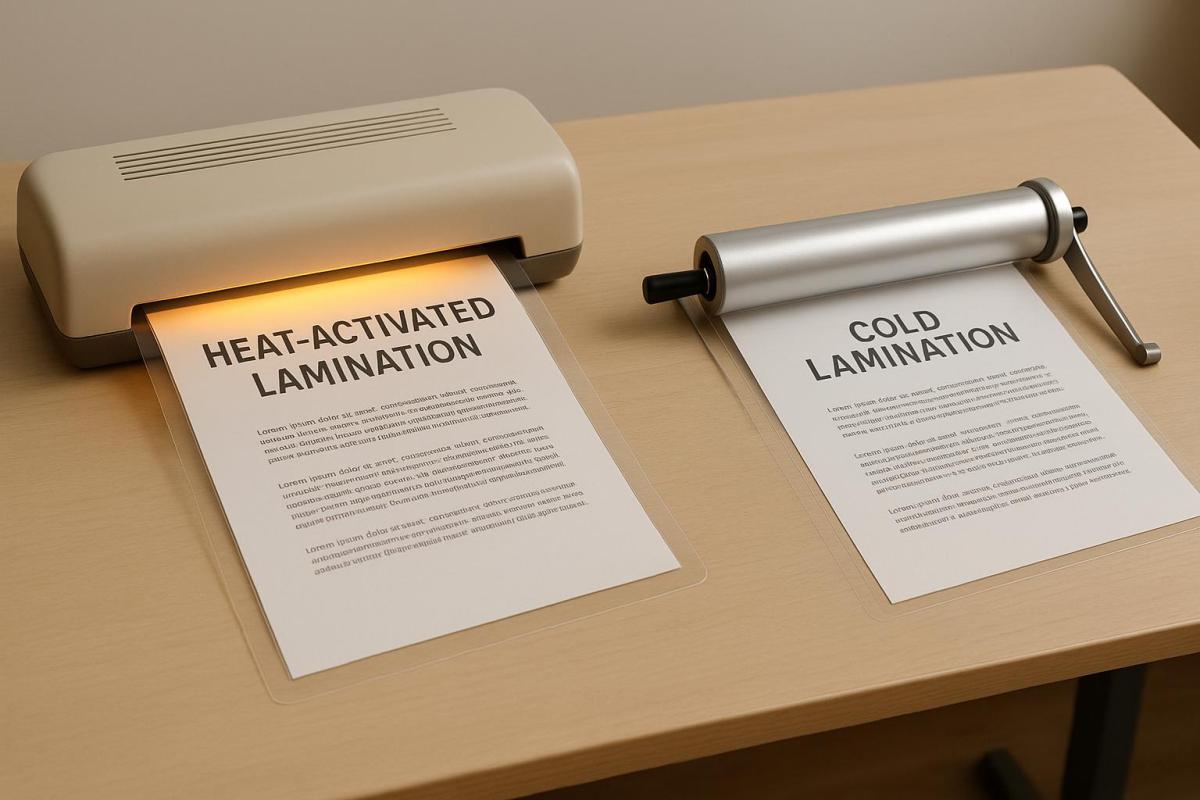
Lastly, don’t overlook environmental conditions. If your print will face heat or moisture, choose a laminate designed to handle those challenges. For materials sensitive to heat, cold lamination is a safer bet. But if your prints are more robust, hot lamination can deliver excellent results. By weighing these factors, you’ll land on the lamination that perfectly suits your project.

What should I consider when selecting mounting materials for outdoor signs?

When selecting materials for mounting outdoor signs, it’s crucial to prioritize durability and resistance to environmental challenges like weather, corrosion, and physical wear. Materials such as stainless steel, aluminum, and reinforced plastics are excellent choices because they hold up well against rain, wind, and UV exposure.

Equally important is choosing a mounting method that works seamlessly with the surface where the sign will be installed. Opt for weather-resistant fasteners, sturdy brackets, and secure anchoring to prevent the sign from loosening or sustaining damage over time. By focusing on these details, you can ensure your outdoor signage stays firmly in place and stands the test of time.

How do specialty inks and textures make large format prints more impactful?

Specialty inks and textures can take your large format prints to the next level by adding colorful brilliance, dimension, and a tactile edge that ensures they grab attention. For instance, metallic and pearlescent inks reflect light beautifully, producing striking, attention-grabbing effects. Meanwhile, textured finishes add a layer of elegance and a premium feel. These details not only make your prints visually appealing but also draw people in, whether they’re viewing from afar or examining up close.

From indoor displays to outdoor signage, these design elements can make your prints more memorable and engaging, leaving a lasting impression on your audience.

Related posts

https://app.seobotai.com/banner/banner.js?id=689d1cb08204a37d5f9918c9

3D Printing Trends in Commercial Printing

Explore how 3D printing is revolutionizing the commercial printing industry by enhancing customization, reducing waste, and creating new business opportunities.

3D printing is transforming the commercial printing industry. Instead of competing with offset and digital printing, it complements them, creating new opportunities for businesses. Over the past three years, its adoption has surged, enabling print shops to handle custom projects, prototypes, and dimensional objects with ease. This shift is reshaping how businesses approach packaging, marketing materials, and production workflows.

Key Takeaways:

  • 3D Printing Integration: Print shops are combining 3D printing with offset and digital methods to offer hybrid solutions like custom packaging and tactile marketing materials.
  • Benefits: Reduced waste, faster prototyping, and increased flexibility for small runs.
  • Challenges: Material compatibility, slower production speeds, and the need for cross-trained staff.
  • Future Trends: Automation, multi-material systems, and AI-driven quality control are making 3D printing more accessible and efficient.

Why it matters: Businesses that integrate 3D printing can offer more customized, high-value services, improving client retention and expanding their market reach.

How 3D Printing is Changing Businesses: From Our HQ to Real-World Applications

The commercial printing industry is undergoing three key transformations that are redefining how print shops operate and deliver value to their customers. These shifts go beyond mere technological updates – they are creating fresh business opportunities and altering traditional workflows.

3D Printing Becomes Standard Equipment

In the United States, 3D printers have become indispensable tools for commercial printing businesses, much like digital printing once transitioned from a niche option to a standard practice. These machines fill service gaps by enabling the production of prototypes, custom fixtures, and dimensional marketing materials – things traditional printing methods can’t achieve.

Many print shops start small, using desktop 3D printers to produce prototypes and gauge market interest. As demand grows, they often invest in industrial-grade 3D printers, scaling their capabilities without risking significant upfront costs.

New software solutions are also bridging the gap between 3D and traditional printing systems, streamlining job management and reducing the learning curve for operators. This integration is paving the way for a seamless blend of 3D printing with more conventional methods.

Combined Printing Technologies

The combination of 3D printing with offset or digital printing is unlocking new possibilities for hybrid products that neither technology could produce alone. For instance, custom packaging can feature printed graphics alongside 3D-printed structural elements, while promotional materials can combine vivid visuals with tactile, raised details that stand out.

Advancements in software and standardized file formats have largely resolved the technical hurdles of merging these technologies. Print shops can now switch seamlessly between production methods within a single project, ensuring each component is crafted using the most effective technique.

Quality control processes have also evolved to address mixed media workflows, with checks for color consistency, fit, and durability. Beyond product innovation, these combined methods are offering notable advantages in reducing environmental impact.

Environmental Benefits

3D printing’s additive nature significantly reduces material waste, unlike traditional subtractive manufacturing methods. Its on-demand production model eliminates the need for excessive inventory, while the use of biodegradable and recycled materials further lowers its environmental footprint. Additionally, energy-efficient machines and localized production for smaller print runs help cut carbon emissions, making 3D printing a greener choice for commercial printing businesses.

How 3D Printing Works with Existing Printing Methods

Blending 3D printing with commercial printing processes enhances traditional offset and digital workflows without replacing them. This combination allows businesses to take on projects that might otherwise be too complex or expensive using conventional methods alone. The integration focuses on two key areas: improving traditional prints and addressing challenges in hybrid workflows.

Supporting Offset and Digital Printing

3D printing takes flat printed materials to the next level by adding depth and dimension. While traditional offset printing delivers sharp graphics and text on materials like paper and cardboard, 3D printing introduces structural elements, textures, and functional components that elevate the final product.

Take custom packaging, for example. A cosmetics company might use offset printing to create vibrant labels and eye-catching packaging designs, then incorporate 3D-printed elements – like custom-shaped caps or textured surfaces – to enhance both functionality and shelf appeal.

Marketing materials also benefit from this synergy. Trade show displays can pair digitally printed visuals with 3D-printed structural components, making them easier to assemble and transport. Prototyping is another area where the integration shines. Designers can now combine printed graphics with 3D elements, allowing clients to visualize and test designs before committing to full-scale production.

Workflow Problems and Solutions

Despite its advantages, combining these methods introduces some unique challenges. One major issue is material compatibility. Adhesives, inks, and substrates designed for conventional printing don’t always work well with 3D-printed materials. To address this, many print shops have implemented standardized material testing. These tests help determine the best combinations of inks, adhesives, and 3D printing filaments, ensuring smoother project setups and consistent results.

Another challenge is coordinating equipment. Offset presses can churn out thousands of pieces per hour, but 3D printers often take hours to produce even a small batch. Initially, this timing mismatch caused delays and scheduling headaches. To solve this, production schedules have been restructured so that 3D printing runs simultaneously with traditional printing. Digital inventory systems now synchronize the production of printed and 3D components for seamless assembly. In some cases, shops have added multiple smaller 3D printers to distribute workloads and minimize delays.

Quality control has also evolved to meet the demands of hybrid products. Traditional quality checks focus on aspects like color accuracy and print defects, but 3D printing requires additional checks for dimensional accuracy, surface finish, and mechanical strength. Many shops have set up hybrid quality control stations equipped with tools for both color measurement and precision testing.

Training staff has been another critical step. Cross-training programs now teach operators the ins and outs of both traditional and 3D printing processes. This helps teams identify potential issues early and make informed decisions about production timelines and sequencing. Investing in training ensures high-quality results while meeting tight deadlines.

File management systems have adapted to handle the complexities of hybrid projects. Modern workflow software now integrates 2D designs with 3D models, automatically generating production schedules that maximize equipment efficiency. These systems also track material use across both printing methods, improving cost estimates and inventory management.

Real Applications and Business Impact

3D printing has become a game-changer for commercial printing operations, not just as a technical innovation but as a proven way to boost revenue. Local print service providers, like Miro Printing & Graphics Inc., are increasingly adopting this technology to streamline processes and offer creative solutions.

Custom Packaging Solutions

One of the standout uses of 3D printing is in packaging. This technology has made it easier – and faster – for brands to create prototypes, helping them test packaging ideas before investing in expensive tooling or committing to large-scale production.

For example, cosmetics companies are using 3D printing to add unique textures, custom-shaped closures, and intricate details to their packaging. These features not only enhance the sensory appeal of their products but also allow for cost-effective production of limited editions or seasonal campaigns.

The speed of prototyping is another major advantage. What used to take weeks can now be done in days, enabling designers to present physical prototypes during meetings. This accelerates the approval process and reduces the number of revisions needed.

Beyond aesthetics, 3D printing supports structural innovations in packaging. It allows for the creation of custom inserts, complex internal supports, and protective elements tailored to the exact dimensions of a product. This is especially useful for industries like electronics, where durable and precise packaging is critical. These solutions not only protect the product but also help reduce material waste.

Marketing and Promotional Items

When it comes to marketing, 3D printing opens up exciting possibilities. Dimensional promotional items – like custom giveaways at trade shows – grab attention without requiring high minimum orders. This flexibility allows businesses to create more targeted campaigns that resonate with specific audiences.

Interactive marketing pieces are another area where 3D printing shines. Business cards with 3D elements, dimensional direct mail pieces, and tactile product samples stand out from the crowd and often spark conversations. These unique pieces can generate buzz on social media and through word-of-mouth, giving brands an edge in competitive markets.

In B2B environments, 3D-printed models and product demonstrations make complex ideas easier to grasp. For instance, architectural firms and product designers are using 3D-printed prototypes to deliver presentations that leave a lasting impression.

But 3D printing isn’t just about wowing customers – it also has practical benefits behind the scenes.

Production Support Tools

On the production floor, 3D printing is transforming workflows by enabling the creation of custom tools. Whether it’s jigs, fixtures, cutting guides, or folding tools, these personalized solutions improve precision, reduce waste, and save time on repetitive tasks.

It’s also a game-changer for equipment maintenance. Instead of waiting for replacement parts or paying for costly service calls, print shops can produce custom components, protective covers, or operational aids in-house. This reduces downtime and cuts maintenance costs, helping businesses get more life out of their existing machinery.

Material handling is another area where 3D printing proves its worth. Custom trays, sorting devices, and transport fixtures simplify processes and reduce the risk of damage during handling. While these might seem like small improvements, they add up to significant gains in overall productivity.

sbb-itb-ce53437

3D Printing vs. Standard Printing Methods

Choosing between 3D printing and traditional methods like offset or digital printing requires a closer look at how they differ. Each has its strengths, depending on the needs of a project.

The biggest difference lies in cost and setup. Traditional offset printing involves a hefty upfront investment, with time-consuming processes like creating plates and setting up machines before production even begins. However, once set up, it can churn out thousands of units per hour efficiently. On the other hand, 3D printing skips the extensive setup, making it more accessible for smaller runs, but the per-unit cost tends to be higher.

Speed is another key factor. 3D printing shines in rapid prototyping, while traditional printing dominates when it comes to high-volume production. That said, advancements in 3D printing are closing the gap. For example, the SUP3R system recently demonstrated the ability to print 12 samples in just 15 minutes – cutting production time in half compared to conventional setups.

For larger orders, traditional offset printing becomes more economical once production surpasses 500 units. This makes it the go-to choice for large-scale commercial jobs.

Side-by-Side Comparison

Factor 3D Printing Traditional Methods (Offset/Digital)
Setup Time Quick (minutes to hours) Longer (days to weeks for tooling)
Per-Unit Cost Higher, relatively steady across volumes Decreases significantly with larger orders
Customization Highly flexible designs Limited by fixed tooling requirements
Production Speed Best for small runs; slower for mass production Extremely fast for large volumes
Material Options Limited but expanding Wide variety of substrates, including specialty materials
Quality Consistency Can vary based on machine settings Very consistent once calibrated
Minimum Order Cost-effective for single units or small batches Economical only at higher volumes
Design Changes Instant updates without retooling Requires new setup, adding time and cost

This comparison highlights how 3D printing is ideal for custom, small-scale projects, while traditional methods excel in large-scale, standardized production.

Material variety is another area where traditional printing has the edge. It offers a broad selection, from different paper weights to specialty materials like foils and plastics. While 3D printing materials are expanding quickly, they still lag in some specialized applications.

A hybrid approach is becoming more common as businesses realize they don’t have to stick with just one method. For example, 3D printing might be used for intricate custom components, while traditional printing handles the high-volume, standardized parts. This blend allows companies to leverage the strengths of both technologies.

Automation also plays a role. Traditional printing has long benefited from mature systems, while 3D printing is catching up with AI-driven optimizations and 24/7 operation through printing farms. These advancements are helping to reduce the speed gap, though traditional methods still lead in large-scale efficiency.

Ultimately, the choice depends on the project. 3D printing is perfect for prototypes, custom packaging inserts, and promotional items with intricate details in small runs. Traditional methods remain unbeatable for high-volume jobs, standard packaging, and projects requiring specific materials or finishes.

The landscape is evolving, though. New technologies like Carbon’s DLS, HP’s Multi Jet Fusion, and Desktop Metal’s Production System are reshaping large-scale 3D printing. These innovations may soon bring the best of both worlds, blending the flexibility of 3D printing with the efficiency of traditional methods.

What’s Next for 3D Printing in Commercial Printing

The commercial printing industry is on the brink of transformation as 3D printing technology becomes more advanced. Efforts in research and development are now centered on merging 3D printing with traditional printing methods. Investments in automation and new materials are driving this change, with the goal of making 3D printing a standard option alongside conventional techniques. This shift is fueled by improvements in technology and the growing demand for faster, more customizable production options.

Automation and Digital Workflows

Automation is playing a huge role in shaping the future of commercial printing. Smart workflow systems now automatically assign tasks to 3D printers, digital presses, or offset equipment based on the job’s complexity, size, and deadlines. This ensures efficiency and better resource allocation.

Unmanned, 24/7 operations are becoming a reality. Automated material handling systems allow printing facilities to run continuously, which is especially crucial for time-sensitive projects where traditional setups might cause delays.

AI-powered quality control is another game-changer. These systems monitor both 3D printing and conventional processes in real time, predicting potential issues and making adjustments to maintain consistent quality while reducing waste.

Digital file preparation has also evolved. Modern software can now analyze incoming jobs and suggest the best combination of printing methods. For instance, a packaging project might use offset printing for the base design while relying on 3D printing for custom inserts.

Real-time inventory management systems are streamlining operations further by tracking material usage across different printing technologies. This helps optimize ordering and reduces downtime, which is especially important for 3D printing materials that often have unique storage needs compared to traditional substrates.

Together, these advancements in automation and workflows are laying the groundwork for exciting developments in materials and processes.

New Materials and Process Development

The range of materials compatible with 3D printing is expanding rapidly. Multi-material printing systems are making it possible to work with materials commonly used in commercial printing, like specialty papers and flexible substrates. This allows for seamless integration of 3D printed elements with traditional printed components.

Conductive inks and smart materials are unlocking new possibilities, such as creating interactive packaging and promotional items that go far beyond what standard printing can achieve.

There’s also a push toward more sustainable options. Biodegradable and recycled materials are being developed to match the durability and appearance of traditional materials while offering the design flexibility that 3D printing provides. This is becoming increasingly important as environmental concerns grow.

Efforts to improve speed and efficiency are ongoing. Emerging technologies aim to rival or even surpass the production speeds of traditional printing, particularly for short-run jobs where setup times have historically given conventional methods an edge.

Meanwhile, cost reductions in both materials and equipment are making 3D printing more accessible for commercial applications. Lower costs are helping to expand its use in areas where it was previously considered too expensive.

Another exciting innovation is the development of hybrid printing heads. These systems can switch between different material types in a single job, streamlining processes that combine traditional and 3D printed elements.

Lastly, scalability improvements are addressing one of the biggest hurdles for 3D printing. New systems designed specifically for commercial use can handle larger volumes without losing the customization benefits that make 3D printing so appealing. These solutions are being integrated directly into existing workflows, making them more practical for everyday use.

Companies like Miro Printing & Graphics Inc. in Hackensack, NJ are well-positioned to take advantage of these advancements. By embracing automation and new materials, they can meet changing market demands and provide more tailored printing solutions. These innovations are solidifying 3D printing as a key component of the commercial printing industry.

Conclusion

The commercial printing industry stands at a transformative moment as 3D printing evolves from being a niche technology to a crucial addition to traditional methods. Studies highlight that 3D printing shines brightest when paired with offset and digital printing techniques. This combination offers businesses a chance to cater to the rising demand for personalized, on-demand products while tapping into specialized market segments.

To stay competitive in this shifting landscape, companies must rethink their strategies. By doing so, they can seize new market opportunities while mitigating risks tied to these industry changes.

As highlighted throughout, 3D printing is no longer optional – it’s a key player in the commercial printing toolkit. Blending traditional and 3D printing methods fosters both innovation and efficiency. Companies like Miro Printing & Graphics Inc. showcase how this integrated approach can position businesses for long-term success in an increasingly competitive market.

FAQs

How does 3D printing enhance traditional printing methods in commercial use?

3D printing takes traditional printing methods to the next level by making it possible to create detailed molds, prototypes, and casting patterns. These additions not only streamline manufacturing processes but also allow for greater flexibility in design. It’s particularly useful for producing intricate, high-quality components that would otherwise be challenging or expensive to make using conventional methods.

This technology has unlocked new opportunities for businesses like Miro Printing & Graphics Inc. By blending the accuracy of traditional printing with the capabilities of 3D printing, they can now offer a broader range of services. Whether it’s custom-designed projects or advanced manufacturing solutions, this combination helps them cater to a wide variety of client demands.

What challenges do print shops face when incorporating 3D printing into their current workflows?

Integrating 3D printing into existing workflows isn’t always straightforward for print shops. One of the main hurdles is technical compatibility. Combining traditional methods with advanced 3D printing often demands specialized software and equipment, which can complicate the process.

Another challenge lies in maintaining consistent quality. Achieving uniform results becomes tricky, particularly when working with intricate or highly detailed designs that push the limits of the technology.

On top of that, material limitations and restrictions on print sizes can pose obstacles for certain projects. These constraints require print shops to carefully adjust and refine their workflows to ensure everything runs smoothly and efficiently while meeting client needs.

How does 3D printing promote sustainability in the commercial printing industry?

3D printing is transforming the commercial printing industry by drastically cutting down on material waste – by as much as 90% compared to conventional methods. Even better, it enables the use of recyclable and environmentally friendly materials, contributing to a circular economy where resources are reused rather than discarded.

This technology also simplifies production processes, which means less energy is consumed and fewer emissions are generated. By reducing the reliance on heavy machining and long-distance transportation, 3D printing helps shrink the overall carbon footprint, making it a more environmentally conscious option for modern manufacturing.

Related posts

https://app.seobotai.com/banner/banner.js?id=689d138d8204a37d5f991083

Heat-Activated vs. Cold Laminations

Explore the differences between heat-activated and cold lamination to find the best method for your project needs.

When choosing between heat-activated and cold lamination, the decision boils down to your project’s needs:

  • Heat-Activated Lamination: Uses heat to bond film, offering a strong, durable, and glossy finish. Best for high-volume jobs and materials that can withstand heat, like posters, business cards, or manuals.
  • Cold Lamination: Relies on pressure-sensitive adhesives, making it ideal for heat-sensitive items like photos or thermal paper. It’s quicker to start, safer, and better for smaller or delicate projects.

Key Differences:

  • Heat Lamination: Stronger bond, lower film cost, glossy finish, but requires warm-up time and isn’t suitable for heat-sensitive materials.
  • Cold Lamination: Safer for delicate items, no warm-up needed, but has higher film costs and a weaker bond.

Quick Comparison:

Feature Heat-Activated Lamination Cold Lamination
Process Heat and pressure Pressure only
Setup Time Requires warm-up Instant
Bond Strength Strong and durable Weaker
Finish Glossy and clear Matte or textured
Material Suitability Not for heat-sensitive items Perfect for delicate items
Cost Higher upfront equipment cost Higher film cost

Choose heat lamination for durability and large-scale projects, while cold lamination works best for quick, delicate, or heat-sensitive tasks.

Cold Vs Hot Lamination Machine: Which Is More Effective?

Heat-Activated Lamination

Heat-activated lamination relies on heat and pressure to activate adhesives, offering clear and durable protection. It’s a great choice for materials that face frequent handling or need to last a long time. Below, we’ll break down how this process works, its best applications, and its advantages and drawbacks.

How Heat-Activated Lamination Works

This method uses thermal laminators equipped with heated rollers or shoes to apply both heat and pressure. The laminating film typically consists of a polyester base coated with an adhesive resin layer. As the material passes through the laminator, temperatures between 210°F and 240°F melt the adhesive, allowing it to bond firmly to the document. The polyester layer then acts as a protective shield.

For best results, make sure the laminator is fully heated before starting. Always load the film with the adhesive side facing away from the rollers to avoid damaging the equipment.

There are two main types of laminating films used with hot laminators: standard films for general purposes and low-melt films designed for materials that require lower processing temperatures.

Best Uses for Heat-Activated Lamination

This type of lamination is ideal for high-volume projects that demand durability. It works well with paper and cardstock that can withstand high temperatures. Common uses include:

  • Business materials: Training manuals, reference guides, posters, and signage.
  • Publications: Magazine covers, inside pages, and advertising inserts, offering protection against tearing, creasing, and moisture while enhancing color vibrancy .
  • Commercial and educational items: Menu covers, ID badges, reference charts, and other frequently handled documents.

Heat-Activated Lamination Pros and Cons

Heat-activated lamination has several advantages, particularly for professional settings.

Benefits:

  • Provides a strong, permanent bond and excellent protection.
  • Enhances image clarity and offers various finish options, including glossy, matte, satin, and soft-touch surfaces.
  • More cost-effective for large-scale projects compared to cold lamination.
  • Versatile enough to handle different material types and thicknesses, from thin sheets to heavier cardstock.

"Hot laminators are exceptional machines for laminating pressure-sensitive materials with a crystal-clear finish." – Martin Yale Machines

Drawbacks:

  • High temperatures can damage materials like photo prints, water-based inks, or archival documents.
  • Requires a warm-up period, which can slow down the process when quick turnaround is needed. Cold lamination might be a better fit in such scenarios.
  • The initial cost of thermal laminators is higher, though lower film costs can balance this over time.
  • A steady power supply is necessary, making it less portable compared to cold lamination.

While heat-activated lamination excels in durability and clarity, it isn’t suitable for all materials or situations. Up next, we’ll dive into cold lamination to see how it compares.

Cold Lamination

Cold lamination takes a gentler route to protecting documents by using pressure instead of heat to create a protective layer. Unlike heat lamination, this method is ideal for delicate materials or when you need quick results. Let’s break down how it works and where it shines.

How Cold Lamination Works

This process uses a pressure-sensitive adhesive to bond a clear protective film to your document – no heat involved. The film, typically made of transparent PVC with an adhesive coating, is protected by a release liner until you’re ready to use it. When the material passes through a cold laminator, pressure activates the adhesive, securing the film to the surface instantly.

For smaller tasks, it can be done manually, but larger projects often require a laminating machine. To get the best outcome, make sure the document surface is clean and apply even pressure to avoid bubbles or wrinkles.

Best Uses for Cold Lamination

Cold lamination is perfect for materials that could be damaged by heat, such as photographs, thermal paper receipts, or delicate artwork. It’s also great for projects where speed is key, as there’s no waiting for equipment to heat up.

Here are some common applications:

  • Protecting important documents like certificates and reference materials.
  • Preserving photographs and fine prints.
  • Laminating business items like menus, price lists, and promotional materials.
  • Creating durable signage and labels for both indoor and outdoor use.
  • Enhancing classroom posters and instructional charts for educational purposes.

This method is especially handy for quick, on-the-spot projects that need to be completed without delay.

Cold Lamination Pros and Cons

Cold lamination has its advantages, particularly for specific applications, but it’s not without its challenges.

Benefits:

  • Safe for delicate materials: Since no heat is used, sensitive items like photos, thermal receipts, and artwork remain unharmed.
  • Immediate results: No warm-up time means you can start laminating right away, and the finished product is ready to handle immediately.
  • Cost-effective equipment: Cold laminators tend to be more affordable than heated ones, making them a great option for small businesses or schools.
  • User-friendly: The simple process requires minimal setup and eliminates risks like burns or overheating.
  • Portable: Many cold laminators don’t need electricity, making them a convenient choice for fieldwork or areas without reliable power.
  • Cutting flexibility: You can cut through laminated materials while keeping the edges sealed.

Drawbacks:

  • Higher material costs: Cold lamination films are generally pricier than thermal options, which can add up for larger projects.
  • Less durable bond: The adhesive bond may not be as strong or long-lasting as heat lamination, especially for items that are frequently handled.
  • Finish limitations: The finish is usually matte or slightly textured, lacking the glossy clarity that heat lamination can achieve.
  • Thickness challenges: It doesn’t work as well with very thick or uneven materials.
  • Adhesive challenges: A strong adhesive improves bonding but makes repositioning difficult if errors occur during application.

Choosing between cold and heat lamination depends on the material and the project’s needs. Cold lamination is the go-to for sensitive items and quick turnaround times, while heat lamination often provides a more durable finish for heavily used items. Up next, we’ll dive into a direct comparison of these two methods.

sbb-itb-ce53437

Heat-Activated vs. Cold Lamination Comparison

Here’s a side-by-side look at how heat-activated and cold lamination stack up against each other.

Comparison Table

Feature Heat-Activated Lamination Cold Lamination
Process Uses heat to melt adhesive and bond film to material Relies on pressure-sensitive adhesive without heat
Equipment Cost Roll laminators start around $1,200, with commercial models exceeding $20,000 Generally more affordable equipment
Film Cost Lower-cost films Higher-cost films
Setup Time Requires a warm-up period Ready to use immediately
Speed Faster processing, ideal for high-volume jobs Slower processing
Bond Strength Strong and durable bond Weaker bond overall
Finish Quality Glossy and clear finish Matte or slightly textured finish
Material Compatibility Unsuitable for heat-sensitive materials Perfect for heat-sensitive items like photos and inkjet prints
Safety Requires electricity, with potential burn risks No electricity needed, safer to operate
Best Applications High-volume printing and durable documents Outdoor signage, delicate materials, and quick projects

Key Factors to Consider

The table highlights the major differences, but let’s break down a few key points to help you decide which method works best for your needs.

Material Sensitivity
If you’re laminating heat-sensitive items like photographs or inkjet prints, cold lamination is the safer choice as it avoids potential damage from heat. However, if your materials can handle heat, either method could work.

Project Volume
For large-scale operations, heat lamination usually makes more sense. It’s faster and uses lower-cost films, making it more cost-effective for high-volume jobs. On the other hand, if you’re handling smaller batches or occasional projects, cold lamination’s lower equipment costs and instant setup might be a better fit.

Durability Needs
If you’re working on items that will face frequent handling, heat lamination’s stronger bond is a better option. Cold lamination is more suited for temporary or lightly used items.

Time Constraints
Cold lamination is ready to go right away since it doesn’t require any warm-up time. While heat lamination takes longer to get started, it processes faster once warmed up, which can be a big advantage in busy settings.

Finish Preferences
Heat lamination produces a glossy, polished look that’s great for professional documents. Cold lamination, on the other hand, offers a matte finish that works well for certain design styles but may not deliver the same level of shine.

Outdoor Use
For outdoor projects like banners or vehicle wraps, cold lamination is the better choice. It works well with vinyl-based media and holds up in exterior conditions.

Ultimately, the best method depends on your specific needs – whether it’s the type of material, the volume of work, or the desired finish. Use these insights to guide your decision.

Choosing the Right Lamination Method

Selecting the right lamination method depends on the specific needs of your project. To make the best choice, it’s important to weigh several key factors.

Decision-Making Factors

  • Material Sensitivity: For delicate items like photographs, thermal paper, or inkjet prints, cold lamination is a safer option since it avoids heat damage. If your materials can handle heat, either method could work.
  • Durability Needs: Heat lamination forms a stronger bond, making it ideal for items that will be handled frequently. Cold lamination, on the other hand, provides a lighter bond, better suited for display items or materials with minimal handling.
  • Finish Preferences: Heat lamination produces a sleek, high-gloss finish, while cold lamination often results in a matte surface that minimizes glare – perfect for outdoor signage or items viewed under bright lighting.
  • Project Size and Budget: For large-scale projects, heat lamination is more efficient once the machine is warmed up and can be cost-effective for regular use. Cold lamination is better for occasional, smaller-scale projects due to its lower upfront costs.
  • Safety Considerations: Cold lamination eliminates the risk of burns, making it a safer option. If you opt for heat lamination, proper safety training and precautions are essential.
  • Equipment Maintenance: Cold laminators are easier to maintain and require less upkeep. Heat laminators, while effective, may involve higher maintenance costs and more frequent servicing.

By carefully evaluating these factors, you can make an informed decision that aligns with your project’s needs.

How Miro Printing & Graphics Inc. Can Help

At Miro Printing & Graphics Inc., we understand that choosing the right lamination method is about more than just technical specifications – it’s about achieving the perfect balance of quality, budget, and timing.

Our team has extensive experience with both heat-activated and cold lamination techniques. Whether you’re looking for durable materials for high-traffic use, weather-resistant outdoor signage, or gentle handling for delicate photographs, we’ll help you find the best solution.

We use top-tier equipment for both methods to ensure precise results that meet your exact specifications. This attention to detail is especially important for branding materials, where the finish and color accuracy can directly influence your company’s image. Plus, we offer a variety of custom finishes and specialty effects to meet your unique needs. Let us help you bring your vision to life with the perfect lamination method.

Conclusion

To wrap things up, the choice between heat-activated and cold lamination boils down to your material’s needs and the project’s demands. Heat-activated lamination relies on a heat-melting adhesive, creating a strong and durable bond. This makes it perfect for items that will endure frequent handling or exposure to tough conditions. On the other hand, cold lamination uses a pressure-activated adhesive, making it the go-to option for heat-sensitive materials or when you need quick processing.

"The primary difference between hot vs. cold lamination depends on how the plastic is applied to the document by the laminating machine." – Martin Yale Machines

For delicate items like photographs, thermal paper, or certain inkjet prints, cold lamination is the safer choice. Meanwhile, heat lamination is better suited for sturdier materials, offering a high-gloss finish that stands out, while cold lamination provides a matte look that reduces glare in bright settings.

Cost considerations also play a role. Cold lamination is more affordable upfront and requires minimal maintenance, making it ideal for smaller projects. Heat lamination, despite its higher initial costs and longer setup time, becomes more economical for larger volumes.

With lamination used in 80% of premium packaging worldwide, choosing the right method can directly influence the quality and longevity of your project. Factors like technical requirements, environmental conditions, and the intended purpose of the laminated material will help you decide which approach aligns best with your goals.

FAQs

What should I consider when choosing between heat-activated and cold lamination for my project?

When weighing the choice between heat-activated and cold lamination, here are some important points to keep in mind:

  • Material sensitivity: Heat-activated lamination involves high temperatures, making it a solid choice for sturdy materials. However, if you’re working with heat-sensitive items like photographs, vinyl, or certain types of ink, cold lamination is the safer option.
  • Project size and durability: Heat lamination excels in handling large-scale projects, delivering a polished and long-lasting finish. Cold lamination, meanwhile, offers more flexibility and works well for smaller tasks or delicate materials.
  • Ease of use: Cold lamination stands out for its simplicity and safety. Since it doesn’t require heating equipment, it’s a convenient choice for quick or DIY projects.

By considering the specific needs of your project, such as material type and desired finish, you can choose the method that delivers the best outcome.

What are the cost differences between heat-activated and cold lamination, and how do they affect long-term budgets?

The cost differences between heat-activated and cold lamination boil down to the equipment and materials involved. Cold laminators are typically less expensive upfront since they don’t include heating components. However, the films they use are often more expensive. On the other hand, heat-activated laminators come with a higher initial price tag due to their more advanced machinery, but their materials – like thermal pouches and films – tend to be cheaper.

When considering long-term expenses, it really depends on how you plan to use the laminator. Cold lamination may lead to higher material costs over time but offers lower equipment costs, making it a practical choice for occasional use or small-scale projects. In contrast, heat-activated laminators are better suited for high-volume tasks. Their lower material costs and quicker processing speeds can translate into noticeable savings over time.

When should I choose cold lamination instead of heat-activated lamination?

Cold lamination works perfectly for heat-sensitive materials like photographs, inkjet prints, or stickers. Since it doesn’t use heat, you avoid problems like warping, melting, or fading colors, making it a safer option for delicate items.

It’s also a time-saver, especially if you’re on a tight schedule. Unlike heat lamination, there’s no need to wait for the machine to warm up. This means you can get your project done faster without risking damage to your materials – ideal for quick, small-scale tasks.

Related posts

https://app.seobotai.com/banner/banner.js?id=688992490e97e74a2fac42b6

Japanese Stab Binding for Business Projects

Explore the elegance and functionality of Japanese stab binding for business projects, enhancing presentations and portfolios with custom designs.

Japanese stab binding is a durable and visually appealing bookbinding method that combines functionality with an elegant design. Ideal for business projects, this technique creates materials that lie flat for easy use and feature exposed stitching that conveys attention to detail. It’s perfect for client portfolios, presentations, and branded corporate gifts.

Key Benefits of Japanese Stab Binding:

  • Flat-laying design: Pages stay open, making it user-friendly for presentations.
  • Customizable elements: Thread colors, stitch patterns, and cover materials can align with your brand.
  • Durability: Multiple stitching points ensure materials withstand frequent handling.
  • Professional touch: Its handcrafted look stands out in industries like design, architecture, and consulting.

To create a stab-bound book, you’ll need tools like awls, needles, and waxed linen thread, along with high-quality paper and cover materials. Businesses can either craft these in-house or rely on services like Miro Printing & Graphics Inc., which specializes in producing polished, professional results.

This technique is a great choice for companies aiming to leave a lasting impression with their business materials.

Materials and Tools You Need

Basic Tools for Stab Binding

To get started with Japanese stab binding, you’ll need a few specific tools: awls, needles, thread, and additional supplies to achieve polished results. The type of awl you choose – lightweight, medium-weight, or steel – should match the thickness of your paper. For stitching, both curved and straight bookbinding needles work well, offering precision and reliability.

Choosing the right thread is just as important. Popular options include waxed linen thread, silk thread, and washi thread, but waxed linen stands out for its strength and resistance to tangling, making it a solid choice for projects like business materials that endure frequent use.

A few more tools can make your work easier and more precise. Items like bone folders, cutting mats, rulers, and craft knives are essential for clean cuts and accurate measurements. If you’re looking to simplify your setup, you might consider a complete kit. For instance, The Smallprint Company offers a Japanese Bookbinding Kit for around $39.00. It includes everything from paper and decorative materials to tools like a bone folder, awl, and binding needles. Other kits range from $14.70 to $76.00, depending on what’s included. These kits and individual supplies are widely available through bookbinding supply stores, art shops, and online platforms like Etsy. Be aware, though, that some items – like glue or scalpel blades – may face shipping restrictions due to customs rules.

Once your tools are ready, the next step is selecting high-quality materials to bring your project to life.

Choosing Materials for Professional Use

The materials you choose play a huge role in the durability and overall look of your finished book. For paper, consider factors like grain direction, weight, and finish. If you’re using machine-made paper, ensure the grain runs parallel to the book’s spine. This keeps pages from warping and helps them lay flat when opened. Handmade papers, on the other hand, don’t have a fixed grain direction, offering more flexibility in how you position them.

For business-related projects, paper weight is especially important. For example, The Smallprint Company’s kit includes 100gsm paper for the inner pages, which balances durability with flexibility. For covers, a thicker stock adds sturdiness and gives the book a more professional feel. If you’re printing with an inkjet, matte paper often delivers better results, but it can be more delicate and requires careful handling.

Testing your materials is a smart move before diving into the full project. Fold and bend paper scraps to check for cracking or tearing. Similarly, test thread and fabric with glue to see how they react – it’s a simple way to avoid surprises later.

For long-lasting results, prioritize quality. Paper with high rag content, for instance, resists yellowing and offers greater durability compared to wood pulp paper. While premium materials might cost more upfront, they often last through multiple projects, making them a worthwhile investment.

When it comes to cover materials, binder board is a better option than chipboard for larger books. It’s denser and resists warping, ensuring your book maintains its shape over time. For reinforcement, linen tape is stronger and more durable than cotton tape, though cotton tape can be easier to work with due to its flexibility.

Before finalizing your design, create a few mock-ups with slight variations in measurements. This lets you fine-tune the details and ensures your finished product meets professional standards. The cover, in particular, should reflect the book’s purpose and tone, leaving a strong impression on your audience.

Step-by-Step Guide to Japanese Stab Binding

Preparing Your Materials

Start by cutting all your pages to the same size, ensuring the grain of the paper runs parallel to the short edge. This helps the pages lie flat when bound. Leave at least a 1-inch margin on the left side for the binding, and arrange the pages in the correct order.

Place the cover – typically a heavier cardstock or wraparound – on top of the stacked pages. The cover should be slightly larger than the inner pages to protect them and give the book a polished look.

To ensure consistent hole placement, create a hole template using a scrap piece of paper cut to match the dimensions of your book. Mark the positions for the holes on the template, spacing them about 1 inch apart. For instance, if your book is 5 inches tall, mark holes at 1", 2", 3", and 4" from the top edge. This template will serve as your guide for all future projects.

Align the template with your stacked pages and use it to mark the spots for punching the binding holes.

Marking and Punching Holes

Once your materials are prepared and aligned, it’s time to mark and punch the holes. Place your hole template along the left edge of the stacked pages, ensuring the cover is still on top. The template should sit flush against the binding edge.

To keep everything in place, use a weight – like a heavy book or a paperweight – to stabilize the stack while you work. This step is essential to prevent the pages from shifting, which could result in uneven holes.

For the basic Japanese stab binding, known as Yotsume Toji, you’ll need four evenly spaced holes. When punching the holes, hold your awl or needle at a perfect 90-degree angle to the surface of the book. This ensures the holes are clean and straight, making it easier to thread later.

Punch each hole in one steady motion. A screw punch is ideal for precise cuts, but a sharp awl with consistent pressure works just as well. Once all the holes are punched, carefully remove the template to avoid tearing the paper.

With the holes ready, you can move on to sewing the binding.

Sewing the Binding

Now that the holes are in place, it’s time to sew the binding. Measure a length of thread that’s about seven times the spine’s length – approximately 35 inches for a 5-inch book – and wax it to prevent tangling.

Begin sewing from one of the middle holes instead of starting at the top or bottom. This technique hides the starting knot and gives the finished binding a cleaner look. Thread your needle, leaving about 2 inches of thread tail on the back side of the book, and insert it into one of the middle holes from the back.

The traditional four-hole pattern creates a beautiful cross-hatch design along the spine. From the starting hole, bring the thread over the spine to the front, then down to the bottom hole. Pass the thread through the bottom hole from front to back, then bring it back over the spine and up to the top hole. Continue this pattern, working your way back to your starting point.

Keep the thread tension even as you sew. This prevents tearing or distorting the pages and ensures the thread lies flat and clean across the spine.

Once you’ve completed the pattern and returned to your starting hole, tie off the thread securely and trim any excess.

This binding technique is perfect for professional uses like client presentations, project portfolios, or branded materials. The exposed spine gives the book an elegant, handmade look that stands out from standard commercial bindings.

Business Applications and Customization Options

Practical Uses for Business Materials

Japanese stab binding transforms business documents into polished, professional presentations that leave a lasting impression. This binding style is particularly effective for client portfolios, where its handcrafted appearance reflects meticulous attention to detail and quality. Its flat-laying design makes it easy for clients to browse through work samples, project timelines, or visual comparisons without the frustration of pages flipping closed.

This method is an excellent choice for portfolios, proposals, reports, and training manuals. The exposed stitching along the spine adds an artisanal touch, helping your materials stand out – especially in industries like architecture, design, and consulting. Additionally, custom-branded notebooks or journals created with this technique make thoughtful corporate gifts or onboarding materials for employees. The versatility of Japanese stab binding opens up numerous opportunities for branding and personalization.

Customization Options for Branding

Japanese stab binding offers a wealth of opportunities for customization. The cover material is a key element for showcasing your brand. Heavy cardstock in your company’s colors sets a professional tone, while textured options like linen or felt add a touch of sophistication. For a more luxurious feel, consider using book cloth or even thin wood veneer for the covers.

Thread color is another way to tie your materials to your brand. Choose threads that match your company’s color palette to create a cohesive and impactful visual. The stitch pattern itself can also be a design feature. While traditional patterns offer timeless appeal, you could opt for intricate designs or even create a custom stitch that incorporates your logo or other brand elements. Additional decorative touches – such as embossed logos, foil stamping, or hand-applied accents – can further elevate the design. Using contrasting paper for the front and back covers is another subtle way to enhance brand recognition while maintaining a clean, professional look.

Comparison with Other Binding Methods

Japanese stab binding stands out not only for its aesthetic appeal but also for its practicality and durability. Its flat-laying design makes it more user-friendly than many other binding methods, especially for presentations and instructional materials. The exposed stitching, a hallmark of this technique, conveys a sense of tradition and careful craftsmanship. The multiple stitches used in this method ensure a secure hold, even with frequent handling.

What truly sets Japanese stab binding apart is its ability to combine functionality with extensive customization options. From cover materials and thread colors to stitch patterns, businesses can create printed materials that are not only practical but also perfectly aligned with their brand identity. This blend of utility and artistry makes it a superior choice for companies looking to make a strong impression.

sbb-itb-ce53437

4-Hole Japanese Bookbinding Tutorial

Japanese Stab Binding Services at Miro Printing & Graphics Inc.

Miro Printing & Graphics Inc. brings over 30 years of expertise to Japanese stab binding, offering in-house services that add a professional touch to your business projects.

How Miro Printing & Graphics Inc. Supports Your Projects

Miro Printing & Graphics Inc. provides a seamless, start-to-finish experience with their in-house bindery services. From the initial consultation to the final delivery, they guide you through every step. Their team helps you choose the perfect materials – like paper weights, cover options, and thread colors – that align with your brand’s identity. Whether you need sturdy portfolios or elegant presentation materials, their recommendations ensure the best results.

Their commitment to customization and detail ensures that your project meets your unique requirements, stays on schedule, and fits within your budget. Miro’s team is skilled at managing even the most challenging projects, offering hands-on guidance through design reviews, customizations, and sample approvals to guarantee a polished final product.

"With meticulous attention to detail, our print shop has a customized approach that is unmatched by big online printing companies or franchises." – Miro Printing & Graphics Inc.

Why Choose a Full-Service Print Shop?

By relying on Miro’s professional tools and expertise, you can avoid the trial-and-error process of in-house binding. Their equipment ensures clean, precise holes, accurate measurements, and strong, durable stitching. With decades of experience, Miro guarantees quality and consistency in every binding.

Customer stories highlight their exceptional service. One client shared how Miro offered a complimentary reprint after a mistake, while another appreciated receiving a video sample for approval.

"Great customer service that we didn’t get with our old online printer. Attention to detail is what makes the difference!" – Mike B.

But Miro’s services go beyond binding. They oversee the entire project lifecycle – from design consultation and printing to binding and mailing – ensuring every element meets their high standards. This one-stop approach simplifies the process and delivers consistent quality.

"Mike and his team completed a complex job in record time for a very reasonable price… Best service I’ve ever received from a printer; couldn’t recommend Miro more highly." – Julia I.

Located in Hackensack, NJ, Miro combines the personal touch of a local business with the reliability needed by large corporations. Their proven ability to handle intricate projects makes them a trusted partner for companies seeking high-quality, timely results.

Conclusion

Japanese stab binding transforms business materials into polished, professional presentations that stand out with their durability, elegance, and customization options. Unlike standard binding methods, this technique offers a flat-laying design, making it perfect for presentations. The decorative stitching not only adds a unique visual element but also reinforces your brand’s identity in a subtle yet impactful way .

For businesses looking for top-tier results without the hassle, Miro Printing & Graphics Inc. brings over 30 years of expertise to the table. Their in-house bindery services ensure every project is handled with precision, delivering flawless Japanese stab binding that reflects the quality and professionalism your brand represents.

Whether you’re designing client portfolios, presentation materials, or branded corporate gifts, Japanese stab binding provides a refined and thoughtful touch. It combines attention to detail with enhanced functionality, making it a sophisticated choice for businesses aiming to leave a lasting impression.

FAQs

Why is Japanese stab binding a great option for business projects?

Japanese stab binding is a fantastic option for business projects, offering both practicality and a sleek, professional look. One of its standout features is its adaptability – you can tailor the design to reflect your brand’s identity. Plus, this binding method allows documents to lay completely flat, making it perfect for presenting portfolios, proposals, or other materials in a polished and easy-to-navigate format.

If your goal is to create materials that leave a lasting impression, Japanese stab binding delivers on both style and functionality, making it a smart choice for high-impact projects.

How can businesses incorporate their branding into Japanese stab-bound materials?

Businesses looking to incorporate their branding into Japanese stab-bound materials can do so in several creative ways. Start by customizing the covers with printed or embossed logos, which immediately tie the materials to your brand. You can also use brand-specific colors and patterns to make the design unmistakably yours. To take it a step further, choose thread colors that align with your branding palette for an added layer of cohesion.

For an even more polished and professional appearance, consider adding unique design elements like company motifs or signature graphics. These details not only elevate the overall look but also reinforce your brand identity in a subtle yet impactful way.

Such personalized features make these materials perfect for portfolios, presentations, or any business project where leaving a strong impression on clients and partners is key.

What should I consider when choosing materials and tools for Japanese stab binding to achieve a professional look?

To achieve a polished and professional look with Japanese stab binding, begin by choosing durable, high-quality materials. Opt for acid-free paper to prevent deterioration over time and strong, waxed thread for reliable binding. These choices not only improve the aesthetic but also ensure the book lasts.

Equip yourself with precise tools: a sharp needle for smooth stitching, an awl to create clean, even holes, and a ruler for accurate measurements. Paying close attention to detail during both the preparation and stitching stages is key. Clean, uniform stitches can elevate the overall appearance, giving your project a refined and elegant finish.

Related posts

https://app.seobotai.com/banner/banner.js?id=688715aa41261bdf48a60aa6

Foil Stamping Techniques for Cardstock Printing

Explore various foil stamping techniques for cardstock printing, including hot, cold, and digital methods, to elevate your projects.

Foil stamping transforms cardstock into a polished and high-end product by applying foil finishes using heat, pressure, or digital methods. It’s perfect for creating standout business cards, invitations, certificates, and packaging. Key methods include:

  • Hot Foil Stamping: Uses heat and custom dies for sharp, durable finishes. Ideal for luxury projects but requires more setup time.
  • Cold Foil Stamping: Faster and cost-effective for large runs, using adhesive and UV light. Works well with heat-sensitive materials.
  • Digital Foil Printing: Best for short runs and personalized designs, offering flexibility without the need for dies.

Each method has unique strengths, suited for different project sizes, budgets, and design needs. Selecting the right cardstock, foil type, and setup ensures crisp, vibrant results. For advanced effects, pair foil stamping with embossing or spot foiling to add depth and texture.

Hot Foil Stamping 101 – Tips, Do’s & Dont’s & More

Main Foil Stamping Methods

When it comes to foil stamping on cardstock, three main techniques dominate the field. Each method has its own process and ideal applications, making it essential to understand the differences to pick the best option for your project. Here’s how these techniques bring a touch of elegance and sophistication to cardstock.

Hot Foil Stamping

Hot foil stamping relies on heat and pressure to transfer foil onto cardstock. This method dates back to the 19th century and remains the go-to choice for high-end applications. The process involves creating a custom metal die, selecting the right foil, and calibrating the temperature and pressure. Once ready, the heated die presses the foil onto the cardstock, leaving a crisp, long-lasting finish.

This technique can also emboss or deboss the material in one pass, adding a textured, three-dimensional effect alongside the foil. It’s ideal for projects like luxury packaging, certificates, business cards, and other items that demand a premium look. However, the method requires more setup time and comes with higher costs, making it less practical for small print runs. For a different approach, cold foil stamping offers a heat-free alternative.

Cold Foil Stamping

Cold foil stamping skips the heat and instead uses an adhesive to bond foil to the cardstock. The process involves applying a UV-curable adhesive, pressing the foil onto it, and curing the adhesive with UV light to secure the foil in place. Any excess foil is removed, leaving behind the finished design.

This method is faster and more efficient for large-scale production since it eliminates the need for dies and extra steps. Cold foil stamping can also create a raised texture, adding an appealing tactile quality to the design. It’s commonly used for labels, brochures, magazines, and packaging where speed and volume are key. Additionally, it works well with heat-sensitive materials that can’t handle the high temperatures of hot foil stamping. However, while cold foil stamping is faster and more cost-effective for large runs, it may not match the precision or glossiness of hot foil stamping, and its scratch resistance is lower. For smaller, customizable projects, digital foil printing is worth considering.

Digital Foil Printing

Digital foil printing is the most modern of the three methods. It uses digital printers to apply adhesive foil directly onto cardstock, eliminating the need for dies or extensive setup. This makes it perfect for short runs and personalized designs, as changes can be made quickly and without additional costs. The process also supports variable data printing, making it ideal for projects like custom invitations or business cards.

This method is a great fit for small-scale jobs like invitations, business cards, or small packaging projects. It’s particularly appealing to small businesses or individuals looking for professional foil effects without the expense of traditional methods. Plus, its on-demand capabilities and reduced waste make it an environmentally friendly choice for smaller projects.

Method Comparison

Your choice of foil stamping method will depend on factors like your budget, project size, and the level of detail required. Hot foil stamping delivers unmatched quality and durability but comes at a higher cost. Cold foil stamping is perfect for large-scale production where speed is critical, while digital foil printing offers flexibility and affordability for small, personalized projects.

Feature Hot Foil Stamping Cold Foil Stamping Digital Foil Printing
Process Heat and pressure with a die UV-curable adhesive and light Digital printer applies foil directly
Cost Higher setup costs Cost-efficient for large runs Affordable for short runs
Speed Slower setup, longer production time Fast, suited for high-speed production Quick, on-demand
Materials Cardstock, paper, plastic, leather Heat-sensitive materials Varies by printer
Detailing Sharp, intricate designs Less precise than hot foil Supports variable data
Best Use Premium packaging, luxury prints Mass production of labels, packaging Personalized and small-scale projects

For smaller projects like invitations or business cards, digital foil printing offers an affordable and flexible solution. However, if you’re aiming for a luxurious finish, hot foil stamping is worth the investment. For larger coverage areas or high-volume needs, cold foil stamping is often the best choice.

Equipment, Materials, and Setup

Getting foil stamping right starts with the materials and setup. The type of cardstock, foil, and the way you prepare everything can make or break your project. Crisp, vibrant results depend on these choices.

Cardstock Types

The quality of your cardstock plays a huge role in foil stamping. Its texture, weight, and coating all affect how well the foil adheres and how sharp the design looks. As foil stamping expert Yana Smakula explains:

"You can’t just take any paper and expect to have perfect results. No. You need to pick the best paper for this particular job. It is that simple, but it is vital".

For the best results, smooth cardstock is the way to go. Smooth surfaces allow the foil to adhere evenly, while textured or rough cardstock can create patchy or incomplete coverage.

Here’s how different cardstock types measure up for foil stamping:

Cardstock Type Weight Rating Best For
Yupo Paper Various 5/5 Professional results, all foil types
Simon Says Stamp Ultra Thick White 120lb 4/5 Business cards, invitations
Simon Says Stamp Mega Thick 130lb 4/5 Premium projects with letterpress effect
Glossy Photo Paper Various 5/5 High-end applications (requires care)
Neenah Solar White 80lb-110lb 2/5 Thin line work only

Yupo paper is the top choice for foil stamping. Its ultra-smooth surface works with any foil type, making it a favorite for high-end projects like invitations and business cards.

Simon Says Stamp cardstock in 120lb and 130lb weights also performs well. The 130lb version adds a slight letterpress effect, giving designs extra dimension.

Glossy photo paper offers excellent foil adhesion similar to Yupo, but it requires careful handling due to its delicate coating. To protect the surface during stamping, place a sheet of regular printer paper on top.

For toner foiling, smooth, uncoated cardstock is essential. Coated or textured paper can interfere with the toner and foil bonding properly.

Foil Types and Dies

Once you’ve chosen the right cardstock, understanding foil types is the next step. Selecting the appropriate foil ensures you get the look you want while avoiding costly mistakes. Foils fall into two main categories: hot foil and toner reactive foil (also known as toner foil or laser foil).

Hot foil has a built-in adhesive that activates with heat. This type requires heat, pressure, and a metal stamping die to transfer the foil. It’s ideal for creating vibrant, luxurious finishes and is often used for premium projects.

Toner foil, on the other hand, doesn’t have an adhesive backing. Instead, it bonds directly to laser printer toner when heat and pressure are applied. This method is faster since it doesn’t require custom dies – the foil adheres wherever toner is present on the paper.

Not sure which foil you have? Test it by applying heat and pressure to plain cardstock. If it sticks, it’s hot foil. If it doesn’t, it’s toner foil.

Foils also come in a variety of finishes, including:

  • Metallics like gold, silver, and copper for a classic look
  • Pigmented foils for a wider range of colors
  • Matte finishes for a more understated effect
  • Gloss finishes for maximum shine
  • Holographic foils for a striking, dynamic appearance
  • Pearlized foils for a soft, elegant sheen

For hot foil stamping, dies and stamps are critical. These custom metal pieces are made to match your design and must be precisely crafted for clean, sharp results. High-quality dies from trusted suppliers are worth the investment.

For toner foiling, black toner provides the best results due to its thick saturation. While other toner colors can work, they may not deliver the same level of vibrancy or consistency.

Setup Best Practices

A precise setup is key to successful foil stamping. Taking the time to prepare properly can save you materials, time, and frustration.

Start with artwork preparation. For the clearest results, design your artwork at 300 DPI and use vector-based files whenever possible. High-resolution bitmap files can work too. Create your designs in CMYK color mode and save them as PDFs with embedded images and fonts.

If your project includes both printed and foil elements, separate the artwork into layers. Use distinct artboards for foil and print elements to avoid confusion during production. For designs that extend to the edge of the paper, add a 2mm bleed to ensure full coverage.

To achieve reliable results, follow these minimum design guidelines:

  • Line thickness: At least 0.2mm (0.008 inches)
  • Text size: At least 6pt (2mm height)
  • Reversed text: At least 8pt (2.5mm height)
  • Spacing between elements: At least 0.5mm (0.02 inches)

Material preparation is just as important. Check your foil sheets for damage, wrinkles, or debris before use. Clean foil surfaces ensure better adhesion.

When positioning foil sheets, use small pieces of washi tape to keep the edges taut against the paper. This prevents the foil from shifting and reduces the risk of over-foiling.

Before starting your main project, run test pieces to check alignment, temperature, and pressure. Make adjustments as needed to achieve consistent, clean results. This step can help you avoid wasted materials and ensure a polished final product.

Finally, working with experienced suppliers can make a big difference. They can guide you on foil selection, troubleshoot adhesion problems, and help maintain color consistency throughout your project.

sbb-itb-ce53437

Advanced Methods and Design Ideas

Once you’ve mastered the basics, it’s time to explore advanced techniques like embossing and multi-color applications. These methods can take your cardstock designs to the next level, adding depth, texture, and a premium look.

Foil Stamping with Embossing and Debossing

Combining foil stamping with embossing or debossing creates a stunning 3D effect that not only catches the eye but also adds a tactile, luxurious feel.

"Embossing creates a physical presence, a sculptural quality, that printing on its own can’t achieve".

The raised or recessed elements amplify highlights and shadows, giving your design a sense of elegance and permanence. There are two main ways to pair these techniques:

  • Stamp and Bump Process: This involves stamping an image with foil first, then embossing or debossing the same area (or other parts of the sheet) in a second pass. This creates a multi-dimensional effect that feels layered and detailed.
  • Combination Embossing: This method embosses and foil stamps in a single press pass using a die that includes a cutting edge for precise foil trimming. This approach is faster and ensures a seamless, polished look.

When combining embossing with ink or foil, it’s known as a registered or combination emboss. This technique applies both in one step, creating a cohesive design accent. To achieve the best results, use vector artwork for your dies to ensure crisp, clean impressions. Keep embossed elements simple – logos, bold text, or small patterns tend to work best.

Beyond embossing, experimenting with multiple foil layers can add even more depth to your designs.

Multiple Foil Layers and Colors

Multi-color foil stamping involves layering different foil colors in a single design, resulting in a vibrant, dynamic finish. This technique is ideal for promotional materials and luxury stationery.

Achieving precision is key. Each color requires its own die, and careful registration ensures perfect alignment. There are two main methods for multi-color foil applications:

  • Sequential Foil Stamping: Here, you apply one color at a time, using separate dies and foils for each layer. This step-by-step process ensures accurate placement and alignment.
  • Split-Fountain Foil Stamping: This method uses a single die with multiple foils arranged in a gradient or pattern, allowing for smooth transitions between colors.

When choosing colors, pick foils that complement your overall design. For instance, gold foil pairs beautifully with dark backgrounds, while silver works well on cooler tones. As with embossing, maintaining vector formats is crucial for clean, defined results.

For a more targeted approach, spot foiling can highlight specific design elements.

Spot Foiling Techniques

Spot foiling applies foil to selected areas, drawing attention to key elements and creating a clear visual hierarchy. Instead of covering large areas, this technique focuses on specific spots, making it both impactful and cost-effective.

This method is especially effective for products like business cards, packaging, brochures, and book covers. Spot foiling creates sharp contrasts – such as glossy foil accents against matte backgrounds – that immediately capture attention.

To make the most of spot foiling:

  • Use it sparingly to highlight focal points without overwhelming the design.
  • Select foil colors that complement your design while offering enough contrast for readability.
  • Combine it with embossing or debossing for added depth and texture.

Beyond its aesthetic appeal, foil stamping is also highly durable, resisting fading and scratching to keep your designs looking vibrant over time.

Project-Specific Guidelines

Every foil stamping project has its own set of needs, and tailoring the approach is key to achieving polished, professional results. By understanding the unique requirements of each application, you can ensure your finished pieces stand out and leave a lasting impression.

Invitation Foil Stamping

Foil stamping adds an elegant touch to wedding invitations, creating a luxurious finish that enhances their appeal.

Design Tips for Invitations

For the best results, keep your designs clean and bold. Foil stamping works beautifully with minimal layouts, avoiding intricate details or large blocks of color. Stick to the recommended design specifications for elements like line thickness, text size, and spacing, as outlined in earlier guidelines.

Choosing Cardstock and Foil

When selecting cardstock for wedding invitations, weights typically range from 94 lb to 130 lb for smooth papers, while textured options hover around 110 lb. Classic colors like white and ecru remain popular, but black, navy, and kraft offer stylish alternatives. Shimmer papers in gold, silver, or mocha provide an extra layer of sophistication.

For a cohesive look, stick to a single metallic palette. Traditional gold and silver are timeless, but rose gold, bronze, and holographic finishes are growing in popularity. It’s worth noting that foil stamping is the only technique that delivers a true shiny finish for metallic tones like gold, copper, or silver.

Trends in Invitation Design

Modern invitation designs lean towards minimalism, using foil accents sparingly to create a subtle yet upscale effect. Clean lines, ample white space, and geometric patterns pair beautifully with foil. A mix of bold, sans-serif fonts and delicate script can add depth and sophistication to the design.

Foil stamping isn’t limited to invitations – it also elevates other professional materials like business cards.

Business Card Foil Stamping

Foil stamping on business cards highlights key branding elements such as logos, company names, and contact details. To maintain clarity, use foil sparingly and ensure text is at least 10pt for readability. Beyond aesthetics, foil stamping enhances durability, as it resists fading and scratching, reinforcing your brand’s professionalism . Many clients have noted how foil stamping enhances their brand image.

Other Applications

Foil stamping isn’t just for invitations and business cards. It can be used across various professional materials, adding a touch of sophistication and value.

Certificates and Awards

Foil stamping lends authenticity and prestige to certificates, diplomas, and awards. Use gold or silver foil for traditional designs, or opt for bronze and copper for a modern twist. Add foil accents to seals, signatures, or borders to elevate the overall design.

Packaging and Product Labels

Luxury packaging often relies on foil stamping to convey quality. Whether for cosmetics, jewelry, or high-end consumer goods, foil accents on logos, product names, or decorative details create striking contrasts, especially on dark packaging.

Corporate Materials

Foil stamping can make corporate materials like annual reports, presentation folders, and marketing brochures feel more refined. Highlighting logos, section headings, or key data with foil emphasizes professionalism and attention to detail.

Promotional Items

Event programs, menu covers, and promotional booklets become keepsakes when foil stamping is applied. The added shine and texture elevate these materials, leaving a memorable impression.

No matter the application, following established technical standards ensures your foil stamping projects meet professional expectations and deliver exceptional results.

Summary and Professional Services

Main Points

Foil stamping transforms basic cardstock into an eye-catching, high-quality material that stands out. The three primary techniques each bring their own strengths to the table: hot foil stamping delivers sharp, durable designs perfect for intricate details, cold foil printing speeds up production for larger quantities, and digital foil stamping offers versatility for short runs and personalized pieces. Together, these methods help create polished, professional finishes that go beyond standard printing.

To achieve the best results, simplicity and contrast are key when designing for foil stamping. Sticking to the design principles mentioned earlier ensures clarity and a professional look. Choosing the right materials is just as critical – pairing the weight and texture of the cardstock with the ideal foil type, whether metallic, matte, holographic, or a special effect, enhances both the look and feel. For an even more sophisticated finish, foil stamping can be combined with embossing, debossing, or spot UV treatments to add depth and dimension.

Working with Miro Printing & Graphics Inc.

For flawless execution of these premium techniques, working with seasoned professionals is essential. Miro Printing & Graphics Inc. specializes in foil stamping services, ensuring your projects meet the highest standards. Their team knows the ins and outs of various cardstock types and offers expert advice on optimizing designs, from layering techniques to preparing vector-based artwork.

Whether you’re crafting wedding invitations, business cards, or corporate materials, Miro Printing & Graphics Inc. handles even the most complex designs with precision. They excel in advanced methods like multiple foil layers and spot foiling, and they conduct preliminary tests to guarantee proper foil adhesion and consistent color throughout production. By leveraging their expertise, you can achieve a premium finish that enhances your brand’s image in a competitive market.

FAQs

What’s the difference between hot foil stamping, cold foil stamping, and digital foil printing, and how do I decide which one is right for my project?

Hot foil stamping combines heat and pressure with a metal die to produce intricate, durable designs. This technique is perfect for projects that demand a high-end, long-lasting finish – think wedding invitations or luxury packaging.

Cold foil stamping takes a different approach, using UV light and adhesive to apply foil. It’s a quicker process and works well for larger surface areas, making it a smart choice for items like posters or large-scale marketing materials.

Then there’s digital foil printing, which relies on a toner-based process. It’s fast, budget-friendly, and ideal for small runs or detailed designs. However, it doesn’t offer the same durability as hot foil stamping. When deciding which method to use, consider your project’s design complexity, durability requirements, and production timeline.

What type of cardstock works best for foil stamping, and how does it impact the final result?

The cardstock you select significantly impacts the outcome of foil stamping. For optimal results, go with smooth, high-quality cardstock that has little to no texture. Options like glossy or specialty papers with ultra-smooth finishes work best, as they allow the foil to adhere cleanly and produce sharp, vibrant designs. Choosing heavier cardstock, typically between 80lb and 110lb, ensures the sturdiness needed for precise foil transfers.

On the other hand, steer clear of heavily textured or overly coated papers. These can disrupt the foil application, leading to uneven or unclear results. Picking the right cardstock is key to achieving professional-looking foil designs that truly make an impression.

Can I combine foil stamping with embossing to make my printed materials more visually and physically engaging?

Yes, foil stamping can be combined with embossing to create designs that are both eye-catching and textured. This pairing brings a sense of depth and dimension to printed materials, making features like logos, text, or patterns pop with a shiny finish and a raised feel. It’s a great option for projects like business cards, invitations, or packaging where making a high-end impression matters.

Related posts

https://app.seobotai.com/banner/banner.js?id=6886c76241261bdf48a562a6

Best Materials for Outdoor Large Format Printing

Explore the best materials for outdoor large format printing, comparing durability, cost, and visual appeal to help you make informed choices.

Outdoor large format printing requires materials that can handle harsh weather, resist fading, and maintain visual quality over time. Here’s a quick breakdown of the top materials and their key features:

  • Vinyl: Durable, flexible, and affordable. Premium grades can last up to 10 years with proper UV protection.
  • Mesh: Ideal for windy areas due to its perforated design. Slightly more expensive but reduces wind stress.
  • Fabric: Lightweight and visually appealing. Best for temporary displays with modern printing methods enhancing weather resistance.
  • Coroplast: Budget-friendly and lightweight. Great for short-term outdoor signage but less durable for long-term use.
  • Sintra (PVC): Strong and weatherproof. Balances durability and cost for permanent displays.
  • Dibond (Aluminum Composite): High-end material with excellent durability and print quality. Perfect for premium, long-lasting signage.

Quick Comparison

Material Lifespan Weather Resistance Cost Range Best Use Case
Vinyl 3–10 years Excellent ~$2.50/sq. ft. General outdoor signage
Mesh 2–3 years Great for wind ~$3.00/sq. ft. Windy locations, building wraps
Fabric Short-term Moderate $20–$200/banner Events, temporary displays
Coroplast 1–2 years Good ~$9/sign Yard signs, short-term campaigns
Sintra 3–5 years Excellent ~$38 for 24"x32" Permanent outdoor signage
Dibond 5–10+ years Outstanding ~$110 for 4’x8′ Premium, long-lasting signage

Choosing the right material depends on your project’s duration, location, and budget. Premium options like Dibond and Sintra offer long-term value, while vinyl and Coroplast are cost-effective for short-term needs.

1. Vinyl

Vinyl is a go-to material for outdoor large-format printing, thanks to its combination of flexibility, durability, and affordability. Its adaptability to different surfaces and weather conditions makes it ideal for everything from storefront banners to vehicle wraps and outdoor signage.

Durability

The lifespan of vinyl depends on its grade, with each level offering different levels of protection for outdoor use:

Vinyl Grade Outdoor Lifespan Key Features
Economy Grade Up to 3 years Basic weather resistance
Standard Grade Up to 5 years Scratch resistance, UV protection with laminate
Premium Grade Up to 7 years Enhanced protective coatings
Ultra-Premium Grade Up to 10 years Extreme scratch and fade resistance

Economy Grade Vinyl is a good choice for short-term campaigns, lasting up to 3 years outdoors. For more demanding applications, Standard Grade Vinyl with a laminate extends its durability to 5 years. Premium and Ultra-Premium grades push longevity further, lasting up to 7 and 10 years respectively, especially when paired with advanced protective coatings.

Weather Resistance

Vinyl is built to handle tough outdoor conditions. Its moisture resistance and ability to endure temperature swings make it a reliable option for various climates. For example, cast vinyl film resists UV rays, water, and extreme temperatures, ensuring it holds up in both hot and freezing weather. Its waterproof properties protect against rain, snow, and humidity, while its flexibility prevents cracking in cold conditions.

Strong winds? No problem. Vinyl’s durability makes it an excellent choice for outdoor installations, even in areas prone to wind stress. Plus, its moisture resistance helps prevent issues like rust, corrosion, or swelling over time.

Cost

When viewed as a long-term investment, vinyl offers excellent value. For instance, premium vinyl decals for vehicle lettering can last up to 9 years, while intermediate grades typically last 5 to 6 years. Ann Durso of signs123.com explains:

"Signs are a marketing and advertising tool and should be valued for their ROI."

Consider this: A $5,000 sign that lasts 10 years breaks down to just $500 per year – or $41.67 per month. Additionally, damaged sections of a vinyl sign can often be replaced individually, saving money compared to replacing the entire sign. Regular cleaning with mild detergent further extends its lifespan.

Vinyl excels in delivering vibrant colors and sharp details. Its smooth surface ensures precise ink adhesion, resulting in crisp, long-lasting graphics. Cast vinyl, in particular, is highly flexible and can conform to curved surfaces and complex shapes without compromising print quality. This makes it a popular choice for vehicle wraps, dimensional signage, and installations on irregular surfaces.

Higher-grade vinyl options also offer better fade resistance, thanks to advanced UV protection. With proper installation and routine maintenance, vinyl graphics can retain their vibrant, professional appearance for years.

2. Mesh

Mesh banners, made from 70% vinyl and 30% perforations, are designed to handle outdoor conditions with ease. Their unique composition provides better wind resistance and durability, making them a go-to choice for challenging environments.

Durability

Mesh banners are built to endure the elements. The perforations in the material let wind pass through, reducing the stress that often damages solid banners. Their elastic structure also helps minimize wrinkles, keeping them looking professional. With proper care, these banners can last 2–3 years, though factors like sunlight, wind, and rain exposure may affect their lifespan.

Weather Resistance

Thanks to their perforated design, mesh banners perform exceptionally well in windy conditions. The airflow through the fabric minimizes the risk of tearing or fluttering, which are common issues with solid banners. Additionally, the material is waterproof and resistant to various weather conditions, making it a reliable option for long-term outdoor use. Beyond wind resistance, mesh banners hold up against rain, temperature changes, and other environmental challenges. Their semi-permeable nature even allows some sound and light to pass through, making them ideal for events like concerts and stage performances. While they come at a higher cost, their ability to withstand harsh weather often justifies the investment in wind-prone areas.

Cost

Mesh banners are more expensive than standard vinyl options, but they provide excellent value in windy locations. For example, an 8 oz banner measuring 96×96 inches with grommets costs $189, with standard pricing averaging around $9 per square foot for a 5-day turnaround. Rush orders can increase the cost by up to 25%. While the upfront cost is higher, mesh banners offer a durable and long-lasting solution, balancing durability, cost, and performance.

Mesh banners deliver clear and sharp graphics, but there are a few trade-offs. The perforations in the material can slightly reduce color vibrancy, and prolonged exposure to sunlight may cause some fading. However, advancements in printing technology ensure that the final product still looks professional and visually appealing, making mesh banners a reliable choice for outdoor advertising.

For top-notch outdoor mesh banner printing, check out the services offered by Miro Printing & Graphics Inc., located in Hackensack, NJ. Their expertise ensures high-quality results every time.

3. Fabric

When it comes to outdoor signage, fabric offers a compelling mix of visual appeal and affordability. While materials like vinyl and mesh are known for their toughness, fabric stands out for its lightweight versatility – perfect for banners, flags, and displays where movement adds an extra layer of charm. Although it doesn’t quite match the rugged durability of vinyl or mesh in harsh conditions, modern treatments and printing advancements have significantly improved fabric’s ability to endure the outdoors.

Durability

The longevity of fabric in outdoor settings largely depends on the treatments and printing techniques applied. Polyester fabric, a popular choice for outdoor displays, is valued for its strength and flexibility. With the right treatment, it can handle outdoor conditions reasonably well, though it does require more careful placement and protection compared to sturdier vinyl materials.

One of fabric’s standout features is its flexibility. This allows it to move naturally in the wind, reducing stress points that might cause tearing in stiffer materials.

Weather Resistance

Advances in fabric sublimation printing have greatly enhanced the weather resistance of fabric signage. This technique creates UV, water, and scratch-resistant prints that hold up well under typical outdoor conditions. By using heat to transfer CMYO dyes directly into synthetic fabrics, the process bonds the dye to the material’s structure, preventing issues like fading or peeling. This added resilience makes fabric a practical and affordable option for outdoor advertising.

Cost

Fabric sublimation printing is not only durable but also cost-effective, especially for businesses that need adaptable signage. This method is particularly advantageous for short production runs or designs featuring intricate details like photographic images.

"Ultimately, your custom business signs will be cheaper, will last longer, and will be more sustainable than signs made using other printing methods." – Wallace Graphics

The cost benefits are even greater when paired with flexible fabric frame systems. These systems provide a polished, professional look and allow businesses to easily swap out printed fabrics for new campaigns without replacing the entire display structure.

Fabric sublimation printing delivers vibrant, integrated colors that help outdoor signs stand out. Unlike traditional printing methods where ink sits on the surface, sublimation infuses the dye directly into the material, creating a smooth, seamless finish.

"There isn’t any build-up of dye on the material being printed and once the dye bonds with it and dries, the color becomes incredibly intense and beautifully bright." – Wallace Graphics

For high-quality fabric sublimation printing tailored to outdoor needs, Miro Printing & Graphics Inc. in Hackensack, NJ, offers expert services to bring your designs to life.

4. Coroplast (Corrugated Plastic)

Coroplast

Coroplast is a practical option for outdoor signage, striking a balance between durability and affordability. This material combines the lightweight nature of plastic with solid structural strength, making it suitable for everything from yard signs to temporary outdoor displays. Its construction and resilience against weather make it a go-to choice for large format printing projects.

Durability

What makes Coroplast so sturdy is its unique corrugated design. It features a fluted interior sandwiched between two flat plastic sheets, giving it a toughness that outperforms materials like cardboard, foamboard, and cardstock. The fluted core not only adds strength but also keeps the material lightweight.

Genuine Coroplast comes with a 2-year warranty on digital prints, which is a significant improvement over the 12–15 month lifespan of imported versions. When mounted correctly, a 4mm Coroplast sign can even handle winds up to 35 mph. This level of durability ensures the material performs reliably, even in challenging outdoor conditions.

Weather Resistance

One standout feature of Coroplast is its ability to endure harsh weather without losing its integrity. Unlike some traditional materials, it remains unaffected by rain, heat, or cold.

"Coroplast won’t get soggy in the rain, it won’t melt in heat or become brittle in cold. You can use the material both inside and outside without any issues." – SpeedPro

This makes it a dependable choice for outdoor signage that needs to hold up through various seasons. Its waterproof nature and ease of cleaning mean minimal upkeep, even after extended exposure to the elements.

Cost

Coroplast is one of the most budget-friendly rigid substrates available, making it an excellent option for temporary signage or campaigns with tight budgets. For example, you can get four 24″x36″, 4mm signs for $90.00 ($22.50 each), and the price drops to $6.82 per sign when you order 100. Smaller formats, like 24″ W x 18″ H signs, are also economical, with 10 signs priced at $90.00 ($9.00 each). Plus, its lightweight design helps reduce shipping costs.

Made from recyclable polypropylene, Coroplast aligns with sustainability goals, adding another layer of appeal. Beyond affordability, it also delivers excellent print quality.

Coroplast offers a smooth, uniform surface that works beautifully with digital printing. Its flat exterior ensures vibrant colors and sharp text, giving your signage a professional finish. When paired with expert large format printing services, Coroplast can produce results that rival more expensive materials.

One detail to keep in mind: specify the flute direction when ordering Coroplast, especially if you plan to use metal stakes or attach the signs to posts. Proper planning ensures your signage functions as intended.

If you’re in the Hackensack, NJ area, Miro Printing & Graphics Inc. provides expert large format printing services to help you get the most out of Coroplast for your outdoor signage needs.

sbb-itb-ce53437

5. Sintra (Expanded PVC)

Sintra

Sintra is a high-quality, expanded closed-cell PVC material known for its strength and excellent print performance, making it a popular choice for outdoor signage.

Durability

Sintra’s durability is one of its standout features. Thanks to its closed-cell PVC construction, the material is both lightweight and sturdy. It resists damage from dents, cuts, and scrapes, ensuring longevity even in demanding conditions. With over three decades as a top-tier PVC board, it’s recommended to use gauges of 10 mm or thicker for projects requiring extra structural integrity.

Weather Resistance

When it comes to standing up to the elements, Sintra excels. It resists moisture, chemicals, and UV exposure, making it impervious to rain, sun, and temperature swings. Unlike some materials, it doesn’t warp, fade, or crack under these conditions. Sintra is also resilient against extreme temperatures, prolonged sunlight, wind, water, mold, and mildew. For outdoor signage requiring added stability, a ¼″ thickness provides increased rigidity to handle harsher environments. Although Sintra is ideal for short-term outdoor use, applying a UV-resistant coating can significantly extend its lifespan for long-term projects.

Cost

Sintra offers a great balance between performance and affordability, making it a practical choice for outdoor displays. While it costs more than basic foamboard – typically used indoors – the added expense reflects its superior durability and extended lifespan. For example, a 24″ x 32″ (6 mm) sheet of expanded PVC costs approximately $38.40. Larger options include 48″ x 96″ sheets, with a 3 mm thickness available in a 6-sheet pack for $420.00, and a 6 mm thickness offered in a 3-pack for $385.00. Compared to other rigid materials with similar durability, Sintra remains a cost-effective solution.

Sintra’s smooth, uniform surface ensures exceptional print quality, making it ideal for professional signage. Its consistent cell structure delivers vibrant colors, sharp text, and excellent contrast, resulting in visually striking displays. Additionally, its expanded PVC composition makes it easier to cut and fabricate compared to denser plastics like polystyrene. Selecting the right thickness is key for meeting specific mounting requirements.

For businesses located in Hackensack, NJ, Miro Printing & Graphics Inc. provides expert large-format printing services, ensuring you get the most out of Sintra’s print potential for your outdoor signage needs.

6. Dibond (Aluminum Composite Panel)

Dibond

Dibond stands out as a top-tier option among rigid substrates. Its design combines two aluminum sheets bonded to a polyethylene core, resulting in a material that is lightweight yet sturdy – perfect for long-lasting outdoor signage.

Durability

Dibond’s composite structure delivers exceptional durability. It resists rust and bending, and despite being half the weight of solid aluminum, it retains impressive strength. With proper care – like cleaning with a soft cloth and mild detergent – it can last up to 10 years in moderate conditions. Reviews consistently highlight its strong build and reliability. Compared to traditional aluminum signs, Dibond offers reduced flexibility and enhanced durability, making it a dependable choice even under challenging conditions.

Weather Resistance

Dibond is built to handle tough outdoor environments. It’s waterproof, UV-stable, and its polyethylene core prevents water absorption. This makes it resistant to extreme temperatures, whether in hot summers or freezing winters. It performs particularly well in coastal and cold climates. A UV-resistant coating helps preserve colors and designs over time. With added UV lamination and proper mounting, Dibond signs can maintain their quality for 5–7 years or more, even in severe weather. While its upfront cost is higher, its ability to withstand harsh conditions makes it a worthwhile investment.

Cost

Dibond does come with a higher initial price tag, but its long lifespan and minimal maintenance needs can lead to cost savings over time. For instance, a small 4×4″ print typically costs between $4 and $6, while larger formats like 4×8 feet average around $110, depending on the design. Its lightweight nature, combined with greater rigidity than PVC or foam board, gives it a well-balanced mix of strength and usability.

Dibond excels in print quality, making it ideal for outdoor graphics that need to stand out. Its smooth aluminum surface ensures vibrant colors and sharp details. This consistency in surface quality helps maintain color vibrancy and detail, even in challenging environments.

As noted by Secprint:

"Dibond printing on outdoor advertising boards seamlessly combines durability with style, making it the ideal solution for businesses looking to showcase their products, services, and brand in a professional and impactful way."

Additionally, Dibond’s recyclable aluminum components make it a responsible choice for businesses prioritizing eco-friendly practices.

For businesses in Hackensack, NJ, Miro Printing & Graphics Inc. specializes in large-format printing on Dibond. Their expertise ensures that your signage projects benefit from both the material’s outstanding qualities and professional installation.

Material Comparison Chart

Based on our detailed evaluations, this chart outlines the key attributes of various materials to guide your choice for outdoor large format printing projects.

Material Durability Weather Resistance Cost Range Print Quality Best Use Case
Vinyl Good – stands up well to general wear Excellent – resists sunlight and moisture Around $159 for a 96×96" banner (~$2.50/sq. ft.) Excellent – vibrant colors with high resolution General outdoor signage, especially in sheltered areas
Mesh Good – lightweight and tear-resistant Excellent – designed for windy conditions Around $189 for a 96×96" banner (~$3.00/sq. ft.) Good – airflow-friendly but less vibrant due to perforations Outdoor locations with high winds, building wraps
Fabric Moderate – ideal for short-term use Fair – suited for temporary applications $20–$200 per banner Good – smooth surface for clear printing Events and temporary displays
Coroplast Fair – may fade or warp over time Good – weather resistant, best for short-term use Budget-friendly option Fair – prone to bending or warping under pressure Short-term yard signs, real estate postings
Sintra Excellent – resists bending and warping Excellent – weatherproof PVC construction Medium – moderately priced compared to Coroplast Very Good – smooth and consistent surface Permanent outdoor signage
Dibond Excellent – lifespan of 10+ years Outstanding – waterproof and UV-stable High – $4–$6 for smaller panels; about $110 for a 4×8′ panel Excellent – sharp details with vibrant colors Premium signage and architectural applications

Key Performance Insights

The table showcases notable trade-offs across materials. Vinyl is a versatile and budget-friendly option, delivering vibrant colors and durability. Mesh, though pricier, excels in windy environments due to its perforated design. Coroplast offers the lowest upfront cost, but its tendency to fade and warp limits its use to short-term applications. On the other hand, materials like Sintra and Dibond provide extended durability, reducing the need for frequent replacements.

The surface of a material significantly impacts print quality. As Tray Inc. explains:

"When selecting materials for large format printing, especially for business and professional applications, it’s crucial to opt for industrial-grade options. This is because you want to guarantee durability, high quality, and extended lifespan."

Dibond’s smooth aluminum surface ensures sharp details and vibrant colors, making it an excellent choice for premium signage. Vinyl also delivers outstanding color reproduction, while mesh’s perforated structure, though practical for windy conditions, slightly reduces vibrancy.

Cost-Effectiveness Analysis

While premium materials like Dibond have a higher initial cost, their durability makes them a smart long-term investment. Similarly, mesh banners, though more expensive upfront, are ideal for environments prone to wind damage.

For businesses in Hackensack, NJ, Miro Printing & Graphics Inc. offers expert guidance to help you choose the right material for your outdoor large format printing needs, balancing quality and budget considerations.

Conclusion

Choosing the right material for outdoor large format printing is all about balancing several critical factors that can directly influence the success of your project. Key considerations include durability, cost, visual appeal, ease of installation, and even the material’s impact on the environment. For outdoor use, materials must stand up to the elements, offering protection from UV rays, moisture, and fluctuating temperatures to ensure long-term effectiveness.

The comparison chart underscores that each material has its own set of advantages and trade-offs. Depending on your project’s needs, you might prioritize affordability for short-term use or opt for a premium material designed for extended performance. These decisions require weighing both technical specifications and economic factors.

As Samantha Hawrylack, a printing expert, puts it:

"When selecting materials for large format printing, I start by identifying the project’s specific needs and target audience. Durability is essential, particularly for high-traffic or outdoor displays, so I consider material thickness and weather resistance."

This thoughtful approach ensures you get the most value out of your investment. While premium materials may come with a higher initial cost, their longevity often saves money in the long run by reducing the need for frequent replacements.

With over 30 years of experience, Miro Printing & Graphics Inc. specializes in helping clients navigate these decisions. From weather-resistant vinyl to high-quality panels for architectural projects, they offer tailored solutions that align with your budget and performance expectations. Their expertise ensures your outdoor signage not only looks great but also withstands the test of time.

Ultimately, success in outdoor printing comes down to aligning material properties with your project’s specific requirements, timeline, and budget. By understanding the strengths and limitations of each option, you can make well-informed choices that deliver maximum visual impact and a solid return on investment.

FAQs

What should I look for when selecting materials for outdoor large format printing?

When selecting materials for outdoor large-format printing, it’s essential to prioritize durability, weather resistance, and color retention. These factors ensure your prints can handle exposure to the elements. Beyond that, think about material thickness, budget, and the intended purpose of your project to make the right choice.

Here are some popular material options:

  • Vinyl: A tough, weather-resistant choice, perfect for banners and signs that need to last.
  • Mesh: Designed for windy locations, this material lets air flow through while keeping your design visible.
  • PVC sheets: A rigid and sturdy option, ideal for outdoor displays that need to stay up long-term.
  • Fabric: Lightweight and flexible, making it a great pick for temporary or portable displays.

For expert advice and top-notch results, consider working with a professional print shop like Miro Printing & Graphics Inc. Their team specializes in large-format printing and custom projects designed to meet your specific needs.

What are the long-term cost differences between materials for outdoor signage?

When deciding on materials for outdoor signage, vinyl stands out as one of the most budget-friendly options. It’s tough, holds up well against weather, and doesn’t demand much upkeep, making it a reliable choice for the long haul. If you’re dealing with windy areas, mesh banners can be a smart pick thanks to their perforated design, which allows air to pass through. However, they typically come with a higher initial price tag. On the other hand, fabric banners are better suited for indoor displays or short-term outdoor use since they’re not as resistant to severe weather conditions. For outdoor signage that needs to last, vinyl often strikes the right balance between durability and cost.

What are the most durable materials for outdoor signage in high-wind areas?

When it comes to outdoor signage in windy areas, aluminum and stainless steel stand out as top choices. Both materials offer exceptional durability, resist corrosion, and can handle harsh weather conditions without breaking a sweat.

Another smart option for large-format signage is mesh banners. Thanks to their perforated design, these banners let wind pass through easily, reducing stress on the material and extending the sign’s lifespan. Picking the right material is key to keeping your signage sturdy and looking great, even when the weather gets tough.

Related posts

https://app.seobotai.com/banner/banner.js?id=6885700541261bdf48a3dc2b

Shrink Wrap Film Types for Printing Projects

Explore the different types of shrink wrap films, their properties, applications, and environmental impacts to choose the best option for your printing projects.

Shrink wrap films are essential for protecting and presenting printed materials. They provide a secure seal, safeguard against damage, and enhance the visual appeal of packaged items. The three primary types of shrink films – PVC (Polyvinyl Chloride), POF (Polyolefin), and PE (Polyethylene) – each serve specific needs based on clarity, durability, cost, and environmental considerations.

  • PVC: Offers high clarity and durability at a moderate cost but has recycling challenges and environmental concerns.
  • POF: Known for its crystal-clear finish, strong seals, and recyclable properties, making it ideal for high-end printed materials.
  • PE: Durable and suitable for bundling heavier items, though it provides less clarity and requires specialized machinery.

Each type has trade-offs, so choosing the right film depends on your project’s protection, budget, and presentation needs.

Quick Comparison

Film Type Key Features Cost Best Use Cases
PVC Clear, durable, easy to print on $2–$4/kg Magazines, promotional items
POF High clarity, recyclable, durable $3–$6/kg Books, brochures, food packaging
PE Flexible, supports heavy items $1.50–$3/kg Bundling, large-format prints

Selecting the right shrink film ensures your printed materials are protected, visually appealing, and cost-effective.

Shrink wrap comparison

1. Polyvinyl Chloride (PVC) Shrink Film

PVC shrink film is a trusted choice for protecting and showcasing printed products. As one of the most widely produced plastics globally, PVC stands out for being clear, durable, flexible, and easy to print on, making it a go-to material for various packaging needs.

Key Properties

PVC shrink film is prized for its optical clarity, allowing printed materials to be displayed without any distortion. Its strength and durability provide excellent resistance to tears and punctures, ensuring reliable protection during handling, transportation, and storage.

What sets PVC apart is its printability – it easily accepts inks and coatings, making it perfect for printing and labeling. Its flexibility allows it to conform snugly to irregular shapes, creating a polished, shiny finish that enhances the visual appeal of packaged items. These qualities make PVC shrink film a staple for a wide range of printing applications.

Best Printing Applications

PVC shrink film excels in bundling printed materials like magazines, newspapers, and promotional items. Its clear surface ensures covers and designs remain visible while keeping the contents secure. In the signage and graphics industries, PVC’s vibrant color reproduction and ease of printing make it a popular choice for display materials, banners, and point-of-sale graphics. Additionally, the electronics sector frequently uses PVC shrink bags and centerfold PVC shrink wrap for product packaging.

Cost

When it comes to pricing, PVC shrink films are positioned between other popular options. They typically cost $2–$4 per kilogram, compared to POF ($3–$6/kg) and PE ($1.50–$3/kg). Factors like thickness, volume, and customization can influence the final cost.

Environmental Impact

PVC’s market is growing at an impressive rate of about 15% annually, far outpacing the general label market’s growth of 5%. This aligns with the domestic heat shrinkable film market, which is projected to grow by over 20%. Despite ongoing environmental concerns, PVC shrink film labels continue to gain traction in the broader label market, reflecting their strong acceptance and demand.

2. Polyolefin (POF) Shrink Film

Polyolefin (POF) shrink film is a standout material in the packaging world, known for its excellent shrinking ability and crystal-clear transparency – all without relying on chloride. Its durability and environmental advantages make it a go-to choice for demanding printing needs and set it apart from other shrink films.

Key Properties

One of POF shrink film’s most notable features is its clarity, ensuring that branding, product details, and printed designs remain sharp and visible. Its impressive tensile strength and resistance to abrasion provide reliable protection during shipping and handling. Additionally, its cross-linked structure enhances both burst strength and seal integrity, making it a highly durable option.

"Polyolefin is highly durable, offering excellent tensile strength and abrasion resistance. Its cross-linked properties enhance burst strength and seal integrity, making it ideal for various applications, including food and healthcare packaging." – US Packaging & Wrapping

The film adapts well to irregularly shaped items without sacrificing protection. Unlike PVC, POF stays soft to the touch after heat application and doesn’t emit odors during the sealing and shrinking process. It also offers reliable resistance to moisture and chemicals, shielding printed materials from oils, greases, and certain solvents. Plus, it maintains thermal stability in both hot and cold conditions.

Best Printing Applications

POF shrink film is particularly suited for food packaging, as it is FDA-approved for direct contact with food. In healthcare, its strong seals and protective properties make it an excellent choice for safeguarding printed materials. Centerfold polyolefin shrink wrap is versatile enough to package a wide range of printed products, from consumer items to industrial goods.

Cost

POF shrink film comes at a higher price point compared to PVC. Its advanced features and performance justify the cost difference. It also requires a higher shrink temperature – over 300°F compared to PVC’s lower threshold – potentially increasing energy expenses during processing.

Environmental Impact

POF stands out as an eco-conscious option. It is fully recyclable and free from harmful substances like chlorine, making it a safer choice for the environment. Unlike PVC, POF doesn’t release toxic gases when heated. Recycled POF can be transformed into other plastic products, contributing to a circular economy. Additionally, biodegradable POF made from renewable materials like natural resins or starch breaks down faster, helping reduce plastic waste and pollution.

sbb-itb-ce53437

3. Polyethylene (PE) Shrink Film

Polyethylene (PE) shrink film, crafted from either high-density polyethylene (HDPE) or low-density polyethylene (LDPE), strikes a practical balance in the world of shrink wrap materials. Known for its dependable performance, this film is a versatile pick for a variety of packaging needs. Let’s dive into its features, uses, and environmental considerations.

Key Properties

When heated, PE shrink film shrinks by 60–70% in both length and width. This level of shrinkage allows it to tightly conform to products of different shapes, creating tamper-evident seals. The film’s high transparency ensures that printed materials, such as logos, remain sharp and visible, making it an excellent choice for branding. It also supports direct printing and is available in a range of finishes, including glossy, matte, clear, or colored. Plus, it’s user-friendly and works seamlessly with standard shrink wrapping machines.

Best Printing Applications

PE shrink film is a standout choice for bundling multiple items together, simplifying handling and transportation while also enhancing shelf appeal. Its transparency ensures that individual products remain visible, which is especially useful for retail displays. Additionally, businesses have the flexibility to print logos or product details directly onto the film – or skip printing altogether, depending on their needs. This makes it a go-to option for packaging a wide array of products, including home decor, stationery, cosmetics, frozen foods, apparel, and consumer electronics.

Environmental Impact

From an environmental perspective, PE shrink film falls somewhere in the middle. While it’s not as eco-friendly as polyolefin (POF), it’s generally considered a better option than polyvinyl chloride (PVC). PE is more recyclable than PVC in many regions and requires less energy to produce, which lowers its carbon footprint. That said, it still lags behind POF in terms of environmental performance. To address these concerns, manufacturers are exploring biodegradable PE alternatives to reduce its environmental impact. This makes PE an appealing choice for companies looking to balance cost, functionality, and sustainability.

Advantages and Disadvantages

This section builds on the individual film profiles and provides a comparative overview of the key advantages and disadvantages, focusing on both performance and environmental aspects. Below is a summary table that outlines the trade-offs for each type of film:

Film Type Advantages Disadvantages Best For
Polyvinyl Chloride (PVC) Clear appearance, becomes rigid when heated, and has a lower upfront cost Storage challenges, production of sealing by-products, recycling difficulties, and releases toxic chemicals when burned Non-consumable goods (being phased out)
Polyolefin (POF) Excellent clarity, soft texture, strong puncture resistance, durable seals, and recyclable without harmful emissions Higher cost compared to PVC Books, brochures, and high-end printed materials
Polyethylene (PE) Supports heavier items, widely recyclable, flexible and durable, and uses less energy during production Requires specialized equipment, offers a lower shrink rate, and provides less clarity than POF Bundling multiple items, large-format prints

Breaking Down the Trade-Offs

PVC is an affordable option upfront, but its limitations – such as recycling challenges and environmental concerns – often outweigh the cost savings. POF, while more expensive, offers exceptional clarity and durability, making it ideal for applications where visual appeal is essential, such as packaging for books and brochures. PE strikes a balance, excelling in bulk packaging and bundling applications thanks to its durability and recyclability, though it requires specialized machinery for optimal use.

For printed materials like books, POF has largely taken over PVC due to its superior clarity and better environmental profile. This clarity ensures that titles, cover art, and other graphics remain highly visible, making it an excellent choice for protecting and presenting printed items.

Processing and Equipment Considerations

The type of equipment required can also influence the choice of film. Cross-linked POF stands out for its enhanced strength and seal quality, making it a go-to option for high-volume operations or packaging heavier products. On the other hand, using PE effectively often demands dedicated shrink bundling machines, which might necessitate equipment upgrades for some facilities.

Each film type has its strengths and weaknesses, but the right choice ultimately depends on balancing cost, performance, and environmental priorities for the specific application.

Conclusion

When selecting shrink wrap film, it’s important to weigh cost, performance, and environmental considerations. PVC may have the lowest upfront cost, but concerns like its environmental impact and odor issues often limit its appeal for modern applications. On the other hand, POF stands out as a top-tier option due to its excellent clarity, durability, and FDA approval for food-related uses. Its transparency makes it ideal for showcasing high-quality printed materials like brochures and books, while PE is better suited for heavy-duty tasks such as bundling or packaging multipacks.

Interestingly, research reveals that 50% of users rely on thicker film gauges than necessary, leading to unnecessary costs without added benefits. For instance, reducing film width from 12 inches to 11 inches can cut material costs by 4.2%, and trimming the cut-off from 11 inches to 10 inches can save as much as 9.1%. Small adjustments like these can significantly enhance cost efficiency when paired with a thoughtful film selection process.

For those seeking expert guidance, working with Miro Printing & Graphics Inc. can help ensure your packaging solutions meet both performance and budget needs. With their expertise in digital and offset printing, as well as post-press services, they can seamlessly align your packaging choices with your printing requirements.

FAQs

What should I consider about the environment when choosing between PVC, POF, and PE shrink wrap films for printing projects?

PVC shrink wrap film poses environmental concerns because it emits harmful chlorine compounds when heated. Polyolefin (POF) and polyethylene (PE) films are better alternatives since they are chlorine-free and recyclable.

POF stands out as a more eco-conscious option. It uses less material and is easy to recycle, making it an excellent choice for minimizing environmental impact in printing projects.

How does the clarity of shrink wrap film impact the look of printed materials?

The transparency of shrink wrap film is crucial for showcasing the visual appeal of printed materials. High-clarity films offer a clear, glossy finish that enhances colors, sharpens details, and brings designs to life, giving your products a polished and professional look.

When it comes to printing projects, choosing a shrink wrap film with superior clarity not only protects your materials but also boosts their visual impact, helping them grab attention and make a memorable impression.

How does the thickness of shrink wrap film impact costs, and how can choosing the right film size help save money?

When you choose thicker shrink wrap film, costs typically go up because more material is needed, which drives up production expenses. However, for projects where extra strength or durability isn’t a priority, switching to a thinner film can be a smart way to cut costs without sacrificing performance.

Another way to save is by selecting the right size of shrink wrap film for your project. Using film with the correct width and length can minimize waste and boost cost efficiency. In fact, properly sizing your shrink wrap can reduce material usage and lower packaging costs by up to 25%, all while delivering professional-looking results.

Related posts

https://app.seobotai.com/banner/banner.js?id=68841e04b716ff8d6ab59c3b