Foil Stamping Techniques for Cardstock Printing

Explore various foil stamping techniques for cardstock printing, including hot, cold, and digital methods, to elevate your projects.

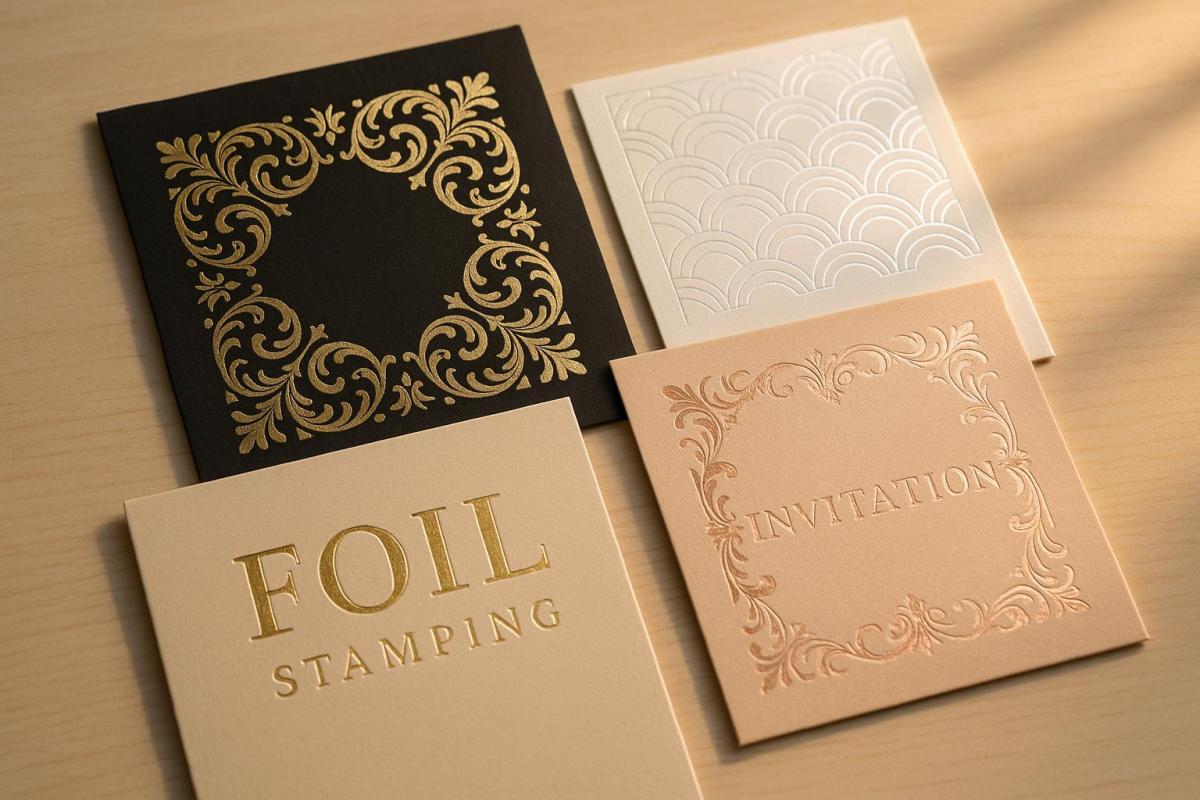
Foil stamping transforms cardstock into a polished and high-end product by applying foil finishes using heat, pressure, or digital methods. It’s perfect for creating standout business cards, invitations, certificates, and packaging. Key methods include:

  • Hot Foil Stamping: Uses heat and custom dies for sharp, durable finishes. Ideal for luxury projects but requires more setup time.
  • Cold Foil Stamping: Faster and cost-effective for large runs, using adhesive and UV light. Works well with heat-sensitive materials.
  • Digital Foil Printing: Best for short runs and personalized designs, offering flexibility without the need for dies.

Each method has unique strengths, suited for different project sizes, budgets, and design needs. Selecting the right cardstock, foil type, and setup ensures crisp, vibrant results. For advanced effects, pair foil stamping with embossing or spot foiling to add depth and texture.

Hot Foil Stamping 101 – Tips, Do’s & Dont’s & More

Main Foil Stamping Methods

When it comes to foil stamping on cardstock, three main techniques dominate the field. Each method has its own process and ideal applications, making it essential to understand the differences to pick the best option for your project. Here’s how these techniques bring a touch of elegance and sophistication to cardstock.

Hot Foil Stamping

Hot foil stamping relies on heat and pressure to transfer foil onto cardstock. This method dates back to the 19th century and remains the go-to choice for high-end applications. The process involves creating a custom metal die, selecting the right foil, and calibrating the temperature and pressure. Once ready, the heated die presses the foil onto the cardstock, leaving a crisp, long-lasting finish.

This technique can also emboss or deboss the material in one pass, adding a textured, three-dimensional effect alongside the foil. It’s ideal for projects like luxury packaging, certificates, business cards, and other items that demand a premium look. However, the method requires more setup time and comes with higher costs, making it less practical for small print runs. For a different approach, cold foil stamping offers a heat-free alternative.

Cold Foil Stamping

Cold foil stamping skips the heat and instead uses an adhesive to bond foil to the cardstock. The process involves applying a UV-curable adhesive, pressing the foil onto it, and curing the adhesive with UV light to secure the foil in place. Any excess foil is removed, leaving behind the finished design.

This method is faster and more efficient for large-scale production since it eliminates the need for dies and extra steps. Cold foil stamping can also create a raised texture, adding an appealing tactile quality to the design. It’s commonly used for labels, brochures, magazines, and packaging where speed and volume are key. Additionally, it works well with heat-sensitive materials that can’t handle the high temperatures of hot foil stamping. However, while cold foil stamping is faster and more cost-effective for large runs, it may not match the precision or glossiness of hot foil stamping, and its scratch resistance is lower. For smaller, customizable projects, digital foil printing is worth considering.

Digital Foil Printing

Digital foil printing is the most modern of the three methods. It uses digital printers to apply adhesive foil directly onto cardstock, eliminating the need for dies or extensive setup. This makes it perfect for short runs and personalized designs, as changes can be made quickly and without additional costs. The process also supports variable data printing, making it ideal for projects like custom invitations or business cards.

This method is a great fit for small-scale jobs like invitations, business cards, or small packaging projects. It’s particularly appealing to small businesses or individuals looking for professional foil effects without the expense of traditional methods. Plus, its on-demand capabilities and reduced waste make it an environmentally friendly choice for smaller projects.

Method Comparison

Your choice of foil stamping method will depend on factors like your budget, project size, and the level of detail required. Hot foil stamping delivers unmatched quality and durability but comes at a higher cost. Cold foil stamping is perfect for large-scale production where speed is critical, while digital foil printing offers flexibility and affordability for small, personalized projects.

Feature Hot Foil Stamping Cold Foil Stamping Digital Foil Printing
Process Heat and pressure with a die UV-curable adhesive and light Digital printer applies foil directly
Cost Higher setup costs Cost-efficient for large runs Affordable for short runs
Speed Slower setup, longer production time Fast, suited for high-speed production Quick, on-demand
Materials Cardstock, paper, plastic, leather Heat-sensitive materials Varies by printer
Detailing Sharp, intricate designs Less precise than hot foil Supports variable data
Best Use Premium packaging, luxury prints Mass production of labels, packaging Personalized and small-scale projects

For smaller projects like invitations or business cards, digital foil printing offers an affordable and flexible solution. However, if you’re aiming for a luxurious finish, hot foil stamping is worth the investment. For larger coverage areas or high-volume needs, cold foil stamping is often the best choice.

Equipment, Materials, and Setup

Getting foil stamping right starts with the materials and setup. The type of cardstock, foil, and the way you prepare everything can make or break your project. Crisp, vibrant results depend on these choices.

Cardstock Types

The quality of your cardstock plays a huge role in foil stamping. Its texture, weight, and coating all affect how well the foil adheres and how sharp the design looks. As foil stamping expert Yana Smakula explains:

"You can’t just take any paper and expect to have perfect results. No. You need to pick the best paper for this particular job. It is that simple, but it is vital".

For the best results, smooth cardstock is the way to go. Smooth surfaces allow the foil to adhere evenly, while textured or rough cardstock can create patchy or incomplete coverage.

Here’s how different cardstock types measure up for foil stamping:

Cardstock Type Weight Rating Best For
Yupo Paper Various 5/5 Professional results, all foil types
Simon Says Stamp Ultra Thick White 120lb 4/5 Business cards, invitations
Simon Says Stamp Mega Thick 130lb 4/5 Premium projects with letterpress effect
Glossy Photo Paper Various 5/5 High-end applications (requires care)
Neenah Solar White 80lb-110lb 2/5 Thin line work only

Yupo paper is the top choice for foil stamping. Its ultra-smooth surface works with any foil type, making it a favorite for high-end projects like invitations and business cards.

Simon Says Stamp cardstock in 120lb and 130lb weights also performs well. The 130lb version adds a slight letterpress effect, giving designs extra dimension.

Glossy photo paper offers excellent foil adhesion similar to Yupo, but it requires careful handling due to its delicate coating. To protect the surface during stamping, place a sheet of regular printer paper on top.

For toner foiling, smooth, uncoated cardstock is essential. Coated or textured paper can interfere with the toner and foil bonding properly.

Foil Types and Dies

Once you’ve chosen the right cardstock, understanding foil types is the next step. Selecting the appropriate foil ensures you get the look you want while avoiding costly mistakes. Foils fall into two main categories: hot foil and toner reactive foil (also known as toner foil or laser foil).

Hot foil has a built-in adhesive that activates with heat. This type requires heat, pressure, and a metal stamping die to transfer the foil. It’s ideal for creating vibrant, luxurious finishes and is often used for premium projects.

Toner foil, on the other hand, doesn’t have an adhesive backing. Instead, it bonds directly to laser printer toner when heat and pressure are applied. This method is faster since it doesn’t require custom dies – the foil adheres wherever toner is present on the paper.

Not sure which foil you have? Test it by applying heat and pressure to plain cardstock. If it sticks, it’s hot foil. If it doesn’t, it’s toner foil.

Foils also come in a variety of finishes, including:

  • Metallics like gold, silver, and copper for a classic look
  • Pigmented foils for a wider range of colors
  • Matte finishes for a more understated effect
  • Gloss finishes for maximum shine
  • Holographic foils for a striking, dynamic appearance
  • Pearlized foils for a soft, elegant sheen

For hot foil stamping, dies and stamps are critical. These custom metal pieces are made to match your design and must be precisely crafted for clean, sharp results. High-quality dies from trusted suppliers are worth the investment.

For toner foiling, black toner provides the best results due to its thick saturation. While other toner colors can work, they may not deliver the same level of vibrancy or consistency.

Setup Best Practices

A precise setup is key to successful foil stamping. Taking the time to prepare properly can save you materials, time, and frustration.

Start with artwork preparation. For the clearest results, design your artwork at 300 DPI and use vector-based files whenever possible. High-resolution bitmap files can work too. Create your designs in CMYK color mode and save them as PDFs with embedded images and fonts.

If your project includes both printed and foil elements, separate the artwork into layers. Use distinct artboards for foil and print elements to avoid confusion during production. For designs that extend to the edge of the paper, add a 2mm bleed to ensure full coverage.

To achieve reliable results, follow these minimum design guidelines:

  • Line thickness: At least 0.2mm (0.008 inches)
  • Text size: At least 6pt (2mm height)
  • Reversed text: At least 8pt (2.5mm height)
  • Spacing between elements: At least 0.5mm (0.02 inches)

Material preparation is just as important. Check your foil sheets for damage, wrinkles, or debris before use. Clean foil surfaces ensure better adhesion.

When positioning foil sheets, use small pieces of washi tape to keep the edges taut against the paper. This prevents the foil from shifting and reduces the risk of over-foiling.

Before starting your main project, run test pieces to check alignment, temperature, and pressure. Make adjustments as needed to achieve consistent, clean results. This step can help you avoid wasted materials and ensure a polished final product.

Finally, working with experienced suppliers can make a big difference. They can guide you on foil selection, troubleshoot adhesion problems, and help maintain color consistency throughout your project.

sbb-itb-ce53437

Advanced Methods and Design Ideas

Once you’ve mastered the basics, it’s time to explore advanced techniques like embossing and multi-color applications. These methods can take your cardstock designs to the next level, adding depth, texture, and a premium look.

Foil Stamping with Embossing and Debossing

Combining foil stamping with embossing or debossing creates a stunning 3D effect that not only catches the eye but also adds a tactile, luxurious feel.

"Embossing creates a physical presence, a sculptural quality, that printing on its own can’t achieve".

The raised or recessed elements amplify highlights and shadows, giving your design a sense of elegance and permanence. There are two main ways to pair these techniques:

  • Stamp and Bump Process: This involves stamping an image with foil first, then embossing or debossing the same area (or other parts of the sheet) in a second pass. This creates a multi-dimensional effect that feels layered and detailed.
  • Combination Embossing: This method embosses and foil stamps in a single press pass using a die that includes a cutting edge for precise foil trimming. This approach is faster and ensures a seamless, polished look.

When combining embossing with ink or foil, it’s known as a registered or combination emboss. This technique applies both in one step, creating a cohesive design accent. To achieve the best results, use vector artwork for your dies to ensure crisp, clean impressions. Keep embossed elements simple – logos, bold text, or small patterns tend to work best.

Beyond embossing, experimenting with multiple foil layers can add even more depth to your designs.

Multiple Foil Layers and Colors

Multi-color foil stamping involves layering different foil colors in a single design, resulting in a vibrant, dynamic finish. This technique is ideal for promotional materials and luxury stationery.

Achieving precision is key. Each color requires its own die, and careful registration ensures perfect alignment. There are two main methods for multi-color foil applications:

  • Sequential Foil Stamping: Here, you apply one color at a time, using separate dies and foils for each layer. This step-by-step process ensures accurate placement and alignment.
  • Split-Fountain Foil Stamping: This method uses a single die with multiple foils arranged in a gradient or pattern, allowing for smooth transitions between colors.

When choosing colors, pick foils that complement your overall design. For instance, gold foil pairs beautifully with dark backgrounds, while silver works well on cooler tones. As with embossing, maintaining vector formats is crucial for clean, defined results.

For a more targeted approach, spot foiling can highlight specific design elements.

Spot Foiling Techniques

Spot foiling applies foil to selected areas, drawing attention to key elements and creating a clear visual hierarchy. Instead of covering large areas, this technique focuses on specific spots, making it both impactful and cost-effective.

This method is especially effective for products like business cards, packaging, brochures, and book covers. Spot foiling creates sharp contrasts – such as glossy foil accents against matte backgrounds – that immediately capture attention.

To make the most of spot foiling:

  • Use it sparingly to highlight focal points without overwhelming the design.
  • Select foil colors that complement your design while offering enough contrast for readability.
  • Combine it with embossing or debossing for added depth and texture.

Beyond its aesthetic appeal, foil stamping is also highly durable, resisting fading and scratching to keep your designs looking vibrant over time.

Project-Specific Guidelines

Every foil stamping project has its own set of needs, and tailoring the approach is key to achieving polished, professional results. By understanding the unique requirements of each application, you can ensure your finished pieces stand out and leave a lasting impression.

Invitation Foil Stamping

Foil stamping adds an elegant touch to wedding invitations, creating a luxurious finish that enhances their appeal.

Design Tips for Invitations

For the best results, keep your designs clean and bold. Foil stamping works beautifully with minimal layouts, avoiding intricate details or large blocks of color. Stick to the recommended design specifications for elements like line thickness, text size, and spacing, as outlined in earlier guidelines.

Choosing Cardstock and Foil

When selecting cardstock for wedding invitations, weights typically range from 94 lb to 130 lb for smooth papers, while textured options hover around 110 lb. Classic colors like white and ecru remain popular, but black, navy, and kraft offer stylish alternatives. Shimmer papers in gold, silver, or mocha provide an extra layer of sophistication.

For a cohesive look, stick to a single metallic palette. Traditional gold and silver are timeless, but rose gold, bronze, and holographic finishes are growing in popularity. It’s worth noting that foil stamping is the only technique that delivers a true shiny finish for metallic tones like gold, copper, or silver.

Trends in Invitation Design

Modern invitation designs lean towards minimalism, using foil accents sparingly to create a subtle yet upscale effect. Clean lines, ample white space, and geometric patterns pair beautifully with foil. A mix of bold, sans-serif fonts and delicate script can add depth and sophistication to the design.

Foil stamping isn’t limited to invitations – it also elevates other professional materials like business cards.

Business Card Foil Stamping

Foil stamping on business cards highlights key branding elements such as logos, company names, and contact details. To maintain clarity, use foil sparingly and ensure text is at least 10pt for readability. Beyond aesthetics, foil stamping enhances durability, as it resists fading and scratching, reinforcing your brand’s professionalism . Many clients have noted how foil stamping enhances their brand image.

Other Applications

Foil stamping isn’t just for invitations and business cards. It can be used across various professional materials, adding a touch of sophistication and value.

Certificates and Awards

Foil stamping lends authenticity and prestige to certificates, diplomas, and awards. Use gold or silver foil for traditional designs, or opt for bronze and copper for a modern twist. Add foil accents to seals, signatures, or borders to elevate the overall design.

Packaging and Product Labels

Luxury packaging often relies on foil stamping to convey quality. Whether for cosmetics, jewelry, or high-end consumer goods, foil accents on logos, product names, or decorative details create striking contrasts, especially on dark packaging.

Corporate Materials

Foil stamping can make corporate materials like annual reports, presentation folders, and marketing brochures feel more refined. Highlighting logos, section headings, or key data with foil emphasizes professionalism and attention to detail.

Promotional Items

Event programs, menu covers, and promotional booklets become keepsakes when foil stamping is applied. The added shine and texture elevate these materials, leaving a memorable impression.

No matter the application, following established technical standards ensures your foil stamping projects meet professional expectations and deliver exceptional results.

Summary and Professional Services

Main Points

Foil stamping transforms basic cardstock into an eye-catching, high-quality material that stands out. The three primary techniques each bring their own strengths to the table: hot foil stamping delivers sharp, durable designs perfect for intricate details, cold foil printing speeds up production for larger quantities, and digital foil stamping offers versatility for short runs and personalized pieces. Together, these methods help create polished, professional finishes that go beyond standard printing.

To achieve the best results, simplicity and contrast are key when designing for foil stamping. Sticking to the design principles mentioned earlier ensures clarity and a professional look. Choosing the right materials is just as critical – pairing the weight and texture of the cardstock with the ideal foil type, whether metallic, matte, holographic, or a special effect, enhances both the look and feel. For an even more sophisticated finish, foil stamping can be combined with embossing, debossing, or spot UV treatments to add depth and dimension.

Working with Miro Printing & Graphics Inc.

For flawless execution of these premium techniques, working with seasoned professionals is essential. Miro Printing & Graphics Inc. specializes in foil stamping services, ensuring your projects meet the highest standards. Their team knows the ins and outs of various cardstock types and offers expert advice on optimizing designs, from layering techniques to preparing vector-based artwork.

Whether you’re crafting wedding invitations, business cards, or corporate materials, Miro Printing & Graphics Inc. handles even the most complex designs with precision. They excel in advanced methods like multiple foil layers and spot foiling, and they conduct preliminary tests to guarantee proper foil adhesion and consistent color throughout production. By leveraging their expertise, you can achieve a premium finish that enhances your brand’s image in a competitive market.

FAQs

What’s the difference between hot foil stamping, cold foil stamping, and digital foil printing, and how do I decide which one is right for my project?

Hot foil stamping combines heat and pressure with a metal die to produce intricate, durable designs. This technique is perfect for projects that demand a high-end, long-lasting finish – think wedding invitations or luxury packaging.

Cold foil stamping takes a different approach, using UV light and adhesive to apply foil. It’s a quicker process and works well for larger surface areas, making it a smart choice for items like posters or large-scale marketing materials.

Then there’s digital foil printing, which relies on a toner-based process. It’s fast, budget-friendly, and ideal for small runs or detailed designs. However, it doesn’t offer the same durability as hot foil stamping. When deciding which method to use, consider your project’s design complexity, durability requirements, and production timeline.

What type of cardstock works best for foil stamping, and how does it impact the final result?

The cardstock you select significantly impacts the outcome of foil stamping. For optimal results, go with smooth, high-quality cardstock that has little to no texture. Options like glossy or specialty papers with ultra-smooth finishes work best, as they allow the foil to adhere cleanly and produce sharp, vibrant designs. Choosing heavier cardstock, typically between 80lb and 110lb, ensures the sturdiness needed for precise foil transfers.

On the other hand, steer clear of heavily textured or overly coated papers. These can disrupt the foil application, leading to uneven or unclear results. Picking the right cardstock is key to achieving professional-looking foil designs that truly make an impression.

Can I combine foil stamping with embossing to make my printed materials more visually and physically engaging?

Yes, foil stamping can be combined with embossing to create designs that are both eye-catching and textured. This pairing brings a sense of depth and dimension to printed materials, making features like logos, text, or patterns pop with a shiny finish and a raised feel. It’s a great option for projects like business cards, invitations, or packaging where making a high-end impression matters.

Related posts

https://app.seobotai.com/banner/banner.js?id=6886c76241261bdf48a562a6

Best Materials for Outdoor Large Format Printing

Explore the best materials for outdoor large format printing, comparing durability, cost, and visual appeal to help you make informed choices.

Outdoor large format printing requires materials that can handle harsh weather, resist fading, and maintain visual quality over time. Here’s a quick breakdown of the top materials and their key features:

  • Vinyl: Durable, flexible, and affordable. Premium grades can last up to 10 years with proper UV protection.
  • Mesh: Ideal for windy areas due to its perforated design. Slightly more expensive but reduces wind stress.
  • Fabric: Lightweight and visually appealing. Best for temporary displays with modern printing methods enhancing weather resistance.
  • Coroplast: Budget-friendly and lightweight. Great for short-term outdoor signage but less durable for long-term use.
  • Sintra (PVC): Strong and weatherproof. Balances durability and cost for permanent displays.
  • Dibond (Aluminum Composite): High-end material with excellent durability and print quality. Perfect for premium, long-lasting signage.

Quick Comparison

Material Lifespan Weather Resistance Cost Range Best Use Case
Vinyl 3–10 years Excellent ~$2.50/sq. ft. General outdoor signage
Mesh 2–3 years Great for wind ~$3.00/sq. ft. Windy locations, building wraps
Fabric Short-term Moderate $20–$200/banner Events, temporary displays
Coroplast 1–2 years Good ~$9/sign Yard signs, short-term campaigns
Sintra 3–5 years Excellent ~$38 for 24"x32" Permanent outdoor signage
Dibond 5–10+ years Outstanding ~$110 for 4’x8′ Premium, long-lasting signage

Choosing the right material depends on your project’s duration, location, and budget. Premium options like Dibond and Sintra offer long-term value, while vinyl and Coroplast are cost-effective for short-term needs.

1. Vinyl

Vinyl is a go-to material for outdoor large-format printing, thanks to its combination of flexibility, durability, and affordability. Its adaptability to different surfaces and weather conditions makes it ideal for everything from storefront banners to vehicle wraps and outdoor signage.

Durability

The lifespan of vinyl depends on its grade, with each level offering different levels of protection for outdoor use:

Vinyl Grade Outdoor Lifespan Key Features
Economy Grade Up to 3 years Basic weather resistance
Standard Grade Up to 5 years Scratch resistance, UV protection with laminate
Premium Grade Up to 7 years Enhanced protective coatings
Ultra-Premium Grade Up to 10 years Extreme scratch and fade resistance

Economy Grade Vinyl is a good choice for short-term campaigns, lasting up to 3 years outdoors. For more demanding applications, Standard Grade Vinyl with a laminate extends its durability to 5 years. Premium and Ultra-Premium grades push longevity further, lasting up to 7 and 10 years respectively, especially when paired with advanced protective coatings.

Weather Resistance

Vinyl is built to handle tough outdoor conditions. Its moisture resistance and ability to endure temperature swings make it a reliable option for various climates. For example, cast vinyl film resists UV rays, water, and extreme temperatures, ensuring it holds up in both hot and freezing weather. Its waterproof properties protect against rain, snow, and humidity, while its flexibility prevents cracking in cold conditions.

Strong winds? No problem. Vinyl’s durability makes it an excellent choice for outdoor installations, even in areas prone to wind stress. Plus, its moisture resistance helps prevent issues like rust, corrosion, or swelling over time.

Cost

When viewed as a long-term investment, vinyl offers excellent value. For instance, premium vinyl decals for vehicle lettering can last up to 9 years, while intermediate grades typically last 5 to 6 years. Ann Durso of signs123.com explains:

"Signs are a marketing and advertising tool and should be valued for their ROI."

Consider this: A $5,000 sign that lasts 10 years breaks down to just $500 per year – or $41.67 per month. Additionally, damaged sections of a vinyl sign can often be replaced individually, saving money compared to replacing the entire sign. Regular cleaning with mild detergent further extends its lifespan.

Vinyl excels in delivering vibrant colors and sharp details. Its smooth surface ensures precise ink adhesion, resulting in crisp, long-lasting graphics. Cast vinyl, in particular, is highly flexible and can conform to curved surfaces and complex shapes without compromising print quality. This makes it a popular choice for vehicle wraps, dimensional signage, and installations on irregular surfaces.

Higher-grade vinyl options also offer better fade resistance, thanks to advanced UV protection. With proper installation and routine maintenance, vinyl graphics can retain their vibrant, professional appearance for years.

2. Mesh

Mesh banners, made from 70% vinyl and 30% perforations, are designed to handle outdoor conditions with ease. Their unique composition provides better wind resistance and durability, making them a go-to choice for challenging environments.

Durability

Mesh banners are built to endure the elements. The perforations in the material let wind pass through, reducing the stress that often damages solid banners. Their elastic structure also helps minimize wrinkles, keeping them looking professional. With proper care, these banners can last 2–3 years, though factors like sunlight, wind, and rain exposure may affect their lifespan.

Weather Resistance

Thanks to their perforated design, mesh banners perform exceptionally well in windy conditions. The airflow through the fabric minimizes the risk of tearing or fluttering, which are common issues with solid banners. Additionally, the material is waterproof and resistant to various weather conditions, making it a reliable option for long-term outdoor use. Beyond wind resistance, mesh banners hold up against rain, temperature changes, and other environmental challenges. Their semi-permeable nature even allows some sound and light to pass through, making them ideal for events like concerts and stage performances. While they come at a higher cost, their ability to withstand harsh weather often justifies the investment in wind-prone areas.

Cost

Mesh banners are more expensive than standard vinyl options, but they provide excellent value in windy locations. For example, an 8 oz banner measuring 96×96 inches with grommets costs $189, with standard pricing averaging around $9 per square foot for a 5-day turnaround. Rush orders can increase the cost by up to 25%. While the upfront cost is higher, mesh banners offer a durable and long-lasting solution, balancing durability, cost, and performance.

Mesh banners deliver clear and sharp graphics, but there are a few trade-offs. The perforations in the material can slightly reduce color vibrancy, and prolonged exposure to sunlight may cause some fading. However, advancements in printing technology ensure that the final product still looks professional and visually appealing, making mesh banners a reliable choice for outdoor advertising.

For top-notch outdoor mesh banner printing, check out the services offered by Miro Printing & Graphics Inc., located in Hackensack, NJ. Their expertise ensures high-quality results every time.

3. Fabric

When it comes to outdoor signage, fabric offers a compelling mix of visual appeal and affordability. While materials like vinyl and mesh are known for their toughness, fabric stands out for its lightweight versatility – perfect for banners, flags, and displays where movement adds an extra layer of charm. Although it doesn’t quite match the rugged durability of vinyl or mesh in harsh conditions, modern treatments and printing advancements have significantly improved fabric’s ability to endure the outdoors.

Durability

The longevity of fabric in outdoor settings largely depends on the treatments and printing techniques applied. Polyester fabric, a popular choice for outdoor displays, is valued for its strength and flexibility. With the right treatment, it can handle outdoor conditions reasonably well, though it does require more careful placement and protection compared to sturdier vinyl materials.

One of fabric’s standout features is its flexibility. This allows it to move naturally in the wind, reducing stress points that might cause tearing in stiffer materials.

Weather Resistance

Advances in fabric sublimation printing have greatly enhanced the weather resistance of fabric signage. This technique creates UV, water, and scratch-resistant prints that hold up well under typical outdoor conditions. By using heat to transfer CMYO dyes directly into synthetic fabrics, the process bonds the dye to the material’s structure, preventing issues like fading or peeling. This added resilience makes fabric a practical and affordable option for outdoor advertising.

Cost

Fabric sublimation printing is not only durable but also cost-effective, especially for businesses that need adaptable signage. This method is particularly advantageous for short production runs or designs featuring intricate details like photographic images.

"Ultimately, your custom business signs will be cheaper, will last longer, and will be more sustainable than signs made using other printing methods." – Wallace Graphics

The cost benefits are even greater when paired with flexible fabric frame systems. These systems provide a polished, professional look and allow businesses to easily swap out printed fabrics for new campaigns without replacing the entire display structure.

Fabric sublimation printing delivers vibrant, integrated colors that help outdoor signs stand out. Unlike traditional printing methods where ink sits on the surface, sublimation infuses the dye directly into the material, creating a smooth, seamless finish.

"There isn’t any build-up of dye on the material being printed and once the dye bonds with it and dries, the color becomes incredibly intense and beautifully bright." – Wallace Graphics

For high-quality fabric sublimation printing tailored to outdoor needs, Miro Printing & Graphics Inc. in Hackensack, NJ, offers expert services to bring your designs to life.

4. Coroplast (Corrugated Plastic)

Coroplast

Coroplast is a practical option for outdoor signage, striking a balance between durability and affordability. This material combines the lightweight nature of plastic with solid structural strength, making it suitable for everything from yard signs to temporary outdoor displays. Its construction and resilience against weather make it a go-to choice for large format printing projects.

Durability

What makes Coroplast so sturdy is its unique corrugated design. It features a fluted interior sandwiched between two flat plastic sheets, giving it a toughness that outperforms materials like cardboard, foamboard, and cardstock. The fluted core not only adds strength but also keeps the material lightweight.

Genuine Coroplast comes with a 2-year warranty on digital prints, which is a significant improvement over the 12–15 month lifespan of imported versions. When mounted correctly, a 4mm Coroplast sign can even handle winds up to 35 mph. This level of durability ensures the material performs reliably, even in challenging outdoor conditions.

Weather Resistance

One standout feature of Coroplast is its ability to endure harsh weather without losing its integrity. Unlike some traditional materials, it remains unaffected by rain, heat, or cold.

"Coroplast won’t get soggy in the rain, it won’t melt in heat or become brittle in cold. You can use the material both inside and outside without any issues." – SpeedPro

This makes it a dependable choice for outdoor signage that needs to hold up through various seasons. Its waterproof nature and ease of cleaning mean minimal upkeep, even after extended exposure to the elements.

Cost

Coroplast is one of the most budget-friendly rigid substrates available, making it an excellent option for temporary signage or campaigns with tight budgets. For example, you can get four 24″x36″, 4mm signs for $90.00 ($22.50 each), and the price drops to $6.82 per sign when you order 100. Smaller formats, like 24″ W x 18″ H signs, are also economical, with 10 signs priced at $90.00 ($9.00 each). Plus, its lightweight design helps reduce shipping costs.

Made from recyclable polypropylene, Coroplast aligns with sustainability goals, adding another layer of appeal. Beyond affordability, it also delivers excellent print quality.

Coroplast offers a smooth, uniform surface that works beautifully with digital printing. Its flat exterior ensures vibrant colors and sharp text, giving your signage a professional finish. When paired with expert large format printing services, Coroplast can produce results that rival more expensive materials.

One detail to keep in mind: specify the flute direction when ordering Coroplast, especially if you plan to use metal stakes or attach the signs to posts. Proper planning ensures your signage functions as intended.

If you’re in the Hackensack, NJ area, Miro Printing & Graphics Inc. provides expert large format printing services to help you get the most out of Coroplast for your outdoor signage needs.

sbb-itb-ce53437

5. Sintra (Expanded PVC)

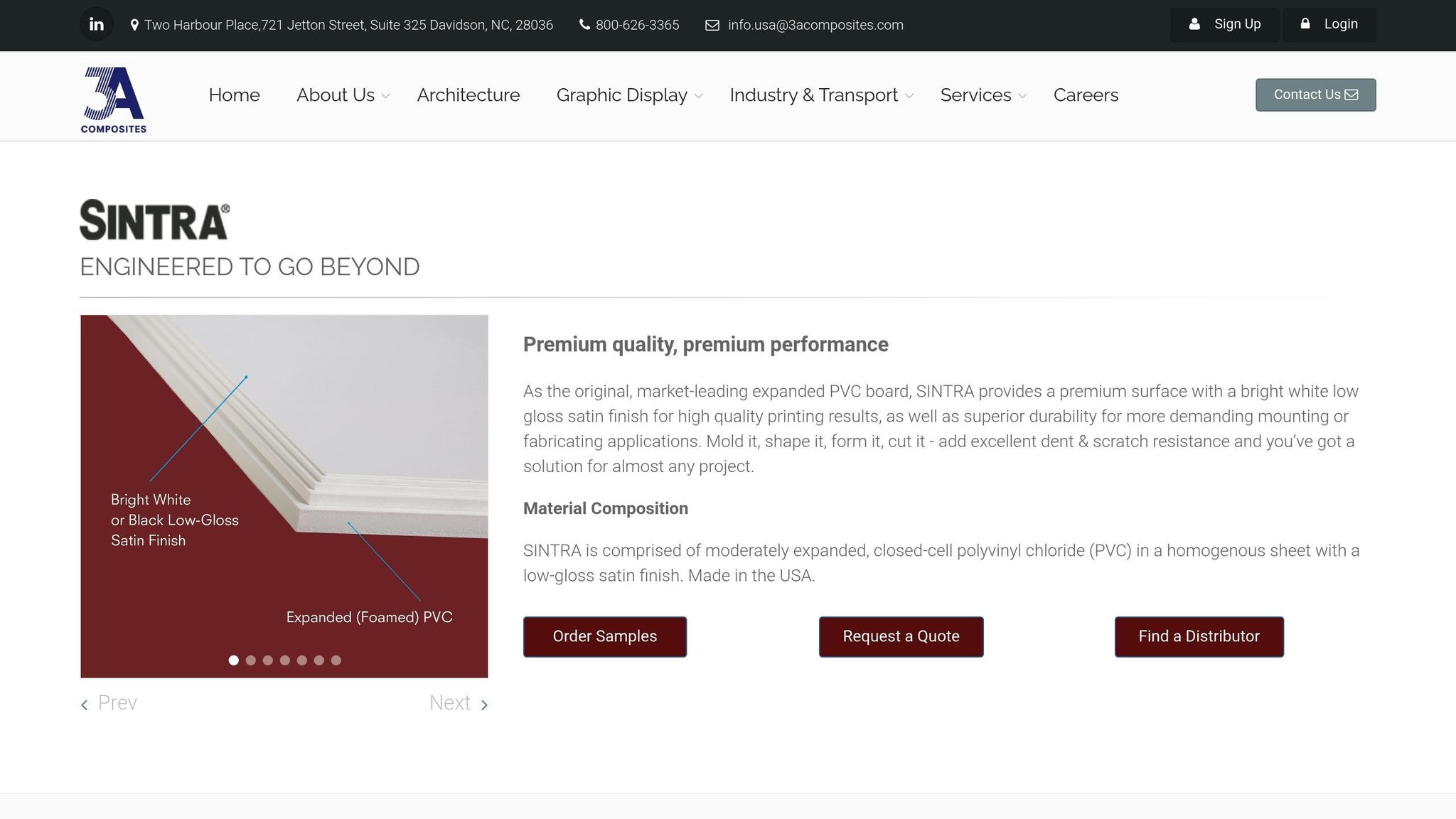
Sintra

Sintra is a high-quality, expanded closed-cell PVC material known for its strength and excellent print performance, making it a popular choice for outdoor signage.

Durability

Sintra’s durability is one of its standout features. Thanks to its closed-cell PVC construction, the material is both lightweight and sturdy. It resists damage from dents, cuts, and scrapes, ensuring longevity even in demanding conditions. With over three decades as a top-tier PVC board, it’s recommended to use gauges of 10 mm or thicker for projects requiring extra structural integrity.

Weather Resistance

When it comes to standing up to the elements, Sintra excels. It resists moisture, chemicals, and UV exposure, making it impervious to rain, sun, and temperature swings. Unlike some materials, it doesn’t warp, fade, or crack under these conditions. Sintra is also resilient against extreme temperatures, prolonged sunlight, wind, water, mold, and mildew. For outdoor signage requiring added stability, a ¼″ thickness provides increased rigidity to handle harsher environments. Although Sintra is ideal for short-term outdoor use, applying a UV-resistant coating can significantly extend its lifespan for long-term projects.

Cost

Sintra offers a great balance between performance and affordability, making it a practical choice for outdoor displays. While it costs more than basic foamboard – typically used indoors – the added expense reflects its superior durability and extended lifespan. For example, a 24″ x 32″ (6 mm) sheet of expanded PVC costs approximately $38.40. Larger options include 48″ x 96″ sheets, with a 3 mm thickness available in a 6-sheet pack for $420.00, and a 6 mm thickness offered in a 3-pack for $385.00. Compared to other rigid materials with similar durability, Sintra remains a cost-effective solution.

Sintra’s smooth, uniform surface ensures exceptional print quality, making it ideal for professional signage. Its consistent cell structure delivers vibrant colors, sharp text, and excellent contrast, resulting in visually striking displays. Additionally, its expanded PVC composition makes it easier to cut and fabricate compared to denser plastics like polystyrene. Selecting the right thickness is key for meeting specific mounting requirements.

For businesses located in Hackensack, NJ, Miro Printing & Graphics Inc. provides expert large-format printing services, ensuring you get the most out of Sintra’s print potential for your outdoor signage needs.

6. Dibond (Aluminum Composite Panel)

Dibond

Dibond stands out as a top-tier option among rigid substrates. Its design combines two aluminum sheets bonded to a polyethylene core, resulting in a material that is lightweight yet sturdy – perfect for long-lasting outdoor signage.

Durability

Dibond’s composite structure delivers exceptional durability. It resists rust and bending, and despite being half the weight of solid aluminum, it retains impressive strength. With proper care – like cleaning with a soft cloth and mild detergent – it can last up to 10 years in moderate conditions. Reviews consistently highlight its strong build and reliability. Compared to traditional aluminum signs, Dibond offers reduced flexibility and enhanced durability, making it a dependable choice even under challenging conditions.

Weather Resistance

Dibond is built to handle tough outdoor environments. It’s waterproof, UV-stable, and its polyethylene core prevents water absorption. This makes it resistant to extreme temperatures, whether in hot summers or freezing winters. It performs particularly well in coastal and cold climates. A UV-resistant coating helps preserve colors and designs over time. With added UV lamination and proper mounting, Dibond signs can maintain their quality for 5–7 years or more, even in severe weather. While its upfront cost is higher, its ability to withstand harsh conditions makes it a worthwhile investment.

Cost

Dibond does come with a higher initial price tag, but its long lifespan and minimal maintenance needs can lead to cost savings over time. For instance, a small 4×4″ print typically costs between $4 and $6, while larger formats like 4×8 feet average around $110, depending on the design. Its lightweight nature, combined with greater rigidity than PVC or foam board, gives it a well-balanced mix of strength and usability.

Dibond excels in print quality, making it ideal for outdoor graphics that need to stand out. Its smooth aluminum surface ensures vibrant colors and sharp details. This consistency in surface quality helps maintain color vibrancy and detail, even in challenging environments.

As noted by Secprint:

"Dibond printing on outdoor advertising boards seamlessly combines durability with style, making it the ideal solution for businesses looking to showcase their products, services, and brand in a professional and impactful way."

Additionally, Dibond’s recyclable aluminum components make it a responsible choice for businesses prioritizing eco-friendly practices.

For businesses in Hackensack, NJ, Miro Printing & Graphics Inc. specializes in large-format printing on Dibond. Their expertise ensures that your signage projects benefit from both the material’s outstanding qualities and professional installation.

Material Comparison Chart

Based on our detailed evaluations, this chart outlines the key attributes of various materials to guide your choice for outdoor large format printing projects.

Material Durability Weather Resistance Cost Range Print Quality Best Use Case
Vinyl Good – stands up well to general wear Excellent – resists sunlight and moisture Around $159 for a 96×96" banner (~$2.50/sq. ft.) Excellent – vibrant colors with high resolution General outdoor signage, especially in sheltered areas
Mesh Good – lightweight and tear-resistant Excellent – designed for windy conditions Around $189 for a 96×96" banner (~$3.00/sq. ft.) Good – airflow-friendly but less vibrant due to perforations Outdoor locations with high winds, building wraps
Fabric Moderate – ideal for short-term use Fair – suited for temporary applications $20–$200 per banner Good – smooth surface for clear printing Events and temporary displays
Coroplast Fair – may fade or warp over time Good – weather resistant, best for short-term use Budget-friendly option Fair – prone to bending or warping under pressure Short-term yard signs, real estate postings
Sintra Excellent – resists bending and warping Excellent – weatherproof PVC construction Medium – moderately priced compared to Coroplast Very Good – smooth and consistent surface Permanent outdoor signage
Dibond Excellent – lifespan of 10+ years Outstanding – waterproof and UV-stable High – $4–$6 for smaller panels; about $110 for a 4×8′ panel Excellent – sharp details with vibrant colors Premium signage and architectural applications

Key Performance Insights

The table showcases notable trade-offs across materials. Vinyl is a versatile and budget-friendly option, delivering vibrant colors and durability. Mesh, though pricier, excels in windy environments due to its perforated design. Coroplast offers the lowest upfront cost, but its tendency to fade and warp limits its use to short-term applications. On the other hand, materials like Sintra and Dibond provide extended durability, reducing the need for frequent replacements.

The surface of a material significantly impacts print quality. As Tray Inc. explains:

"When selecting materials for large format printing, especially for business and professional applications, it’s crucial to opt for industrial-grade options. This is because you want to guarantee durability, high quality, and extended lifespan."

Dibond’s smooth aluminum surface ensures sharp details and vibrant colors, making it an excellent choice for premium signage. Vinyl also delivers outstanding color reproduction, while mesh’s perforated structure, though practical for windy conditions, slightly reduces vibrancy.

Cost-Effectiveness Analysis

While premium materials like Dibond have a higher initial cost, their durability makes them a smart long-term investment. Similarly, mesh banners, though more expensive upfront, are ideal for environments prone to wind damage.

For businesses in Hackensack, NJ, Miro Printing & Graphics Inc. offers expert guidance to help you choose the right material for your outdoor large format printing needs, balancing quality and budget considerations.

Conclusion

Choosing the right material for outdoor large format printing is all about balancing several critical factors that can directly influence the success of your project. Key considerations include durability, cost, visual appeal, ease of installation, and even the material’s impact on the environment. For outdoor use, materials must stand up to the elements, offering protection from UV rays, moisture, and fluctuating temperatures to ensure long-term effectiveness.

The comparison chart underscores that each material has its own set of advantages and trade-offs. Depending on your project’s needs, you might prioritize affordability for short-term use or opt for a premium material designed for extended performance. These decisions require weighing both technical specifications and economic factors.

As Samantha Hawrylack, a printing expert, puts it:

"When selecting materials for large format printing, I start by identifying the project’s specific needs and target audience. Durability is essential, particularly for high-traffic or outdoor displays, so I consider material thickness and weather resistance."

This thoughtful approach ensures you get the most value out of your investment. While premium materials may come with a higher initial cost, their longevity often saves money in the long run by reducing the need for frequent replacements.

With over 30 years of experience, Miro Printing & Graphics Inc. specializes in helping clients navigate these decisions. From weather-resistant vinyl to high-quality panels for architectural projects, they offer tailored solutions that align with your budget and performance expectations. Their expertise ensures your outdoor signage not only looks great but also withstands the test of time.

Ultimately, success in outdoor printing comes down to aligning material properties with your project’s specific requirements, timeline, and budget. By understanding the strengths and limitations of each option, you can make well-informed choices that deliver maximum visual impact and a solid return on investment.

FAQs

What should I look for when selecting materials for outdoor large format printing?

When selecting materials for outdoor large-format printing, it’s essential to prioritize durability, weather resistance, and color retention. These factors ensure your prints can handle exposure to the elements. Beyond that, think about material thickness, budget, and the intended purpose of your project to make the right choice.

Here are some popular material options:

  • Vinyl: A tough, weather-resistant choice, perfect for banners and signs that need to last.
  • Mesh: Designed for windy locations, this material lets air flow through while keeping your design visible.
  • PVC sheets: A rigid and sturdy option, ideal for outdoor displays that need to stay up long-term.
  • Fabric: Lightweight and flexible, making it a great pick for temporary or portable displays.

For expert advice and top-notch results, consider working with a professional print shop like Miro Printing & Graphics Inc. Their team specializes in large-format printing and custom projects designed to meet your specific needs.

What are the long-term cost differences between materials for outdoor signage?

When deciding on materials for outdoor signage, vinyl stands out as one of the most budget-friendly options. It’s tough, holds up well against weather, and doesn’t demand much upkeep, making it a reliable choice for the long haul. If you’re dealing with windy areas, mesh banners can be a smart pick thanks to their perforated design, which allows air to pass through. However, they typically come with a higher initial price tag. On the other hand, fabric banners are better suited for indoor displays or short-term outdoor use since they’re not as resistant to severe weather conditions. For outdoor signage that needs to last, vinyl often strikes the right balance between durability and cost.

What are the most durable materials for outdoor signage in high-wind areas?

When it comes to outdoor signage in windy areas, aluminum and stainless steel stand out as top choices. Both materials offer exceptional durability, resist corrosion, and can handle harsh weather conditions without breaking a sweat.

Another smart option for large-format signage is mesh banners. Thanks to their perforated design, these banners let wind pass through easily, reducing stress on the material and extending the sign’s lifespan. Picking the right material is key to keeping your signage sturdy and looking great, even when the weather gets tough.

Related posts

https://app.seobotai.com/banner/banner.js?id=6885700541261bdf48a3dc2b

Shrink Wrap Film Types for Printing Projects

Explore the different types of shrink wrap films, their properties, applications, and environmental impacts to choose the best option for your printing projects.

Shrink wrap films are essential for protecting and presenting printed materials. They provide a secure seal, safeguard against damage, and enhance the visual appeal of packaged items. The three primary types of shrink films – PVC (Polyvinyl Chloride), POF (Polyolefin), and PE (Polyethylene) – each serve specific needs based on clarity, durability, cost, and environmental considerations.

  • PVC: Offers high clarity and durability at a moderate cost but has recycling challenges and environmental concerns.
  • POF: Known for its crystal-clear finish, strong seals, and recyclable properties, making it ideal for high-end printed materials.
  • PE: Durable and suitable for bundling heavier items, though it provides less clarity and requires specialized machinery.

Each type has trade-offs, so choosing the right film depends on your project’s protection, budget, and presentation needs.

Quick Comparison

Film Type Key Features Cost Best Use Cases
PVC Clear, durable, easy to print on $2–$4/kg Magazines, promotional items
POF High clarity, recyclable, durable $3–$6/kg Books, brochures, food packaging
PE Flexible, supports heavy items $1.50–$3/kg Bundling, large-format prints

Selecting the right shrink film ensures your printed materials are protected, visually appealing, and cost-effective.

Shrink wrap comparison

1. Polyvinyl Chloride (PVC) Shrink Film

PVC shrink film is a trusted choice for protecting and showcasing printed products. As one of the most widely produced plastics globally, PVC stands out for being clear, durable, flexible, and easy to print on, making it a go-to material for various packaging needs.

Key Properties

PVC shrink film is prized for its optical clarity, allowing printed materials to be displayed without any distortion. Its strength and durability provide excellent resistance to tears and punctures, ensuring reliable protection during handling, transportation, and storage.

What sets PVC apart is its printability – it easily accepts inks and coatings, making it perfect for printing and labeling. Its flexibility allows it to conform snugly to irregular shapes, creating a polished, shiny finish that enhances the visual appeal of packaged items. These qualities make PVC shrink film a staple for a wide range of printing applications.

Best Printing Applications

PVC shrink film excels in bundling printed materials like magazines, newspapers, and promotional items. Its clear surface ensures covers and designs remain visible while keeping the contents secure. In the signage and graphics industries, PVC’s vibrant color reproduction and ease of printing make it a popular choice for display materials, banners, and point-of-sale graphics. Additionally, the electronics sector frequently uses PVC shrink bags and centerfold PVC shrink wrap for product packaging.

Cost

When it comes to pricing, PVC shrink films are positioned between other popular options. They typically cost $2–$4 per kilogram, compared to POF ($3–$6/kg) and PE ($1.50–$3/kg). Factors like thickness, volume, and customization can influence the final cost.

Environmental Impact

PVC’s market is growing at an impressive rate of about 15% annually, far outpacing the general label market’s growth of 5%. This aligns with the domestic heat shrinkable film market, which is projected to grow by over 20%. Despite ongoing environmental concerns, PVC shrink film labels continue to gain traction in the broader label market, reflecting their strong acceptance and demand.

2. Polyolefin (POF) Shrink Film

Polyolefin (POF) shrink film is a standout material in the packaging world, known for its excellent shrinking ability and crystal-clear transparency – all without relying on chloride. Its durability and environmental advantages make it a go-to choice for demanding printing needs and set it apart from other shrink films.

Key Properties

One of POF shrink film’s most notable features is its clarity, ensuring that branding, product details, and printed designs remain sharp and visible. Its impressive tensile strength and resistance to abrasion provide reliable protection during shipping and handling. Additionally, its cross-linked structure enhances both burst strength and seal integrity, making it a highly durable option.

"Polyolefin is highly durable, offering excellent tensile strength and abrasion resistance. Its cross-linked properties enhance burst strength and seal integrity, making it ideal for various applications, including food and healthcare packaging." – US Packaging & Wrapping

The film adapts well to irregularly shaped items without sacrificing protection. Unlike PVC, POF stays soft to the touch after heat application and doesn’t emit odors during the sealing and shrinking process. It also offers reliable resistance to moisture and chemicals, shielding printed materials from oils, greases, and certain solvents. Plus, it maintains thermal stability in both hot and cold conditions.

Best Printing Applications

POF shrink film is particularly suited for food packaging, as it is FDA-approved for direct contact with food. In healthcare, its strong seals and protective properties make it an excellent choice for safeguarding printed materials. Centerfold polyolefin shrink wrap is versatile enough to package a wide range of printed products, from consumer items to industrial goods.

Cost

POF shrink film comes at a higher price point compared to PVC. Its advanced features and performance justify the cost difference. It also requires a higher shrink temperature – over 300°F compared to PVC’s lower threshold – potentially increasing energy expenses during processing.

Environmental Impact

POF stands out as an eco-conscious option. It is fully recyclable and free from harmful substances like chlorine, making it a safer choice for the environment. Unlike PVC, POF doesn’t release toxic gases when heated. Recycled POF can be transformed into other plastic products, contributing to a circular economy. Additionally, biodegradable POF made from renewable materials like natural resins or starch breaks down faster, helping reduce plastic waste and pollution.

sbb-itb-ce53437

3. Polyethylene (PE) Shrink Film

Polyethylene (PE) shrink film, crafted from either high-density polyethylene (HDPE) or low-density polyethylene (LDPE), strikes a practical balance in the world of shrink wrap materials. Known for its dependable performance, this film is a versatile pick for a variety of packaging needs. Let’s dive into its features, uses, and environmental considerations.

Key Properties

When heated, PE shrink film shrinks by 60–70% in both length and width. This level of shrinkage allows it to tightly conform to products of different shapes, creating tamper-evident seals. The film’s high transparency ensures that printed materials, such as logos, remain sharp and visible, making it an excellent choice for branding. It also supports direct printing and is available in a range of finishes, including glossy, matte, clear, or colored. Plus, it’s user-friendly and works seamlessly with standard shrink wrapping machines.

Best Printing Applications

PE shrink film is a standout choice for bundling multiple items together, simplifying handling and transportation while also enhancing shelf appeal. Its transparency ensures that individual products remain visible, which is especially useful for retail displays. Additionally, businesses have the flexibility to print logos or product details directly onto the film – or skip printing altogether, depending on their needs. This makes it a go-to option for packaging a wide array of products, including home decor, stationery, cosmetics, frozen foods, apparel, and consumer electronics.

Environmental Impact

From an environmental perspective, PE shrink film falls somewhere in the middle. While it’s not as eco-friendly as polyolefin (POF), it’s generally considered a better option than polyvinyl chloride (PVC). PE is more recyclable than PVC in many regions and requires less energy to produce, which lowers its carbon footprint. That said, it still lags behind POF in terms of environmental performance. To address these concerns, manufacturers are exploring biodegradable PE alternatives to reduce its environmental impact. This makes PE an appealing choice for companies looking to balance cost, functionality, and sustainability.

Advantages and Disadvantages

This section builds on the individual film profiles and provides a comparative overview of the key advantages and disadvantages, focusing on both performance and environmental aspects. Below is a summary table that outlines the trade-offs for each type of film:

Film Type Advantages Disadvantages Best For
Polyvinyl Chloride (PVC) Clear appearance, becomes rigid when heated, and has a lower upfront cost Storage challenges, production of sealing by-products, recycling difficulties, and releases toxic chemicals when burned Non-consumable goods (being phased out)
Polyolefin (POF) Excellent clarity, soft texture, strong puncture resistance, durable seals, and recyclable without harmful emissions Higher cost compared to PVC Books, brochures, and high-end printed materials
Polyethylene (PE) Supports heavier items, widely recyclable, flexible and durable, and uses less energy during production Requires specialized equipment, offers a lower shrink rate, and provides less clarity than POF Bundling multiple items, large-format prints

Breaking Down the Trade-Offs

PVC is an affordable option upfront, but its limitations – such as recycling challenges and environmental concerns – often outweigh the cost savings. POF, while more expensive, offers exceptional clarity and durability, making it ideal for applications where visual appeal is essential, such as packaging for books and brochures. PE strikes a balance, excelling in bulk packaging and bundling applications thanks to its durability and recyclability, though it requires specialized machinery for optimal use.

For printed materials like books, POF has largely taken over PVC due to its superior clarity and better environmental profile. This clarity ensures that titles, cover art, and other graphics remain highly visible, making it an excellent choice for protecting and presenting printed items.

Processing and Equipment Considerations

The type of equipment required can also influence the choice of film. Cross-linked POF stands out for its enhanced strength and seal quality, making it a go-to option for high-volume operations or packaging heavier products. On the other hand, using PE effectively often demands dedicated shrink bundling machines, which might necessitate equipment upgrades for some facilities.

Each film type has its strengths and weaknesses, but the right choice ultimately depends on balancing cost, performance, and environmental priorities for the specific application.

Conclusion

When selecting shrink wrap film, it’s important to weigh cost, performance, and environmental considerations. PVC may have the lowest upfront cost, but concerns like its environmental impact and odor issues often limit its appeal for modern applications. On the other hand, POF stands out as a top-tier option due to its excellent clarity, durability, and FDA approval for food-related uses. Its transparency makes it ideal for showcasing high-quality printed materials like brochures and books, while PE is better suited for heavy-duty tasks such as bundling or packaging multipacks.

Interestingly, research reveals that 50% of users rely on thicker film gauges than necessary, leading to unnecessary costs without added benefits. For instance, reducing film width from 12 inches to 11 inches can cut material costs by 4.2%, and trimming the cut-off from 11 inches to 10 inches can save as much as 9.1%. Small adjustments like these can significantly enhance cost efficiency when paired with a thoughtful film selection process.

For those seeking expert guidance, working with Miro Printing & Graphics Inc. can help ensure your packaging solutions meet both performance and budget needs. With their expertise in digital and offset printing, as well as post-press services, they can seamlessly align your packaging choices with your printing requirements.

FAQs

What should I consider about the environment when choosing between PVC, POF, and PE shrink wrap films for printing projects?

PVC shrink wrap film poses environmental concerns because it emits harmful chlorine compounds when heated. Polyolefin (POF) and polyethylene (PE) films are better alternatives since they are chlorine-free and recyclable.

POF stands out as a more eco-conscious option. It uses less material and is easy to recycle, making it an excellent choice for minimizing environmental impact in printing projects.

How does the clarity of shrink wrap film impact the look of printed materials?

The transparency of shrink wrap film is crucial for showcasing the visual appeal of printed materials. High-clarity films offer a clear, glossy finish that enhances colors, sharpens details, and brings designs to life, giving your products a polished and professional look.

When it comes to printing projects, choosing a shrink wrap film with superior clarity not only protects your materials but also boosts their visual impact, helping them grab attention and make a memorable impression.

How does the thickness of shrink wrap film impact costs, and how can choosing the right film size help save money?

When you choose thicker shrink wrap film, costs typically go up because more material is needed, which drives up production expenses. However, for projects where extra strength or durability isn’t a priority, switching to a thinner film can be a smart way to cut costs without sacrificing performance.

Another way to save is by selecting the right size of shrink wrap film for your project. Using film with the correct width and length can minimize waste and boost cost efficiency. In fact, properly sizing your shrink wrap can reduce material usage and lower packaging costs by up to 25%, all while delivering professional-looking results.

Related posts

https://app.seobotai.com/banner/banner.js?id=68841e04b716ff8d6ab59c3b

Checklist: Preparing Raster and Vector Files for Prepress

Ensure your raster and vector files are print-ready with this comprehensive checklist covering resolution, color modes, and common pitfalls.

Preparing files for printing is all about ensuring accuracy, consistency, and quality. Whether you’re working with raster or vector files, the goal is to avoid common pitfalls like pixelation, color mismatches, or layout errors. Here’s what you need to know:

  • Raster Files: Use a resolution of 300 DPI, convert to CMYK color mode, and save in formats like TIFF or PNG. Avoid enlarging images beyond their original resolution, and include bleed margins for precise trimming.
  • Vector Files: Outline or embed fonts, set colors to CMYK, and save in formats like PDF, AI, or EPS. Flatten transparency and effects to prevent printing issues.
  • Common Steps for Both: Run a preflight check, proofread content, and review a test proof to catch any errors before final printing.

Quick Tip: Always communicate with your printer to confirm file requirements and preferences. Proper preparation saves time and prevents costly reprints.

How to get Files Ready for Prepress

Checklist for Preparing Raster Files

Getting your raster files ready for high-quality print production takes a few key steps. Here’s how to ensure your images meet professional standards.

Set the Correct Resolution

The backbone of great print quality is resolution. For most projects, aim for 300 DPI – this ensures sharp text, clear details, and accurate colors. For smaller items like brochures, business cards, or flyers, 300 DPI is the standard. Larger prints, however, can work with lower resolutions: line images often look fine at 200 DPI, while photographic images on canvas may only need 100 DPI.

Keep in mind, enlarging an image reduces its PPI, and increasing resolution artificially can lead to quality loss. To calculate the pixel dimensions you need, multiply the print size (in inches) by 300. For example, a 4″ x 6″ print would require 1,200 x 1,800 pixels.

You can check an image’s DPI through file properties on Windows or macOS, or by using software like Adobe InDesign, Photoshop, or Illustrator. If the resolution is too low, try finding a higher-quality version, use AI tools to enhance it, or shrink the print size to increase the effective DPI.

Once resolution is set, it’s time to fine-tune the color mode.

Convert to CMYK Color Mode

For accurate color reproduction in print, your raster files need to be in CMYK. Most digital images are in RGB, which works great for screens but includes colors that CMYK inks can’t replicate. Automatic RGB-to-CMYK conversion might not always produce the best results, especially for color-critical projects. When precision matters, handle the conversion manually and check with your printer for their preferred file format.

"You can leave your images in RGB. You don’t need to convert them to CMYK. And in fact, you probably should not convert them to CMYK (at least not in Photoshop). Just because you place RGB images into InDesign doesn’t mean you’re sending RGB images to your printer! InDesign can convert those RGB images to CMYK when you export your PDF file." – David Blatner and Claudia McCue

To keep things simple, leave images in RGB until you’re ready to export the final PDF. If you need to convert in Photoshop, use Edit > Convert to Profile for precise control. It’s also a good idea to calibrate your monitor and print test samples to ensure what you see on-screen matches the final output.

Use the Right File Formats

The file format you choose can make or break print quality. Here’s a quick breakdown:

  • TIFF: Best for high-quality printing, thanks to its lossless compression, though the file sizes can be large.
  • JPEG: Suitable for photographs, with 24-bit color depth supporting over 16 million colors. However, its lossy compression means some image data is discarded each time you save.
  • PNG: Great for graphics requiring transparency, like logos or infographics, with lossless compression for sharp and clean visuals.

For top-notch print quality, TIFF is the go-to format. Use JPEG when file size is a concern, and opt for PNG when transparency or sharp edges are needed.

Check Image Scaling and Cropping

Once your file format is set, double-check the image’s dimensions and layout. Scale and crop carefully to maintain quality. Avoid enlarging images beyond their original resolution to prevent pixelation. Instead, start with your final print size and work backward to ensure the resolution is sufficient.

When cropping, don’t forget to include bleed margins. This means extending the image slightly beyond the trim edge to avoid white borders if the cut isn’t perfectly aligned. Place key elements like text and logos within a safe zone, keeping them away from the trim edges.

Common Errors to Avoid

To save yourself headaches later, watch out for these common pitfalls:

  • Over-compressing JPEGs, which can leave visible artifacts.
  • Using incorrect color profiles, leading to unwanted color shifts. Always match your images to the CMYK profiles recommended by your printer.
  • Skipping bleed margins and safe zones, which can cause delays or require reprints.
  • Mixing images with different resolutions, resulting in uneven quality within the same project.

Checklist for Preparing Vector Files

Just like with raster files, getting vector files ready for printing requires careful attention to detail. Vector files are infinitely scalable, but they still need specific preparation to ensure your print job goes off without a hitch.

Outline or Embed All Fonts

Fonts are one of the most common troublemakers during prepress. If fonts aren’t embedded or outlined, they can shift or get substituted, causing unexpected results. To avoid this, you have two main options: outlining or embedding fonts.

Outlining turns your text into vector shapes, so you don’t need the original font files anymore. In Adobe Illustrator, you can do this by selecting the text and choosing Type > Create Outlines or using the shortcut Command/Ctrl + Shift + O. This method is ideal for designs like logos or business cards where you don’t need to edit the text later.

"Outlining fonts will convert them into vectorized shapes rather than editable text. This ensures your font will print as you designed it regardless of whether or not your printer has the same font installed." – Thomas Group Printing

Embedding, on the other hand, includes the actual font data in your file. In Microsoft Word or PowerPoint, you can embed fonts by going to File > Options, selecting the Save tab, and checking the Embed fonts in the file option. This approach is better for longer documents where formatting, like bullet points or underlines, needs to stay intact.

Choose embedding for text-heavy projects (though it might increase file size and require proper licensing) and outlining for simpler designs where text won’t need further edits.

Set Color Mode to CMYK

To get accurate print colors, convert your vector designs to CMYK. RGB colors, which look vibrant on screens, often lose their punch when printed because printers use the CMYK color model. If you let the printer handle the conversion, the results might not match your expectations.

In Adobe Illustrator, you can switch to CMYK by going to File > Document Color Mode > CMYK Color. For InDesign, you can adjust individual colors through the Swatches panel or convert the entire document via Edit > Convert to Profile, selecting a CMYK profile. Use the Proof Colors feature to preview how your design will look in print. For precise color matching, especially for brand colors, consider using Pantone colors.

Save in Accepted File Formats

Stick to widely supported vector file formats like AI, PDF, or EPS.

PDFs are a safe choice because they’re compatible with almost any system and can automatically embed fonts. AI files are great if your printer uses Adobe software, while EPS files work well across different platforms. If your printer accepts CDR (CorelDRAW) files, you can use those too, but always double-check compatibility. When in doubt, a PDF with embedded fonts is usually the most reliable option.

Flatten Transparency and Effects

To avoid printing issues, manually flatten transparency, shadows, and gradients in your design.

In Adobe Illustrator, you can do this by going to Object > Flatten Transparency. If you’re saving your file as a PDF, use print-quality settings to ensure transparency is handled correctly. For complex effects, consider simplifying or rasterizing certain elements at a high resolution to maintain consistency.

Common Errors to Avoid

Here are a few common mistakes to steer clear of when prepping vector files:

  • Unflattened text effects: These can lead to printing errors.
  • Font licensing violations: If you embed fonts, make sure you have the proper licenses. If not, outlining is a safer option.
  • Missing bleed and trim marks: Extend your design at least 0.125 inches beyond the trim edge and keep critical elements 0.125 inches inside the trim area.
  • Color profile mismatches: Ensure all elements in your design use the same CMYK profile, preferably the one your printer recommends.
  • Version compatibility issues: If your printer’s software might not support newer file formats, save your files in legacy formats.

Comparison Table: Embedding vs. Outlining Fonts

Criteria Embedding Fonts Outlining Fonts
Document Length Ideal for long, text-heavy documents Best for short designs like logos or business cards
File Size Increases due to font data inclusion Smaller since text is converted to vector shapes
Formatting Preserves formatting like underlines and bullets May lose formatting such as bullets or underlines
Font Licensing Requires compliance with font licensing Avoids licensing issues by converting text to shapes
Print Precision Ensures accurate font appearance in print Maintains accuracy but can affect text alignment
sbb-itb-ce53437

Final Prepress Checklist for Both File Types

Taking the time to go through a thorough checklist before printing can save you from expensive reprints and delays. This applies to both raster and vector files, ensuring that every detail is in order before your project goes to press.

Run a Preflight Check

Preflighting is a critical step that reviews your digital files to ensure they’re ready for print. It’s essentially a detailed inspection to catch any issues that could disrupt the printing process.

Make sure your files are in print-ready formats like PDF or TIFF, with fonts embedded or outlined. Images should have a resolution of at least 300 dpi, colors need to be set to CMYK, and bleed areas should extend at least 1/8 inch beyond the trim. Double-check that your layout elements meet all specifications and that key content stays within the safety margins.

Most design tools, such as Adobe Illustrator, InDesign, and Photoshop, include preflight tools that can automatically flag common issues. While these are helpful, always back them up with a manual review for added assurance.

Proofread and Verify Content

Even if your file is technically flawless, any errors in the content can undermine the entire project. Carefully proofread all text for spelling, grammar, punctuation, and consistency. A fresh set of eyes – like a colleague or editor – can catch mistakes you might have overlooked. Once you’re confident the content is error-free, organize your files to keep everything running smoothly.

File Naming and Organization

A clear and consistent file naming system can eliminate confusion and make your workflow more efficient. Use descriptive names that clearly identify the file’s contents and distinguish it from similar ones.

For better organization, adopt a naming convention like the YYYY-MM-DD format paired with sequential numbering for version control. If you’re working with product images, consider sorting them by purpose – for instance, separating main listing photos from detailed close-ups. This makes files easier to locate and manage.

Review a Test Proof

Once your files are organized, reviewing a test proof is the next essential step. Whether it’s a soft proof viewed on a calibrated monitor or a physical print, this process helps confirm color accuracy, alignment, and image clarity. Seeing a test proof allows you to catch any issues before the final print run.

Conduct a Visual Inspection

A final visual inspection is your last chance to catch any lingering issues. Carefully check for artifacts, misalignments, and inconsistencies in spacing, fonts, and color use. Look for any unwanted spots, lines, or color shifts that might have occurred during file processing.

Ensure that bleed areas include the appropriate content and that no important elements are too close to the trim edges. Also, confirm that white spaces are intentional and not accidental.

At Miro Printing & Graphics Inc., we’re committed to helping your files meet all these checklist criteria. Our experienced prepress team is here to review your files, identify potential issues, and ensure your project prints exactly as you envisioned – saving you time, money, and stress.

Comparison Table: Raster vs. Vector File Preparation

Preparing raster and vector files correctly is crucial for seamless prepress work. While raster files are made of pixels, vector files rely on mathematical equations. The table below highlights the key differences between the two:

Aspect Raster Files Vector Files
Resolution Requirements 300 PPI for offset printing; 100 PPI for materials up to 120" wide; 80 PPI for materials over 120" wide No fixed resolution – scalable indefinitely without quality loss
Accepted File Formats .jpg, .tif, .bmp, .png, .psd, PDF .ai, .eps, .cdr, .indd, PDF
Color Mode Must convert to CMYK for printing Must be set to CMYK for printing
Scaling Limitations Quality degrades when resized Scalable infinitely with no quality degradation
File Size Generally larger Typically smaller
Fonts Text becomes part of the image Fonts must be converted to outlines
Best Use Cases Ideal for photographs and images with detailed gradients Perfect for logos and graphics requiring flexible resizing
Quality Considerations Quality depends on the original resolution – avoid upscaling low-res images Maintains sharpness and clean edges at any size

To achieve the best results, always start with high-quality raster files to avoid pixelation and never upscale low-resolution images. For vector files, ensure fonts are outlined and images are embedded to guarantee accurate printing.

When preparing files for printing, converting artwork to CMYK is a must. RGB files can cause color discrepancies, as some RGB hues don’t translate well to CMYK, resulting in muted or inaccurate colors.

Choosing between raster and vector files depends on the type of content and its intended use. Raster files shine when working with detailed images like photographs, while vector files are the go-to for logos, text-heavy designs, and graphics that need to be resized for different applications. This breakdown will help you prepare your files for flawless prepress results.

Conclusion: Key Points for Prepress Success

Getting your files ready for print is the backbone of professional printing. Whether you’re handling raster images or vector designs, paying close attention to the details can be the difference between a perfect print and an expensive do-over.

For raster files, make sure they have a resolution of 300 DPI, are converted to CMYK, saved in the right formats (like TIFF or EPS), and sized correctly. Vector files, on the other hand, need fonts to be outlined or embedded, set to CMYK color mode, and saved in compatible formats such as EPS.

"It’s the little things like color, resolution, and font embedding, that can turn a polished design into a disaster if overlooked." – Nicole Steffen, Creative Director

Before sending your files off for printing, always preflight them to catch any formatting issues. Proofread carefully for errors in spelling, typography, and spacing. And don’t underestimate the importance of clear communication with your print team to keep the production process smooth.

Stick to these best practices: use professional-grade design software, trust software color metrics rather than your screen, keep file names simple, verify that all graphics are properly linked, and tidy up your artboards before submission.

At Miro Printing & Graphics Inc., we pride ourselves on helping you achieve flawless results. Our experienced prepress team ensures your files are print-ready, whether you need digital printing, offset printing, or large-format projects. With proper file preparation and expert support, you can count on the quality your business deserves.

FAQs

Why is it important to convert images to CMYK before printing, and how can I ensure accurate colors?

Failing to convert images to CMYK before printing can result in noticeable color shifts between what you see on your screen and the final printed product. This happens because screens rely on the RGB color model, which offers a broader range of colors compared to CMYK, the standard used for printing.

To get accurate colors, make sure to convert your images to CMYK before sending them off to print. It’s best to do all your editing in RGB first, as this color space provides greater flexibility. Once your edits are complete, convert the file to CMYK as the final step. This method helps ensure consistent colors and reduces the chance of unexpected surprises in the printed result.

How do I figure out the right resolution for my raster images if my print size isn’t standard?

To figure out the right resolution for non-standard print sizes, start by multiplying the desired print dimensions (in inches) by 300 dpi (dots per inch). For instance, if you want a 5 x 7-inch print, the image resolution should be at least 1500 x 2100 pixels.

If your image doesn’t meet these pixel requirements, you have two options: shrink the print size or resample the image to boost its resolution. But be careful – resampling can sometimes compromise image quality. To achieve sharp, professional-quality prints, always aim for 300 dpi at the intended print size.

Why should you outline or embed fonts in vector files before sending them to print?

When preparing vector files for printing, outlining or embedding fonts is a key step to ensure your text looks just as you designed it. Skipping this process could result in font substitutions or layout problems if the required fonts are missing or incompatible, potentially impacting the final print quality.

Outlining fonts transforms your text into vector shapes, so it no longer relies on the original font file. Embedding fonts, on the other hand, incorporates the font data directly into the file. Both approaches safeguard the typography and layout of your design, guaranteeing the printed output aligns with your original concept.

Related posts

https://app.seobotai.com/banner/banner.js?id=6882fd08b716ff8d6ab45309

How Color Management Impacts Brand Identity

Explore how effective color management can enhance brand identity, build trust, and influence customer decisions across platforms.

Color management ensures that your brand’s colors stay consistent across all platforms – digital and print. This consistency builds trust, strengthens recognition, and influences customer decisions. Up to 90% of first impressions are based on color, and brands with consistent colors see up to a 23% increase in revenue.

Key takeaways:

  • Color consistency across devices (monitors, printers) is vital for maintaining brand identity.
  • Tools like ICC profiles and calibration ensure accurate color reproduction.
  • Poor color management can confuse customers and hurt sales, as seen with Tropicana’s 2009 redesign.
  • Standards like ISO 12647 and G7 methodology simplify collaboration between designers and printers.
  • Investing in color management systems saves time, reduces waste, and protects your brand image.

Effective color management isn’t just about looking good – it directly impacts how customers perceive your brand and their willingness to buy from you.

Master Colors a Guide to Setting Up a Color Management Workflow

The Science Behind Color Consistency

Creating consistent colors across various materials and devices is no small feat – it’s a highly technical process rooted in the science of color reproduction. This involves using advanced systems to ensure that every printed piece matches the original design as closely as possible. Achieving this level of precision means delivering high-quality, on-brand materials that meet professional standards.

Core Elements of Color Management

At the heart of color consistency lies a system often referred to as the "4 C’s" of color management: Consistency, Calibration, Characterization, and Conversion. These components work together to create a cohesive framework that ensures all devices speak the same "color language."

Color calibration is the process of tuning devices to a standardized state, ensuring that colors appear consistent across different platforms. This step minimizes variations between what you see on your screen and what ends up on the printed page.

ICC profiles act as standardized guides that describe how individual devices reproduce colors, enabling seamless color conversion between different pieces of equipment. The Profile Connection Space (PCS) plays a crucial role here by serving as a bridge between diverse color environments. For example, when transferring colors from a computer screen to a printing press, the PCS ensures the transition is smooth and accurate.

A Color Management Module (CMM) is the software responsible for handling color conversions within your operating system. It uses specific algorithms, known as rendering intents, to decide how colors should be adjusted during this process.

One of the biggest challenges in color management is that input, display, and output devices often interpret digital colors differently. Device-independent color spaces solve this problem by establishing a common reference point. This ensures that a specific shade of blue looks the same on a monitor in New York as it does on a printed banner in California.

"It’s been exciting to observe a company such as Tectonics making excellence in color management a priority… They are now reaping the benefits by saving money on ink and faster time to consistent and repeatable color. I’m sure their customers, and their competitors, are taking notice." – Ray Weiss, Director of Digital Print Programs at SGIA

Color Management in Different Printing Methods

While the principles of color management remain the same, different printing methods require unique strategies to maintain consistent results. Each method comes with its own set of challenges, demanding tailored tools and approaches.

Digital printing heavily depends on regular calibration and ICC profiling. Digital printers are prone to color drift over time due to factors like ink cartridge replacements, print head wear, and environmental changes. Frequent test prints and adjustments are necessary to uphold strict color standards.

Offset printing benefits from methodologies like G7, which establish a framework for achieving visual similarity across different print processes. These standards allow printing teams to align on shared color goals, ensuring consistency even when jobs are transferred between facilities or equipment types.

Large format printing presents additional challenges because of the variety of substrates and the need for an expanded color gamut. This segment, projected to reach USD 12.70 billion by 2030, often involves outdoor displays and specialty materials, making precise color management critical. Since large format printing typically requires converting colors from an RGB color space (used in digital designs) to CMYK, careful handling is essential to maintain accuracy.

Professional color management for large format projects includes selecting the right substrates to achieve the desired color outcomes and conducting regular color audits to maintain uniformity across multiple prints. On such a large scale, even minor color inconsistencies become glaringly obvious, making precision absolutely necessary.

Modern printing facilities are increasingly adopting closed-loop color control systems, which use inline spectrophotometers to measure color directly on the press. These systems automatically adjust ink densities in real time, ensuring consistent color throughout long print runs. This not only reduces waste but also boosts efficiency. Additionally, AI-powered tools are now being integrated into color management systems, enabling them to analyze print data, predict inconsistencies, and make automatic adjustments to maintain color fidelity. Cloud-based solutions further enhance these processes by centralizing color management across multiple locations, ensuring uniform standards whether production is handled in-house or outsourced. Such meticulous control protects a brand’s visual identity and ensures every project meets its intended quality.

Industry Standards and Best Practices

The printing industry depends on established standards to ensure color accuracy throughout its processes. These standards create a shared framework that allows designers, brand managers, and printers to collaborate effectively, ensuring consistent color reproduction. This shared language simplifies teamwork and enhances the reliability of results, as outlined below.

Key Color Management Standards

One of the most widely recognized standards is ISO 12647, which ensures consistent color reproduction globally. A great example of its application comes from Kellogg Company. Steve Wardle, European Marketing, Process Senior Manager at Kellogg, described their approach:

"For us as brand owners, everything made sense. We would need to set our standard, aligned closely to ISO 12647, and then our procured printers of cartons and flexibles would be trained and certified to ensure that they can print consistently to that level. This would naturally lead to a reduction in wasted time and materials, not just for Kellogg’s, but for any or all of their customers. The pay back would justify any investment very quickly".

Another key methodology is G7, which emphasizes achieving gray balance for consistent visual output. According to Idealliance:

"G7 is Idealliance’s industry-leading set of specifications for achieving gray balance and is the driving force for achieving visual similarity across all print processes".

The Pantone Matching System (PMS) remains a cornerstone for spot color reproduction. Its Formula Guide offers 2,161 colors, while the CMYK Color Guide includes 2,868 colors. Meanwhile, newer systems like the Spot Matching System (SMS) are expanding the possibilities, claiming to ensure visual color consistency across both print and digital channels, including web design, TV, and augmented reality. SMS provides 869 colors in three variations: standard, ECO for eco-friendly papers, and MAX for coated papers.

Regional standards also play a role in shaping practices. For instance, GRACoL is widely used in the United States, while FOGRA is preferred by many European companies.

How Standards Improve Team Collaboration

By building workflows around these standards, teams can enhance brand consistency and streamline their processes. When everyone – designers, printers, and brand managers – works from the same set of specifications, communication becomes more efficient. Designers can confidently specify colors, while production teams can ensure those colors remain consistent throughout the process. This alignment is essential for maintaining the precise color reproduction that is so critical to brand identity. It also reduces costs by minimizing press time, which is often one of the most expensive stages of production.

Certification programs bolster this reliability even further. For example, Pantone Certified Printers demonstrate their ability to match and reproduce colors precisely, while SWOP Certification ensures printed materials meet industry benchmarks for color and image quality.

Chris Schowalter, director of market segment management at EFI Fiery, highlights the importance of consistent results:

"The key is to have repeatability. Even if you have achieved customer satisfaction and a sign off, you need to ensure that you can reprint a job on any given day, and even if it is months or years after the original job".

Standards also simplify workflows. When a designer includes exact color codes in a brand style guide based on these established standards, every stakeholder in the production chain can reference the same specifications. This reduces guesswork and the time spent on revisions. Mark Geeves, director of sales and marketing at Color-Logic Inc., explains:

"Calibration and control of your process are critical. This way all of your production at least looks the same".

From the client’s perspective, Jonathan Rogers, international marketing manager at Onyx Graphics, Inc., emphasizes:

"Print buyers need to know their PSP can provide accurate, consistent color that conforms to these standards".

In sum, these standards and certifications not only enhance efficiency but also ensure that a brand’s visual identity remains consistent across all platforms and over time.

sbb-itb-ce53437

How Color Management Affects Brand Perception

Color management goes beyond ensuring technical accuracy – it plays a pivotal role in shaping how people feel about a brand. By leveraging the psychology of color, businesses can use this tool to create emotional connections, influence buying behavior, and build customer loyalty. A well-executed color strategy isn’t just about looking good; it’s about making a lasting impression.

The Psychology of Color in Branding

Did you know that color can drive split-second decisions? Research reveals that up to 80% of initial impressions about a brand are based on its color, with brand recognition improving by the same percentage, and recall rates climbing as high as 82% when colors are used effectively. Consistent color schemes across branding materials can also boost customer retention by as much as 23%, while websites with cohesive brand colors see a 39% increase in user engagement.

"Color harmony transforms a good photo into an unforgettable one, evoking emotions and telling a story that resonates in marketing and design." – Julien Kibler, Telluride wedding photographer

This insight carries over to branding. When a company uses consistent colors, it creates a sense of familiarity and trust. These color cues form mental associations that encourage repeat purchases and strengthen emotional ties with customers. On the flip side, inconsistent colors can weaken these bonds, leaving the brand vulnerable.

Problems Caused by Poor Color Consistency

When color management slips, the consequences go far beyond aesthetics. Inconsistent colors can confuse customers, erode trust, and even hurt the bottom line – potentially reducing revenue by up to 23%. Considering that 92.6% of consumers prioritize visual elements when making purchases, and 84.7% say color is a key factor in their decision-making, maintaining consistency is non-negotiable.

The risks are real. Take, for example, Tropicana’s infamous 2009 packaging redesign. The new look sparked such strong backlash that the company had to revert to its original design. This serves as a cautionary tale: when colors vary across business cards, websites, packaging, and ads, customers may start to question the brand’s reliability. On the other hand, a unified color scheme signals professionalism and inspires confidence. After all, up to 90% of snap purchase decisions are influenced by a brand’s visual presentation.

Color isn’t just decoration – it’s a powerful tool that can make or break how customers perceive your brand.

Setting Up Color Management in Printing

A solid color management system is key to ensuring your brand colors stay consistent from the design phase to the final printed product. This process takes theoretical color standards and brings them to life, creating a workflow where every device involved in the production process communicates in the same "color language." The ultimate goal? To ensure your brand’s colors look the same on every printed piece, reinforcing your visual identity time and time again.

Steps for Effective Color Management

To maintain your brand’s color consistency, follow the "Four C’s" of color management: Consistency, Calibration, Characterization, and Conversion:

  • Consistency: Make sure all devices used in printing can reliably reproduce your brand colors across multiple print runs.
  • Calibration: Regularly calibrate all equipment to ensure accurate color reproduction.
  • Characterization: Use precise measurement tools to assess and document each device’s unique color output.
  • Conversion: Leverage ICC profiles to accurately translate color data between devices.

Environmental factors like lighting, temperature, and humidity can also influence how colors appear, so keeping these elements under control is essential . Using premium-quality inks and substrates further enhances color accuracy. And don’t overlook the importance of staff training – well-informed team members are vital for maintaining color precision throughout the entire printing process.

By following these steps, professional print shops can implement tailored solutions to deliver brand-specific color accuracy.

Color Management Solutions at Miro Printing & Graphics Inc.

Miro Printing & Graphics Inc. serves as a great example of how to put these color management principles into action. They’ve integrated comprehensive color management techniques into their digital, offset, and large-format printing services. Their dedication to color accuracy is reflected in their rigorous quality control processes, which have earned praise from customers for their meticulous attention to detail.

Miro’s approach includes custom projects, in-house bindery, and design services, ensuring consistent color reproduction across every aspect of a project. Whether it’s business cards that perfectly match your website’s colors or large-format banners that align with your brand guidelines, they deliver results that uphold your visual identity.

Additionally, Miro employs the G7 methodology, a proven system for achieving consistent visual results across various printing processes, substrates, and devices. This approach allows printers to reach accurate colors more quickly, reduce waste, and align proofs across different platforms. By setting target color values based on actual production samples rather than just digital files, G7 ensures a higher level of reliability.

Investing in professional-grade tools like spectrophotometers is another critical step. These devices offer precise color measurement and are essential for maintaining the level of accuracy that protects your brand’s identity. While they may require a significant financial commitment, their value in avoiding costly reprints and building trust with clients is undeniable.

Conclusion: Why Color Management Matters for Branding

Color management plays a crucial role in shaping and maintaining your brand’s identity. Consistent use of brand colors can boost recognition by an impressive 80%, and businesses with cohesive branding are often valued up to 20% higher than those with inconsistent messaging.

Research shows that 81% of consumers are more likely to remember a brand’s color than its name. This kind of instant recognition fosters trust and loyalty, both of which are essential for driving sales. In fact, 71% of consumers are more likely to purchase from a brand they recognize, and 81% agree that trust is a fundamental factor in their buying decisions.

"Your brand colours aren’t just a design element; they’re a key tool in your brand’s identity, acting as a visual shortcut that helps people instantly recognise your business."

  • Martin Sanders

The risks of inconsistent branding can’t be overstated. A staggering 71% of consumers report that inconsistent branding creates confusion in the market. On the other hand, companies that maintain consistent color schemes across platforms see 23% higher customer retention and a 23% average revenue increase.

To avoid these pitfalls, it’s essential to establish a strong color management process. This includes creating detailed brand guidelines with exact color codes, regularly calibrating equipment to ensure accuracy, and working with professional print services that understand the technical nuances of color reproduction.

Jessica Wong, Founder and CEO of Valux Digital, highlights this importance:

"Maintaining branding consistency creates trust, improves brand recognition and increases customer loyalty in every industry. Prioritizing consistency will help you build a strong brand that is instantly recognizable and beloved by its audiences."

As mentioned earlier, consistent color reproduction is the foundation of brand trust. With up to 90% of first impressions relying on color, investing in a reliable color management system ensures that every visual element reinforces your brand identity. This not only strengthens trust but also gives your business a competitive edge in the marketplace.

FAQs

How can businesses maintain consistent colors across digital and printed materials?

To keep colors consistent across both digital and printed materials, it’s important to rely on standardized color profiles like ICC and adhere to industry standards such as G7 calibration. Using color management tools can also help ensure colors remain accurate. Don’t forget the basics – regular calibration of monitors, printers, and other equipment is key to achieving dependable color reproduction.

For top-notch and consistent results in your branding materials, consider working with a professional print shop, such as Miro Printing & Graphics Inc. in Hackensack, NJ. Their expertise can make all the difference.

What are the risks to your brand identity if color management is overlooked?

Neglecting color management can result in visuals that don’t align across your brand materials. This lack of consistency might confuse your audience and dilute your brand’s identity, ultimately impacting how recognizable and reliable your business appears.

On top of that, inaccurate colors can disrupt the emotional connection your customers feel toward your brand. This could lead to missed sales opportunities and weaken customer loyalty over time. Keeping your colors consistent and accurate is key to building a strong, lasting impression.

Why are industry standards like ISO 12647 and G7 essential for color management?

Industry standards such as ISO 12647 and G7 play an essential role in ensuring precise, consistent, and high-quality color reproduction across different printing systems. By aligning with these standards, businesses can produce printed materials that maintain a unified appearance, strengthen their brand identity, and meet professional quality expectations.

Following these standards not only simplifies production workflows but also minimizes mistakes and enhances customer confidence by consistently delivering dependable results. For brands, this level of consistency is crucial in establishing a strong and easily recognizable visual identity.

Related posts

https://app.seobotai.com/banner/banner.js?id=6882d0f8b716ff8d6ab4111d

How to Choose Fonts for Commercial Printing

Effective font selection is crucial for commercial printing, impacting readability, brand identity, and legal compliance. Learn how to choose wisely.

Typography is a cornerstone of effective print design. The fonts you choose can define your brand’s personality, improve readability, and directly impact how your audience perceives your materials. Here’s what you need to know:

  • Readability and Legibility: Fonts should be easy to read across different sizes and formats. Serif fonts work well for long texts, while sans-serif fonts are better for headlines and modern designs.
  • Brand Alignment: Match fonts to your brand’s tone. Serif fonts suggest tradition, while sans-serif fonts feel contemporary. Use two or three complementary fonts for consistency.
  • Font Licensing: Always ensure proper licensing to avoid legal and financial risks. Different licenses cover desktop use, commercial applications, and embedding.
  • Testing and Proofing: Print test samples to check how fonts appear on paper. Adjust for clarity, spacing, and contrast.
  • Consistency: Develop a typography style guide to maintain uniformity in font usage, sizes, and colors.

Proper font selection ensures your printed materials look professional and communicate your message effectively. Let’s explore these steps in detail.

Digital Fonts & Typography for Letterpress Printing. FontLab lecture with Peter Fraterdeus

How Typography Affects Print Design

Typography is the backbone of any print design, combining visual appeal with the power to communicate your brand’s message. The way fonts are used can influence not just how your design looks but also how effectively it delivers your message. Typography guides readers through the content, shapes their emotional response, and becomes a tangible reflection of your brand when used in printed materials.

Let’s dive into how font choices can improve readability and enhance the overall visual experience.

How Fonts Impact Readability and Visual Appeal

The right font choices can make or break your print design. Elements like font size, weight, and style create a visual hierarchy, naturally drawing attention to key points like headlines while making the rest of the content easy to follow. Adjusting spacing – such as kerning, tracking, and leading – can transform crowded, hard-to-read text into something clean and accessible.

Contrast is another critical factor. A strong contrast between text and its background not only improves clarity but also adds visual interest. And don’t skip the step of reviewing print proofs; what looks great on a screen doesn’t always translate perfectly to paper. Testing ensures your typography maintains its clarity and impact once printed.

Matching Fonts with Brand Identity

Readability is crucial, but your font choices should also align with your brand’s personality. Fonts are more than just letters – they’re a visual representation of your brand’s character. They help set the tone, establish trust, and influence how your audience feels about your message.

For instance, serif fonts often convey a sense of tradition and reliability, while sans-serif fonts feel modern and straightforward. Script and display fonts, on the other hand, can add elegance, creativity, or boldness, depending on the context. By carefully selecting two or three complementary fonts, you can create a cohesive and polished look across all your materials.

At Miro Printing & Graphics Inc. in Hackensack, NJ, they emphasize maintaining typographic consistency across various formats – whether digital, offset, or large-scale printing. This consistency strengthens your brand identity and ensures a unified presentation across all platforms.

What to Consider When Selecting Print Fonts

Typography plays a big role in defining your brand, and choosing the right print fonts can make all the difference. The fonts you pick for commercial printing affect how clear, professional, and effective your materials appear.

Maintaining Legibility Across Different Sizes and Applications

Legibility is key, no matter the size or type of print. A font that works beautifully on a poster might not translate well to a business card. For most print materials, a font size of 10–12 points is typically best, but keep in mind that each typeface varies in how readable it is at different sizes. If you’re targeting a specific audience, such as older readers, you may need to use larger fonts to ensure accessibility.

"Good typography in your marketing materials keeps both ‘readability’ and ‘legibility’ in mind. While readability means exactly what you think it means: easy to read and understand, legibility means having sufficient contrast with a background (as in, not putting white on yellow on a billboard)." – A Better Image Printing

To ensure your design works well in real-life applications, always print a test version at 100% size. If the text looks blurry or hard to read from about 4 feet away, you might need to tweak the font size or increase the contrast.

White space also plays a big role in readability. Adjusting the spacing between lines (known as leading) can make text significantly clearer. For smaller font sizes under 22pt, stick to using no more than three CMYK colors to avoid blurring caused by mis-registration.

Once you’ve ensured legibility, compare different font styles to find the one that matches the tone and scale of your project.

Serif vs. Sans Serif Fonts: When to Use Each

Serif and sans serif fonts each have their strengths, depending on the context. Serif fonts, with their small decorative lines (serifs) at the ends of letters, are ideal for longer texts and formal documents. On the other hand, sans serif fonts, which lack these lines, offer a cleaner and more modern look, making them perfect for designs with limited space .

"Serifs often lend a bit more legibility at smaller scales. When you’re reading a 9.5 font in a printed book, serifs help you distinguish the letterforms and create flow as you’re reading." – Madeline DeCotes, Designer

Sans serif fonts shine in applications like signs, labels, and other designs where simplicity is key. They are also more accessible for individuals with low vision, with fonts like Arial, Helvetica, and Verdana being particularly effective.

Font Type Best Applications Character Advantage
Serif Books, brochures, formal docs Authoritative, traditional Great for small print sizes
Sans Serif Signs, labels, modern designs Clean, modern Ideal for tight spaces

Serif fonts often feel more formal and stable, while sans serif fonts come across as neutral and contemporary.

With these distinctions in mind, the next step is ensuring your typography stays consistent to reinforce your brand identity.

Maintaining Typography Consistency for Branding

Consistency in your fonts is essential for building a strong brand identity. Start by creating a typography style guide that outlines the fonts to use for headlines, body text, sizes, spacing, and any specific styles . Stick to one primary font for headlines and branding, and a secondary font for body text. Limiting your font choices to just one or two can actually make your brand more recognizable.

Font management tools are a lifesaver when it comes to keeping your team on the same page. These tools ensure everyone has access to the correct fonts, reducing the risk of substitutions that could throw off your branding. Regularly auditing how fonts are being used can also help catch any inconsistencies before they become a bigger issue.

At Miro Printing & Graphics Inc., maintaining consistent typography across all printing methods – whether it’s digital, offset, or large format – helps ensure your brand always looks polished and professional.

While consistent typography strengthens brand identity, ensuring proper font licensing is essential to keep your projects legally sound. Fonts are treated as intellectual property, and using them without the correct licenses can lead to serious legal and financial repercussions.

Types of Font Licenses for Commercial Use

Font licenses are agreements that define how you can use, modify, or share font files. Knowing the different types of licenses helps you select the right one for your commercial printing needs.

  • Desktop Licenses: These allow installation on specific devices for use in design software. However, they often limit the number of users and might restrict usage to prototypes or personal projects.
  • Commercial Licenses: Required for business purposes like advertising, branding, or packaging. These licenses can vary in scope, covering print, web, or mobile use, and often specify limits on devices or users.
  • Open Font Licenses: These permit modification, distribution, and broad usage, often at no cost. However, modifications may need to be shared under the same open-source terms.
  • Embedding Font Licenses: These allow fonts to be embedded into documents or PDFs but might restrict certain file formats or usage contexts.
  • App Licenses: Designed for mobile applications, these typically limit the number of installations.

The cost of font licenses depends on factors like font type, usage scope, licensing duration, and the foundry or designer. Since licensing terms differ between foundries, a "basic commercial license" from one may not cover the same usage as one from another.

How to Read and Understand Font EULAs

End User License Agreements (EULAs) detail the terms for font usage, but they can be confusing. A staggering 80% of designers don’t regularly read font licenses, and 78% of those who do still find the terms unclear. Additionally, 57% are unsure about their organization’s font licensing policies.

To navigate a EULA, start by identifying the license type and its coverage. Look for sections outlining permitted uses, restrictions, and the number of users or installations allowed. Pay close attention to clauses about commercial use, as some free fonts explicitly prohibit such applications.

If you plan to share font files with clients or vendors, review the agreement for transfer restrictions. Some licenses allow embedding fonts in deliverables, while others require the recipient to obtain their own license.

Be mindful of usage limitations. For instance, desktop licenses might only cover design creation, while commercial licenses may include broader applications like client work or mass distribution.

Keep thorough records of all font licenses, including EULAs, purchase receipts, and correspondence with foundries. With creative teams managing an average of 4,500 fonts, proper documentation is crucial. If any terms seem unclear, reach out to the foundry for clarification.

By understanding EULAs, you can avoid the costly mistakes outlined below.

Ignoring font licensing terms can lead to severe consequences. Willful copyright infringement may result in statutory damages of up to $150,000 per font per project. In one instance, a company paid approximately $3 million in damages for using a font that would have cost only $200 to license.

Several high-profile lawsuits underscore these risks. Font Bureau sued NBC for $2 million after the network installed a font on more devices than allowed by its license. Similarly, P22 filed a $1.5 million claim against NBC for using the "Harry Potter" font on merchandise beyond the scope of its digital-only license. Berthold pursued Target for using its "Akzidenz-Grotesk" font without proper licensing, seeking $150,000 in damages per font.

The issue is widespread. A global survey revealed that 59% of creative professionals admitted to sharing fonts with colleagues, while about one-third reported downloading fonts online without proper licensing. By 2016, it was estimated that 300 to 700 million fonts had been shared or downloaded without appropriate permissions.

The fallout from such violations includes legal fees, settlement costs, project delays, and loss of client trust. Beyond the financial impact, the reputational damage can be equally devastating. In commercial printing, even seemingly minor details like font licensing can have major legal implications.

To safeguard your business, always license fonts directly from type designers, foundries, or reputable retailers. Establish clear guidelines and conduct regular audits to ensure compliance with licensing terms.

sbb-itb-ce53437

Step-by-Step Guide to Choosing Print Fonts

Choosing the right fonts for print is more than just picking something that looks good – it’s about ensuring clarity, consistency, and alignment with your brand. A well-thought-out selection process can make all the difference in how your printed materials are perceived.

Font Selection Process: From Start to Finish

Start by identifying the needs of your project. Whether it’s a business card, a banner, or a brochure, each print format has different space and readability requirements.

Next, think about your audience and the message you want to convey. For instance, a fun, playful font might be perfect for an event flyer, while a clean, straightforward font is better for technical manuals. The tone – be it serious, elegant, or approachable – should guide your font choices.

Narrow it down to two or three fonts. Typically, you’ll need a primary font for body text and a secondary font for headings. These should complement each other to create visual harmony without overwhelming the design . Look for fonts that offer a variety of weights and styles (like bold or italic) to help establish a clear hierarchy and add visual interest without needing multiple font families.

Before finalizing, check the licensing terms and the End User License Agreement (EULA) to ensure your fonts are cleared for commercial use.

Finally, print test proofs. What looks sharp on a screen can appear very different on paper. Print samples at actual size to see how the fonts hold up in real-world conditions. Also, communicate with your printer about their preferred file formats and font handling requirements. If you’re working with a professional service like Miro Printing & Graphics Inc., discuss their specific needs upfront to avoid production delays.

Once you’ve locked in your choices, create a style guide to maintain consistency across all your printed materials.

Building a Typography Style Guide

A typography style guide is your go-to document for ensuring your font choices stay consistent across every project. It acts as a roadmap for designers, helping your brand maintain a unified look across different formats and campaigns.

Start with your brand’s existing guidelines. If you already have designated brand fonts, include them in your print style guide, but also consider how they perform in various print applications.

Define a primary font for body text that’s easy to read and aligns with your brand’s personality. Specify font sizes for different uses – 9–12 points generally work well for body text – and include line spacing guidelines to avoid a cramped appearance.

Choose secondary fonts for headings and subheadings that complement your primary font. Detail how these should be used, including size, weight, and style variations, to create a clear visual hierarchy. Include precise measurements and spacing requirements to ensure consistency in your designs.

Your style guide should also cover color specifications, including RGB, CMYK, and HEX values, to ensure accurate printing. Provide guidelines for text color, background contrast, and accent colors for emphasis. Don’t forget to specify details like paper type, weight, finish, and trim size, as these factors can influence how your fonts appear.

After finalizing your style guide, validate your choices with thorough print testing.

Testing Fonts with Print Proofs

Print proofs are an essential step in confirming that your font choices work as intended. Fonts that look great on a screen can behave differently when printed, so testing under real conditions is key.

Print sample pages using your selected fonts in different sizes and applications. For example, create mockups of business cards, letterheads, or brochure sections to see how your chosen fonts perform together in print.

Pay attention to two key aspects: legibility (how easy it is to distinguish individual characters) and readability (how smoothly the reader can absorb the overall text). Experiment with font sizes to find the best balance between clarity and efficient use of space. Studies show that 86% of people prefer larger text for better legibility.

Test the contrast between your text and background colors by printing on the same paper stock you plan to use. Paper can significantly affect how colors and fonts appear. Also, review your materials under different lighting conditions – fluorescent office lights, natural daylight, and indoor ambient lighting – to ensure readability across environments.

Consider user testing as well. Feedback from readers can offer valuable insights into how your materials are perceived. Always save an editable version of your files before converting fonts to outlines, so you can make adjustments based on your test results. For example, you might find that serif fonts like Times New Roman or Georgia work better for long blocks of text, while sans-serif fonts like Helvetica are ideal for headings.

Summary: Font Selection Best Practices for Commercial Printing

Choosing the right fonts for commercial printing is a balancing act between aesthetics, brand identity, and functionality. Your font choices directly influence how your audience perceives and interacts with your printed materials, making this decision a crucial part of the design process.

To start, stick to your brand guidelines and limit your selection to just two or three fonts. This keeps your materials clear and visually cohesive. As PrintPlace.com puts it:

"Font selection can make the difference between interesting and boring printed materials".

Consistency in font use reinforces your overall brand strategy and makes your designs more effective.

For body text, prioritize readability. Serif fonts are a solid choice for lengthy passages, offering a classic, easy-to-read feel. Meanwhile, sans-serif fonts bring a clean, modern look that’s ideal for headlines and shorter sections . Also, ensure there’s enough contrast between your text and background colors so your materials remain legible in various lighting conditions.

Don’t overlook font licensing. Fonts are intellectual property, and using them without proper licensing can lead to legal troubles. Always secure the correct licenses before starting any print project to avoid unnecessary complications.

Testing your font choices with print proofs is essential. A font that looks crisp on a screen might not translate the same way on paper. Factors like paper texture, print resolution, and lighting can all affect the final appearance. Print samples at actual size on your chosen paper stock to confirm that your fonts achieve the desired effect.

Lastly, develop a detailed typography style guide. This document should outline your font choices, sizes, spacing, and color specifications. A well-crafted guide ensures consistency across all your printed materials and simplifies the production process. When working with commercial printers such as Miro Printing & Graphics Inc., share your font requirements early to avoid delays and ensure everything runs smoothly. Following these practices helps your printed materials consistently reflect your brand’s professionalism and attention to detail.

FAQs

What should I consider when selecting fonts for commercial printing to match my brand’s identity?

When selecting fonts for commercial printing, it’s important to pick ones that align with your brand’s personality and message. Choose typefaces that are clear and legible across different print formats and sizes, ensuring they work well whether they’re scaled up for posters or minimized for business cards.

Maintain a consistent font palette to give your materials – like brochures, flyers, and signage – a unified appearance. Also, double-check that the fonts you choose are licensed for commercial use to avoid any potential legal complications. These careful choices will ensure your printed materials effectively represent your brand.

How can I test and review fonts to ensure they look great in my printed materials?

To make sure your fonts look flawless in print, start by creating test documents with sample text in various sizes and styles. This allows you to assess character spacing, kerning, and how readable the text is overall. Export these files as PDFs to see how the fonts render in context. Be sure to use sample text that includes unique font elements, like punctuation, special characters, or numbers, so you can spot any potential issues right away.

For an extra layer of precision, print a physical proof to see how the fonts appear on paper. This step is essential for catching subtle details that might not be noticeable on a screen. Following these steps will help ensure your fonts give your project the polished, professional finish you’re aiming for.

Why is it important to understand font licensing for commercial printing, and what risks can improper use pose?

Why Font Licensing Matters in Commercial Printing

Using fonts in commercial printing isn’t just about picking something that looks good – it’s about making sure you have the legal right to use them. Fonts are considered intellectual property, and using them without the proper license can lead to serious consequences, like copyright infringement claims, lawsuits, or hefty fines. This becomes even more crucial when working on commercial projects, as the stakes are higher and proper usage rights must be secured.

Beyond the legal risks, using unlicensed fonts can damage your professional reputation. Imagine a client or partner discovering that your work includes fonts you don’t have the rights to use – it’s not a good look and could harm future opportunities. To protect your business and maintain trust, always double-check the licensing terms and ensure you have the necessary permissions for every font you include in your designs.

Related posts

https://app.seobotai.com/banner/banner.js?id=68817cb1b61d5c72653fabab

Types of Recycled Paper for Printing

Explore various types of recycled paper for printing, including their characteristics, uses, benefits, and environmental impact.

Recycled paper is an eco-conscious choice for printing, offering various types to suit different needs. From everyday office tasks to high-end marketing materials, these papers combine functionality with reduced environmental impact. Here’s a quick breakdown:

  • White Office Paper: Ideal for daily use, with 30-100% post-consumer waste content. Features like ColorLok Technology improve print quality.
  • Colored Paper: Adds visual flair with eco-friendly dyes, great for branding and marketing.
  • Glossy and Coated Paper: Perfect for vibrant, high-resolution prints like brochures and catalogs.
  • Cardstock: Durable and thick, suitable for business cards, invitations, and crafts.
  • Specialty Papers: Unique textures and finishes for luxury packaging, art books, and creative projects.

Each type offers specific features and benefits, making it easier to align your printing choices with your goals. For the best results, consider factors like brightness, weight, and print compatibility.

PAPER CHOICES FOR PRINTING: A showcase of silk, gloss, uncoated and recycled finishes | Ex Why Zed

1. White Office Paper

White office paper made from recycled materials is a go-to choice for everyday printing. It takes post-consumer waste and turns it into high-performing sheets, offering an eco-friendly alternative to traditional virgin paper. For businesses aiming to reduce their environmental footprint, this option is both practical and effective.

Characteristics

Recycled white office paper stands out for its balance of sustainability and performance. It typically contains between 30% and 100% post-consumer waste and has a brightness rating of 92, making it a reliable option for standard office tasks.

Modern advancements have further improved its functionality. Features like ColorLok Technology enhance print quality by delivering richer blacks and more vibrant colors when used with inkjet printers. Additionally, curl control technology minimizes paper jams, ensuring smooth operation across various office equipment.

Producers like Hammermill maintain rigorous quality standards, testing over 13.5 million sheets annually to ensure consistency in their recycled paper products.

Typical Uses

Recycled white office paper is designed to handle a wide range of business needs. Whether you’re using copiers, laser printers, or inkjet printers, this paper is versatile enough for tasks like internal memos, client presentations, and more. Its ability to deliver high-quality full-color prints makes it a great choice for marketing materials and professional reports.

With the average office worker using about 10,000 sheets of paper each year, recycled white office paper becomes an essential tool for routine printing tasks. It performs well for both single-sided and double-sided documents, adding to its practicality.

Benefits

The environmental benefits of recycled white office paper are impressive. Compared to virgin fiber paper, its production requires 26% less energy, generates 40% less wastewater, and saves around 17 trees per ton.

Choosing recycled paper also supports corporate sustainability goals and resonates with consumer values around environmental responsibility. Endorsements from organizations like UNEP, WWF, and Greenpeace further validate recycled paper as a smart ecological choice.

"This dependable, everyday copier paper runs efficiently through all equipment and has a distinct contrast for easy readability." – Hammermill

Considerations/Limitations

While recycled white office paper performs well, it’s important to check the percentage of post-consumer waste in each product, as this can vary. Look for FSC certification to ensure the paper meets sustainability standards.

Additionally, brightness ratings can influence print quality, so make sure to choose a paper that suits your specific needs. At Miro Printing & Graphics Inc., we can assist you in selecting the right recycled white office paper to match both your environmental goals and performance expectations. Stay tuned as we dive into other types of recycled paper designed for specialized printing tasks.

2. Colored Recycled Paper

Following the success of white recycled paper, colored versions bring a creative flair to sustainable printing. These papers combine eco-friendly practices with a splash of color, using dyes and pigments that are environmentally conscious to produce a wide range of hues. This challenges the outdated notion that recycled paper is always dull or uninspiring.

Characteristics

Colored recycled paper maintains the same eco-friendly benefits as its white counterpart but adds a vibrant, visual edge. By using environmentally responsible dyes, it often skips the heavy bleaching processes needed for white paper, reducing chemical usage. The natural brown tones from mixed fibers lend a rustic feel, while advancements in production ensure excellent opacity, smoothness, and ink absorption. As Barbara Pavey aptly puts it:

"Because colours mixed together give brown, of one shade or another. Try it with paints, you’ll see".

Typical Uses

This type of paper is perfect for projects that demand both aesthetic appeal and sustainability. Marketing materials like brochures, postcards, and business cards printed on colored recycled paper not only grab attention but also highlight a brand’s commitment to eco-friendly practices. Its organic and earthy appearance makes it an excellent choice for eco-conscious branding, food packaging, and promotions for organic products, delivering a message of authenticity and environmental awareness.

Benefits

The environmental perks of colored recycled paper align closely with those of white recycled paper, with the added advantage of fewer chemical treatments due to reduced bleaching. Opting for this paper can also boost a brand’s image. Research shows that 78% of consumers prioritize sustainability, and 84% avoid brands with poor environmental practices. As one source highlights:

"When it comes to paper communications, recycled paper is the greenest option, it uses less energy, water, and produces lower carbon emissions than the manufacturing of non-recycled paper and at the same time reduces the amount of waste to landfill."

The vibrant appearance of colored recycled paper strengthens sustainability messaging, making it a valuable tool for organizations committed to corporate social responsibility. In the next section, we’ll dive into how textured recycled papers expand the range of sustainable printing options.

Considerations/Limitations

Before choosing colored recycled paper, evaluate factors like smoothness, brightness, opacity, and ink absorption to ensure the best printing results. Keep in mind that color intensity may vary slightly between batches, so ordering extra material for larger projects can help maintain consistency.

At Miro Printing & Graphics Inc., we suggest including a note on your printed materials to indicate they are made with recycled paper. This small detail not only emphasizes your dedication to sustainability but also enhances the appeal of your marketing efforts.

3. Glossy and Coated Recycled Paper

Expanding on the creative possibilities of colored recycled paper, glossy and coated options take things up a notch by enhancing image quality and durability. These papers are designed to deliver a polished, professional look while maintaining their eco-friendly credentials. Thanks to specialized surface treatments, they provide a shiny, reflective finish without sacrificing sustainability, using recycled materials and environmentally conscious coating methods.

Characteristics

Glossy coated recycled paper stands out for its smooth, reflective surface that makes images and text pop with vibrant colors and sharp contrasts. The coating reduces ink absorption, ensuring crisp and detailed prints. Plus, it adds a layer of protection, making the paper more resistant to smudges, fingerprints, and even water damage.

Modern glossy papers often incorporate ground calcium carbonate (GCC) instead of traditional kaolin clay in their coatings, which helps cut down on energy use during production. Another eco-forward trend is the use of water-based coatings, which lower the reliance on solvents and reduce volatile organic compound (VOC) emissions.

This advanced coating technology creates a sleek surface that enhances color brilliance and fine details, making it particularly effective for high-resolution images and graphic-heavy designs. However, the reflective finish can sometimes lead to glare under certain lighting conditions, which is worth keeping in mind.

Typical Uses

Glossy and coated recycled papers are perfect for projects where visual appeal takes center stage. They shine in applications like photographs, promotional materials, and marketing pieces that demand vibrant color and sharp image reproduction. Typical examples include:

  • High-end brochures
  • Product catalogs
  • Annual reports
  • Premium flyers

"For projects with more detailed images, coated or glossy paper can enhance color reproduction and image sharpness." – Target Print & Mail

These papers are a go-to choice for marketing teams looking to create a strong first impression while also showcasing their commitment to sustainability.

Benefits

The perks of using glossy and coated recycled papers go beyond aesthetics. Producing recycled paper uses about 60% less energy compared to making paper from virgin materials. On top of that, these papers deliver exceptional image quality and a polished finish, making them versatile for everything from marketing materials to packaging.

To further reduce environmental impact, many paper mills now incorporate recycling loops, energy recovery systems, and safer chemical processes. While these papers offer a premium look and feel, it’s important to weigh the benefits against the practical aspects of the coating process.

Considerations/Limitations

As impressive as glossy coated recycled papers are, they do come with some trade-offs. The reflective surface, while visually striking, can be prone to scratches, scuffs, and glare in certain lighting. From an environmental standpoint, the coatings can complicate recycling efforts, as they need to be separated from the paper fibers, potentially affecting the quality of the recycled material. Additionally, glossy coated paper takes longer to break down in landfills compared to uncoated alternatives.

At Miro Printing & Graphics Inc., we suggest carefully evaluating the texture, weight, and print quality of glossy and coated recycled papers before finalizing your choice. Think about how and where the paper will be used, as well as the lighting conditions, to ensure the reflective finish enhances your project rather than detracting from it.

4. Cardstock and Heavy Recycled Paper

When your project demands sturdier materials, cardstock and heavy recycled paper step up to the plate. These options blend the durability of traditional heavyweight paper with the eco-friendly benefits of recycled content. Cardstock, in particular, stands out for its thickness and strength, making it a go-to choice for projects that need to leave a lasting impact while keeping sustainability in mind.

Characteristics

Recycled cardstock combines durability, thickness, and versatility. Unlike standard printer paper, it typically weighs between 65 and 110 lbs, giving it a solid, premium feel. Made primarily from post-consumer materials, it may include some fresh fibers to maintain its quality and structure. One thing to note: recycled cardstock often has a slightly less bright white tone and a firmer texture compared to pure pulp paper. This difference doesn’t compromise quality – it’s just a natural trait of recycled materials.

The surface of recycled cardstock is smooth and consistent, making it ideal for ink applications without issues like bleeding or feathering. It’s available in various sizes, such as 8.5 x 11 inches, 11 x 17 inches, and 13 x 19 inches, and comes in weights like 80lb and 110lb to suit different needs. However, keep in mind that recycled paper can only be reused 5–7 times before it reaches the end of its life cycle. These qualities make recycled cardstock an excellent choice for projects that require durability and a polished look.

Typical Uses

Recycled cardstock builds on the reliability of recycled office paper but with added durability for more demanding applications. Its sturdiness and professional appearance make it a natural fit for business cards, where a smooth finish helps showcase your brand in the best possible light.

"Cardstock paper is thicker and more durable than regular paper, ideal for high-quality creative projects like greeting cards and art prints." – Gelato

It’s also a favorite for greeting cards and invitations, offering a polished look and excellent ink handling for personalized designs. For art prints and photos, recycled cardstock enhances color vibrancy and detail, ensuring your visuals pop while preventing ink bleed. In marketing, it’s perfect for flyers and posters, adding a professional touch that stands out. Creative enthusiasts often choose it for craft projects and DIY decor due to its ability to handle folds, cuts, and adhesives without tearing.

"Cardstock is a versatile material for craft projects and DIY decor, perfect for everything from scrapbooking to paper flowers and seasonal decorations." – Gelato

Benefits

Recycled cardstock shares the environmental advantages of other recycled papers. By choosing it, you help reduce landfill waste and methane emissions, which is significant considering paper accounts for 25% of landfill waste and produces methane – a greenhouse gas 25 times more potent than carbon dioxide.

From a practical perspective, recycled cardstock offers strength and stability, ensuring your projects maintain their shape while delivering high-quality prints. Its thickness and rigidity give it a luxurious feel, making it ideal for branding opportunities. Additionally, recycled paper tends to have higher opacity, which is great for clear, vibrant printing even on lighter stock.

Considerations/Limitations

While recycled cardstock has plenty of advantages, there are a few things to keep in mind. It’s generally more expensive than regular paper and, due to its thickness, can be trickier to fold or store. Under heavy pressure, it might collapse or deform, and its bulkiness isn’t ideal for every situation. It also lacks cushioning properties, making it unsuitable for protective packaging.

At Miro Printing & Graphics Inc., we suggest tweaking your printer settings to accommodate the weight of recycled cardstock and using eco-friendly inks for a greener printing process. Keep in mind that recycled cardstock may not have the bright white hue of virgin paper, which could influence color reproduction in some designs. When choosing recycled cardstock, weigh factors like weight, durability, and how well it aligns with your project’s goals. Striking the right balance between eco-consciousness and performance is key.

sbb-itb-ce53437

5. Specialty Recycled Papers

Expanding on the options of white, colored, glossy, and cardstock papers, specialty recycled papers bring sustainable printing into a realm of creativity and uniqueness. These papers not only support eco-friendly practices but also offer distinct textures, finishes, and designs, giving brands and designers the chance to create truly memorable printed pieces.

Characteristics

What sets specialty recycled papers apart is their unique coatings, textures, and finishes that leave a lasting impression both visually and to the touch. They often feature unconventional elements like pearlescent effects, wool-based fibers, or inclusions from everyday waste materials, such as orange peels or used coffee cups, which result in a textured, flecked, or off-white appearance.

A standout example is Favini‘s Refit wool paper, celebrated for its textured feel and innovative use of recycled materials. However, these papers often require extra care during printing. While they may not be ideal for all printing methods, such as litho presses, they shine in applications like packaging or embossed covers. It’s also worth noting that these specialty stocks tend to be priced higher than similar papers made from virgin fibers due to their unique qualities and sustainable production methods.

Typical Uses

Specialty recycled papers are perfect for projects where sustainability and standout design go hand in hand. They are particularly favored by brands that prioritize environmental responsibility and want their printed materials to reflect that ethos.

For example, Wild Alchemy Journal used Favini’s Crush paper, made with 15% food by-product and 40% recycled pulp, for the belly-band on their front cover. Kinfolk magazine opted for Remake paper, which combines 65% recycled material with 25% leather by-product, for a section of their publication. Similarly, G.F. Smith’s "Extract" paper – crafted partly from recycled coffee cups – was featured on the cover of the photography anthology On the Line.

These papers are especially suited for high-end marketing materials, luxury packaging, art books, and any project where tactile and visual impact are equally important. Options like seed paper, which can be planted after use, add an interactive twist, extending the life of the material while aligning with sustainable values.

Benefits

The environmental advantages of specialty recycled papers are impressive. Producing recycled paper uses about 26% less energy and generates 40% less wastewater compared to virgin fiber production. Thanks to advancements in manufacturing, modern recycled papers now rival the quality of non-recycled options.

Beyond sustainability, these papers offer unique branding opportunities. Their distinctive textures and finishes can enhance a brand’s identity and communicate a clear dedication to eco-conscious practices.

Considerations and Limitations

Using specialty recycled papers requires thoughtful planning. These materials are often more expensive, and their unique qualities may necessitate on-press testing to ensure the desired results. When choosing a specialty recycled paper, it’s important to consider factors like the project’s purpose, the paper’s weight and texture, environmental impact, and compatibility with your printing methods. Keep in mind that some papers may affect ink absorption and color reproduction due to their textures.

At Miro Printing & Graphics Inc., we always recommend testing these papers before committing to large print runs. Taking the time to evaluate your paper needs and ensuring they align with your design and practical goals is essential.

Comparison Table

Here’s a quick look at the key features of different types of recycled paper and how they stack up for various uses.

Paper Type Key Characteristics Typical Uses Main Benefits Limitations
White Office Paper Smooth texture with high whiteness; text weight ranges from 70# to 100# Everyday printing, letters, reports, internal documents Affordable, widely available, easy to read Slightly different texture compared to virgin paper; less white than non-recycled options
Colored Recycled Paper Available in a range of hues with consistent tones; similar weight to white office paper Marketing materials, presentations, creative projects, color-coding Adds visual appeal and supports brand identity Limited color selection; ink absorption may lead to muted colors
Glossy and Coated Recycled Paper Smooth, coated surface for durability and vibrant colors Brochures, marketing materials, photographs, high-quality presentations Excellent color reproduction and professional finish Higher cost; ink setting can be tricky and not ideal for writing
Cardstock and Heavy Recycled Paper Thick and durable with cover weights from 65# to 120#+ Business cards, greeting cards, invitations, packaging, premium materials Durable with a premium look and feel More expensive; may need special printing equipment and lacks flexibility
Specialty Recycled Papers Unique textures and finishes, often made from alternative fibers like cotton or agricultural waste High-end marketing, luxury packaging, art books, sustainable branding projects Distinct tactile experience and eco-friendly appeal Most expensive option; may require testing and limited compatibility with some printers

Weights are listed in U.S. standards: text weights range from 70# to 100#, and cover weights vary from 65# to 120#. Cover-weight paper is thicker and sturdier than text-weight, perfect for projects needing extra durability. Coated paper features a glossy finish that enhances color and durability, while uncoated paper provides a natural, easy-to-read surface. Keep in mind, recycled paper often has slight variations in texture or color, adding to its eco-conscious charm.

Need help choosing the right recycled paper for your project? Miro Printing & Graphics Inc. is here to guide you!

Certifications and Labels for Recycled Paper

Certifications and labels play a critical role in helping you make environmentally conscious choices when it comes to recycled paper. With a wide range of eco-standards available globally, understanding the most prominent ones can help you align your paper choices with sustainability goals.

Here’s a closer look at the key certifications that verify a paper’s environmental credentials.

Forest Stewardship Council (FSC)

Forest Stewardship Council

The Forest Stewardship Council (FSC) certification is one of the most widely recognized standards for sustainability. This non-profit organization is dedicated to safeguarding forest ecosystems, promoting biodiversity, and protecting the rights of indigenous communities and workers.

"FSC forest management certification confirms that the forest is being managed in a way that preserves biological diversity and benefits the lives of local people and workers, while ensuring it sustains economic viability." – FSC

FSC enforces strict guidelines that include conserving biodiversity, protecting endangered species, and banning genetically modified organisms. Their Chain of Custody (CoC) certification ensures that wood-based products are traceable to responsibly managed forests throughout the entire supply chain. Products carrying the FSC recycled logo are certified to include at least 70% post-consumer waste or recycled content.

A practical example of FSC’s impact is Canon’s recent launch of FSC-certified, carbon-neutral wide-format papers. These products are both FSC-certified and 100% carbon neutral, showcasing the real-world application of these standards.

Sustainable Forestry Initiative (SFI)

Sustainable Forestry Initiative

The Sustainable Forestry Initiative (SFI) certification emphasizes a balance between environmental, social, and economic factors. Particularly prevalent in North America, SFI also employs Chain of Custody certification to ensure that fibers used in paper production come from legal and responsibly managed sources. SFI places additional focus on the economic sustainability of forestry operations and community involvement.

Programme for the Endorsement of Forest Certification (PEFC)

Programme for the Endorsement of Forest Certification

The Programme for the Endorsement of Forest Certification (PEFC) supports sustainable forest management through independent, third-party verification. This program assists forest owners in implementing responsible practices for growing and harvesting forest resources. Globally, around 71% of certified forests are endorsed by PEFC, making it a significant force in promoting renewable forestry practices.

Post-Consumer Waste (PCW) Content Labels

Post-Consumer Waste (PCW) labels indicate the percentage of recycled materials that were previously used by consumers, then collected and repurposed. This type of recycling is particularly impactful because it keeps waste out of landfills and reduces the demand for virgin materials. For recycled paper, a PCW content of 30–80% is recommended.

Here’s a compelling statistic: every ton of recycled post-consumer waste prevents one metric ton of carbon equivalent emissions. Additionally, paper and paperboard boast the highest recycling rate – 68% – compared to other types of municipal solid waste.

Why These Certifications Matter

Certifications provide assurance that your paper choices reflect a commitment to responsible sourcing and environmental stewardship.

In 2012, heightened awareness about recycling led to 65% of domestic paper being recycled in the U.S., with recycled paper accounting for 33% of the materials used in the nation’s paper production. When selecting recycled paper, look for brands that clearly state the percentage of recycled content and differentiate between pre-consumer and post-consumer materials.

Understanding these certifications empowers you to make informed decisions when choosing sustainable paper options.

Looking to incorporate certified recycled paper into your next project? Miro Printing & Graphics Inc. can help you navigate these certifications and find the best sustainable solution for your printing needs.

Conclusion

Opting for recycled paper is a simple yet impactful way to align your printing needs with sustainability goals. Start by assessing your project requirements – whether it’s 20 lb paper for everyday tasks or 24 lb for double-sided printing – and ensure compatibility with your printer, whether it’s a laser or inkjet model. As discussed earlier, understanding paper weight and coatings plays a key role in achieving consistent, high-quality prints.

When it comes to cost, recycled paper offers options to suit a range of budgets, with pricing varying based on paper type and intended use. Beyond affordability, recycled paper delivers environmental and economic benefits, including energy savings and reliable performance.

Today’s recycled paper matches the quality of virgin paper while using up to 60% less energy during production. This means you can achieve excellent print results while reducing your environmental impact.

"Choosing recycled paper goes beyond simply ticking a green box. It’s a deliberate decision to reduce your environmental impact. Recycled paper production requires significantly less energy and water compared to virgin paper, resulting in a smaller carbon footprint and a healthier planet for all." – The Green Office

For expert guidance, consider partnering with a professional print shop to ensure your recycled paper choice meets your sustainability and quality standards. Miro Printing & Graphics Inc. can assist with selecting the right paper, offering design advice, and providing custom finishing services like cutting, perforating, and scoring. These services help you achieve polished, professional results while staying true to your environmental values [66, 67].

As more consumers prioritize sustainability, switching to recycled paper is an easy and effective way to align your printing practices with both your principles and your customers’ expectations.

FAQs

What are the environmental advantages of using recycled paper over virgin paper for printing?

Using recycled paper for printing comes with a range of benefits for the environment. It cuts down greenhouse gas emissions, saves energy and water, and lowers pollution during the manufacturing process. Plus, it reduces the need for logging, helping to conserve forests and safeguard wildlife habitats.

Opting for recycled paper also contributes to a circular economy. This approach focuses on reusing materials instead of discarding them, which helps reduce waste and encourages more eco-friendly practices in printing.

What factors should I consider when choosing recycled paper for my printing project?

When choosing recycled paper for your printing needs, start by evaluating the specific requirements of your project. Key factors to consider include paper weight (measured in pounds or GSM), brightness (how white or reflective the paper looks), and any eco-certifications like FSC (Forest Stewardship Council) or papers made from 100% post-consumer content. These elements ensure your paper aligns with both your quality standards and environmental goals.

Also, think about how the printed material will be used. For instance, lightweight recycled paper is great for flyers, while sturdier options work better for business cards or brochures. If you’re unsure about what to pick, a professional print shop – like Miro Printing & Graphics Inc. – can offer expert advice to help you find the perfect recycled paper for your project.

What should I know about using glossy or coated recycled paper for high-quality printing?

Glossy and coated recycled papers can give your prints a sleek, professional finish. However, they do come with a few trade-offs. These papers tend to reflect light, which can create glare and potentially impact readability or the clarity of images, especially under bright lighting. Plus, their smooth texture often makes them less ideal for tasks like writing or stamping.

To achieve the best results, you might need specialized printing equipment to ensure the toner adheres properly and to avoid smudging. If you’re uncertain about what will work best for your project, it’s a good idea to reach out to a professional print shop for guidance.

Related posts

https://app.seobotai.com/banner/banner.js?id=688067a00c233be3c85367dd

10 Benefits of Waterless Printing for Textiles

Explore the transformative benefits of waterless printing in textiles, including reduced water usage, energy savings, and enhanced fabric quality.

Waterless printing is reshaping how textiles are made, cutting water use by up to 95% and energy consumption by 75%. Traditional methods waste massive resources and pollute water systems, but this new approach removes water and harmful chemicals entirely. Here’s what makes waterless printing stand out:

  • Saves Water: Uses as little as 0.02 liters per kilogram of fabric compared to 150 liters in older methods.
  • Eliminates Wastewater: No contaminated water discharge, reducing pollution and treatment costs.
  • Cuts Energy Use: Avoids energy-heavy steps like drying and steaming, lowering power needs by 75%.
  • Reduces Chemicals: Skips pre- and post-treatment processes, cutting chemical costs by 80%.
  • Improves Efficiency: Produces only what’s needed, reducing waste and speeding up production.
  • Preserves Fabric Quality: No water-related distortion or shrinkage, ensuring better texture and vibrant colors.
  • Shortens Production Time: Simplifies steps, enabling faster turnaround and on-demand production.
  • Minimizes Environmental Impact: Prevents pollutants, uses VOC-free inks, and reduces carbon footprints.
  • Lowers Costs: Saves on water, energy, and chemicals while reducing waste and equipment expenses.
  • Supports Compliance: Meets stricter regulations and aligns with eco-conscious consumer demands.

This process is transforming textile manufacturing, offering a cleaner, more efficient, and cost-effective way to produce fabrics without compromising quality.

Mimaki TRAPIS: The Future of Sustainable Textile Printing

Mimaki TRAPIS

1. Major Water Conservation

Waterless printing is a game-changer when it comes to saving water in textile production. Traditional printing methods require anywhere from 95 to 400 liters of water per kilogram of fabric. In contrast, digital waterless printing uses just 5–9 cc per meter, slashing water consumption by up to 95%. These numbers highlight the dramatic difference waterless methods can make.

Take Kyocera’s FOREARTH printer as an example. Using pigment ink, it consumes only 0.02 liters of water per kilogram of fabric compared to the staggering 150 liters used in conventional processes. That’s a reduction of over 99.9%, which translates into massive savings, especially for large-scale production.

Different digital systems also contribute to water conservation in unique ways:

  • Dye-sublimation and pigment systems save 70–80 liters per meter.
  • Disperse, reactive, and acid ink digital systems save 30–40 liters per meter.

These savings are especially crucial when you consider the textile industry’s enormous water footprint. Each year, traditional analog textile production consumes around 93 billion cubic meters of water. Alarmingly, over 94% of the world’s printed fabric is still produced using water-intensive screen printing methods.

Waterless printing doesn’t just conserve water – it also helps protect the environment. Traditional printing methods often release harmful chemicals into water sources, leading to contamination. By removing water from the process entirely, waterless printing avoids this issue, offering both environmental and conservation benefits. It’s a step toward a more sustainable future for textile production.

2. Zero Wastewater Production

One standout benefit of waterless printing is its complete elimination of wastewater production. Unlike traditional methods that produce contaminated water requiring expensive treatment, waterless printing sidesteps this issue entirely. This approach paves the way for operations that are cleaner and more efficient.

Textile printing, in particular, is a major contributor to water pollution. Globally, traditional printing and dyeing processes are estimated to account for around 20% of clean water pollution. To put this into perspective, the textile industry uses up to 9 trillion gallons of water annually to produce 60 billion kilograms of fabric. These conventional methods rely heavily on water to stabilize ink, creating wastewater that harms ecosystems and increases treatment costs.

Waterless printing flips this script. By removing water from the equation, it eliminates the need for wastewater treatment altogether. As Seacourt highlights:

"Waterless printing brings numerous benefits that make it a valuable choice for modern businesses. Its innovative technology offers high-quality, precise prints without the need for water, cutting down on both waste and pollution." – Seacourt

This zero-discharge system prevents harmful chemicals and pollutants from entering water systems, safeguarding ecosystems from contamination. Businesses that switch to waterless printing also save on the costs of wastewater treatment facilities, chemicals, and the regulatory challenges tied to managing industrial wastewater.

3. Reduced Energy Use

For textile manufacturers, energy consumption is one of the biggest operational costs. This is where waterless printing offers a clear edge. Digital textile printing technologies use much less energy compared to traditional methods, bringing both cost savings and environmental advantages.

The key to this energy efficiency lies in eliminating water-intensive steps like heating and drying, which are notorious for their high power demands. Traditional textile printing heavily depends on these energy-draining processes and requires complex machinery that consumes significant electricity. Digital textile printing, on the other hand, skips these steps entirely, slashing power usage in the process.

How much energy can be saved? Digital printing reduces energy use by up to 75% compared to conventional methods. For instance, a digital printing machine typically consumes about 0.14 kW per meter printed, while a rotary screen printer uses around 0.46 kW per meter printed. That’s a power saving of over 63%.

The energy savings don’t stop there. Alchemie Technology, a company specializing in inkjet solutions for textiles, demonstrates the impact of waterless dyeing. Their technology cuts energy use by 70% for cotton processing and a staggering 85% for polyester compared to traditional methods.

These efficiencies are also due to a streamlined production process. Unlike rotary screen printing, which forces ink through water-heavy emulsions, digital printing uses minimal physical force, making it far less energy-intensive.

"Waterless printing is more energy-efficient because it requires fewer steps and less equipment." – SureRank Access

Another example is dry dyeing, which reduces energy consumption by up to 50%. This method not only cuts energy use but also simplifies production, lowering costs and shortening setup times. Up next, we’ll explore how waterless printing’s reduced reliance on chemicals further enhances its sustainability and cost-effectiveness.

4. Less Chemical Usage

Traditional printing methods often rely on water-heavy pre-treatments, steaming, and fixation agents, which can harm both workers and the environment. Waterless printing offers a cleaner alternative, eliminating the need for these chemical-intensive pre- and post-treatment processes.

By skipping these steps, waterless printing avoids the use of solvents, developers, stabilizers, cleaning agents, and fountain solutions. Taner Güven, CEO of Optimum Digital, highlights that this approach completely removes water usage and eliminates the need for contaminated chemicals. This simplified process not only reduces chemical dependency but also lowers costs and enhances workplace safety.

A prime example is Optimum Digital’s Nirvana Belt textile printer, which cuts chemical costs by 80% and slashes overall production expenses by half. Additionally, with fewer chemicals involved, worker safety improves significantly, reducing both health risks and environmental pollution.

Beyond cost savings and worker safety, waterless printing brings broader environmental benefits. It reduces VOC emissions, minimizes reliance on petroleum-based inks, and eliminates toxic wastewater, creating a zero-discharge production cycle. The result? Safer workplaces, cleaner surroundings, and a substantial drop in chemical expenses.

5. Better Resource Efficiency

Waterless printing stands out for its ability to use raw materials more efficiently through precise, on-demand production. Unlike traditional methods, which often involve extensive material preparation and generate significant fabric waste, waterless printing ensures that only the required quantity is produced. This level of accuracy not only reduces overproduction but also cuts down on waste, resulting in notable resource savings.

Digital waterless printing systems further enhance efficiency by enabling faster setups and minimizing waste throughout the production process. These streamlined operations save resources across multiple fronts.

Practically speaking, this means manufacturers can significantly reduce water, energy, and material consumption. Traditional printing methods demand far more water, but waterless systems can cut water usage by up to 95%. They also lower energy consumption by 75% compared to conventional techniques, while dye-sublimation and pigment-based systems save between 70 and 80 liters per meter printed.

A prime example of this efficiency is Kyocera’s FOREARTH digital textile printer. It uses just 0.02 liters of water per kilogram of fabric, a staggering reduction from the 150 liters typically required in conventional printing. That’s about 99.9% less water, all while delivering high-quality prints on fabrics like cotton, silk, and polyester.

"Initially, many customers were hesitant to work with pigment ink. But once they witness the actual print quality, they are more and more willing to use it", says Sho Taniguchi, Deputy General Manager of Kyocera’s IDP Business Development Division.

For manufacturers, this improved efficiency offers more than just environmental benefits – it also provides a competitive edge. By producing exactly what’s needed, companies can respond faster to market demands, cut down on inventory costs, and reduce waste disposal expenses. This approach not only supports a more sustainable business model but also boosts profitability.

sbb-itb-ce53437

6. Higher Fabric Quality

Waterless printing offers a major advantage: it preserves the integrity of fabrics throughout the printing process. By removing water from the equation, manufacturers can sidestep common issues like fabric distortion and shrinkage, which are often unavoidable with traditional methods. Conventional textile printing relies on water during pre-treatment, printing, steaming, and washing stages, all of which can compromise the fabric’s structure.

This innovative method uses silicone-coated plates and inks to repel ink from non-printing areas, eliminating the need for dampening systems. It also avoids the paper stretch that occurs in water-based printing methods, ensuring greater precision and stability.

Waterless printing also shines when it comes to color quality. Without water-induced damage, colors appear more vibrant and are less prone to fading over time. The process is gentler on fabrics, maintaining their original texture and structural integrity. This combination of vibrant colors and preserved texture elevates the overall print quality, paving the way for advancements like Kyocera’s cutting-edge system.

Kyocera’s FOREARTH digital textile printer exemplifies these benefits. It uses proprietary pigment ink coupled with specialized pre- and post-processing techniques to overcome traditional challenges. Older pigment dyes often left printed areas stiff, but Kyocera’s approach achieves a soft, natural finish comparable to dye-based inks. The printer’s versatility allows it to handle a variety of fabrics – cotton, silk, polyester – while delivering consistent quality and excellent lightfastness.

Overall, waterless printing ensures uniform, precise results that enhance fabric quality, making it ideal for durable and comfortable textiles.

7. Shorter Production Times

Waterless printing slashes production time by cutting out several traditional steps. Gone are the days of pre-treatment processes, post-printing washing, steaming, and lengthy drying phases that often stretch manufacturing cycles by hours or even days.

One of the most dramatic time-saving benefits comes from simplifying production lines. For instance, Kyocera’s FOREARTH digital textile printer reduces the production line length from 100 meters to just 10 meters. This streamlined setup not only boosts throughput but also allows for much faster turnaround times. Shorter production lines are further enhanced by other efficiencies built into the process.

Another game-changer is the elimination of printing plates. Digital waterless printing makes it easy to switch between designs instantly, enabling quick small-batch production without the time-consuming setup that traditional screen printing requires. Plus, skipping washing stages means fabrics can move straight from printing to finishing, saving even more time.

Energy efficiency also plays a role in speeding up production. By optimizing energy use, waterless printing reduces machinery downtime, further accelerating workflows.

For an example of speed in action, consider Optimum Digital’s Nirvana Belt textile printer, which can print up to 8,611 square feet (800 m²) per hour – all without using a single drop of water. CEO Taner Güven highlights the broader impact:

"The waterless printing technology eliminates the need for litres of water required to produce printed textiles with zero water consumption, and also prevents the use of contaminated chemicals."

This streamlined process allows manufacturers to respond to market demands with agility, making it an excellent choice for on-demand production and rapid customization.

8. Smaller Environmental Impact

Waterless printing offers a way to significantly cut down on pollution and conserve resources in textile production. Traditional dyeing and treatment processes in the textile industry are responsible for about 20% of global industrial water pollution. By reducing the use of raw materials, waterless printing not only addresses this issue but also brings additional ecological and operational advantages.

This method tackles both water and energy consumption at once. Digital systems used in waterless printing can lower energy use by 75% and slash water usage to less than 1% of what traditional methods require. By eliminating energy-intensive steps like drying, steaming, and washing, manufacturers can dramatically shrink their carbon footprints. These energy savings are further complemented by the use of safer, cleaner chemicals in modern waterless systems.

Waterless printing employs VOC-free inks and environmentally friendly materials like urea, reducing dependency on synthetic dyes that harm ecosystems. By eliminating wastewater discharge, it also prevents hazardous pollutants from contaminating water sources.

To put this into perspective, traditional textile production consumes approximately 93 billion cubic meters of water every year. Furthermore, traditional screen printing still accounts for over 94% of the printed fabric worldwide. This underscores the massive potential for industry-wide change through the adoption of waterless printing technology.

One standout example of this shift is Optimum Digital’s Nirvana Belt waterless textile printing solution, introduced in January 2022. This innovative system eliminates the need for pre- and post-treatment processes, reduces energy and chemical costs by 80%, and entirely removes water from the equation [doc].

On top of these environmental benefits, digital printing machinery requires far less factory space compared to traditional rotary screen machines. This means manufacturers can optimize their facilities for greater efficiency.

9. Lower Operating Costs

Switching to waterless printing can reduce operating costs while aligning financial benefits with its eco-friendly perks. By cutting overhead expenses and minimizing environmental impact, it offers a win-win solution. For example, using less water not only slashes water bills but also eliminates the need for expensive wastewater treatment systems.

Digital textile printing systems are another game-changer, cutting energy consumption by an impressive 75%. Without energy-intensive steps like drying, steaming, or washing, manufacturers can significantly lower electricity costs.

The benefits don’t stop there. Reduced chemical usage and the extended lifespan of printing plates mean fewer expenses for purchasing, storage, and upkeep. Waterless printing equipment, designed for durability, further trims recurring costs. A standout example is Optimum Digital’s Nirvana Belt waterless textile printing solution, introduced in January 2022. This system reduces overall costs by 50% while slashing energy and chemical expenses by 80%, thanks to the elimination of pre-treatment and post-printing processes.

Cost Component Traditional Printing Waterless Printing
Water Costs Higher Lower
Energy Costs Higher 75% Reduction
Chemical Costs Higher 80% Reduction
Wastewater Treatment Required Eliminated

Additionally, reduced waste means fewer raw materials are needed, cutting down on material and disposal costs even further. Manufacturers adopting waterless printing not only save money but also tap into the growing market of eco-conscious consumers, adding another layer of financial benefit.

10. Meets Regulations and Green Goals

Waterless printing not only brings operational benefits but also simplifies compliance with regulatory standards and environmental objectives. For textile companies navigating strict eco-regulations and an increasing demand for sustainable practices, this technology offers a practical solution for meeting both compliance mandates and corporate responsibility goals.

The Environmental Protection Agency (EPA) has set energy efficiency benchmarks for office equipment, and waterless printing aligns with these standards by reducing energy consumption by 35% compared to traditional methods. This energy efficiency complements its other advantages, like lower resource usage and reduced operating costs.

Environmental, Social, and Governance (ESG) compliance now requires businesses to focus on cutting energy use, minimizing waste, reducing emissions, and maintaining ethical sourcing and responsible production. Waterless printing addresses these areas head-on. By significantly reducing water pollution, companies can achieve measurable environmental improvements that align with regulatory demands and stakeholder expectations.

Additionally, adopting waterless printing helps manufacturers earn respected sustainability certifications, such as Greenguard, GOTS, Oeko-Tex, and Green to Wear, which can boost brand credibility and trust.

This technology also tackles air quality concerns by reducing nearly 98% of volatile organic compound (VOC) emissions compared to conventional lithographic printing. This substantial reduction in VOCs not only helps businesses stay ahead of evolving air quality regulations but also strengthens their position as leaders in environmentally conscious practices.

The push for sustainable operations has shifted from being a marketing trend to a business imperative. As Max Murray from Pointmedia Creative aptly puts it:

"Sustainability in printing is no longer a marketing buzzword but a commercial necessity".

This shift underscores the growing reality: regulatory compliance and green initiatives are no longer optional – they’re essential for staying competitive in today’s business landscape.

Conclusion

Waterless printing is transforming the textile industry by tackling some of its biggest environmental and production challenges. This technology conserves up to 95% of water, reduces energy consumption by 75%, and slashes production costs by 50%, all while cutting energy and chemical expenses by 80%.

The environmental advantages are striking. By eliminating the release of harmful chemicals into water systems, waterless printing directly addresses a major issue: textile dyeing and treatment account for over 20% of global industrial water pollution. This makes it easier for manufacturers to comply with stricter environmental regulations and align with the values of eco-conscious consumers.

Operationally, waterless printing is a game changer. Its streamlined, single-step process removes the need for pre- and post-treatment machinery, reducing equipment costs and production times. This efficiency not only saves resources but also improves fabric quality by minimizing waste.

Industry leaders are emphasizing the urgency of adopting sustainable practices. Taner Güven, CEO of Optimum Digital, highlights the need for change:

"We must rapidly create a circular value chain for a sustainable world. Today’s traditional textile printing methods do not allow environmentally friendly production due to the excessive use of water and wastewater containing contaminated chemicals".

The textile sector is at a pivotal moment. With traditional methods consuming enormous amounts of water, adopting waterless printing is becoming a necessity for companies aiming to stay competitive while meeting their environmental obligations. This technology not only satisfies regulatory requirements but also lays the groundwork for a more sustainable future.

For manufacturers ready to take the leap, waterless printing offers a path toward creating textiles with Zero Impact. It’s a solution that blends environmental responsibility with operational efficiency, setting the stage for a greener and more profitable industry.

FAQs

How does waterless printing support environmental sustainability in textiles?

Waterless printing makes a big difference in conserving resources, cutting water usage by up to 95% compared to traditional printing methods. It also eliminates wastewater, reduces reliance on harsh chemicals, and requires less energy. This combination helps shrink the carbon footprint tied to textile production.

By reducing water pollution and preserving essential resources, waterless printing offers an environmentally conscious approach that matches the textile industry’s increasing focus on sustainability.

What cost-saving advantages does waterless printing offer to textile manufacturers?

Waterless printing brings notable cost advantages for textile manufacturers by slashing resource usage. This method can reduce water consumption by up to 95% and energy use by as much as 75%, which translates to significantly lower utility costs and overall operational expenses.

On top of that, it lessens the reliance on costly chemicals and cuts down on wastewater treatment needs. These reductions not only trim expenses but also align with environmentally conscious practices. Over time, these savings can make a meaningful difference to your bottom line while shrinking your environmental impact.

How does waterless printing enhance the quality of textiles compared to traditional methods?

Waterless printing improves textile quality by offering consistent, vibrant colors and rich ink density, which lead to sharper and more detailed designs. It reduces problems like dot gain, ensuring cleaner and more precise patterns. Unlike traditional methods that rely on water and harsh chemicals, this approach avoids substances that could weaken the fabric, preserving its strength and feel. As a result, waterless printing is not only gentler on textiles but also a more environmentally friendly option for production.

Related posts

https://app.seobotai.com/banner/banner.js?id=68802c180c233be3c85313f4

Steps to Create Custom ICC Profiles for Printing

Learn how to create custom ICC profiles for printing to achieve better color accuracy and consistent results tailored to your specific setup.

Creating custom ICC profiles ensures your printer produces colors that match what you see on your screen. These profiles are tailored to your printer, ink, and paper combination, offering up to 90% better color accuracy than generic profiles. Whether you’re a photographer or run a print shop, custom ICC profiles help achieve consistent, precise color reproduction.

Key Steps:

  1. Understand ICC Profiles: They translate colors between devices like monitors and printers.
  2. Gather Tools: You’ll need a spectrophotometer, colorimeter, and profiling software (e.g., Adobe Photoshop, ColorLogic’s CoPrA).
  3. Prepare Printer: Disable printer color management and use consistent ink, paper, and settings.
  4. Print Color Charts: Use tools like Canon Professional Print and Layout or Adobe Color Print Utility to print targets without color adjustments.
  5. Measure Colors: Use a spectrophotometer to scan printed charts for accurate data.
  6. Build the Profile: Import measurements into profiling software to generate your custom ICC profile.
  7. Install and Use: Add the profile to your system and design software for color-managed workflows.
  8. Maintain Profiles: Update profiles regularly, especially after changes in ink, paper, or printer settings.

By following these steps, you can produce prints with accurate and consistent colors, meeting professional standards while reducing errors and waste.

What ICC Profiles Are and Why You Need Them

ICC Profile Basics

An ICC profile is like a digital guide that ensures devices display colors accurately. Essentially, it’s a file that tells your device how to interpret and reproduce colors correctly.

Here’s how it works: ICC profiles map the colors in a digital image (the source) to the color space of the destination, whether that’s a screen or a printed page. Keith Cooper, Owner of Northlight Images, sums it up well:

"An ICC profile works as a translation between different sets of colour capabilities."

This process involves converting colors from your device’s unique color space into a standardized profile connection space, such as CIE L_a_b* or CIE XYZ. This guarantees consistent and accurate color reproduction. ICC profiles are globally recognized, including by the International Organization for Standardization (ISO 15076).

There are three main types of ICC profiles:

  • Input profiles: Used for devices like cameras and scanners.
  • Output profiles: Tailored for monitors and printers.
  • Working space profiles: Used within editing software.

Even the type of paper you use – whether it’s glossy photo paper, matte cardstock, or canvas – requires a specific ICC profile. That’s because ink interacts differently with each material. This level of detail is what makes custom ICC profiles so effective for achieving precise color adjustments.

Benefits of Custom ICC Profiles

While standard ICC profiles can handle basic color translation, custom profiles go a step further by addressing the unique characteristics of your setup. Generic profiles are designed to fit a wide range of devices, but they don’t account for the specific nuances of your printer, ink, and paper combination. Custom profiles, on the other hand, are tailored to your exact configuration, resulting in better color accuracy and tonal depth.

This level of precision is especially important in commercial printing, where even small color mismatches can diminish the quality of marketing materials or fine art reproductions. Custom ICC profiles excel at handling gamut mapping, ensuring that out-of-range colors are translated while maintaining the overall color balance. This means the colors on your screen will closely match the final print – an essential advantage for professionals.

For print shops like Miro Printing & Graphics Inc., custom profiles are a game-changer. They help meet the high expectations of clients who demand flawless color reproduction. Plus, for businesses managing multiple print jobs daily, these profiles reduce errors and cut down on wasted materials from reprints caused by color mismatches. Custom ICC profiles provide the consistency and reliability needed for an efficient color workflow.

Required Tools and Materials

Hardware and Software Requirements

Creating custom ICC profiles calls for precise tools to ensure accurate color measurement. A spectrophotometer is essential for measuring colors across various materials, ensuring consistency and reliability in color reproduction. These devices come in several forms – benchtop, portable handheld, and inline models. For most print shops, handheld spectrophotometers are the most practical option.

A colorimeter is another key tool, used to calibrate monitors by measuring on-screen color patches. This device works across different display types, using an optical prescription and a finely tuned sensor to capture and measure screen colors. While not as precise as spectrophotometers, colorimeters are critical for making sure your monitor displays colors accurately.

Equally important is a calibrated monitor to ensure accurate color representation throughout the profiling process. Experts recommend recalibrating your monitor monthly to maintain consistency.

On the software side, options range from the open-source ArgyllCMS (which integrates well with the user-friendly DisplayCAL interface) to commercial tools like Adobe Photoshop and ColorLogic’s CoPrA .

Vendor Product Create Profiles Edit Profiles v4 Support
Adobe Systems Adobe Photoshop Y Y Y
Agfa Graphics Apogee Workflow Y Y Y
basICColor DeviL Y Y Y
CGS ORIS Press Matcher Y Y Y
Heidelberg Prinect Color Toolbox Y Y Y
X-Rite i1Studio Y . Y

ColorLogic describes CoPrA as:

"The most intelligent and advanced profiling tool in the industry today".

CoPrA 9 has earned the G7 System Certification, making it a trusted choice for professional applications.

Setting Up Your Printer and Materials

With the right tools and software ready, the next step is configuring your production environment. Use the exact printer, ink, and paper you plan to profile. This step is critical because the profiling process encompasses the entire output system – including the printer, media, inks, environmental conditions, and even the drying process.

"Note that for output devices, you’re really profiling the WHOLE output process – printer, media, inks, environmental conditions, drying process, etc."

  • JerryTheC

Before starting, disable your printer driver’s color management. This prevents the driver from applying its own color corrections, which could interfere with the profile creation process. Also, ensure that the same inks and media used during calibration are consistent with those used in actual print jobs.

"If you choose to download and use an ICC profile, you need to adjust the ink limit to your printer. That’s what tunes it in and makes the rest of the profile correct."

  • Andy D

For businesses like Miro Printing & Graphics Inc., which handle diverse printing projects, it’s a good idea to create multiple profiles tailored to different settings. Field testing these profiles can help identify the best configurations for specific applications, whether you’re working on business cards, large-format prints, or specialty materials.

Keep in mind that environmental factors like temperature and humidity can influence how inks dry and colors appear. Maintaining consistent conditions during both profile creation and production printing is essential for achieving reliable results.

Printing Color Target Charts

How to Print Target Charts

Printing accurate color target charts is a key step in creating a custom ICC profile that reflects your printer’s actual output. To do this, you’ll need to disable your printer driver’s color management settings. This ensures the printed charts capture the true output of your printer without any automatic adjustments. Similarly, turn off any automatic color corrections to maintain accuracy during profiling.

Use the recommended utility for your printer to disable color management – options include tools like Canon Professional Print and Layout, Adobe Color Print Utility, or macOS ColorSync. Set the mode to No Color Correction.

Next, fine-tune your print settings:

  • Match the Media Type to your paper.
  • Turn off Borderless Printing.
  • Select the highest Print Quality.
  • Set the Scale to 100%.
  • For glossy or semi-gloss papers, choose a Clear Coating option like Printed Area or Overall. For matte papers, the Auto setting is typically ideal.

Make sure the printed charts fill a letter-size page without shrinking, so all color patches remain visible and properly oriented. Once printed, let the charts dry for 24 hours before measuring them. This drying time ensures accurate results.

After your charts are ready, you can move on to the next step: measuring and building your ICC profile to achieve the best color reproduction.

Selecting Color Patch Count

After printing your target charts, selecting the right patch count is critical for balancing accuracy with practicality. Higher patch counts provide more precise ICC profiles but require more time and resources to produce. Pre-made charts from providers like Red River Paper come in various formats, such as 1-page, 2-page, or 3-page versions. For professional-level color accuracy, the 2-page and 3-page options are the better choice.

Single-page charts work well for basic profiling and are budget-friendly for smaller projects. However, for more demanding tasks – like fine art reproduction or projects requiring strict adherence to brand colors – a higher patch count is invaluable. Multi-page charts are particularly useful for capturing subtle color transitions, which is essential for achieving precise color matches in challenging color spaces. Whether you’re handling everyday printing or high-precision jobs for clients like Miro Printing & Graphics Inc., choose your patch count based on the complexity and requirements of your project.

Measuring Colors and Creating the Profile

Taking Spectrophotometer Measurements

Once your printed charts have dried completely, it’s time to measure the color patches using a spectrophotometer. This device works by shining light on each sample and analyzing the reflected light across different wavelengths to capture detailed color data.

Start by calibrating your spectrophotometer according to the manufacturer’s instructions. For handheld and scanning models, this often involves placing the device on its charger, which typically includes a small white tile for calibration. Inline spectrophotometers, on the other hand, handle calibration automatically as needed.

Before measuring, make sure your printed charts are clean. Dust, fingerprints, or any debris can interfere with the readings and negatively affect the accuracy of your final ICC profile. Carefully position each color patch under the spectrophotometer’s measurement aperture, ensuring the patch lies flat and fully covers the measurement area. Then, press the measurement button to record the reflected light data.

Follow a systematic approach, measuring each patch in order to maintain precision. Adhere to the manufacturer’s recommendations for cleaning and updating the device’s software to ensure consistent performance.

Once all the patches have been measured, you can move on to creating your custom ICC profile.

Building Your Custom Profile

The next step is to import the measurement data into ICC profile creation software. This software evaluates your printed values against established reference standards to build a translation table that helps your printer reproduce colors accurately.

Some commonly used profiling tools include i1Profiler, ColorMunki Photo, and ProfileMaker. These programs generally follow the same steps: upload your measurement data, analyze the color properties, and generate an ICC profile tailored to your printer, ink, and paper combination.

Using the spectrophotometer data, the software maps the color space of your setup to standardized color values, producing an ICC output profile that characterizes your device. This process involves advanced calculations to ensure precise color reproduction.

After creating the profile, verification is key. Print a test chart using your new ICC profile and measure it again. Compare these results to the target values to confirm the profile’s accuracy. If there are noticeable color differences, revisit your original measurements or tweak your printer settings.

Professional printing services, such as Miro Printing & Graphics Inc., rely on custom ICC profiles to maintain consistent and reliable color reproduction across various projects and materials, meeting client expectations with precision.

Finally, save your completed profile with a clear and descriptive name. Include details like your printer model, paper type, and the creation date. This makes it easier to organize multiple profiles and identify when updates might be necessary.

sbb-itb-ce53437

Installing and Using Your ICC Profile

Installing Profiles on Windows and macOS

Once you’ve created your custom ICC profile, the next step is to integrate it into your operating system and design software to manage colors effectively. Keep in mind that administrator privileges are required for system-level installations on both Windows and macOS.

Windows Installation

To install on Windows, simply right-click your ICC profile file and select "Install Profile" from the context menu. This action automatically places the profile in the correct directory. If you prefer a manual approach, copy the .icc or .icm file directly to the folder located at C:\Windows\system32\spool\drivers\color.

macOS Installation

For macOS, copy your ICC profile to /Library/ColorSync/Profiles for system-wide access. If you only need it for a specific user, place it in /Users/[username]/Library/ColorSync/Profiles . To locate the hidden Library folder, hold down the Alt key and choose Library from the Finder’s Go menu.

Post-Installation Steps

After installing the profile, restart your design software. This ensures the application recognizes and applies the new profile .

Setting Up Profiles in Design Software

Once your ICC profile is installed, configure your design software to maintain consistent color management throughout your workflow. Here’s how to set it up in popular programs:

Adobe Photoshop Configuration

  • Navigate to Edit > Assign Profile to apply the custom profile to individual images.
  • Use Edit > Color Settings to define default working spaces and set up color management policies.
  • When opening images without embedded profiles, Photoshop will prompt you to select a profile. Choose your custom ICC profile for the best results.

Adobe Illustrator Setup

  • Custom profiles can be found at the end of the profile list in the Color dialog box.
  • If you don’t see your profile immediately, click "More Options" to display all available profiles.
  • Save your color settings in Photoshop and load them into Illustrator to maintain consistency across applications.

Best Practices for Accurate Color Reproduction

To achieve precise color reproduction, follow these tips:

  • Calibrate Your Monitor: Use a colorimeter to ensure your screen displays colors accurately.
  • Enable Soft Proofing: Preview how your colors will appear when printed by enabling soft proofing in your design software.
  • Embed Color Profiles: Always embed color profiles when saving images to preserve color information for future use.
  • Turn Off Printer Color Management: Disable your printer’s color management settings when using custom ICC profiles. Let your design software handle the color management instead.

"ICC profiles allow printers to accurately reproduce what the designer saw on the screen." – Fujifilm

Professional printing services, like Miro Printing & Graphics Inc., rely on these workflows to deliver high-quality prints with consistent and accurate colors across various projects and materials. By integrating these steps, you can ensure your printed results match the color precision established during profiling.

Fixing Problems and Keeping Profiles Current

Solving Common Problems

Even with the best preparation, issues can crop up when working with custom ICC profiles. Knowing how to tackle these common problems can save you from hours of frustration.

Profile Creation Errors

One of the most frequent challenges happens during profile creation. For instance, clogged printer nozzles or driver issues can mess up your color target charts, stopping the profiling software from processing them properly. Before you start printing, double-check that the nozzles are clear, the correct driver is installed, and your print settings align with the profiling software’s requirements.

Invalid Profile Errors

If you encounter an "invalid profile" error, take a look at the profile’s filename. Make sure it only includes alphanumeric characters – special characters, spaces, or symbols can cause recognition issues in certain applications.

Missing Profiles in Software

If your profiles seem to vanish from Photoshop on Windows 11, close the program and install the profiles in the directory C:\Windows\System32\spool\drivers\color. Then, reopen Photoshop. If the problem persists, re-installing the profiles through the same method can help refresh the system’s profile database.

Color Management Conflicts

To avoid conflicts, disable the printer driver’s color management when using custom profiles. When printing from Photoshop, pressing the spacebar while printing can clear old metadata that might interfere with your custom profile.

Software Synchronization Issues

Ensure consistent color settings across different applications by saving your color settings in one program and loading them into another. This keeps everything aligned and reduces the risk of mismatched outputs.

By addressing these issues quickly, you can maintain consistent results and focus on keeping your profiles up to date.

When to Update Your Profiles

Once you’ve resolved common profiling issues, it’s important to keep your profiles current. ICC profiles aren’t static – changes in your printing setup or environment can impact color accuracy. Knowing when to update ensures your output stays consistent.

Equipment and Material Changes

Anytime you change ink, paper, or printheads, it’s time to update your profiles. These changes can shift color reproduction, making old profiles less reliable.

Update Trigger Notes
Change in Ink Batch Ensure consistent colors with new ink
Environmental Changes Adjust for temperature or humidity shifts
New DTF Film Type Create profiles for new films

Regular Maintenance Schedule

For professional results, follow a regular maintenance schedule. Here’s a quick guide:

Test Print Frequency Notes
Weekly Check for color shifts and fine-tune as needed
Major Configuration Change Recalibrate thoroughly after big changes

Printing a small test target and comparing it to your reference standard is a simple way to check your profile’s accuracy.

Environmental Factors

Temperature and humidity can affect both your printer and the paper you use. If your environment changes with the seasons, consider creating separate profiles for different conditions. Update these profiles as the environment shifts to maintain consistent results.

Long-term Profile Management

Regular calibration is key to keeping your ICC profiles accurate. Incorporate profile updates into your maintenance routine. Depending on how often you print and the variability of your equipment, you might need to recalibrate monthly for high-volume operations or quarterly if you print less frequently.

Major System Changes

After significant updates – like printer maintenance, driver upgrades, or hardware replacements – run thorough tests and create a new profile if needed. Don’t assume your old profile will work seamlessly with updated components; a fresh profile ensures consistent color reproduction.

Professional printing companies, such as Miro Printing & Graphics Inc., rely on strict profile update schedules to deliver top-notch color accuracy. By adopting similar habits, you can achieve professional-quality results with your custom ICC profiles.

Making printer ICC profiles – Creating pro level paper profiles for my reviews. X-Rite i1iSis review

X-Rite i1iSis

Conclusion

Custom ICC profiles take the uncertainty out of printing and replace it with precision. By following the process – selecting the right tools, printing color targets, measuring with a spectrophotometer, and building profiles – you can achieve highly accurate color reproduction. Each step plays a critical role in delivering results that meet professional standards.

These profiles can improve color accuracy by up to 90% while also reducing ink waste, making them indispensable for applications like branding, packaging, and fine art reproduction.

"ICC profiles are essential for your printing workflow because they help ensure that your prints’ colors are accurate. Without ICC profiles, it would be challenging to produce consistent results."

But precision isn’t a one-and-done effort – it requires ongoing maintenance. Over time, equipment performance can shift due to wear, environmental factors, or changes in consumables. As Fujifilm highlights, "Color management requires ongoing calibration to ensure the profile is properly tailored to the equipment’s performance". Regular calibration helps prevent color shifts and keeps your profiles aligned with your equipment’s current state.

Additionally, as your printing needs evolve, updating profiles becomes essential. Different paper types, ink formulations, or environmental conditions may call for tailored profiles. By creating and maintaining multiple profiles for various scenarios, you’re equipped to handle any project with confidence. Whether you’re managing a high-volume operation or printing occasionally, keeping your profiles up to date ensures the consistent color quality that separates professional work from the rest.

FAQs

Why do I need to turn off printer color management when creating custom ICC profiles?

To create custom ICC profiles, it’s important to turn off the printer’s color management. Why? Because this stops the printer from making its own internal color adjustments, giving your custom ICC profile complete control over the color output. This way, your prints are tailored to your specific materials and deliver the color accuracy and consistency you’re aiming for.

Disabling the printer’s color management also avoids any potential mismatches or errors. This allows your custom profile to work as intended, ensuring you get professional-grade prints with reliable, predictable colors every time.

How often should I update my custom ICC profiles to keep colors accurate?

When you make changes to your printing setup – like switching to different inks, paper, or even a new printer – it’s important to update your custom ICC profiles. Doing so ensures your colors stay consistent and accurate.

In addition, it’s a good idea to review and update your profiles every 6 to 12 months. Over time, equipment and materials can shift slightly in performance, and staying on top of these changes helps you maintain top-notch quality in your printing work.

What’s the difference between a spectrophotometer and a colorimeter when creating ICC profiles?

A spectrophotometer captures the entire spectrum of light that a material reflects or transmits, delivering detailed and precise color data. This level of accuracy makes it perfect for developing ICC profiles, particularly when dealing with complex printing processes or unique materials.

In contrast, a colorimeter is designed for quick and straightforward color comparisons. It’s most commonly used to maintain color consistency during production. While it doesn’t provide the same level of detail as a spectrophotometer, it’s more compact, easier to use, and well-suited for routine color monitoring.

Related posts

https://app.seobotai.com/banner/banner.js?id=687e269a766673742bdc6e8c

Soy-Based Inks vs. Petroleum-Based Inks

Explore the differences between soy-based and petroleum-based inks, focusing on environmental impact, print quality, and cost considerations.

Soy-based inks and petroleum-based inks differ in key areas like environmental impact, print quality, and cost. Soy inks, derived from renewable soybean oil, emit fewer volatile organic compounds (VOCs), decompose faster, and make recycling easier. They also produce brighter colors and offer better coverage efficiency but dry slower and cost more upfront. Petroleum inks, made from fossil fuels, dry faster and are more durable for outdoor use but have higher VOC emissions and are harder to recycle. While soy inks align better with eco-conscious goals, petroleum inks remain practical for specific applications like outdoor advertising.

Quick Comparison:

Criteria Soy-Based Inks Petroleum-Based Inks
Resource Origin Renewable soybean oil Non-renewable fossil fuels
VOC Emissions <1% ~4.6%
Biodegradability Faster decomposition Slower decomposition
Color Quality Brighter and sharper Less vibrant
Drying Time Slower Faster
Durability Moderate, less suitable for outdoor use Higher, better for outdoor applications
Cost 5–10% higher upfront Lower initial cost
Recyclability Easier to de-ink Harder to de-ink

Soy inks are ideal for industries like newspapers, packaging, and marketing materials, while petroleum inks work better for projects requiring fast drying and durability. Balancing these factors helps businesses choose the right ink for their needs.

5 – Soy Ink.mov

Environmental Effects

Soy-based and petroleum-based inks have distinct impacts when it comes to resource use, air quality, and waste management.

Biodegradability and Renewability

The key difference between these two ink types lies in their origins. Soy-based inks are made from soybean oil, a resource that can be replenished, while petroleum-based inks rely entirely on fossil fuels, which are finite. This difference plays a major role in their environmental impact.

"Soy-based inks provide a green alternative to conventional petroleum-based inks. Because it is made from renewable soybeans, this soy-based ink has a smaller environmental footprint."

Soy-based inks break down much faster than their petroleum-based counterparts, which helps reduce the long-term environmental impact of printed materials. This characteristic makes them a more eco-friendly choice when it comes to disposal.

Interestingly, over 90% of daily newspapers in the United States now use soy-based color inks. This shift shows how industries can balance environmental awareness with large-scale printing demands. Beyond biodegradability, another crucial factor to consider is the emission of volatile organic compounds (VOCs).

VOC Emissions and Regulations

Soy-based inks also stand out for their lower VOC emissions. These compounds, which can evaporate from printed materials, contribute to air pollution and can be harmful to both the environment and human health. Soy-based inks contain just 0.8% VOCs, a stark contrast to the 4.6% found in petroleum-based inks.

"VOCs are the chemical compounds that evaporate off the paper surface and often create a noticeable chemical smell that can contribute to air quality impacts and can be harmful to human health." – Shelie Miller, Jonathan W. Bulkley Collegiate Professor in Sustainable Systems at the University of Michigan

According to a 1994 EPA study, soy inks have over 80% fewer volatile components than petroleum-based inks. Petroleum-based inks often contain harmful VOCs like toluene, benzene, and xylene, which pose risks to ecosystems, wildlife, and people. By reducing VOC emissions, soy-based inks help improve air quality in printing facilities, making them safer for workers and ensuring compliance with strict environmental standards.

Paper Recycling and De-Inking

Soy-based inks also make a difference in the recycling process. Publications printed with soy inks are easier to de-ink, which streamlines the recycling chain and minimizes environmental harm.

During the de-inking process, soy inks cause less damage to paper fibers, and the resulting waste is less toxic and easier to manage than waste from petroleum-based inks. This results in higher-quality recycled paper and reduces the environmental burden of waste treatment.

"Soy-based inks are definitely more sustainable than petroleum-based inks and are a better choice." – Marina Hanes, RecycleNation

The faster breakdown of soy inks allows recycling facilities to handle these materials more efficiently, generating less hazardous waste in the process.

For companies committed to environmental responsibility, soy-based inks offer a clear advantage. Their renewable source, lower VOC emissions, and improved recyclability make them a smart choice for reducing the ecological footprint of printing operations.

Performance and Print Quality

When it comes to printing, performance and print quality are just as crucial as environmental considerations. Understanding how different inks perform can help printing professionals make informed decisions about which ink to use for specific projects.

Color Brightness and Intensity

Soy-based inks are known for delivering exceptional color quality. Thanks to the clarity of soy oil, these inks require less pigment while still producing sharper and brighter colors compared to petroleum-based inks. On the other hand, petroleum-based inks often retain natural contaminants from the refining process, which can dull the vibrancy of their color pigments. Soy-based inks, in contrast, result in more vivid and intense colors. While other vegetable-based inks are a better alternative to petroleum-based inks, they often fall short of the vibrant results that soy-based inks can achieve.

Drying Time and Substrate Compatibility

Drying time and how inks interact with different materials are also important factors. Soy-based inks tend to dry more slowly than petroleum-based inks, as they lack the evaporative solvents commonly found in traditional inks. However, they make up for this slower drying time with their versatility. Soy inks perform well on a variety of materials, including paper, cardboard, and even some plastics. They are effective on both coated and uncoated papers, as well as other absorbent surfaces, making them ideal for offset and flexographic printing processes.

That said, soy inks may require additional surface treatments or primers to ensure proper adhesion on certain materials. They are also sensitive to extreme conditions like cold or high humidity, which can affect print quality. For applications that demand maximum durability – such as outdoor advertising or packaging – petroleum-based inks are often the better choice. Additionally, soy inks are more prone to color shifts when exposed to prolonged light or outdoor environments.

Durability and Clean-Up

Durability and ease of maintenance are other areas where these inks differ. Soy-based inks provide excellent rub resistance, making them ideal for publications that are frequently handled. However, they may not hold up as well in terms of lightfastness and overall wear resistance.

Feature Soy-Based Ink Petroleum-Based Ink
Durability Moderate, varies by application Generally more long-lasting
Toxicity Lower, safer for workers and users Higher, more hazardous

Soy inks also simplify equipment cleaning, thanks to their milder solvents. This not only reduces maintenance costs but can also lower overall ink usage by up to 85% in label printing applications. For most commercial printing needs, soy-based inks strike a good balance between durability and environmental benefits, while also being safer to handle.

At Miro Printing & Graphics Inc., these performance factors are carefully evaluated to ensure the right ink is chosen for each project, delivering reliable results without compromising on quality.

Cost Comparison

When deciding between soy-based and petroleum-based inks, it’s essential to weigh both the upfront expenses and the long-term financial impact. While traditional inks may appear cheaper initially, the broader financial picture paints a more complex reality.

Initial Costs vs. Long-Term Savings

Soy-based inks typically cost 5–10% more upfront, largely due to higher pigment expenses. Additionally, switching to soy ink often requires investing in new cleaners and solvents, which can add to the initial setup costs.

However, soy inks provide 10–15% better coverage efficiency compared to petroleum-based inks. In label printing, for example, soy inks can reduce overall ink usage by as much as 85% compared to water-based alternatives. This efficiency translates to significant savings over time.

Another advantage lies in environmental compliance. Soy inks contain less than 1% VOCs (volatile organic compounds), compared to 4.6% in petroleum-based inks. This lower VOC content not only reduces compliance costs but also helps businesses avoid potential environmental penalties. Additionally, soy inks simplify paper recycling due to their lower oil content, making waste management more cost-effective.

Cost Factor Soy-Based Ink Petroleum-Based Ink
Initial Price 5–10% higher Lower upfront cost
Coverage Efficiency 10–15% better coverage Standard coverage
VOC Content <1% ~4.6%
Cleaning Costs Lower maintenance costs Higher cleaning expenses

These long-term savings align with growing market trends that prioritize sustainable printing solutions.

The market for soy-based inks is expanding rapidly, fueled by the increasing demand for environmentally friendly printing options. Valued at $1.1 billion in 2025, the soy-based ink market is projected to grow to $2.1 billion by 2032, reflecting a compound annual growth rate (CAGR) of 8.5%. In the United States, the eco-friendly ink market is expected to grow at a 7.1% CAGR from 2025 to 2035.

Government initiatives and shifting consumer preferences toward green products are driving this growth across North America. Notably, over 90% of daily newspapers in the U.S. now use color soy ink . This widespread adoption has significantly improved the availability of soy-based inks, with approximately 25% of all commercial printing in the U.S. now utilizing soy ink.

Despite these advancements, challenges remain. As John Kwasneski, director of sales for coatings, construction, and adhesives at Munzing, points out:

"Companies are interested in sustainability; however, the message is clear, no additional cost."
– John Kwasneski

Alex Radu, technical service manager for Shamrock Technologies, highlights the broader shift in priorities:

"Sustainability has evolved from a buzzword and a checked box to being a vital feature of all business segments."
– Alex Radu

The industry is also benefiting from increased collaboration between startups, established companies, and research institutions. These partnerships are driving innovation, improving product performance, and helping to reduce costs. As a result, soy-based inks are becoming more competitive with traditional petroleum-based options.

At Miro Printing & Graphics Inc., cost evaluations are designed to balance sustainability with performance, ensuring the best possible printing solutions for their clients.

sbb-itb-ce53437

Commercial Printing Applications

When it comes to commercial printing, understanding the best applications for different ink types can make all the difference. Soy-based and petroleum-based inks each bring unique strengths to the table, depending on factors like printing method, substrate, and quality requirements.

Best Uses for Soy-Based Inks

Soy-based inks have become a go-to choice in newspaper publishing. Major publishers favor these inks for their ability to deliver vibrant colors and efficient coverage. Beyond newspapers, soy inks shine in food packaging due to their non-toxic nature and compliance with food safety standards. They’re also a trusted option in the pharmaceutical industry, where safety is critical for medication packaging and informational materials.

In the cosmetics sector, soy inks are often used for labels, cartons, and tubes, aligning with the eco-friendly image many brands promote. High-end packaging for luxury goods and premium food products also benefits from the precise color accuracy soy inks provide.

Offset printing is another area where soy-based inks excel, producing standout results on brochures, catalogs, and other marketing materials. Even in textiles, companies like Alternative Apparel and Pact incorporate soy inks into their designs. Brands such as Nike and Patagonia have also used soy inks in advertising campaigns to highlight their commitment to sustainability. These examples underscore the versatility and appeal of soy-based inks in various industries.

Limitations of Each Ink Type

While both ink types have their advantages, they also come with trade-offs. Soy-based inks, for instance, have slower drying times and are more sensitive to moisture. They can also experience color shifts when exposed to light, making them less ideal for outdoor applications where durability is key .

In some cases, soy inks may not be suitable for food packaging that requires zero odor transfer, as even slight scent issues could be problematic. Additionally, certain substrates might need extra preparation, like surface treatments or primers, to ensure proper adhesion. For glossy finishes or specialty substrates, petroleum-based inks often provide more consistent color and performance.

Integration into Full-Service Printing

Full-service printing operations often integrate both soy-based and petroleum-based inks to cater to a range of client needs. The choice of ink depends on several factors, including environmental priorities, substrate requirements, durability, and budget. Switching between ink types usually requires process adjustments, such as equipment calibration, to account for the unique properties of soy inks.

Maintenance routines also differ. Soy inks, for example, use gentler solvents, which can simplify cleaning and reduce downtime.

At Miro Printing & Graphics Inc., both ink technologies are used to offer a wide range of services, from digital and offset printing to large-format applications. This flexibility ensures that clients can find solutions tailored to their priorities – whether they value sustainability, specific performance characteristics, or cost-effectiveness.

Additionally, offering soy-based inks allows businesses to enhance their sustainability messaging. By choosing eco-friendly printing materials, companies can weave environmental responsibility into their brand narrative, making it a meaningful part of their story.

Summary Table of Key Differences

The table below highlights the main contrasts between soy-based and petroleum-based inks:

Factor Soy-Based Inks Petroleum-Based Inks
Resource Origin Made from renewable soybean oil Derived from non-renewable fossil fuels
VOC Emissions Less than 1% VOCs Approximately 4.6% VOCs
Biodegradability Up to four times more biodegradable Lower biodegradability
Energy Production Uses only 0.5% of the energy needed for petroleum inks Requires significantly more energy
Print Coverage Offers 10–15% better coverage Provides standard coverage
Color Vibrancy Produces brighter, more vibrant colors Color quality varies by formulation
Drying Time Slower drying times Dries faster
Durability Moderate resistance to light and wear More durable, especially for outdoor use
Initial Cost 5–10% higher upfront cost Lower initial price
Recycling Impact Easier to remove during paper recycling Harder to de-ink during recycling
Worker Safety Safer with lower toxicity Higher toxicity levels
Market Adoption Used by over 90% of U.S. daily newspapers for color printing Long-standing industry standard

This comparison underscores the strengths and trade-offs of both ink types. Soy-based inks shine in eco-friendliness, with their renewable origins, minimal VOC emissions, and easier recyclability. They also deliver vibrant colors and better print coverage, making them a strong choice for environmentally conscious printing.

However, soy inks come with slower drying times and higher upfront costs, which can be hurdles in high-speed production settings. On the other hand, petroleum-based inks are more durable and dry quickly, making them better suited for outdoor applications and projects requiring fast turnaround, though they come with environmental and safety drawbacks.

Many printers strike a balance by using both types of inks, selecting the one that aligns best with the specific needs of each project, whether it’s speed, durability, or environmental responsibility.

Conclusion

Choosing soy-based inks aligns with both business goals and a commitment to sustainability, offering long-term savings and practical advantages for modern printing operations.

Soy inks stand out for their ability to protect air quality and improve recyclability. They contribute to safer working environments and lower environmental impact due to their renewable origins and biodegradability, supporting a more sustainable approach to printing. As Shelie Miller, Jonathan W. Bulkley Collegiate Professor in Sustainable Systems at the University of Michigan, highlights:

"For inks, reduced VOCs will likely have the greatest benefit by reducing workplace exposures rather than benefits to customers."

In addition to their environmental perks, soy inks deliver exceptional performance. They provide better coverage than petroleum-based inks, which means less ink is needed – saving money and simplifying cleanup. Wendy Brannen from the American Soybean Association explains:

"Because of the more intense colors, less ink may be needed to print materials, thereby lowering costs. Also, [color] soy ink is better at resisting rub off on the reader’s hands."

While soy inks may have a higher initial cost, their efficiency results in long-term savings. With over 90% of America’s daily newspapers using color soy ink, the economic advantages are clear. Additionally, approximately 25% of all commercial printing in the United States now uses soy-based inks, showcasing their practicality and growing popularity.

FAQs

What are the environmental advantages of choosing soy-based inks over petroleum-based inks?

Soy-based inks present several clear advantages over petroleum-based inks, especially when it comes to reducing environmental impact. For starters, they emit much lower levels of volatile organic compounds (VOCs). This means less air pollution and better indoor air quality during the printing process – a win for both the planet and the people working with these materials.

These inks are also derived from soybeans, a renewable resource, which ties directly to supporting sustainable farming. Plus, their biodegradability makes recycling easier and minimizes environmental harm when disposed of. Opting for soy-based inks is a straightforward way to make a positive environmental choice without sacrificing print quality.

Are soy-based inks more cost-effective than petroleum-based inks over time?

Soy-based inks might come with a slightly higher upfront cost – about 2–5% more than petroleum-based inks – but they often pay off over time. Their formulation typically requires less material, which can reduce overall consumption. Plus, they can lower expenses tied to compliance with environmental regulations and waste disposal. On top of that, businesses adopting these inks may find added value in aligning with eco-conscious goals, cutting down on regulatory fees, and even boosting their brand reputation. In the long run, these advantages can easily offset the initial price difference.

Why are petroleum-based inks still used in certain printing applications despite their environmental impact?

Petroleum-based inks continue to be the go-to option for certain applications where their distinct characteristics are indispensable. These inks work particularly well on non-porous surfaces such as glossy paper, plastic, and metal, offering excellent adhesion and producing vibrant, high-quality prints.

You’ll often find them used in packaging, labels, and textiles, especially when durability and longevity are a priority. While soy-based inks are a greener alternative, petroleum-based inks shine in scenarios where performance and resilience take center stage.

Related posts

https://app.seobotai.com/banner/banner.js?id=687d8c0c84572425aeda4947