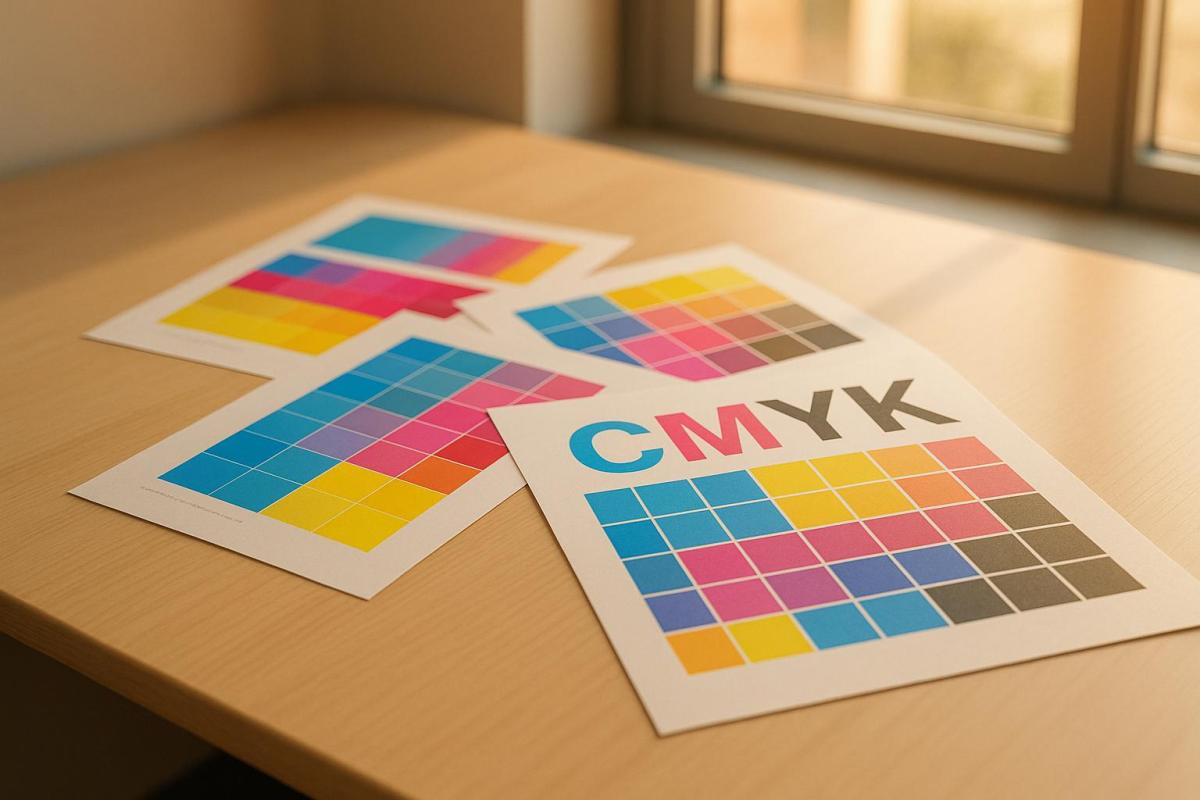
Learn how the G7 Method standardizes color calibration in printing, ensuring consistent quality across various devices and materials.
The G7 Method is a standardized calibration process for printing that ensures consistent color reproduction across various devices and materials. Developed in 2006, it focuses on grayscale accuracy using a Neutral Print Density Curve (NPDC), making it applicable to any CMYK printing system. This approach eliminates subjective adjustments, reduces color variation, and simplifies achieving uniform results for branding and print quality.
Key Takeaways:
What It Does: Ensures consistent color output by standardizing gray balance.
How It Works: Uses NPDC to maintain neutral tonality across devices.
Why It Matters: Prevents color inconsistencies that can harm brand perception.
Certification: Print shops can achieve G7 Master Qualification to validate quality.
G7 is widely used in modern printing, including large-format systems, and helps reduce waste, improve efficiency, and maintain brand integrity. Regular calibration and monitoring are essential to sustain consistent results over time. For businesses, G7 certification signals a commitment to reliable, high-quality printing.
G7 Basics – A Simpl(er) Explanation for Neutral Print Density Curves (NPDC)
How the G7 Method Works
The G7 Method operates on the idea that neutral tonality is the foundation of accurate color reproduction. Unlike older calibration methods that depended on mechanical tweaks and subjective judgment, G7 uses precise color data to establish a standardized process that works across all CMYK printing devices.
Neutral Print Density Curve (NPDC)
At the heart of the G7 Method lies the Neutral Print Density Curve (NPDC). This curve ensures consistent neutral tonality between any two G7-calibrated printing systems, regardless of their technology. The NPDC separates data for CMY (composite) and K (black), offering precise control over how neutral grays are rendered across different devices.
One of the key challenges NPDC addresses is tonal value increases (TVIs), often referred to as dot gain. Traditional calibration methods struggled with varying TVIs across computer-to-plate (CtP) systems and other devices. G7 bypasses this by mapping neutral density directly to halftone dot percentages, avoiding reliance on inconsistent TVI curves.
To implement NPDC, technicians compare the device-generated curve to the ‘ideal’ standard, make adjustments to the RIP (Raster Image Processor), and then revalidate the NPDC to ensure accuracy. This process ensures that the G7 target (P2P target) produces uniform measurement data across various printing systems. The result? Consistent gray balance across all devices.
Gray Balance and Tonality
Gray balance is a critical element of the G7 Method. The process defines gray balance and tonality in relation to the color of the paper or substrate, ensuring that neutral grays appear the same across different printing systems. This eliminates the color casts that often occur with traditional calibration techniques, leading to sharper, more accurate images.
To achieve proper gray balance, adjustments are made to screen values to counteract variations in primary ink absorption. Without these adjustments, gray balance errors can cause noticeable color shifts. As industry experts Steve Upton and Pat Herold explain:
"Gray balance and consistent tone curving is so important to image perception that a print job separated for one printing condition (say SWOP) will look VERY SIMILAR when printed using a different printing system (such as sheet fed GRACoL) when both presses have been gray balanced and toned using G7."
The G7 Grayscale Compliance process zeroes in on achieving neutral gray balance for all printed materials. This involves defining specific percentages of cyan, magenta, and yellow ink needed for gray balance, along with precise a* and b* values in the Lab color space. These detailed specifications set G7 apart from older calibration practices.
G7 vs. Older Calibration Methods
The G7 Method represents a significant shift from traditional calibration approaches. Older methods depended heavily on mechanical adjustments tied to press variability – a flawed strategy, as presses rarely operate identically unless they are identical machines in perfect condition.
Traditional techniques focused on mechanical print attributes like density and dot gain, which can vary widely across presses due to differences in substrate, mechanical setup, ink properties, and other factors. While these attributes are helpful for monitoring individual presses, they fall short when it comes to ensuring consistent color reproduction across multiple systems.
G7 revolutionized this process by using color measurements instead of mechanical attributes to achieve color consistency. It provides a unified target and set of aims for all devices in a printing facility, focusing on color rather than machine-specific characteristics. This makes G7 applicable to any CMYK printing device.
Another major difference is G7’s reliance on grayscale calibration. Unlike traditional methods that primarily targeted individual color channels, G7 recognizes that accurate gray balance is the key to achieving consistent and accurate color reproduction across all hues and tones. By focusing on neutral tonality, G7 eliminates the guesswork and subjectivity that plagued older density-based calibration techniques.
Using G7 for Large Format Printing
Large format printing comes with its own set of challenges, especially when it comes to maintaining consistent color output. Variations in substrates, inks, and environmental conditions can make it tricky to achieve uniform results. That’s where the G7 method steps in. By building on the principles of Neutral Print Density Curve (NPDC) and gray balance, G7 provides a structured way to ensure consistent color across wide-format printing systems.
Tools and Setup Requirements
To implement G7 for large format printing, you’ll need the following tools and equipment:
Calibration Software: This software handles G7 targets and communicates with measurement devices. For instance, Curve+ supports a range of instruments and target types.
Spectrophotometer: Essential for precise color measurement. Make sure your software is compatible with various spectrophotometers to future-proof your setup.
G7 Targets: Standardized test patterns with specific color patches. Depending on your system, you might use the standard P2P target or smaller options like miniP2P or microP2P.
Raster Image Processor (RIP): Your RIP must be capable of applying tone curves and making color corrections based on G7 measurements.
These tools are crucial for accurate measurements and NPDC corrections. Once everything is set up, proper procedures and routine maintenance will help you achieve and sustain consistent results.
G7 Calibration Steps
The G7 calibration process is designed to establish a neutral gray balance across your printing system. Here’s how it works:
Choose the Right Target: Start by selecting a P2P target that fits your setup, such as P2P51, P2P25Xa, or P2P51 Randomized.
Print and Measure the Initial Target: Use your current settings to print the target and establish baseline measurements.
Analyze Results: Examine the gray balance measurements to identify any deviations from G7 standards. Pay close attention to the gray balance patches, as they are central to the process.
Apply Correction Curves: Calibration software will generate NPDC curves based on your measurements. Apply these curves to your RIP to account for factors like ink absorption and substrate differences.
Reprint and Verify: Print the P2P target again with the correction curves applied. Measure the patches to confirm that your system meets G7 specifications.
Repeat if Necessary: Continue making adjustments until your system falls within G7 tolerances.
In December 2023, TKO Graphix highlighted the importance of their G7 Master Qualification, emphasizing how it ensures consistent and vibrant color profiles for their large format prints.
"By adhering to this standardized color process, we ensure that our client’s vision aligns seamlessly with the end product we produce."
– TKO Graphix
Once your system is calibrated, regular checks will help maintain these results.
Keeping Colors Consistent Over Time
Calibration isn’t a one-and-done process. Over time, factors like ink aging, environmental shifts, and equipment wear can cause your system to drift from its calibrated state. Regular recalibration is essential to keep things consistent.
Conditions such as temperature, humidity, and media variations can impact ink flow and color output. Additionally, both printers and monitors naturally drift over time, making periodic adjustments necessary.
To address these challenges, establish a calibration schedule based on your production needs. High-production environments might require weekly recalibration, while lower-volume operations could get by with monthly checks. Consistency in your routine is key to maintaining quality.
Monitoring your system through process control adds another layer of reliability. G7 Expert Trainer Ron Ellis from Ron Ellis Consulting puts it this way:
"Calibration is important, but I often tell my customers – that’s the easy part. Maintaining the calibration is the real challenge."
For example, one company uses a Techkon SpectroDrive to streamline their process. By placing a sheet on the console, they can gather all the necessary data in just 8 seconds to confirm if their prints meet G7 standards. This live data not only helps with immediate adjustments but can also be used for trend analysis.
Finally, regular color audits are a great way to ensure consistency. Compare new prints to established reference standards or previous batches to catch any drift before it becomes noticeable to clients. These ongoing checks and adjustments make it easier to maintain high-quality results over time.
G7 Method Pros and Cons
The G7 method comes with a mix of benefits and challenges that print shops need to weigh carefully. By understanding these factors, you can make smarter decisions about adopting the method and prepare your team for what’s ahead.
Benefits of G7 Calibration
The G7 method has become the go-to approach for ensuring consistent color quality in the printing industry. Its ability to work seamlessly across offset, digital, and large-format systems makes it widely applicable.
One of the standout benefits is its potential to cut costs and boost efficiency. By reducing waste from trial-and-error color matching and limiting reprints, G7 helps streamline operations and save time.
Javier Robles, Director of Technical Service – Digital at INX International, highlights its role in maintaining quality:
"G7 calibrated printing is important because it helps guarantee quality assurance across multiple printing devices."
For agencies and brand managers, G7 offers peace of mind. Its standardization ensures that the final printed product matches the original design, preserving the integrity of campaigns.
Additionally, these improvements naturally lead to happier clients. G7-certified printers are trusted to deliver consistent, high-quality results. As Kiran Deshpande, G7 Expert at Idealliance, explains:
"Regardless of how, when, or where a product is printed, the basis of G7® allows for visual consistency every time."
However, while the G7 method offers clear benefits, it also presents challenges that must be addressed.
G7 Challenges and Limits
One of the biggest hurdles is getting everyone on board. Implementing G7 can feel disruptive to some team members, making organizational buy-in a critical step. Success requires alignment across management, production, and prepress teams.
Before diving into G7, your printing process needs to be fine-tuned and validated for consistent performance. This often involves tackling issues with tooling, materials, and prepress workflows – efforts that can demand significant time and resources.
Ongoing maintenance is another challenge. Keeping the process within specifications requires regular monitoring and attention. Many print shops find value in hiring a G7 Expert or training an internal G7 Professional to oversee the implementation. While this adds upfront costs, it can lead to smoother operations and better long-term outcomes.
Advantages
Challenges
Works across various printing technologies
Requires buy-in from all team members
Reduces waste and cuts costs
Printing process must be optimized first
Simplifies workflows and reduces manual adjustments
Demands ongoing monitoring and maintenance
Improves customer satisfaction
Requires time and resource investment
Ensures consistent brand colors
May involve hiring or training G7 specialists
G7 and ISO Standards
The G7 method doesn’t replace ISO standards – it complements them. It provides practical steps for meeting ISO requirements, making compliance more manageable. Unlike methods focused solely on mechanical attributes like dot gain or density, G7 emphasizes gray balance and how it affects visual appearance. This makes the process more intuitive and visually driven.
"G7® methodology specifies requirements for print color that can be applied to any printing technology, substrate, or ink set."
This flexibility allows print shops to meet ISO standards across different equipment and materials while maintaining the visual consistency G7 is known for. According to ISO estimates, over 50,000 printers worldwide use G7 workflows. The method has proven its value in supporting standardization and delivering the high-quality results clients expect. Weighing these benefits and challenges is key for print shops aiming to build a reliable, ISO-compliant, G7-calibrated workflow.
sbb-itb-ce53437
G7 Certification for Print Shops
Earning G7 certification is a way for print shops to showcase their dedication to quality and precision. This globally acknowledged standard sets businesses apart in an industry where dependable color reproduction is crucial for upholding brand consistency.
What is G7 Certification?
G7 certification is a globally accepted benchmark for consistent color quality in printing. It acts as a universal calibration method across various systems, including digital, offset, and large-format printing. The program offers three levels of compliance:
G7 Grayscale Compliance: Focuses on achieving a neutral gray balance in printed materials.
G7 Targeted Compliance: Includes solid ink measurements for primary and secondary colors.
G7 Colorspace Compliance: The highest level, ensuring alignment with an entire Reference Print Condition.
For print shops, this certification brings tangible benefits: happier customers, increased repeat business, and stronger brand loyalty. It also helps cut down on waste and boosts press efficiency.
Getting G7 Certified
The G7 certification process provides a structured path for print shops, though it requires careful planning and investment. The certification, known as G7 Master Facility Qualification, is granted by Idealliance and confirms that a facility’s equipment and systems meet G7 standards for gray balance and consistent print quality.
There are two main ways to achieve certification:
Send an employee to a G7 Expert Training program.
Hire a G7 Expert consultant to oversee the qualification process.
To become G7 Master Qualified, a print shop must have a G7 Expert on-site to review and submit calibration data to Idealliance. The costs associated with certification depend on the facility’s requirements and the number of devices involved. Here’s a breakdown of typical fees:
Certification Component
Cost
New G7 Master Submission Application Fee
$800/facility
Renewal G7 Master Submission Application Fee
$550/facility
Grayscale or Targeted Compliance
$100/device
Colorspace Compliance
$150/device
G7 certifications are valid for one year and must be renewed annually by a G7 Expert or G7 Professional.
According to Idealliance:
"For business owners, the benefits of being a G7 Master Facility are simple. Your print products are consistent, which helps maintain the integrity of your customers’ brand – and turns these customers into repeat customers. Your customer base will increase due to print buyers actively seeking out suppliers who are G7 certified. And lastly, your costs will go down because of reduced paper waste and ink consumption."
G7 at Miro Printing & Graphics Inc.
For companies like Miro Printing & Graphics Inc., G7 certification is a cornerstone of their operations. This full-service print shop in Hackensack, NJ, uses G7 standards to ensure consistent color quality across various printing methods. Whether it’s business cards, brochures, banners, or posters, G7 certification guarantees that colors remain uniform across different technologies and materials.
The certification supports their commitment to precise color management and simplifies the supply chain for clients who demand consistent branding across multiple projects. It also reduces production time, making it particularly useful for custom projects and complex campaigns.
In competitive markets like northern New Jersey, G7 certification is a clear marker of expertise and process control. It not only enhances a company’s reputation but also aligns with broader industry trends. For example, the printing industry was valued at $494.53 billion in 2023. As the sector evolves, standards like G7 continue to play a key role in delivering reliable, high-quality results.
Conclusion
The G7 Method transforms how color consistency is managed by relying on gray balance and neutral print density curves to maintain uniformity across different technologies, materials, and devices. This approach not only meets production standards but also safeguards brand identity, ensuring that colors remain true to their intended appearance. It’s a level of precision that builds trust and reinforces brand integrity.
Julie Thysse, Preflight and Color Management Manager, describes it best:
"Color management is what a printer does to accurately reproduce your brand colors across all print media. Clings, brochures, letters, displays, packaging, and signage are all made from different substrates on different print devices that use different inks. Color management is all about achieving consistent visual similarity across all those variables".
G7 simplifies workflows while ensuring consistent brand colors across all materials, regardless of printing method or location. This consistency is crucial, especially when studies show that up to 80% of instant judgments about products are based entirely on color.
G7 certification acts as a hallmark of quality for both print providers and their clients. The certification offers three levels of compliance – Grayscale, Targeted, and Colorspace – each demonstrating varying degrees of precision. At the highest level, G7 Master Colorspace Qualification ensures that color variations are imperceptible to the human eye, making it ideal for projects that demand absolute accuracy.
Whether using digital presses, offset printers, or large-format systems, G7 provides a universal framework for achieving predictable and consistent results. This standardization not only simplifies supply chain management but also makes it easier for businesses to collaborate with multiple vendors while maintaining high-quality output.
For businesses that depend on flawless color reproduction, working with G7-certified facilities like Miro Printing & Graphics Inc. ensures that brand colors are treated with the utmost care and precision. In a $494.53 billion printing industry, G7 certification sets apart providers who prioritize accuracy and consistency, making it a critical factor in delivering reliable results.
FAQs
What is the G7 Method, and how does it ensure consistent color quality in printing?
What Is the G7 Method?
The G7 Method is a color calibration technique that helps achieve consistent and accurate color reproduction, no matter the printing technology or material. By focusing on midtones and balancing grayscale, it ensures a uniform look across different printers, substrates, and inks.
This approach relies on neutral print density curves to standardize the way colors and tones appear, making it independent of specific devices. The result? Fewer color discrepancies between proofs and final prints, leading to predictable and reliable outcomes for every print job. It’s especially useful in large format printing, where maintaining consistent color is absolutely essential.
What is the process for a print shop to achieve G7 certification, and why is it important?
What Is G7 Certification?
G7 certification is a process led by a certified G7 Expert to fine-tune a print system, ensuring it meets the G7 grayscale standard. This standard emphasizes precise control of midtones, which helps achieve consistent and accurate color reproduction across various devices and materials. The certification process involves calibrating the system, submitting calibration data for review, and maintaining regular quality checks to ensure ongoing compliance.
Why does this matter? G7 certification offers several key advantages. It guarantees consistent color across all print jobs, enhances a print shop’s reputation for reliability, cuts down on material waste, and strengthens customer confidence by consistently delivering high-quality results. For companies like Miro Printing & Graphics Inc., earning G7 certification highlights their dedication to providing top-notch large-format and other printing services.
What makes maintaining a neutral gray balance essential in the G7 Method, and how is it different from traditional calibration techniques?
Maintaining a neutral gray balance is at the heart of the G7 Method, as it ensures consistent color reproduction no matter the printing process or material. By honing in on the visual appearance of grayscale tones, the G7 Method delivers stable and predictable color results that work smoothly across a range of devices and substrates.
What sets the G7 Method apart from traditional calibration techniques is its focus on how colors appear to the human eye rather than relying solely on mechanical measurements like ink density or dot gain. This makes it particularly effective for large-format printing, where achieving consistent, professional-quality results is absolutely essential.
Learn how glow-in-the-dark printing utilizes phosphorescent inks for vibrant designs, enhancing visibility and creativity in various applications.
Glow-in-the-dark printing uses phosphorescent inks to create luminous designs that absorb light and release it in the dark. This technique is ideal for safety signage, marketing materials, and event decorations, combining functionality with striking visual effects.
Key Highlights:
Phosphorescent inks store light and glow in the dark, with strontium aluminate pigments offering brighter and longer-lasting effects.
Screen printing is the primary method, often requiring a white underbase for maximum glow.
Works well on textiles, paper, and plastics, with green being the brightest glow color.
Applications range from safety signs and promotional items to fashion and event materials.
Glow-in-the-dark printing is a practical way to make designs stand out and improve visibility in low-light conditions.
Materials and Inks Required
Phosphorescent Inks: How They Work
Phosphorescent inks are the backbone of glow-in-the-dark printing. These inks contain pigments that absorb light and then gradually release it as a glow over time. Here’s how it works: when light hits the pigment, its electrons get excited to higher energy levels. As these electrons return to their normal state, they release the stored energy in the form of a glow.
The pigment type plays a big role in determining how bright and long-lasting the glow will be. Today’s advanced inks use strontium aluminate, which is up to 10 times more effective than the older zinc sulfide. For the most intense glow, strontium aluminate mixed with europium and dysprosium is the top choice. The glow can last anywhere from a few minutes to several hours, though brightness typically decreases to about 10% within two hours.
To get the best results, expose the pigments to direct sunlight for 20–30 minutes. However, be cautious not to overexpose them, as this can lead to color fading over time. These specifics highlight the importance of choosing the right materials for achieving the desired glow effect.
Suitable Materials for Glow-in-the-Dark Printing
Choosing the right material – or substrate – is just as important as selecting the ink. The substrate affects both the brightness and the duration of the glow. Common materials include paper, textiles, and plastics. Because phosphorescent ink is transparent, the base color of the material has a big impact on how well the glow appears.
For textiles, white fabrics or materials with a white base deliver the best results. Printing directly on dark fabrics without a white underbase can result in a faint or barely noticeable glow. To maximize brightness, apply a white base layer before using the phosphorescent ink. The thickness of the ink application also matters – a thicker layer typically produces a brighter and longer-lasting glow, as long as the material can handle it without cracking or peeling.
Paper works well for items like posters, promotional materials, and signage. Its absorbent surface helps the ink adhere and perform effectively. Plastics, on the other hand, are ideal for outdoor uses and safety signs because they offer durability and allow for smooth, even ink distribution, which ensures consistent glow effects.
Environmental factors such as UV exposure, moisture, and chemicals can affect how long the glow lasts. For outdoor applications, it’s important to use durable materials and proper curing methods. Color also makes a difference – green glows are perceived as the brightest, followed by blue, while red tends to appear dimmer.
If you need help selecting the best materials and inks for your project, Miro Printing & Graphics Inc. provides expert advice tailored to specialized needs.
Printing Methods and Techniques
Screen Printing Process
When it comes to achieving the best glow effect, the screen printing process plays a crucial role, especially when using plastisol or water-based inks. The key is in the preparation and layering.
Start with a white underbase – this reflects light and enhances the glow. Once the underbase is cured, evenly apply the glow-in-the-dark ink. For a stronger glow, apply multiple layers to increase the pigment density. Avoid mixing glow ink with regular white ink, as this can weaken the glow effect.
It’s essential to maintain the correct curing temperatures. Many modern inks, like Rapid Cure Glow in the Dark Ink, are designed to cure at lower temperatures and are non-phthalate. After curing, expose the print to light to charge the pigments effectively.
For water-based glow inks, take extra care during printing. Spritzing a fine mist over the ink after the flood stroke can prevent it from thickening during the process.
Once you’ve optimized the printing process, refine your design to maximize the glow effect.
Design Guidelines for Glow Effects
A good design is just as important as the printing technique when it comes to glow-in-the-dark prints. Phosphorescent inks behave differently in various lighting conditions, so understanding their properties is key. While the standard glow color is yellow-green, other options like pink, red, blue, and violet are also available. Printing glow designs on a white base ensures the brightest results.
Focus on bold shapes that look great in both daylight and darkness. Glow inks work best when applied in thicker layers, so avoid intricate line work or small text, as these may not glow effectively.
Color choices can significantly influence the final look. Pairing a white underbase with different phosphorescent ink colors can create striking effects. For instance, using a fluorescent underbase can enhance visibility during the day while still delivering a strong glow at night.
When planning your design, keep in mind that glow-in-the-dark prints typically have a shelf life of 6–12 months. This makes them ideal for short-term campaigns, seasonal events, or temporary signage rather than long-term use.
Lastly, consider the environment where the glow effect will be viewed. These prints shine brightest in complete darkness or low-light settings. If your design will be seen in areas with ambient lighting, ensure it works well in both lit and dark conditions.
Always consult your ink manufacturer’s instructions, as application thickness, curing temperatures, and charging methods can vary between brands. Following these guidelines will help you create prints that truly stand out.
Printing Glow (Phosphorescent) Inks
sbb-itb-ce53437
Commercial Applications and Uses
Glow-in-the-dark printing is making waves across various industries, offering businesses a standout way to grab attention and create memorable experiences. By leveraging its unique properties, companies can deliver impactful results across different sectors.
Retail and Marketing Materials
Retailers are increasingly turning to glow-in-the-dark printing to stand out in competitive markets. This technique is used for posters, banners, brochures, and packaging, ensuring visibility in low-light settings and outdoor ads that remain prominent after dark.
It’s also a favorite for point-of-purchase (POP) displays, gift boxes, tags, clings, maps, and even business cards. As one expert puts it:
"Simply put, glow-in-the-dark offers a unique way to engage with consumers and other target markets in a way that is Anything but Ordinary".
Fashion brands have embraced this technology for creating eye-catching designs on T-shirts, hoodies, and hats, especially for concerts and nighttime events. It’s also effective for short-term promotions like postcards, direct mail campaigns, and greeting cards, though its 6–12 month shelf life makes it better suited for temporary campaigns rather than long-term branding efforts.
Event and Entertainment Applications
Glow-in-the-dark printing doesn’t just shine in retail – it also transforms event and entertainment spaces. From decorations and costumes to giveaways, this technology adds a visually striking element that lingers in guests’ memories. Music festivals and concert venues often use glow-in-the-dark merchandise, wristbands, and promo materials to enhance the atmosphere and assist with crowd management in dimly lit venues.
Screen-printed glow-in-the-dark transfers are a hit for Halloween parties, birthday celebrations, and band merchandise, allowing groups to stand out in dark settings. Corporate events also benefit from its versatility, using it on name badges, directional signs, and promotional items to capture attention in low-light environments.
Safety and Emergency Products
Glow-in-the-dark printing isn’t just about aesthetics – it plays a critical role in safety. Phosphorescent inks are commonly used for safety messages like exit signs in offices, public buildings, and venues such as stadiums, cinemas, and theaters.
In the U.S., building codes emphasize its importance. The International Building Code requires photoluminescent egress path markings in high-rise buildings, while the NFPA 101 Life Safety Code mandates their use in assembly spaces, educational facilities, and other large structures. These markings, which include signs and floor indicators, are low-maintenance and cost-effective, requiring no electrical connections or ongoing upkeep.
Strontium aluminate, a material known for its brightness and long-lasting glow, is the go-to choice for safety applications. Glow-in-the-dark tape, for instance, releases 80–85% of its stored energy within 30 minutes of being removed from a light source, making it invaluable during emergencies.
Applications extend beyond exit signs to include staircase nosing, door frames, stair edges, and emergency equipment locations, providing a comprehensive wayfinding system. Even the home décor market has jumped on board, with glow-in-the-dark elements like wall art, furniture, and stickers becoming popular in children’s bedrooms for both aesthetic charm and practical nighttime navigation.
For businesses exploring glow-in-the-dark printing, professional services like Miro Printing & Graphics Inc. in Hackensack, NJ, can guide you through the process, whether you’re working on promotional materials, safety signage, or custom projects requiring specialized techniques and materials.
Best Practices for Quality Results
Building on our technical guide, here are some proven strategies to ensure your glow effects stand out. Whether you’re designing safety signs or eye-catching promotional materials, these tips can help you achieve the best results from your investment.
Maximizing Glow Brightness and Duration
To create long-lasting and vibrant glow effects, focus on proper charging and maintenance techniques. The brightness and duration of glow-in-the-dark prints rely on several controllable factors.
Direct sunlight can fully charge prints in just 30 minutes. If sunlight isn’t an option, strong LED or incandescent bulbs positioned close to the print work as effective alternatives.
"Charging your glow in the dark creations is the key to unlocking their mesmerizing potential." – The Night Sky
The ink application technique plays a crucial role in the glow’s intensity. A base layer of bright, vibrant inks enhances the effect, while darker or muted inks can dull the glow. Additionally, applying a thicker layer of ink increases phosphorescent density, resulting in a stronger glow.
Regular maintenance is essential for preserving the glow. Recharging prints under suitable light sources ensures they remain effective over time. However, be cautious – overexposure to sunlight can lead to color fading and diminish the glow’s longevity.
Protective measures help maintain the luminescent properties. Framing the prints shields them from dust, moisture, and physical damage, all of which can reduce the glow effect. When cleaning is necessary, use a dry cloth and avoid harsh chemicals that could strip away the luminescent material. Handle the prints gently to prevent damage to the phosphorescent surface.
For safety applications, where brightness is critical, materials like strontium aluminate doped with europium and dysprosium offer the longest and brightest glow available. This makes them ideal for emergency signage, where visibility is paramount.
These technical refinements highlight the importance of precision and expertise in achieving standout results.
Working with Professional Print Services
While following these best practices is key, professional print services can elevate your glow-in-the-dark projects to the next level. Their expertise ensures a seamless blend of UV inks and phosphorescent compounds, applied using specialized screen printing techniques.
Technical expertise is invaluable for achieving high-quality results. Professionals use advanced machinery and premium materials to produce sharp, vibrant images that retain their glow over time. Since phosphorescent compounds can create a slightly grainy texture, experienced printers know how to minimize this effect while maximizing glow performance.
Specialized equipment and materials also make a big difference. Professional printers have access to specialty inks and a variety of glow formulations tailored to different uses. Their high-grade phosphorescent materials and precision equipment ensure consistent and even application.
Customization and scalability are additional advantages. Professional services offer a range of customization options, allowing businesses to create unique, tailored designs. Whether you’re producing a small batch of promotional items or large-scale safety signage, professional printers can handle projects of any size while maintaining consistent quality.
For those in the New Jersey area, Miro Printing & Graphics Inc. in Hackensack provides comprehensive printing solutions, including custom glow-in-the-dark projects. With expertise in digital, offset, and large-format printing, along with in-house bindery services, they offer the technical skills needed for successful results.
Conclusion
Glow-in-the-dark printing turns ordinary materials into striking, light-emitting designs by using phosphorescent inks and screen printing techniques. These inks absorb light and release it gradually, creating a glowing effect that’s perfect for both marketing and safety applications.
Key Points Summary
The effectiveness of glow-in-the-dark printing hinges on a few important factors. Phosphorescent inks store light energy and emit it over time, with the classic yellow-green glow being the brightest and most reliable. Other colors like pink, red, blue, and violet are available, but they tend to have a less intense glow. For the best results, it’s recommended to print on white backgrounds, as darker surfaces can reduce the luminescent effect.
This printing method is versatile and can be applied across various industries. It’s commonly used for direct mail campaigns, postcards, Halloween promotions, gift cards, credit cards, packaging, retail displays, book covers, and greeting cards. It’s especially beneficial for safety products, where visibility in low-light environments is critical.
Planning is essential for success. Glow-in-the-dark inks have a shelf life of 6–12 months, so timing your orders is crucial. These inks can also be combined with others to create layered, mixed-media designs for added visual impact. For artwork preparation, vector-based tools like Adobe Illustrator or InDesign are highly recommended.
This technique elevates standard prints into glowing, attention-grabbing designs. With these basics covered, you’re ready to turn your creative ideas into reality.
Getting Started with Your Project
Glow-in-the-dark printing offers a unique way to make your designs unforgettable. To get started, proper planning and collaboration with experienced professionals are key. These experts can help navigate the technical aspects of phosphorescent inks and screen printing to ensure your project’s success.
Think about how adding glow-in-the-dark elements could boost your brand’s visibility and leave a lasting impression on your audience. Whether you’re creating safety signage, promotional materials, or distinctive packaging, this technique provides a way to stand out in any lighting condition.
For those ready to dive in, Miro Printing & Graphics Inc. in Hackensack, NJ, offers a full range of printing services, including custom glow-in-the-dark projects. With expertise in digital, offset, and large-format printing, as well as in-house bindery services, they have the tools and knowledge to bring your glowing designs to life.
Start your glow-in-the-dark printing project today and discover how this technique can take your brand’s visibility to the next level. Traditional printing just can’t compare!
FAQs
What makes glow-in-the-dark inks unique, and how do they work?
Glow-in-the-dark inks, often called phosphorescent inks, have a fascinating ability to absorb and store light energy, which they later release as a soft, glowing light in darkness. This glowing effect is powered by materials known as phosphors. When exposed to light, these phosphors trap the energy and then slowly release it over time, creating the signature glow.
What sets phosphorescent inks apart from fluorescent ones is their ability to keep glowing even after the light source is gone. Fluorescent inks, on the other hand, only glow when exposed to UV light and stop immediately once the light is removed. Modern glow-in-the-dark inks typically rely on zinc sulfide or strontium aluminate as their phosphors. Among the two, strontium aluminate is especially favored for its brighter glow and longer-lasting effect.
These inks have become a favorite in both creative and commercial applications, offering a striking and memorable touch to any design.
How can I keep glow-in-the-dark prints bright and long-lasting?
To keep your glow-in-the-dark prints shining bright and lasting longer, ensure they’re well-charged. Expose them to direct sunlight or a strong artificial light source for at least 30 minutes. This simple step boosts both their glow intensity and how long they stay illuminated.
For extra protection, apply a clear topcoat. This creates a barrier that guards the glow layer against moisture, scratches, and general wear. Be mindful when handling these prints – avoid exposing them to harsh conditions, and clean them gently if needed. Regularly recharging them will also help maintain their glowing effect over time.
What factors should you consider when selecting materials for glow-in-the-dark printing?
When choosing materials for glow-in-the-dark printing, it’s crucial to pick substrates that support strong ink adhesion and ensure lasting durability. The texture and surface energy of the material play a big role in how well the glow-in-the-dark ink sticks and holds up over time.
You’ll also want to make sure the substrate works well with phosphorescent compounds and UV inks used in the process. This compatibility helps maintain a bright, long-lasting glow without sacrificing the overall appearance. Think about factors like the material’s toughness, surface feel, and how the printed item will be used – especially if it’s meant for outdoor settings or heavy use.
Avoid costly budget mistakes in direct mail campaigns with effective planning and targeted strategies for higher ROI.
Direct mail campaigns can be highly effective, with response rates of 4.9% for prospect lists and 9% for house lists, but poor budget planning can lead to costly mistakes. Here are the 10 most common budgeting errors to avoid:
Not Defining Your Target Audience: Wasting resources by failing to segment and personalize mailings.
Using Outdated Mailing Lists: Poor-quality data leads to undeliverable mail and wasted costs.
Underestimating Postage Costs: Postage often accounts for the largest expense, and hidden fees can add up.
Neglecting Design Costs: Skimping on design reduces response rates; quality creative work matters.
Ignoring Personalization Costs: Personalization boosts engagement but requires upfront investment in data and printing.
Skipping Testing and Tracking: Without testing, campaigns risk underperforming, wasting money on ineffective strategies.
Overlooking Compliance Costs: Failing to follow regulations can result in hefty fines and damaged reputation.
Not Accounting for Delays: Production and fulfillment delays disrupt timelines and increase costs.
Compromising on Print Quality: Cheap materials hurt your brand image and reduce campaign effectiveness.
Failing to Plan for Hidden Expenses: Unexpected costs like list cleaning, rush fees, or reprints can blow your budget.
Key Takeaway: Direct mail requires careful planning across audience targeting, data quality, postage, design, and testing. Avoid these mistakes to maximize ROI and ensure your campaign stays on budget.
Conquering Direct Mail Marketing Mistakes for Maximum Impact
1. Not Defining Your Target Audience
Trying to appeal to everyone is like shouting into the void – it wastes time, effort, and money on people who simply aren’t interested.
Here’s the reality: 68% of consumers expect personalized experiences, yet only 42% of marketers know basic demographic details about their audience. Even fewer – less than half – understand their audience’s interests and hobbies. This gap between what consumers expect and what marketers know leads directly to wasted resources and missed opportunities.
"While you can try and market a product to everyone, consumers have different needs and preferences. What appeals to one group of consumers may not appeal to another group." – Sunil Gupta, Harvard Business School Professor
Defining your audience is not just important – it’s profitable. Companies that effectively segment their audience can see revenue increases of up to 760% and generate 124% more leads.
Methods to Segment Your Audience
To target effectively, you need to break your audience into manageable groups. Here are some common segmentation methods:
Segmentation Method
Categories
Example
Demographic
Age, Income, Religion, Ethnicity, Education, Marital status, Family size
Excluding seniors or childless individuals from a childcare center’s mailing list
Geographic
State, Region, Street, Neighborhood, Zip code
Focusing on customers within a specific radius of a physical store
Behavioral
Purchase frequency, Brand loyalty, Occasions for purchase
Using RFM analysis to identify top customers based on purchase habits
Targeting outdoor enthusiasts for a sporting goods store
How to Start Defining Your Audience
Begin by analyzing your existing customer data. Look at demographics, buying patterns, and behaviors. Focus on real data rather than assumptions. For example, who is actually buying your product? What are their habits? These insights will help you refine your approach.
Another smart move? Keep an eye on your competitors. Study their audience and marketing tactics to see what’s working for them – and what isn’t. This can help you identify gaps or opportunities in your own strategy.
Don’t forget to prioritize your existing customers. With 76% of people engaging with brands they’ve purchased from before, your current customer base is a goldmine of insights. Use this data to fine-tune your messaging and focus your efforts on people who are already interested.
Lastly, clean up your mailing lists. Outdated or irrelevant contacts can drag down your campaign’s effectiveness. Every dollar spent on the wrong audience is a dollar that could’ve gone toward reaching someone who actually cares.
In short, a "scattershot approach" won’t cut it. Targeted direct mail and marketing efforts not only save money but also deliver better results.
2. Using Old or Poor-Quality Mailing Lists
Your mailing list is the backbone of any campaign, and outdated or inaccurate data can turn a promising effort into an expensive flop.
U.S. businesses lose approximately $20 billion every year due to undeliverable mail. On top of that, marketing and sales teams waste about 15% of their budgets because of poor data quality. In 2017 alone, over 6.1 billion pieces of mail in the U.S. were classified as undeliverable as-addressed (UAA). These numbers highlight just how critical it is to maintain the quality of your mailing lists – it’s just as important as any other campaign expense.
The Real Cost of Bad Data
Bad data doesn’t just hurt your campaign’s performance – it directly impacts your bottom line. Here’s a closer look at some of the costs associated with undeliverable mail:
Address research: $0.50–$1.00 per address
Reoccurring statements: $0.50–$1.00 each
Mail capture handling: $10–$15 per hour to process UAA mail
Data management: $10–$16 per hour for handling UAA mail
Returned transactional mail: Up to $3.00 per item to research, correct, and resend
When all these expenses are factored in, the total cost for a single undeliverable mail item can reach an eye-watering $50.80. These figures make it clear why poor-quality data can drain resources quickly.
Why Mailing Lists Deteriorate
Mailing lists can go bad faster than you might think. Contact details change constantly as people move, switch jobs, or update their information. Purchased business lists, for example, often have error rates of 20–30%. This outdated data leads to higher undeliverable rates, reduced response rates, and even compliance risks if you’re sending mail to individuals who haven’t opted in to receive it.
The Hidden Opportunity Cost
Every incorrect address isn’t just a waste of money – it’s a missed connection with a potential customer. With 4.56% of outbound mail going undelivered, nearly 1 in 20 potential customers never even receive your message. That’s a significant loss in opportunities to engage and convert.
How to Keep Your Mailing Lists Clean
To avoid the financial and operational headaches caused by poor-quality data, make list maintenance a priority. Start by performing regular data cleaning and validation. For example:
Update your lists quarterly using NCOA (National Change of Address) updates.
Use USPS-certified address verification software to ensure accuracy.
Follow USPS move update requirements to qualify for discounted postage rates.
Additionally, develop a structured process for managing your lists. Remove outdated or invalid addresses, add new ones, and segment your audience by demographics, engagement levels, or purchase history. Data verification services can also help reduce errors, duplicates, and inconsistencies.
It’s worth noting that 84% of CEOs are concerned about the quality of the data they rely on for decision-making. This underscores the importance of investing in reliable data management practices to protect both your budget and your campaign’s success.
3. Underestimating Postage Costs
Postage often takes the biggest bite out of a direct mail campaign’s budget, yet many fail to account for its full scope. With the USPS handling an estimated 112 billion pieces of mail in 2024, understanding postage pricing is a must for keeping campaigns on track financially.
It’s not just about knowing the base postage rates. Costs can quickly climb depending on factors like mail class, size, weight, shape, and preparation. Even a small misstep in these areas can derail your budget, making it essential to grasp the full picture when planning expenses.
The Hidden Complexity of Postage Pricing
Base rates only tell part of the story. For example, First-Class Mail starts at $0.73 for the first ounce, with an additional $0.24 per ounce. Large envelopes begin at $1.26. On the other hand, Standard Mail is more budget-friendly, starting at $0.197 per piece – approximately 32% cheaper than First-Class Mail. However, Standard Mail requires a minimum of 200 pieces and can take anywhere from 5 to 21 business days to deliver.
The weight and dimensions of your materials can also drive up costs. Using heavier or thicker paper stock might push your mail into a higher weight category, while non-optimized dimensions could result in unexpected surcharges.
Geographic and Volume Considerations
Your mailing strategy plays a big role in determining postage costs. USPS Every Door Direct Mail (EDDM) offers rates between $0.154 and $0.176 per piece but requires you to cover at least 90% of households within a ZIP code or 75% of total addresses, including PO boxes. Bulk Mail, which ranges from $0.255 to $0.539 per piece, allows for more precise targeting.
Presorting your mail can also help. For First-Class Mail, presorting can cut costs by up to 20%, and it’s a reliable way to secure bulk discounts for Standard Mail. Beyond physical mail prep, don’t forget to account for subscription fees and tech costs tied to automation tools.
Automation Platform Costs
Automation platforms streamline the process but come with subscription fees that affect your budget. Here’s a look at some popular platforms:
When using these platforms, it’s crucial to estimate your mailing volume accurately to prevent overspending.
Timing and Delivery Speed Trade-offs
Delivery speed and features vary by mailing option. First-Class Mail offers delivery within 1–5 business days and includes free forwarding and return services. Standard Mail, while cheaper, takes 5–21 business days and doesn’t include forwarding. EDDM, though cost-effective, may take 4–6 weeks to reach recipients, making it less suitable for campaigns with tight deadlines.
Regulatory Compliance Costs
Overlooking USPS regulations can lead to rejected mailings or extra fees. To avoid this, consult USPS quick service guides or work with a Mailpiece Design Analyst to ensure compliance. Keeping your mailing list updated is equally important. Undeliverable addresses waste postage and can disqualify you from bulk discounts.
Planning thoroughly is the best way to avoid surprises. Account for your timeline, target audience, mail piece details, and volume needs before setting your budget. By paying attention to all the variables – not just the base rates – you can keep your campaign on track financially.
4. Overlooking Design and Creative Costs
When planning direct mail campaigns, it’s easy to focus on postage and printing costs while neglecting the impact of design and creative work. But ignoring these elements can seriously undermine your campaign’s success. Well-thought-out creative content plays a huge role in driving consumer response, yet it often gets sidelined in the budget.
The stats are clear: 85% of people are more likely to trust a brand with well-designed ads, 74% are more likely to stay loyal to brands with high-quality creative content, and 57% say poor creative content has negatively affected their experience as customers.
Understanding the True Cost of Creative Services
Creative services can vary widely in cost, depending on the complexity of the project and who you hire. According to McCarthy and King, these costs can range from under $1,000 to more than $10,000.
If you’re handling creative work in-house, here’s a breakdown of typical salaries for key roles:
Role
Entry Level
Average
Senior Level
Graphic Designer
$36,000
$58,910
$100,000+
Copywriter
$40,000
$66,500
$100,000+
Photographer
$21,000
$52,500
$120,000+
Outsourcing is another option. Freelancers tend to be more affordable, while large agencies often charge premium rates for their expertise. For a middle-ground solution, local providers like Miro Printing & Graphics Inc. offer in-house design services that balance cost and quality (https://bergencountyprinters.com). If you’re managing design internally, don’t forget software costs – programs like Adobe Creative Cloud can run about $89.99 per month, per license.
The Impact of Format on Creative Costs
The format of your direct mail piece has a direct impact on creative expenses. Postcards, for instance, are simpler and cheaper to design, making them ideal for straightforward offers. On the other hand, multi-insert packages require more intricate designs to effectively communicate complex messages. Choosing the right format is about balancing your message’s complexity with your budget.
Smart Ways to Manage Design Costs
There are ways to keep creative costs in check without sacrificing quality:
Use pre-designed templates and customize them to reflect your brand.
Stick to fewer colors and standard typography to save on printing costs.
Personalize mailers with variable data printing to boost engagement without redesigning each piece.
Develop adaptable designs that can be reused across multiple campaigns.
Design Elements That Drive Results
Good design isn’t just about looking nice – it’s about influencing behavior. For example, color choices can evoke specific emotions: red creates urgency (great for limited-time offers), blue builds trust (perfect for financial services), and green appeals to themes like wellness and sustainability. Typography also matters: bold, larger fonts highlight key points, while contrasting fonts improve readability. Even layout patterns, like the Z-pattern reading flow, can guide recipients’ eyes to your most important messages.
Testing and Collaboration
A/B testing is a must for figuring out which designs perform best. Collaboration between designers and copywriters is also crucial for creating a cohesive and effective mailer. Regularly testing new design iterations can help you fine-tune your campaign for better results.
Direct mail continues to have a strong impact: consumers who respond to direct mail spend 28% more per order than those engaging with digital ads. Plus, 87% of marketers see higher conversion rates when their landing pages align with the direct mail message.
To get the most out of your budget, set clear campaign goals, plan for unexpected expenses, and choose a creative approach that resonates with your audience. Balancing quality and cost is key to achieving direct mail success.
5. Ignoring Personalization and Customization Costs
When it comes to direct mail, personalization is a game-changer. It turns a generic piece of mail into something that feels tailored, creating a stronger connection with the recipient. This approach can increase response rates by up to 30%, making it a powerful tool for driving engagement. However, many businesses underestimate the costs tied to personalization. Customized campaigns can boost conversion rates by as much as 50% compared to non-personalized ones. Plus, 84% of consumers are more likely to open mail that’s personalized, highlighting just how critical this element is for a successful campaign.
Understanding Variable Data Printing Costs
Personalized direct mail wouldn’t be possible without Variable Data Printing (VDP). This technology allows you to customize elements like text, images, and offers for each recipient. But this flexibility comes at a price – VDP can increase printing costs by 10–20%. On top of that, renting mailing lists adds to the expense, typically costing $50 per 1,000 consumer records or $60 per 1,000 business records. For large-scale campaigns, these costs can quickly add up.
Traditional vs. Modern Personalization Approaches
The method you choose for personalization plays a big role in your overall budget. Traditional methods, which often involve manual processes, tend to be more expensive. On the other hand, modern automation tools can integrate personalization with little to no extra cost. These tools make it easier to run efficient and cost-effective personalized campaigns.
Cost-Effective Personalization Tactics
Personalization doesn’t have to blow your budget. By segmenting your mailing lists based on shared traits, you can create targeted mail pieces without fully customizing each one. Even simple touches, like including a recipient’s name, can make a significant impact. For businesses seeking a streamlined approach, companies like Miro Printing & Graphics Inc. offer services that simplify personalization while keeping costs manageable.
Advanced Personalization Features and Their Costs
If you want to take personalization to the next level, features like pURLs (personalized URLs) and QR codes can bridge the gap between physical mail and digital engagement. While these advanced elements require additional setup and tracking systems, they can dramatically boost engagement. Response rates can increase by up to 135%, and in some cases, these features can deliver tenfold improvements. The challenge lies in identifying which enhancements align best with your audience and campaign goals to maximize ROI.
Budgeting for Data Quality and Accuracy
Personalization is only as good as the data behind it. Poor-quality data can lead to errors and wasted resources, so investing in data cleaning, verification, and maintenance is crucial. The payoff is significant: personalized campaigns have shown ROI gains of up to 120%, and 98% of marketers report better results from these efforts. When you weigh these benefits against the costs, the value of personalization becomes clear – it drives higher response rates and better conversions, making it a worthwhile investment.
Ultimately, balancing personalization costs with your campaign goals is key to achieving effective and efficient results.
6. Failing to Budget for Testing and Tracking
Testing and tracking are investments that can make or break your campaign’s success. Skipping these steps to save money upfront often backfires, as ineffective campaigns can end up costing far more than the modest expense of proper testing.
Why Testing Is a Game-Changer
Direct mail campaigns typically achieve response rates between 2.7% and 4.4%, which is far better than digital ads at around 0.3% or email at 0.6%. But without testing, you’re essentially flying blind. Testing different formats helps you connect with diverse consumer groups and fine-tune your approach based on real-world data like response rates and customer behavior. It also allows you to adapt quickly to shifts in market conditions, consumer preferences, and competitive pressures, while staying ahead with new trends and creative ideas. This kind of data-driven decision-making forms the backbone of effective testing strategies.
Testing Smart Without Overspending
You don’t need to test everything at once. Start small by focusing on one element at a time, such as your offer, format, mailing list, creative design, or call-to-action. For larger campaigns, a "cell" testing method works well. For instance, if you’re sending 20,000 mailers, you might allocate 5,000 for a new creative treatment (the "test") and keep the remaining 15,000 with your tried-and-true version (the "control"). Advanced marketers can even test multiple cells across different audience segments for deeper insights.
Simple Yet Effective Tracking Methods
Tracking doesn’t have to be complicated or expensive. Start with basic tools and scale up as needed. Some straightforward methods include:
Trackable URLs and QR codes: Link them to dedicated landing pages to measure engagement [75,76].
Coupon codes and special offers: Track performance by monitoring redemptions.
Dedicated phone numbers: Use call tracking to see which mail pieces generate the most inquiries.
Business reply cards: Prepaid, coded responses can help you collect leads and track response rates [75,76].
These methods not only provide valuable data but also help you allocate your resources more effectively.
The Cost of Skipping Testing
"Testing allows you to identify the key aspects or elements that resonate with your audience… A testing strategy can therefore help reduce the risk of any wasted budget on ineffective campaigns, as well as support the continued improvement of your direct mail strategies, as they will be based on data-driven results, rather than what you just ‘think’ might work." – Direct Mail Systems
On average, direct mail programs cost between $0.45 and $0.60 per piece, including postage. Sending thousands of mailers with poorly optimized messaging or targeting can be a costly mistake. A small investment in testing can save you from these pitfalls.
Budgeting for Testing and Tracking
The Small Business Association suggests allocating 7% to 10% of your revenue for marketing. Within that, setting aside 10–15% of your direct mail budget for testing and tracking ensures you can optimize performance without overspending. Define your key performance indicators (KPIs) upfront to align your marketing efforts with business goals. Also, train your team to track responses – like coupon redemptions or special offers – so every response is tied back to your campaign.
Getting the Most from Your Testing Budget
Effective testing goes beyond basic A/B comparisons. Segment your audience by value and behavior, test different approaches across channels, and regularly reassess your strategies. Use personalization where it matters most, focusing on high-impact audience segments.
"For DTC brands, every dollar spent needs to be tied to measurable impact. Smart allocation isn’t just about spending less – it’s about spending with precision and purpose. Too often, brands chase short-term gains without a clear view of long-term ROI. A data-driven approach helps ensure marketing dollars are working as hard as possible across every stage of the funnel." – Connor Woods, Senior Market Analyst, Taurex
By continuously testing, refining, and tracking results, you can improve future campaigns and maximize your ROI [79,80]. Measuring each campaign’s performance and adjusting your strategies accordingly ensures you’re always moving in the right direction.
For businesses looking to streamline the process, working with experts like Miro Printing & Graphics Inc. can simplify testing and tracking while keeping costs manageable.
sbb-itb-ce53437
7. Neglecting Compliance and Regulatory Costs
Overlooking compliance requirements in direct mail campaigns can lead to unexpected financial setbacks. While direct mail marketing is not prohibited at the state or national level in the U.S., several regulations are in place to safeguard consumer data and curb fraudulent practices. Ignoring these rules can result in hefty penalties, often far exceeding the cost of implementing proper compliance measures.
The Financial Risks of Non-Compliance
The financial toll of non-compliance is steep. On average, failing to adhere to regulations costs nearly three times more than compliance – $15 million compared to $5.5 million, plus additional losses in productivity. These numbers highlight the importance of prioritizing compliance from the outset.
Recent cases serve as stark reminders of these risks. In 2023, Meta faced a $1.3 billion fine for violating GDPR rules by transferring user data to the U.S. without proper safeguards. Similarly, JPMorgan was fined $200 million for recordkeeping violations. Although these examples involve digital platforms, they illustrate how regulatory breaches can lead to severe financial consequences that could have been avoided with upfront compliance investments.
Regulations That Impact Direct Mail Campaigns
Several key regulations directly affect direct mail marketing budgets. These include the DMPEA, the FTC Act, and data privacy laws like GDPR and CCPA. Compliance with these laws often requires resources for legal advice, compliance tools, and ongoing audits – all of which can influence your campaign’s overall costs.
Budgeting for Compliance
Incorporating compliance costs into your budget from the start is essential. This includes allocating funds for legal consultations, compliance software, staff training, and periodic audits. Transparent data collection practices and obtaining proper consent from recipients are also critical steps to address privacy concerns. While these measures require an upfront investment, they can save significant costs associated with regulatory violations in the long run.
Staying Ahead with Proactive Compliance
To keep your campaigns compliant without overspending, educate your team, conduct regular audits, and utilize automation tools to manage mailing lists and consent efficiently. Establish clear compliance policies and consult legal experts who specialize in marketing regulations. These steps not only help you stay compliant but also keep costs manageable.
Aspect
Compliance
Non-Compliance
Initial Investment
Moderate – tools, training, audits
Low – until violations occur
Long-Term Cost
Predictable and controlled
High – fines, lawsuits
Business Reputation
Builds trust and credibility
Damaged trust, negative press
Legal Standing
Protected under regulations
Exposed to penalties
Operational Impact
Minimal with planning
Major disruptions
Cost-Effective Compliance Solutions
Compliance doesn’t have to drain your resources. Staying updated on postal regulations through regular communication with service providers can help you avoid surprises. Many companies, like Miro Printing & Graphics Inc., offer fulfillment services that ensure your campaigns meet regulatory standards while keeping costs in check.
Investing in compliance upfront not only protects your business from steep penalties but also helps maintain customer trust and operational stability. By planning for these expenses early, you can safeguard your campaigns and focus on achieving long-term success.
8. Not Planning for Production and Fulfillment Delays
Overlooking the potential for production and fulfillment delays can seriously impact your campaign’s success. These delays don’t just disrupt timelines – they can harm your ROI and overall campaign outcomes. With 70% of consumers experiencing shipping delays in the past six months, these disruptions are becoming a costly norm. What starts as a minor hiccup can quickly snowball into missed deadlines, higher costs, and strained customer relationships.
Why Delays Are Costly
Delays come with more than just inconvenience – they carry financial consequences. When production schedules slip, businesses often face rush printing fees and expedited shipping costs. Missing key promotional windows can also lead to lost revenue and diminished impact. Predictable issues like rising costs, inventory shortages, and supply chain disruptions are common culprits. For example, 37% of organizations are grappling with labor shortages, while only 25% feel prepared to handle extreme weather impacts on their supply chains.
Common Causes of Fulfillment Delays
Several factors frequently derail production and fulfillment schedules:
Transportation problems and incorrect shipping details.
Shortages of paper, ink, or other essential materials.
Simple errors, like incorrect mailing addresses.
Weather-related disruptions, which can have a ripple effect across timelines.
One notable example involved a snowstorm that delayed mail delivery. However, by proactively communicating with clients and addressing the delays quickly, the company maintained strong customer engagement and even reinforced trust. This highlights how preparation and clear communication can turn challenges into opportunities.
The Importance of Strategic Timeline Planning
Detailed timeline planning is critical for avoiding these pitfalls. According to Accurate Mailing Services, a direct mail campaign typically requires 3–6 weeks from start to finish. This includes steps like mailing list research, creative development, printing, and mail processing. Skipping or underestimating any of these stages can lead to unrealistic deadlines and unexpected costs.
As Accurate Mailing Services explains:
"Planning allows you to account for the necessary lead times at each stage, ensuring your materials are ready to be delivered when needed."
How to Prevent Delays
To reduce the risk of delays, build extra time into your production schedule. Order inventory and campaign materials well in advance, and keep a detailed calendar of upcoming campaigns. Use real-time alerts to detect bottlenecks early and address them before they escalate.
Another key strategy is to involve your print and mail partner early in the process. This helps avoid delays caused by USPS specification issues or other compliance problems. For example, companies like Miro Printing & Graphics Inc. offer end-to-end mailing and fulfillment services to help ensure your campaign stays on track.
Building Resilient Operations
Diversifying your suppliers and carriers can also minimize disruptions. Relying on multiple carriers, warehouse locations, and suppliers provides flexibility if one source experiences delays. Additionally, having contingency plans in place can help you quickly address design changes, printing errors, or postal delays.
Flexible delivery windows are another smart move. They allow you to optimize logistics, take advantage of lower-cost shipping options, and reduce the risk of delays. By avoiding rigid deadlines, you can streamline your operations and save on costs.
Incorporating these strategies into your planning process ensures that your campaigns remain reliable and cost-effective. Acknowledging that delays are a possibility allows you to create budgets and timelines that can handle unexpected challenges without derailing your efforts.
9. Overlooking Print Quality and Material Choices
Cutting corners on print quality and materials might seem like a money-saver at first, but it often ends up costing more in the long run by harming your brand’s reputation. The materials you choose directly influence how customers view your business. A poorly printed piece can make even your best offer appear unprofessional, leaving a lasting negative impression.
Why Material Quality Shapes Perception
The quality of your print materials plays a huge role in how customers perceive your brand. When people receive a flimsy postcard or a brochure with lackluster printing, they may associate that with lower-quality products or services. According to the Data & Marketing Association, 96% of consumers engaged with direct mail in 2020, showing just how much of an impact these materials can have.
Details like paper weight and finish are particularly important. Heavier, sturdier paper not only feels better in hand but also communicates a sense of quality and importance. These subtle cues can make a big difference in how your message is received.
Aligning Materials with Your Brand Image
Your choice of materials should align with your brand’s identity. For instance, if you’re marketing luxury products, premium paper stock can reinforce that high-end image. Elements like texture, coating, weight, thickness, and even color all contribute to how your mail piece is perceived.
Here are some material options to consider based on your brand’s positioning:
Glossy paper: Perfect for showcasing vibrant colors and creating a polished, upscale look – ideal for luxury brands.
Matte paper: Offers a sleek, non-reflective finish that’s easy to read and lends an understated elegance.
Cardstock: Adds durability and a professional feel, making it a great choice for postcards and invitations.
Recycled paper: An environmentally friendly option that highlights your commitment to sustainability.
The colors you choose also matter. Deep hues like blue, dark green, or jewel tones can elevate your brand’s image, while lighter or neutral tones suggest simplicity and professionalism.
Balancing Cost with Quality
You don’t need to overspend to achieve professional results. One smart approach is to invest in premium materials for high-value prospects while using more budget-friendly options for broader outreach. By leveraging data-driven insights, you can focus on the audience segments most likely to respond to your campaign. A/B testing your designs is another way to refine your approach and ensure your materials resonate with your target audience.
Cost-Effective Personalization
Adding a personal touch doesn’t have to break the bank. Variable data printing allows you to personalize materials affordably. Research shows that simply including a recipient’s name can boost response rates by up to 135%.
Technical Tips for Durability
Your materials need to withstand the wear and tear of the mailing process. Using thick, sturdy paper is essential. For instance, a 100# cover stock is often the minimum standard for brochures and mailers, but many businesses opt for 120# for added durability. Damaged or torn mail pieces can leave a poor impression, so working with experienced printing professionals can help ensure your materials meet both quality and postal guidelines. For example, Miro Printing & Graphics Inc. offers services that cater to both high-volume and high-quality needs.
Investing in the right materials doesn’t just enhance your brand’s image – it can also improve the overall effectiveness and return on investment (ROI) of your campaign. Direct mail’s targeted nature often reduces waste compared to broader media channels, making it easier to justify spending a little more on quality.
The key is finding the sweet spot where your materials reflect your brand’s professionalism without overspending. A well-thought-out approach to print quality and materials can make your direct mail campaign truly stand out.
10. Failing to Plan for Hidden or Extra Expenses
Managing unexpected expenses is just as important as creating an accurate budget. Even the best-planned direct mail campaigns can encounter unforeseen costs, which can quickly turn a profitable venture into a financial strain. These hidden expenses often catch businesses off guard, particularly since they’re not always included in initial quotes. Direct mail costs can vary widely depending on numerous factors, and the less obvious costs of running modern campaigns can add up fast.
Common Hidden Costs That Can Add Up
Unexpected charges like returned mail fees, list cleaning services, and last-minute design changes can significantly inflate your budget. For instance, when mail pieces are undeliverable, you’re still on the hook for postage and any additional handling fees. Similarly, if your mailing list needs more work than anticipated, list cleaning fees may surface unexpectedly. Tight deadlines can also lead to rush fees for printing or mailing services, further escalating costs.
The Domino Effect of Poor Planning
When planning falls short, hidden costs tend to multiply. Campaign delays often lead to rushed printing, which comes at a premium. Compressed timelines may leave little room for thorough proofing, increasing the likelihood of errors – and costly reprints. These missteps not only drive up expenses but also reduce the effectiveness of the campaign itself.
"Smart mailers leverage efficiency for effectiveness. Every dollar saved is a dollar reinvested into more persuasive, timely communication." – Emily Garman, Direct Mail Expert
How to Account for Hidden Costs
To avoid surprises, include a contingency budget in your planning. Create a detailed timeline that allows enough time for creative development, proofing, and approvals, as well as potential delays. Starting early not only helps you avoid costly last-minute fixes but also gives you the flexibility to shop around for vendors and negotiate better rates. Opting for standard-sized mailers can also help you secure the best postage rates and lower printing costs – custom sizes often come with higher expenses.
Tips to Minimize Costly Surprises
Reuse templates and assets: Instead of designing each mailer from scratch, repurpose existing materials to save on design costs and reduce the risk of errors.
Clean your mailing lists: Ensure your lists are updated and accurate before printing to avoid undeliverable mail and wasted postage.
Test small batches: Sending out a small batch of mailers before the full run can help you catch issues early, keeping correction costs manageable.
Use digital proofs: Reviewing digital proofs can reduce the need for costly last-minute adjustments or reprints.
"The more you can standardize your formats and reuse creative, the more you’ll save – without sacrificing quality or results." – Ben Paris, Direct Mail Designer
Partnering with the Right Experts
Experienced printing and mailing partners can help you identify and avoid hidden costs. Companies like Miro Printing & Graphics Inc. offer comprehensive services that flag potential issues before they become budget-busting problems. Always request quotes from several vendors and negotiate terms. Building long-term relationships with reliable providers can lead to better pricing and proactive solutions. Regularly reviewing campaign expenses and comparing them to response rates can help you spot inefficiencies and control costs. Additionally, printing in bulk – like 10,000 postcards instead of 1,000 – often reduces the cost per piece.
Anticipating hidden costs is just as crucial as targeting the right audience or testing your campaign. By planning for these expenses upfront, you can better manage your budget, safeguard your ROI, and ensure your campaign runs smoothly – even when unexpected challenges arise. This foresight allows you to focus on refining your overall strategy while keeping costs in check.
Cost Comparison Tables
Understanding and comparing costs is key to planning direct mail campaigns that strike the perfect balance between impact and efficiency. Let’s break down the numbers to help you make informed decisions.
Direct Mail Format Cost Breakdown
The format you choose for your direct mail significantly affects printing, postage, response rates, and overall ROI. Here’s a quick comparison of the most common formats:
Mail Format
Postage Cost
Printing Cost Range
Key Benefits
Best Use Cases
Standard Postcards
$0.36 per piece
$0.05 – $0.15 per piece
Quick visibility, budget-friendly
Promotions, announcements, reminders
Standard Letters
$0.55 per piece
$0.10 – $0.25 per piece
Personal touch, detailed content
Customer acquisition, complex offers
Large Envelopes/Flats
$0.58+ per piece
$0.15 – $0.50 per piece
Extra space, premium feel
Catalogs, detailed product information
Dimensional Mailers
$0.75+ per piece
$0.50 – $2.00+ per piece
High impact, memorable design
VIP campaigns, product launches
Postcards are an affordable choice, often costing less than $0.51 per piece when combining postage and printing. They’re also highly effective, with 57% of recipients reportedly reading them. On the other hand, letters allow for more detailed messaging but come with higher costs. Dimensional mailers, while commanding attention, require a larger investment.
Postage Class Comparison
Your choice of postage class also affects overall costs. For instance:
First-class letters cost $0.58 retail, while first-class postcards are $0.40.
Standard mail starts at $0.31 per piece.
USPS Every Door Direct Mail (EDDM) ranges between $0.28 and $0.34 per piece.
Standard mail offers cost savings for bulk campaigns but may take longer to deliver. EDDM provides the lowest rates but targets broader geographic areas rather than specific audiences.
Personalization Cost Impact
Adding personalization through variable data printing (VDP) can increase costs but significantly improves engagement. VDP may raise printing costs by up to 30%, yet even small personal touches, like including the recipient’s name, can boost response rates by 135%. Personalized direct mail campaigns often achieve response rates about 30% higher than non-personalized ones. In fact, VDP can improve engagement by up to 70% and conversion rates by up to 50%.
"From a VDP perspective, being able to do anything customized is always going to be better." – Emily Lowe, VP of custom manufacturing at Firespring
Production Volume Impact
Printing in bulk can dramatically lower the cost per piece, making it a smart choice for larger campaigns:
Quantity
Typical Cost Per Piece
Total Campaign Cost (Example)
1,000 pieces
$0.20 – $0.30
$200 – $300
5,000 pieces
$0.15 – $0.22
$750 – $1,100
10,000 pieces
$0.10 – $0.18
$1,000 – $1,800
25,000+ pieces
$0.08 – $0.15
$2,000 – $3,750
Bulk printing often slashes per-piece costs by 50% or more compared to smaller runs. However, it’s important to balance these savings with your expected response rates to ensure a worthwhile investment.
Response Rate vs. Cost Analysis
Direct mail campaigns average a 3.7% response rate, significantly outpacing email’s 1%. Postcards, for example, deliver an impressive 85% ROI, while letter-size mail can achieve an average ROI of 112%. Combining direct mail with digital campaigns can further lift response rates by up to 63%.
Smart Format Selection Strategy
Choosing the right format depends on your campaign goals. Postcards are ideal for broad, cost-effective outreach, while personalized letters may justify their higher costs with better conversion rates. Working with professional printing services can help you navigate these options and maximize your campaign’s effectiveness. Direct mail remains a reliable advertising tool, often delivering returns that outweigh the investment.
Conclusion
Direct mail campaigns can deliver impressive returns when budgets are managed wisely, but steering clear of common mistakes is key to success.
The foundation of any successful campaign lies in setting clear goals, identifying a well-defined target audience, and maintaining clean, validated data. Campaigns without clear objectives tend to underperform by 40–60% compared to those with defined targets. Similarly, broad, untargeted mailings often struggle with response rates below 1%, while well-targeted campaigns can achieve rates between 3–8%. Regularly cleaning and validating your data not only improves response rates but also reduces the need for expensive third-party data. Experts emphasize the importance of keeping CRM data updated to maximize ROI.
The production phase is another critical piece of the puzzle. Choosing the right vendors and leveraging bulk printing discounts can significantly affect your overall costs. Since production expenses can vary greatly, partnering with vendors who balance quality and value is essential.
Testing and personalization are powerful tools that consistently lead to better results. Even small personal touches can elevate response rates, making the additional investment worthwhile.
Consistency across all customer touchpoints further amplifies the impact of your efforts. For instance, aligning landing pages with direct mail messages has been shown to boost conversion rates, with 87% of marketers reporting success using this approach. This alignment should extend to every interaction, from call centers to follow-up emails, ensuring a seamless customer experience.
Direct mail continues to prove its worth, with 84% of marketers stating it offers the best ROI. By avoiding these ten budget pitfalls and focusing on careful planning, you can maximize your campaign’s effectiveness. Thoughtful budgeting and execution lead to higher response rates, better conversions, and a stronger overall return on your investment.
FAQs
How can I segment my audience for a direct mail campaign to avoid overspending?
To keep your direct mail campaign within budget, it’s crucial to segment your audience thoughtfully. Focus on factors like demographics, purchasing habits, interests, and location. For instance, you might aim your campaign at particular age groups, specific regions, or customers who share similar buying patterns.
By customizing your message for each segment, you can boost response rates while getting the most out of your investment. Effective segmentation ensures your campaign reaches the right people, cutting down on unnecessary expenses and making your budget work harder.
How can I reduce postage costs for my direct mail campaigns?
Reducing postage expenses in direct mail campaigns can be achieved by taking a few smart steps. Start by taking advantage of bulk mailing discounts and presorted mail options, which can help lower the cost per piece significantly. Additionally, cleaning up your mailing list by removing invalid addresses and narrowing your focus to your target audience ensures you’re not wasting resources on undeliverable mail.
Another way to save is by optimizing your mail design. Stick to standard sizes and weights since non-standard mail often comes with higher fees. Partnering with a professional print and mailing service, such as Miro Printing & Graphics Inc., can also make a big difference. They can guide you through cost-effective strategies while maintaining the quality of your campaign materials.
Why should I invest in high-quality print materials for my direct mail campaign, and how does it affect results?
Investing in top-notch print materials is a smart way to make a professional and polished impression. Well-crafted, expertly printed pieces stand out, grab attention, and help build trust with your audience. This extra layer of quality can go a long way in boosting your brand’s credibility and encouraging stronger engagement.
High-quality printing delivers sharper images, bold and vibrant colors, and an overall more appealing presentation. These details not only reinforce your brand identity but also ensure your campaign leaves a lasting impression. The result? Better customer responses and a higher return on your investment. Focusing on quality isn’t just an extra step – it’s a direct path to improving the success of your direct mail campaigns.
Explore top folding machines for high-volume printing, highlighting speed, efficiency, and features to boost productivity in your business.
Folding machines are essential for businesses managing large-scale printing tasks. They boost productivity, reduce errors, and allow for faster turnaround times. Choosing the right folding machine depends on your needs, such as speed, paper handling, fold types, and automation. Here’s a quick breakdown:
Stahlfolder TH/KH Series: High-speed industrial machine with modular design, supports various fold types, and handles multiple paper weights.
Formax FB 390: Air-feed technology processes 35,000 sheets per hour, ideal for coated and glossy paper.
Tamerica TPF-42: Reliable, mid-range option for heavier paper stocks, folding up to 8,000 sheets per hour.
Neopost Inserters: Combines folding and inserting for mail-heavy operations, with models processing up to 12,000 envelopes per hour.
Quick Comparison
Model
Speed
Fold Types
Paper Size
Best For
Stahlfolder TH/KH
Up to 230 m/min
Multiple, including signatures
Various
Industrial-scale printing
Formax FB 390
35,000 sheets/hour
7 standard types
3″ x 5″ to 14″ x 20″
Coated/glossy paper
Tamerica TPF-42
8,000 sheets/hour
7 types
3.5″ x 5″ to 11″ x 17″
Mid-sized operations, heavier stocks
Neopost Inserters
Up to 12,000 envelopes/hour
5 types
Envelopes
High-volume mailing tasks
Each machine offers specific strengths, from industrial-grade precision to cost-effective solutions for smaller businesses. Match your production volume and paper requirements to the right model for the best results.
The Stahlfolder TH/KH series represents Heidelberg’s premier solution for high-volume commercial printing. By combining buckle fold and knife fold technologies, this system is built to handle a wide variety of folding tasks with precision and efficiency.
Folding Speed
The Stahlfolder KH 82 delivers impressive results, reaching speeds of up to 230 m/min with its automated cross-fold unit. This design not only doubles productivity but also slashes setup times by 80% – a game-changer for businesses managing high-volume printing demands.
Supported Fold Types
Thanks to its modular setup, the TH/KH series supports a broad spectrum of folding applications, such as signatures, package inserts, and flyers. The parallel fold units feature buckle plates with swing deflectors or combination options, accommodating up to eight plates. Additionally, the cross-fold units are available in six configurations, ensuring flexibility to meet diverse production needs.
Paper Size and Weight Compatibility
The TH/KH series excels in versatility, efficiently handling a wide range of paper sizes and weights. Whether you’re working with lightweight promotional materials or heavier commercial documents, this system delivers reliable performance. Its adaptability is further enhanced by scalable automation and modular design, making it a versatile choice for various printing requirements.
Automation and Modularity
Both the TH and KH machines are designed for seamless expansion, with patented Stahlfolder technology boosting overall productivity. The market has responded positively – over 400 Stahlfolder KH 82 machines have been installed, making it the top-selling fully automatic combination folding machine.
"We will continue to use our experience from 70 years of folding machines to expand our portfolio for industrial postpress with regard to digital integration." – Michael Neugart, Head of Heidelberg Postpress
This dedication to innovation ensures that the TH/KH series remains a leading choice for businesses aiming to enhance efficiency and stay ahead in the competitive world of commercial printing.
2. Formax FB 390 Air Feed Paper Folder
The Formax FB 390 Air Feed Paper Folder is designed to handle high-volume document processing, making it a solid choice for mailrooms and print shops. With its advanced air feed system, it ensures reliable performance across a variety of tasks, from routine office needs to specialized printing jobs. Let’s break down its key features.
Folding Speed
The FB 390 can process up to 35,000 sheets per hour, thanks to its air feed technology, which surpasses the efficiency of traditional friction-based systems. Its hopper holds up to 350 sheets, minimizing interruptions and keeping production running smoothly. To help track productivity, the machine includes a 5-digit counter, which accurately records the number of sheets processed during each session.
Supported Fold Types
This paper folder supports seven standard fold types: Letter Fold, Z-Fold, Half-Fold, French Fold, Fold Out, Double Letter Fold, and Double Parallel Fold. It also handles the specialized Engineering Fold (Short Z Fold).
With this variety, the FB 390 is versatile enough for everything from business letters to marketing materials and technical documents. Operators can manually set up the machine to select the specific fold type required for each project.
Paper Size and Weight Compatibility
The FB 390 works with paper sizes ranging from 3″ x 5″ to 14″ x 20″ and supports paper weights up to 65 lbs. This makes it suitable for lightweight flyers, standard office documents, and heavier marketing materials – all without requiring adjustments to the machine.
This flexibility allows businesses to handle a wide range of projects with one machine, while maintaining consistent folding quality regardless of paper type or thickness.
Automation and Modularity
Although fold selection is done manually, the FB 390 incorporates helpful automation features like an outfeed stacker, which simplifies the handling of folded documents. Additionally, an optional perforator/scorer attachment for 20–28 lb paper expands its capabilities even further.
The machine’s simple, durable design makes it easy to operate, even for those with limited experience, while still being robust enough for continuous use in demanding commercial environments.
3. Tamerica TPF-42 Commercial Paper Folding Machine
The Tamerica TPF-42 Commercial Paper Folding Machine is a dependable choice for mailrooms and copy shops that need consistent performance in high-demand folding tasks. Its standout feature is its ability to handle heavier paper stocks while maintaining steady output, making it ideal for large-scale operations.
Folding Speed
The TPF-42 delivers impressive speed, folding up to 8,000 sheets per hour for single folds and 7,000 sheets per hour for more intricate folding patterns. This level of efficiency makes it well-suited for high-volume environments where speed and reliability are critical.
Supported Fold Types
With the ability to perform seven different fold types, including single folds, double folds, and Z-folds, the TPF-42 offers exceptional flexibility. It’s designed to handle a variety of materials, such as heavier card stock, glossy sheets, and brochures, making it a versatile tool for creating marketing materials and other professional documents.
Paper Size and Weight Compatibility
The TPF-42 accommodates paper sizes ranging from 3.5″ x 5″ to 11″ x 17″, covering everything from standard business documents to larger-format materials. Popular sizes like 5″ x 7″ are also supported, making it a practical choice for invitations, promotional cards, and more. Its capability to manage heavier, premium-grade paper stocks ensures consistent performance, even with challenging materials.
Operation and Ease of Use
Built with durability and ease of operation in mind, the TPF-42 is designed for busy workplaces. Its straightforward controls reduce the need for extensive training, allowing users to achieve efficient and reliable folding, even under demanding conditions.
Neopost Commercial Paper Inserters, marketed under the Quadient brand, offer a streamlined solution for businesses that need reliable folding and inserting capabilities for high-volume tasks. These machines are particularly suited for environments like billing departments, direct mail operations, and large-scale correspondence management, where efficiency and precision are crucial.
Folding Speed
Neopost inserters are designed to handle high-speed processing, catering to various business needs. For example:
DS-75i model: Processes up to 3,800 envelopes per hour.
DS-65 folder inserter: Handles up to 2,400 envelopes per hour.
DS-160HP: Reaches speeds of up to 4,500 envelopes per hour.
Quadient also offers options for different operational scales:
Small business models: Up to 2,500 envelopes per hour.
Mid-level units: Around 4,300 envelopes per hour.
Production-grade systems: Capable of processing up to 12,000 envelopes per hour.
Supported Fold Types
Neopost inserters feature PowerFold™ technology, which accommodates five key fold types: no fold, single fold, letter fold, zig-zag fold, and double parallel fold. This versatility ensures they meet the common needs of invoices, letters, and marketing materials.
Automation and Modularity
These machines are built with automation and flexibility in mind. Features like automated job changeovers and a modular design make them adaptable to various needs. With support for up to 17 document feeders and optional software modules, they simplify mail center operations and save time. Additionally, the Automated Insertion Management System (AIMS) provides real-time tracking and enhances overall efficiency.
The benefits of these features are evident in real-world use cases. For instance:
"With our Quadient folder inserter, we have a reduction in manual mail assembly processes as well as an increase in employee and user satisfaction." – Janet Lee Preston, Business Professional, United Parcel Service
Another user, Heath Card from the Mashantucket Pequot Tribal Nation, shared:
"With our Quadient folder inserter, we have increased productivity and decreased labor costs."
From small businesses handling up to 20,000 envelopes monthly to large-scale operations processing over 1 million envelopes per month, Neopost inserters provide scalable solutions for a wide range of needs. Next, we’ll explore how these features compare to competing folding systems in our analysis of their advantages and limitations.
Advantages and Disadvantages
After our detailed machine-by-machine breakdown, let’s take a broader look at the overall benefits and trade-offs of folding machines. When it comes to high-volume printing, each type of folding machine has its strengths and challenges, depending on factors like budget, operational needs, and production goals.
Speed and Efficiency
One of the biggest advantages of folding machines is the massive boost in productivity compared to manual folding. For example, even a basic letter folding machine can process over 3,000 documents per hour. This is especially important in direct mail campaigns, which boast a 4.4% response rate, far outpacing email’s 0.12%.
High-performance machines, like those in the Heidelberg Stahlfolder series, are designed for industrial-scale operations. These machines deliver precision and speed, even with complex fold patterns, making them ideal for environments where consistency is critical. However, their sophisticated features come with a need for skilled operators and regular maintenance, which may not be practical for smaller businesses.
Cost and Return on Investment
The cost of folding machines varies widely, with entry-level models priced between $100 and $500, mid-range machines from $500 to $2,500, and high-end systems starting at $2,500. The return on investment largely depends on how much you’re producing daily. For businesses folding between 2,000 and 5,000 pieces a day, machines in the $500–$2,900 range are typically a good fit.
Manual folding machines are a budget-friendly choice for small-batch production, offering low upfront costs and minimal maintenance. On the other hand, automatic machines – while more expensive initially – provide faster processing and greater consistency for large-scale tasks. It’s all about aligning the machine’s capabilities with your production needs.
Paper Handling and Versatility
The type of feed system a folding machine uses can make a big difference in its performance. Friction-feed machines are best for uncoated paper and are reliable for standard office documents. However, if you’re working with glossy or coated paper, air-feed systems are the better option – though they come with a starting price of $5,000.
For instance, the Formax FB 390’s air-feed technology is excellent for handling tricky paper types that would jam a friction-feed system. That said, this feature comes with higher operational and maintenance costs. Meanwhile, for businesses primarily working with standard paper weights and sizes, the Tamerica TPF-42 offers solid performance at a more accessible price point.
Ease of Use and Training
The complexity of a folding machine often determines how much training and maintenance it requires. Desktop machines are straightforward and need minimal upkeep, making them accessible to almost anyone. In contrast, production-grade machines demand skilled operators and regular preventative maintenance to avoid costly downtime.
Take the Neopost Commercial Paper Inserters as an example. Their PowerFold™ technology and modular design offer incredible versatility, but operators must undergo thorough training to make the most of these features. On the flip side, basic folding machines can be operated with minimal instruction, making them ideal for less specialized staff.
Feature
Entry-Level ($100-$500)
Mid-Range ($500-$2,500)
High-End ($2,500+)
Speed
1,000–3,000 sheets/hour
3,000–8,000 sheets/hour
8,000–20,000+ sheets/hour
Fold Types
2–4 standard folds
4–8 fold options
12+ programmable folds
Paper Compatibility
20–24 lb standard paper
16–32 lb various stocks
12–80+ lb all paper types
Automation Level
Manual
Semi-automatic operation
Fully automated
Care
Minimal cleaning required
Regular lubrication needed
Professional service required
Training Time
15–30 minutes
2–4 hours
1–2 days
Matching Machines to Volume
Choosing a machine that matches your production volume is essential. For example, a government office using an MBM 206M paper folder for $2,833.60 achieved an output of 10,500 letters per hour. Meanwhile, a printing company with a Pitney Bowes FD40 tabletop folder, priced at $3,480.40 with an additional $485/year for maintenance, processed 20,000 letters per hour.
These examples highlight how selecting the right machine can directly impact efficiency and cost-effectiveness. Businesses handling fewer than 1,000 pieces daily often find entry-level machines sufficient. However, operations exceeding 10,000 pieces per day typically require industrial-grade equipment to meet demand without sacrificing performance.
Long-Term Costs
For high-volume operations, managing ongoing costs is just as important as the initial purchase price. Machines designed for heavy workloads, such as those handling up to 100,000 pieces per month, typically cost between $2,400 and $4,800+. While these systems represent a significant investment, their efficiency often offsets labor costs and increases throughput.
Regular maintenance, including cleaning and lubrication, is essential for all folding machines to prevent breakdowns and downtime. However, the complexity and frequency of maintenance vary depending on the machine, which can influence long-term expenses and staffing requirements.
Conclusion
Selecting the right folding machine is all about matching your production requirements with the right balance of speed, functionality, and cost. The machines we’ve covered cater to a variety of operational needs, from mid-sized businesses to large-scale enterprises. Here’s a quick recap of their strengths and ideal use cases.
For high-output environments, the Formax FD 38X shines with its impressive capacity of 20,100 sheets per hour and an easy-to-use color touchscreen interface. With a price range of $4,500–$6,000, it supports seven programmed folds and allows for 12 custom fold jobs, making it a great choice for businesses needing both efficiency and adaptability.
The Stahlfolder TH/KH Series is a powerhouse for industrial-scale operations. Known for its precision and durability, this machine is perfect for facilities handling massive monthly volumes. While it requires a higher initial investment and skilled operators, the consistent performance makes it worthwhile for large-scale production.
For mid-sized operations looking for reliable performance without overspending, the Tamerica TPF-42 offers excellent value. Its friction-feed technology works well with standard paper, delivering dependable results. Meanwhile, the Formax FB 390 uses an air-feed system, making it ideal for coated or glossy stocks by minimizing jams often seen with friction-feed machines.
If your enterprise deals with complex mailing tasks, the Neopost Commercial Paper Inserters are worth considering. These machines combine folding, inserting, and sealing functions into one system. However, they do require thorough operator training to achieve peak performance.
It’s also worth noting that direct mail boasts a 4.4% response rate compared to email’s 0.12%, underscoring the value of investing in folding equipment that enhances productivity.
Ultimately, focus on long-term reliability rather than just upfront costs. Machines priced between $2,500 and $6,000 often strike the right balance between speed, features, and durability, helping you maintain quality while reducing labor expenses.
At Miro Printing & Graphics Inc., we’re dedicated to helping you streamline your operations with dependable, high-performance equipment tailored to your needs.
FAQs
What should I look for in a folding machine for high-volume printing?
When choosing a folding machine for high-volume printing, it’s crucial to prioritize speed and efficiency to keep up with demanding workloads. Look into the machine’s paper handling abilities, including the range of paper types and sizes it can accommodate, ensuring it aligns with your specific production needs.
It’s also wise to focus on features that reduce interruptions, such as easy maintenance and long-lasting construction. A dependable feed system and intuitive controls can further streamline operations, making the machine a reliable partner in fast-paced production settings.
How does the feed system in a folding machine impact its performance with different types of paper?
The feed system in a folding machine is crucial for managing different types of paper effectively. Here’s a quick breakdown:
Friction feed systems rely on rollers to pull paper into the machine. They work best with uncoated or standard paper, making them a solid choice for everyday office documents.
Air feed systems use suction to handle glossy or coated papers, which tend to slip or jam in friction-based systems.
For high-volume tasks, pile feed systems draw paper from a stacked pile, boosting efficiency and reducing the likelihood of jams.
Picking the right feed system for your paper type is key to achieving precise, clean folds while avoiding operational hiccups. Think about the type of paper you’ll use most often to ensure smooth performance.
What factors should you consider when evaluating the long-term costs of high-volume folding machines?
When considering the long-term costs of high-volume folding machines, you need to think beyond just the initial purchase price. Key factors like maintenance costs, potential downtime, and the machine’s durability play a big role in the overall expense. Regular servicing and easy access to spare parts can go a long way in preventing unexpected breakdowns, which helps avoid costly interruptions to your workflow.
While machines with a higher upfront price tag might seem expensive at first, they often prove to be a smarter investment in the long run. Why? They typically require fewer repairs, last longer, and operate more efficiently. Choosing a dependable machine can save you money over time by reducing disruptions and keeping your high-volume printing operations running smoothly.
Learn about misregistration and banding in CMYK printing, their causes, effects, and effective troubleshooting techniques to enhance print quality.
Misregistration and banding are two common issues in CMYK printing that can ruin print quality. Misregistration occurs when the cyan, magenta, yellow, and black color layers fail to align properly, leading to blurry images, fuzzy text, or overlapping colors. Banding, on the other hand, appears as horizontal or vertical streaks caused by uneven ink distribution or pressure issues.
Key Differences:
Misregistration: Results in misaligned colors and blurred visuals; often caused by mechanical errors or environmental conditions.
Banding: Creates streaks or lines, disrupting gradients; typically due to clogged nozzles, uneven ink flow, or file errors.
Both defects harm the professional appearance of printed materials and can lead to wasted resources. Fixing them involves regular printer maintenance, proper file preparation, and high-quality materials. Professional print services can help prevent and resolve these issues with advanced tools and expertise.
Troubleshooting Image Quality Problems on Konica Bizhub C754e Color Copiers #konicaminolta #color
What is Misregistration?
Misregistration happens when the cyan, magenta, yellow, and black layers in a print don’t align correctly. The result? Blurry images, overlapping colors, and fuzzy text that can ruin the professional look of both color and black-and-white prints. This issue is particularly problematic in high-precision printing methods like flexographic printing, where even tiny misalignments can lead to noticeable distortions and blurred visuals.
What Causes Misregistration
Several factors can lead to misregistration, and they often work together to create the problem. Common culprits include:
Mechanical issues: Vibrations, dirty print heads, and uneven surfaces can disrupt alignment.
Environmental conditions: Changes in humidity and temperature can affect the printing process.
Paper quality: Poor-quality paper or improper loading can throw off alignment.
Operator errors: Incorrect settings or improper handling during setup can also contribute.
On the technical side, issues like incorrectly positioned sensors or uneven tension levels can prevent the image carrier from making proper contact with the substrate, further worsening the problem.
How to Spot and Fix Misregistration
Once you understand what misregistration is and what causes it, the next step is to identify and fix it. Look for these signs:
Blurry or doubled images
Gaps or overlaps in colors
Shadows or unintended outlines around printed elements
A quick way to check alignment is by examining registration marks. When properly aligned, these marks appear sharp and clear. Misregistration, however, creates additional color shadows around them.
Here’s how you can address misregistration effectively:
Enable unidirectional printing: Adjust your printer settings so the print head moves in just one direction. This can help improve color alignment.
Perform regular maintenance: Run printhead alignment and cleaning functions to prevent clogs. Ensure ink cartridges are installed correctly, and keep your printer’s firmware updated.
Optimize your design: Use 100% black (K) for body text and small details, flatten effects, and convert text to outlines before exporting. Avoid using thin colored lines or hairline borders; instead, maintain a minimum line weight of 0.25 points.
For instance, Veesham Printing Press tackled a client’s misregistration issue by tweaking their invitation file. The thin gold border was thickened, and rich black text was converted to 100% K. The result? A crisp, clean print without any registration problems.
To prevent misregistration in the first place, follow these tips:
Use high-quality printing paper.
Keep your printer clean and free of dust.
Ensure proper calibration of color settings and profiles.
What is Banding?
Banding is a common issue in inkjet printing. Unlike misregistration, which impacts color alignment, banding disrupts the even flow of colors and tones across printed materials. As Jason Darrah from Prisco explains:
"Banding is a defect in inkjet printing that will appear as horizontal or vertical lines, streaks or bands in the printed output."
This makes it important to understand and address banding to maintain high-quality prints – whether you’re producing business cards, brochures, or large format displays.
Banding Defined
Banding refers to uneven color distribution on printed materials, creating visible interruptions that disrupt smooth color transitions. It’s especially noticeable in areas like gradients, solid colors, and photographs, where smooth tonal shifts are critical.
There are several types of banding, each with unique characteristics:
Distance banding: Uniform light or dark horizontal lines caused by improper media advancement.
Skew banding: Similar lines appearing on just one side due to uneven media movement.
Deflected nozzle banding: Streaks resulting from ink being jetted at incorrect angles due to partial blockages.
More complex forms include chromatic banding, which shows alternating color bands during bidirectional printing, and gloss banding, where light reflects unevenly. Vertical banding appears as darker vertical lines when ink drops are inconsistent in size or placement, while gradient banding affects large gradients due to limitations in halftone levels.
What Causes Banding?
Banding can result from various factors, often working together to create visible defects. The most common causes include:
Printhead issues: Clogged or deflected nozzles, misaligned printheads, or inconsistent media advancement can disrupt the flow of ink.
Ink supply problems: Uneven ink distribution, incorrect viscosity, or delivery system issues can lead to color density variations.
Environmental factors: Temperature and humidity fluctuations can affect ink flow, contributing to banding.
File preparation and software errors also play a significant role. Graphic designer Ali Raza Shah highlights:
"The main cause of color banding is excessive editing of images using editing software. Too much saturation, saturation, dehazing, etc — such software is the Lightroom can push the color boundaries beyond what is mathematically possible."
Color mode mismatches are another culprit. Motion designer Shubham Kale explains:
"Addressing color banding in print requires selecting the appropriate color mode to align with your printer. The disparity between RGB (suited for digital displays) and CMYK (ideal for printing) color modes can lead to inaccuracies."
Additionally, insufficient bit depth in images can cause banding. Abdullah Nisar emphasizes:
"Increasing bit depth is crucial for achieving smooth gradients and avoiding color banding, which is particularly important for high-quality prints or digital artwork intended for professional use."
Even printer heater issues can contribute to banding. Understanding these causes is key to diagnosing and resolving the problem.
How to Spot and Fix Banding
Spotting banding is usually straightforward. Look for horizontal or vertical lines, uneven gradients, streaks in solid color areas, or alternating light and dark bands. These defects are most noticeable in large solid areas, gradients, and photos.
To fix banding, start by identifying its type, as each requires a specific approach:
Printhead-related banding: Run nozzle checks and clean the printheads to ensure they’re functioning properly.
File preparation fixes: Convert images to CMYK before printing to match the printer’s color mode, use high bit depth images (16-bit or higher), and ensure images are high resolution (at least 300 dpi).
Gradient banding: Apply mild noise or dithering in Photoshop or Illustrator to smooth transitions.
For hardware-related banding, check the printer’s mechanics. Ensure the paper advances correctly and that the printheads overlap properly. Verify that the printer’s heater is working consistently, as temperature fluctuations can cause banding.
Regular calibration and testing are essential for long-term prevention. Perform test prints frequently, calibrate your printer to match the color profiles of your paper, and use proper bleed and crop marks to avoid edge banding.
To minimize future banding issues, maintain your equipment. Clean printheads and perform calibration checks regularly. Additionally, use high-resolution images in CMYK mode and ensure fonts are embedded or outlined to avoid unexpected issues during printing.
sbb-itb-ce53437
Misregistration vs. Banding: Main Differences
Misregistration and banding are two common issues that can seriously impact print quality, but they stem from entirely different problems and show up in unique ways. Knowing how to tell them apart is essential for diagnosing and fixing these issues effectively.
Misregistration happens when colors or design elements in a print don’t align properly, leading to blurred images or overlapping hues. This issue often points to mechanical problems, like poorly mounted plates or worn-out gears, and is most frequently seen in flexographic printing. On the other hand, banding refers to streaks or lines caused by inconsistent ink density or pressure. It’s typically linked to problems like clogged inkjet nozzles or media advancement errors, making it more common in inkjet printing systems.
The way these problems appear also differs. Misregistration shows up as misaligned colors or visible slivers of unprinted paper, while banding creates streaks that disrupt smooth gradients. These visual clues make it easier to pinpoint the issue and find the right solution.
To address misregistration, focus on mechanical precision – properly mount plates and check for worn components. For banding, technical adjustments like adding noise to gradients or re-rasterizing problem areas can help. The table below breaks down the key differences between these two issues.
Comparison Table
Attribute
Misregistration
Banding
Definition
Misaligned ink colors or design elements
Inconsistent ink density or pressure
Appearance
Blurred images, halo effects, paper slivers
Horizontal or vertical streaks
Primary Cause
Faulty registration during printing
Ink density or pressure inconsistencies
Most Common in
Flexographic printing
Inkjet printing systems
Impact on Quality
Reduces sharpness and clarity
Creates distracting streaks
Quick Fix
Reinstall toner cartridges, calibrate settings
Add noise, re-rasterize gradients
Professional Print Services for Quality Control
Professional print shops play a vital role in preventing and addressing issues like misregistration and banding. With their specialized equipment and expertise, these facilities can detect problems early and implement precise solutions, ensuring high-quality results for final printed products.
How Print Shops Handle Defects
Professional printing facilities rely on a comprehensive approach to handle misregistration and banding. Regular maintenance, calibration, and quality checks are key to their process. This includes tasks like cleaning rollers and plates and comparing printed materials to their original designs to ensure accuracy in color, text, layout, and overall design integrity.
When it comes to banding, print shops take extra measures. They monitor and adjust ink density levels during the print run and maintain consistent pressure on the press to ensure even ink distribution. These adjustments require advanced tools and expertise that most businesses simply don’t have in-house.
But professional print shops don’t stop at fixing problems – they actively troubleshoot other commercial printing issues, such as color inconsistencies, blurry images, or paper quality concerns. This proactive approach not only ensures top-tier results but also helps avoid costly reprints.
To achieve such precision, print service providers often employ advanced, tailored solutions designed to maintain the integrity of every project.
Miro Printing & Graphics Inc. Services
Miro Printing & Graphics Inc., based in Hackensack, NJ, exemplifies these high standards of quality control. Their services eliminate misregistration and banding by leveraging advanced digital printing, offset printing, and large-format printing technologies. These professional-grade tools ensure consistent quality throughout production.
Their offset printing services are particularly effective for tackling misregistration. This method allows for precise color alignment and even ink application, making it ideal for high-volume projects where color accuracy is essential. Similarly, their digital printing services are designed to minimize banding, ensuring smooth, professional results.
Miro Printing & Graphics Inc. also excels in creating customized projects tailored to meet specific quality standards. Their team understands how different printing methods can impact defect prevention and works closely with clients to recommend the best approach for each unique project.
In addition to printing, their in-house bindery services – such as booklet making, collating, cutting, and binding – are carried out with the same meticulous attention to quality. This ensures that the final product upholds the high standards set during the printing process.
Their computer layout and design services further enhance quality by addressing potential issues before printing even begins. By optimizing color saturation levels and ensuring proper file alignment, they reduce the risk of misregistration and other defects at the source.
To round out their offerings, Miro Printing & Graphics Inc. provides mailing and fulfillment services, managing projects from start to finish. This end-to-end approach ensures consistent quality control throughout every stage of production, minimizing the chances of defects impacting the final product.
Conclusion
Grasping the impact of misregistration and banding is essential when it comes to CMYK printing. These issues can undermine the quality of your prints and tarnish your brand’s reputation. Whether it’s misaligned colors or visible streaks, such flaws can make your materials look unprofessional and harm the perception of your business.
With nearly 30% of print jobs failing due to inconsistent quality, addressing these problems quickly is key. Ignoring them can lead to wasted resources, project delays, and strained client relationships. It’s clear that poor print quality isn’t just a technical issue – it can ripple out to affect your bottom line.
Professional printing services offer a solution. Through advanced quality control practices like prepress inspections, precise color management, and controlled production environments, they ensure consistent, high-quality results. These are processes that are often difficult for individual businesses to replicate on their own.
By working with expert print providers, businesses can not only cut costs through improved efficiency but also build trust with clients by delivering polished, reliable materials. For companies in New Jersey, services like Miro Printing & Graphics Inc. bring state-of-the-art technology and expertise to the table. From optimizing designs in the prepress stage to conducting rigorous final inspections, they help businesses eliminate defects and turn potential setbacks into opportunities.
To truly prevent misregistration and banding, you need more than just knowledge – you need the meticulous quality control that professional printing services provide.
FAQs
What’s the difference between misregistration and banding in CMYK printing, and how can I prevent them at home?
Misregistration and banding are two issues that can significantly impact the quality of CMYK prints. Let’s break down what they are and how to address them.
Misregistration happens when the color layers in a print don’t align as they should, resulting in blurry or offset images. To avoid this, start by calibrating your printer settings accurately. Double-check that the paper is correctly aligned in the tray, and opt for high-quality paper and ink. Routine printer maintenance, like cleaning and alignment checks, can also go a long way in preventing this problem.
Banding shows up as unwanted lines or streaks across your prints. This issue often stems from clogged printheads, using the wrong type of paper, or incorrect print settings. To reduce banding, regularly clean the printheads, choose paper that’s compatible with your printer, and adjust the print settings to match the media you’re using. Printing frequently can also help by keeping the ink from drying out and clogging the nozzles.
By staying on top of these simple maintenance tasks, you can ensure your prints come out sharp and streak-free every time.
What regular maintenance can help prevent CMYK print defects like misregistration and banding?
To steer clear of common CMYK print issues like misregistration and banding, keeping your printing equipment in top shape is key. Regularly clean and inspect your machinery to clear out dust or debris that might disrupt alignment. Proper calibration is also a must to ensure precise registration and consistent color output.
Another essential step is monitoring and adjusting ink density during the print run, as uneven ink application can result in noticeable banding. On the digital side, always conduct pre-flight checks on your files to catch any potential errors before they reach the printer. These straightforward practices can make a big difference in delivering smooth, high-quality prints every time.
How do professional print services prevent and fix common defects like misregistration and banding?
Professional print services bring both expertise and top-notch tools to tackle issues like misregistration and banding. Their advanced printing equipment is designed for precise alignment and consistent color output, ensuring every detail is spot on. Behind the scenes, skilled technicians fine-tune the machines and keep a close eye on the process to guarantee excellent results.
On top of that, these print shops follow strict quality control protocols and stick to regular maintenance schedules. This approach not only reduces the chances of defects but also allows them to quickly address any hiccups that might come up. The result? Smooth, accurate, and visually stunning prints every single time.
Explore five essential image compression techniques for print to optimize quality and file size, ensuring stunning results in your projects.
When preparing images for print, choosing the right compression method is key to balancing file size and quality. High-resolution images (300 DPI for sharp prints) often result in large file sizes, which can slow workflows. Compression helps reduce these sizes while maintaining visual fidelity. Here’s a breakdown of five common techniques:
JPEG: A lossy format ideal for photos, offering up to a 10:1 compression ratio. Best for smooth gradients but not suitable for sharp-edged graphics or text.
PNG: A lossless format preserving image quality, great for logos and text but limited by its RGB color model and larger file sizes.
TIFF: A lossless format supporting CMYK, perfect for high-quality commercial printing. Offers excellent detail retention but results in larger files.
RLE (Run-Length Encoding): A lossless method effective for graphics with uniform colors, like logos or icons. Not suitable for detailed photos.
Anti-Aliasing: Not a compression method but improves visual quality by smoothing edges. Useful for diagonal lines and curves in print.
Quick Comparison:
Technique
Compression Type
Best Use Cases
File Size
Print Quality
JPEG
Lossy
Photos, smooth gradients
Small
May degrade with edits
PNG
Lossless
Logos, text-heavy graphics
Large
Preserves quality
TIFF
Lossless
High-quality prints
Large
Excellent detail retention
RLE
Lossless
Logos, uniform color graphics
Varies
No quality loss
Anti-Aliasing
N/A
Smoothing edges, curves
Slightly larger
Improves edge smoothness
Selecting the right method depends on your project needs. For photos, JPEG works well. For sharp graphics, PNG or TIFF is better. RLE suits simple designs, while anti-aliasing enhances visual quality. Always balance file size with print quality for the best results.
1. JPEG Compression
Compression Type (Lossy/Lossless)
JPEG relies on lossy compression, which shrinks file sizes by permanently removing some image data during the process. This method, based on Discrete Cosine Transform (DCT), takes advantage of the human eye’s reduced sensitivity to slight color changes compared to brightness differences. However, repeated editing and saving of JPEG files can lead to further compression and a noticeable decline in image quality. To avoid this, it’s a good idea to keep an original copy in a lossless format before making edits.
One of JPEG’s strengths is its adjustable compression, allowing users to find the right balance between image quality and file size. On average, JPEG achieves a 10:1 compression ratio with minimal loss in quality, though in some cases, files can be compressed to just 5% of their original size.
These compression traits influence how JPEG is used in print applications, as discussed below.
Suitability for Print Applications
JPEG’s lossy compression makes it particularly suitable for certain types of print projects. It performs well with photographs and images featuring smooth tonal gradients. However, it’s less effective for graphics with sharp edges, text, or line art, as artifacts introduced by compression can become noticeable in these areas. For commercial printing, JPEG is ideal for photographic content, but for logos, text-heavy designs, or line drawings, lossless formats like TIFF are often a better choice.
"While often associated with web graphics, JPEGs can be optimized for 4-color printing with the right settings." – Modern Postcard
To avoid color inconsistencies, convert images to CMYK instead of RGB before printing. Also, ensure the resolution is set between 300–350 PPI at the final print size for the best results. For images containing text, a resolution of 400 DPI is recommended to maintain sharpness.
Impact on Image Quality
JPEG compression inevitably reduces image quality, which can be a critical factor in printing. Lower quality settings may significantly shrink file sizes but often at the expense of color accuracy and fine details. To prepare print-ready JPEGs, always save files at the highest quality setting possible to retain detail.
When exporting JPEGs from image editing software, opt for the Maximum quality setting and choose the "Baseline Standard" format. This approach minimizes compression artifacts and helps preserve the finer details of the image.
File Size Reduction
JPEG’s compression is highly efficient, typically achieving ratios between 10:1 and 20:1. This makes it excellent for reducing storage demands and speeding up file transfers. However, aggressive compression can introduce visible artifacts, especially in images with sharp contrasts, intricate details, or text. In such cases, switching to a lossless format like TIFF is a better option, even though it results in larger file sizes.
Thanks to its widespread compatibility, JPEG simplifies the printing process across various hardware and software platforms, making it a go-to choice for many workflows.
2. PNG Compression
Compression Type (Lossy/Lossless)
PNG, or Portable Network Graphics, uses lossless compression. This means it retains all image data, making it ideal for files that might undergo multiple edits or resizing. PNG also supports a wide range of color depths, which adds to its versatility. While lossless compression can reduce file sizes by up to 90% without sacrificing quality, the typical reduction is closer to 5% to 25% when compared to older formats like GIF. Unlike formats that prioritize file size over quality, PNG focuses on maintaining image precision.
Suitability for Print Applications
Although PNG is excellent for maintaining image quality, it’s not the best choice for professional printing. The primary reason is its reliance on the RGB color model, which limits its ability to deliver accurate colors in commercial print projects. That said, PNG works well for home or office printers where high-quality outputs are needed. It’s particularly useful for images with sharp edges, such as logos or diagrams. However, for projects requiring precise color matching, formats like TIFF, PSD, or PDF, which support CMYK color models, are better suited.
Impact on Image Quality
One of PNG’s greatest strengths is its ability to preserve image quality through its lossless compression. It can handle up to 16 million colors and maintains image integrity even after multiple edits. This makes it a top choice for images requiring transparency, such as web graphics. However, when it comes to printing, the RGB-only color model can lead to noticeable differences between on-screen colors and printed results.
File Size Reduction
While PNG excels at preserving quality, its file sizes can be significantly larger compared to lossy formats like JPEG. In fact, PNG files can be up to 10 times larger than their JPEG counterparts. The actual compression efficiency depends on the content of the image – PNG often achieves modest size reductions while keeping all details intact. For workflows involving printing, where storage and transfer speed are critical, the larger file sizes of PNG demand careful planning and management.
3. TIFF Compression
Compression Type (Lossy/Lossless)
TIFF files rely on lossless compression. This format accommodates both uncompressed and lossless compression methods, with the widely-used LZW (Lempel-Ziv-Welch) algorithm being a standout choice. LZW reduces file size while maintaining the original image quality. Another option is ZIP compression, which also provides lossless results but requires more processing time. These features make TIFF a reliable choice for workflows where preserving image integrity is critical, particularly in print applications.
Suitability for Print Applications
TIFF is a go-to format for commercial printing due to its versatility with color spaces like RGB, CMYK, and grayscale. The inclusion of CMYK support is especially important for professional printing, ensuring precise color reproduction on press. With support for up to 32 bits per channel, TIFF offers exceptional color depth and smooth gradients. It also supports advanced print features such as clipping paths, spot color channels, and vector text, ensuring high-quality results at any resolution.
For print projects, a resolution of at least 150 DPI is recommended, though 300 DPI is preferred for superior results. Using the Adobe RGB98 color profile is also advised, as it covers a broader color spectrum, ensuring vibrant and accurate colors. At Miro Printing & Graphics Inc., TIFF files are a staple for high-end projects, where precision and detail preservation are non-negotiable.
Impact on Image Quality
One of TIFF’s greatest strengths is its ability to maintain image quality and metadata, even after multiple edits. Unlike other formats, TIFF files can be saved and re-saved without introducing artifacts or quality degradation.
"TIFF files are true powerhouses in the realm of graphic design and photography…They offer unparalleled image quality, versatility, and preservation of every intricate detail, making them an ideal choice for professionals." – Nate Torres, Imaginated.com
File Size Reduction
While TIFF prioritizes image quality over file size, it still offers effective compression options depending on the image content and bit depth. For instance, LZW compression can shrink 8-bit TIFF files by up to 62%. However, for 16-bit files, ZIP compression is often more effective, achieving around a 16% reduction for a 36MP image.
Compression Method
8-bit TIFF
16-bit TIFF
LZW Compression
Up to 62% reduction
May increase file size
ZIP Compression
Similar to LZW
~16% reduction
No Compression
Largest file size
Largest file size
Simpler images tend to compress better than complex ones. Smaller files also transfer and decompress more quickly, which is particularly beneficial in prepress workflows. These advantages make TIFF an invaluable tool for tasks requiring both efficiency and uncompromised image quality.
4. Run-Length Encoding (RLE)
Compression Type (Lossy/Lossless)
Run-Length Encoding (RLE) is a lossless compression method that works by simplifying consecutive identical values into a single value paired with a count. This means RLE can perfectly reconstruct the original data without any loss. The process involves scanning the data and replacing sequences of repeated values with a single instance of the value and its frequency. When decompressed, the stored count ensures that each character or pixel is restored exactly as it was. This straightforward yet effective approach makes RLE a reliable choice for specific use cases, especially in print workflows.
Suitability for Print Applications
RLE’s lossless nature makes it particularly effective for images with large blocks of uniform color, such as logos, icons, line drawings, and pixel art. These types of graphics tend to have high redundancy, which RLE can compress efficiently. However, it’s not ideal for continuous-tone images, like photographs, which lack repetitive patterns and contain a wide range of colors. Common file formats that leverage RLE include Truevision TGA, PackBits, PCX, and ILBM, as well as widely-used formats like BMP and TIFF, which are integral to many print workflows.
Impact on Image Quality
Since RLE is a lossless method, it preserves the original image quality during both compression and decompression. Every pixel and color is maintained exactly as in the original file, which is critical for print applications that demand sharp edges and precise color fidelity. Additionally, its simplicity allows for faster processing compared to more complex compression methods, an advantage for commercial printing environments where speed and accuracy are essential.
File Size Reduction
The effectiveness of RLE in reducing file size depends heavily on the image content. For images with high redundancy, the compression results can be significant. Take this example of a scan line:
This reduces 67 characters to just 18, showcasing its efficiency. Preprocessing images to create longer runs of identical bytes can further improve compression rates. For graphics with low color diversity, RLE can achieve compression rates exceeding 90%. However, for images lacking repetitive patterns, alternative methods like LZ-based algorithms often perform better, achieving up to 83.08% space savings compared to RLE’s 24.21% in certain cases.
At Miro Printing & Graphics Inc., RLE compression is particularly beneficial for clients submitting designs like logos and technical illustrations with substantial areas of uniform color. This efficiency is invaluable for maintaining high-quality outputs while meeting the fast-paced demands of commercial printing workflows.
sbb-itb-ce53437
Screen to print: how I prepare images in Photoshop
5. Anti-Aliasing Methods
When it comes to image processing for print, anti-aliasing plays a key role in improving visual quality rather than compressing data.
Compression Type (Lossy/Lossless)
Anti-aliasing isn’t your typical compression method. Instead, it’s a process designed to smooth out pixelated edges in digital images. By sampling multiple points within each pixel and averaging their color values, anti-aliasing softens edges and creates the illusion of smoother lines. This blending of edge pixels with surrounding colors technically makes anti-aliasing a lossy process since the original sharp pixel boundaries are permanently altered. While it enhances the image’s appearance, it can also lead to increased file sizes due to the added color data.
Suitability for Print Applications
In print applications, anti-aliasing is especially useful for images with diagonal lines, curves, or intricate graphics. It helps eliminate the jagged edges that often occur due to the square structure of digital pixels. For commercial printing, enabling anti-aliasing is crucial when preparing images with diagonal or curved elements, ensuring smoother edges in the final print.
However, there are exceptions. For small type, it’s better to disable anti-aliasing to maintain sharp vector quality. If rasterizing text, use resolutions between 1,200 and 2,400 ppi to reduce aliasing effects.
Impact on Image Quality
Anti-aliasing greatly enhances the overall quality of printed materials by smoothing harsh, pixelated edges and creating seamless transitions between contrasting areas. That said, its success hinges on proper execution. Mistakes like incorrect gray values can lead to abrupt "cliffs" where voxel sizes are reduced too early or too late, causing visible voxel lines. Poor gray blending can also introduce artifacts, undermining the smooth transitions that anti-aliasing aims to achieve. Overusing blur settings can further reduce the benefits, making careful adjustments essential.
File Size Considerations
One trade-off with anti-aliasing is the increase in file size, as it adds intermediate colors to smooth out edges. However, this increase is often justified for print projects where quality is paramount. At Miro Printing & Graphics Inc., this balance between file size and visual quality is critical, particularly for materials like logos, technical illustrations, and graphics with diagonal elements. The enhanced edge smoothness achieved through anti-aliasing ensures a professional finish, making it a worthwhile choice for high-end commercial printing workflows.
Comparison Chart
Each technique comes with its own set of advantages and limitations. The chart below provides a quick overview to help you understand how they stack up against each other.
Technique
Compression Type
File Size Reduction
Best Use Cases
Print Quality Impact
Key Considerations
JPEG
Lossy
Compresses files to 10% of their original size
Photographic images, web graphics
Quality degrades with repeated saves
Not ideal for text or sharp lines
PNG
Lossless
Reduces file size to 50–65% of the original
Graphics, logos, images with text
Preserves perfect image quality
Supports transparency but produces larger files
TIFF
Lossless
Compresses to about 65–80% of the original size with LZW
Commercial printing, archival storage
Provides the highest quality output
Preferred for professional printing due to detail retention
RLE
Lossless
Varies; optimal for uniform areas
Simple graphics, logos with solid colors
No quality loss
Best for images with large areas of uniform color
Anti-Aliasing
Not a compression method
N/A
Enhancing diagonal lines, curves, and details
Smooths jagged edges
Focuses on visual enhancement, not file size reduction
This chart highlights some important distinctions for print applications. For instance, PNG and TIFF allow for transparency, unlike JPEG. Additionally, TIFF supports both 8-bit and 16-bit RGB color depths along with indexed color options, making it the go-to choice for commercial printing where preserving every detail is critical. While PNG is excellent for graphics and text-heavy images, JPEG is a better option when a smaller file size is more important than pristine quality.
At Miro Printing & Graphics Inc., we focus on achieving the perfect balance between file size and quality. This ensures our digital, offset, and large-format printing services meet the highest professional standards while maintaining efficient workflows.
Conclusion
Selecting the right compression method plays a crucial role in achieving high-quality prints. The choice you make impacts the sharpness, color accuracy, and overall presentation of the final product. Opting for lossless formats like TIFF or PNG ensures every detail is preserved, while lossy formats like JPEG might work better for projects where file size and speed take priority over absolute precision.
It’s all about striking the right balance between file size and quality based on your project’s requirements. For example, marketing materials might allow for minor detail loss to streamline processing, but fine art prints or product catalogs demand top-notch fidelity. Advances in technology now make it possible to significantly reduce file sizes – sometimes by as much as 98% – without compromising on quality. Working with experienced professionals can make navigating these choices much easier.
FAQs
Why are lossless formats like PNG and TIFF recommended for printing?
When it comes to printing, lossless image formats like PNG and TIFF are your best bet. These formats preserve the original quality of your images, even after compression, ensuring that your prints come out sharp, detailed, and true to the original.
For professional printing, TIFF stands out because it supports CMYK color profiles, which are crucial for achieving accurate color reproduction. Another advantage of both formats is that they allow for editing without any loss in quality, making them dependable options for high-resolution printing tasks.
What’s the difference between RGB and CMYK color models, and how does it impact print quality?
The RGB and CMYK color models each serve distinct purposes, and selecting the right one can make all the difference in achieving high-quality prints. RGB (Red, Green, Blue) is tailored for digital screens, offering a broader and more vibrant range of colors. But here’s the catch: RGB doesn’t directly translate to printing because printers rely on the CMYK (Cyan, Magenta, Yellow, Black) model, which operates within a narrower color range.
When converting RGB images to CMYK for printing, certain colors might shift or lose their vibrancy due to the differences in these color spectrums. To avoid surprises and ensure your printed materials look as expected, it’s best to either start your design in CMYK or handle the conversion process with care. This approach helps preserve color accuracy and ensures consistency in the final printed result.
Why does file size matter when choosing an image compression method for print projects?
File size is a key factor when it comes to the quality of your printed images. Compress an image too much, and you risk losing important details, which can make your prints look blurry or pixelated. Conversely, larger files preserve more pixel data, resulting in sharp and clear prints – especially critical for larger formats or prints that will be closely examined.
Finding the right balance between file size and image quality is crucial. It allows your prints to maintain a polished, professional appearance without causing unnecessary storage or processing issues. This balance is particularly important for commercial printing, where clarity and detail can make all the difference.
Learn how to avoid common CMYK color issues in printing, from mismatches to banding, ensuring vibrant, accurate results in your projects.
In printing, CMYK color issues often arise due to misunderstandings about how colors on screens (RGB) differ from printed materials (CMYK). Unlike RGB, which uses light to create vibrant colors, CMYK relies on ink to subtract light, leading to a smaller color range. Here’s what you need to know to avoid common problems:
Screen-to-Print Mismatches: RGB colors may not translate accurately to CMYK. Calibrate your monitor regularly and use soft proofing tools to preview how designs will print.
Banding and Streaks: Caused by clogged printheads or misaligned printers. Regular maintenance and using high-resolution images (300 DPI) can help.
Brightness Problems: Prints may look too light or dark due to ink saturation, paper type, or incorrect settings. Aim for saturation levels between 150%-250% and choose the right paper.
Wrong Color Profiles: Always design in CMYK mode and use the correct ICC profiles to prevent color shifts.
Paper and Storage Issues: Paper type, humidity, and temperature affect print quality. Store paper in controlled conditions (68–76°F, 35–55% humidity).
Pro Tip: Collaborating with professional print shops ensures accurate colors, proper calibration, and fewer errors. They also provide printed proofs to catch problems early.
Focus on preparation, monitor calibration, and proper file setup to achieve consistent, high-quality prints.
Why wont my colours print correctly?! CMYK printing tutorial
1. Screen Colors Don’t Match Printed Colors
One of the most annoying challenges in printing is when the colors on your screen look completely different once printed. This happens because screens and printers rely on two different color systems: RGB for monitors and CMYK for printers.
RGB (red, green, blue) uses light emission to create over 16 million colors. It’s perfect for screens, which emit light directly. On the other hand, printers use CMYK (cyan, magenta, yellow, and black) inks in a subtractive color model. These inks absorb certain wavelengths of light from the white paper, and the colors we see are the result of reflected light.
The problem? RGB can display a much broader range of colors than CMYK can replicate. Vibrant hues like neon greens or electric blues that look stunning on your monitor are simply out of reach for traditional CMYK inks.
This fundamental difference makes accurate monitor calibration a must if you want your printed work to match your digital design. Most monitors aren’t calibrated correctly straight out of the box, which means the colors you see on-screen often don’t align with what comes out of the printer. Calibration adjusts your monitor’s brightness, contrast, gamma, and color temperature to meet industry standards. For instance, the recommended brightness level is 120 candela . Experts suggest recalibrating your monitor monthly to ensure consistent accuracy.
Soft proofing is another handy technique. With tools like Adobe Photoshop or Lightroom, you can simulate how your RGB design will look when converted to CMYK. As Visual Communications Expert Charles Kent explains:
"CMYK is more accurate for printing, it presents a higher probability that colours will be printed correctly"
Other factors also play a role in how colors turn out. The type of paper (glossy or matte), the printer’s quality, and even the ink’s saturation can all affect the final result. Glossy paper, for example, reflects light differently than matte, which can make colors appear more vibrant. Similarly, different printing methods – whether offset, digital, or screen printing – each come with their own quirks.
If your project is intended for print, it’s smart to design in CMYK from the beginning. This approach helps reduce surprises later. Using ICC color profiles can also standardize colors across devices, ensuring consistency. And don’t forget to consult with your print shop – they can provide insights into how their equipment and materials might influence your design.
2. Banding and Streaks in Printed Materials
Ever noticed those distracting horizontal or vertical lines ruining an otherwise flawless print? These imperfections, known as banding and streaking, can make even the most polished designs look unprofessional. Knowing what causes these issues is the first step to keeping your prints looking sharp.
Banding and streaking typically happen when printer heads are misaligned or clogged, preventing proper ink distribution. This results in gaps or lines on the print. Uneven paper movement can also lead to irregular coverage patterns . Additionally, variations in ink droplet size or placement can create visible streaks, especially in areas with gradients or solid colors.
The good news? Regular calibration and maintenance can help prevent these problems. Trisha Olivar, a printing expert from Compandsave.com, emphasizes the importance of calibration:
Regular printer calibration fine-tunes ink flow and printhead positioning.
She also warns against neglecting this step:
Skipping calibration can cause common printing errors like streaks, banding, or misalignment. A simple calibration corrects these issues for a clean output.
To keep your printer in top shape, make sure to clean the printheads regularly. Use the automatic cleaning function or a lint-free cloth with distilled water. Align the printheads through your printer’s settings, and replace ink cartridges before they run completely dry.
Another tip: always use high-resolution images. Files with at least 300 DPI prevent pixelation and banding, especially when enlarged. For large-format prints like banners, a resolution between 150 and 300 DPI is ideal, depending on how far the print will be viewed from .
If banding does occur, don’t panic. Troubleshooting steps include recalibrating media advance settings, checking paper loading, cleaning printheads, and adjusting heat or vacuum settings if your printer has those options.
Professional print shops, such as Miro Printing & Graphics Inc., rely on high-quality equipment and routine maintenance to avoid these issues. Their use of commercial-grade printers ensures fewer problems with banding and streaking compared to standard desktop printers.
3. Prints Look Too Light or Too Dark
Beyond color mismatches and banding, brightness inconsistencies can throw a wrench in your design plans. Prints that come out looking washed out or overly dark often result from issues like ink density, paper choice, or incorrect color adjustments.
Ink saturation is a key factor here. If saturation drops below 10%, the ink might not even show up on the final print. On the flip side, levels above 90% can make colors blend into solid, indistinguishable blocks. Striking the right balance is crucial.
For optimal results, aim for a saturation range of 150%-250%. As noted by PrintNinja.com:
We recommend your color choices, even your darkest sections, stay within the 150%-250% range. This area will show a lot of color flexibility, while preventing the muddied look when colors approach 300% and above.
Paper choice also plays a big role in how your prints turn out. Uncoated or recycled papers tend to absorb ink quickly, often making prints appear darker than expected. If you’re aiming for sharper, more vibrant results, silk or gloss papers are better options since they control ink absorption more effectively.
Environmental conditions can further complicate things. Low humidity, for instance, can prevent ink from setting properly, leading to faint or washed-out prints. On the other hand, high humidity can cause uneven ink absorption, resulting in prints with inconsistent brightness. Keeping your printing environment stable is key to avoiding these problems.
Another factor to consider is the contrast difference between screens and prints. Monitors can achieve contrast ratios as high as 2,000:1, while glossy prints max out at around 300:1. This explains why prints often look "flatter" compared to their on-screen counterparts. As expert D Fosse advises:
You want monitor white to be a close visual match to paper color. You want to ‘see’ paper white on screen…if it looks right, it is right.
Running test prints can help you catch potential issues before committing to a full print run, saving both time and money.
Professional print shops, such as Miro Printing & Graphics Inc., are well-equipped to handle these challenges. Using calibrated equipment and controlled environments, they ensure your prints meet the intended specifications. Their expertise with different paper stocks and ink formulations can make a noticeable difference in the final product.
To get the best results, store your paper in a cool, dry place and adjust ink density settings carefully. And remember, what looks perfect on your monitor may require fine-tuning during the actual printing process.
4. Wrong Color Profiles and Modes
One common printing mistake happens before the file even reaches the printer: using the wrong color mode. If you submit an RGB file, it will be automatically converted to CMYK, which often leads to unexpected color shifts. To avoid this, selecting the correct color mode from the start is essential.
Greg Simmons, Senior Creative Director at UPrinting, explains the difference clearly:
RGB is light-based and CMYK is ink on paper.
To keep your colors consistent and avoid surprises, start your design in CMYK mode. If you’re working with RGB images, convert them to CMYK early in the process to see any color changes on your screen. Greg Simmons advises:
To get a better idea of what will ultimately print, you should change your images to CMYK to see for yourself some of the subtle color shifts. Even though the change is on-screen, it will get you closer to envisioning the end result.
For print projects, always work in CMYK mode from the beginning. If you need to convert existing RGB images, use Adobe Photoshop by creating a copy of the image and selecting Image > Mode > CMYK Color. Also, make sure all images are in CMYK at 300ppi resolution.
By converting your files to CMYK before printing, you ensure more accurate results. Professional print shops, like Miro Printing & Graphics Inc., are familiar with these technical details and can assist with color profile setup. While prepress teams can handle conversions for you, preparing files correctly in advance leads to better outcomes.
Arcgel Hinggo, Prepress Manager at UPrinting, emphasizes how the industry relies on CMYK:
Printing industry machines are built to recognize CMYK. If you don’t switch, that’s okay. Our prepress team will do it for you as it is literally impossible to print in RGB.
When preparing your files, use a color profile that matches your printer’s specifications. If you’re unsure, the US Web Coated SWOP v2 profile is a reliable standard. Finally, run a preflight check to catch any issues and ensure high-quality print results.
sbb-itb-ce53437
5. Paper and Environmental Problems
The quality of CMYK printing isn’t just about perfect color profiles or meticulous file preparation – it also heavily depends on the type of paper used and how it’s stored. Even the most carefully prepared files can produce disappointing results if the wrong paper is chosen or if it’s kept in poor conditions.
The type of paper significantly influences how CMYK colors appear in the final print. For example, uncoated paper tends to absorb more ink, which can make colors look darker and less vibrant. On the other hand, coated paper minimizes ink absorption, resulting in brighter and more vivid colors. This means the same CMYK values can look entirely different when printed on newsprint versus glossy magazine paper. This is similar to how printer calibration affects output quality, as discussed earlier.
Paper brightness also plays a role. Measured on a scale from 0 to 100, brightness impacts how vivid colors appear. A design that looks sharp and vibrant on bright white paper might appear muted or dull on cream-colored or recycled stock.
Environmental conditions further complicate print quality. Fluctuations in temperature and humidity can cause paper to expand or contract, leading to alignment issues known as misregistration. High humidity can encourage mold growth and weaken the paper, while low humidity can make it brittle and prone to cracking. Since paper is hygroscopic – meaning it absorbs and releases moisture – it performs best when stored at 45–55% relative humidity and around 72°F, maintaining a moisture content of 4–6%.
Lori Slovik, a technology manager for Domtar printing papers, highlights a common issue faced in printing environments:
"We see a lot of Monday morning breakdowns, with people calling in because their copiers are jamming or the toner isn’t transferring uniformly, and that is often due to paper being stored in uncontrolled environments over the weekend."
Proper storage is key to avoiding these problems. Paper should be kept in a controlled environment between 68–76°F (20–24.4°C) with humidity levels between 35–55%. To protect it, leave paper wrapped in its original packaging until it’s ready to use, store reams flat rather than upright, and opt for solid shelving instead of wire racks. Allowing paper to acclimate for at least 24 hours before printing can also prevent issues like paper shock.
Professional print shops, such as Miro Printing & Graphics Inc., go the extra mile by maintaining climate-controlled storage areas. This ensures paper stays stable, preventing problems like wavy or tight edges that could disrupt feeding into a press. Their focus on proper handling and storage helps maintain high-quality output, efficiency, and productivity.
In addition to paper storage, keeping the surrounding environment clean is equally important. Dust and lint can clog print heads, so using air filtration systems, ensuring proper ventilation, and shielding printers from direct sunlight are essential steps.
To maintain print quality, always run test prints, adjust printer settings to match the paper type, and reseal any unused paper to protect it. By managing paper and environmental conditions effectively, you can prevent many common printing issues and ensure consistent, high-quality results.
6. How Professional Print Shops Help with Color Issues
Teaming up with a professional print shop can make all the difference when it comes to getting your project just right. These experts have the know-how, tools, and processes to tackle CMYK color challenges before they even become a problem.
The secret lies in their advanced equipment and precise calibration routines. Unlike home or office printers, professional setups are designed to align monitor displays with printed results, ensuring consistent color accuracy. Regular calibration and high-quality printers that precisely deposit ink help maintain this consistency throughout the process – bringing the CMYK principles we’ve discussed into action.
Another key advantage is soft proofing, which allows for pre-production adjustments. Using specialized color management software, print shops can simulate how your design will look in CMYK, giving you the chance to tweak and refine before anything gets printed.
Experienced technicians keep a close eye on every step of the printing process, quickly addressing any issues that might arise. They’re skilled in working with halftone dots, using AM for standard printing or FM for sharper, more detailed images. Additionally, they rely on controlled lighting environments to ensure accurate color perception, eliminating variables that could throw off the final result.
By blending state-of-the-art equipment with expert oversight, professional print shops maintain the high standards needed for flawless results. For instance, Miro Printing & Graphics Inc. offers a full range of services, from design consultations to final binding, all while ensuring color consistency at every stage.
What’s more, professional shops often provide printed proofs before full production, cutting down on waste and avoiding costly reprints. When DIY printing goes wrong, the expenses tied to reprints, wasted time, and potential damage to your brand can far outweigh the investment in professional services.
How to Prevent CMYK Color Problems
Addressing CMYK color issues starts with taking proactive steps to ensure consistent, accurate printing. By focusing on preparation and precision at every stage – from your workstation to the final print – you can save time, money, and avoid unnecessary frustration.
Monitor calibration is the first step toward achieving accurate colors. Your monitor needs to display colors as close as possible to what will appear on paper. Using a hardware calibration tool like the X-Rite i1Display or Datacolor Spyder can help you achieve precise results. If these tools are out of your budget, you can use built-in calibration software. For Windows, search "Calibrate Display Color" in your system settings. On macOS, the Display Calibrator Assistant provides a similar feature. While these software options aren’t as precise as hardware tools, they’re a great starting point. Make sure to calibrate in a room with consistent, dim lighting for the best results.
Environmental factors can also influence color perception. Ensure your workspace has uniform lighting, and keep your monitor clean and free of dust or screen films. It’s also a good idea to let your monitor warm up for 20–30 minutes before calibrating, as this can impact color accuracy.
To maintain consistency, use the correct ICC profiles for both your monitor and printer. This ensures colors translate accurately from screen to print. Recalibration is essential – aim to recalibrate every two to four weeks, or even weekly if you’re working on critical projects.
Proper file preparation is another key to avoiding CMYK issues. Always set up your files in CMYK mode from the beginning, and use soft proofing to preview how your designs will look when printed. Before committing to full production, request test prints. These samples allow you to see how your colors translate to paper and make any necessary adjustments.
Finally, working with a reliable print shop can make a big difference. Experienced professionals, like those at Miro Printing & Graphics Inc., can help identify potential problems early and offer guidance to optimize your designs. Their expertise in digital, offset, and large-format printing can complement your efforts in calibration, file preparation, and environmental control, ensuring your designs look their best in print.
Conclusion
Getting CMYK color right is essential for prints that truly represent your brand and vision. Issues like color shifts between screen and print, banding, incorrect brightness, and even environmental factors can all affect your final product. But the good news? With the proper techniques and attention to detail, these problems can be avoided entirely. This highlights the importance of effective color management.
Industry data backs this up: over half of design professionals recommend using CMYK instead of RGB for print projects to ensure consistent and accurate colors. Why? Because vibrant, reliable colors grab attention and convey a sense of quality and trustworthiness. On the flip side, inaccurate colors can distort a product’s appearance and negatively influence consumer perceptions and buying decisions.
"CMYK is the industry standard for printing because of the science behind the color space and the substrate. Ink on paper must use the CMYK color space to achieve the optimum results by creating an unlimited number and shades of color. CMYK will produce full, dark, rich and vibrant colors to bring your project on paper to life!"
The solution? Start with the right preparation and seek professional input. Design in CMYK from the beginning and regularly calibrate your monitor for accurate color representation. Always request printed proofs before committing to large production runs. These steps not only ensure color precision but also help avoid costly reprints and mismatched results.
At Miro Printing & Graphics Inc., we specialize in digital, offset, and large-format printing, catching potential color issues early in the process. From providing color profiles and file checks to offering expert advice, we ensure your designs look as good on paper as they do on screen. Our full-service approach – from initial design consultations to final bindery – supports you every step of the way.
"In the world of CMYK printing, precision is paramount. While many companies may claim to offer high-quality printing, not all processes deliver the same level of color accuracy."
How can I make sure the colors on my screen look the same when printed?
To ensure your printed materials match the colors you see on your screen, start by calibrating your monitor with a hardware calibration tool. This step helps your screen display colors as accurately as possible. Then, make sure to use the appropriate ICC profiles for your specific printer and paper combination. These profiles are essential for translating on-screen colors into printed results.
For even greater precision, consider using the soft proofing feature in design tools like Photoshop. Soft proofing allows you to preview how your colors will look once printed, giving you the chance to spot and fix any issues before hitting "print." By following these practices, you can minimize color inconsistencies and achieve more dependable print results.
How can I avoid banding and streaks in my printed materials?
To reduce banding and streaks in your prints, make sure your design files are high resolution and set to CMYK color mode. Incorporate smooth gradients, and if banding persists, try adding a touch of noise to the gradients. Adjusting dither settings can also enhance the overall print quality.
Taking care of your printer is just as important. Replace ink cartridges before they run dry, and keep the printer clean to prevent problems like fuser oil contamination. These simple steps can go a long way in delivering sharp, professional-looking prints consistently.
Why is it important to use the right color profiles and modes when preparing files for printing?
When it comes to printed materials, choosing the right color profiles and modes is key to ensuring consistent and precise colors. While RGB works great for digital screens, CMYK is the go-to color mode for printing because it more accurately reflects how colors appear on physical surfaces.
Managing colors correctly helps your final print look as close to your original design as possible, preventing surprises like unexpected color changes or muted tones. This level of care is especially critical for professional projects where every detail matters.
Learn how to select the perfect recycled paper for folded prints, balancing quality, sustainability, and cost for eco-friendly projects.
Want to make eco-friendly folded prints without sacrificing quality? Choosing the right recycled paper is key. Here’s how you can balance sustainability, performance, and cost:
Why Recycled Paper? It saves 17 trees, 7,000 gallons of water, and 4,000 kWh of energy per ton compared to virgin paper.
Types of Recycled Paper: Post-consumer waste (PCW) is the most sustainable but may need fresh fibers for strength. Pre-consumer waste is another option.
Finishes & Grades: Matte (text-heavy), glossy (vivid images), and uncoated (natural texture) finishes suit different needs. Choose heavier paper (170–200 GSM) for premium feel or lighter stocks (80–100 GSM) for easier folding.
Folding Tips: Score heavy stocks, fold with the grain, and test folds to avoid cracking.
Certifications: Look for FSC, Green Seal, or PCF labels to ensure sustainability.
Cost Considerations: Recycled paper costs 29%–56% more but offers long-term benefits. Bulk orders can save up to 10%.
Recycled paper now rivals virgin paper in quality, making it an excellent choice for brochures, flyers, and more. Start small, test samples, and partner with local printers for the best results.
PAPER CHOICES FOR PRINTING: A showcase of silk, gloss, uncoated and recycled finishes | Ex Why Zed
Types of Recycled Paper Available
Understanding the different types of recycled paper can help you make the best choice for your folded prints. The market offers a variety of options, each influenced by the source of the fibers, finishes, and grades. These factors not only affect print quality but also the environmental impact of your project. Let’s break down how fiber sources and finishes play a role in performance.
Post-Consumer vs. Pre-Consumer Recycled Paper
The source of the fibers is a key factor in determining both environmental impact and paper performance. Pre-consumer waste refers to materials like scraps and trimmings left over from manufacturing processes – these never make it to consumers. On the other hand, post-consumer waste (PCW) comes from paper products that have already been used and discarded by consumers.
PCW paper is often the better environmental choice since it helps divert waste from landfills. However, for folded prints, PCW paper may require a small percentage of fresh fibers to maintain strength and ensure proper folding. While PCW paper can sometimes cost more due to the additional processing it undergoes, its positive environmental impact often makes it worth the extra expense. If you’re comparing recycled paper options, choosing PCW materials helps promote a circular economy by keeping consumer waste in use.
Paper Finishes and Grades for Folded Prints
The finish of the paper has a big influence on its appearance and functionality, and different finishes are better suited to different types of projects.
Matte finishes offer a non-reflective surface, making them perfect for text-heavy materials like corporate brochures, annual reports, and educational content. They resist fingerprints and ensure readability.
Glossy finishes enhance color and image sharpness, making them ideal for visually striking marketing materials. However, they can show fingerprints easily and may create glare under bright lights.
Uncoated finishes have a natural texture and are great for writing. These papers absorb ink differently than coated ones, making them a good fit for stationery, forms, and documents that require signatures.
Paper weight also matters, especially for folded prints. Heavier papers showcase fine details but can increase mailing costs. Lighter papers fold more easily but might feel less premium. Paper weight is measured in GSM (grams per square meter) – a higher GSM means thicker, more substantial paper.
When it comes to paper grades, the intended use of your project should guide your choice. Text stocks are suitable for standard brochures and flyers, while cover stocks provide the durability needed for presentation folders or premium marketing pieces. If your project requires writing, avoid heavily coated or textured papers, as they can make ink absorption tricky.
How to Check Quality for Folded Prints
When working with recycled paper for folded prints, it’s important to evaluate its quality based on key factors like weight, color, and folding techniques. Modern recycled papers often rival virgin paper in performance, but understanding these elements ensures your projects meet professional standards. Let’s dive into how paper weight, color fidelity, and folding methods can impact your final results.
Paper Weight and Folding Performance
The weight of the paper plays a crucial role in how it folds and feels. Lighter paper stocks, typically in the 80–100 GSM range, are easier to fold but may lack a premium look and feel. On the other hand, heavier stocks, ranging from 170–200 GSM, exude a more professional quality but require extra care. For heavier papers, pre-scoring and folding along the grain are essential to avoid cracking. Grain direction matters – folding with the grain minimizes damage, while folding against it can lead to visible cracks, especially in papers with uneven fiber strength.
Color Quality and Print Sharpness
Recycled paper can sometimes present challenges with brightness and ink absorption due to its fiber composition. However, advancements in recycled paper production now offer options with brightness levels on par with non-recycled paper.
To ensure sharp and vibrant prints, adjust your printer settings and run test prints. Using high-resolution images and eco-friendly inks can enhance the overall sharpness. For best results, avoid large solid color areas and opt for vector graphics, which tend to print more crisply on recycled paper.
Tips for Better Folding Results
Once you’ve accounted for weight and color, proper folding techniques can make all the difference. Here are some practical tips to perfect your folds:
Score heavy stocks to create a controlled crease and reduce cracking.
Test fold a small section before proceeding with the entire project.
Fold perpendicular to the grain to maintain integrity and prevent damage.
Pre-fold challenging stocks to ensure smoother results.
Keep rollers clean to avoid smudges or imperfections.
Leave at least a 1/8-inch margin from trim lines to account for slight variances.
"The ideal crease should perform like a perfect hinge when folded. This cannot be fully achieved, but the challenge is to come as close to such a hinge function as possible." – Darcey Thompson, Director of Marketing and Creative, Southeastern Printing
A good way to assess creasability is to evaluate how the paper reacts to scoring and folding. Papers with strong creasability will fold cleanly with minimal surface cracking, even at low creasing depths. Interestingly, recycled papers with multi-ply construction often perform better. Their inner layers can separate into thin plies during folding, reducing the risk of breaking.
Cost and Where to Find Recycled Paper
When planning folded print projects, knowing the cost and sourcing options for recycled paper is crucial. Recycled paper often costs more than virgin paper due to extra processes like collection, sorting, pulping, and de-inking.
"Why does recycled paper cost more than brand new (virgin) paper?" – Anderberg Innovative Print Solutions
Several factors influence the price of recycled paper, including weight, finish, and order quantity. For instance, a ream of 60 lb text paper typically costs between $32.97 and $35.47, while premium options like 100 lb cover paper can go for $41.97 per ream. Bulk orders often offer savings of up to 10%.
Despite the higher costs, the environmental advantages are compelling. A single ton (2,000 pounds) of recycled paper conserves 17 trees, 380 gallons of oil, three cubic yards of landfill space, 4,000 kilowatts of energy, and 7,000 gallons of water. Once you weigh these benefits against the cost, the next step is finding dependable suppliers who provide high-quality recycled paper.
Finding Reliable Paper Suppliers
Understanding pricing details can help you identify suppliers offering competitive rates alongside certified recycled stock. The right suppliers balance environmental standards with print performance needs. For example, The Paper Mill Store features a wide range of recycled paper from top brands like Neenah, Mohawk, and Finch. They also provide custom services such as cutting and scoring to meet specific project demands.
American Eagle Paper Mills showcases the potential of large-scale recycled paper production. In 2023, they produced up to 220 tons of recycled paper daily, turning waste into high-quality printing and specialty papers. Their commitment to sustainability is clear:
"We believe that today’s actions shape tomorrow’s world, which is why we embrace eco-friendly practices and value our partnerships with sustainability-driven organizations, distributors, commercial print shops, and other green heroes." – American Eagle Paper Mills
Local suppliers, like Miro Printing & Graphics Inc. in Hackensack, NJ, offer competitive pricing on recycled paper and provide in-house bindery services. Working with local providers can reduce shipping delays and allow you to review paper samples before placing large orders.
Recycled paper production has expanded significantly, with 46 million tons of paper recycled in the U.S. in 2023. This effort achieved recycling rates of 65–69% for paper and 71–76% for cardboard. Today, about 80% of U.S. paper mills incorporate some recycled content into their products.
To ensure quality and sustainability, request samples before committing to large purchases. Look for certifications like the Forest Stewardship Council (FSC) label, which guarantees responsible sourcing. Many suppliers also offer bulk discounts and custom finishing options, helping you manage costs while meeting the specific needs of your folded print projects.
sbb-itb-ce53437
Certifications and Environmental Benefits
Certifications play a vital role in ensuring the quality and sustainability of recycled paper. These third-party validations confirm that your folded print projects adhere to eco-friendly standards while maintaining professional results. As you finalize paper choices for folded prints, checking for certifications ensures that high-quality output aligns with environmental responsibility.
Important Certifications to Know
Forest Stewardship Council (FSC) Recycled is a top certification for recycled paper. It guarantees responsible forest management and verifies the percentage of recycled content. While FSC-certified paper can cost up to 20% more, it offers transparency in the supply chain and ensures sustainability claims are accurate. The FSC also enforces stricter rules on forest conversion, prioritizing ecological protection compared to other certifications.
Green Seal certification addresses several sustainability factors, including the use of 100% recycled material, verified post-consumer content, and chlorine-free processing. This certification resonates with consumers, as 78% are more inclined to purchase products featuring the Green Seal mark. Retailers like Amazon even highlight Green Seal-certified products under their Climate Pledge Friendly program, giving these items a distinct sustainability badge.
"Green Seal certification for our products provides immediate credibility and trust with our customers."
– Julie Howard, VP and General Manager, Towel Category at Georgia-Pacific
Processed Chlorine Free (PCF) certification focuses on ensuring that recycled paper is produced without chlorine-based bleaching processes. Companies like Neenah Paper offer a wide range of PCF-certified options, such as CLASSIC CREST Papers (Recycled 100 Bright White, Recycled 100 Natural White), ENVIRONMENT Papers (PC 100 Natural, PC 100 White), and NEENAH Folding Board (100 PC White).
When choosing recycled paper, pay attention to the recycled content percentage listed on the packaging and aim for the highest percentage available. Post-consumer content is particularly impactful, as it represents materials that have already completed a full usage cycle. Be cautious with terms like "recyclable", which only indicate the potential for recycling without guaranteeing any recycled material.
These certifications not only validate the quality of recycled paper but also confirm its positive environmental contributions.
How Recycled Paper Helps the Environment
Using recycled paper offers numerous environmental benefits. It conserves resources, reduces waste, and minimizes environmental impact by saving energy, water, and lowering greenhouse gas emissions. Compared to virgin fiber production, recycled paper uses about 26% less energy and generates 40% less wastewater.
Recycling paper also helps preserve trees and reduce landfill use. Paper products account for roughly 28% of landfill waste, and approximately 80% of discarded paper ends up in landfills without being recycled. By choosing recycled paper, you actively help address these issues.
One of the biggest advantages is the reduction of greenhouse gas emissions. With the U.S. consuming 100 million tons of paper annually, recycled paper makes up only 35% of that total, leaving significant room for improvement.
"By choosing recycled paper, you are voting with your dollars for a cleaner and healthier planet."
– Green America
For folded print projects, recycled paper often offers better opacity than virgin paper, which enhances print quality while delivering environmental benefits.
Working with certified suppliers like Miro Printing & Graphics Inc. ensures access to reliable, eco-friendly recycled paper. Their expertise helps match the right certifications to your specific project needs, achieving a balance between sustainability goals and top-notch performance.
How to Select the Right Recycled Paper
Finding the right recycled paper for your project means balancing quality, sustainability, and budget while ensuring it aligns with your specific needs. Here’s how to make the best choice.
Matching Paper to Your Project Type
The type of paper you choose can make or break your project, so it’s essential to match the weight and finish to its purpose. For projects like brochures, newsletters, or flyers, 60–80 lb text paper works well. It folds cleanly and is easy to handle.
If you’re creating something that needs a more durable feel – like premium menus, folders, or high-end brochures – opt for 100–130 lb cover stock. This heavier paper holds its structure better, even with frequent handling.
For business cards or postcards, the heaviest recycled options, such as 14–16 pt cardstock, are ideal. Modern recycled cardstock rivals virgin paper in performance while supporting eco-friendly goals.
Pay attention to other paper qualities, like smoothness, brightness, opacity, and how well it absorbs ink. These factors directly affect the look and feel of your project. For instance, corporate materials may demand a bright, smooth finish, while brands focused on sustainability might lean toward natural textures and subtle color variations.
Once you’ve matched the paper to your project, you can explore ways to customize it for an even better fit.
Custom Options and Special Finishes
Recycled paper offers plenty of room for creativity. For instance, double-sided printing works beautifully with recycled stocks because their opacity reduces the risk of ink showing through. Pairing recycled paper with vegetable-based inks creates a fully eco-conscious solution.
You can also experiment with custom folding patterns like gate folds, accordion folds, and roll folds. Just make sure to choose the right paper weight for the fold you want.
Looking for a polished finish? Recycled papers can accommodate matte and satin coatings to boost durability without sacrificing recyclability. Some even work well with foil stamping and embossing, though it’s a good idea to test these techniques beforehand to ensure the best results.
Keep in mind that recycled paper can sometimes affect how colors appear. Adjust your color settings as needed to ensure your design looks its best.
To bring these ideas to life, it helps to collaborate with local printing experts.
Working with Local Print Experts
Once you’ve narrowed down your paper and finish choices, teaming up with a local printing professional can make all the difference. Experienced printers, like Miro Printing & Graphics Inc., can guide you through the process of selecting the perfect recycled paper for your project.
Local print shops often have direct connections with certified suppliers and can source FSC-certified recycled options that align with your sustainability goals. They also understand which papers work best for specific folding techniques and can suggest alternatives if your first choice is unavailable.
Before committing to a full production run, request paper samples and run test prints. This hands-on approach lets you evaluate texture, weight, and print quality while fine-tuning color settings and quality control measures.
Another advantage of working with local experts is their knowledge of regional paper availability and pricing. They can recommend cost-effective options that meet your needs without compromising quality. This is especially helpful when you’re working with tight deadlines or specific certification requirements.
Local printers can also offer custom solutions that online suppliers might not provide. Whether it’s coordinating special orders, suggesting creative alternatives, or offering technical support, a trusted partner like Miro Printing & Graphics Inc. can help you achieve professional results for your recycled paper projects.
Making the Best Choice for Your Folded Prints
When it comes to selecting recycled paper for your folded prints, it’s all about finding the right balance between quality, cost, and environmental impact. Thanks to advancements in manufacturing, recycled paper now rivals – and sometimes surpasses – the performance of virgin paper. This means you can make eco-conscious decisions without compromising on results.
To ensure your prints look sharp and fold crisply, pay attention to technical details like 70–90 GSM weight, 80–100 brightness, and over 90% opacity. These specs are key for achieving professional results. Also, proper storage is crucial – keep your paper in a cool, dry spot, away from sunlight, to avoid warping. A little preparation goes a long way in creating a smooth and cost-efficient printing process.
Yes, recycled paper can cost 29%–56% more upfront. But it often pays off in the long run, thanks to reduced waste and the potential for bulk discounts. Plus, the environmental perks – like conserving trees and saving energy – make the extra cost worth considering.
For peace of mind, check for certifications like FSC labels or recycled content markings to confirm the paper’s sustainability credentials. If you want to maximize your eco-friendly impact, opt for paper made from 100% post-consumer waste. Before committing to a large order, test a few prints to ensure compatibility with your printer.
Another tip? Lean on local experts. Experienced providers like Miro Printing & Graphics Inc. can simplify the process. They’ll help you navigate paper options, recommend finishes, and even handle specialty requests – all while offering clear pricing. Local shops often go the extra mile to understand your project’s specific needs, making them a valuable resource.
Start small if you’re unsure – try using recycled paper for covers or section dividers. As you get more comfortable with the options, you can gradually expand its use across your projects. By prioritizing quality, sustainability, and cost, your folded prints can shine while supporting a greener planet.
FAQs
What’s the difference between post-consumer and pre-consumer recycled paper, and how does it affect folded print quality?
The key distinction between post-consumer and pre-consumer recycled paper lies in where the recycled material originates. Post-consumer paper comes from items that have already been used and recycled by individuals, like old newspapers or office documents. In contrast, pre-consumer paper is derived from manufacturing leftovers, such as scraps or trimmings, before these materials ever reach consumers.
For folded prints, post-consumer recycled paper often has a slightly rougher texture and a more natural, eco-conscious appearance. While this can give your prints a unique character, it might not be the best choice for intricate or glossy designs. On the flip side, pre-consumer recycled paper typically offers a smoother surface and greater consistency, making it ideal for projects that demand sharp visuals or bold, vibrant colors.
Ultimately, your choice should depend on your design goals and priorities. If reducing environmental impact is your main focus, post-consumer paper is a solid pick. However, if your project calls for a polished and professional look, pre-consumer paper might be the way to go. It’s always a good idea to discuss your options with your printer to ensure the paper aligns with your project’s specific needs.
How can I make sure the recycled paper I choose for folded prints is truly eco-friendly?
When choosing recycled paper that aligns with eco-friendly practices, it’s important to look for certifications. For example, the FSC Recycled label ensures the paper is made entirely from recycled fibers. Another way to confirm its authenticity is by checking third-party certifications, such as those issued by SCS Global Services.
Don’t overlook the quality of the paper, either. Recycled paper is available in different grades, so pick one that suits your project while staying mindful of sustainability. It’s also a good idea to consult with your printer to verify availability and explore options that fit both your budget and environmental priorities.
How can I find affordable, high-quality recycled paper for folded print projects?
To find budget-friendly, high-quality recycled paper for folded print projects, buying in bulk is a smart move. This approach reduces the cost per sheet significantly. Make sure to choose paper certified by organizations like the FSC (Forest Stewardship Council) or those marked with a recycled symbol to ensure they align with sustainability standards.
You might also consider pre-consumer recycled paper as a more economical alternative to virgin paper. It often offers great print quality at a lower price. Check with your local print shop or paper supplier to explore the best options available for your project.
Learn how to enhance the durability of your large format prints through material selection, ink types, and maintenance strategies.
Want your large format prints to last? Here’s what you need to know:
Materials matter: Vinyl and PVC are best for outdoor use, while fabric substrates work well indoors. Avoid paper for durability.
Choose the right ink: Solvent-based inks resist UV rays, while latex inks balance durability with eco-friendliness.
Environmental factors: UV exposure, temperature changes, and humidity are the biggest threats to print longevity.
Protective measures: Lamination and UV-resistant materials can extend the life of your prints.
Maintenance tips: Clean gently, avoid harsh chemicals, and monitor for signs of wear.
Quick Tip: Pair durable materials with weather-resistant inks to maximize outdoor print lifespan. For indoor use, focus on scratch-resistant coatings and proper installation.
Material
Best Use
Durability
Vinyl
Outdoor signs
High
PVC
Indoor/Outdoor
High
Fabric
Indoor displays
Moderate
Paper
Short-term indoor use
Low
Durability starts with smart choices. Read on for details about materials, inks, and maintenance strategies.
Print longevity and your new printer – does it really matter for you?
Key Factors That Affect Large Format Print Durability
When it comes to how long your large format prints last, three things stand out: the materials you use, the type of ink applied, and the environmental conditions they face.
Material Selection and Its Impact
The material – or substrate – you choose plays a massive role in how durable your prints will be. Paper is an affordable choice, but it’s not built for the long haul. It works well for short-term indoor use but won’t hold up against outdoor elements or frequent handling.
For outdoor prints, vinyl and PVC are the go-to options. These materials are tough, resisting moisture, UV rays, and temperature swings that would destroy paper-based prints in no time.
Fabric substrates offer a nice middle ground. They’re sturdier than paper and provide a softer, more polished look compared to vinyl. These are perfect for indoor displays where you want a premium finish without the glossy shine.
Specialty substrates are designed for specific needs:
Expanded PVC (like Sintra or Komapure) delivers long-lasting performance for both indoor and outdoor uses.
Polystyrene is lightweight and cost-effective, ideal for temporary indoor signage.
Coroplast provides a weather-resistant, lightweight option, making it great for outdoor projects.
Ink Types and Durability
The type of ink you use can make or break your print’s ability to stand up to the elements. Different inks offer varying levels of protection against fading, weather, and wear.
Solvent-based inks are the best choice for outdoor durability, offering excellent UV resistance and strong adhesion to vinyl and PVC. However, they have a narrower color range.
Aqueous-based inks are vibrant and versatile but struggle with adhesion on some materials. They also need lamination for outdoor use and take longer to dry.
UV-cured inks dry fast, stick well to a variety of substrates, and resist fading and weather damage. Their downside? Higher costs and a slight odor during curing.
Latex-based inks balance durability with environmental friendliness. They hold up well outdoors, resist scratches, and produce fewer harmful emissions compared to solvent-based inks.
The lifespan of prints varies depending on the ink. Prints using Eco Solvent and Latex inks can last around 3 years outdoors, while hard solvent and UV-cured inks stretch that to 3–5 years.
"Digital prints with Eco Solvent and Latex inks last approximately 3 years outdoors. For hard solvent and UV-curing inks, it can last between 3–5 years." – Sonja Angerer
Ink Type
Outdoor Lifespan
Best Applications
Key Benefits
Eco Solvent
3 years
Vehicle wraps, outdoor signs
Affordable, good adhesion
Latex
3 years
Indoor and outdoor use
Scratch-resistant, eco-friendly
Hard Solvent
3–5 years
Long-term outdoor displays
High durability, UV resistance
UV-Curing
3–5 years
Premium outdoor applications
Quick drying, weather-resistant
Weather and Environmental Factors
Environmental factors are the biggest threat to print longevity. UV exposure tops the list, as sunlight is a major cause of fading. For example, Germany reported an 8% rise in sunshine hours from 1991 to 2020, underscoring the growing need for UV protection.
Temperature fluctuations can cause materials to expand and contract, leading to warping, cracking, or adhesive failure. Keeping prints in a controlled environment – ideally between 65–70°F (18–21°C) – can reduce these risks.
Humidity also plays a critical role. The sweet spot for relative humidity is between 30–50%. Too much moisture can lead to mold and paper deterioration, while too little can make materials brittle. While paper is particularly sensitive, even metal substrates can suffer from oxidation in humid conditions.
Light exposure accelerates fading. For prints prone to light damage, it’s best to keep light levels below 50–100 lux and use UV-filtering glass or acrylic for framing. Pigment-based inks generally handle light exposure better than dye-based ones.
Air pollutants like sulfur dioxide and nitrogen oxides speed up degradation. Dust also contributes, not just by causing abrasion but by feeding mold growth. Installing air filters in storage and display spaces can help combat these issues.
To ensure your prints last, the materials and inks you choose must work together to handle these environmental challenges. Rigorous testing and following industry standards are essential for achieving durability.
Standards and Testing for Print Durability
When it comes to large format prints, understanding their lifespan isn’t just a matter of guesswork. Industry standards and precise testing methods are essential for predicting how well prints will endure over time, ensuring your investment delivers long-term value.
Industry Standards for Longevity
The durability of prints – especially their ability to withstand light and weather – hinges on established industry standards. One of the most widely used measures is the wool scale, also called the blue wool scale, which assesses the lightfastness of printing inks. Ratings of 7 or 8 on this scale signify excellent resistance to light exposure.
For UV and weather resistance, several key standards guide testing protocols:
Guidelines for using fluorescent UV lamps to expose non-metallic materials
ASTM G155
Guidelines for using Xenon arc lamps to expose materials
BS EN ISO 4892-2
Methods for exposing plastics to Xenon-arc lamps in laboratory settings
BS EN ISO 4892-3
Methods for exposing plastics to fluorescent UV lamps in laboratory settings
These standards are particularly relevant for outdoor durability, often based on conditions typical of Northern and Central Europe. Durability is typically categorized as short-term (up to 6 months), medium-term (2–3 years), or long-term (up to 5 years).
Testing Methods for Weather Stress
To predict how prints will fare outdoors, rigorous weathering tests simulate exposure to UV radiation, humidity, temperature fluctuations, and other environmental factors. These tests can be performed in controlled labs or through real-world field experiments.
Accelerated weathering is a popular approach, using Xenon-arc lamps to mimic the full solar spectrum or fluorescent lamps for cost-effective UV testing. This method condenses years of exposure into just weeks or months.
Key testing parameters include:
UV Intensity: Adjusted to reflect specific geographic conditions.
Temperature Control: Prevents artificially rapid material degradation.
Exposure Timing: Light and dark cycles replicate day and night transitions.
Sample Orientation: Ensures consistent exposure through rotation.
For example, a six-month outdoor test on a white stereolithography (SLA) part by Xometry revealed significant yellowing and brittleness, showcasing the real-world impact of weather exposure.
These testing methods form the backbone of certifications that verify print durability.
Certifications and Their Importance
Certifications build on standardized testing to ensure consistent quality and durability. For instance, the G7 Master certification is awarded to printing facilities that maintain visual consistency and quality across various processes and equipment.
Similarly, ISO 9001:2015 certification outlines requirements for consistent production, quality control, and a focus on continuous improvement. For environmentally conscious businesses, certifications from the Forest Stewardship Council (FSC) and Sustainable Forestry Initiative (SFI) highlight a commitment to responsible resource management.
Additionally, certifications like Pantone Certified Printer status and ISO 9001:2015 ensure consistent color management and quality, which are critical for maintaining brand reputation. These certifications are especially important as the global large format printer market is expected to reach $13.70 billion by 2030. They also help reduce risks in highly regulated industries.
When selecting a printing partner, confirming their certifications is a smart step. It ensures your prints meet durability and quality standards, giving you peace of mind that they’ll perform as needed for your specific applications.
sbb-itb-ce53437
Best Practices for Making Prints Last Longer
To ensure your large format prints stand the test of time, focusing on proper installation and consistent maintenance is essential. These steps can significantly enhance print durability and keep them looking their best.
Proper Installation and Handling
The longevity of large format prints begins with a meticulous installation process. Start by preparing the surface – clean it thoroughly, repair any imperfections, and test adhesion with a small patch before committing to the full installation. Accurate measurements of the installation area are also critical, especially when dealing with irregular angles or obstacles.
For vinyl graphics, the hinge method offers a reliable approach. Position the graphic carefully, secure it with application tape, then fold down the top section. Remove the backing and use a squeegee to smooth the material from the center outward. This method minimizes bubbles and ensures a secure fit. When working with multi-panel designs, use application tape to align overlapping sections precisely, creating seamless transitions and avoiding weak spots. Tools like squeegees and rollers are indispensable, particularly on textured or uneven surfaces.
Finally, provide clients with clear maintenance instructions tailored to their specific installation. A little guidance can go a long way in preserving the quality of your work.
Maintenance and Care Tips
Regular upkeep is crucial for extending the life of prints. Dust, pollutants, and grime can accumulate over time, so gentle cleaning methods are key. Avoid harsh chemicals that might harm protective coatings or accelerate fading.
For print equipment, weekly maintenance is a must. Check and refill ink cartridges before they run dry, clean essential components, and use a brush or compressed air to remove internal dust. Regularly calibrate printheads to ensure consistent quality. Store printing equipment in a cool, ventilated space away from direct sunlight to prevent overheating or damage. Even when not in use, run the printer at least once a week to avoid ink drying out. Keep an eye on ink expiration dates using your printer’s tracking system.
These small but consistent efforts not only preserve print quality but also help identify potential issues early, saving both time and money.
When to Replace or Repair Prints
Knowing when to repair or replace prints is just as important as maintaining them. Signs like fading, streaks, or physical damage often indicate that replacement may be necessary. While minor issues like small tears or corner lifting can sometimes be repaired, persistent problems are usually a sign that a full replacement is more practical.
Weather, wear, and vandalism can also take their toll. For outdoor prints, seasonal factors like harsh winters or intense summer sun can lead to predictable wear patterns. Planning replacements in advance can help manage costs and maintain a polished brand image.
Technology can also drive the need for updates. If original files are incompatible with current printing systems or if color matching becomes unreliable, it might be time to upgrade. Outdated processes or equipment can lead to performance issues, such as slower print times or frequent breakdowns, making replacement the better option .
At Miro Printing & Graphics Inc., we collaborate with clients to create maintenance plans and replacement schedules that align with their budgets and marketing goals. This proactive approach minimizes emergency replacements and ensures their messaging remains sharp and effective.
Conclusion: Making Large Format Prints Last
The durability of large format prints depends heavily on making smart choices about materials, inks, and upkeep. With the printing industry projected at $494.53 billion in 2023, advancements in technology and materials are constantly reshaping how we approach print longevity. This makes selecting the right components more important than ever.
Creating long-lasting prints starts with choosing sturdy materials like UV-protected vinyl or PVC, paired with inks designed to endure environmental wear and tear. Outdoor prints, in particular, need solutions that can stand up to weather exposure. Companies like Miro Printing & Graphics Inc. showcase how a comprehensive approach – combining tailored materials with proper maintenance – can make a significant difference.
Since 1994, Miro Printing & Graphics Inc. has relied on over three decades of experience to provide solutions that go beyond just picking the right materials and inks. Every project is approached with a focus on its specific needs, whether it’s an indoor display in a high-traffic area or outdoor signage built to withstand the elements. Our team collaborates closely with clients to develop maintenance plans and replacement strategies that not only protect their investment but also ensure their brand stays front and center.
FAQs
How can I maintain large format prints to maximize their durability and lifespan?
To keep your large format prints looking their best and ensure your printer stays in great shape, here are some practical maintenance tips:
Clean regularly: Use a soft cloth or brush to gently clear away dust and debris from both your prints and the printer itself. This prevents buildup that could mess with print quality.
Stay on top of printer upkeep: Regularly calibrate the printheads, monitor ink levels, and clean the feeder rollers. These small steps can make a big difference in keeping your printer running smoothly.
Use the printer often: Printing regularly helps prevent ink from drying up and clogging the system, which can save you from frustrating repairs later.
Create the right environment: Keep your printer and prints in a space with stable conditions – low dust, moderate humidity, and consistent temperatures. This protects your equipment and ensures your prints last longer.
These simple habits can go a long way in maintaining both the quality of your prints and the longevity of your printer.
How do UV exposure and humidity affect the durability of large format prints?
Prolonged exposure to UV light can lead to fading colors and weakened materials, especially for outdoor prints. Without UV protection – such as laminates or specialized coatings – prints exposed to direct sunlight may only last around 2–3 years. Adding UV-resistant finishes can help extend their lifespan significantly.
Humidity is another factor that can affect print durability. High humidity can cause problems like ink bleeding, paper curling, or smudging, while low humidity may make the ink dry too quickly, reducing its adhesion to the surface. To keep your prints in good condition, aim for an environment with 40–60% humidity, as this balance helps prevent damage and ensures a longer life for your prints.
For durable, high-quality results, professional printing services – like those provided by Miro Printing & Graphics Inc. – offer expertise in creating large format prints that can stand up to environmental challenges.
What certifications guarantee high-quality and long-lasting large format prints?
When selecting a printing partner, certifications play a key role in guaranteeing the quality and longevity of large format prints. Keep an eye out for these important credentials:
Idealliance Wide/Grand Format Inkjet System Certification: Ensures consistent color accuracy and reliable performance.
ISO 9001: Focuses on quality management systems to deliver dependable results.
SGP Certification: Highlights environmentally responsible practices in printing.
UL Authorization: Verifies safety and reliability standards.
These certifications reflect a dedication to meeting industry benchmarks, assuring you that your prints will be both high-quality and durable.
Learn essential steps for reviewing hard copy proofs to ensure accurate colors, layout consistency, and professional quality before printing.
Why it matters:
Avoid costly reprints due to errors like color mismatches or layout issues.
Ensure your printed materials reflect your brand accurately.
Hard proofs show true colors, textures, and paper quality – unlike digital previews.
Key steps:
Prepare before review:
Verify job specs (quantity, dimensions, paper type, colors, etc.).
Gather reference materials like original designs and brand guidelines.
Review in proper lighting conditions for accurate color evaluation.
What to check:
Layout: Dimensions, margins, bleeds, and folds match your specs.
Color: Colors align with design and are consistent across pages.
Text: Proofread for typos, formatting, and accuracy of details like dates or URLs.
Share feedback clearly:
Document issues with specific details (e.g., "Page 2, Line 5: Change ‘recieve’ to ‘receive’").
Mark corrections directly on the proof or use a digital tool for clarity.
Set expectations for revisions or final approval.
Bottom line:
Reviewing hard copy proofs ensures your final product is error-free and professional. Skipping this step could lead to expensive mistakes and damage your brand’s image.
Board Book Hardcopy Proof Guide
Steps to Take Before Starting Your Review
Avoid costly mistakes by preparing thoroughly before diving into your proof review. These steps will help you spot discrepancies efficiently and ensure your project stays on track.
Check Job Specifications
Make sure the proof aligns with the original specifications. Brumley Printing offers a key piece of advice:
"When using printing services, make sure you communicate the correct printing specifications to the printer. If directions are clear, you can avoid surprise costs, or, even worse, surprise results."
Here are the critical elements to verify:
Quantity matches your order
Flat and folded dimensions meet the specs
Paper weight, type, and coating align with your requirements
Ink colors (such as CMYK, Pantone, or special finishes) are correct
Bleed elements extend properly to avoid unintended white borders
Binding and finishing options (like folding, trimming, scoring, or bundling) match the original order
Collect Reference Materials
Having the right reference materials makes all the difference. Start with your original digital design – this is your primary tool for spotting layout, typography, or color inconsistencies.
Keep these additional materials on hand:
Color specifications and brand guidelines to ensure accuracy
Font information to confirm text consistency
Layout guidelines to check margins, trim areas, and spacing
For a more thorough review, print a hard copy of previously approved digital proofs to compare against the current version. This can help track any production changes. If possible, involve a colleague in the review process – they might catch errors you miss.
Create Proper Review Conditions
The environment where you review your proof matters, especially for color accuracy. Lighting should mimic the conditions where the final product will be displayed. Color expert Alain Briot advises:
"You need to look at your prints under color-calibrated lighting conditions to make an accurate comparison with the image on your monitor."
For accurate color evaluation, use D50 standardized lighting. If professional light booths aren’t available, an OttLite (calibrated to 5,000K daylight) works well for most scenarios.
Think about where the final piece will be used. For example, a restaurant menu should be reviewed under warm lighting, while a trade show banner needs assessment under bright, exhibition-like conditions. Photographer Diane Miller suggests:
"Evaluate the print in light as close as you can get to the actual viewing conditions and don’t try to match it to the monitor."
What to Check During Proof Review
Conduct a thorough proof review to catch errors before they lead to costly printing mistakes. Here’s what to focus on during your inspection:
Layout and Design Elements
Start by confirming the physical dimensions of your project. Double-check that the page size matches your order and that both flat and folded dimensions are accurate. For folded items, ensure the flat size translates correctly to the final folded dimensions.
Examine margins, bleeds, trim, and registration marks to ensure they align with the specifications. Misalignment in these areas can result in unwanted white borders or design shifts in the final product . If your project includes die cuts or perforations, confirm they’re correctly marked and positioned.
Verify the page sequencing, numbering, and fold placement. For folded designs, make sure the folds are in the right order and direction . Consistency is key: compare the design across all pages to ensure layouts, spacing, and element positioning remain aligned with your original specifications.
Once layout checks are complete, move on to color and print quality.
Color Accuracy and Print Quality
Color evaluation is one of the most critical aspects of proof review. As 40 VISUALS explains:
"Ensuring color accuracy in printing requires a comprehensive approach, from design to final production."
Match the printed colors to your original design and specifications. If you’re using Pantone colors, use your Pantone guide to confirm that the printed shades match your expectations. Keep in mind that CMYK colors are printed in layers (cyan, magenta, yellow, and black), while PMS colors offer a broader range.
Check for color consistency across all pages. Look for unexpected shifts, particularly where colors meet or overlap. Inspect images for sharpness and ensure ink coverage is even, avoiding streaks or thin spots. Verify that images and text are properly aligned and haven’t shifted during printing.
If your project includes special finishes like spot varnishing or foil stamping, confirm that these are accurately applied and aligned with the design.
Text and Content Review
A meticulous text review ensures your content looks professional. As Crowley Webb emphasizes:
"Careful proofreading doesn’t mean reading word by word; it means reading character by character."
Reading the document aloud can help you spot errors that are easy to miss, such as missing words, repeated phrases, or awkward sentences. This method also highlights issues with flow and readability.
Ensure formatting consistency throughout the document. Check that font styles, sizes, and spacing are uniform where they should be. Look for unintended variations in bold, italic, or underlined text.
Verify the accuracy of all names, numbers, dates, times, phone numbers, and website addresses. If the proof includes hyperlinks or QR codes, test them to ensure they work correctly.
Pay close attention to areas prone to typesetting errors, such as tables, figures, equations, and special characters. Lastly, review any previous corrections you requested. Compare the current proof to your earlier notes to confirm that all changes were implemented accurately.
sbb-itb-ce53437
How to Document and Share Your Feedback
Providing clear and detailed feedback is essential to avoid unnecessary delays and costly reprints.
List Problems and Needed Changes
Start by identifying all issues and prioritizing recurring errors. Create a systematic list of corrections, working through the document from beginning to end. For each issue, pinpoint the exact location by including details like the page number, line number, or figure number. This level of precision ensures the printer can quickly locate and resolve the issues.
When noting corrections, quote the error and specify the exact fix. For instance, instead of vaguely stating "fix the typo on page 3", write: "Page 3, line 12: change ‘recieve’ to ‘receive’." This eliminates guesswork and makes the process more efficient.
To streamline the documentation process, use digital tools. Record corrections in a text document or use the review mode in a PDF viewer. If direct PDF annotation isn’t an option, send an email with detailed instructions, including page, column, paragraph, and line numbers. This organized record becomes the foundation for your feedback to the printer.
Give Clear Feedback to the Printer
Once you’ve reviewed the proof, return it promptly – ideally within 1–2 days. Double-check that all elements are present and correct.
Clearly mark every required change. If your project includes color-sensitive elements, request a hard-copy color proof instead of relying solely on a digital PDF. This ensures colors are represented accurately.
Be explicit about your expectations for the next steps. Let the printer know if you need another proof to review or if they can proceed to print once changes are made.
Set Up the Approval or Revision Process
After documenting and sharing your corrections, establish a clear process to finalize the proof.
Consider using online proofing platforms to streamline the approval process. Define roles and responsibilities for everyone involved in reviewing the proof. If multiple people are part of the review, assign specific areas to each person to avoid overlapping feedback or missed corrections.
Set clear deadlines and send reminders to keep the process moving. Build a timeline that accounts for potential revisions while still ensuring you meet your production deadline. Consolidate all reviewer feedback using annotations and version control. For cases where multiple reviewers are involved, organize feedback systematically by categorizing it and assigning tasks.
Version control is crucial – it allows you to track changes and compare different versions easily. Before giving final approval, ensure all feedback has been addressed. Even if no changes are required, communicate your approval to the printer to avoid delays.
Use digital tools to compare proofs against the approved artwork, helping to spot any deviations. Keeping an audit trail of all approvals and changes ensures transparency and accountability. This documentation protects both you and the printer by maintaining a clear record of the entire process.
Conclusion: Getting a Perfect Final Product
Reviewing a hard copy proof is your last chance to catch errors before moving forward with a full print run. Think of it as your safety net, ensuring everything is exactly as it should be before committing to the final product. Skipping this step could lead to costly mistakes and reprints.
Hard copy proofs are created using the same materials and settings as your final print job, offering a precise preview of the finished product. This attention to detail helps you identify potential issues, like subtle color variations or unexpected differences in paper texture.
"If you want consistently high-quality prints, don’t skip out on the all-important proof!" – Professional Graphics Inc.
To ensure perfection, compare the printed proof to your original digital design. Pay close attention to color accuracy, scan for typographical errors, and examine image quality carefully. This meticulous review process ensures nothing is overlooked.
A well-documented workflow adds an extra layer of protection, creating transparency and reducing the risk of expensive reprints.
"Never sign off on a proof if it’s not correct." – 48 Hour Books
Before giving your final approval, confirm that the design, content, and overall quality meet your expectations. This step is non-negotiable for achieving a flawless end result.
FAQs
What should I look for when reviewing hard copy proofs?
When going through hard copy proofs, it’s important to keep an eye out for frequent issues that might compromise the final print quality. Look closely for blurry or low-resolution images, spelling and punctuation mistakes, and misaligned layouts. Double-check for consistent colors, make sure the page order and numbering are accurate, and confirm that all fonts appear as intended.
Also, pay attention to formatting discrepancies and any incomplete text that could lead to errors. Taking the time to carefully review ensures your printed materials come out polished and professional.
How can I make sure the colors in my hard copy proof match my original design?
To make sure your hard copy proof matches your original design in color accuracy, it’s essential to regularly calibrate your monitor and use ICC profiles. These tools help ensure your screen colors closely align with the colors in the printed output.
When collaborating with your printer, be specific about the type of paper and printing conditions you’re using, as these can greatly influence color consistency. It’s a good idea to request test prints or proofs to check for accuracy before giving the final go-ahead. Soft proofing – previewing the final output on your screen – can also help identify potential color issues early on.
For added peace of mind, you might want to partner with a reliable print provider like Miro Printing & Graphics Inc.. Their expertise in managing color fidelity across different printing methods and materials can make a big difference in achieving the results you want.
How can I provide clear and effective feedback to the printer after reviewing a hard copy proof?
To make your feedback clear and easy to act on, stick to straightforward communication methods. If you’re working with a hard copy, mark it up directly with notes, highlights, or annotations to indicate specific changes. Be precise – mention exact locations or elements, like saying, "Please adjust the color of the logo in the top-right corner."
If the printer allows digital feedback, you can scan or photograph the proof with your notes and send it over. Another option is to write a detailed summary of the needed adjustments. In this case, be sure to include specifics like page numbers, sections, or design elements to avoid confusion. Before submitting your feedback, double-check it for accuracy and completeness to ensure nothing gets overlooked.