Offset vs. Digital Printing for Certificates

Explore the differences between offset and digital printing for certificates to determine the best option for your needs.

Struggling to decide between offset and digital printing for certificates? Here’s a quick breakdown:

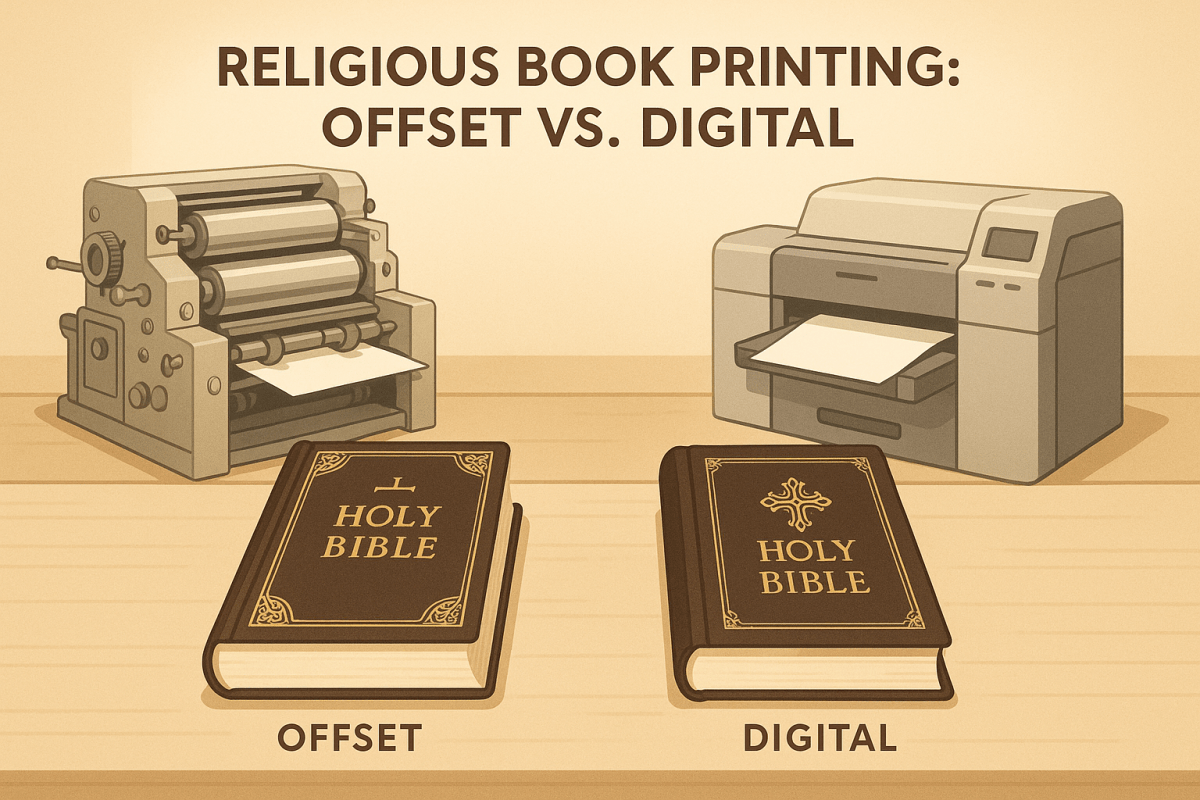
  • Offset Printing: Best for large quantities (2,000+), precise color matching, and premium finishes like foil stamping or embossing. Offers sharper details and works well with specialty papers but requires more setup time and is less flexible for changes.
  • Digital Printing: Ideal for smaller runs (under 2,000), fast turnarounds, and personalized designs (e.g., unique names or IDs). It’s cost-effective for small batches but may lack the precision and finish options of offset.

Quick Comparison:

Feature Offset Printing Digital Printing
Quantity Best for 2,000+ pieces Best for under 2,000 pieces
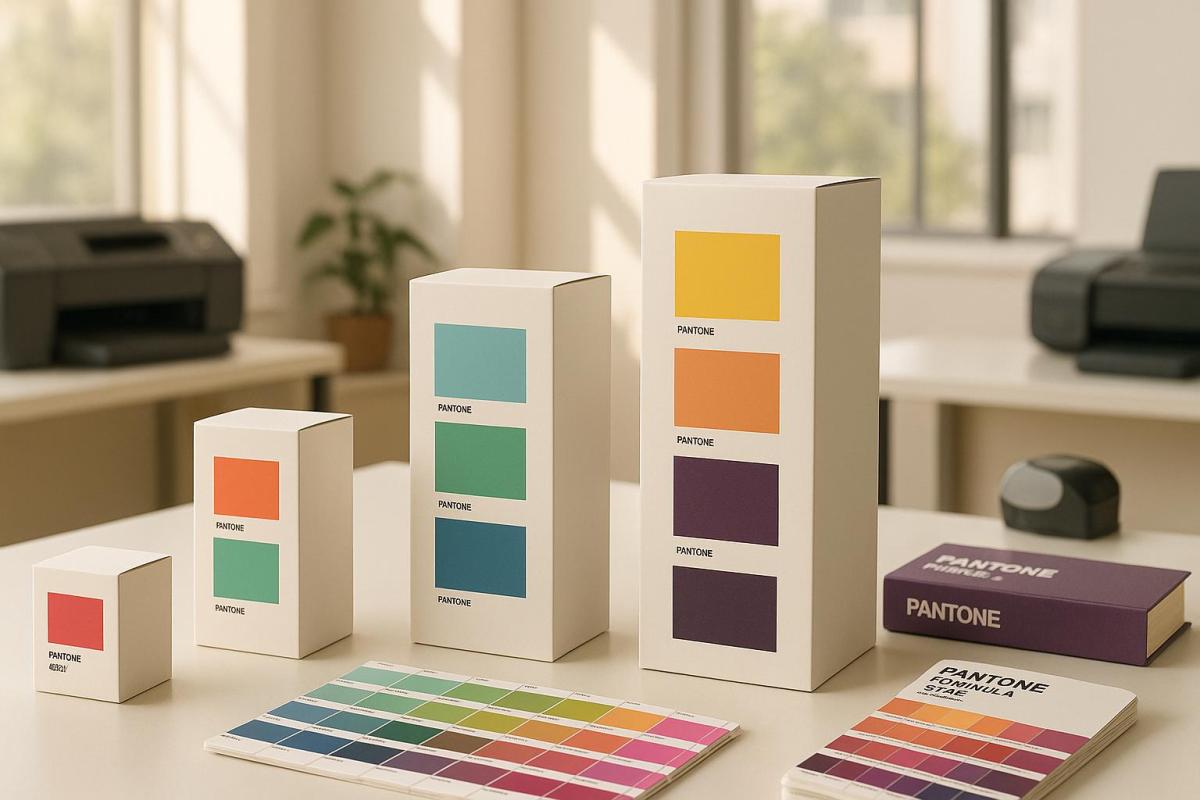
Color Accuracy Exact Pantone matching CMYK approximation
Setup Time Longer setup required Fast, minimal setup
Customization Limited (fixed designs) Supports variable data
Finishes Advanced options (e.g., embossing) Basic finishes only
Cost Efficiency Cheaper for large runs Cheaper for small runs

Key takeaway: Choose offset for high-quality, large-scale projects and digital for quick, personalized, or small-batch needs.

Offset Printing Vs Digital Printing: Difference & Best

Offset Printing Basics

Offset printing uses a transfer process to deliver consistent and high-quality results, making it a go-to choice for certificate production. This method has been a cornerstone of commercial printing since the 1950s . Here’s a closer look at how it works and its key features.

Offset Printing Method

The process is based on a simple principle: oil and water don’t mix . It starts with metal plates created using computer-to-plate (CTP) systems. These plates are then mounted on cylinders and treated with two substances:

  • A water solution covering non-image areas
  • Oil-based ink applied only to image areas

The inked image is transferred from the plate to a rubber blanket cylinder and then to the certificate paper . This indirect transfer, known as "offset", ensures exceptional image quality.

Process Stage Function Benefit
Plate Creation Transfers design to metal plate Produces precise images
Ink Application Applies oil-based ink to images Ensures sharp, clear output
Rubber Transfer Moves image to rubber blanket Provides even pressure
Paper Impression Transfers image to paper stock Delivers consistent results

Benefits of Offset Printing

Offset printing offers several advantages that make it ideal for producing certificates:

Consistent High Quality
This method ensures uniform color, sharp details, and excellent image clarity .

Cost Efficiency for Large Volumes
As Thomas Group Printing explains:

"Unlike other printing methods, the more you print, the more cost-effective it is"

Material Flexibility
It works with a variety of materials, including textured paper, parchment, cardboard, and non-porous substrates .

Professional Finishing Options
Supports premium finishes like foil stamping, embossing, UV coating, and additional security features.

Limitations of Offset Printing

Despite its strengths, offset printing has some drawbacks:

Time-Intensive Setup

  • Requires a lengthy setup process and has high initial costs
  • Typically suited for print runs over 1,000 copies

Limited Design Flexibility

  • Any changes require new plates
  • Not ideal for projects needing variable data
  • Corrections can be expensive once printing has started

Specialized Requirements

  • Demands skilled operators and specific equipment
  • Involves a more complex setup and higher upfront investment

As Telepathic Graphics points out:

"Offset printing is the industry standard for print quality and fast turnaround for large commercial orders"

Digital Printing Basics

Digital printing has been a game-changer for certificate production since the 1980s. By transferring digital images directly onto various media without the need for plates, it’s become the go-to method for small production runs .

How Digital Printing Works

Digital printing operates much like a high-end office printer but delivers professional results. Here’s how the process unfolds:

Stage Description Why It Matters
File Processing Transfers files directly from a computer to the printer Skips the need for plate creation
Ink Application Applies CMYK or specialty dry inks directly to the surface Supports immediate printing
Surface Adhesion Ink stays on the surface rather than soaking into it Produces sharper, more detailed visuals
Final Output Prints dry instantly and is ready for finishing Speeds up production time

This straightforward approach makes digital printing efficient and reliable for certificate production.

Why Choose Digital Printing?

Digital printing brings several advantages to certificate production:

Perfect for Small Runs
It’s ideal for producing small batches, typically ranging from just a few copies to a few hundred . For example, Miro Printing & Graphics Inc. in Hackensack regularly handles these types of orders for local businesses and organizations, offering affordable solutions for limited runs.

Fast Production
Because it skips the plate creation and lengthy setup required in offset printing, digital printing allows for quick turnarounds . As Xerox explains:

"Digital printing is the process of printing digital-based images directly onto a variety of media substrates. There is no need for a printing plate, unlike with offset printing."

Personalization Options
With Variable Data Printing (VDP), each certificate can be tailored with unique details, such as:

  • Names and titles
  • Dates or serial numbers
  • Custom graphics or logos

Supports a Range of Materials
Modern digital printers can handle various certificate stocks, including 300 GSM card stock, textured paper, and metallic finishes .

Drawbacks of Digital Printing

While digital printing offers many benefits, there are a few limitations to consider:

Higher Per-Unit Costs for Large Runs
Although setup costs are lower, the per-unit cost stays the same regardless of the quantity . For larger runs, offset printing may be more cost-efficient.

Surface Compatibility Issues
Since the ink sits on the surface rather than absorbing into the material , certain specialty finishes and papers may not be suitable for digital printing.

sbb-itb-ce53437

Direct Comparison: Offset vs. Digital

When it comes to printing certificates, color accuracy and image quality are essential. Here’s how offset and digital printing stack up:

Quality Aspect Offset Printing Digital Printing
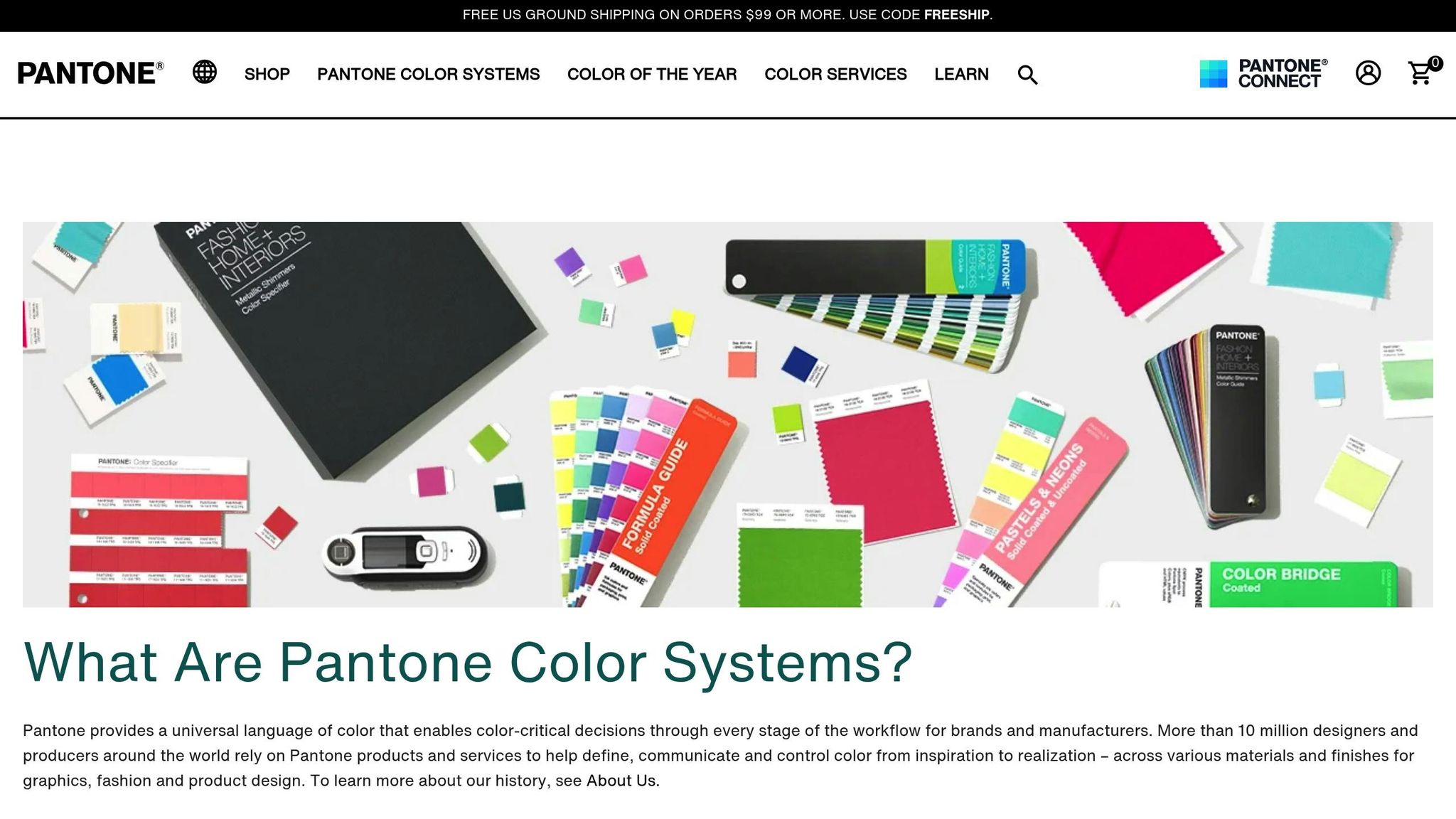
Color Accuracy Uses Pantone (PMS) colors for precise matching Relies on CMYK approximation
Image Crispness Delivers sharper details Provides good detail, but less precise
Gradient Handling Smooth gradients with no banding May show slight banding
Solid Color Areas Consistent and even coverage Possible minor variations

These distinctions in quality play a big role in determining the best option for your needs.

Price Breakdown

Cost is another key factor. For smaller print runs – anything under 2,000 certificates – digital printing is often the cheaper choice because it has lower setup costs and a consistent price per unit. However, for larger quantities, offset printing becomes more economical, as its higher setup costs are spread across a bigger order size .

Production Speed and Changes

If you need quick turnaround or anticipate last-minute edits, digital printing is the better option. It allows for immediate printing directly from digital files, skipping the lengthy setup process required by offset printing. Offset, on the other hand, shines in large-volume projects where consistency and efficiency are critical.

Custom Options

Both methods offer unique customization benefits:

  • Digital Printing: Ideal for variable data printing, such as adding unique names or codes to each certificate.
  • Offset Printing: Better for maintaining consistent branding across large orders and offers specialized features like metallic inks and spot color effects.

Materials and Finishes

The finishing options differ between the two methods:

  • Offset Printing: Excels with premium finishes like metallic inks and spot colors.
  • Digital Printing: Works well with standard finishes on compatible materials.

Selecting Your Printing Method

Choosing between offset and digital printing depends on several factors. Use the table below to help decide which method suits your needs best.

Factor Go with Offset Go with Digital
Quantity More than 2,000 pieces Fewer than 2,000 pieces
Timeline Longer setup is fine Need it done fast
Color Accuracy Precise Pantone matching CMYK approximation works
Personalization Same design for all Variable data like names or IDs
Paper Type Specialty or textured options Standard paper weights
Finishes Foil stamping, embossing, special coatings Basic finishes only

This table provides a quick way to determine the right fit for your project.

When to Choose Offset Printing

Offset printing works best in situations like these:

  • You’re producing large quantities (over 2,000 pieces).
  • Exact Pantone color matching is a must.
  • Your design includes advanced finishes like foil stamping or embossing.
  • You’re using specialty or textured paper stock.
  • Maintaining consistent branding across a large volume is critical.

When Digital Printing Makes Sense

Digital printing shines in cases such as:

  • Small runs (under 2,000 pieces).
  • Tight deadlines where fast turnaround is essential.
  • Projects requiring personalized elements, like unique names or identifiers.

"The print buyer’s choice between digital vs offset printing is driven by price, turnaround time, and the quality of the final piece." – The Print Authority

Summary

Main Points Review

Offset printing is ideal for large-scale projects requiring precise PMS color matching, while digital printing shines for smaller runs and projects needing variable data personalization . Offset offers sharper images and richer colors , but today’s digital printing technology meets professional standards for most certificate needs. The cost balance shifts around 2,000 pieces: digital is more affordable for smaller quantities, while offset becomes more economical for larger orders .

Digital printing allows for fast setups, making it perfect for urgent jobs. Offset printing, though slower to start, is better suited for high-volume production. Additionally, modern digital printing systems reduce waste and produce fewer harmful byproducts, making them a cleaner option .

Printing Method Guide

Here’s a quick reference to help you choose the right printing method based on your project’s needs:

Requirement Offset Printing Digital Printing
Volume Best for over 2,000 pieces Best for under 2,000 pieces
Color Accuracy Exact PMS color matching Close PMS color approximation
Production Speed Great for bulk runs Ideal for rush jobs
Environmental Impact More waste, more byproducts Less waste, fewer toxins
Paper Options Extensive, including textured stocks Standard weight papers

This table simplifies the decision-making process, helping you align your printing method with your project’s volume, quality, speed, and environmental goals.

Miro Printing & Graphics Inc.: Your Local Printing Solution

Miro Printing & Graphics Inc.: Your Local Printing Solution

Located in Hackensack, NJ, Miro Printing & Graphics Inc. has been a trusted name in certificate printing for over 30 years. They combine the precision of offset printing with the efficiency of digital printing to handle projects of all sizes.

Miro customizes its approach based on your project needs. Whether you need quick, professional results with digital printing or cost-effective solutions for bulk orders through offset printing, they’ve got you covered.

"Mike and his team completed a complex job in record time for a very reasonable price…Best service I’ve ever received from a printer; couldn’t recommend Miro more highly." – Julia I.

Their services include:

  • Pre-press: Color correction and layout design to make your certificates stand out.
  • Materials: A range of standard and specialty certificate papers.
  • Quality Control: Proofing with detailed video samples for accuracy.
  • Post-press: In-house bindery to ensure a polished, professional finish.

From selecting the perfect paper to adding the final touches, Miro works closely with clients to meet their exact certificate printing needs.

Related Blog Posts

https://app.seobotai.com/banner/banner.js?id=67bc50aae5225d66b709b5d4

Serif vs. Sans Serif: Choosing Fonts for Print Branding

Explore the unique advantages of serif and sans serif fonts in print branding, and learn how to choose the right type for your materials.

Serif and sans serif fonts are essential tools in print branding, each offering unique advantages. Serif fonts, with their decorative strokes, are ideal for creating a classic, formal tone and improving readability in long-form text like books. Sans serif fonts, with their clean lines, are better suited for modern, minimal designs and stand out in headlines and shorter content.

Key Differences:

  • Serif Fonts: Traditional, elegant, and great for readability in dense text (e.g., books, newspapers).
  • Sans Serif Fonts: Modern, approachable, and perfect for bold, clear visibility (e.g., posters, headlines).

Quick Comparison:

Feature Serif Fonts Sans Serif Fonts
Visual Style Decorative strokes at letter ends Simple, clean lines
Best For Body text in books, brochures Headlines, posters, digital content
Perception Formal, classic, authoritative Modern, minimal, approachable
Challenges Can lose clarity on dark backgrounds May feel less formal in traditional contexts

When choosing fonts for print, consider your brand’s personality, audience, and the type of material. Serif fonts work well for industries like finance or law, while sans serif fonts dominate tech and sports branding. Always test fonts in print to ensure clarity and readability.

Serif vs. Sans-serif: What do FONTS say about your brand?

Comparing Serif and Sans Serif Fonts

Design Features and Uses

Serif and sans serif fonts differ in their design and how they’re used in print branding. Serif fonts are known for their decorative strokes at the ends of letters, while sans serif fonts are characterized by their clean, uniform strokes .

Print Material Serif Font Advantages Sans Serif Font Advantages
Business Cards Creates a classic, formal tone Delivers a sleek, modern appearance
Brochures Improves readability for body text Makes headlines stand out clearly
Books Offers a smooth reading experience Works well for chapter titles
Posters Adds a touch of elegance Ensures strong, bold visibility

Serif fonts, such as Times New Roman, have long been favored for dense text. Times New Roman, designed in 1931 by Stanley Morison and Victor Lardent for The Times newspaper, is a prime example of how serif fonts are tailored for readability in extended text blocks . These design traits highlight the specific roles each font type can play in print materials.

Strengths and Limitations

When it comes to print branding, both serif and sans serif fonts have their own strengths and challenges. Studies show that comprehension levels remain similar between the two font styles for the average reader , but specific audiences may respond better to one over the other.

"In my opinion, serif typefaces less fatigue during long reading of regular, ‘paper’ editions than grotesque, for two reasons. Firstly, serifs emphasize the endings of strokes, becoming additional ‘sense-discerning’. Secondly, serif letters are somewhat more complex in shape, so they differ more from each other than grotesque ones. And our reader’s eye is more in need of a balance of individuality and unification than a designer’s eye, which enjoys mirror ideality." – Yuri Gordon, Book of letters from Aa to Ya

For audiences like children, older adults, or those with visual impairments or dyslexia, sans serif fonts tend to be easier to read . On the other hand, serif fonts continue to excel in traditional formats like books and newspapers, helping guide the reader’s eye across lines of text .

Technical factors also influence font choice. Serif fonts can lose clarity under certain conditions, such as when printed in CMYK or reversed out of dark backgrounds. Sans serif fonts, with their simpler shapes, often handle these challenges better .

Interestingly, about 90% of internet users read content in sans serif fonts , reflecting a preference for simplicity in digital contexts. However, for print branding, the decision between serif and sans serif should focus on the specific purpose and message rather than following digital trends. This approach ensures your font choice aligns with your brand’s goals.

Selecting Fonts for Your Brand

Matching Fonts to Brand Image

The fonts you choose play a big role in shaping how people see your brand. According to research by IT AgeLab and Monotype Imaging Holdings Inc., consumers form opinions about a brand’s personality based solely on its typography .

Industry Recommended Font Style Notable Examples Brand Values Conveyed
Luxury Fashion Serif Gucci, Chanel, Prada Elegance, timeless appeal
Technology Sans Serif Apple, Google, Samsung Modernity, simplicity
Sportswear Sans Serif Nike, Adidas, Under Armour Energy, strength
Finance/Law Serif Traditional firms Authority, reliability

The weight of a font also communicates a message. Bold fonts suggest strength and confidence, while thinner fonts feel softer and more delicate. For instance, brands like Jimmy Choo and Hunkemoller use thin fonts to reflect femininity, whereas Diesel and Levi’s opt for bold typefaces to highlight a rugged, tough image .

Once your fonts align with your brand image, it’s crucial to ensure they’re easy to read in print. A few technical tips can help:

  • Font Size: Body text should be at least 12 points for clarity .
  • Font Pairing: Stick to two or three font styles in a document to keep the design cohesive .
  • Print Testing: Always test fonts on sample prints to check readability .

"Typography is one of the most powerful tools of design and marketing, creating deeper brand meaning and influencing consumer sentiment." – Ben Jura of Marks

For better results:

  • Use serif fonts for body text to make longer content easier to read.
  • Choose sans serif fonts for headlines and subheadings to create a clear visual hierarchy.
  • Test fonts across different materials and sizes to ensure they work well in various formats.

In a survey of 500 people, serif fonts were seen as stable and mature, while modern fonts conveyed confidence and assertiveness .

sbb-itb-ce53437

Font Implementation Guidelines

Creating Font Standards

To establish consistent and accessible typography, define a clear font hierarchy that blends serif and sans serif fonts. The U.S. Web Design System (USWDS) provides helpful typography guidelines to maintain visual consistency and accessibility .

Here’s an example from Bastyr University‘s brand guidelines :

Usage Primary Font Choice Alternative Font
Headlines Libre Baskerville (Serif) Palatino Linotype
Body Text Myriad Pro (Sans Serif) Arial
Digital Content Lato (Sans Serif) Tahoma
  • Serif fonts are ideal for lengthy content, as they improve reading flow and comprehension.
  • Sans serif fonts are better suited for captions, credits, and charts.
  • For younger audiences or early learners, simpler sans serif fonts often work best.

Once your font standards are in place, test them thoroughly to ensure they perform well across various mediums.

To avoid common printing issues, follow these technical tips:

  • Use solid spot colors with serif fonts to prevent blurred edges.
  • Avoid thin serif fonts on dark backgrounds; opt for sturdier serif or sans serif options.
  • Test fonts at actual print sizes, especially for smaller formats.
  • Pair serif and sans serif fonts to create a clear distinction between headings and body text.
  • Print test samples under different conditions to confirm font reliability.

Even well-known serif typefaces can face challenges in certain scenarios. For example, reversing text out of dark backgrounds or patterns can cause fine serif strokes to appear uneven or broken. In such cases, switch to sturdier serif fonts or sans serif alternatives that perform better under demanding printing conditions.

Miro Printing & Graphics Services

Miro Printing & Graphics Inc. offers tailored print design services that prioritize brand consistency and readability. With expertise in digital, offset, and large format printing, they ensure fonts look sharp and professional across all mediums:

Printing Method Features
Digital Printing Delivers crisp, high-resolution results for detailed fonts
Offset Printing Offers precise color accuracy for a polished finish
Large Format Ensures fonts stay sharp and clear, even at larger scales

Their in-house design team works closely with clients to maintain font integrity in every project. As Miro Printing & Graphics Inc. explains:
"With meticulous attention to detail, our print shop has a customized approach that is unmatched by big online printing companies or franchises."

Small Business Print Solutions

Miro Printing & Graphics Inc. also specializes in helping small businesses achieve consistent branding across all printed materials. Their services include:

Service Type Features
Computer Layout & Design Expert font pairing and clear visual hierarchy
Bindery Services Ensures uniformity in multi-page documents
Print Quality Control Provides video samples for font approval before production

This thorough process has earned praise from clients. Julia I. shared how receiving video samples of a mini booklet allowed her to approve the fonts before the final print run. This ensures that serif and sans serif fonts remain consistent across both digital and print formats.

"Great customer service that we didn’t get with our old online printer. Attention to detail is what makes the difference!" – Mike B.

Their in-house bindery services further guarantee that font choices are effective and cohesive, whether you’re printing business cards or full catalogs. This dedication to detail helps businesses maintain a polished and professional image.

Conclusion

Summary of Font Differences

Serif and sans serif fonts each bring distinct advantages to print materials. Serif fonts, with their decorative strokes, are ideal for improving readability in printed text and play a key role in branding efforts . Their classic look makes them a go-to choice for industries like consulting, law, finance, and journalism, where establishing trust and authority is essential .

On the other hand, sans serif fonts, known for their clean and modern design, dominate contemporary branding. In fact, over 70% of Fortune 500 companies use sans serif fonts in their logos . These fonts excel in headings and shorter text, offering a crisp and versatile appearance.

Font Selection Tips

Here are some practical font selection tips for print branding:

Context Serif Fonts Sans Serif Fonts
Body Text Great for long-form content Best for short paragraphs
Print Size 12-14 points for body text Use slightly larger for headings
Visual Hierarchy Ideal for primary text content Perfect for headers and subheadings
Special Conditions Avoid on dark backgrounds Works well for reversed text

Ben Jura, Creative Director of Marks, highlights the importance of typography:

"Typography is one of the most powerful tools of design and marketing, creating deeper brand meaning and influencing consumer sentiment."

To achieve the best results in print, ensure consistent font sizing and spacing across your materials. For dark backgrounds or intricate patterns, sans serif fonts with strong, clear lines are the better choice for readability . By aligning font choices with your brand’s values and maintaining clarity, typography becomes a powerful tool for reinforcing your brand’s identity and message across all printed materials.

Related Blog Posts

https://app.seobotai.com/banner/banner.js?id=67bbc494e5225d66b709372e

Large Format Printing: DPI vs. PPI Explained

Learn the difference between DPI and PPI to optimize print quality and ensure stunning large-format prints tailored for viewing distances.

DPI (dots per inch) and PPI (pixels per inch) are often confused but refer to different things that affect print quality. DPI measures the ink dots a printer applies, while PPI defines the resolution of a digital image. Here’s what you need to know:

  • DPI impacts print clarity and is based on viewing distance. For example:
    • 300 DPI for close-up prints (e.g., decals)
    • 75 DPI for banners viewed from 10–35 feet
    • 12 DPI for billboards viewed from over 35 feet
  • PPI affects the sharpness of digital images. Enlarging an image reduces its PPI, which can cause pixelation. Aim for at least 100 PPI for large-format prints.

Quick Comparison:

Aspect DPI (Dots per Inch) PPI (Pixels per Inch)
Definition Ink dots in a printer Pixels in a digital image
Application Print resolution Digital image resolution
Typical Range 150–300 DPI for large formats 72–300 PPI, depending on use
Scaling Impact Fixed by printer Changes with image resizing

For professional results:

  • Match resolution to viewing distance.
  • Use vector files (.EPS, .SVG) for scalable graphics.
  • Export in PDF or TIFF for quality retention.

Understanding DPI and PPI ensures sharp, high-quality prints without oversized files or unnecessary detail.

What Are DPI, PPI & LPI | Printing Resolution Guide

1. DPI: Print Resolution Basics

DPI, or dots per inch, refers to the number of ink dots a printer applies per inch. It plays a key role in determining the clarity and detail of printed materials. The ideal DPI depends on how the print will be viewed – up close or from a distance. For example, product decals require higher resolution for close-up viewing, while billboards can look sharp with much lower DPI .

Here’s a quick guide to recommended DPI settings based on viewing distance:

Viewing Distance Application Types Recommended DPI
Under 3 feet Product Decals 300 DPI
3–10 feet Posters, Window Decals, Wall Wraps (close-range) 150 DPI
10–35 feet Banners, Feather Flags, Yard Signs 75 DPI
Over 35 feet Billboards, Building Murals 12 DPI

"The higher the DPI, the more dots are used, resulting in finer detail and smoother gradations in the printed image." – Seattle Design & Print

Aside from resolution, file format also plays a big part in print quality. For instance, vector graphics are ideal for logos and text since they scale without losing clarity. While higher DPI improves fine details and smooth color transitions, it also increases file size and can slow down printing .

When working on large format prints, always factor in the viewing distance. This approach ensures high-quality results without creating unnecessarily large files or extending production time.

sbb-itb-ce53437

2. PPI: Digital Image Resolution

After covering DPI for print resolution, it’s time to dive into PPI, which plays a crucial role in determining the quality of digital images.

PPI, or pixels per inch, measures the pixel density in a digital image. It directly impacts how sharp or clear an image appears. While DPI deals with physical prints, PPI focuses on the number of pixels in every inch of your digital file before printing .

For large-format projects, you need to factor in both the final print size and the viewing distance. Standard digital displays typically use 72 or 96 PPI for web graphics, but professional printing often requires much higher resolutions .

Here’s a quick reference for PPI recommendations based on project type:

Project Type Viewing Context Recommended PPI
Canvas Prints Photographic Images 100 PPI
Digital Files for Print Industry Standard 300 PPI
Web Graphics Digital Display Only 72–96 PPI

"PPI (pixels per inch) is the number of pixels contained in a digital image. The density of pixels within a digital image refers to the amount of detail in an image, based on the concentration of pixels. This affects the print size of your design and the quality of the output." – Smartpress.com

Keep in mind that enlarging an image decreases its PPI. For example, doubling the dimensions of an image will cut its PPI in half , which can lead to pixelation and a loss of clarity when the image is enlarged.

To achieve the best results in large-format printing, follow these tips:

  • Use high-resolution source images, aiming for at least 100 PPI at the final print size .
  • For very large projects, consider designing at half or quarter scale to work within software limits. Just make sure to scale the design back to full size before printing .
  • Check the original resolution of any photographs to ensure they meet the requirements for your desired print size .

It’s important to note that you can’t add detail that doesn’t exist in the original image . Understanding PPI prepares you for a deeper comparison between DPI and PPI in the next section.

DPI and PPI Comparison

Let’s break down how DPI (Dots per Inch) and PPI (Pixels per Inch) differ and where they’re used. While these terms are often mixed up, they play distinct roles in achieving the best print quality.

Aspect DPI (Dots per Inch) PPI (Pixels per Inch)
Definition Resolution of a printer’s ink dots Resolution of a digital image’s pixels
Application Determines ink placement on paper Defines pixel density in digital files
Typical Range 150–300 for large formats 72–300, depending on the project
Scaling Impact Fixed attribute of the printer Changes when resizing images
File Type Impact Affects all printed outputs Relevant only for raster-based images

Practical Example

Imagine designing a trade show banner that’s 6 feet by 3 feet and will be viewed from 10 feet away. For this, you’d need around 100 PPI for the digital file and 150 DPI for the printer settings. Vector elements, like logos, will stay sharp no matter the size because they aren’t pixel-based.

Common Misconception

It’s a myth that large-format prints always require extremely high resolutions. Close-up materials like posters or brochures may need 300–600 PPI/DPI, but large-format prints – designed to be viewed from a distance – often look great with much lower resolutions.

Tips for Large-Format Printing

  • Use vector files (like PDF, TIFF, or EPS) for better scalability and quality. Formats like JPG and PNG are less ideal for large projects.
  • Balance PPI for digital image clarity and DPI for printing precision, while keeping file size manageable.

Conclusion

Understanding the roles of DPI and PPI is crucial for achieving high-quality results in large format printing. These concepts guide the resolution settings and practices needed for successful projects.

When preparing files for large format printing, always design at the final print size with the correct resolution settings. Export vector graphics in formats like PDF or TIFF to preserve their quality. As HP Large Format Printers & Plotters puts it:

"The right image resolution for large format printing makes all the difference"

Here are some key tips for better results:

  • Match the resolution to the intended viewing distance.
  • Use vector graphics whenever you can.
  • Export files in PDF or TIFF formats.
  • Factor in the final print dimensions when deciding on initial resolution settings .

Following these practices ensures your prints meet professional standards while keeping production workflows smooth and efficient.

Related Blog Posts

https://app.seobotai.com/banner/banner.js?id=67ba8655bfa83cf6a92e8998

Substrate Selection for Digital Printing

Choosing the right substrate for digital printing is essential for achieving optimal print quality, durability, and cost-effectiveness.

The right substrate is crucial for digital printing success. It impacts print quality, durability, and cost. Here’s what you need to know:

  • Key Factors: Surface properties, material weight, finish, environmental conditions, and printer compatibility.
  • Popular Materials: Paper (coated, uncoated, specialty), plastics (polypropylene, PVC), fabrics, and metals.
  • Sustainability: Eco-friendly substrates and UV inks reduce energy use and CO2 emissions.
  • Testing: Check moisture content (4.7–5.3%), heat resistance (up to 200°C), and ink adhesion before full production.

Quick Tip: Always match your substrate to your printing technology and end-use requirements for optimal results.

Digital Technologies and Material Selection

Main Substrate Selection Factors

The outcome of digital printing projects often hinges on understanding the key features of the substrate, such as surface properties, material weight, finish, and environmental considerations. Let’s dive into these factors.

Surface Properties

The surface of a substrate – its chemistry and texture – plays a big role in how ink adheres and how colors appear. Surface chemistry influences how well ink bonds to the material . Generally, smoother surfaces produce crisper images, while textured surfaces may need extra attention during printing. Interestingly, studies show that hydrophobic papers tend to have less mottling compared to hydrophilic ones.

Material Weight and Finish

The weight and finish of a material impact both its durability and visual effect. Here’s a quick breakdown of common finishes:

Finish Type Features Best Fit
Coated Bright, sharp colors Marketing materials, photos
Uncoated Subtle, natural look Business documents, letterheads
Textured Adds depth and character Artistic prints, specialty projects

Coated papers stand out for their ability to produce vivid, sharp colors, as the coating prevents ink from soaking into the fibers . This makes them ideal for projects where precise color reproduction and striking visuals are priorities.

Cost and Recycling Options

Economic and environmental considerations are just as important as physical characteristics. For instance, in offset printing, substrates can make up roughly 30% of the total job cost . Digital printing, however, allows for more cost-effective and flexible substrate choices. Today, there are options like tear-resistant polypropylene films that combine durability with recyclability . Additionally, digital printing’s on-demand capabilities reduce storage needs and material waste, making it a more resource-conscious choice.

sbb-itb-ce53437

Digital printing works with a wide range of materials, each suited for specific needs and uses.

Paper Products

Paper remains the most widely used material for digital printing . Its versatility makes it suitable for many applications:

Paper Type Best Applications Key Features
Coated Stock Marketing materials, catalogs Better ink adhesion, vibrant colors
Uncoated Text Business documents, letterheads Natural texture, easy to write on
Specialty Papers Certificates, premium packaging Unique textures, custom finishes

While paper is the go-to, other materials can meet specialized requirements.

Fabric and Plastic Options

Modern printers are equipped to handle various fabrics with specific inks and preparation processes. Synthetic materials like polypropylene and PVC are great for applications needing moisture and chemical resistance.

"The ink choice depends on the substrate. Aside from textiles, substrates are either ‘porous’ – absorbing the ink or ‘non-porous’ – ink spreading because the ink sits on the substrate’s surface." – Kao Collins Inkjet Inks

Plastic substrates, such as polypropylene and PVC, are especially useful for outdoor signs and durable product labels. For projects requiring extra durability, other materials may be a better fit.

Metal and Other Materials

Metal substrates stand out for high-end and industrial uses. Testing shows that metal prints perform better across multiple factors:

Criteria Metal Score Acrylic Score
Moisture Resistance 5/5 3/5
Image Sharpness 5/5 5/5
Environmental Impact 5/5 1/5
Value 4/5 1/5

Metal is particularly strong in outdoor settings, offering excellent fade resistance and long-term durability . For more niche applications, materials like glass, leather, and stone can also be printed on using laser technology, though they require careful preparation and specialized inks.

Companies like Miro Printing & Graphics Inc. (https://bergencountyprinters.com) provide expert advice to ensure the right material and technology are chosen for each project, delivering high-quality, long-lasting results.

Substrate Selection Guide

Printer Compatibility

Choosing the right substrate depends heavily on your printing technology. For liquid toner systems, which cover around 72% of substrates, material selection is crucial to ensure proper ink adhesion. On the other hand, dry toner systems (used for about 19% of substrates) have their own specific needs. For instance, metallized paper is not suitable for these systems.

Here’s a quick compatibility breakdown:

Printing Technology Key Compatibility Factors Surface Requirements
Liquid Toner Needs strong adhesion Optimized films
Dry Toner Moderate sensitivity Avoid metallized paper
UV Inkjet High surface energy (44+)

Always confirm these characteristics through controlled testing to avoid issues later.

Sample Print Process

Analyzing print quality involves breaking down images into measurable factors.

"When you want to optimize your entire printing process, you need a way to evaluate your entire printing process. Print Quality tools analyze the end result, the printed image, so you can measure the output of hundreds of parameters at work in one easy test."
ImageXpert

Some critical testing parameters include:

  • Moisture content: Between 4.7–5.3%
  • Heat resistance: Up to 200°C
  • Color consistency and dot quality

Use test patterns to check printhead alignment and nozzle performance. This ensures any potential problems are identified before committing to a full production run.

Once you’ve confirmed compatibility and print performance, consulting with experts can help fine-tune your substrate selection.

"The substrate you choose is an integral part of the storytelling process, influencing how your audience perceives and interacts with your printed materials."
PonderosaPrinting

Companies like Miro Printing & Graphics Inc. provide tailored advice by assessing your project’s goals, installation needs, environmental factors, application methods, and budget. Their deep understanding of various printing technologies – be it liquid toner, dry toner, or inkjet – ensures you pick a substrate that delivers top-notch print quality while avoiding costly errors.

Conclusion

The success of digital printing relies heavily on selecting substrates that meet specific technical requirements. Jennifer Pennington, Director of Product Management and OEM Partnerships at Kodak, emphasizes this point:

"Before getting into inkjet, it’s important to seek out education on what can and can’t be done. We [Kodak Prosper] can do almost everything with the right set of parameters. You have to have the right paper, you have to have the right ink settings, and you have to have the right drying to achieve true production speed."

This highlights how critical it is to manage parameters like paper type, ink settings, and drying processes. As digital printing techniques advance, careful attention to these technical details becomes even more important. For instance, the best substrates are those that handle moisture and heat effectively, while different printing systems often require specific substrate properties . Sustainability also plays a growing role, with 78% of consumers considering it in their purchasing decisions. UV inks, for example, use significantly less energy and emit far less CO2 compared to latex inks .

Dave Bell from Ricoh USA adds another layer of insight:

"I give them what the red flags are, what they should be looking for, and where they might have performance issues. It could be nothing more than using a less optimal substrate. They have the right press, they have the right inks, and they printed it well. But they missed one key point, the substrate, that was important to the customer."

This underscores the importance of substrate selection in achieving both technical and customer satisfaction goals.

Related Blog Posts

https://app.seobotai.com/banner/banner.js?id=67b91832bfa83cf6a92d50e5

Indoor vs Outdoor Banners: Key Differences

Learn the key differences between indoor and outdoor banners, including materials, design requirements, and best use cases for effective advertising.

Choosing the right banner depends on where it will be displayed and its purpose. Here’s a quick breakdown:

  • Indoor Banners: Best for controlled environments like trade shows or retail stores. Made from lightweight materials like fabric or standard vinyl, they allow for detailed designs, smaller text, and interactive elements (e.g., QR codes). They’re not weatherproof and are ideal for close-range viewing.
  • Outdoor Banners: Designed for durability in harsh weather conditions. Made from reinforced vinyl or mesh, they feature bold designs, large fonts, and UV-resistant inks for visibility from a distance. These banners are built to last and withstand wind, rain, and sunlight.

Quick Comparison

Feature Indoor Banners Outdoor Banners
Material Lightweight vinyl, fabric Reinforced vinyl, mesh
Durability Short-term, indoor use Long-term, weatherproof
Design Detailed, small text Bold, large fonts
Viewing Distance Close range Long distance
Best Uses Trade shows, retail spaces Storefronts, events, highways

Use indoor banners for detailed, up-close messaging in controlled settings. Opt for outdoor banners when visibility and durability in tough conditions are key.

Indoor and Outdoor Vinyl Banners

Materials and Durability

The type of material used for banners plays a big role in how well they perform and how long they last.

Indoor Banner Materials

Indoor banners are usually made from fabric or vinyl designed for sharp, high-resolution printing in controlled environments. Polyester blends are a common choice for fabric banners because they resist wrinkles and work well for detailed printing. These are popular for trade shows and retail displays.

Outdoor Banner Materials

Outdoor banners need tougher materials to handle harsh weather conditions like sun, wind, and rain. Heavy-duty vinyl and mesh banners are the go-to options. Heavy vinyl is great for street-facing displays due to its resistance to UV rays and water. Mesh banners, with their perforated design, are ideal for windy areas as they allow air to pass through.

Material Type Best Used For Key Features
Heavy Vinyl Street-facing displays UV-resistant, waterproof
Mesh Banner Windy locations Allows air to pass through

Lifespan and Wear

Indoor and outdoor banners differ significantly in how long they last. Indoor banners usually hold up for a few months to a year, while outdoor banners can last several years if cared for properly. Factors like UV exposure (which causes fading), extreme temperatures (leading to warping), moisture (causing material breakdown), and poor mounting can all shorten a banner’s lifespan.

For outdoor use, experts recommend adding features like reinforced edges and wind slits to reduce weather damage. Professionals from companies like Miro Printing & Graphics Inc. (https://bergencountyprinters.com) stress that choosing the right materials and structural reinforcements is essential for long-lasting results.

With the right materials in place, the next step is designing a banner that fits its environment. Material selection sets the stage for creating a functional and visually effective design, as we’ll explore in the following section.

Design Requirements

When creating banners, it’s important to consider both material durability and how the design fits the environment where the banner will be displayed.

Indoor Design Specs

Indoor banners are seen up close, often under controlled lighting. This allows for detailed designs, including intricate graphics, small text, and subtle color gradients. Features like QR codes and social media handles work well here since viewers can interact with them easily.

Outdoor Design Specs

Outdoor banners need to stand out from a distance. This means using bold, large fonts and high-contrast colors. Professionals like Miro Printing & Graphics Inc. recommend UV-resistant inks to keep colors vibrant despite exposure to sunlight and weather.

Design Selection Guide

To choose the right design, think about:

  • Viewing Context: How far away and at what angle will people see the banner?
  • Environmental Conditions: Will it face bright sunlight, rain, or other weather challenges?
  • Message Priority: Focus on one clear message for outdoor banners, while indoor banners can include more details.

These design principles help lay the groundwork for determining the best banner placement, which will be covered next.

Setup and Location

The success of a banner often depends on where it’s placed.

Indoor Locations

Indoor banners work best in spaces where the environment is controlled, like trade shows, retail stores, or corporate lobbies. For maximum impact, position them at eye level in well-lit areas. This ensures they grab attention and are easy to read.

Lightweight polyester banners are a great choice for temporary setups. They’re easy to install and give a polished look.

Outdoor Locations

Outdoor banners need a bit more planning to handle weather changes and longer viewing distances. High-traffic spots like storefronts or event venues are ideal, but you’ll need materials that can stand up to the elements. Here are some key factors to consider:

Factor Challenge Best Solution
Sun Exposure UV damage risk UV-resistant vinyl
Wind Impact Risk of tearing Mesh banners for airflow
Viewing Distance Need for visibility Larger size, bold design
Traffic Flow Audience movement Place at strategic angles

Location Tips

For indoor banners, choose spots where people naturally stop, like near registration desks or information booths. This gives them time to take in the details or interact with features like QR codes.

For outdoor banners, think about the sun’s position throughout the day to avoid glare, ensuring your message remains clear and visible.

sbb-itb-ce53437

Quick Reference Chart

Here’s a handy comparison to help you decide between indoor and outdoor banners based on your specific needs.

Feature Comparison

Feature Indoor Banners Outdoor Banners
Material Lightweight vinyl, fabric Reinforced vinyl, mesh
Durability Best for controlled indoor settings Built to handle outdoor weather
Weather Resistance Minimal protection for indoor use Resistant to sun, rain, and other elements
Design Elements Detailed graphics, smaller text (e.g., QR codes) Bold fonts, simple graphics for visibility
Viewing Distance Great for close-up viewing Easy to read from far away
Installation Simple hanging options Requires sturdy mounting hardware
Best Uses Trade shows, retail displays, corporate events Storefronts, outdoor events, highway signs

When choosing a banner, match it to its environment. For indoor use, go with lightweight vinyl or fabric for detailed designs under controlled lighting. For outdoor settings, opt for reinforced materials or mesh to handle weather and ensure clear visibility from a distance. This guide sets you up to make the right choice in the next steps.

Location Analysis

Think about where your banner will be displayed. Consider the height of ceilings, wall sizes, and lighting conditions. For trade shows, banners should be visible from moderate distances, while retail displays work best at eye level. Outdoor banners need to handle wind, sunlight, and varied viewing angles, especially in high-traffic areas.

Goal Setting

Your banner choice should align with your advertising goals and the duration of your campaign. Temporary indoor promotions benefit from lightweight vinyl, which offers sharp and detailed visuals. Long-term outdoor banners, on the other hand, need sturdier materials like reinforced vinyl or mesh to endure weather conditions while staying visually appealing.

Goal Recommended Banner Type Key Considerations
Trade Show Display (short-term) Indoor Fabric Easy to set up, wrinkle-free, professional look
Seasonal Retail Promotion Indoor Vinyl Great for detailed graphics and budget-friendly
Storefront Advertising Outdoor Mesh Resists wind, UV-protected, and highly visible
Construction Site Signage Heavy-duty Outdoor Vinyl Extremely durable and weatherproof

Once your goals are clear, the next step is finding the right print shop to bring your vision to life.

Choose a reliable print shop to ensure your banner is both high-quality and durable. Experienced printers can guide you on materials and technical details. For instance, Miro Printing & Graphics Inc. in Hackensack, NJ, specializes in large format printing and offers in-house design support to fine-tune banners for both indoor and outdoor use.

When evaluating a printer, check if they provide material samples, mounting hardware options, installation tips, color matching, and guarantees on durability. Local printers with knowledge of regional weather conditions are particularly helpful. For example, in windy areas, mesh banners with wind slits often outperform solid vinyl while still standing out visually.

Conclusion

Choose your banner based on the materials, design needs, and where it will be displayed. Indoor banners are typically made from lightweight vinyl or fabric, making them ideal for controlled spaces. On the other hand, outdoor banners require tougher materials to withstand external conditions, which can impact their lifespan and design clarity.

The design approach also varies. Indoor banners can feature detailed graphics since they’re viewed up close. Outdoor banners, however, work best with bold, simple designs and larger fonts to ensure they’re readable from a distance.

Think about the environment where the banner will be displayed. Indoor banners thrive in stable settings with consistent lighting and predictable viewing distances. Outdoor banners, however, need to handle weather changes and other unpredictable factors.

Durability is another key factor. While indoor banners may seem like the cheaper option upfront, outdoor banners often save money in the long run because they’re built to resist harsh weather conditions.

FAQs

Here are quick answers to common questions about the differences and key considerations for indoor and outdoor banners.

What sets indoor and outdoor banners apart?

Indoor banners are typically made from scrim vinyl, a lighter material suited for controlled environments. Outdoor banners, on the other hand, use blackout vinyl, which is sturdier and designed to withstand weather conditions.

How do design needs differ for indoor vs. outdoor banners?

Indoor banners can feature intricate graphics and smaller text since they are viewed up close. Outdoor banners require bold, straightforward designs with larger fonts to ensure visibility from a distance and in varying lighting conditions.

What affects the lifespan of a banner?

Indoor banners can last for several years with proper care. Outdoor banners are crafted for tougher environments, often featuring UV-resistant coatings and added reinforcements to extend their durability.

How do I decide between indoor and outdoor banners?

Think about these aspects:

  • Location: Will the banner be in a controlled indoor space or exposed to outdoor elements?
  • Viewing Distance: Is it meant for close-up viewing or to catch attention from afar?
  • Duration: Is it for a short-term event or a long-term display?
  • Budget: Weigh the initial investment against how long you need the banner to last.

Where are indoor and outdoor banners most effective?

Indoor banners work great for:

  • Trade shows
  • Retail spaces
  • Conference rooms
  • Shopping malls

Outdoor banners shine in places like:

  • Building exteriors
  • Event venues
  • Street advertising spots
  • Sports arenas

"A professional print shop can provide expert advice on material selection, design considerations, and installation methods tailored to the specific needs of the business, ensuring that the chosen banner effectively meets the advertising goals", says Miro Printing & Graphics Inc., a full-service print shop specializing in both indoor and outdoor banners.

Related Blog Posts

https://app.seobotai.com/banner/banner.js?id=67b7dc55a97035aabf3e02bc

Ultimate Guide to Grid Systems in Printing

Learn how grid systems enhance print design with organization, readability, and visual appeal across various formats.

Grid systems are essential for creating clear and organized print designs. They use columns, rows, margins, and gutters to structure layouts, improving readability and visual appeal. Here’s a quick overview of what you’ll learn about grid systems:

  • What They Are: Frameworks of intersecting lines to guide content placement.
  • Types: Single-column (for books), multi-column (for magazines), modular (for brochures), and combined grids.
  • Benefits: Consistency, readability, professional looks, and efficiency.
  • Setup Tips: Use tools like Adobe InDesign, test across formats, and avoid common mistakes like misaligned elements or poor spacing.
  • Advanced Techniques: Modular grids for magazines, print-to-digital grids, and case studies like Miro Printing & Graphics Inc.

Grid systems streamline the design process and ensure your print materials look polished and professional.

The Missing Guide to Grid Systems

Grid System Categories

Grid systems in print design are divided into specific types, each suited to different kinds of projects. These systems serve as the foundation for creating organized and visually appealing layouts.

Single-Column Grids

Single-column grids provide a straightforward layout, making them ideal for text-heavy documents. They keep the reader’s attention on the content by reducing visual distractions. This design works well for materials like books, reports, and academic papers, where a clear reading flow is essential. For instance, Miro Printing & Graphics Inc. uses single-column grids in book printing to ensure easy readability.

Multi-Column Grids

Multi-column grids are perfect for more intricate layouts, commonly used in newspapers, magazines, and promotional materials. By dividing the page into multiple columns, designers can organize content effectively. For example, a 6-column grid is frequently used in newspaper layouts to structure stories clearly. A great example of this approach is The Guardian‘s 2018 redesign, which used a modular grid to give each section its own style while maintaining the overall brand’s visual identity.

Combined Row-Column Grids

Combined row-column grids add both horizontal and vertical divisions, allowing for precise placement of design elements. These grids are especially useful for layouts where content flows in multiple directions, such as annual reports, catalogs, or magazine spreads. In modern magazine design, this type of grid helps balance text and images, establish visual hierarchy, and maintain consistent spacing. Designers typically start with a base grid and adjust it to meet the specific needs of the project.

Grid System Setup and Use

Building Your Grid

Start by setting the dimensions, margins, and gutters to create a layout that’s easy to read. Tools like Adobe InDesign allow you to customize columns, gutter widths, and margins to fit your needs. For instance, magazine layouts often use moderate gutter widths to balance readability and space efficiency. Adjust your grid setup based on the specific demands of each project.

Grid Use by Project Type

Different print materials require different grid systems. Here’s how they align:

Project Type Grid Type Key Considerations
Magazines Multi-column grid Enables flexible layouts with varied column combinations
Books Single-column grid Prioritizes readability with uniform margins
Brochures Modular or combined grid Balances text and visuals for an engaging layout
Posters Hierarchical grid Offers creative flexibility while keeping structure intact

Grid Design Software

Creating effective grids often involves specialized tools. Adobe InDesign is a top choice for professional designers, offering advanced features like column spanning for complex layouts. If you’re looking for a budget-friendly option, Affinity Publisher provides similar functionality with an easier learning curve, making it great for simpler projects.

Consistent spacing is key to a polished design. Professional printers like Miro Printing & Graphics Inc. (https://bergencountyprinters.com) highlight how a well-structured grid can simplify production and reduce printing errors.

Before finalizing your design, test your grid system on different print formats. This step helps catch potential issues early and ensures your layout works well across various sizes and formats.

sbb-itb-ce53437

Grid System Standards

Keeping Grids Uniform

Establish a master grid template with consistent margins, gutters, and column widths. This approach ensures a visually balanced design across your project and simplifies the layout process. For multi-page documents, using baseline grids to align text across pages improves readability and gives your design a polished, professional feel.

Adjusting Grids by Format

Adapt grid settings to fit the specific needs of each format. For instance, magazine layouts often work well with flexible, multi-column grids and wider gutters, while business cards and brochures need simpler grids with tighter margins. Large-format posters, on the other hand, may require larger margins to keep content easy to read from a distance. Adjusting column widths and spacing based on the format’s size helps maintain a well-organized and visually pleasing design. Proper adjustments also help avoid layout issues.

Common Grid Mistakes

Knowing common grid mistakes can save you from design headaches later. Misaligned elements, for example, can make your layout look messy and unprofessional. Similarly, poorly planned gutter spacing – whether too narrow or too wide – can either clutter your design or waste space. Another frequent issue is breaking the grid without purpose. While intentional grid breaks can enhance a design, random deviations often lead to visual chaos. Failing to adjust grids for various formats can also result in mismatched and awkward layouts.

Expert Grid Techniques

Taking grid design to the next level, advanced techniques help create layouts that handle the challenges of complex publications.

Magazine Grid Systems

Magazine layouts demand grids that combine visual appeal with easy readability. A modular grid approach works well here – using primary grids for main content, secondary grids for elements like captions and sidebars, and a baseline grid to keep text aligned. This setup creates dynamic spreads that naturally guide the reader’s eye.

Some key points to keep in mind: wider gutters improve readability, flexible columns allow for varied content arrangements, and strategic image placement adds balance without disrupting harmony.

Creating grids that work across both print and digital platforms requires careful planning. For example, The New York Times uses a grid system that ensures a consistent look while adapting to different screen sizes and print formats.

For print, fixed measurements are used, while digital grids rely on percentage-based widths, responsive padding, scalable typography, and fluid image containers. These methods make grids flexible enough to handle real-world design challenges, as we’ll see in the case study below.

Case Study: Miro Printing & Graphics Inc.

Miro Printing & Graphics Inc. showcases how advanced grid systems can be tailored to a wide range of print projects. From simple single-column layouts for business cards to intricate multi-column grids for catalogs and booklets, their approach is customized for each project.

Their success lies in using consistent baseline grids for alignment across multi-page documents and modular frameworks that adapt to different content needs.

"Studies have shown that designs with a structured layout can improve comprehensibility for the user by up to 50%."

For complex projects like catalogs or brochures, Miro often employs hierarchical grid systems. These create clear visual pathways while keeping the design structured. Their large-format printing services further highlight how well-designed grids can maintain readability and visual impact, even at different viewing distances.

Summary

Grid systems are the backbone of print design, providing structure and clarity. Here’s a closer look at their benefits and practical tips for effective implementation. These insights expand on the grid concepts introduced earlier.

Grid System Benefits

Grid systems have been shaping print design since the 15th century. Visionaries like Jan Tschichold and Josef Müller-Brockmann introduced methods that still guide modern designs. A great example is The Guardian’s 2018 redesign, which used a modular grid to achieve balance and improve readability.

Benefit How It Helps
Visual Hierarchy Organizes content clearly, making information easier to follow
Consistency Keeps layouts uniform across multiple pages
Efficiency Speeds up the design process by providing a reliable framework
Flexibility Supports varied content arrangements without losing structure

Tips for Using Grid Systems

To get the most out of your grid system, try these practical tips:

  • Match the grid to your content: Use manuscript grids for text-heavy projects or modular grids for more intricate layouts, like those seen in Miro Printing & Graphics Inc.’s catalogs.
  • Leverage design tools: Programs like Adobe InDesign can simplify layout creation, ensuring technology enhances your design rather than restricts it.
  • Keep baseline grids consistent: While maintaining alignment, allow for some flexibility to balance structure with creativity.
  • Use white space wisely: Strategic margins and gutters can make your design more readable and visually pleasing.

"Studies have shown that designs with a structured layout can improve comprehensibility for the user by up to 50%."

FAQs

Here are answers to common questions about grid types and standard layouts in print design.

What are the different types of image grids?

Print design typically utilizes five main grid types, each tailored for specific layout needs. These grids help structure content effectively in various print materials.

Grid Type Best Used For Key Characteristic
Manuscript Books, reports Single-column layout
Column Magazines, newspapers Vertical divisions
Modular Complex layouts Combines horizontal and vertical divisions
Hierarchical Custom designs Structure based on content needs
Baseline Text alignment Ensures consistent typography

What is the standard grid layout?

A standard grid includes three main components: columns to create vertical structure, gutters to separate the content, and margins to frame the page. Professional print shops, like Miro Printing & Graphics Inc., often adjust these elements to fit specific project needs. For more technical details, check out the guide Grid System Setup and Use.

Related Blog Posts

https://app.seobotai.com/banner/banner.js?id=67b7c70da97035aabf3dce42

How to Save on Print Marketing Costs

Learn effective strategies to cut print marketing costs while maintaining quality, using materials wisely and leveraging local services.

Print marketing can be cost-effective if you use the right strategies. Here’s how to save money without sacrificing quality:

  • Choose Affordable Materials: Opt for uncoated or matte paper and simpler finishes like folding instead of expensive options like foil stamping.
  • Print in Bulk: Larger orders reduce per-unit costs, but plan carefully to avoid waste.
  • Simplify Designs: Use standard sizes, lighter paper weights, and fewer graphics to lower expenses.
  • Work with Local Printers: Save on shipping, reduce turnaround times, and get personalized service.
  • Use Print-on-Demand: Avoid waste and storage costs by printing only what you need, when you need it.
  • Combine Print Jobs: Group similar projects to cut setup costs and reduce waste.

These methods can cut costs by up to 50% and minimize waste by 30%. Partnering with local print shops, like Miro Printing & Graphics Inc., can further streamline your efforts and improve efficiency.

5 Simple Tips to Reduce Printing Costs

Choosing Cost-Effective Print Materials

Making smart choices about materials can significantly lower print marketing costs. By understanding paper options, bulk pricing, and design strategies, businesses can save money while maintaining a professional look. Let’s break down these key factors.

Paper Types and Finish Options

Your choice of paper and finish has a direct impact on both cost and presentation. For example, matte or uncoated paper is often more affordable than glossy or coated paper, yet still looks polished. Similarly, simpler finishes like folding and stapling cost less than options like die-cutting or foil stamping.

Here’s a quick comparison of paper and finish options based on cost and use:

Paper/Finish Type Cost Level Best Used For
Uncoated House Stock Low Flyers, internal documents, newsletters
Matte Standard Medium Brochures, presentations, catalogs
Coated Premium High High-end marketing materials, annual reports

Volume Discounts and Bulk Orders

Printing in bulk can drastically cut costs by spreading setup expenses across a larger quantity. For example, printing 5,000 brochures might cost nearly the same as printing 2,500, cutting the per-unit cost in half.

When planning bulk orders, keep these factors in mind:

  • Storage space for your materials
  • Seasonal updates that might require changes to your content
  • Distribution timeline to ensure materials stay relevant

These considerations help you avoid waste while taking full advantage of bulk pricing.

Cost-Saving Design Tips

Thoughtful design choices can also help trim printing costs. Here are some effective strategies:

  • Opt for standard sizes to reduce paper waste
  • Keep graphics simple to save on ink
  • Choose house stock paper from your printer’s inventory
  • Use lighter basis weight when suitable for the project
  • Plan for gang-run printing to combine multiple items in one print job

Don’t hesitate to consult your print shop for advice – they can often suggest additional ways to save without compromising quality.

Working with Local Print Shops

Local print shops can help you save on print marketing expenses while providing personalized service and quicker turnarounds.

Why Choose Local Printing?

Local printing can cut costs in a few important ways:

  • Lower shipping expenses by avoiding long-distance delivery.
  • Faster turnaround times that help you skip rush fees.
  • In-person reviews to catch errors early, reducing the risk of costly reprints.

On top of these savings, visiting a local shop for hands-on consultations ensures your final product matches your expectations.

Partnering with Miro Printing & Graphics Inc.

If you’re in Hackensack, NJ, Miro Printing & Graphics Inc. is a great example of what a local print shop can offer. They cover a wide range of needs – digital printing, offset printing, and large-format printing – so you can handle all your projects with one provider.

Their in-house bindery and design services simplify the process even further. Instead of juggling multiple vendors for design, printing, and finishing, you can rely on Miro for everything. This approach not only saves time but also reduces costs. Some of their standout services include:

  • Digital printing for small, budget-friendly runs.
  • Offset printing for cost-efficient bulk orders.
  • In-house bindery to avoid extra finishing charges.
  • Integrated mailing and fulfillment to streamline distribution.

When choosing a local print shop, look for one that offers a full suite of services tailored to your needs. This can help you avoid coordination headaches and build a strong, long-term partnership – often leading to better pricing and faster service for urgent projects.

Working with local print shops is a smart way to cut print marketing costs while maintaining quality and convenience.

sbb-itb-ce53437

Money-Saving Print Methods

Smart printing techniques can help reduce marketing expenses when paired with thoughtful material choices and local service strategies.

Print-on-demand eliminates storage costs and waste by producing materials only when needed. This approach is perfect for targeted efforts, like sending personalized direct mail to shoppers who abandoned their carts. Plus, automation can cut manual tasks by up to 80%, streamlining processes such as list management and variable data printing (VDP).

By focusing on high-value prospects, such as those who left items in their shopping carts, businesses can create more impactful campaigns while saving time and resources.

Combining Print Jobs

Batch printing is another way to save time and reduce material waste by grouping similar projects together.

Here are some ways to combine print jobs effectively:

Print Job Type Combination Strategy Cost-Saving Benefit
Marketing Materials Group seasonal campaigns Cuts setup time and reduces material waste
Business Essentials Combine letterhead, envelopes, etc. Shares paper stock and press setup
Direct Mail Batch similar-sized mailers Lowers postal rates and boosts efficiency

Using pre-printed templates (also known as "shells") allows for quick, on-demand customization, saving even more time and money.

Web2Print platforms simplify the process of managing combined print jobs. These tools help businesses track inventory, coordinate batch printing, and maintain consistent quality across materials. By using these systems, companies can better manage their printing budgets while improving the effectiveness of their marketing efforts.

Work closely with your print provider to group projects and schedule print runs strategically. These cost-saving methods will also complement the distribution strategies covered in the next section.

Smart Distribution Methods

By combining cost-effective materials with local printing, well-thought-out distribution can cut waste and make campaigns more impactful.

Focused Marketing Campaigns

Instead of blanketing everyone with your message, zero in on high-value customer segments using data. This not only lowers costs but also boosts response rates. Think about seasonal trends and customer habits – like timing print runs to match busy shopping seasons for retail or syncing distribution with key industry events for B2B. Placement matters too – where you put your materials can make or break engagement.

Effective Material Placement

Put your printed materials where your audience is already spending time. For example, local businesses can team up with complementary establishments – like leaving gym brochures at health food stores or placing restaurant menus in nearby hotels.

Some smart placement ideas include:

  • High-Traffic Areas: Focus on spots where your audience naturally gathers.
  • Complementary Locations: Partner with businesses that serve a similar crowd.
  • Seasonal or Event-Based Timing: Distribute materials during peak times or related events.

Keep an eye on how people respond and adjust your locations as needed. Using local insights and staying flexible can help you get the most out of your efforts.

Conclusion: Print Cost Reduction Tips

Effective print marketing doesn’t have to break the bank. Partnering with local print shops, like Miro Printing & Graphics Inc. in Hackensack, NJ, can save you money while delivering professional results. Local providers eliminate shipping fees and offer services like in-house bindery and design consultations, making the entire process smoother and more affordable.

Studies suggest that combining bulk printing with print-on-demand services can cut costs by up to 50%, reduce waste by 30%, and boost efficiency. To maximize savings, focus on using budget-friendly materials, consolidating print jobs, and working with local experts. By making smart material choices and tapping into nearby resources, you can ensure every printed piece adds value to your business.

FAQs

How can I save the cost of printing?

Here’s a quick summary of effective ways to cut your printing expenses:

  • Opt for lighter, more affordable paper options.
  • Combine multiple projects into a single bulk print run to save on setup fees.
  • Work with local printers like Miro Printing & Graphics Inc. to lower shipping costs and get personalized service.
  • Use print-on-demand to produce materials only when needed.
  • Automate processes to reduce manual effort and improve efficiency.
  • Take advantage of Web2Print platforms to better manage inventory and avoid waste.

These strategies help you stretch your budget while still delivering high-quality print materials.

Related Blog Posts

https://app.seobotai.com/banner/banner.js?id=67b67530acf635f489c48d64

How to Create Die-Cut Templates for Printing

Learn to create precise die-cut templates for printing, ensuring accuracy and professionalism in your custom designs.

Die-cut templates are essential for creating custom shapes in printed products like business cards, packaging, and promotional materials. Here’s how to create them effectively:

  • Use the Right Software: Adobe Illustrator for precision, InDesign for text-heavy designs, or Silhouette Studio for simpler projects.
  • Set Up Your Document: Use CMYK color mode, 300 DPI resolution, and include a 0.125-inch bleed area.
  • Organize Layers: Separate artwork, cut lines, fold lines, and guidelines with clear names and color codes (e.g., magenta for cut lines, cyan for folds).
  • Add Key Details: Include registration marks, safe zones, and perforation lines for accuracy.
  • Final Checklist: Ensure 300 DPI resolution, CMYK color mode, outlined fonts, proper bleed, and overprint settings before exporting as PDF/X-4.

Quick Tip: Mistakes like incorrect spot colors, missing bleed, or complex cutting patterns can lead to costly errors. Test your design with a physical prototype and consult a print shop for professional guidance.

Want precise results? Follow these steps and communicate early with your print provider to ensure your design meets production standards.

How to Create Die-Cut Files Using Adobe Illustrator

Step 1: Choose Template Design Software

Pick software that aligns with your project’s complexity and technical requirements.

Adobe Illustrator is a go-to for intricate commercial die-cut templates. Its vector-based tools allow for precise control over shapes and paths, which is critical for accurate die lines. Adobe InDesign is ideal for multi-page layouts or text-heavy designs, while Silhouette Studio is a user-friendly option for simpler, smaller-scale projects.

Software Best For Key Features Learning Curve
Adobe Illustrator Complex commercial designs Precise vector tools and advanced path control High
Adobe InDesign Multi-page layouts Excellent text handling and master pages Medium
Silhouette Studio Craft and small projects Pre-set cutting tools and simple interface Low

Adobe Creative Cloud tools like Illustrator and InDesign dominate the market, used by 90% of creative professionals[4]. Once you’ve selected your software, the next step is preparing your document for print.

Setting Up Your Document

Start a new document with these key settings:

  • Color Mode: CMYK
  • Resolution: Minimum 300 DPI
  • Bleed: Add 0.125 inches (3mm) beyond cut lines
  • Document Size: Include the bleed area in your dimensions

To keep your project organized and professional, use a clear layer system:

Layer Type Purpose Color Coding
Artwork Main design elements CMYK values
Cut Lines Paths for die-cutting 100% magenta
Fold Lines Crease locations 100% cyan
Guidelines Safe zones and measurements Non-printing

Miro Printing & Graphics Inc. advises saving your templates as AI, EPS, or PDF files with all layers intact. This ensures compatibility with die-cutting equipment and allows for easy adjustments if needed.

Step 2: Build Your Template

Set Up Design Layers

Start by organizing your template with a clear layer hierarchy. A well-structured system makes your design process smoother and helps avoid mistakes during revisions.

Layer Name Purpose Color Coding Line Style
Artwork Design elements and graphics CMYK values N/A
Cut Lines Material cutting paths 100% magenta Solid, 0.25pt
Fold Lines Crease and fold locations 100% cyan Dashed, 0.25pt
Glue Tabs Adhesive areas 20% black Dotted, 0.25pt
Perforations Tear lines 100% yellow Long-short dash

Lock layers you’re not actively working on and use clear, descriptive names for each. For glue tabs, aim for a width of 0.5–1 inch and consider slightly rounded corners for better usability. If your design involves intricate folds, adjust the panel widths to account for the material’s thickness where folds occur.

Add Print Marks and Bleed

Once your layers are set up, focus on adding print marks and bleed areas. These details are essential for precision. Extend background elements 0.125 inches (3 mm) beyond the cut line, or up to 0.25 inches (6 mm) for more intricate shapes.

Create a "safe zone" by keeping key design elements at least 0.125 inches (3 mm) inside the cut lines. This ensures that important details, like text, remain intact and legible after folding and assembly.

In January 2022, BoxMaker, a packaging design firm, streamlined their process by introducing standardized layer structures for die-cut designs. Led by Senior Designer Mark Johnson, the team created templates with pre-defined layers for cut lines, artwork, and bleed areas. This approach cut their template creation time by 40%, reduced pre-press errors by 25%, and sped up client approvals. (Source: PackagingWorld.com, 2022 Case Studies)

For registration marks:

  • Place at least three marks near the corners of your artwork.
  • Use 100% black for maximum visibility.
  • Position marks 0.25 inches (6 mm) from the trim lines.
  • Keep placement consistent across all layers.

When working with perforations, align them with the paper grain for smoother tears. End perforation lines just before the edges to maintain the structure of your design. Test the perforation patterns to ensure they balance ease of tearing with durability.

sbb-itb-ce53437

Step 3: Print Preparation

Now that your design is structured, it’s time to focus on the final steps to ensure your file is ready for production.

Final Template Checklist

Before submitting your die-cut template, double-check these key elements:

Element Requirement Common Issues
Resolution 300 DPI minimum Pixelation in the final print
Die Lines Spot color, overprint enabled Knockout issues, misalignment
Fonts Outlined or embedded Missing characters, substitution
Bleed Area 1/8 inch (3mm) extension White edges after cutting
Color Mode CMYK for artwork Incorrect color reproduction

Make sure all raster images have a resolution of 300 DPI to avoid blurry prints [1]. Convert your file’s color mode to CMYK, and define spot colors – especially for die lines – as 100% magenta or the specific PMS color required by your print shop [2]. Double-check your overprint settings for die lines to prevent unwanted knockouts in the final print [5].

File Export Guidelines

Once your template passes the checklist, export it properly to maintain quality and accuracy.

Export your file as PDF/X-4, which preserves transparency, layer details, and color consistency [1]. Use these settings for the best results:

  • PDF compatibility: Acrobat 7 (PDF 1.6) or higher
  • Image compression: 300 ppi for color and grayscale, 1200 ppi for monochrome [1]
  • Overprint settings: Enable overprint and Illustrator editing capabilities [5]
  • Fonts: Embed fonts or convert text to outlines [1]
  • Marks and bleed: Include trim marks and document bleed settings
  • Color conversion: Select "No Color Conversion"
  • Transparency: Use the "High Resolution" transparency flattener preset
  • Layers: Preserve layers if your printer requires them

For intricate projects that involve special finishes, consider consulting a professional print shop like Miro Printing & Graphics Inc.. They can provide customized templates and ensure your die-cut design meets production standards.

Prevent Template Errors

Before finalizing your project, double-check both the design details and material choices to avoid costly production mistakes.

Design Problems to Check

Mistakes in die-cut templates can lead to expensive errors. Here’s a quick guide to common issues and how to address them:

Design Element Common Error Prevention Method
Dielines Incorrect spot colors or weights Use standard magenta for cut lines and cyan for folds [2]
Safe Zone Text placed too close to edges Keep a 0.25-inch gap from the trim [1]
Structural Integrity Overly complex cutting patterns Simplify cuts to maintain material strength [3]
Color Settings Using RGB instead of CMYK Convert all artwork to CMYK before exporting [3]

For example, in June 2022, a beverage company had to discard 50,000 misaligned boxes, resulting in a $75,000 loss (PrintWeek Magazine, August 2022).

To avoid similar issues, use your design software’s outline view to spot hidden elements [1]. For intricate designs, request a physical prototype to ensure everything aligns properly [3].

Once you’ve addressed design concerns, turn your attention to the materials you plan to use.

Material Selection Issues

When selecting materials, keep these key factors in mind:

  • Paper Stock

    • Coated paper requires different cutting pressures compared to uncoated stock [3].
    • Material thickness can impact the size of cut-outs [3].
    • Some materials may stretch or warp during cutting, so adjust your design accordingly [3].
  • Testing

    • Create mock-ups using a desktop cutter for early validation [3].
    • Test complex designs with printed proofs on the actual production material [1][3].

Working with a professional print provider, like Miro Printing & Graphics Inc., can help you navigate these challenges. Their expertise is especially useful when dealing with specialty materials that need specific die types or cutting pressures.

Clear communication with your print shop about material specs and finishing requirements is crucial. This ensures your design aligns with the material’s limitations and the production process.

Professional print services play a crucial role in managing complex die-cut projects, helping you avoid common production challenges.

Miro Printing & Graphics Inc.

Miro Printing & Graphics Inc.

When it comes to working with die-cut templates, professional print shops offer several key advantages:

Service Aspect Benefit Technical Consideration
Design Review Expert assessment of template feasibility Ensures compatibility with die-cutting equipment
Material Consultation Advice on the best substrate to use Matches paper type to cutting needs
Quality Control Careful proofing Reduces risk of production errors
Production Efficiency Use of industrial-grade equipment Delivers precise, consistent results for large runs

Miro Printing & Graphics Inc. stands out by integrating specialized die-cutting into its in-house bindery, ensuring smooth quality control from the design phase to the final cut.

To make the most of professional print services, you should:

  • Provide print-ready files that meet the shop’s specifications.
  • Confirm the best paper stock and finishing options for your project.
  • Allow enough time for proofing and production to ensure a flawless outcome.

For more intricate projects, involving a print service early in the design process can save both time and money. Their expertise in materials and cutting techniques helps refine your template design, avoiding potential production hiccups.

Conclusion: Die-Cut Template Success Tips

Creating successful die-cut templates requires careful design and precise execution. Using professional design software helps ensure accurate template preparation.

Keep all die lines on a separate layer and set the transparency to "Multiply." This avoids white lines interfering with the final print. Use solid lines for cutting paths and dotted lines for folds, making sure every element is functional and clear [1]. Here’s a quick checklist to guide you through the process:

Phase Key Action Important Consideration
Setup Match print specs Align with exact project dimensions
Design Separate artwork layers Keep die-cut lines distinct from other design elements
Proofing Create full-scale mock-up Test the design’s practicality before production
Materials Choose proper stock Ensure the substrate works well with cutting requirements

To achieve sharp and accurate results, use brass or copper dies combined with appropriate paper stocks [1]. For intricate designs, it’s a smart move to involve print experts early on to confirm feasibility and avoid production issues.

Related Blog Posts

https://app.seobotai.com/banner/banner.js?id=67b54880eac600a2c6716acd

Biodegradable vs. Compostable Printing: Key Differences

Explore the differences between biodegradable and compostable printing materials, their environmental impacts, and suitable applications for businesses.

Biodegradable and compostable printing materials are often confused, but they serve different purposes. Here’s a quick breakdown:

  • Biodegradable materials: Break down naturally with microorganisms over months or years. May leave residues like microplastics and don’t always require specific conditions.
  • Compostable materials: Fully decompose into non-toxic components (like water and biomass) within 90-180 days in industrial composting facilities. Require controlled conditions like heat, humidity, and aeration.

Quick Comparison

Characteristic Biodegradable Materials Compostable Materials
Raw Materials May include petroleum-based additives Typically plant-based (e.g., corn, sugarcane)
Breakdown Time Months to years 90-180 days under proper conditions
End Result May leave microplastics or residues Fully decomposes into soil-enriching elements
Certification Few or no standards Requires certifications (ASTM D6400, EN 13432)
Disposal Method Regular waste streams Needs industrial composting facilities
Environmental Impact May release methane in landfills Enriches soil when composted correctly

Businesses should choose based on their needs, disposal infrastructure, and environmental goals. Compostable options are ideal for food-related or zero-waste projects, while biodegradable options work for broader use cases but may have higher environmental risks.

Basic Differences: Biodegradable vs. Compostable

Biodegradable Materials Explained

Biodegradable materials break down with the help of microorganisms, moisture, and oxygen. They can decompose in different environments, but the process may take anywhere from a few months to several years. For example, biodegradable inks often include petroleum-based resins with additives to speed up the process[2], while biodegradable papers rely on natural fibers for quicker breakdown.

A biodegradable plastic film used in printing might degrade within 3-6 months under ideal conditions. However, in a landfill, it could last much longer[1]. Even when these materials break down, they may leave behind microplastics or other residues. In comparison, compostable materials require specific conditions to fully decompose.

Compostable Materials Explained

Compostable materials need controlled settings to break down completely. These settings are typically found in industrial composting facilities, where specific conditions are maintained:

Requirement Specification
Temperature 50-60°C (122-140°F)
Environment Controlled humidity
Process Proper aeration
Breakdown Period 90-180 days
Certification ASTM D6400 or EN 13432

One example is Burton’s Biscuit Company, which uses compostable packaging made from wood pulp and corn starch. This material, certified to EN 13432, decomposes within 26 weeks in industrial composting facilities. By adopting this approach, the company has reduced its plastic use by 61 tonnes per year[4]. Such certifications ensure compostable materials meet strict standards, making them an attractive option for businesses aiming to minimize waste.

Side-by-Side Comparison

Here’s a quick look at how biodegradable and compostable materials differ:

Characteristic Biodegradable Materials Compostable Materials
Raw Materials May include petroleum-based components with additives Primarily plant-based (corn, sugarcane, cellulose)
Breakdown Time Months to years 90-180 days under proper conditions
End Result May leave residues like microplastics Fully decomposes into non-toxic elements
Certification Few or no standards Requires certifications (ASTM D6400, EN 13432)
Disposal Method Can go into regular waste streams Needs industrial composting facilities
Environmental Impact May release methane in landfills Enriches soil when composted correctly

The main difference lies in the decomposition process. Biodegradable materials can break down in a variety of environments but might leave harmful residues. Compostable materials, on the other hand, are designed to decompose completely under specific conditions, leaving nothing toxic behind[6]. This makes compostable options especially appealing for zero-waste goals and businesses with access to industrial composting systems.

Biodegradable vs Compostable Food Packaging: What’s The Difference?

Effects on the Environment

The environmental impact of biodegradable and compostable materials sets them apart even further, especially when considering their breakdown processes, production, and chemical effects.

Breakdown Process and Results

Biodegradable materials decompose naturally but often under anaerobic conditions in landfills. This can lead to the release of methane – a greenhouse gas far more potent than CO2 – and leave behind microplastics or toxic residues[1]. In contrast, compostable materials, when processed in dedicated composting facilities, fully break down and contribute to soil health by enriching it with nutrients[1][3].

Production Requirements

Compostable materials are usually made from renewable sources like corn, cassava, and sugar cane[2]. A prime example is PLA (Polylactic Acid), which is created by fermenting plant starch into lactic acid. This process results in a lower environmental impact:

Production Aspect Environmental Impact
Raw Materials Sourced from renewable plants
Energy Usage Reduced carbon emissions compared to plastics
Resource Consumption Limited reliance on non-renewable resources
Waste Generation Produces less manufacturing waste

Biodegradable materials, however, can be derived from a wider range of sources, including petroleum-based plastics with added chemicals[1]. While they may use fewer resources than traditional plastics, their overall environmental impact is higher compared to compostable options[2].

Chemical Impact

The chemical differences during decomposition are also notable. Biodegradable materials can emit methane, release microplastics, and leach harmful additives. Certified compostable materials, on the other hand, break down into water, CO2, and biomass without leaving harmful residues[1][3].

Research into industrial composting standards shows that certified compostable materials must convert at least 90% of their mass into CO2, water, and biomass within 180 days to meet certification requirements[8].

sbb-itb-ce53437

Business Uses and Applications

Choosing the right material can help reduce waste and meet specific project requirements. These decisions tie into the earlier discussions on material properties and production methods.

When to Use Biodegradable Materials

Biodegradable materials are ideal for projects where durability is needed but eventual breakdown is planned. For instance, Dunkin’ Donuts successfully transitioned to biodegradable options in 2022, replacing nearly 1 billion foam cups with eco-friendly alternatives[1].

Here are some common uses for biodegradable materials:

Application Benefits Examples
Marketing Materials Long-lasting quality Brochures, catalogs
Shipping Materials Strong and reliable Mailers, protective wraps
Event Signage Resistant to weather Banners, posters
Product Packaging Maintains structure Non-food containers

When to Use Compostable Materials

Compostable materials are better suited for food-related uses or items that may come into contact with organic waste. These materials fully break down in industrial composting facilities within 90-180 days[1].

Typical applications include:

  • Restaurant Takeout: Containers and utensils that can be composted along with food scraps.
  • Grocery Packaging: Produce bags and wraps that are safe for composting.
  • Event Catering: Disposable plates, cups, and utensils that meet eco-friendly standards.
  • Agricultural Products: Items like mulch films and plant containers designed to decompose naturally.

Material Selection Guide

A study found that 64% of consumers are willing to pay more for sustainable packaging, making material choice a key business decision[9].

To select the best option, keep these factors in mind:

  1. Usage Environment
    Think about where and how the material will be used. For example, compostable materials may not hold up well in humid conditions.
  2. Disposal Infrastructure
    Check local waste management systems. If there aren’t commercial composting facilities nearby, biodegradable materials might be a better fit.
  3. Cost Considerations
    Compare the upfront cost of materials with potential long-term gains. Market trends show these options are becoming more competitive over time[7].

For tailored advice, businesses can reach out to companies like Miro Printing & Graphics Inc., who specialize in eco-friendly solutions and can guide you based on your needs and local disposal systems[4].

Disposal and Certification Issues

As eco-friendly printing gains popularity, businesses face challenges with limited infrastructure and navigating complex certifications. One of the main hurdles is the lack of facilities: only 185 full-scale composting sites in the U.S. accept compostable packaging, and less than 5% of such materials are processed correctly[7].

Disposal Systems and Access

Many areas lack the industrial composting facilities necessary for proper decomposition[1].

Challenge Impact Solution
Limited Facility Access Materials end up in landfills Partner with specialized waste services
Contamination Risk Reduces recycling effectiveness Establish strict sorting protocols
Inconsistent Local Rules Disposal methods vary widely Research area-specific requirements
Collection Gaps Improper material handling Set up private collection programs

Programs like Pela 360 offer innovative solutions. Since 2022, Pela 360’s mail-back program has kept over 100,000 units of compostable phone cases out of landfills by providing a closed-loop system[7]. However, disposal isn’t the only concern – ensuring materials meet proper standards is just as critical for avoiding legal risks and maintaining customer confidence.

Material Standards and Claims

Certifications play a key role in validating environmental claims and guiding material choices for sustainable printing. Here are some of the most recognized standards:

  1. ASTM D6400 Certification
    This North American standard outlines the requirements for labeling materials as compostable in municipal and industrial facilities[1].
  2. EN 13432 Certification
    Widely used across Europe, this standard ensures that materials meet strict compostability requirements[2].
  3. BPI Certification
    The Biodegradable Products Institute provides third-party verification for compostable products in North America, helping businesses avoid misleading claims[1].

"Compostable materials must break down within 180 days in industrial composting facilities to meet certification requirements[9]."

To maintain compliance and trust, businesses should verify certifications through official databases, supplier documentation, independent testing, and regular audits.

For expert assistance, consider working with providers like Miro Printing & Graphics Inc. (https://bergencountyprinters.com) to address certification and disposal challenges effectively.

Miro Printing & Graphics Inc.: Green Printing Options

Miro Printing & Graphics Inc. provides eco-conscious printing solutions designed to align with biodegradable and compostable standards. By using certified materials and offering clear disposal instructions, they help businesses make responsible environmental choices.

Eco-Friendly Printing Services

Here’s a breakdown of their eco-friendly printing services:

Service Type Materials Used Environmental Benefits
Digital Printing Soy-based inks, FSC-certified papers Less chemical use, sustainably sourced materials
Large Format Recycled materials, corn-based PLA Reduced waste, biodegradable options
Offset Printing Vegetable-based inks, agricultural waste papers Renewable inputs, lower toxicity

Miro Printing & Graphics Inc. holds FSC certification, ensuring that their paper products come from responsibly managed forests [1]. They also adhere to Sustainable Green Printing Partnership (SGP) standards, reflecting their dedication to high environmental practices [2][5]. These services are further supported by their focus on effective waste management.

Waste Management Solutions

Eco-friendly printing isn’t just about materials – it’s also about handling waste responsibly. Miro Printing & Graphics Inc. provides:

  • Material Recovery Programs
    They offer take-back programs for printed materials, helping to close the loop on waste management.
  • Disposal Guidance
    Clients receive detailed guidance on local composting and recycling programs [1][6], making it easier to manage eco-friendly materials properly.

To further support these efforts, the company uses an environmental tracking system to monitor energy use, water consumption, and waste reduction [1][5]. This data not only highlights the benefits of their green printing options but also empowers clients to make informed choices for future projects.

Choosing the Right Printing Material

Key Takeaways

When selecting printing materials, consider both their environmental impact and their practicality. Compostable materials break down in industrial composting facilities within 90–180 days, leaving behind non-toxic components. This makes them a good fit for short-term printing needs [1][6]. On the other hand, biodegradable materials can decompose under more varied conditions, but the process may take longer and could leave some residual substances [1][4].

Understanding these differences can help you make an informed decision tailored to your needs.

Practical Steps to Get Started

Here are some actions to help you adopt sustainable printing practices effectively:

  • Assess Local Facilities: Determine if industrial composting facilities are available in your area. If not, biodegradable materials may be a more suitable choice [1][6].
  • Check for Certifications: Look for certifications like ASTM D6400 to ensure the materials meet industry standards. This helps avoid misleading claims and confirms the material’s quality [1][11].
  • Work with Experts: Collaborate with trusted providers, such as Miro Printing & Graphics Inc., to select the best materials and manage waste efficiently.
  • Track Results: Keep an eye on waste reduction and gather customer feedback. These insights can help you measure the environmental impact and improve your sustainability efforts [10].

Related Blog Posts

https://app.seobotai.com/banner/banner.js?id=67b523e6eac600a2c6711cf6

Top 7 Typography Trends in Commercial Printing 2025

Explore the 2025 typography trends transforming commercial printing with innovative designs and eco-friendly practices.

Typography in 2025 is evolving to meet modern design and sustainability needs. Here are the top 7 trends shaping commercial printing this year:

  1. Variable Fonts: Flexible fonts that adjust weight, width, and style for efficient, high-quality printing.
  2. Modern Serif Fonts: Classic yet updated serif fonts designed for readability and elegance.
  3. Vintage-Modern Blends: Combining retro styles with sleek, contemporary designs for unique branding.
  4. Custom Hand-Style Fonts: Hand-drawn fonts that add a personal and emotional touch to designs.
  5. High-Impact Typography: Bold, oversized fonts that dominate layouts and grab attention.
  6. 3D Typography Effects: Advanced printing techniques creating depth and texture in text.
  7. Green Fonts: Eco-friendly, ink-saving fonts designed for sustainability without losing clarity.

Quick Overview (Comparison Table)

Trend Key Features Best Uses
Variable Fonts Adjustable styles in one file Packaging, corporate materials
Modern Serif Fonts Elegant, readable, refined serifs Magazines, luxury branding
Vintage-Modern Blends Retro meets modern design Posters, artisanal branding
Custom Hand-Style Fonts Personal, human feel Packaging, boutique branding
High-Impact Typography Bold, oversized letters Posters, tech ads
3D Typography Effects Depth, texture with printing effects Luxury packaging, marketing
Green Fonts Ink-efficient, eco-conscious designs Sustainable projects, brochures

These trends blend creativity, functionality, and eco-consciousness, helping brands stand out while meeting practical needs.

1. Variable Fonts in Print

Variable fonts are transforming commercial printing by offering new levels of flexibility and efficiency in 2025. These single-file fonts allow for adjustments in weight, width, and style while maintaining high-quality output across various print formats. This shift is helping printers cut down on material waste and energy use.

Take Nike‘s 2024 product catalogs as an example. By using variable fonts, they reduced file sizes by 65% and sped up production timelines by 30%. This allowed them to adapt typography seamlessly across different layouts while keeping their branding consistent [1].

Key uses and considerations for variable fonts in commercial printing include:

  • Optimizing magazine headlines
  • Scaling text for better packaging legibility
  • Ensuring brand consistency in corporate materials
  • Adjusting billboard text for different viewing distances
  • Managing color density for weight variations
  • Meeting 300+ DPI resolution standards
  • Embedding fonts properly in PDFs

Raster Image Processor (RIP) systems are now equipped to handle these fonts, enabling designers to create responsive designs without needing multiple font files [10][7].

This dynamic approach to typography paves the way for the next trend: the return of modern serif fonts that blend traditional elegance with today’s design needs.

2. Modern Serif Fonts

Modern serif fonts combine classic elegance with a contemporary touch, featuring clean serifs and open counters. Their taller x-heights and refined proportions make them easy to read, especially in print formats[1][4].

To use modern serifs effectively in print, consider three key factors: print resolution, paper stock, and font characteristics. For example, high-contrast serifs often look sharper on coated paper, which helps preserve their fine details[2][4].

Font Name Key Features Best Print Applications
Freight Text Highly readable and flexible Long-form documents, magazines
Noe Display Bold contrast, expressive look Headlines, packaging
Recoleta Rounded serifs, retro style Branding, posters
Canela Delicate, high-contrast design Luxury print materials
Roslindale Scotch Roman-inspired style Editorial, corporate materials

Modern serifs are widely used in luxury branding, editorial layouts, and premium print projects[1][8]. To achieve the best results in commercial printing, tweak kerning and tracking, ensure strong font-background contrast, and set minimum font sizes based on the application[2][4].

This balance of classic and modern design leads us to the next trend: vintage-modern hybrids that reimagine historical styles.

3. Vintage-Modern Font Blends

Vintage-modern typography is making waves in 2025 print designs by combining nostalgic elements with sleek, contemporary styles.

Key Characteristics

The best vintage-modern designs strike a balance between old and new. Here’s how they do it:

Element Traditional Component Modern Touch
Letterforms Classic serif typefaces Clean sans-serif accents
Layout Heritage-inspired ornaments Minimalist composition
Texture Distressed or aged effects Crisp digital rendering
Spacing Traditional typesetting Contemporary kerning
Color Muted earth tones Vibrant accent colors

This thoughtful pairing helps designers create pieces that feel both timeless and fresh.

Clarendon paired with Helvetica Neue, and Bodoni with Futura, are standout choices for their striking contrasts [1][9].

Modern printing techniques have elevated these typography styles. Designers now use specialized finishes to add depth and polish, such as:

  • Letterpress impressions for a tactile feel
  • Foil stamping to introduce metallic details
  • Spot UV coating for selective gloss effects
  • Embossing to create raised textures

Real-World Implementation

One example? A craft brewery revamped its branding with hand-drawn scripts and sans-serifs, paired with embossing and UV effects. The result? A 30% increase in brand recognition [4][9].

This approach ensures vintage elements complement modern design without overshadowing it [1][6].

"The trend towards vintage-modern blends is not just about aesthetics, but also about creating authentic brand narratives and origin stories[1]"

To make these designs come to life, understanding print production is key. Miro Printing & Graphics Inc. provides the expertise and tools to ensure both vintage charm and modern precision shine in the final product.

4. Custom Hand-Style Fonts

Custom hand-style fonts bring a personal, human feel to printed materials, balancing out the clean, digital precision that dominates much of today’s design. These imperfect, hand-drawn letterforms add warmth and personality, making them a great choice for brands looking to stand out.

Impact on Brand Communication

Research shows that handwritten fonts can increase purchase intent by 17% in packaging tests [1][4][6]. This highlights their ability to forge an emotional connection with consumers.

Where to Use Them

These fonts work well in:

  • Artisanal product packaging
  • Farm-to-table restaurant menus
  • Boutique branding materials
  • Personalized correspondence campaigns

Some standout hand-style fonts in 2025 include "Brusher" by Hustle Supply Co., known for its bold and energetic strokes, and "Selima" by Sudtipos, which offers an elegant, flowing script ideal for luxury brands [1][4].

Practical Tips

When using hand-style fonts, test them at different sizes to ensure they remain readable. Also, consider how paper types and color modes (CMYK vs. RGB) might influence the final look of your design.

Cost and Timeline

Creating a custom hand-style font for your brand can take 2-6 months and cost between $3,000 and $30,000, depending on the design’s complexity [1][4][6]. While it’s a significant investment, it can help establish a lasting and unique identity, especially for artisanal and boutique branding [4][6].

sbb-itb-ce53437

5. High-Impact Typography

High-impact typography is all about making bold visual statements that dominate layouts. Unlike the personal feel of hand-style fonts, this approach is designed to grab attention with strong typefaces and unconventional arrangements.

This trend is gaining traction in commercial printing for 2025, as brands aim to stand out in an increasingly crowded visual space. Eye-catching typography helps print materials leave a lasting impression.

Key Design Elements

The best high-impact typography often features oversized letters and dramatic weight contrasts. In fact, modern designs dedicate up to 70% of the layout to typography [1][4]. This creates a clear visual hierarchy, guiding the viewer’s attention while leaving a strong impact.

Element Best Use
Ultra-bold Sans-serifs Headlines, posters
Bold Serifs Luxury brand materials
Geometric Fonts Tech industry designs
Distorted Typefaces Creative industry projects

Technical Considerations

Advances in digital printing make it easier to execute intricate designs. Printers can now incorporate features like:

  • Metallic and holographic finishes
  • Embossing and debossing
  • Spot UV coating

These techniques add depth and texture, elevating the visual appeal of bold typography.

Balancing Impact and Readability

Striking visuals are important, but readability should never be sacrificed. To achieve this balance, designers use:

  • High-contrast color pairings
  • Proper letter spacing
  • Thoughtful use of negative space
  • Restricting extreme styles to headlines

Real-World Applications

Apple’s minimalist product ads are a great example of how clean, large-scale typography can make a lasting impression [8][9].

6. 3D Typography Effects

Dimensional typography takes bold text design to the next level. By using advanced printing methods, it creates text with depth and texture, making brand messages more engaging and visually striking.

Modern 3D Techniques

Today’s printing technologies offer several ways to achieve dimensional text effects:

Technique Effect Best Use Cases
Embossing/Debossing Raised or recessed text Business cards, luxury packaging
Layered Cut-outs Depth through paper layers High-end brochures, annual reports
Holographic Printing Dynamic, shifting 3D visuals Magazine covers, security printing
Isometric Typography 2D designs with a 3D illusion Posters, marketing materials

How It Impacts Consumer Engagement

Studies show that 3D typography boosts information retention by 67% [3]. These techniques not only elevate design but also add security features, such as microscopic 3D effects [5]. This reflects the growing trend of blending technical advancements with practical design.

"The American Printing House for the Blind recommends that 3D typography effects should not reduce text legibility by more than 10% compared to standard print" [12].

Where It Shines

Although 3D typography costs about 40% more than standard printing, it delivers results – customer satisfaction rates increase by 25% [9]. It works especially well for:

  • Limited-edition packaging
  • High-end marketing campaigns
  • Luxury brand materials

Real-World Wins

For example, a premium magazine saw a 60% jump in sales, while luxury brands reported a 25% increase in orders after using 3D-enhanced designs [4].

Accessibility and Sustainability

To ensure inclusivity, alternative formats should be available when needed. Additionally, many modern 3D printing techniques now use recycled materials, maintaining quality while being eco-conscious [4].

These advancements open the door to combining eye-catching design with sustainable practices.

7. Easy-to-Read Green Fonts

Green fonts play a key role in eco-friendly design by offering ink-efficient letterforms that don’t compromise readability. These fonts are crafted with thin strokes and space-saving designs, addressing concerns about ink usage and environmental impact [1][2].

Ink-Saving Features

Modern green fonts take ink-saving to the next level with clever design techniques:

  • Ecofont Vera Sans uses tiny perforations in its characters, which aren’t visible at normal sizes but significantly cut down on ink use [11].
Font Name Key Feature
Ryman Eco Hollow letterforms
Ecofont Vera Sans Micro-perforations

Printing Compatibility

Green fonts work well across various printing methods, provided they’re used correctly:

  • Offset printing is ideal for large-scale projects, maximizing ink savings.
  • Digital printing ensures steady quality while reducing ink moderately.
  • Large format printing benefits from noticeable savings due to the scale of the prints.

Tips for Using Green Fonts

To use green fonts effectively:

  • Opt for slightly larger font sizes to enhance visibility of thinner strokes.
  • Maintain strong contrast between text and background for readability.
  • Pair the fonts with paper stocks that are optimized for ink efficiency [13].

Many print providers now include green fonts as part of their sustainability efforts, helping businesses reduce ink usage while keeping communication sharp and clear. These fonts represent a practical step toward combining eco-conscious design with effective typography.

Green fonts may address eco-conscious goals, but making the most of 2025 typography trends involves careful planning and thoughtful material choices. For example, smooth papers work well with modern serif fonts, while textured stocks add depth to vintage and hand-drawn styles.

Material Selection Guide

Trend Paper Weight Finish
Variable Fonts Bright White 80lb Text Smooth
Modern Serif Premium Coated 100lb Cover Satin
3D Typography Ultra White 120lb Cover High Gloss
Green Fonts Recycled 70lb Text Matte

Budget Planning

Typography-focused print projects often use 10-20% of a marketing budget. This includes costs like font licensing, which can range from $2,000 to $50,000 for custom fonts.

Scaling Considerations

Maintaining consistent visuals across different print formats is key. Print specialists can adjust designs to ensure they scale properly. For example, Miro Printing & Graphics Inc. offers digital printing for consistent quality and large-format printing for bold, impactful typography.

Real-World Success

A luxury skincare brand increased shelf engagement by 40% by using a mix of vintage and modern typography on textured paper (Beauty Packaging Magazine 2024) [4].

Technical Considerations

For clarity and readability, body text should meet a minimum contrast ratio of 4.5:1. When combining typography trends, stick to 2-3 styles per project to avoid overwhelming the design. Always test prints at different sizes to ensure they look great across all applications.

Partnering with experienced print professionals can help bring these typography trends to life while ensuring the materials and techniques align with your project’s goals.

Conclusion

Typography in 2025 highlights how printing is evolving to meet both creative and practical needs. For instance, 72% of consumers now favor brands that use custom fonts [14], while the push for eco-friendly practices has led to an increased focus on ink-efficient designs.

Print businesses that tap into these typography shifts are seeing real benefits, including stronger client connections and better project results. Companies like Miro Printing & Graphics Inc. show how blending time-tested skills with modern typography trends can elevate services and provide greater value to customers.

Whether it’s bold 3D effects or eco-conscious green fonts, today’s commercial typography strikes a balance between artistic flair and functionality. These seven trends illustrate how modern typography meets the dual demands of visual appeal and practical use – like the efficiency of variable fonts or the emotional touch of hand-drawn styles. Printers who embrace this balance are set to excel by delivering designs that are both impactful and purposeful.

Related Blog Posts

https://app.seobotai.com/banner/banner.js?id=67b3d1f7147c4c67492d0c8b