Top 7 Layout Tips for Business Printing

Learn essential layout tips for creating professional business print materials that are visually appealing and easy to read.

Want your business print materials to look professional and easy to read? Here’s how you can achieve that in 7 simple steps:

  1. Align Elements with Grids: Use grids to keep your design clean and organized.
  2. Pick Clear Fonts and Sizes: Stick to readable fonts and appropriate sizes for headlines and body text.
  3. Balance Text and White Space: Use negative space to make your design less cluttered and easier to follow.
  4. Use High-Quality Images: Ensure all visuals are sharp and print-ready (300 DPI or higher).
  5. Set Proper Margins and Bleeds: Avoid unwanted white edges by extending designs slightly beyond the trim line.
  6. Choose CMYK Colors for Print: Convert RGB colors to CMYK for accurate color reproduction.
  7. Double-Check Files Before Printing: Proofread, outline fonts, and export as a press-ready PDF.

Quick Tip: Follow these steps to create polished layouts that meet U.S. print standards and leave a lasting impression. Keep reading for detailed explanations and practical advice.

Basic Layout Rules for Business Printing

Creating effective print materials begins with using clear layout principles that make it easy for readers to follow and understand your message.

Visual Hierarchy and Flow
Start by establishing a clear visual hierarchy. Highlight your headline or logo first, then present supporting details in descending order of importance. This approach ensures readers can quickly grasp the most important information.

Below are seven practical tips to help you apply these principles to your print layouts effectively.

1. Keep Elements Aligned Using Grids

Stick to a consistent grid to align text, images, and other design elements. This approach helps create layouts that feel organized, clean, and easy to navigate. Pair your grid with clear fonts and appropriate sizes to enhance the overall structure.

2. Choose Clear Fonts and Sizes

Typography plays a key role in making your content easy to read and visually organized.

Stick to clean, readable fonts. Use sans serif fonts for body text and serif fonts for headlines. Limit yourself to just two font families to maintain a consistent look.

For body text, aim for a font size between 10–12 pt if it’s being viewed from a distance of 12–15 inches. Headlines should be larger to naturally draw attention. Always proof your design at 100% scale to ensure everything looks right. If you’re using light text on a dark background, consider increasing the font size slightly for better readability.

3. Balance Text and Empty Space

Once you’ve set up your grid and chosen your fonts, it’s time to think about white space (also called negative space). White space helps direct your readers’ attention, reduces visual strain, and gives your layout a polished look.

Here are some tips for using white space effectively:

  • Keep consistent spacing around headings, paragraphs, and images.
  • Use space to organize content and emphasize important details.
  • Ensure clear separation between columns for better readability.
  • Add generous margins around graphics to avoid a cluttered appearance.
  • Break up long blocks of text with paragraph breaks and padding.

4. Use High-Quality Images

Once you’ve balanced text and white space, make sure your visuals are just as polished. Use sharp, high-resolution images to maintain a professional look. Always embed images at 300 DPI or higher, convert files from RGB to CMYK, and export artwork as TIFF or press-ready PDF. For logos, stick with vector EPS files to avoid pixelation and color inconsistencies. Clear and detailed images help create a strong visual flow and naturally guide the reader’s attention through your design.

sbb-itb-ce53437

5. Add Proper Print Margins

Set up your margins carefully to ensure edge-to-edge designs print without issues.

To avoid unwanted white edges, use bleed and margins correctly. Bleed means extending your background or images slightly beyond the trim line, so even if the cut is slightly off, there won’t be any gaps.

Here’s how to organize your layout:

  • Bleed: Extend backgrounds and images beyond the trim line.
  • Trim line: This is where the final cut will be made.
  • Safe zone: Keep text, logos, and important elements inside this area to avoid them being cut off.

Most design software lets you enable guides for bleed and margins. Use these guides to keep key content in the safe zone and extend any edge-to-edge elements into the bleed. This is especially important for small-format prints, where even tiny misalignments can stand out.

6. Set Up Colors for Print

Once you’ve adjusted the margins, the next step is ensuring the colors in your design look the same in print as they do on your screen. To achieve this, ask Miro Printing & Graphics Inc. for a color proof. This will help confirm that the colors you see digitally will match the final printed product.

7. Check Files Before Printing

After finalizing your colors, reviewing your files one last time can help avoid expensive printing mistakes. A thorough preflight check ensures your project is production-ready.

Here’s a quick checklist to follow:

  • Embed all fonts and convert text to outlines.
  • Set color mode to CMYK and confirm spot color settings.
  • Include bleed and trim marks in your design.
  • Ensure images are at least 300 DPI for sharp results.
  • Proofread all text at its actual size (100% scale).
  • Export as a press-ready PDF (PDF/X‑1a or PDF/X‑4).

You can upload your preflighted file or send it directly to Miro Printing & Graphics Inc. for a professional review. Pair this step with the color proof from step 6 to ensure everything is perfect for printing.

Benefits and Challenges

Once your files are finalized, it’s time to consider the pros and cons of using professional layouts.

A well-thought-out layout can strengthen your brand while also highlighting potential areas for improvement.

Key Benefits

Using professional layouts can leave a lasting impression and directly influence your business outcomes. Here’s how well-crafted designs help:

  • Make a strong first impression with cohesive and polished visuals.
  • Enhance your brand image by showcasing professionalism in your materials.
  • Stay cost-efficient by reducing the need for revisions and minimizing waste.

Challenges

Creating professional layouts demands attention to detail and careful budgeting. Ensure your final design aligns with your brand guidelines and stays within financial limits to avoid unexpected issues.

U.S. Print Standards

Once your layout is finalized, double-check these U.S. print standards to avoid any production hiccups.

Standard Paper Sizes

Here are the most commonly used paper sizes in the U.S.:

  • Letter: 8.5×11 in (used for documents and letterheads)
  • Legal: 8.5×14 in (ideal for contracts)
  • Tabloid: 11×17 in (great for newsletters)
  • Statement: 5.5×8.5 in (perfect for flyers)

Technical Specs

Make sure your files meet these key specifications:

  • DPI: Use 300 for print-ready PDFs; 150-200 for larger-format graphics.
  • Bleed: 0.125 in; Safe margin: 0.25 in; Gutter: 0.375 in.

Production Prep

Follow these steps to prepare your files for production:

  • Convert colors from RGB to CMYK and specify spot colors using PMS.
  • Use C60 M40 Y40 K100 for rich black.
  • Embed or outline all fonts, define the trim size, and include crop marks.
  • Export files as PDF/X-1a:2001 for the best results.

Stick to these guidelines and run a final preflight check to ensure everything is print-ready.

Design Services at Miro Printing & Graphics Inc.

At Miro Printing & Graphics Inc., we follow U.S. print standards to ensure layouts move seamlessly from digital designs to printed materials.

Our team has a deep understanding of layout principles and technical requirements, providing support at every stage of the process. We specialize in turning your ideas into polished, print-ready designs.

Experienced Design Team

  • Over 30 years of expertise in creating print-ready layouts that meet strict specifications and uphold brand identity.

Collaborative Approach

We work closely with clients to create designs that align with their brand and fit their budget. Our services cover a wide range of needs, including:

  • Brochures, flyers, and presentation folders
  • Business cards, letterheads, and envelopes
  • Banners, posters, and signage
  • Custom formats and specialty finishes

Our design services are tailored to help you overcome any printing challenges, ensuring professional results every time.

Summary

Creating effective business print materials requires attention to several key elements: grid alignment, consistent typography, balanced white space, high-resolution visuals, proper margins with bleed, accurate CMYK color setup, and thorough preflight checks. These steps ensure polished, error-free materials that align with U.S. printing standards and reflect your brand’s professionalism.

Here’s a quick checklist:

  • Use grid alignment and maintain consistent typography throughout.
  • Ensure white space is well-balanced for a clean look.
  • Include high-resolution images (300 DPI or higher).
  • Set up correct margins, bleed, and CMYK color profiles.
  • Perform final preflight checks (outline fonts, export as PDF/X).

Working with Miro Printing & Graphics Inc. simplifies this process, delivering professional, on-brand print materials efficiently.

Related posts

https://app.seobotai.com/banner/banner.js?id=6806df48e572faef86998937
Die-Cutting vs Laser Cutting: Material Differences

Explore the differences between die-cutting and laser cutting methods to choose the best option for your project materials and design needs.

Which cutting method is best for your project?

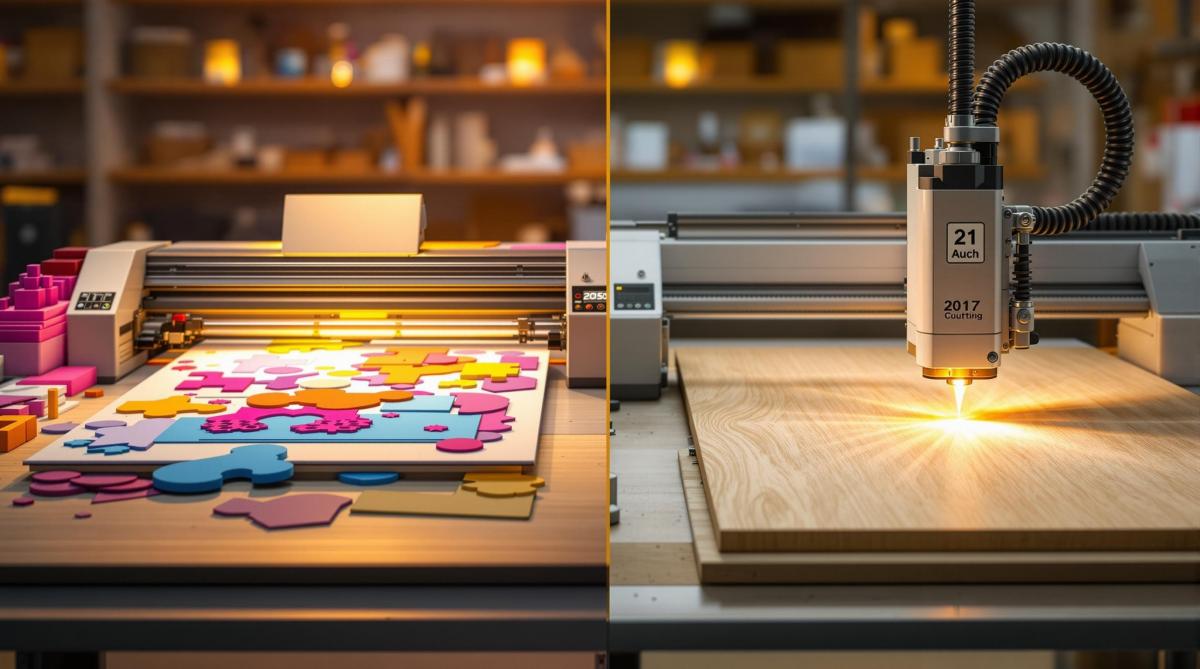
If you’re working with flexible materials like paper, cardboard, or vinyl, die-cutting is the way to go – it’s efficient for simple shapes and high-volume production. For rigid materials like wood, acrylic, or thin metals – or when intricate designs are required – laser cutting offers unmatched precision.

Here’s a quick breakdown of the two methods:

  • Die-Cutting: Uses metal dies and mechanical pressure to cut flexible materials. Best for high-volume, simple shapes.
  • Laser Cutting: Uses a concentrated beam to vaporize tougher materials. Perfect for detailed designs and smaller production runs.

Quick Comparison

Feature Die-Cutting Laser Cutting
Contact Physical contact Contactless
Cutting Action Mechanical pressure Thermal vaporization
Best Materials Paper, vinyl, foam, textiles Acrylic, wood, metals, leather
Ideal Use High-volume, simple shapes Intricate designs, heat-tolerant materials

Key takeaway: Use die-cutting for cost-effective, repetitive cuts on flexible materials. Choose laser cutting for precision and complex designs on rigid or heat-resistant materials.

How Die-Cutting and Laser Cutting Work

Die-Cutting Process

Die-cutting relies on custom metal dies and flatbed or rotary presses to cut flexible materials into uniform shapes. This method is ideal for high-volume projects requiring consistent results. At Miro Printing & Graphics Inc., die-cutting is commonly used for large production runs where precision and uniformity are key.

Laser Cutting Process

Laser cutting uses computer-controlled lasers to vaporize material along precise vector paths. This method excels at creating intricate and highly detailed cuts that go beyond the capabilities of mechanical dies. Since it’s a contactless process, it works well on materials that might not withstand physical pressure.

Main Differences Between Methods

Feature Die-Cutting Laser Cutting
Contact Direct physical contact Contactless
Cutting Action Mechanical pressure Thermal vaporization
Setup Custom die fabrication Digital file preparation
Precision Best for simple to moderately detailed shapes Ideal for intricate, highly detailed cuts
Material Suitability Flexible materials that withstand pressure Rigid and heat-tolerant materials

Die-cutting is your go-to for high-volume, simple shapes in materials that can handle mechanical pressure. On the other hand, laser cutting is the better choice for intricate designs, especially when working with heat-resistant materials. Now, let’s look at the materials that work best with each method and how these processes influence performance.

Materials for Die-Cutting

Best Materials for Die-Cutting

Die-cutting works best with materials that are flexible, evenly dense, and strong enough to handle mechanical pressure without losing their shape. Here are some common materials that perform well in die-cutting:

  • Paper and Cardstock: Perfect for creating business cards, greeting cards, and folders.
  • Vinyl and Thin Plastics: Great for labels, decals, and lightweight packaging.
  • Foam and Corrugated Board: Used for gaskets, padding, boxes, and displays.
  • Fabrics and Textiles: Ideal for tags, appliqués, and custom shapes.

For clean, precise results, materials need consistent density, good tensile strength, and a reliable fiber structure.

Die-Cutting Pros and Cons

Die-cutting has clear benefits but also comes with some limitations depending on the materials used:

Advantages:

  • Handles a wide range of materials, including multi-layered ones, with precision.
  • Perfect for high-volume production runs.
  • Does not produce heat, making it safe for heat-sensitive materials.

Limitations:

  • Not suitable for brittle, delicate, or easily crushed materials.
  • Requires strict adherence to material thickness for optimal results.
  • Fibrous or loosely woven materials may have frayed edges.

At Miro Printing & Graphics Inc., we carefully assess each project’s material needs – focusing on factors like thickness, flexibility, and durability – to ensure the best results with our die-cutting equipment.

Next, we’ll take a look at materials designed for laser cutting.

DIE CUTTING Leather vs LASER CUTTING Leather – What’s …

sbb-itb-ce53437

Materials for Laser Cutting

Laser cutters are perfect for substrates that absorb heat or melt easily. Here’s a breakdown of the materials they work with:

Materials

Non-metallic options

  • Acrylic: Produces smooth, clear edges with little to no finishing required.
  • Wood: Works with both hardwoods and softwoods; charred edges can be sanded away.
  • Paper and Cardstock: Enables detailed patterns without warping or tearing.
  • Leather and Fabrics: Cuts cleanly, with edges that resist fraying.
  • ABS and Mylar Plastics: Suitable for cutting with proper settings.

Metallic options (requires higher-power systems)

  • Stainless Steel: Commonly used for parts and decorative panels.
  • Aluminum: Thin gauges allow for clean cuts.
  • Brass: Achieves detailed results when settings are adjusted correctly.

Laser Cutting Pros and Cons

Advantages

  • Precision: Perfect for intricate shapes and fine details.
  • Non-contact process: Eliminates mechanical stress on materials.
  • Consistency: Delivers uniform results across multiple runs.
  • Heat-sealed edges: Prevents fraying or splintering in certain materials.

Limitations

  • Heat effects: May cause discoloration or charring on some materials.
  • Reflective metals and certain plastics: Can cut poorly or damage optics.
  • Depth restrictions: Limited by material density and laser power.
  • Costs: Higher setup and maintenance expenses for simple, high-volume jobs.

For a detailed comparison, see how these laser-compatible materials stack up against die-cutting substrates in the chart below.

Material Comparison Chart

Here’s a quick guide to match your material with the best cutting method:

  • Paper & Cardstock

    • Die-Cutting: Great for high-volume, simple shapes.
    • Laser Cutting: Ideal for intricate patterns and smaller production runs.
  • Vinyl & Thin Plastics

    • Die-Cutting: Perfect for consistent label cuts.
    • Laser Cutting: Best for custom prototypes and creating sealed edges.
  • Foam & Corrugated Board

    • Die-Cutting: Works well for bulk padding and display items.
    • Laser Cutting: Not recommended.
  • Acrylic & Wood

    • Laser Cutting: Provides smooth edges and detailed cuts.
    • Die-Cutting: Not suitable.
  • Fabrics & Leather

    • Laser Cutting: Produces fray-resistant edges and handles complex designs.
    • Die-Cutting: Suitable for basic tags and appliqués.
  • Thin Metals (Aluminum, Brass, Stainless Steel)

    • Laser Cutting: Offers precise, clean cuts.
    • Die-Cutting: Not applicable.

Use this chart to ensure your material and cutting method are a perfect fit!

How to Choose Your Cutting Method

Now that you understand the materials and methods, it’s time to weigh the factors that will help you decide between die-cutting and laser cutting.

Key Factors to Consider

  • Production Volume: If you’re working with large production runs, die-cutting becomes more cost-efficient after the initial die is made. For smaller batches, laser cutting is a better option since it eliminates tooling costs.
  • Design Complexity: Simple, repeatable shapes are ideal for die-cutting, while laser cutting handles intricate patterns and tight curves with precision.
  • Project Timeline: Laser cutting is great for quick turnarounds, especially for smaller or urgent jobs. On the other hand, die-cutting requires more setup time but is perfect for planned, high-volume projects.

What Miro Printing & Graphics Inc. Offers

Miro Printing & Graphics Inc. provides both die-cutting and laser-cutting services tailored to your needs. Here’s how we can assist:

  • Evaluate your material and design requirements.
  • Recommend the best method based on your production volume for cost-effectiveness.
  • Ensure timely production scheduling to meet your deadlines.

Need help deciding? Reach out to us for expert advice on the best cutting solution for your project.

Conclusion

Deciding between die-cutting and laser cutting comes down to your project’s size, complexity, and the materials you’re working with. Flexible materials are better suited for die-cutting, while rigid or highly detailed designs often require laser cutting. Refer to our material comparison chart to ensure you’re making the right choice.

At Miro Printing & Graphics Inc., we help align your materials and design with the best cutting method to achieve precision, efficiency, and cost-effectiveness. Get in touch with us to find the ideal solution for your next project.

Related posts

https://app.seobotai.com/banner/banner.js?id=6805afcf360079f947b8817d

Ultimate Guide to Recycling in Printing

Explore how recycling in printing can reduce costs, minimize waste, and enhance sustainability while maintaining high print quality.

Recycling in printing can save money, reduce waste, and protect the environment. Here’s how:

  • Cost Savings: Cut costs by reusing paper trimmings, reclaiming ink, and reducing landfill fees.
  • Recyclable Materials: Paper (coated/uncoated), cardboard, plastics (PET/PP), metals (aluminum plates), and ink/solvent containers.
  • Waste Management Tips: Sort materials, prevent contamination, and store properly to comply with recycling laws.
  • Recycling Methods: Choose in-house, outsourced, or hybrid recycling based on your budget and space.

Recycling isn’t just eco-friendly – it improves efficiency and lowers expenses for printing businesses. Ready to make a difference? Dive into the details below.

All about reducing your print costs

Recyclable Print Materials

Let’s take a closer look at which print materials can be recovered and recycled to save costs and reduce waste.

Types of Recyclable Materials

  • Paper

    • Coated: Glossy papers with a protective surface coating can be recycled, helping to cut down on material expenses.
    • Uncoated: Plain papers without additional treatment are easier to reuse, reducing the need for new raw materials.
  • Cardboard

    • Corrugated packaging and shipping materials can be recycled to lower disposal costs.
    • Paperboard boxes and displays can be reprocessed, saving on storage expenses.
  • Plastics

    • PET (polyethylene terephthalate): Common in films and packaging.
    • PP (polypropylene): Used in substrates and wrapping materials.
    • Recycling these plastics helps reduce landfill fees.
  • Metals

    • Aluminum printing plates can be recycled for scrap value.
    • Foil stamping waste can also be reprocessed, offsetting material costs.
  • Ink/Solvent Containers

    • Includes empty toner bottles, cartridges, and chemical containers.
    • Proper recycling of these reduces hazardous waste handling fees.

Waste Management Guidelines

  • Sorting Materials

    • Separate materials by type and label containers clearly.
    • Keep chemical waste apart from recyclable items.
  • Preventing Contamination

    • Remove staples, adhesives, and metal fasteners from paper.
    • Clean out chemical residues from containers.
    • Keep coated and uncoated papers in separate bins.
  • Proper Storage

    • Use covered bins to protect recyclables from moisture.
    • Store chemicals in well-ventilated areas.
    • Isolate fire-sensitive materials to ensure safety.
  • Staying Compliant

    • Adhere to local recycling laws and regulations.
    • Maintain records of disposal procedures.
    • Train employees on safe and proper waste handling.

Next, we’ll dive into practical tips for setting up recycling stations and creating efficient reuse workflows.

Effective waste management relies on two main approaches: setting up recycling stations and finding ways to reuse materials.

Setting Up Recycling Stations

  • Place color-coded bins for paper, plastics, and metals within 10 feet of printing areas.
  • Clearly label each bin with the types of items they accept.
  • Provide staff training on sorting guidelines during monthly briefings.

By making recycling easy and educating your team, you can ensure proper waste separation.

Material Reuse Options

Extend the life of materials with these practical reuse ideas:

  • Use trim scraps for proofing or creating in-house brochures.
  • Turn test prints into internal drafts or memos.
  • Reuse packing inserts for outgoing shipments.
  • Work with your print partner to return unused substrates.

These simple steps not only reduce waste but also help maximize the value of your materials.

sbb-itb-ce53437

Cost Savings Through Recycling

Save money by focusing on two key areas: cutting material costs and lowering disposal fees.

Reducing Material Costs

Recycling materials can help you spend less on supplies. For example:

  • Reprocess paper trim and test prints to reduce the need for new paper.
  • Reclaim unused ink to decrease ink expenses.
  • Reuse partial substrates to avoid placing extra orders.

These steps not only save money but also improve efficiency and highlight your business’s commitment to sustainability.

Lowering Waste Disposal Costs

Disposal fees often depend on the amount and frequency of waste collection. By recycling, print operations can:

  • Reduce landfill waste, which lowers weight-based disposal fees.
  • Cut down on pickup frequency, leading to smaller monthly service charges.

The next step? Compare different recycling methods to find the one that works best for your needs.

Recycling Method Comparison

Let’s break down three recycling approaches – in-house, outsourced, and hybrid – to help you choose the best fit for your shop’s budget, available space, and waste management goals.

In-house recycling involves investing in equipment, dedicating space, and training staff. While the upfront costs can be high, it gives you full control and reduces variable costs as recycling volumes increase.

Outsourced recycling relies on third-party services for collection and processing. This option saves on equipment and space but comes with higher service fees and less flexibility in scheduling pickups.

Hybrid recycling combines the two. Common materials like paper are handled in-house, while specialized waste is outsourced. This approach balances cost, space, and operational complexity.

When evaluating these options, think about your budget, ongoing costs, space limitations, and how quickly you want to get started. For more insights, revisit the sections on Material Cost Reduction and Waste Disposal Savings to guide your decision.

Conclusion

Key Takeaways

Recycling and reusing print materials not only helps lower expenses but also reduces waste without compromising print quality. These practices contribute to more efficient and environmentally conscious printing processes.

About Miro Printing & Graphics Inc.

Established in 1994 in Hackensack, NJ, Miro Printing & Graphics Inc. brings over 30 years of experience in digital, offset, and large-format printing. Their services include in-house bindery, design, and fulfillment, all with a focus on sustainability.

Here’s what Miro offers:

  • Tailored project planning aimed at reducing waste while maintaining high-quality printing standards
  • Decades of expertise combined with in-house design and bindery services, ensuring precision and attention to detail

Related posts

https://app.seobotai.com/banner/banner.js?id=68059028360079f947b849fb

5 Myths About Recycled Paper

Uncover the truths behind recycled paper, debunking myths about quality, cost, and environmental impact while highlighting its many benefits.

Recycled paper is often misunderstood. Many people think it’s lower quality, more expensive, or harder to use. But here’s the truth:

  • Quality: Modern recycled paper matches virgin paper in brightness, smoothness, and durability.
  • Cost: Buying recycled paper in bulk can be as affordable as virgin paper.
  • Environment: Recycling reduces waste, saves water, and lowers energy use.
  • Options: Recycled paper comes in various grades and finishes, including 30%, 50%, and 100% post-consumer waste content.
  • Performance: High-quality recycled paper works seamlessly with printers and doesn’t cause more paper jams.

Quick Tip: Choose paper with at least 30% post-consumer recycled content for a balance of performance and eco-friendliness.

Recycled paper is a practical, sustainable choice for businesses and individuals alike. Ready to make the switch? Keep reading to learn more.

The Surprising Truth: Paper Recycling and the Misconception …

1. Quality Issues in Recycled Paper

There’s a common misconception that recycled paper doesn’t measure up to virgin paper in quality. However, modern processes like deinking, bleaching, and finishing ensure recycled paper matches virgin stock in brightness, opacity, smoothness, and durability. In fact, recycled paper works perfectly for most printing needs.

Up next, we’ll dive into the cost comparison between recycled and virgin paper to address the next myth.

2. Cost Comparison with Virgin Paper

Recycled paper isn’t necessarily pricier than virgin paper. Costs are influenced by factors like the supply and demand for recovered fiber, the technology used in paper production, and the size of your order. When purchased in bulk, recycled paper can often be just as affordable – or even cheaper – than virgin paper. To get a clear picture, request quotes based on your usual order size and delivery needs.

Next, let’s take a closer look at how recycled paper affects the environment.

3. Environmental Impact of Paper Recycling

Myth 3: Recycled paper has minimal impact on the environment.

Recycling paper helps conserve resources and reduces environmental strain. By reprocessing used fibers, the need for virgin pulp is minimized, water usage is cut, and energy consumption drops significantly.

Modern paper mills have adopted practices like reusing process water and using energy-efficient equipment. These changes have helped lower their carbon footprint and reduce air and water pollution.

Here are some key outcomes of paper recycling:

  • Less waste sent to landfills
  • Protection of forest ecosystems
  • Reduced water consumption during paper production
  • Lower emissions of greenhouse gases and air pollutants
  • Better management of natural resources

Next, we’ll explore paper options and availability to challenge Myth 4.

sbb-itb-ce53437

4. Paper Options and Availability

When it comes to recycled paper, there are several grades available to suit various printing needs. These include:

  • 30% post-consumer waste (PCW)
  • 50% PCW
  • 100% PCW

These papers come in finishes like uncoated or silk, with brightness levels typically ranging from 80 to 92 ISO. These options let you find the right balance between appearance, performance, and cost.

At Miro Printing & Graphics Inc., standard recycled stocks (30% and 50% PCW) are available for same-day printing. For 100% PCW options, expect a lead time of 2–3 business days for special orders. Minimum order quantities start at 250 sheets for digital printing and 500 sheets for offset printing. Opting for readily available, high-PCW papers is a simple way to make a positive environmental impact.

Up next, we’ll look at how recycled paper performs in different printers and address common concerns about paper jams.

5. Printer Performance and Paper Jams

Recycled paper that meets industry standards works just as well on both digital and offset presses without causing more paper jams. At Miro Printing & Graphics Inc., we’ve consistently seen high-quality recycled paper perform smoothly across our equipment.

Here’s what matters most: weight, moisture level, and surface smoothness. These factors play a big role in ensuring reliable performance.

To minimize paper jams:

  • Store paper in a dry environment.
  • Fan the sheets before loading them into the printer.
  • Adjust printer settings to match the paper’s weight.
  • Use your paper sooner rather than later to maintain its quality.

If you’re unsure which recycled paper works best with your printer, reach out to Miro Printing & Graphics Inc. for tailored recommendations.

Up next, check out our quick Myths vs. Reality guide.

Myths vs. Reality: Quick Reference

Here’s a clear breakdown of common misconceptions about recycled paper and the actual facts:

Myth Fact
Recycled paper is lower quality and looks grayish Modern recycled paper matches the brightness and texture of virgin-fiber paper.
Recycled paper is much more expensive Prices for bulk recycled paper are now comparable to virgin paper.
Recycling paper uses more energy than making new paper Recycling consumes less energy and produces fewer emissions than creating virgin paper.
Recycled paper comes in limited options You can find recycled paper in a wide variety of weights, finishes, and content levels.
Recycled paper causes more printer jams When it meets industry standards for moisture and thickness, recycled paper performs just as well as virgin paper.

Tip: For a great balance of performance and eco-friendliness, go with paper that contains 30% post-consumer recycled content.

Up next, let’s dive into the main benefits of choosing recycled paper.

Benefits of Recycled Paper Use

Using recycled paper helps protect forests, reduces waste, and lowers water use, energy consumption, and greenhouse gas emissions compared to paper made from new fibers. Opting for recycled paper demonstrates your organization’s dedication to reducing its impact on the environment.

Next Steps

Now that you know the advantages of using recycled paper, it’s time to take action on your printing project.

Miro Printing & Graphics Inc. can help you choose the best recycled paper options to suit your project needs. Their team works closely with you to ensure your goals are met, delivering high-quality results while staying within your budget.

Put what you’ve learned about quality, cost savings, and environmental responsibility into practice with your next print order.

Get started today:

  • Reach out to Miro Printing & Graphics Inc. at 201-439-9686 or mikem@miroprinting.com to schedule a consultation and get a custom quote.

"Great customer service that we didn’t get with our old online printer. Attention to detail is what makes the difference!" – Mike B. [2]

Related posts

https://app.seobotai.com/banner/banner.js?id=68043b606000445eb1a64e44

Latest Trends in Automated Die-Cut Packaging Production

Explore how automated die-cut packaging systems enhance U.S. manufacturing with eco-friendly innovations and advanced technologies.

Automated die-cut packaging systems are transforming U.S. manufacturing by cutting material waste by up to 20%, speeding up production, and delivering fast returns on investment. These systems integrate AI, IoT, and energy-efficient machinery to enhance production accuracy while supporting eco-friendly goals.

Key Highlights:

  • Eco-Friendly Upgrades: Energy-efficient presses, compostable materials, and recycling systems.
  • Advanced Technologies: Rotary systems for high-volume output, laser systems for custom projects, and IoT-enabled systems for real-time monitoring.
  • Industry Adoption: Food, pharmaceuticals, and cosmetics lead the way with smart sensors and precision tools.
  • Future Trends: AI-powered quality control and 5G sensors for predictive maintenance and real-time tracking.

By embracing these innovations, manufacturers can achieve faster cycles, lower costs, and meet sustainability goals with ease.

Rotary Die Cutting for Folding Cartons and Packaging!

Market Analysis

Manufacturers in the U.S. are turning to automated die-cut systems to reduce expenses, speed up production, and meet growing consumer expectations. These changes align with the earlier points about quick returns on investment and reduced waste. Let’s take a closer look at the production technologies driving the evolution of die-cut packaging.

New Production Technologies

Eco-Friendly Production

Manufacturers are increasingly focusing on environmentally conscious upgrades to their machinery. This includes using energy-efficient servo-driven presses that can recover energy during deceleration, switching to compostable and biodegradable materials, and implementing automated sorting systems to recycle leftover materials. These steps aim to combine efficiency with a reduced environmental footprint.

sbb-itb-ce53437

Leading Industries

In the U.S., industries like food & beverage, pharmaceuticals, and cosmetics are at the forefront of adopting advanced manufacturing technologies. These companies use smart-sensor lines for real-time adjustments, precision die-cutting for blister packaging, and intricate techniques for premium packaging designs. By combining energy-efficient presses with recyclable materials, they achieve both accuracy in production and eco-friendly practices.

Balancing Space and Output

Manufacturers are rethinking plant layouts to fit automated die-cutting systems into smaller spaces. Modern systems now include integrated material-handling modules and modular add-ons, allowing businesses to boost or maintain production levels without requiring more floor space. Up next, let’s break down the key die-cutting technologies shaping U.S. manufacturing.

Comparing Technologies

Once layouts are streamlined, manufacturers choose between rotary, laser, and IoT-enabled systems. Rotary die-cutting systems are ideal for large-scale production, offering fast throughput and easy die changes. Laser systems shine in small-batch, highly customized projects since they eliminate the need for tooling. Meanwhile, IoT-enabled systems provide real-time monitoring and predictive maintenance, ensuring smoother operations and reduced downtime.

Industry Outlook

2024-2034 Industry Changes

The automated die-cut packaging sector is set for major advancements by 2034, building on existing IoT, rotary, and laser-based systems. AI-powered smart sensors, already utilized by leading pharmaceutical and food processing companies, are expected to take defect detection and production efficiency to the next level.

The rollout of 5G-enabled sensors is also reshaping how manufacturers monitor production. These sensors allow for comprehensive tracking systems that provide real-time insights across the entire operation.

Market Success Factors

Success in automated die-cut packaging increasingly hinges on a company’s ability to embrace digital transformation. Businesses investing in connected systems are seeing measurable gains in efficiency. Key factors driving this success include:

  • AI-driven quality control using smart sensors
  • Real-time tracking of materials through 5G-enabled systems
  • Seamless digital integration for faster setup and changeovers
  • Predictive maintenance to minimize unexpected downtime
  • Use of sustainable materials and energy-efficient machinery
  • Cloud-based dashboards for monitoring production, quality, and resources

Cloud-based monitoring tools have become crucial for staying competitive. These dashboards offer a clear view of production workflows, quality assurance efforts, and resource management, empowering organizations to make informed, data-driven decisions in real time.

Conclusion

Our analysis highlights how automated die-cut packaging is reshaping U.S. manufacturing. These systems offer faster production cycles, precise accuracy, and cut material waste by up to 20%. Technologies like rotary and laser systems, combined with IoT-enabled setups, deliver strong returns in months while supporting eco-friendly goals with energy-efficient presses and compostable materials.

Looking ahead to 2024–2034, advancements like AI-driven quality control and 5G-connected sensors will bring real-time analytics and predictive maintenance to the forefront, helping companies scale production, minimize downtime, and surpass customer expectations.

Miro Printing & Graphics Inc. stays ahead by integrating these technologies to deliver tailored, efficient die-cut packaging solutions. Work with Miro to modernize your packaging operations and gain a competitive advantage.

Related posts

https://app.seobotai.com/banner/banner.js?id=6802eb093c6b972ab5077def

Proofing Standards in Printing: Key ISO Guidelines

Explore ISO proofing standards that enhance print quality, ensuring accurate color reproduction and consistency in production runs.

ISO proofing standards ensure accurate color reproduction and consistent quality in printing. The ISO 12647 series outlines specific parameters, like color values and tone reproduction limits, to standardize proofing processes. Key standards include:

  • ISO 12647-2: For offset printing.
  • ISO 12647-7: For contract proofs.
  • ISO 12647-8: For validation prints.
  • ISO 3664: Defines viewing conditions for color evaluation.
  • ISO 13655: Specifies methods for measuring color and density.

Colour Matching with ISO ISO 12647 and FOGRA Proofing 51 …

Main ISO Proofing Standards

Printers rely on a set of ISO standards to ensure consistent and predictable results. At the core is the ISO 12647 series, which includes:

  • ISO 12647-2: Defines parameters for offset printing.
  • ISO 12647-7: Covers requirements for contract proofing.
  • ISO 12647-8: Sets targets for validation prints.

These standards specify precise color values, tone reproduction limits, and density targets, ensuring uniform output across different printing processes.

In addition to these, ISO 3664 outlines standardized viewing conditions for color evaluation, while ISO 13655 provides methods for measuring color and density. Together, these guidelines ensure proofs are accurate by controlling lighting conditions, standardizing measurement techniques, and verifying calibration.

This framework creates a reliable, repeatable proofing process for any print operation. With these standards as a foundation, we can see how they enhance quality control in actual print production.

Quality Control Through ISO Standards

The ISO 12647 framework helps ensure consistent quality control throughout every production run.

Consistency in Print Runs

ISO proofing standards are designed to keep quality steady across all production runs, reducing variations in output.

Aligning with Client Expectations

ISO standards clearly define deliverables, ensuring both printers and clients are on the same page. Contract proofs act as binding agreements that specify exact print results. These proofs allow clients to review and approve designs and content, helping to catch and fix errors before printing begins.

"Miro Printing & Graphics Inc. delivers print proofs that match your vision – on time and on budget."

Standards for the Global Market

Up next, we’ll look at ISO-compliant proofing methods, including contract proofs and validation prints.

sbb-itb-ce53437

ISO-Compliant Proofing Methods

ISO-compliant proofing ensures that proofs meet ISO 12647 standards, guaranteeing accurate color reproduction and minimizing errors before printing.

At Miro Printing & Graphics Inc., they provide ISO 12647-7–compliant video and contract proofs for client approval. This approach helps maintain color consistency, accurate reproduction, and timely delivery.

Let’s take a closer look at how print shops across the U.S. apply these ISO-compliant techniques.

ISO Standards in U.S. Print Production

Using ISO-compliant proofing methods, U.S. printers cater to both domestic and international clients. Companies like Miro Printing & Graphics Inc. rely on these standards to ensure consistent results that meet ISO requirements for clients in the U.S. and abroad.

Local Business Impact

Since its founding in 1994, Miro has maintained a proofing process that aligns with ISO standards, ensuring brand consistency and timely project delivery. By following ISO 12647-7 and ISO 12647-8 for contract proofs and validation prints, Miro helps businesses achieve accurate color reproduction – whether for business cards or large-format banners. This approach reflects global practices while meeting specific U.S. needs.

"I even received a video of my print sample (a mini booklet) for approval before they proceeded. Best service I’ve ever received from a printer; couldn’t recommend Miro more highly." – Julia I. [2]

These tailored workflows allow print shops to deliver on ISO’s commitment to consistent and precise color quality.

Summary

ISO proofing standards provide accurate color management and consistent print results that align with client expectations. These standards ensure reliable color reproduction, standardize proof checks, and deliver predictable results. Whether it’s contract proofs (ISO 12647-7) or validation prints (ISO 12647-8), these guidelines simplify proofing processes and maintain brand consistency.

Related posts

https://app.seobotai.com/banner/banner.js?id=6801b16d3c6b972ab5065d38

How Digital Die-Cutting Works for Packaging

Explore the efficiency and benefits of digital die-cutting in packaging, including its process, tools, and materials used for custom designs.

Digital die-cutting is a fast, precise way to create packaging without traditional steel dies. Here’s how it works:

  • What It Is: A computer-controlled machine uses blades or lasers to cut materials based on digital designs, saving time and reducing waste.
  • Key Tools: Flatbed cutters for rigid materials, roll-to-roll systems for flexible ones, and software (like CAD) to design and control cuts.
  • Materials Used: Paperboard, vinyl, corrugated board, plastics (PET, polypropylene), and more.
  • Process: Design files are prepared, materials are loaded, test cuts are done, and final adjustments ensure accuracy.
  • Benefits:
    • Saves time and costs by skipping metal dies.
    • Allows custom designs and quick changes.
    • Reduces waste with efficient material usage.

For businesses, this method is ideal for prototyping, short runs, and custom orders. Miro Printing & Graphics Inc. in NJ specializes in this process, delivering high-quality results with quick turnarounds.

Digital cutting at an industrial level – Packaging industry

Essential Tools and Equipment

Digital die-cutting combines specialized hardware and software to create precise cuts on various packaging materials.

Machine Types and Their Uses

Digital cutters generally fall into two categories:

  • Flatbed Cutters: These machines work on fixed surfaces, ideal for sheets and boards. They can score, crease, and perform multi-layer cuts at varying depths. Many models include registration-mark sensors to ensure graphics align perfectly.
  • Roll-to-Roll Systems: Designed for continuous-feed operations, these machines handle films and flexible materials. They feature adjustable tension and automated feeding, making them perfect for high-volume production.

Software and Templates

The software plays a critical role in digital die-cutting:

  • CAD Software: Handles file formats like AI, EPS, and PDF. It also provides pre-designed packaging templates and nesting tools to maximize material usage.
  • Control Software: Regulates cutting depth, speed, and presets. It can also track metrics and manage job schedules for efficient production.

Compatible Materials

Digital die-cutting works with a variety of packaging materials, such as:

  • Corrugated and Solid Board: Used for shipping boxes and display cartons.
  • Paperboard: Commonly used in folding cartons and point-of-sale packaging.
  • Vinyl and Films: Ideal for labels and decals.
  • Rigid Plastics (e.g., PET/PETG): Used for blister packs and clear presentation boxes.
  • Flexible Plastics (e.g., Polypropylene): Suitable for pouches and bags.

To ensure the best results, store materials under stable temperature and humidity conditions. Always perform test cuts to fine-tune settings before starting full production.

Once you have the right tools and materials, the next step is preparing your design file for cutting.

The Digital Die-Cutting Process

Once you’ve chosen your cutter and materials, you’re ready to start the job. Here’s how to get it done step by step.

Setting Up the Design

Using CAD software, map out your cut and score lines. Add registration marks, define safety margins, and double-check all dimensions to ensure they meet the final specifications. When your file is good to go, prep your materials for cutting.

Preparing the Material

Make sure the cutting surface is clean and free of debris. Adjust the feed and hold-down settings to match the thickness and firmness of your chosen material. Once everything is set, you’re ready to move on to cutting and finishing.

Cutting and Finishing Process

This part involves three key steps:

  • Test Cuts: Check the blade’s depth, pressure, speed, and alignment to ensure accuracy.
  • Monitor and Adjust: Keep an eye on the material feed and overall quality during the process. Tweak settings as needed to maintain precision.
  • Final Touches: Trim any waste, apply coatings, inspect edges and depth, and let the pieces rest before moving on to lamination.
sbb-itb-ce53437

Benefits of Digital Die-Cutting

Digital die-cutting offers three main perks: saving time and money, enabling customization, and reducing waste.

Time and Cost Savings

By removing the need for metal dies, digital die-cutting drastically reduces setup time and tooling expenses. Companies like Miro Printing & Graphics Inc. can quickly start prototypes or short production runs. This efficiency keeps projects moving fast and on budget.

Customization

Digital die-cutting opens up a world of design possibilities:

  • Works with materials like paperboard, corrugated board, vinyl, and specialty substrates
  • Allows instant artwork adjustments without extra tooling costs
  • Handles intricate cuts, precise scoring, and detailed perforations
  • Supports variable data, such as serial numbers or QR codes
  • Ideal for multi-panel folding boxes and pop-up displays

Waste Reduction

With optimized nesting and digital previews, waste and errors are minimized. On-demand production eliminates the need for large minimum orders and prevents excess inventory from piling up. This approach not only cuts costs but also supports more eco-friendly packaging practices.

Common Uses and Markets

Now that we’ve covered the advantages, let’s look at how digital die-cutting is used in various products.

Package Types

Design custom folding cartons and distinctive box shapes for industries like food, beverages, and cosmetics. This enhances product presentation and strengthens brand identity.

Label Making

Craft detailed label shapes and precise edges for products in food, cosmetics, and pharmaceuticals. This ensures product details are displayed clearly and positioned correctly.

Conclusion

Once you’ve got the design, materials, and finishing techniques down, digital die-cutting becomes a game-changer for creating accurate and efficient packaging.

For expert help, check out Miro Printing & Graphics Inc. With more than 30 years in the business, they provide a range of services – like digital printing, in-house bindery, design, and large-format printing – while keeping things personal. Customers often highlight their high-quality work, quick turnaround times, and fair pricing.

Reach out to Miro Printing & Graphics Inc. today and take your packaging to the next level with their digital die-cutting expertise.

Related posts

https://app.seobotai.com/banner/banner.js?id=68019d453c6b972ab5063e9c

ISO 2846: Ink Color Standards Explained

Learn how ISO 2846 standards ensure consistent ink color quality in printing, benefiting businesses with reliable branding and improved customer satisfaction.

ISO 2846 ensures consistent, reliable color quality in printing by defining standards for CMYK process inks. It helps businesses maintain uniform brand visuals, reduce waste, and improve customer satisfaction.

Key Takeaways:

  • What It Covers: Color specifications, transparency standards, and testing methods for CMYK inks.
  • Benefits for Businesses: Consistent branding, fewer color errors, and better print quality.
  • Testing Requirements: Uses tools like spectrophotometers and follows strict temperature and humidity controls.
  • Certification: Requires regular testing, equipment calibration, and staff training to maintain compliance.

ISO 2846 is essential for achieving precise and dependable print results, ensuring your printed materials look exactly as intended.

Core Functions of ISO 2846

Primary Objectives

ISO 2846 focuses on ensuring that process inks provide consistent color reproduction and maintain transparency. This helps achieve reliable color performance while minimizing waste during printing. Its standards apply to a range of printing methods, ensuring dependable results.

Supported Print Methods

The standard is relevant to popular printing techniques in the US, such as offset and digital printing, guaranteeing uniform color quality.

Applications in the US Print Industry

Companies like Miro Printing & Graphics Inc. rely on ISO 2846 to guide their digital, offset, and large-format printing. This helps them deliver precise, consistent colors and maintain strong brand representation.

Testing Standards and Methods

Ink Testing Steps

ISO 2846 testing follows strict protocols and uses specialized equipment. The process starts with preparing print samples on standardized substrates under controlled conditions. The testing environment must be kept at 73°F (±3.6°F) with a relative humidity level of 45-55%.

Essential equipment includes:

  • Spectrophotometer calibrated to ISO standards
  • Controlled-pressure print proofing system
  • Standard CIELAB measurement software
  • Temperature and humidity monitoring tools

Once the samples are prepared, color measurements are taken using defined metrics.

Color Measurement Guidelines

The CIELAB color space system is used to assign precise numerical values to color properties. Each process ink – Cyan, Magenta, Yellow, and Black – must meet specific tolerance ranges:

Process Ink L* Value Range a* Value Range b* Value Range
Cyan 54.0 – 56.0 -37.0 to -35.0 -50.0 to -48.0
Magenta 47.0 – 49.0 74.0 to 76.0 -3.0 to -1.0
Yellow 88.0 – 90.0 -5.0 to -3.0 93.0 to 95.0
Black 15.0 – 17.0 0.0 to 1.0 0.0 to 1.0

After measuring color, the transparency of the ink is tested on black substrates.

Transparency Testing

Transparency testing ensures that inks perform well in overprinting scenarios. Here’s how it works:

  • Sample Preparation: Print test patches on a standardized black backing.
  • Measurement and Assessment: Use a calibrated densitometer to measure ink density and visually check for color consistency.
  • Documentation: Record all measurements and maintain detailed testing logs.

For process colors, transparency values need to be at least 70% to guarantee proper color mixing and reproduction in multi-color printing.

sbb-itb-ce53437

ISO 2846 standards ensure consistent print quality and help establish trust with clients. At Miro Printing & Graphics Inc., these standards translate into reliable results and satisfied customers. Here’s what one client had to say:

"Great customer service that we didn’t get with our old online printer. Attention to detail is what makes the difference!" – Mike B.

This kind of feedback highlights the importance of adhering to standardized practices.

Comparing Standard and Non-Standard Inks

Using ISO 2846-compliant inks guarantees timely, high-quality prints, showcasing the print shop’s commitment to excellence. The impact is clear in the words of another happy client:

"Mike and his team completed a complex job in record time for a very reasonable price… Best service I’ve ever received from a printer; couldn’t recommend Miro more highly." – Julia I.

Getting and Keeping Certification

Certification Process

Earning ISO 2846 certification means understanding color standards thoroughly and prioritizing quality control. Here’s how the process works:

  • Initial Assessment: Evaluate your current inks and color management systems.
  • Equipment Calibration: Ensure all measurement devices meet ISO standards.
  • Staff Training: Educate your team on proper color management techniques.
  • Documentation: Keep accurate and detailed records.
  • Quality Control: Perform regular tests to maintain consistent print quality.

These steps lay the groundwork for meeting certification requirements and staying compliant over time.

Long-term Compliance

Keeping ISO 2846 certification isn’t a one-and-done deal – it requires consistent effort and regular checks. Sustaining compliance involves:

  • Regular Quality Assessments: Conduct monthly tests to monitor color accuracy. Detailed records help catch issues early, ensuring print quality stays on track.
  • Client Communication: Keep an open line of communication with clients during the printing process to meet their expectations.
  • Continuous Training: Regularly update your team on the latest ISO standards and color management techniques to maintain high-quality results.

Conclusion

ISO 2846 standards play a key role in maintaining reliable print quality. By sticking to these guidelines, businesses can ensure consistent and high-quality printing, which is essential for clear and effective branding. These standards help maintain strict color accuracy and detail, ensuring printed materials represent a brand as intended.

Miro Printing & Graphics Inc. Standards

At Miro Printing & Graphics Inc., ISO 2846 compliance is at the heart of our quality control process. We prioritize color precision and exceptional print quality in every project we handle.

Here’s how we maintain our high standards:

  • Daily color calibration checks to ensure accuracy.
  • Ongoing staff training focused on color management techniques.
  • Advanced spectrophotometer measurements for precise color matching.
  • Thorough quality control documentation for every project.

Our motto, "Presentation is the first step to a successful, lasting relationship," reflects our belief in the power of outstanding print quality to drive business success. From our Hackensack facility, we deliver printing services that meet or exceed ISO 2846 standards, ensuring that every piece we produce aligns perfectly with our clients’ branding and messaging needs.

Related posts

https://app.seobotai.com/banner/banner.js?id=6800497e28980901df1e59a6

Common Substrate Defects in Printing

Learn to identify and correct common printing substrate defects to maintain high-quality results and reduce production issues.

Print quality issues can ruin your project before it even starts. Here’s how to spot and fix common substrate defects in printing, like uneven ink coverage, pinholing, contamination, and color misalignment. These problems often stem from issues with materials, equipment, or environmental conditions.

Key Takeaways:

  • Uneven Ink Coverage (Mottling): Caused by ink viscosity issues or substrate absorption problems.
  • Pinholing: Tiny unprinted spots from improper substrate prep or environmental factors.
  • Contamination: Dust, debris, or pollutants disrupting ink transfer.
  • Ink Bonding Problems: Poor adhesion leading to peeling or flaking.
  • Color Misalignment: Blurry or misaligned overlays due to equipment calibration or substrate movement.

Quick Solutions:

  • Inspect prints for defects early using quality control tools.
  • Maintain proper press room conditions (temperature, humidity, cleanliness).
  • Test substrate properties like moisture and surface energy before printing.
  • Regularly clean and calibrate equipment.
  • Train staff to handle substrates properly and follow quality checks.

By identifying and addressing these issues early, you can save time, reduce costs, and maintain high print quality.

Static Electricity on Corrugated Plastic Substrates Causes …

Main Types of Substrate Defects

Recognizing substrate defects is key to solving printing problems before they affect the final product. Below is a closer look at the most common issues in commercial printing.

Uneven Ink Coverage (Mottling)

Mottling refers to uneven color distribution caused by inconsistencies in ink viscosity or substrate absorption. At Miro Printing & Graphics Inc., technicians rely on precision viscometers to maintain consistent ink flow and viscosity.

Some common causes of mottling include:

  • Incorrect ink-water balance
  • Uneven substrate coating
  • Poor drying conditions
  • Variations in surface tension

Small Unprinted Spots (Pinholing)

Pinholing appears as tiny white spots where ink fails to adhere, especially in solid color areas. Properly preparing the substrate and controlling environmental factors can help minimize this issue.

Print contamination happens when foreign particles disrupt ink transfer onto the substrate. Common culprits include:

  • Paper dust
  • Static-attracted debris
  • Dried ink particles
  • Environmental pollutants

Maintaining a strict cleaning routine and using advanced air filtration systems can effectively prevent contamination.

Ink Bonding Problems

When ink doesn’t adhere properly, it can lead to peeling, rubbing, or flaking. Here’s a breakdown of factors affecting ink adhesion and their solutions:

Factor Impact on Adhesion Solution
Surface Energy Reduces ink wetting Use corona treatment
Material Compatibility Weakens adhesion Adjust ink formulation
Drying Conditions Affects curing Control the environment
Substrate Cleanliness Reduces bond strength Pre-print cleaning

Color Alignment Issues

Misaligned colors can result in blurry images or incorrect overlays. These issues often stem from:

  • Faulty plate registration
  • Substrate movement during printing
  • Calibration errors in equipment
  • Fluctuations in temperature and humidity

To address this, print specialists use advanced registration systems to ensure precise color alignment in every print run.

Next, we’ll explore methods to identify and fix these defects effectively.

sbb-itb-ce53437

Finding and Fixing Defects

At Miro Printing & Graphics Inc., we follow a clear quality control process to catch substrate issues early. Our team starts with a visual review of prints under standard lighting, using magnification when necessary. Key areas we check include:

  • Surface uniformity: Ensuring ink coverage is even across the print area.
  • Color accuracy: Comparing printed colors to approved proofs under calibrated lighting.
  • Registration alignment: Confirming that color overlays align perfectly using registration marks.
  • Surface integrity: Looking for physical flaws like scratches or dents.

After this inspection, we evaluate equipment and materials to pinpoint possible sources of defects.

Material and Equipment Checks

Once the visual inspection is complete, we conduct detailed checks of materials and equipment to confirm findings. These tests help identify specific causes of substrate defects. Our process includes:

  • Measuring substrate moisture levels.
  • Assessing surface energy.
  • Monitoring press room conditions.
  • Checking ink viscosity.
  • Verifying registration accuracy.

These steps help us catch and address issues before they affect an entire production run.

Problem-Solving Guide

We take a structured approach to troubleshooting by addressing problems step-by-step:

  1. Initial Assessment
    Review print samples under standard conditions. Use high-resolution photos to document defects.
  2. Environmental Control
    Adjust press room conditions, such as temperature, humidity, air filtration, and static control, to maintain an optimal environment.
  3. Material Verification
    Test substrate properties before large print jobs. Check for surface tension, moisture content, thickness uniformity, and dimensional stability.
  4. Process Adjustment
    Fine-tune printing settings like ink viscosity, pressure, ink-water balance, and drying parameters based on test results.

Defect Prevention Methods

Preventing defects is just as important as identifying them. At Miro Printing & Graphics Inc., we follow strict measures to maintain consistent print quality and reduce substrate-related issues.

Equipment Maintenance

Keeping equipment in top shape is key to avoiding defects. This includes cleaning printing components, checking moving parts, and fine-tuning systems like registration, tension controls, and feed mechanisms. We also regularly inspect rollers, bearings, and moisture control systems to ensure they are performing as they should.

Material Quality Standards

We maintain high standards for the materials we use. Substrates are checked for moisture, thickness, and smoothness to ensure they meet our specifications. For example, moisture levels are tested with electronic moisture meters, and thickness is measured using digital micrometers. Here’s a quick look at our process:

Quality Parameter Specification Testing Method
Moisture Content Per quality standards Electronic moisture meter
Thickness Variation Within defined tolerance Digital micrometer
Surface Smoothness Meets industry standards Visual or energy test

By working closely with certified suppliers and setting clear expectations, we ensure each delivery meets our strict requirements. This approach helps address potential issues before they arise.

Staff Training and Work Area Control

Well-trained staff and organized workspaces go a long way in preventing substrate problems. We provide ongoing training on substrate handling, quality checks, and contamination prevention, ensuring consistent and high-quality printing results.

Summary

With over 30 years of experience, Miro Printing & Graphics Inc. tackles substrate defects using proven quality control processes, skilled staff, and strict protocols. Substrate defects can harm print quality, but identifying and addressing them ensures consistently great results.

"With meticulous attention to detail, our print shop offers a customized approach tailored to each project."

  • Miro Printing & Graphics Inc.

Here’s how Miro Printing & Graphics Inc. maintains top-tier print quality:

Quality Control Systems

  • Regularly maintaining and calibrating equipment
  • Enforcing strict material quality standards
  • Training staff thoroughly
  • Maintaining controlled work environment conditions

Professional Expertise

The team brings years of experience and treats every project as unique. As one happy customer shared:

"Great customer service and unmatched attention to detail make all the difference!"

  • Mike B.

Prevention and Solutions

To ensure flawless results, Miro Printing & Graphics Inc. employs:

  • Advanced inspection protocols
  • Rigorous material testing
  • Scheduled equipment maintenance
  • Continuous staff training

These efforts ensure every project meets the highest standards while staying on budget. By keeping substrate defects under control, Miro Printing & Graphics Inc. guarantees exceptional results for every print job.

Related posts

https://app.seobotai.com/banner/banner.js?id=67ff0d7cb0912f75a97f1163

Common Post-Press Quality Issues and Fixes

Learn to identify and resolve common post-press quality issues to ensure high-quality printed materials and client satisfaction.

Post-press operations are critical for ensuring high-quality printed materials that meet client expectations. Here’s a quick rundown of the most common quality problems and how to fix them:

  • Paper Warping: Caused by temperature changes, improper storage, or uneven drying. Prevent with climate-controlled storage and proper material handling.
  • Uneven Print Density: Results from irregular paper surfaces or uneven pressure. Regularly calibrate equipment and monitor environmental conditions.
  • Ink Issues: Includes smudging, offsetting, scuffing, and flaking. Address with proper drying times, careful handling, and compatible materials.
  • Alignment Problems: Misaligned folds, registration errors, or uneven trims. Fix with precise calibration and regular equipment maintenance.
  • Paper Surface Flaws: Scratches, fiber lifting, and coating damage. Use high-quality materials and gentle handling.

To prevent these issues:

  • Maintain consistent temperature and humidity.
  • Clean and calibrate equipment regularly.
  • Handle materials carefully and store them properly.
  • Implement thorough quality inspections.

Pro Tip: Regularly track quality metrics and seek expert support for complex problems to ensure top-notch results.

Smart QI – the quality inspection system for high-speed digital …

Smart QI

Post-Press Quality Problems

Post-press quality issues can negatively affect the final printed product, often leading to expensive reprints and dissatisfied clients. Recognizing these problems early allows for quick fixes.

Paper Warping Issues

Paper warping, which creates waves or ripples, can ruin the look of a printed product. Common causes include:

  • Temperature changes
  • Improper storage under fluctuating conditions
  • Uneven drying during finishing
  • Misaligned paper grain during folding

This issue is particularly troublesome in perfect-bound books, where it can cause buckling and misaligned spines. At Miro Printing & Graphics Inc., climate-controlled storage helps maintain stable conditions to reduce warping. Next, let’s address print density concerns.

Uneven Print Density

Uneven print density shows up as inconsistent color intensity across the material. This can result from:

  • Irregular paper surfaces affecting ink absorption
  • Variations in paper thickness
  • Uneven pressure during finishing
  • Temperature changes during drying

Ink Problems

Post-press ink issues can take several forms, each impacting quality differently:

Issue Type Common Causes Impact on Quality
Smudging Inadequate drying time Blurred text and images
Offsetting Pressure from stacking Unwanted ink transfer
Scuffing Mechanical handling Surface damage
Flaking Poor ink adhesion Ink separating from paper

Alignment Problems

Misalignment during post-press processes can result in:

  • Crooked folds
  • Registration errors in multi-color prints
  • Uneven margins in perfect-bound books
  • Inconsistent trimming

These problems often occur in high-speed finishing operations, where precise calibration is critical.

Paper Surface Issues

Surface imperfections can arise during post-press handling, including:

  • Fiber lifting from aggressive scoring
  • Scratches from finishing equipment
  • Dust contamination during binding
  • Coating damage caused by folding

These flaws are especially noticeable on glossy or dark-colored stocks, where even small blemishes stand out. Environmental conditions, material quality, and process control all play a role in maintaining post-press quality.

Problem Sources and Prevention

Our approach targets key areas to ensure final products consistently meet high-quality standards.

Climate Control

Fluctuations in temperature and humidity can harm paper stability and print quality. To prevent issues like paper warping, uneven ink drying, or material degradation, maintain steady temperature, humidity, and airflow levels. Once these are under control, focus on keeping equipment in top condition.

Equipment Care

Well-maintained equipment is essential for reliable quality. Clean finishing equipment daily, calibrate machines regularly, and schedule monthly inspections to catch wear and tear early. These measures keep machines running smoothly and help avoid production setbacks.

Materials Management

How materials are handled directly affects product quality. Best practices include acclimating new paper stocks before use, following a first-in-first-out system for inventory, handling materials with care, and ensuring coatings are compatible with finishing processes.

Quality Tracking

Consistent quality tracking helps catch problems early. Monitor equipment performance, document environmental conditions, and keep detailed records of material properties. Regularly reviewing this data can highlight trends, allowing for timely adjustments.

sbb-itb-ce53437

How to Fix Quality Issues

Alignment Corrections

Getting alignment right is key for polished post-press results. Check that registration and crop marks are clearly visible. For multi-page documents, make sure folding marks line up exactly with the trim edges. If needed, make tiny adjustments – about 0.008 inches – to achieve perfect alignment. To keep things precise, regularly clean and calibrate optical sensors.

Quality Control Steps

Quality Inspection List

A thorough quality inspection ensures the final product meets high standards and complements earlier quality checks. Pay attention to print density and color consistency across all pages. Check that folding and binding are even and secure. Examine trimmed edges to ensure they are clean and meet the required dimensions.

Key areas to review include:

  • Color consistency throughout the print run
  • Binding quality, ensuring it is secure and properly aligned
  • Surface finish, looking for a smooth and even texture
  • Paper stock condition, confirming it meets specifications
  • Trim accuracy, ensuring clean and precise edges

Keeping records of these inspections helps identify patterns and improve processes over time.

Process Review Steps

Regularly reviewing workflow steps can uncover potential problems early. Document each stage of the post-press process, from handling materials to final packaging. Consistently monitor and record temperature and humidity levels during production to maintain optimal conditions.

Key items to include in your checklist:

  • Equipment maintenance and monitoring environmental conditions
  • Material storage, ensuring proper handling to avoid damage
  • Operator training, verifying skill levels and up-to-date certifications
  • Quality control metrics, tracking performance and identifying areas for improvement

Professional Support

If internal reviews fall short, seeking professional expertise can help maintain consistent quality. For complex post-press issues, experienced professionals bring valuable solutions. At Miro Printing & Graphics Inc., their team is known for delivering exceptional results across a wide range of printing projects.

"Mike and his team completed a complex job in record time for a very reasonable price… Best service I’ve ever received from a printer; couldn’t recommend Miro more highly." – Julia I.

Their services include pre-press consultations, routine equipment calibration, expert quality inspections, and quick issue resolution.

"Work quality is terrific, the staff is warm and helpful, I highly recommend them for any of your printing needs!" – Julieth R.

"Mike and his team at Miro have delivered stars, comet, and galaxy size projects for Lycored. No matter how little or large, no matter what the deadline, I sleep at night knowing Miro is on it. Truly, a gem printer shop and more in New Jersey." – LycoRed T.

Conclusion

Effective post-press quality management ensures top-notch results, reducing reprints and keeping clients happy.

Customer feedback shows that meticulous post-press processes – paying close attention to every detail – play a big role in client satisfaction. At Miro Printing & Graphics Inc., this dedication shines through in the consistent praise from their clients.

Key elements of a strong quality management strategy include:

  • Regular maintenance and calibration of equipment
  • Controlled conditions for production
  • Proper handling of materials
  • Detailed quality inspection processes
  • Expert assistance when necessary

Client testimonials, such as this one from Julieth R., highlight the importance of combining technical precision with responsive service:

"Work quality is terrific, the staff is warm and helpful, I highly recommend them for any of your printing needs!"

This kind of feedback emphasizes that every print job reflects the professionalism of the brand behind it. As Miro Printing & Graphics Inc. puts it:

"Presentation is the first step to a successful, lasting relationship."

Strong quality control not only ensures great results but also builds trust and long-term partnerships with clients.

Related posts

https://app.seobotai.com/banner/banner.js?id=67fef7f8b0912f75a97eeaae